

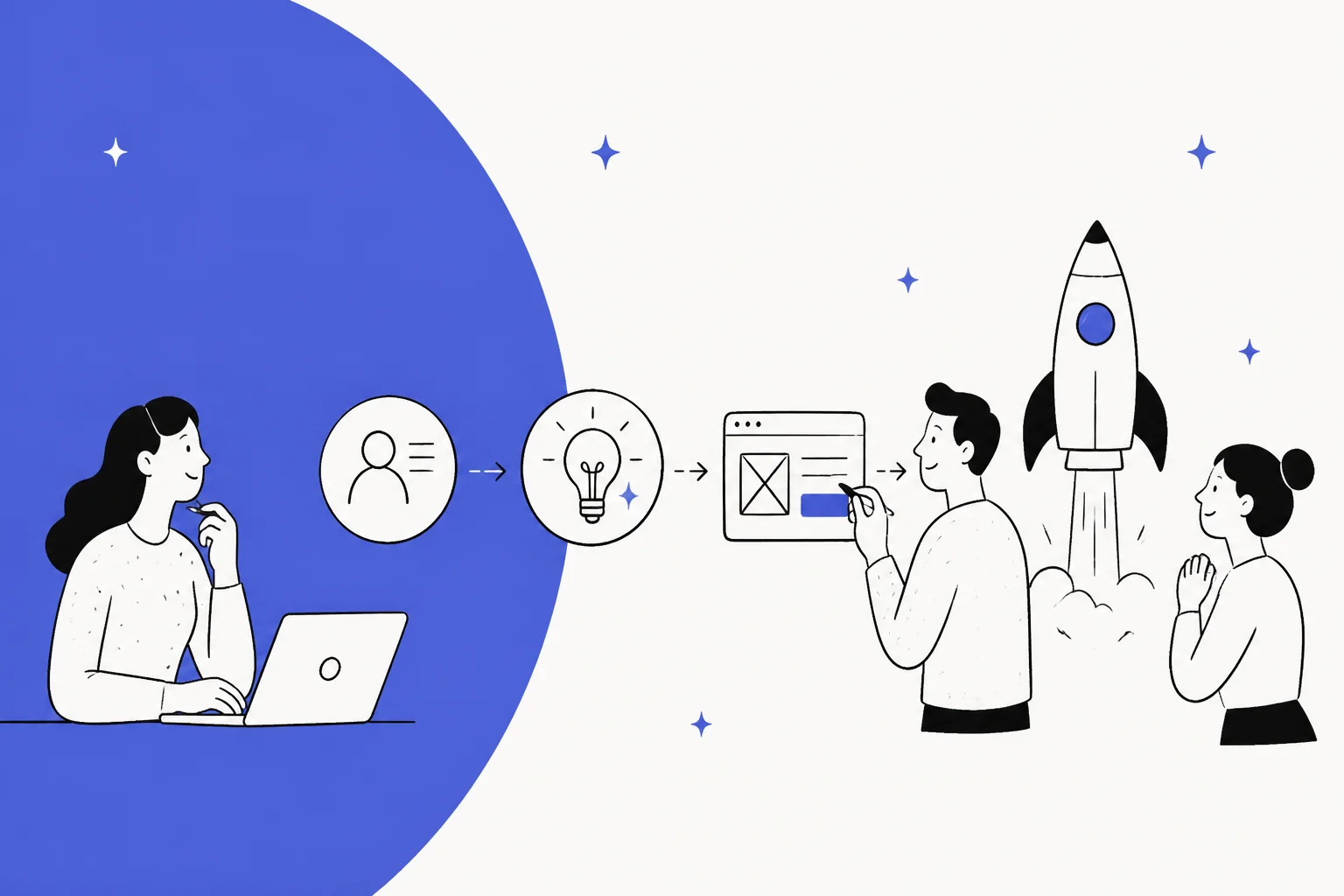
The pressure to innovate is always on. But let's be honest, traditional product development can feel like you're running in mud. The cycles are long, teams often work in their own bubbles, and by the time you launch, the market might have already moved on. What if you could break that cycle?
This is where AI is starting to make a real difference, turning those slow, disjointed processes into a fast, integrated feedback loop. It’s not about replacing product managers or designers; it's about giving them a serious boost. By connecting all your scattered data sources, from customer support tickets to internal wikis, AI can speed up every stage from concept to market. This guide will walk you through what AI in product development really means, how it changes the entire lifecycle, and the key ways teams are using it to build better products, faster.
What is AI in product development?
At its core, using AI in product development is about strategically using artificial intelligence, including machine learning and generative AI, throughout the entire process of creating, launching, and improving a product. It’s about making your team smarter, faster, and more tuned in to your customers.
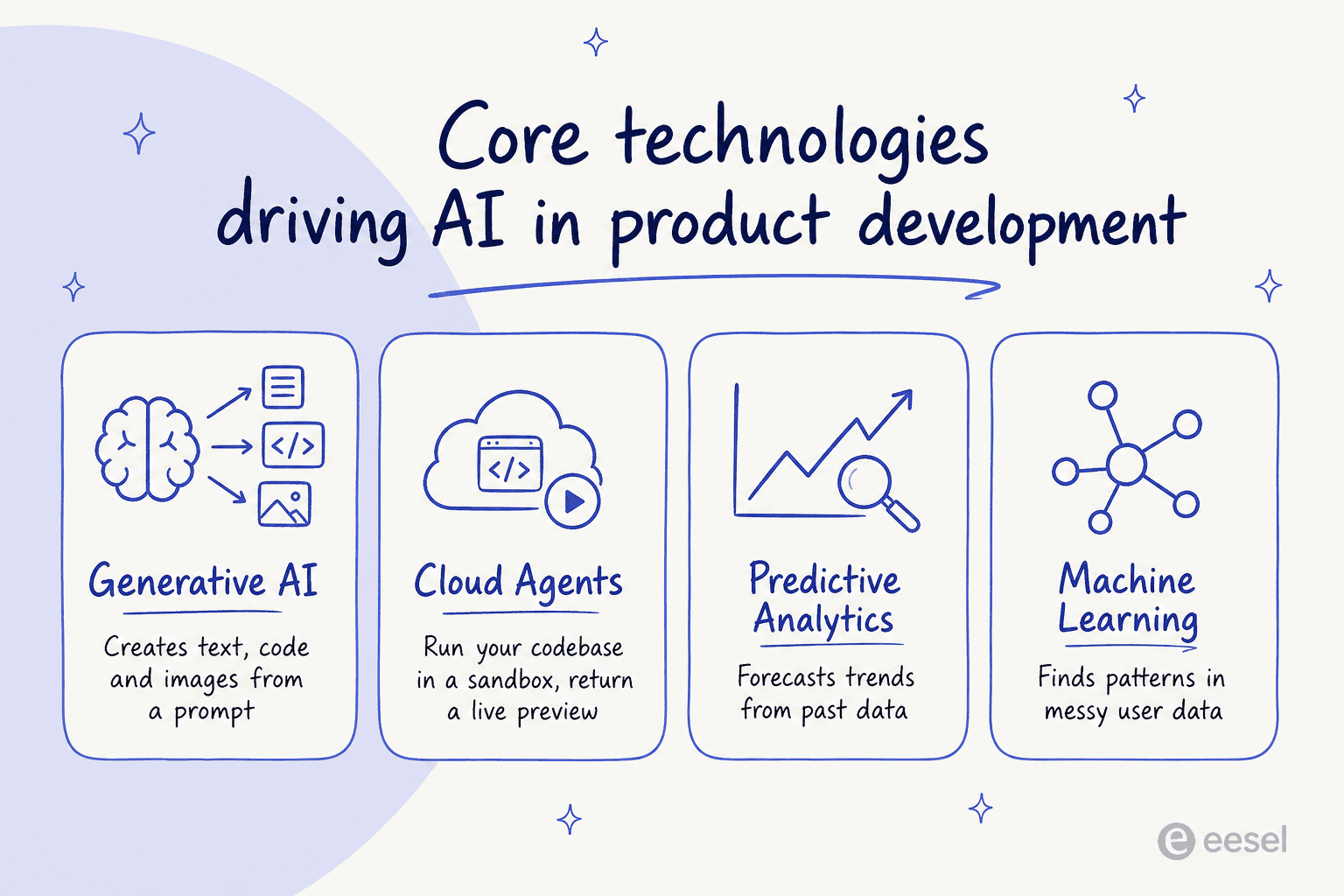
Think of it less as a replacement for human creativity and more as a powerful collaborator. AI can analyze huge amounts of data, automate the grunt work that bogs teams down, and even help spark new ideas. It connects information that was previously stuck in silos to help everyone make better, quicker decisions. The main technologies making this happen include:
-
Generative AI: Tools that create new content like text, code, and images from simple prompts, powered by models like OpenAI's GPT-5.6 or advanced image generators.
-
Cloud Agents: AI agents that run your codebase in a cloud sandbox, so they can make a change, run the app, and hand back a live preview in the browser. Alloy's Cloud Agents let product managers and designers turn a prompt into a working preview and a pull request, no dev environment required.
-
Predictive Analytics: Algorithms that can forecast market trends and anticipate customer behavior by learning from past data.
-
Machine Learning: The engine that finds patterns in complex user data from places like social media, online reviews, and support chats.
Imagine giving your product team a few assistants who can read every customer ticket, analyze market trends, and help sketch out new ideas, all at the same time. That's the kind of support AI brings to the table, as shown in the breakdown below.
How AI in product development reshapes the entire product lifecycle
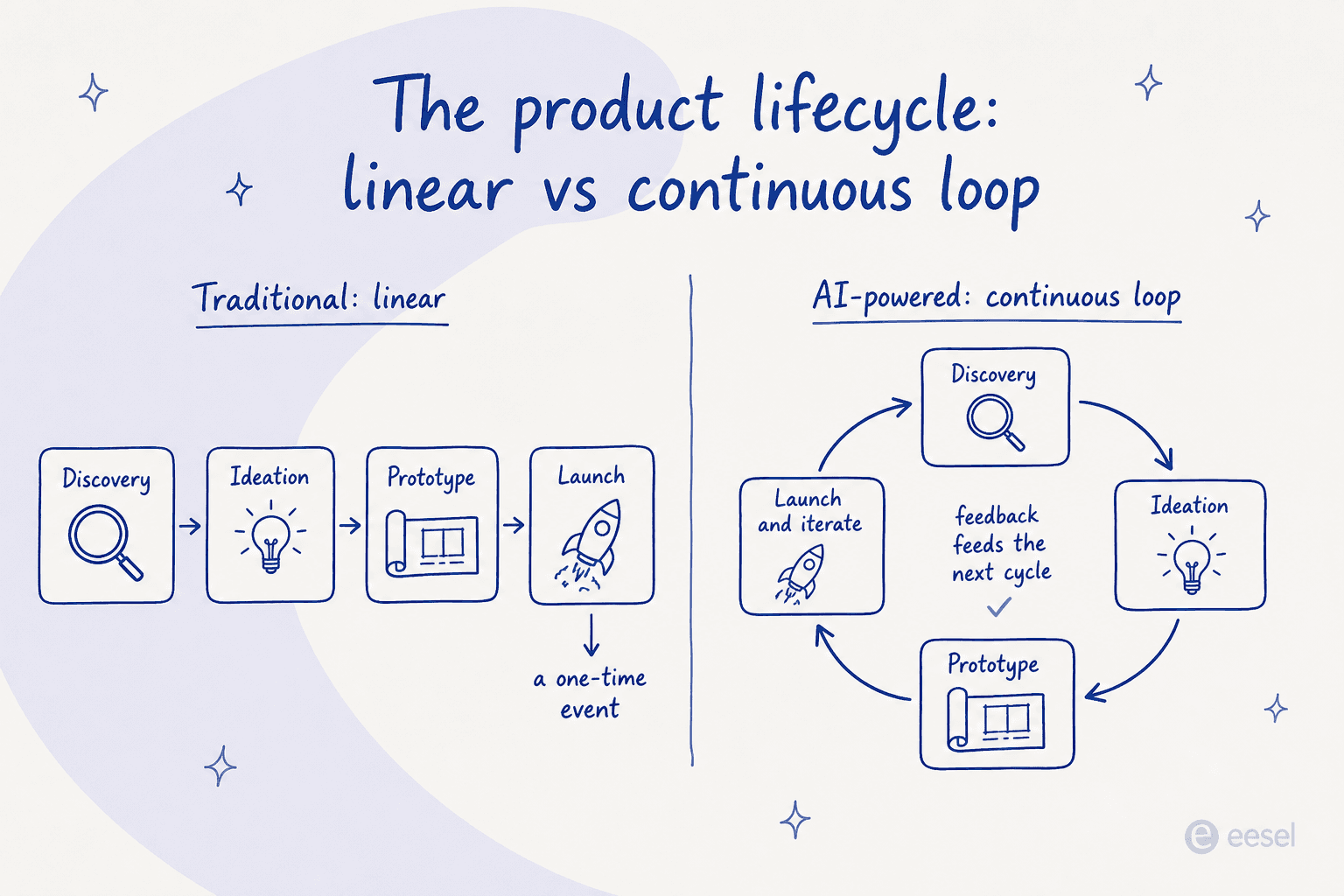
AI isn't just for speeding up one or two tasks. It weaves itself through the entire process to create a more fluid, data-focused workflow from beginning to end. It breaks down the old, linear model and replaces it with a continuous loop of feedback and improvement, creating a more dynamic cycle.
Phase 1: Discovery and research with AI in product development
This phase used to involve slow, manual market research, surveys, and focus groups that often gave you a snapshot of what people thought last month. Today, AI can scan social media, online reviews, and customer feedback in real-time to spot emerging trends and pain points as they happen.
But your most valuable insights are usually hiding in your customer conversations. Instead of manually exporting and sifting through thousands of support tickets, a tool like eesel AI can connect directly to your helpdesk, whether it's Zendesk or another support platform. By training on your past tickets, macros, and help center articles, it instantly flags recurring issues, feature requests, and bug reports. This pipes raw, unfiltered customer feedback directly into your discovery process, giving you a real-time pulse on what your customers actually need.
Phase 2: Ideation and design with AI in product development
Brainstorming sessions are great, but they're limited by the people and ideas in the room. Generative AI tools like Midjourney or OpenAI's GPT Image 2 can produce countless product concepts, design variations, and UI mockups from a few simple text prompts. This lets teams explore more creative directions and visualize possibilities in a tiny fraction of the time it would take to sketch them out by hand.
Phase 3: Prototyping and testing with AI in product development
Getting from a concept to a testable prototype is often a major bottleneck. AI helps speed this up by generating boilerplate code and automating quality assurance. AI-powered code completion tools like GitHub Copilot can write routine code, which frees up engineers to focus on more complex problems. At the same time, AI-driven testing can run thousands of simulations, finding bugs and performance issues much faster than any manual QA process could.
The bigger shift is who can actually try something. The blocker was never the idea, it was that testing it meant borrowing an engineer's afternoon just to get the thing running. Cloud agents move that setup into a sandbox, so a PM or designer can describe a change and see it live rather than describe it in a doc. Alloy is one of the tools working this way, hooking into a repo and handing back a preview link and a pull request, so feedback lands on the running thing and an engineer still reviews the diff. It sounds minor. Mostly it just deletes the week that used to sit between a mockup and a build.
Phase 4: Launch and iteration with AI in product development
The work doesn't stop at launch; it’s really just the beginning. After a product is live, AI-powered dashboards can monitor user behavior, track how new features are being adopted, and identify friction points in real-time. This gives product managers a constant stream of data-backed insights, allowing them to prioritize updates and iterate quickly based on how people are actually using the product.
Key use cases for AI in product development across teams
AI’s impact isn't just for one department. It helps different roles across the organization work smarter and more collaboratively, breaking down the barriers that slow innovation down.
For product managers: Making data-driven decisions
Product managers can now build roadmaps based on hard evidence, not just gut feelings. AI-driven predictive analytics can help forecast product-market fit, while sentiment analysis tools can chew through thousands of customer feedback entries to pinpoint what users love and what drives them crazy. For example, Walgreens successfully updated its multivitamin line by using AI to analyze raw review data, email complaints, and customer calls to find key complaints about taste and packaging.
For designers: Accelerating creative exploration
Designers can use generative AI to get their creative process into a higher gear. Tools like Midjourney can instantly generate mood boards, initial product sketches, and 3D models to help visualize concepts. For instance, design agency Loft uses Midjourney to rapidly refine visual designs from simple sketches, which allows for faster iteration and a wider range of creative exploration.
Pro Tip: Be careful about intellectual property when using generative art tools. With services like Midjourney, your generated images are public by default. To keep your work private, you need a "Pro" ($60/mo) or "Mega" ($120/mo) plan with "Stealth Mode." Companies with over $1 million in annual revenue are required to use these paid plans for commercial rights.
For engineers: Streamlining development and QA
Engineers can get hours back in their day by letting AI handle repetitive coding tasks. AI-powered code assistants like GitHub Copilot are becoming a standard part of the toolkit for writing boilerplate code and suggesting fixes for common problems. Beyond coding, AI is also changing quality control. PepsiCo famously uses an AI "machine brain" to maintain consistent quality for Cheetos, autonomously adjusting things like temperature and moisture to make sure every bag is just right.
For the whole team: Instant access to internal knowledge
How much time does your team waste trying to find that one document or the answer to a question someone asked six months ago? An internal AI can act as a single source of truth for your entire company.
Product development moves too fast to get bogged down searching through scattered files. An internal knowledge tool like eesel AI's Teammate AI connects to all your company's apps, including knowledge bases like Confluence, shared drives like Google Docs, and even PDFs. It gives instant, accurate answers right inside team chat apps like Slack or Microsoft Teams. Anyone on the team can ask, "What were the key takeaways from the Q3 user feedback report?" and get a sourced answer in seconds.
| Role | Key AI Use Case | Primary Benefit |
|---|---|---|
| Product Manager | Predictive analytics & automated feedback analysis | More accurate, data-driven roadmaps |
| Designer | Generative AI for concept art & mockups | Faster creative iteration & exploration |
| Engineer | AI-assisted coding & automated testing | Reduced development time & fewer bugs |
| Entire Team | Centralized AI for internal knowledge | Instant answers & less time spent searching |
Choosing the right AI in product development tools (and avoiding the pitfalls)
Picking the right AI tool isn't just about a list of features. It's about finding something that fits your existing workflow, respects your data, and doesn't lock you into a system you can't leave. This means you need to understand the trade-offs between tools built into one platform and more flexible ones that work with anything.
Helpdesk-native AI vs. platform-agnostic solutions
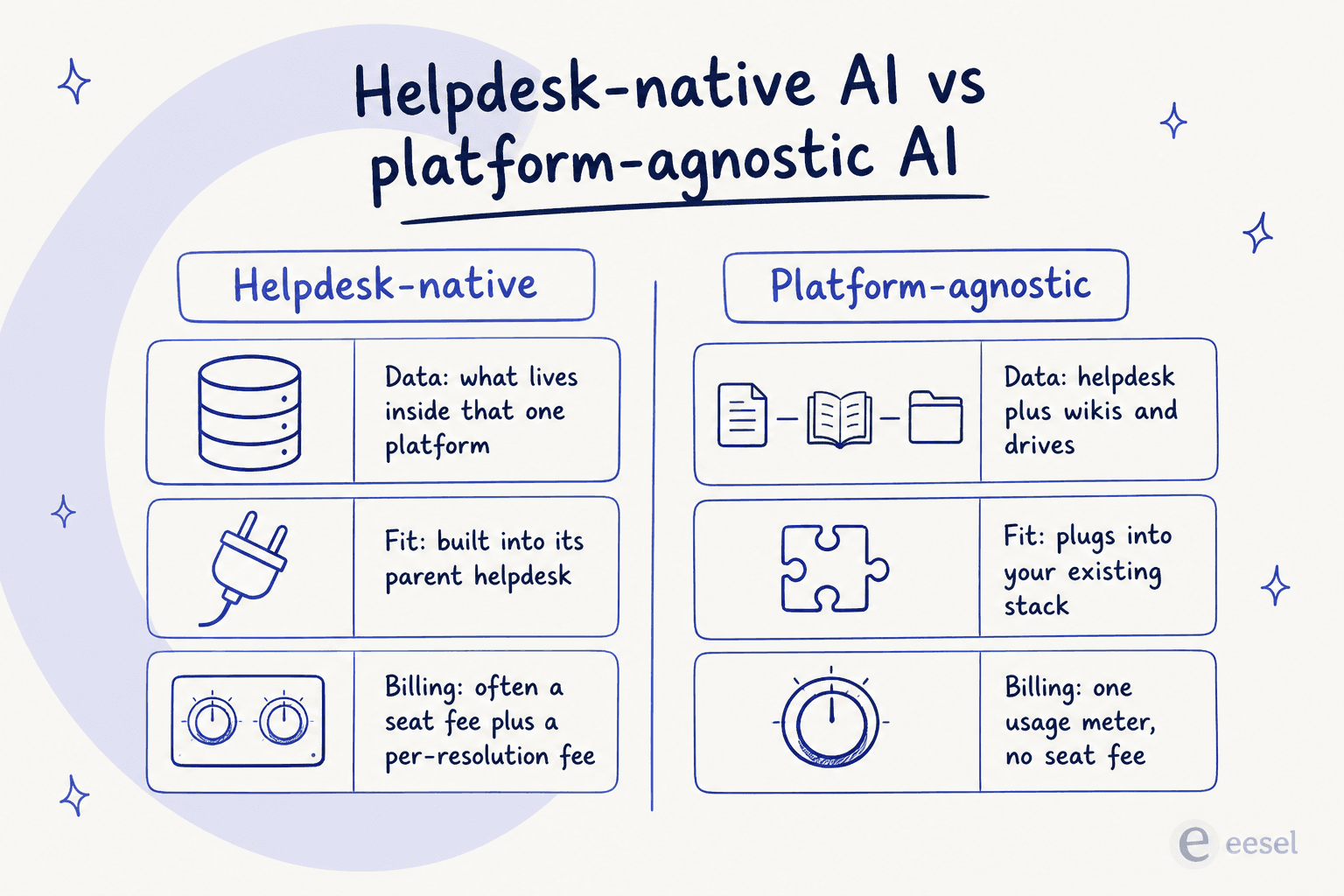
Some of the most popular AI tools are built directly into the helpdesk platforms you already use. These native solutions can be great, but they often have their own set of limitations. This comparison can help clarify the difference.
-
Helpdesk-Native AI: Native tools are woven deeply into their parent platforms. Their biggest strength is a smooth experience within that one ecosystem. However, they're often limited to the data within their own system and can bill on more than one meter at once. For instance, some native platform pricing involves a per-seat cost on top of a separate charge per AI resolution, which means two variables to forecast instead of one.
-
Platform-Agnostic AI (like eesel AI): On the other hand, platform-agnostic tools are designed to plug into your existing tech stack without making you switch platforms. This approach gives you a lot more flexibility. An AI platform like eesel AI connects to your current helpdesk (whether it's Zendesk or another system) and all your other knowledge sources like Confluence and Google Drive. This creates a single, unified brain for the AI to learn from. The pricing sits on a single meter too. eesel AI's pricing is one fixed monthly price from $299/month for 500 credits (1 credit per ticket or chat), with no per-seat fee and no platform fee, so the bill stays predictable.
Data privacy and intellectual property risks
When you're feeding your company's private information into an AI, you absolutely need to know where that data is going and how it's being used.
-
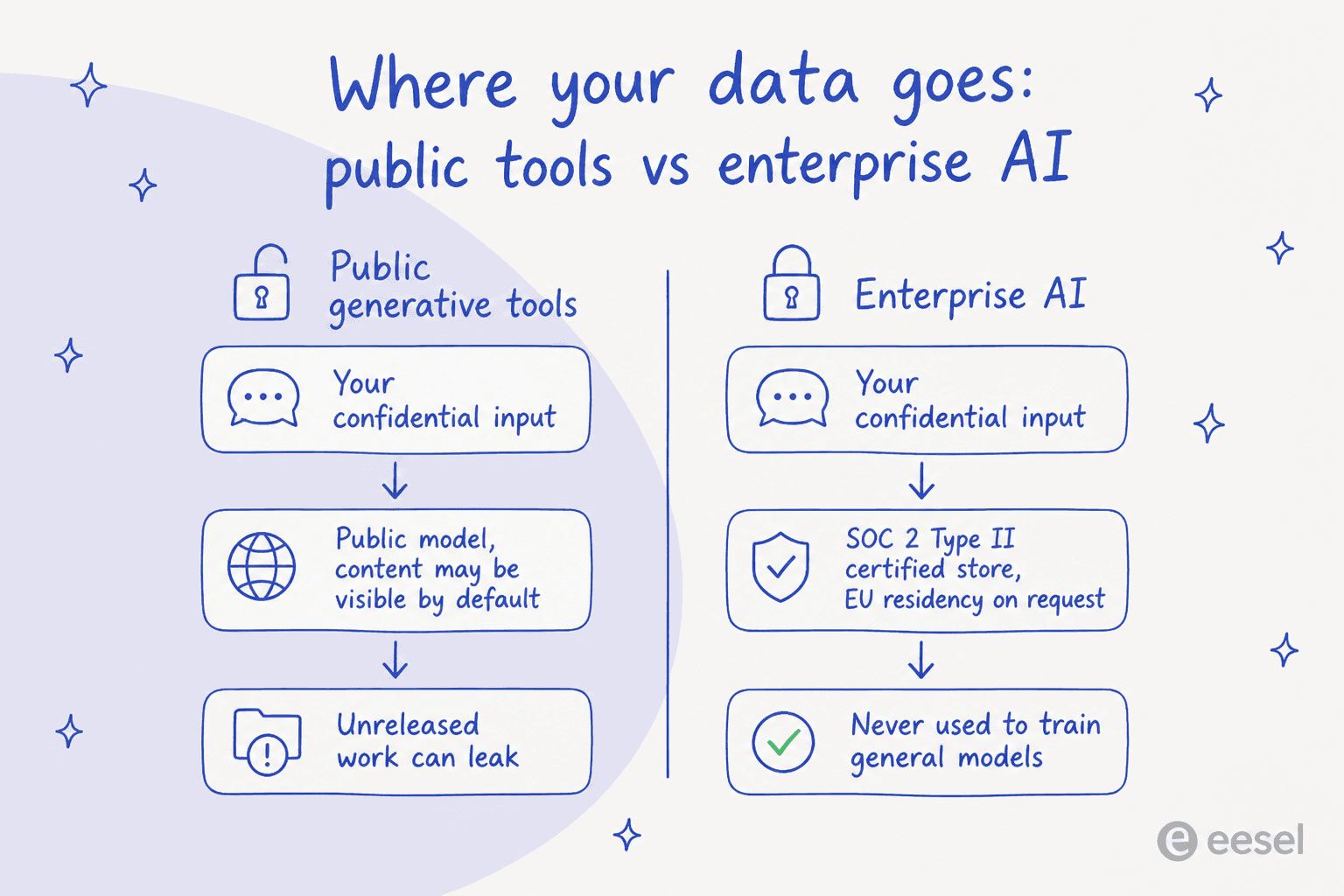
The risk with public models: Using public-facing generative AI tools for confidential work can accidentally leak your intellectual property. The Midjourney Terms of Service are very clear: "By default, Your Content is publicly viewable and remixable." For any team working on an unreleased product, that's a huge risk.
-
The solution with enterprise-grade AI: AI platforms built for businesses have privacy as a top priority. For example, OpenAI's business policies explicitly state they do not use data from their API or business customers to train their models by default. When you're picking a vendor, you have to check their security practices. Platforms like eesel AI are built for enterprise-level security, using a SOC2 Type II certified vector database and ensuring that customer data is never used to train generalized models. They also offer options like EU data residency on request, which adds another layer of control and compliance.
The future of product development
AI is no longer some far-off idea in product development. It's a practical tool that's changing the process into something faster, more collaborative, and deeply informed by data. By bringing AI into the fold, teams are shrinking timelines, getting direct access to customer insights, and working together more efficiently.
But success isn't about jumping on every new tool that comes out. It's about being smart and balancing AI's power with your team's expertise. It means picking platforms that fit your current workflows, meet your security needs, and empower your team instead of locking them into a new silo.
The companies that will lead their industries won't be the ones that just adopt AI. They will be the ones that thoughtfully weave it into their process to support their teams' unique talents. They will create a seamless loop between what customers are saying and what the company is building, turning insights into features at a speed their competitors just can't match.
Ready to turn scattered customer feedback and internal docs into a single source of truth for your product roadmap? See how eesel AI connects to your existing tools like Zendesk, Confluence, and Google Docs to provide actionable insights for your product team.
Frequently asked questions
What exactly does "AI in product development" mean in practice for my team?
It means strategically using AI tools like machine learning and generative AI throughout the entire process of creating, launching, and improving products. Its goal is to make your team smarter, faster, and more tuned into customer needs by analyzing vast amounts of data and automating repetitive tasks.
How does "AI in product development" influence the entire product lifecycle, from discovery to launch?
AI reshapes the lifecycle by providing real-time customer insights in discovery, accelerating ideation and design with generative tools, speeding up prototyping and testing through code assistance and automated QA, and informing post-launch iteration with continuous user behavior monitoring. This transforms the process into a fluid, data-driven loop.
How can "AI in product development" specifically help product managers and designers in their daily work?
Product managers can leverage AI for data-driven roadmaps, predictive analytics, and sentiment analysis of feedback. Designers can accelerate creative exploration using generative AI to rapidly produce concept art, mockups, and explore a wider range of visual possibilities.
What should I consider when choosing tools for "AI in product development" for my company?
When selecting AI tools, consider if they integrate well with your existing workflow, offer transparent pricing, and prioritize data privacy. Evaluate whether a helpdesk-native solution or a more flexible, platform-agnostic AI better suits your need for unified data access across all your systems.
Are there any significant data privacy or intellectual property risks I should be aware of when implementing "AI in product development"?
Yes, using public-facing generative AI tools for confidential work can pose a risk of leaking intellectual property. It's crucial to choose enterprise-grade AI platforms that explicitly state they do not use your data for training generalized models and adhere to strong security practices like SOC2 Type II certification.
Does "AI in product development" aim to replace human product managers or designers?
No, the goal of AI in product development is not to replace human creativity or roles. Instead, it acts as a powerful collaborator, automating grunt work, analyzing data at scale, and sparking new ideas, allowing product managers and designers to focus on more complex, strategic, and creative tasks.