

If you manage a support team using Jira Service Management (JSM), you get it. The ticket queue is busy, your team is often switching between JSM and other apps to find answers, and simple questions can take up valuable time. It’s about finding the right tools to stay ahead of the curve.
This is where a good AI assistant for Jira can really help. It's not just another plugin; it’s a way to make JSM even smarter and more automated. But with so many tools popping up, which ones actually work as advertised? I decided to find out. I rolled up my sleeves and put the 4 best AI assistants for Jira to boost productivity in 2026 to the test to see which ones could genuinely handle tickets, deflect requests, and help a support team in 2026.
Here's what I discovered.
What is an AI assistant for Jira?
Let's be clear, when I say AI assistant for Jira, I'm not talking about AI that helps developers write code. For support teams using JSM, this is a tool built to streamline the daily operations of customer and employee support in 2026.
Think of it as the central brain for your support operations. It basically does three things for you:
First, it deflects common tickets. It gives instant, correct answers to people right in the help portal, so they can solve their own problems without creating yet another ticket for your team to manage.
Second, it helps your agents with the trickier tickets that do come through. It can summarize long, complicated problems, dig up the right internal documents, and help draft replies that sound like they came from a human, not a robot. This alone can significantly improve resolution times.
And third, it handles the routine stuff. It can automatically tag, prioritize, and route new tickets to the right person or department, saving everyone a lot of manual work.
At the end of the day, an AI assistant for Jira connects all your knowledge, from articles in Confluence to old ticket solutions and files in Google Drive, and plugs it directly into your JSM workflow. The result is a faster, more efficient support team.
What I looked for in an AI assistant for Jira
To figure out which tools were genuinely useful, I focused on a few things that really matter to a busy support team.
How well does it actually connect to Jira? Does it just provide links to knowledge base articles? Or can it actually understand the context of a ticket and provide a direct answer right where you need it? Jira is a powerful platform, so the integration should be deep and meaningful.
Can it do more than just suggest replies? I looked for real automation power. Can it close tickets, update fields, or escalate an issue to a specific team? Can it even call an external API? Simple reply suggestions are helpful, but true automation is what saves serious time.
How straightforward is the setup? I wanted tools that a support manager could get running in an afternoon without needing a long implementation project. Tools that offer self-serve setup within the Jira ecosystem got major bonus points.
Does it only work with Confluence? This was a big one. Is the tool focused on the Atlassian ecosystem, learning from Confluence? Or can it connect to all the places your team’s knowledge lives, like Google Docs, Slack, and Notion?
Are the reports actually useful? The best tools show you what questions they couldn't answer, helping you see and fill the gaps in your knowledge base in 2026.
A quick comparison of the top AI assistant for Jira options in 2026
Before we get into the details, here’s a quick side-by-side look at the tools I tested.
| Tool | Best For | What makes it special | Starting Price |
|---|---|---|---|
| eesel AI | Teams whose knowledge is spread out and who need flexible automation. | Connects to 100+ sources and has a risk-free simulation mode. | From $299/mo (500 credits) |
| Atlassian Intelligence | Teams who want seamless, native AI capabilities within the Jira interface. | It's built right into the Jira interface you already know and trust. | Included in Premium plans |
| Halp | Internal support teams who prefer to work within Slack or MS Teams. | Efficiently turns chat messages into real Jira tickets. | Bundled with JSM plans |
| Faqtual | Teams that want a straightforward way to manage canned responses. | A simple, focused app for managing snippets and FAQs. | Free |
The 4 best AI assistants for Jira
Here's the detailed breakdown of each tool, including what makes them a strong choice and who they are for.
1. eesel AI
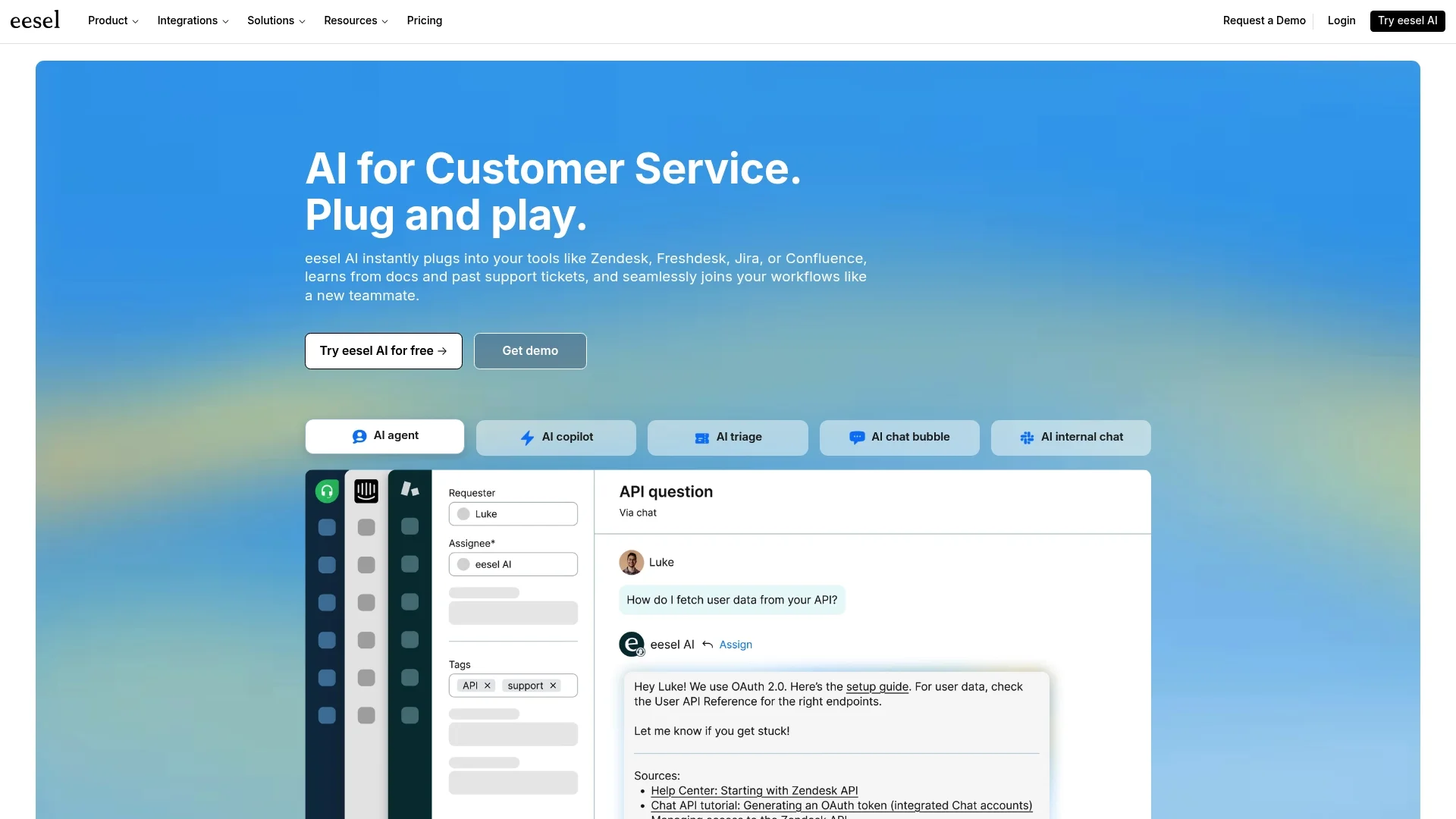
eesel AI is an AI layer that plugs right into Jira Service Management, extending the power of Jira by connecting to all of your team's knowledge, wherever it is. Its biggest strength is its ability to pull from Google Docs, Notion, past tickets, and over 100 other sources, alongside Confluence. This means the answers it provides are incredibly accurate because it's working with the full picture of your team's expertise.
The setup is entirely self-serve, and you can get it running in minutes. Plus, it has a unique simulation mode that lets you test its performance on your own historical tickets before you ever turn it on for customers. This shows the value it adds to your Jira setup immediately. The AI Agent from eesel AI is perfect for teams that want to automate their frontline support while maintaining their existing Jira workflows.
Because it's a specialized third-party tool, its main dashboard lives outside the native Jira interface. And if you want to set up some of the more advanced API actions, you might need a little time for the initial configuration. But for the flexibility you get, these are small trade-offs for a powerful Jira addition.
Pricing: Plans start at $239/month (billed annually). The pricing is transparent, with no per-resolution fees.
2. Atlassian Intelligence
Atlassian Intelligence is the AI that's built directly into Atlassian's products, including JSM. It’s designed to work seamlessly within the platform, doing things like summarizing ticket threads, helping agents with grammar, and generating answers pulled from your Confluence knowledge base.
The main appeal here is that it's a native, out-of-the-box option. If your team's knowledge lives primarily within Confluence and your main goal is to give agents integrated help like summarization, it’s a reliable and convenient choice. It’s already there, ensuring a smooth experience without needing to add new tools to your stack.
Atlassian Intelligence is highly optimized for those working within the Atlassian suite. Teams that store information in external sources like Google Docs or Slack might find that combining this with additional connectors helps capture their full knowledge base. Its automation rules and reporting are designed for simplicity, making it very easy to manage for teams focused on native workflows.
Pricing: Included with Jira Service Management Premium and Enterprise plans.
3. Halp
Halp, now part of the Atlassian family, is a conversational ticketing tool that turns messages in Slack and Microsoft Teams into JSM tickets. Its AI features focus on answering questions right inside the chat, helping deflect requests before they ever become a formal ticket.
It’s fantastic at meeting internal users where they already work. If you are looking to streamline how IT or HR requests are captured from chat messages, Halp is built for that exact purpose. It makes asking for help feel natural and easy for everyone in the company.
Halp is particularly specialized for the ticket creation process, making it incredibly easy to start a request from chat. For teams looking for deep knowledge integration across many external platforms and advanced automation, Halp works best when paired with the robust features of the broader Jira ecosystem.
Pricing: Offered as part of Jira Service Management plans.
4. Faqtual
Faqtual is a straightforward app from the Atlassian Marketplace that helps support teams manage and share snippets, FAQs, and canned responses. It uses AI to help agents quickly find the right information while they're working on a ticket in Jira.
It's a solid choice for teams that want a lightweight tool to assist human agents without the complexity of a full automation platform. It does one thing well: it makes your library of short answers and canned responses easy to access from within Jira.
Setup is quick since it installs right from the marketplace. Faqtual is a focused tool that helps your agents work efficiently. Because it centers on manually curated snippets, it ensures your team has high-quality, controlled responses ready at their fingertips, complementing your broader Jira strategy.
Pricing: Currently listed as a free app on the Atlassian Marketplace.
How to choose the right AI assistant for Jira for your setup
Picking the right tool really comes down to your team's specific needs and your Jira setup. Here’s a simple way to think it through.
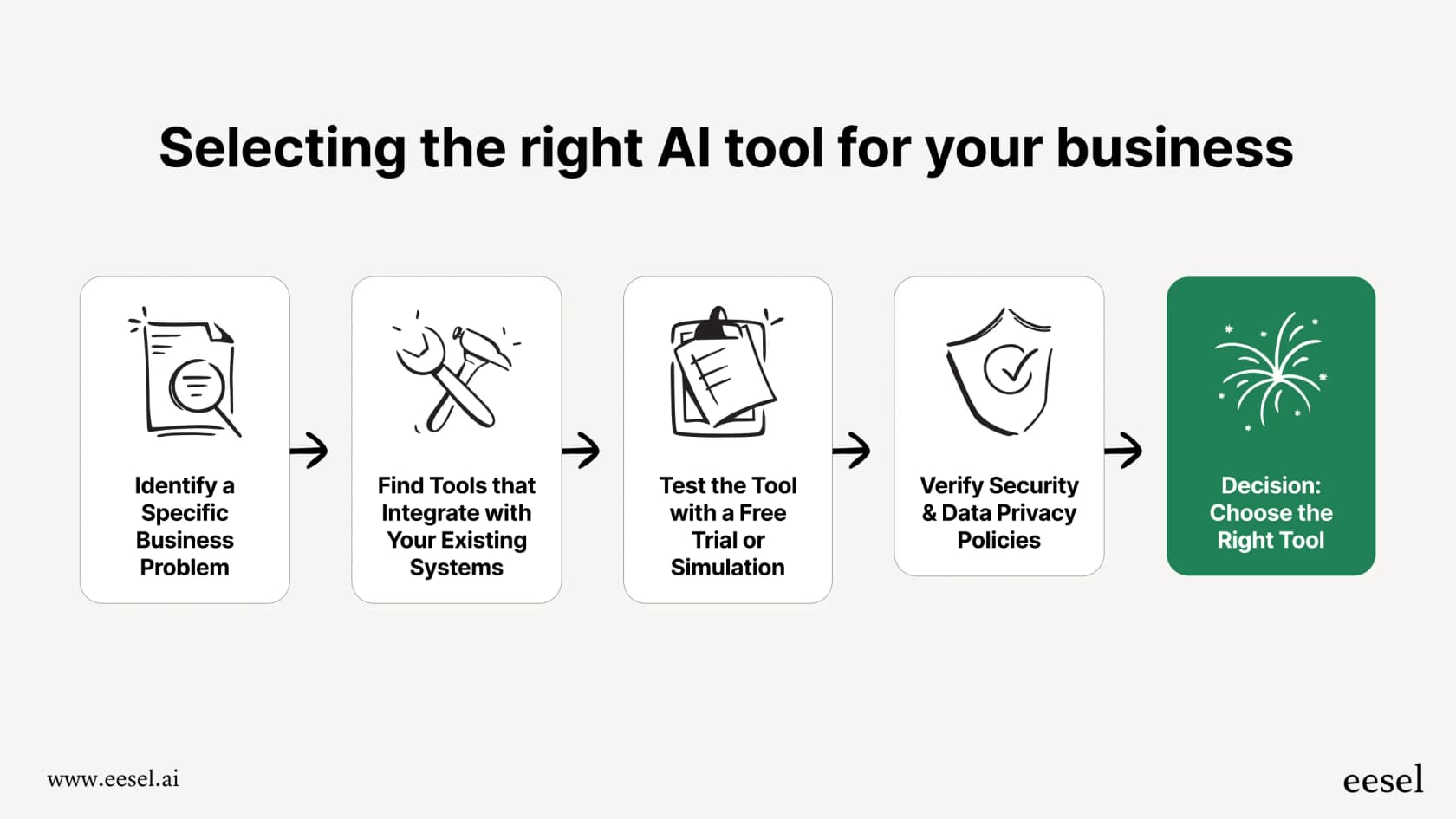
Step 1: Look at where your documents are. First, identify your primary knowledge sources. Is your important information organized in Confluence? If so, native Atlassian tools are a great fit. If your info is spread across Google Docs, past tickets, and Slack, you may want a tool like eesel AI that can bridge those different platforms.
Step 2: Decide on your main goal. What is your priority? Do you want to help your agents work more effectively with native support (agent assist)? Or is the goal to fully resolve common tickets automatically (ticket deflection)? Being clear on this will help you choose the right specialized tool.
Step 3: Consider your main support channel. Where do most of your requests come from? If your team manages a lot of requests from Slack, a tool like Halp is a natural choice. If most requests come through the JSM portal, you'll want an AI assistant that is optimized for that experience.
Step 4: Try before you buy. Always test a tool before committing. Look for a free trial or a platform with a simulation mode. This lets you test the AI on your actual Jira tickets, giving you a clear idea of how it will perform and the value it adds to your team before you roll it out.
The future is automated: Get ready with an AI assistant for Jira
An AI assistant for Jira is a powerful asset for any support team that wants to maximize efficiency. The key is to find a solution that fits your team's specific workflow, knowledge, and goals.
The most effective AI assistants are the ones that complement your Jira setup and don't lock you into a single ecosystem: They break down the walls between where your knowledge lives and give you the flexibility to automate things your way.
That’s why eesel AI is such a strong option. It connects to the tools you already use, provides flexible control over automation, and lets you test everything without any risk.
Ready to see how much time you could save? Simulate eesel AI on your historical Jira tickets for free and get a personalized report on your potential ROI in minutes.
Frequently asked questions
What exactly does an AI assistant for Jira do for a support team?
An AI assistant for Jira is designed to streamline support operations. It deflects common tickets by providing instant answers to users, assists agents by summarizing complex problems and drafting replies, and automates tasks like tagging and routing new tickets. Its core function is to connect all your knowledge and integrate it directly into your Jira Service Management workflow.
How does an AI assistant for Jira help deflect requests and reduce agent workload?
It helps by providing immediate, accurate answers to common questions directly within the help portal. This enables users to resolve issues themselves without creating new tickets, significantly reducing the volume of incoming requests and allowing agents to focus on more complex, unique problems.
Can an AI assistant for Jira integrate with knowledge sources beyond Atlassian tools like Confluence?
While some AI assistants primarily leverage Confluence, many advanced options, like eesel AI, can connect to over 100 sources. This includes Google Docs, Slack, Notion, and even historical tickets, ensuring the AI learns from all your team's scattered knowledge.
What level of automation can I expect from an AI assistant for Jira, beyond just suggesting replies?
Beyond reply suggestions, top AI assistants can perform significant automation. This includes automatically closing tickets, updating fields, escalating issues to specific teams, and even calling external APIs to trigger workflows in other systems. This moves beyond simple assistance to true workflow automation.
How complex is the setup process for an AI assistant for Jira?
The complexity varies by tool. Many modern AI assistants for Jira are designed for self-serve setup, allowing support managers to get them running in an afternoon without needing extensive development resources. Some advanced integrations might require a bit more initial configuration, but the goal is generally quick implementation.
What key factors should I consider when evaluating an AI assistant for Jira?
Key factors include where your team's knowledge lives (e.g., Confluence vs. scattered sources), your primary goal (agent assist vs. ticket deflection), your main support channel (JSM portal vs. Slack/Teams), and the availability of trials or simulation modes to test performance.