
If you're managing a support team, you already know that tracking agent performance is essential. But here's the challenge: Zendesk Explore, while solid, has limitations that become apparent as your team grows. The refresh rates can be slow, custom reporting requires higher-tier plans, and getting granular insights often means exporting data and building spreadsheets.
That's why many support leaders look beyond native Zendesk reporting. This guide compares Zendesk Explore with the top alternatives for agent performance tracking in 2026, including real-time analytics tools, email engagement trackers, and AI-powered solutions that go beyond static dashboards.
Let's look at what each option offers and help you find the right fit for your team.

What is Zendesk Explore for agent performance?
Zendesk Explore is the native analytics platform built into Zendesk. It comes with pre-built dashboards for Support, Talk, and Chat, giving you a baseline view of how your team's performing.
Here's what you get out of the box:
- Agent Performance dashboard: Tracks tickets solved, first reply time, and customer satisfaction by agent
- Support dashboard: Monitors ticket volume, trends, and backlog
- Talk and Chat dashboards: Channel-specific metrics for voice and live chat
The catch? The depth of reporting depends on your plan. Explore Lite (included with Suite Team) offers pre-built dashboards but no custom reports. To build your own reports or access live dashboards, you need Suite Professional ($115/agent/month) or Enterprise (custom pricing, Talk to Sales). You can view the full Zendesk Suite pricing details on their website.
For teams just starting out, Explore provides a decent foundation. But as you scale, you might find yourself wanting more flexibility, faster data refresh, or metrics that Zendesk doesn't natively track.
If you're looking for a broader perspective on measuring support team success, our guide to Zendesk agent performance covers the key metrics every manager should track.
Key metrics Zendesk Explore tracks
Before comparing tools, let's look at what Zendesk Explore actually measures. Understanding these metrics helps you identify gaps that alternative tools might fill.
Productivity metrics
- Tickets solved: The basic count of tickets an agent closes
- First reply time (FRT): How long customers wait for that initial response
- Average handle time (AHT): Time spent actively working on a ticket
- Tickets handled per hour: Raw throughput measurement
Quality metrics
- Customer Satisfaction (CSAT): Direct feedback from post-interaction surveys
- First Contact Resolution (FCR): Percentage of tickets solved in one interaction
- Escalation rate: How often agents pass tickets to senior team members
- Replies per conversation: Average back-and-forth needed to resolve issues
Efficiency metrics
- Occupancy: Time spent on support activities versus non-support tasks
- Agent utilization rate: Percentage of scheduled time spent assisting customers
- Schedule adherence: How well agents stick to their planned hours
The limitation? Zendesk Explore shows you what happened, but it isn't great at telling you why. Metrics are often averaged across teams, which can hide individual performance issues. And if you want to track something Zendesk doesn't natively measure (like email open rates), you're out of luck.
This is where third-party tools come in. Let's look at the top alternatives.
Top alternatives to Zendesk Explore for agent performance
Qvasa
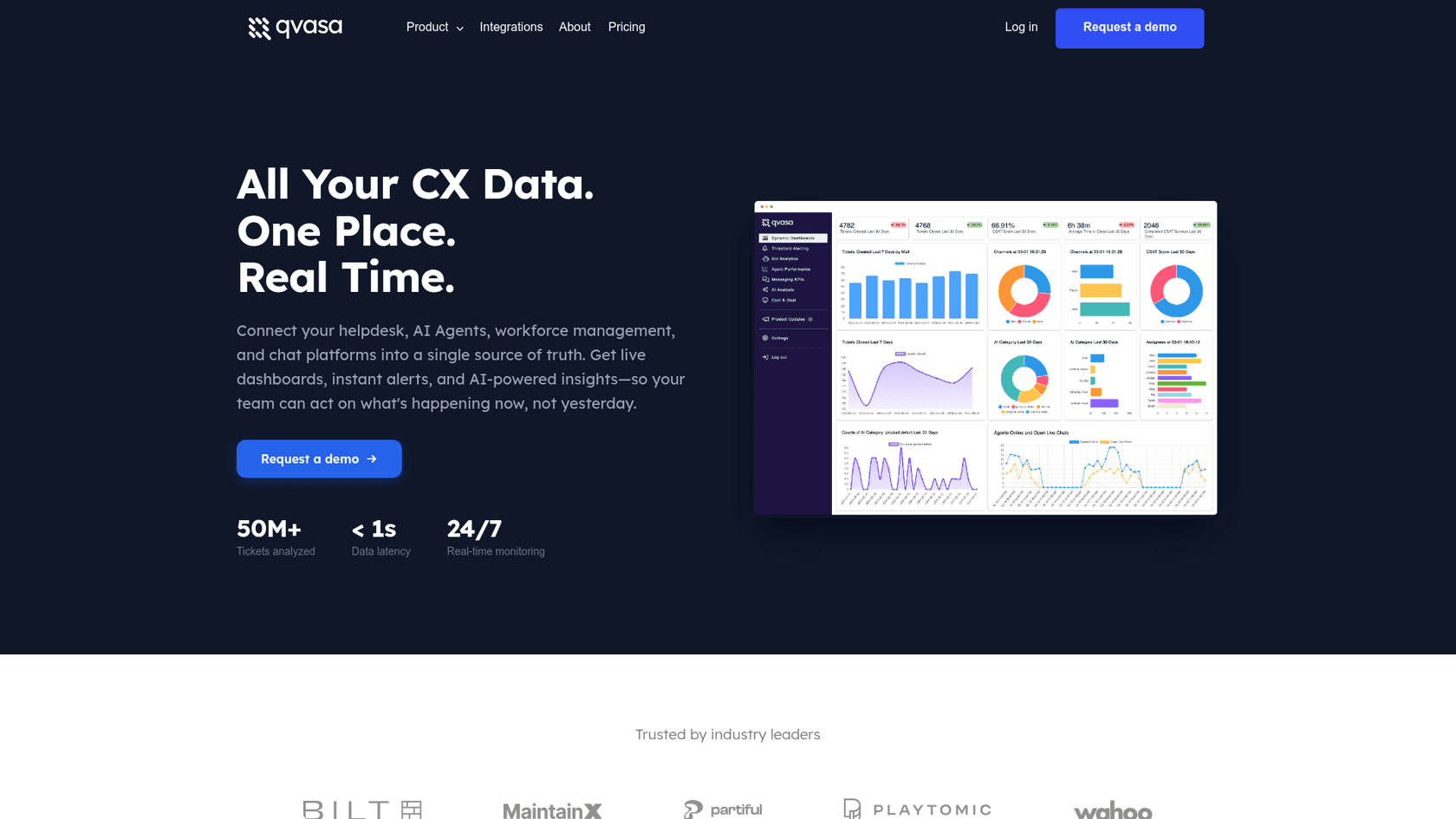
Qvasa positions itself as a real-time analytics layer on top of Zendesk. While Explore refreshes hourly (or daily on lower tiers), Qvasa updates in milliseconds.
Key features:
- Real-time Zendesk sync: Data latency under one second
- Agent performance metrics: AHT, solves, CSAT by solver with advanced filtering
- Self-serve dashboards: Agents see only their own metrics without complex permission setup
- Proactive alerts: Get notified in Slack, email, or SMS when KPIs hit thresholds
- AI Inferred CSAT: Predicts customer satisfaction without requiring surveys
What makes it different:
Qvasa goes deeper than Zendesk's native metrics. You can compare "solver-only CSAT" (tickets the agent actually resolved) versus "any-touch CSAT" (any ticket they touched). This gives you a clearer picture of who is actually solving problems versus just participating in conversations.
Pricing:
| Plan | Price | Key Features |
|---|---|---|
| Free | $0 | 1 dashboard, 1 hourly alert, admin-only access |
| Essentials | From $10/agent/month | Up to 20 dashboards, 100 users, email support |
| Professional | Contact sales | Unlimited dashboards, agent performance features, scheduled exports |
| Enterprise | Contact sales | AI Analytics Suite, minute-level alerts, SSO, API access |
Best for: Mid-size to large teams that need real-time visibility and advanced agent analytics without building custom BI solutions.
Learn more about Qvasa's agent performance features and pricing options. You can also explore their homepage for an overview of their real-time analytics capabilities.
GrowthDot Email Tracking
While Qvasa improves on Zendesk's ticket metrics, GrowthDot tackles a blind spot that Explore completely misses: email engagement.
Key features:
- Email open tracking: Real-time read receipts with exact date and time
- Link tracking: Monitor which links and attachments customers open
- Agent-level comparison: Compare open rates and engagement between agents
- Best time detection: Identify optimal moments for follow-up based on open patterns
- Desktop notifications: Instant alerts when customers open emails
What makes it different:
Most agent performance tools focus on ticket resolution. GrowthDot focuses on whether customers are actually seeing your team's responses. One support manager discovered their standard email templates were being ignored by recipients. After updating subject lines and content based on open rate data, customer responses doubled.
Pricing:
| Plan | Monthly Price | Annual Price | Key Features |
|---|---|---|---|
| Lite | $2/agent/month | $1.67/agent/month | Email tracking, 10-day tracking window, 1 custom field filter |
| Pro | $3/agent/month | $2.50/agent/month | Link tracking, 30-day window, 15 custom fields, agent comparison |
Best for: Teams that rely heavily on email support and want to optimize engagement rates, or managers who suspect their responses are getting lost in customer inboxes.
Alpha Serve Power BI Connector
If you need complete control over your data and have BI expertise in-house, Alpha Serve's connector lets you export Zendesk data into Power BI or Tableau for unlimited customization.
Key features:
- Complete data export: Tickets, metrics, users, satisfaction ratings, comments, organizations
- Multi-product support: Export Zendesk Support, Sell, Guide, and Talk data
- Custom tables: Include any fields, including custom fields
- Advanced filtering: Export only relevant data subsets
- Flat pricing: Not per-agent, so costs scale better for large teams
What makes it different:
Unlike other tools that provide their own dashboards, Alpha Serve gives you raw data to build whatever you want. The connector takes less than 10 minutes to set up and doesn't store or share your data (it just passes it through to Power BI).
Pricing:
| Plan | Monthly Price | Key Limits |
|---|---|---|
| Core | $49/month | 5 data sources, 5,000 rows per table |
| Professional | $99/month | 20 data sources, 20,000 rows per table |
| Unlimited | $199/month | Unlimited data sources and rows |
Best for: Enterprise teams with BI analysts who want to combine Zendesk data with other sources and build completely custom reporting solutions.
You can explore the Alpha Serve Power BI Connector on the Zendesk Marketplace.
Zendesk Explore vs. alternatives comparison
Here's how the options stack up across key dimensions:
| Feature | Zendesk Explore | Qvasa | GrowthDot | Alpha Serve |
|---|---|---|---|---|
| Real-time data | 24hr (Team), 1hr (Pro), Real-time (Enterprise) | Under 1 second | Real-time | Depends on refresh schedule |
| Custom dashboards | Pro+ only | All plans | N/A (email focus) | Unlimited via Power BI |
| Email engagement | No | No | Yes (opens, clicks) | With setup |
| Agent self-serve | Limited | Yes | N/A | Via Power BI |
| Alerting | Basic | Advanced (Slack, SMS) | Desktop notifications | Custom |
| Setup complexity | Low | Low | Low | High (requires BI expertise) |
| Pricing model | Included in Suite | Per agent | Per agent | Flat monthly |
The bottom line:
- Zendesk Explore works if you're on a higher-tier plan and your reporting needs are straightforward
- Qvasa is the upgrade for teams that need real-time insights and deeper agent analytics
- GrowthDot fills a specific gap (email engagement) that no other tool addresses
- Alpha Serve is for teams that want complete control and have the technical resources to build custom solutions
AI-powered alternatives for agent performance insights
Traditional reporting tools show you what happened. AI-powered solutions help you understand why and what to do about it.
Here's the difference:
Traditional analytics (Zendesk Explore, Qvasa, etc.):
- Reactive: Shows metrics after the fact
- Manual: You interpret the data and decide on actions
- Static: Dashboards display the same metrics regardless of context
AI-powered insights:
- Proactive: Identifies trends before they become problems
- Automated: Suggests specific actions based on patterns
- Contextual: Adapts recommendations to your specific situation
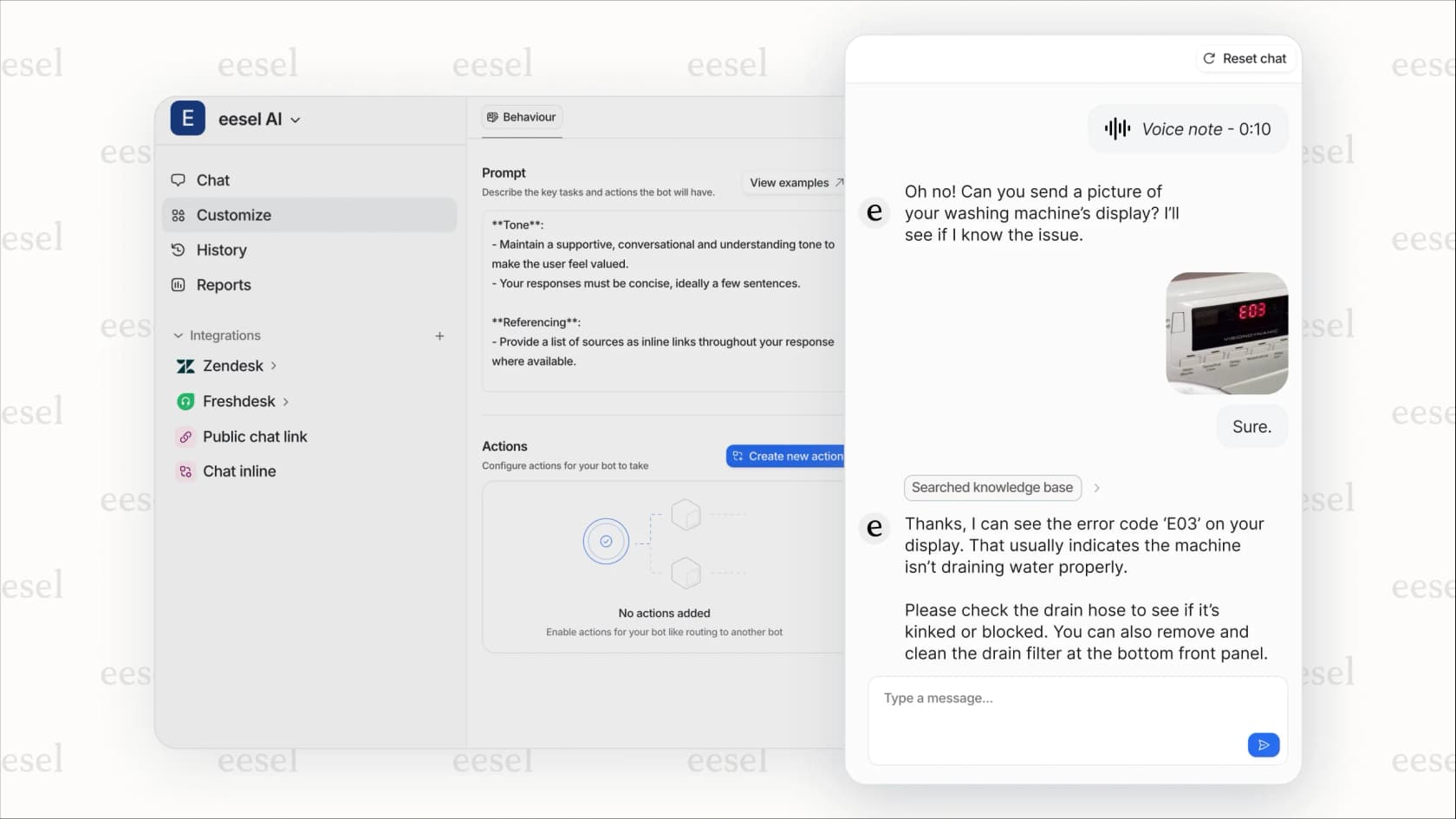
At eesel AI, we approach agent performance from a different angle. Instead of just displaying metrics, we help you improve them through intelligent automation. You can invite eesel to your team and train it on your knowledge in minutes, not weeks.
How eesel AI helps with agent performance:
- Simulation mode: Test automation on historical tickets to see how it would impact your metrics before going live
- Knowledge gap identification: Automatically spot where agents struggle and what documentation is missing
- AI Copilot: Draft responses for agents in real-time, reducing handle time and improving consistency
- Automated quality checks: Review conversations for compliance and coaching opportunities without manual spot-checks
The result? You spend less time building reports and more time improving actual performance. Our AI Agent handles repetitive queries so your team can focus on complex issues where human expertise matters most. Mature deployments achieve up to 81% autonomous resolution with a typical payback period under 2 months.
For teams considering AI as part of their performance strategy, our advanced review of Zendesk AI agents breaks down what to look for in AI-powered support tools.
Choosing the right agent performance tool for your team
The best tool depends on your team size, technical resources, and what you're trying to improve.
Small teams (1-10 agents)
Start with Zendesk Explore if you're on Suite Professional or higher. It covers the basics without extra cost. If email engagement is a concern, add GrowthDot Email Tracking ($2-3/agent/month) to see if customers are actually reading your responses.
Mid-size teams (10-50 agents)
You'll likely outgrow native reporting. Qvasa offers the best balance of power and ease-of-use, with real-time dashboards and advanced agent metrics starting at $10/agent/month.
Enterprise teams (50+ agents)
If you have BI analysts, Alpha Serve gives you unlimited flexibility at a flat rate ($49-199/month). If you prefer a managed solution with AI capabilities, we'd recommend looking at platforms that combine analytics with automation, like eesel AI.
Migration considerations
Switching tools takes effort. Consider:
- Data history: Will you lose historical metrics when switching?
- Training time: How long until your team's productive with the new tool?
- Integration complexity: Does it require API tokens, custom fields, or workflow changes?
- Ongoing maintenance: Who manages the tool and keeps dashboards up to date?
Most third-party Zendesk apps install in minutes, but plan for a few weeks of parallel usage while you validate the new data against your existing reports.
Ready to move beyond static reporting? See how eesel AI works to improve agent performance through intelligent automation, or check our pricing to find a plan that fits your team. You can also try eesel free and see how it performs on your historical tickets before going live.