So what is Palmier, exactly?
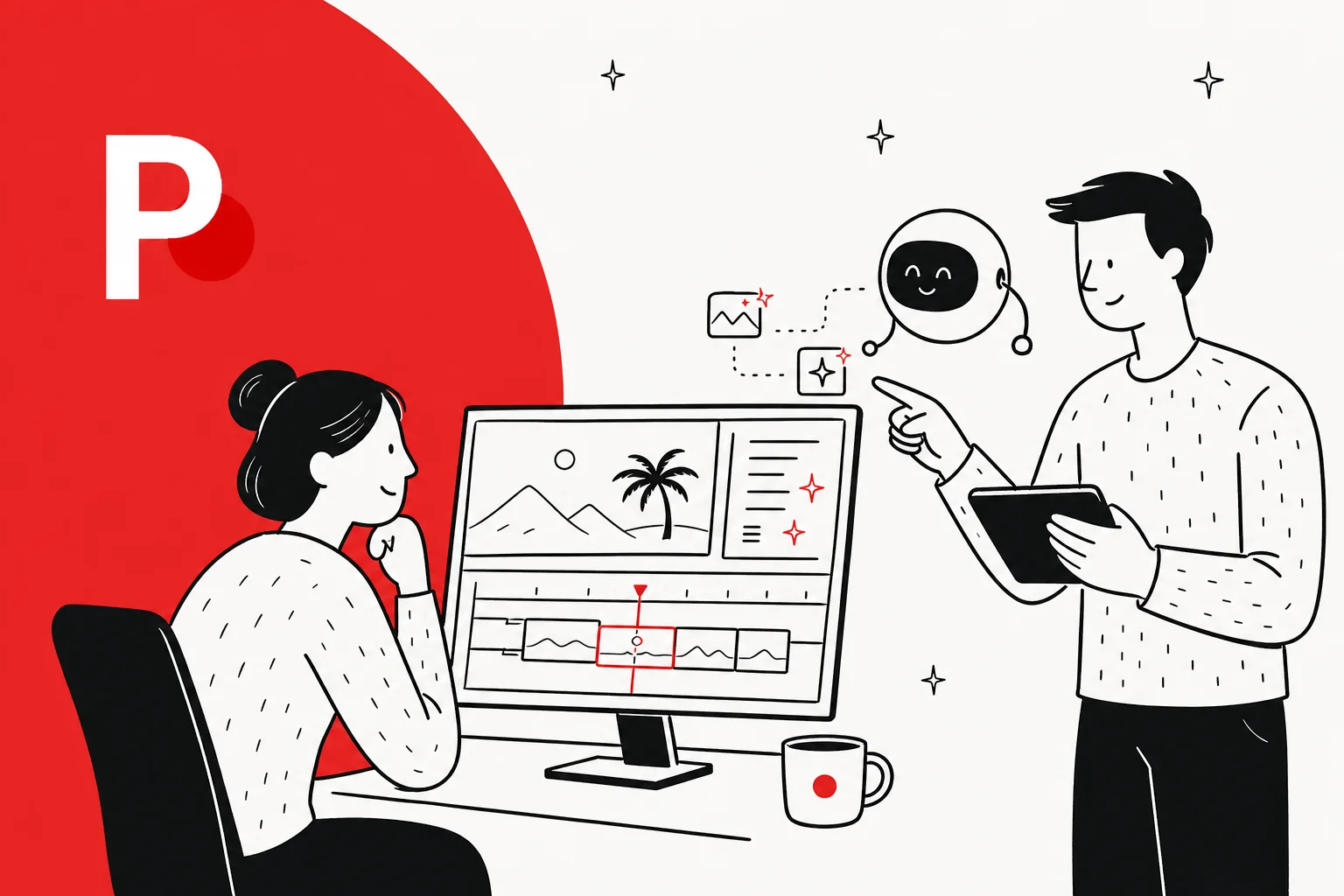
Palmier Pro calls itself "the video editor built for AI." In plain terms, it's a real, multi-track video editor that runs as a native macOS app, with two things wired in that ordinary editors don't have: you can generate AI images, video, and audio without leaving the timeline, and AI agents can operate the editor on your behalf.
That second part is the one worth slowing down on, and I'll get to it. First, the shape of the thing.
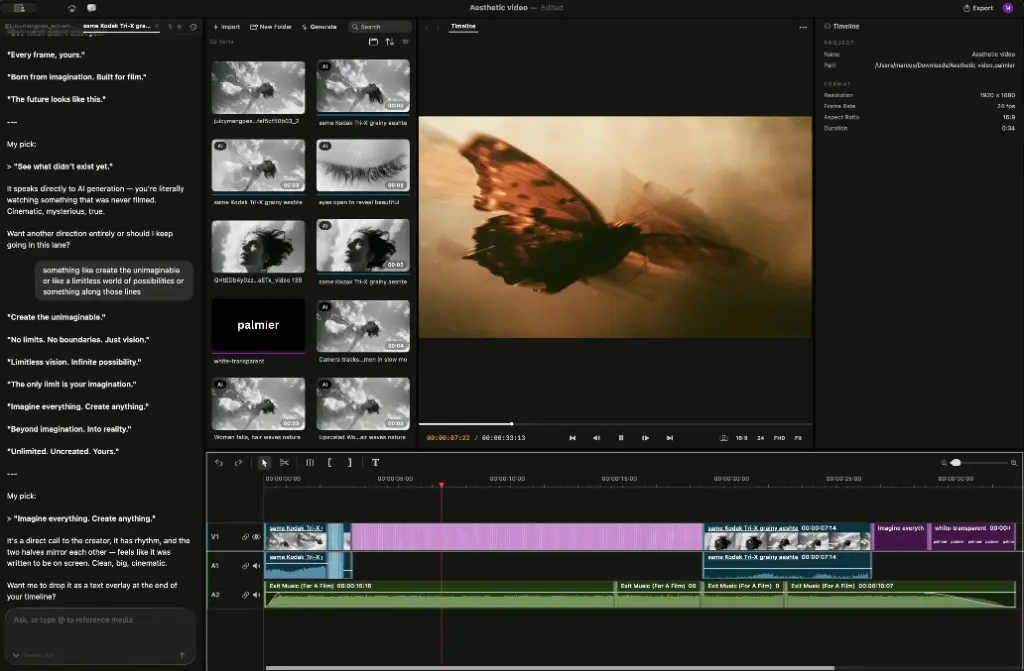
If you've used Premiere or DaVinci, the layout will feel familiar: a media library, a preview viewer, and a multi-track timeline for video, audio, image, and text, with the usual trim, split, speed, opacity, and transform controls. What's new is the panel on the left, a chat assistant, and the fact that the clips in that library were generated right inside the app.
It's worth knowing where Palmier came from, because it explains the confidence. The company is a two-person team out of San Francisco, founded in 2024 by Marcos Rico Peng (previously an infrastructure engineer at LinkedIn) and Harrison Tin (ex-Microsoft). Palmier originally shipped "AI that understands any codebase" before pivoting to video. They used Palmier Pro to produce 15+ cinematic launch videos for YC companies before releasing it, which is a more honest stress test than most launch tools get.
The one idea that makes Palmier different
Here's the problem Palmier is built around, in the founder's own words:
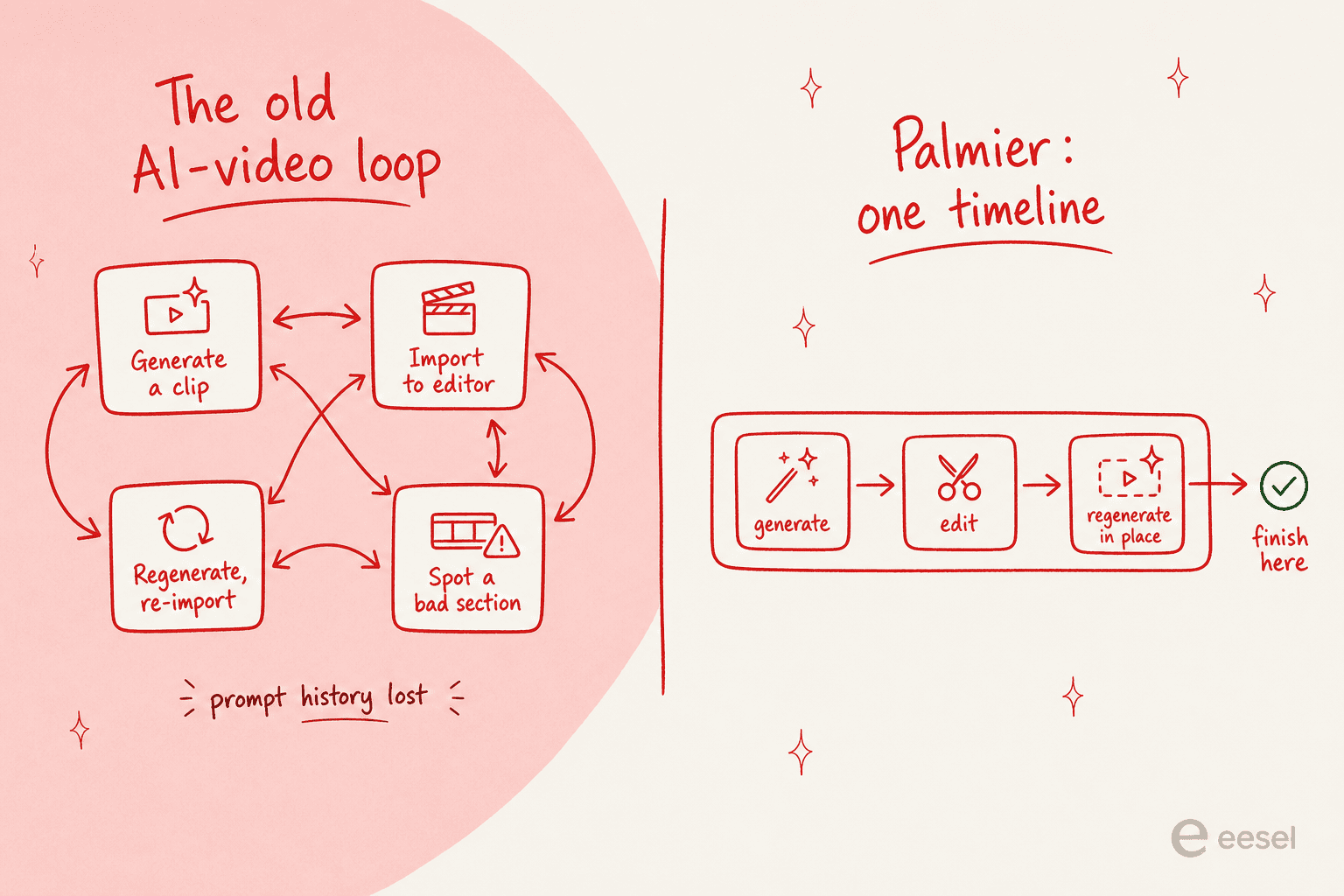
"Making AI videos means bouncing between tools constantly. You generate a clip in the web, import it to Premiere, realize one section doesn't work, go back, regenerate, reimport. That loop repeats dozens of times per video."

Anyone who has tried to assemble a real video out of AI clips knows this loop, and knows how much context you lose every lap. You end up with a downloads folder full of final_v3_actually_final.mp4 files and no memory of which prompt produced the shot you actually liked.
Palmier's fix is to make AI video a primitive instead of an import. Generation happens on the timeline, regeneration happens on the timeline, and the prompt history stays with the clip. The bouncing stops.
The most thoughtful praise I found in the early launch reaction zeroed in on exactly this, not the generation quality:
"The folder mess is the real product insight here. AI video does not fail only at generation quality; it fails when every prompt, reference, and half-good clip loses its history. Keeping the prompt, model, and reference inside the timeline sounds small, but it changes review behavior."
Dr. Xi Zeng, commenting on Marcos Rico Peng's launch post
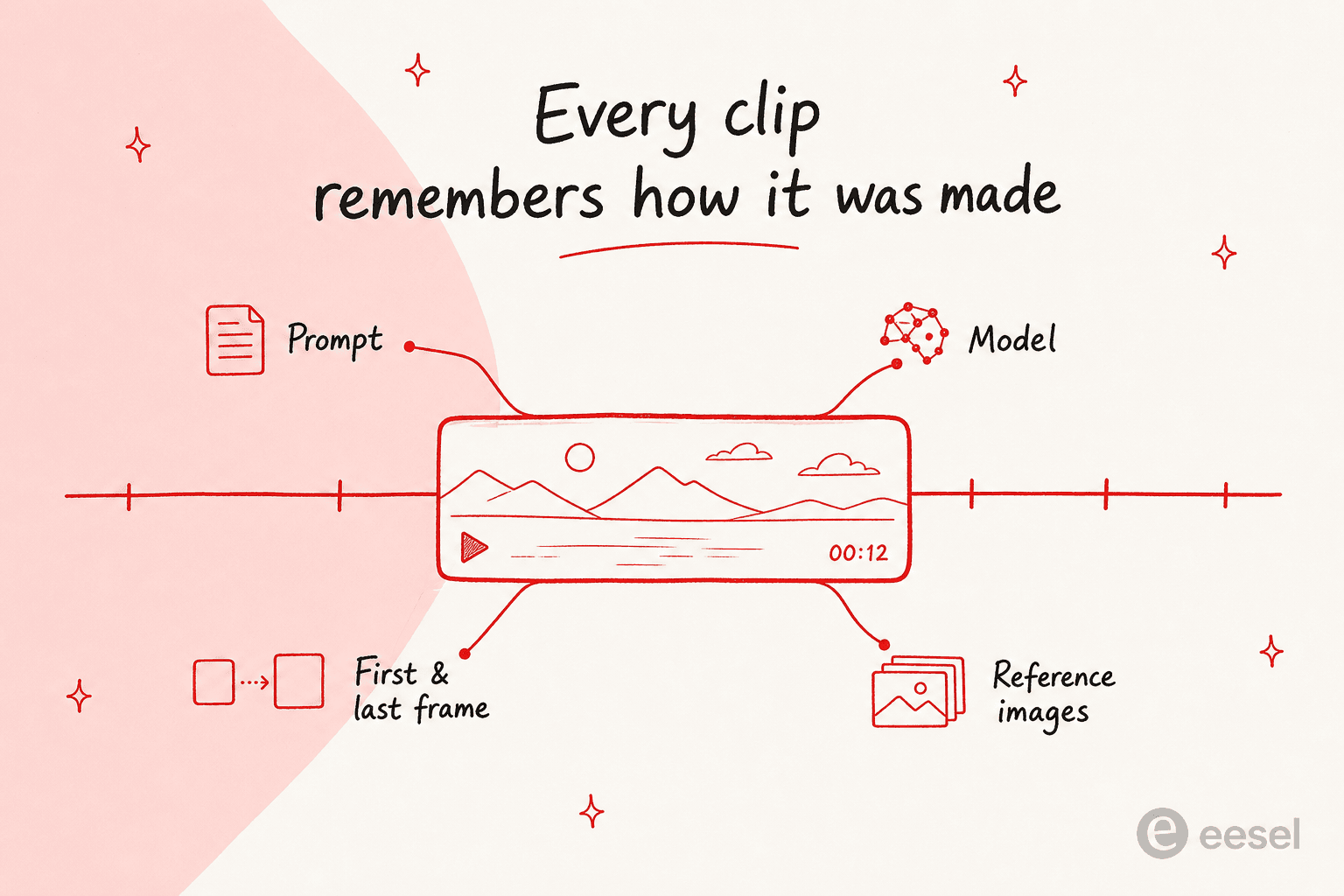
Concretely, every clip on the Palmier timeline remembers how it was made. Click into one and you can inspect the prompt, the first and last frame, and the reference images that produced it, then rerun or tweak from there.
How Palmier actually works
The day-to-day flow has three layers, and you can mix all of them in one project.
Generate in the media panel. Pick a model, write a prompt, and generate images, video, or audio into your project library, organized into folders. Palmier integrates a roster of current generation models, including Kling V3, Seedance 2.0, Veo 3.1, and Grok Imagine, so you're not locked to one provider's look.
Generate video on the timeline with frame control. For shots, you can generate directly on the timeline and set the resolution, duration, and aspect ratio, lock the opening and closing with first and last frames, and add reference images for style or subject consistency. This is the part that separates "AI toy" from "editor", you're directing shots, not rolling dice.
Edit with a chat assistant, or by hand. There's an in-app assistant where you describe the edit in plain language and use @ to reference a specific image, and it'll generate assets and drop them onto the timeline. Or you ignore it entirely and edit by hand like any other NLE.
When you're done, Palmier exports to MP4 (H.264, H.265, ProRes) and NLE XML for Premiere Pro and DaVinci Resolve, so a Palmier cut can hand off to a traditional editor for finishing. That export path matters more than it looks: it means adopting Palmier isn't a one-way door.
The part everyone's talking about: agents that edit your timeline
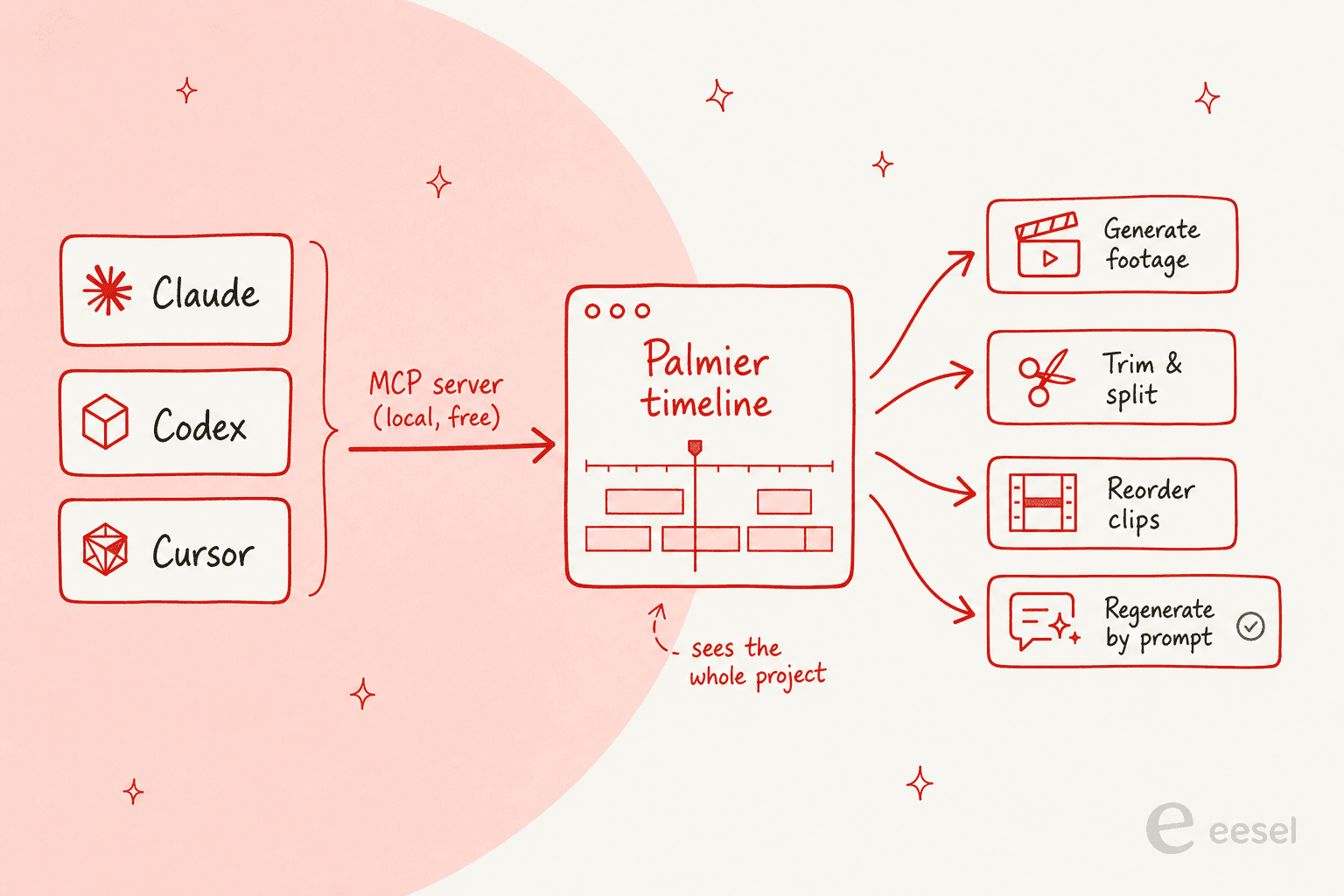
This is the feature that made me sit up. Palmier exposes a local MCP server, the same Model Context Protocol that coding agents already speak, and through it an external agent can drive the editor directly.
That means Claude, Codex, or Cursor can generate images, video, and audio onto your timeline, trim, split, reorder, and adjust clips, and rerun or tweak AI-generated clips by prompt, all with full visibility into your project. Setup is a one-click install from the app's Help menu, no account required.
The sharpest outside read on why this matters came from a practitioner on LinkedIn, and it's worth quoting in full:
"Palmier is being described as another AI video editor, but the more interesting detail is how it's built for agents... The agent operates the editor itself, rather than suggesting changes in a separate chat window. It's a clean example of a broader pattern. Instead of bolting an AI assistant onto a product, you expose the product itself as a tool an agent can drive."
That distinction, the agent operates the product instead of advising you in a sidebar, is the thing I'd underline twice. I spend my days building the connective tissue that lets eesel's AI agents act inside helpdesks rather than just suggest replies in a side panel, and the difference in usefulness is night and day. A chatbot that tells you what to do is a demo. An agent that does it is a teammate. Palmier is making the same bet for video, and it's the right instinct.
What Palmier costs
Pricing is refreshingly simple, and the free tier is genuinely free, not a trial. The editor and the MCP server cost nothing; you only spend credits when you ask the AI to generate something. Editing, exporting, and connecting an agent are all free.
| Plan | Launch price | Regular price | Credits / month | What you get |
|---|---|---|---|---|
| Free | $0 | $0 | none | Full multi-track editor, MCP server (Claude, Codex, Cursor), no account required |
| Pro | $29 / mo | $49 / mo | 5,000 | Everything in Free, plus image, video, and audio generation |
| Max | $69 / mo | $99 / mo | 12,000 | Everything in Pro, plus priority support |
| Custom | Contact sales | - | Volume | Private Slack channel, security and procurement support |
Credits only burn on AI generation: video, image, audio, upscaling, and Palmier chat. As a rough yardstick, the pricing page puts 5,000 credits at roughly 333 images or 3 to 7 minutes of generated video, with the real number depending on the model and resolution you pick.
Worked example: a founder cutting a one-minute launch video, mostly real footage with a handful of generated B-roll shots and a title sequence, would comfortably live inside the $29 Pro tier and have credits to spare. A studio churning out daily AI-heavy social clips would burn through Pro fast and want Max or a custom plan. The honest read is that the metered model rewards people who edit a lot and generate selectively, and punishes pure generation-volume use, which is arguably the right incentive.
Where Palmier is rough
I like the product, so I want to be straight about the edges, because they're real.
It's macOS 26 only. Palmier requires macOS 26 (Tahoe) or later. That's a hard wall: no Windows, no Linux, and not even older Macs. For a tool aimed at startup marketers, that excludes a big chunk of the audience on day one.
It's brand new. The public launch was mid-June 2026, so there are no G2, Capterra, or Reddit reviews yet, and the third-party voices that do exist are mostly other founders reacting to the launch. Early reception is warm but small. A representative take:
"Terrible name but Palmier Pro is pretty good as an AI video editor."
The name really is a problem. "Palmier" is a French pastry and collides with an older, unrelated dev tool, which muddies search, the gripe shows up more than once in early reactions.
The open-core question is unanswered. The editor is open source and the generation models are the paid part, which is a clean split today, but it's also the obvious place future pricing friction shows up as the generation models get more expensive to run.
Who Palmier is for
If you're a founder, marketer, or creator who's already generating AI clips and you're sick of the generate, download, import, regenerate merry-go-round, and you're on a recent Mac, Palmier is worth the free download today. The fact that the editor costs nothing makes the decision easy: you can try the whole thing and only pay if you lean on generation.
If you're on Windows, if you need a battle-tested editor for client work right now, or if "AI edits my timeline" sounds like a solution looking for a problem, sit this one out for a release or two and watch how it matures.
The bigger idea Palmier is riding, that you should be able to point an agent at a real tool and have it do the work, isn't going away. It's the same shift I work on every day, just pointed at video instead of support.
Try eesel
Palmier's best instinct is letting an agent operate the actual product. That's exactly what eesel does for customer support: instead of a chatbot that suggests canned replies, eesel drops an AI agent straight into your helpdesk, where it reads your past tickets and docs and then triages, drafts, and resolves real tickets, the same "agent drives the tool" pattern, applied to the queue that's actually eating your team's time.
What makes it safe to turn on: you can simulate the agent against thousands of your historical tickets before it touches a live conversation, so you see the coverage and catch the gaps first. It plugs into Zendesk, Freshdesk, and 100+ other tools in minutes, and if you'd rather it write than answer, there's an AI blog writer too. It's free to try.
Frequently Asked Questions
What is the Palmier AI video editor?
Palmier Pro is a native macOS video editor where AI generation (image, video, and audio) is built directly into the timeline, and AI agents like Claude and Codex can operate the editor through a local MCP server. It's from Palmier, a Y Combinator company, and the editor itself is free and open source.
Is Palmier free to use?
The editor and its MCP server are free, with no account required. You only pay for credits when you use AI generation: Pro is $29/mo at launch pricing (5,000 credits) and Max is $69/mo (12,000 credits). Editing and export are always free. If you're weighing AI tooling on a budget, our guide to usage-based pricing is a useful mental model.
Does the Palmier video editor work on Windows?
No. Palmier is macOS-only and requires macOS 26 (Tahoe) or later, so Windows and Linux users are out for now. It's distributed as a direct .dmg download from GitHub.
How do AI agents edit a timeline in Palmier?
Palmier exposes a local MCP server, so an agent like Claude, Codex, or Cursor connects to your open project and runs real editor actions: generate footage, trim, split, reorder, and regenerate clips by prompt, with full project context. If you've ever wired an AI agent into your own tools, it's the same pattern applied to a video timeline.
How is Palmier different from Premiere or CapCut?
Traditional editors treat AI clips as files you import from somewhere else. Palmier makes AI generation a primitive: every clip keeps its prompt, model, and reference images attached, so you can regenerate in place instead of bouncing out to a web tool and re-importing. It also exports NLE XML for Premiere and DaVinci Resolve when you want to finish elsewhere.
Who is the Palmier AI video editor for?
It fits founders, marketers, and creators making launch videos, brand films, and social content who are already generating AI clips and tired of the tool-juggling. The Palmier team used it to make 15+ launch videos for YC startups. If your team's bottleneck is support or content rather than video, an AI agent for your helpdesk is the closer fit.


Article by
Rama Adi Nugraha
Rama is a software engineer at eesel AI with two years of experience writing about B2B SaaS, AI tools, and customer support technology. Based in Bali, Indonesia, he brings a developer's perspective to product comparisons — cutting through marketing copy to what the integrations and APIs actually do.