You did it. You launched your Shopify store, the products are selling, and things are looking up. But then another kind of inbox starts to fill up: the one with all the customer questions. "Where's my order?" "Do you ship to my country?" "How do I make a return?" Before you know it, you’re spending more time answering emails than actually growing your business.
The Shopify Help Center is the platform's own tool to help with this, and it's full of information for store owners. The catch? As your brand gets bigger, you’ll find that a help center made for you isn’t the same as a support system built for your customers. This guide will walk you through what the Shopify Help Center does well, where it falls short for a growing business, and how you can build a smarter, automated support system with AI.
What is the Shopify Help Center?
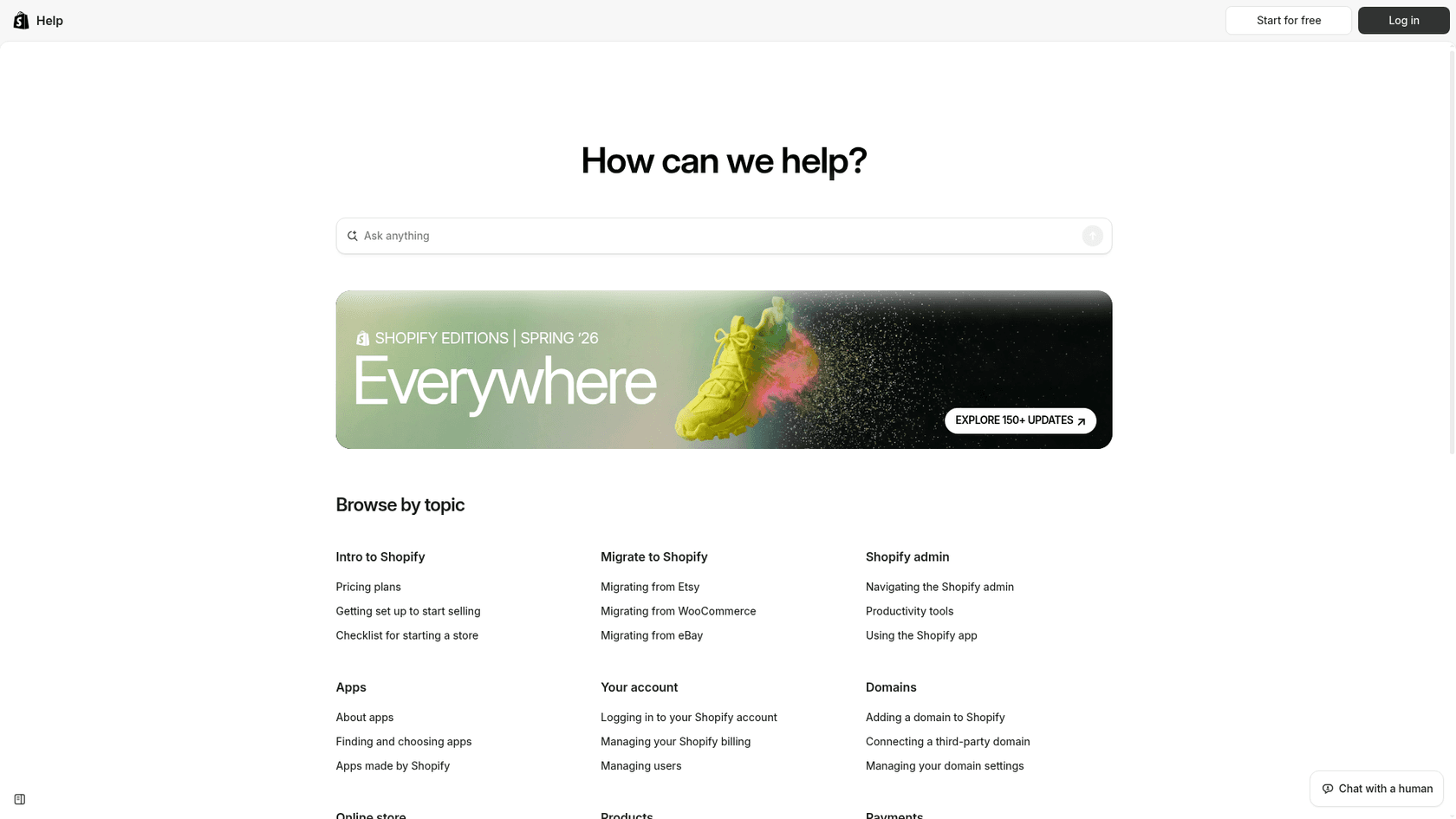
Think of the Shopify Help Center as the official instruction manual for running your store. It's the main place Shopify sends its merchants for self-service support. If you've ever had to figure out payment setups, theme tweaks, or shipping rates, you've probably ended up on one of its pages.
It’s really made up of three parts:
-
A huge knowledge base: It’s filled with detailed articles, how-to guides, and video tutorials that cover pretty much every feature the platform has to offer.
-
Community forums: This is where you can chat with other Shopify store owners to ask questions, swap advice, and learn from people who’ve hit the same roadblocks as you.
-
Contact support: For problems tied specifically to your account, the help center funnels you through a virtual assistant to eventually get to its live chat support team.
It’s a fantastic resource for getting a new store up and running. But as your order volume climbs, you'll quickly realize it was designed to help you use Shopify, not to help your customers get answers about your business.
Where the Shopify Help Center shines (and where it doesn't)
To get why a growing store needs something more, let’s get real about using Shopify's built-in tools for customer-facing support.
The self-serve knowledge base
This is the core of the Shopify Help Center. It’s well-organized and incredibly detailed.
On one hand, it's massive. You can find official documentation for just about anything, from creating discount codes to dealing with international taxes. If you have a general platform question, the answer is probably in there.
But on the other hand, it’s completely generic. The help center knows everything about Shopify as a platform, but it knows zero about your store. It can't answer real customer questions like, "Will this t-shirt be restocked in a medium?" or "I messed up my shipping address, can you change it?" Your customers aren't asking about Shopify's features; they're asking about their orders.
It's also a closed book. The articles and guides are all made and managed by Shopify. You can't add your own FAQs, link up your internal policy docs, or train it on your past support chats. It's a one-way flow of information that leaves all your unique business knowledge sitting on the sidelines.
Shopify does offer a shopper-facing option outside the Help Center: the Inbox agent answers customer questions from your catalog and policies inside your store's chat widget. It only operates in that widget, so email and social conversations stay with your team.
Getting help from a human
When the knowledge base doesn’t cut it, you have to talk to a person. Over the years, Shopify has guided its support channels away from easy-to-find email and phone numbers toward a system that pushes you mainly through live chat.
And as you can see in Shopify's own community forums, people have noticed. Merchants talk about long wait times, having to explain their problem over and over to different agents, and just struggling to get tricky issues solved.
This isn’t just a pain for you; it creates a logjam that your customers feel. When you’re stuck waiting for an answer from Shopify support, your customer is stuck waiting for an answer from you. In e-commerce, that kind of delay can be the difference between a happy customer and an abandoned cart.
Why scaling support is a headache for Shopify merchants
In e-commerce, customer support isn't just a chore, it's a sales tool. A fast, helpful answer can save a sale, while a slow response sends people looking elsewhere. As your store grows, trying to handle all of this by hand becomes nearly impossible.
Here's why doing it all manually just doesn't work long-term:
-
You can't be available 24/7: Your store is always open, but you and your team need to sleep. Unless you hire people across the globe (which gets expensive fast), you’re going to miss questions from customers in other time zones.
-
It’s so repetitive: Most support teams will tell you that the vast majority of questions are the same few things over and over: order status, shipping policies, and returns. Answering these by hand eats up time that could be spent on more valuable conversations that actually lead to sales.
-
It’s hard to be consistent: Keeping your brand voice and quality consistent is a real challenge, especially as you bring on more help. One agent might be super friendly and detailed, while another might be short and to the point, creating a disjointed experience for your customers.
This is where an AI-powered support system can make a huge difference. It works around the clock, giving instant, consistent answers to all the common questions, which frees up your team to focus on the conversations that need a human touch.
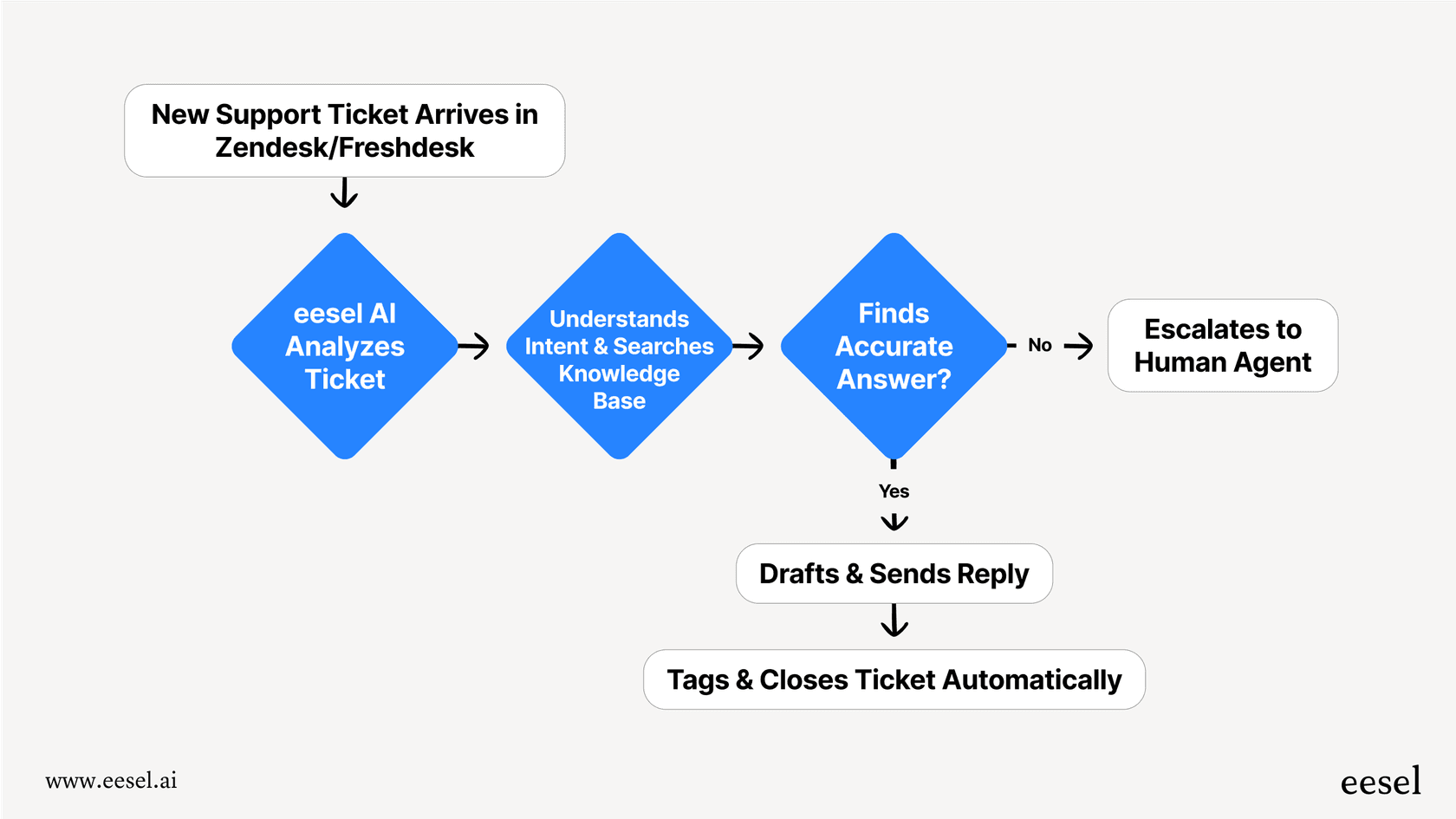
Think about the workflow. In a typical setup, a customer email comes in, and an agent has to go digging through different systems to find the answer. They reply, and the whole thing takes time. With an AI approach, the AI gives an answer or takes action right away. If it's a simple question, it's handled on the spot. If it's more complicated, the AI smartly passes it to a human agent, who can now focus on solving a more interesting problem.
How to boost your Shopify customer support with AI
The idea isn't to get rid of your human team. It's to build a smarter system where AI handles the repetitive stuff, letting your team be more effective. You don't have to throw out your current tools; you just add an AI layer on top of them.
This is where a tool like eesel AI fits in. It’s an AI platform built to connect directly to the tools you’re already using, including a smooth Shopify integration, to help automate your customer support.
Here’s what makes this so useful for Shopify store owners:
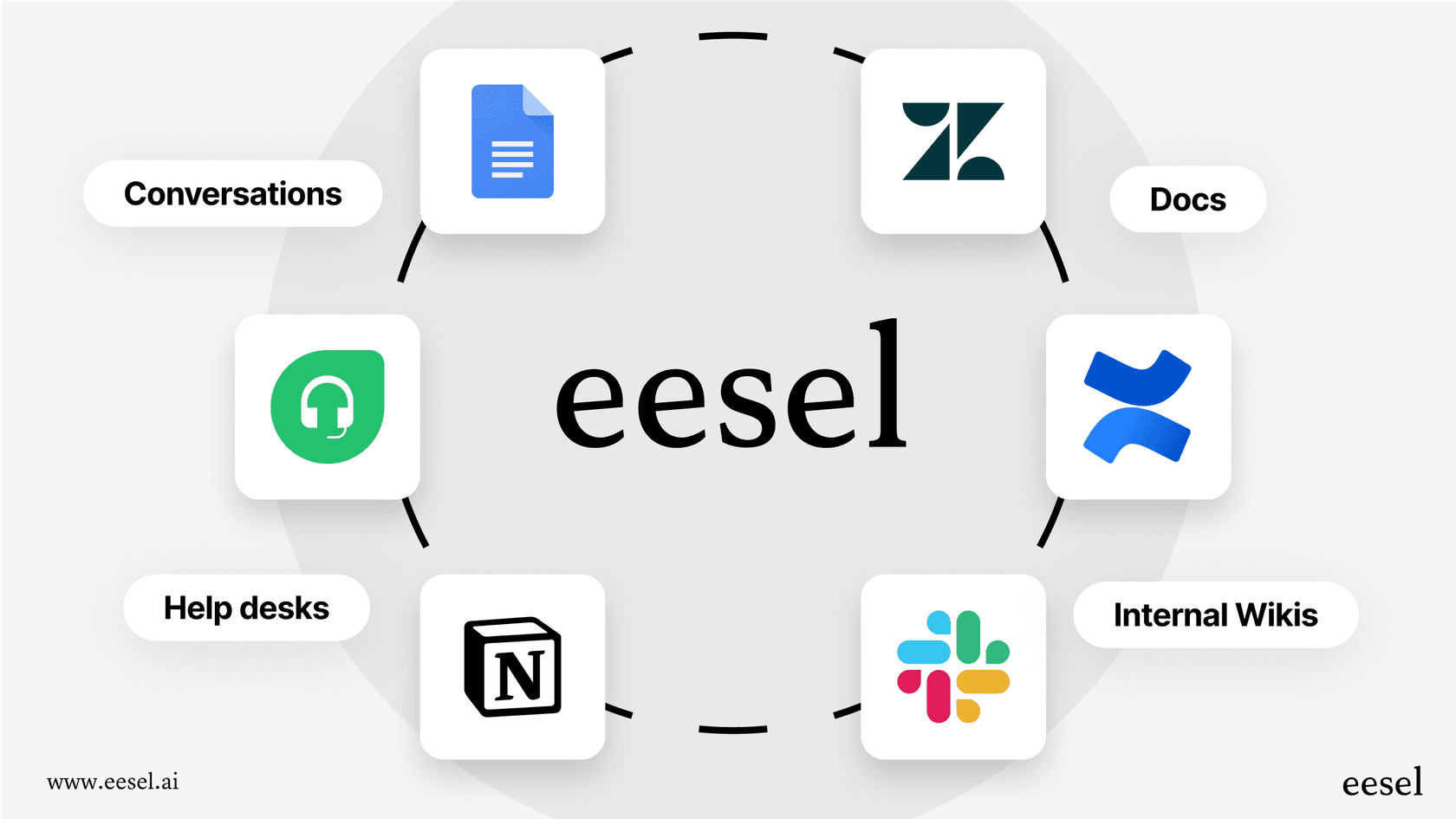
- It learns your entire business: This is the big one. eesel AI doesn't just connect to your Shopify store for live product and order info. It also connects to your help center articles, past support tickets, and even your private knowledge bases in places like Google Docs or Notion. It learns from all of your data to give answers that are actually personal to your business.
-
Get started in minutes: Forget about scheduling sales calls or watching mandatory demos. With eesel AI, you can connect your Shopify store, train the AI on your knowledge, and launch an AI agent all on your own. It was built from the ground up to be self-serve.
-
Automate your frontline support: You can set up an AI Agent that works inside your help desk to handle common customer questions on its own. It can check on order statuses, answer product questions, and explain your return policy, 24/7.
-
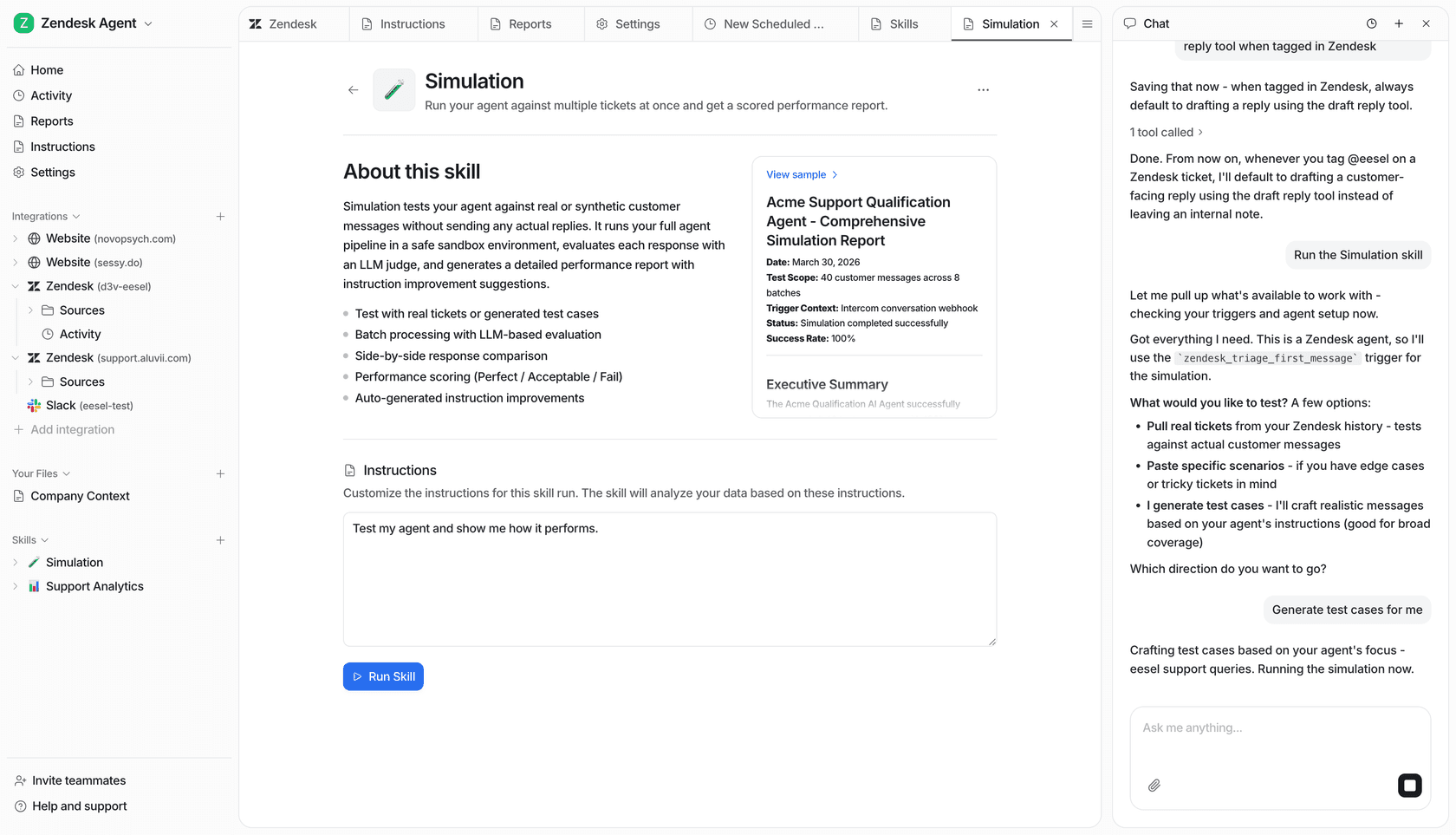
Test it out with zero risk: Feeling a bit nervous about letting an AI talk to your customers? eesel AI has a simulation mode that lets you test it on thousands of your past customer conversations. You can see exactly how it would have replied and what percentage of tickets it would have solved before you ever turn it on for real. It takes all the guesswork out of the process.
A quick look at Shopify's pricing and support tiers
Shopify has several plans, and while the prices and features go up, the way they handle customer-facing support doesn't really change. Paying more for your Shopify subscription doesn't magically fix the support bottleneck for your customers.
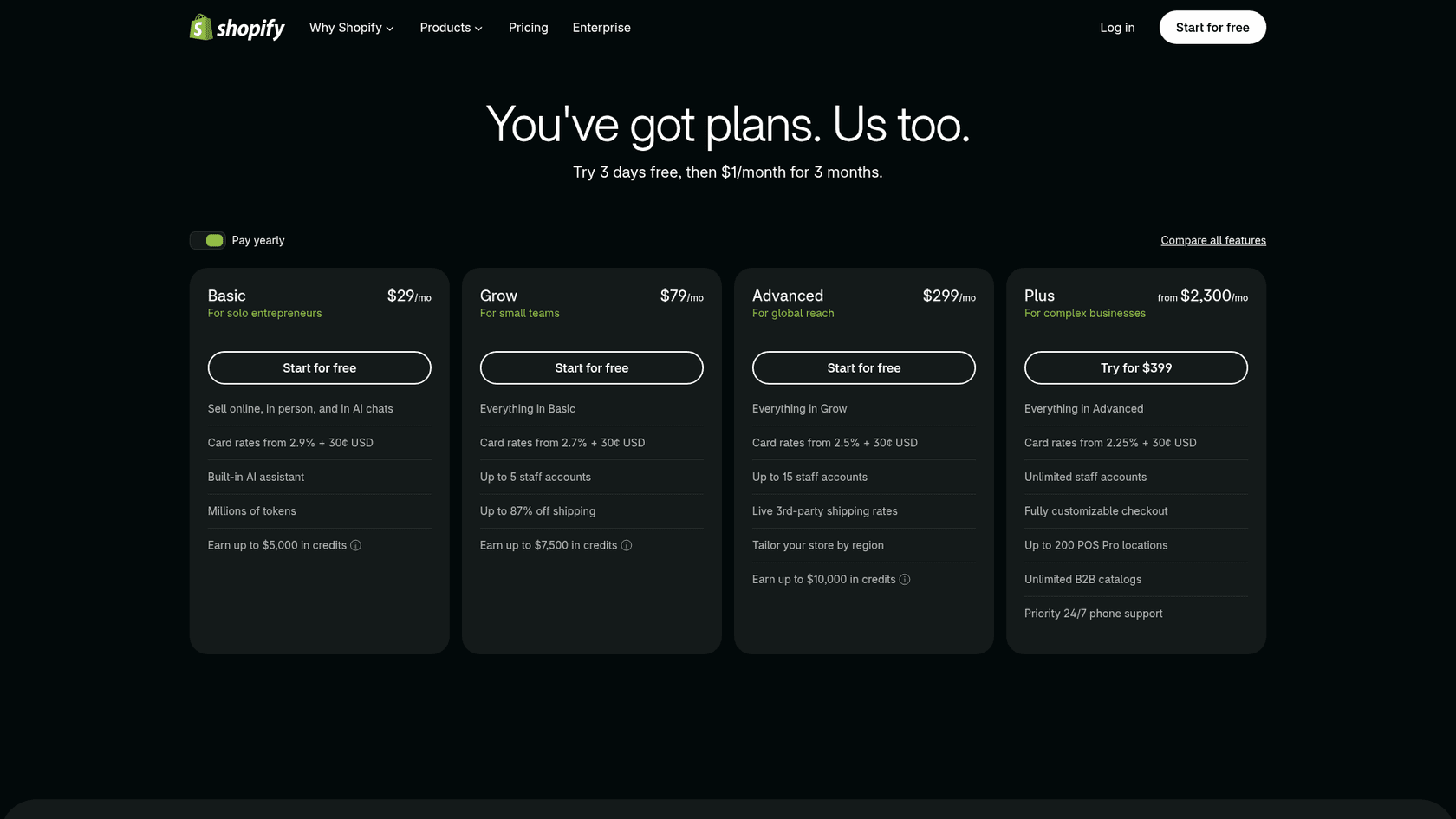
| Plan | Monthly Price (Billed Yearly) | Key Support Feature |
|---|---|---|
| Basic | $29/month | 24/7 chat support |
| Grow | $79/month | 24/7 chat support |
| Advanced | $299/month | Enhanced 24/7 chat support |
| Plus | Starting at $2,300/month | Priority 24/7 phone support |
As you can see, the main offering for merchants is live chat. Even with the top-tier Plus plan, "priority" support for you doesn't translate into a support solution that can scale with your customers. That part is still up to you.
It's time to go beyond the basic Shopify Help Center
The Shopify Help Center is a tool every merchant needs to know how to use. But that's what it is: a tool for merchants. It was never meant to be a complete, scalable support solution for your actual customers.
As your e-commerce business grows, leaning on a static knowledge base and manual support will just lead to slow responses, unhappy customers, and lost sales. AI is how you break out of that cycle. By automating the repetitive questions and giving your team instant access to the right information, you can deliver the kind of fast, high-quality service that turns casual shoppers into loyal fans.
Give your Shopify customers the instant support they deserve
Ready to see how AI could handle up to 70% of your support tickets and help you grow your business? Try eesel AI for free and build a better help center for your Shopify store in just a few minutes.
Frequently asked questions
Is the Shopify Help Center primarily for my customers or for me as a merchant?
The Shopify Help Center is primarily designed as a resource for merchants. It provides guides and information to help you manage and operate your Shopify store, not to directly answer your customers' unique questions about their orders or your specific products.
What are the core limitations of the Shopify Help Center for providing direct customer support?
Its main limitation is that it's generic and doesn't know anything about your specific store's products, policies, or customer orders. It's also a closed system, meaning you can't add your unique FAQs or train it on your business data.
Can I add my specific store FAQs and policies directly into the Shopify Help Center for my customers?
No, you cannot directly add or customize content within the Shopify Help Center for your customers. Its articles and guides are created and managed solely by Shopify, covering platform features rather than your unique business information.
Does upgrading my Shopify plan enhance the customer support capabilities of the Shopify Help Center?
While higher Shopify plans offer enhanced support for you as a merchant (like priority phone support on Plus), they do not change or expand the customer-facing support capabilities of the Shopify Help Center itself. Scaling customer support remains your responsibility.
How can AI integrate with and improve customer support beyond what the basic Shopify Help Center offers?
AI tools can learn your entire business data , including your store's knowledge, past tickets, and real-time order info , to provide instant, personalized answers to customer questions 24/7. This frees up your human team to handle more complex issues.


Article by
Rama Adi
Rama is a software engineer at eesel AI with two years of experience writing about B2B SaaS, AI tools, and customer support technology. Based in Bali, Indonesia, he brings a developer's perspective to product comparisons — cutting through marketing copy to what the integrations and APIs actually do.