


If you're a developer, you probably know this dance all too well. You hit a wall, copy a piece of code, jump over to an AI chat window, paste it in, and then type out a novel explaining what you're trying to accomplish. By the time you get an answer, your focus is gone, and the AI only has half the story anyway. It's a clunky process that often feels like it's getting in the way more than it's helping.
This is the exact headache Claude Code is built to solve. It’s an AI coding assistant that lives right inside your development environment, cutting out that frustrating context-switching. Its real strength isn't just about spitting out code; it’s about understanding what you're working on and where you're working on it. This is all thanks to a simple but powerful idea: selection context in Claude Code. Let's dig into how it works and why this concept is so important for the future of all AI assistants.
What is Claude Code?
Claude Code is an AI coding assistant from Anthropic that plugs directly into your terminal and popular IDEs like VS Code and JetBrains. Think of it less like a simple autocomplete tool and more like a junior pair programmer who's always available to lend a hand. It can explore your entire codebase on its own, read and write files, and even run terminal commands (with your permission, of course).
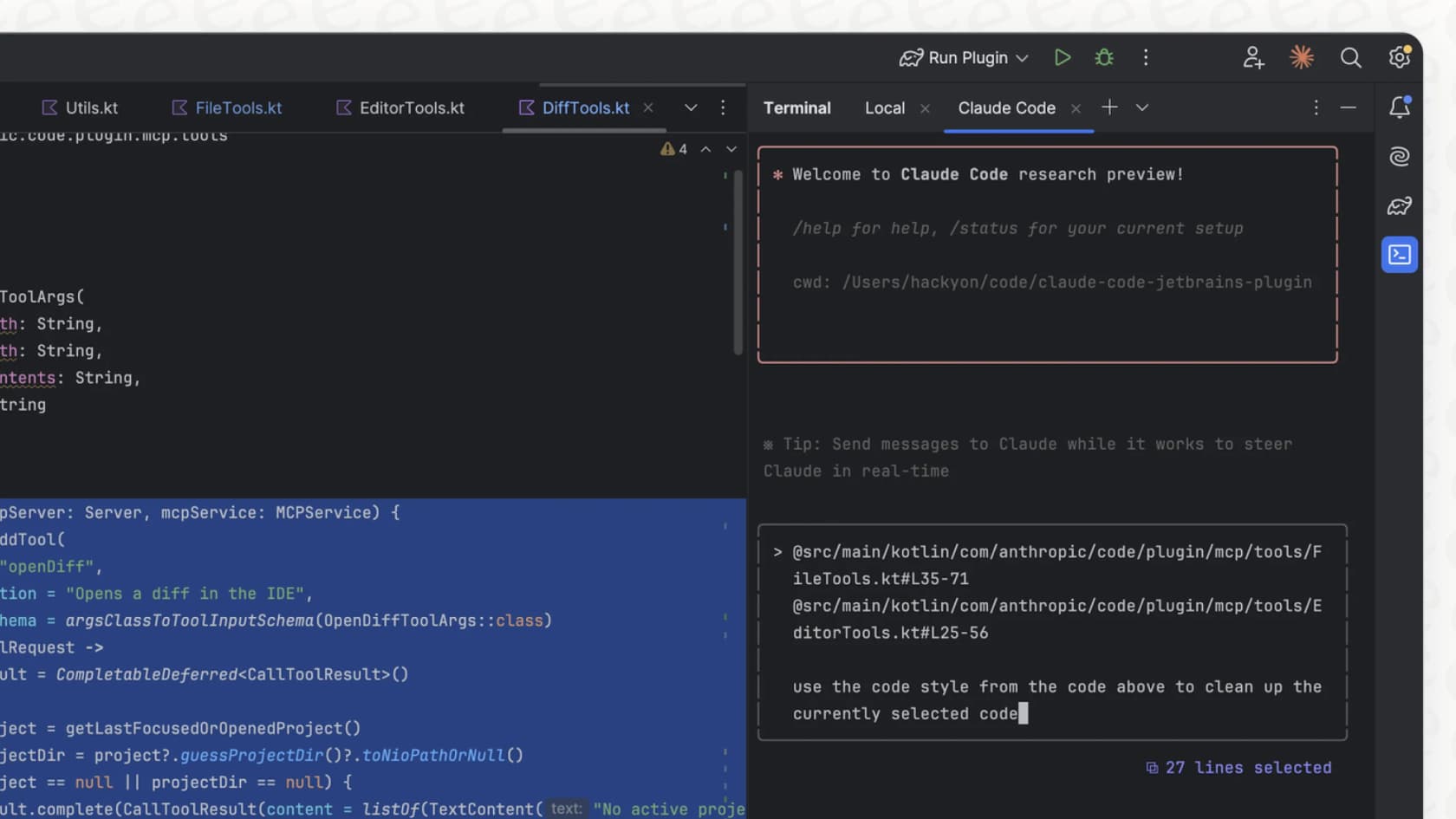
It's designed to be "agentic," which is just a way of saying it can understand a goal, sketch out a plan, and then carry out all the steps to get there. This is why some developers are finding it to be a massive help for complex projects. Hop on Reddit, and you'll find people happily spending $150-$200 a day on API costs because the time it saves them is more than worth it. It’s particularly good at grasping the project's context and following instructions, turning what could be hours of work into a single command.
How Claude Code understands your project
Claude Code's real knack is its layered approach to understanding context. It starts with a 30,000-foot view of your project and can instantly zoom in on the specific line of code you're staring at.
Project-level instructions with CLAUDE.md
At the highest level, Claude Code learns from a special file in your project called "CLAUDE.md". This file acts as a permanent set of instructions for the AI. According to Anthropic's own engineers, this is the perfect place to put things like:
-
Common terminal commands for building or running the project.
-
Your team's specific code style guides (e.g., "Always use ES modules, not CommonJS").
-
Instructions on how to run your test suite.
-
Repository rules, like how you prefer branches to be named.
By setting up this file, you give the AI a solid, high-level understanding of the entire project. It helps make sure every suggestion and line of code it writes follows your team's unique standards.
The power of selection context
Okay, now for the main event. Selection context is Claude Code's ability to immediately understand the specific block of code you've highlighted in your editor. This completely changes the way you interact with an AI.
Instead of the old copy-paste routine, you just highlight a function, a class, or even a single line and ask your question directly. You can prompt it with things like, "refactor this to be more readable," "add unit tests for this function," or "can you explain what this logic is doing?"
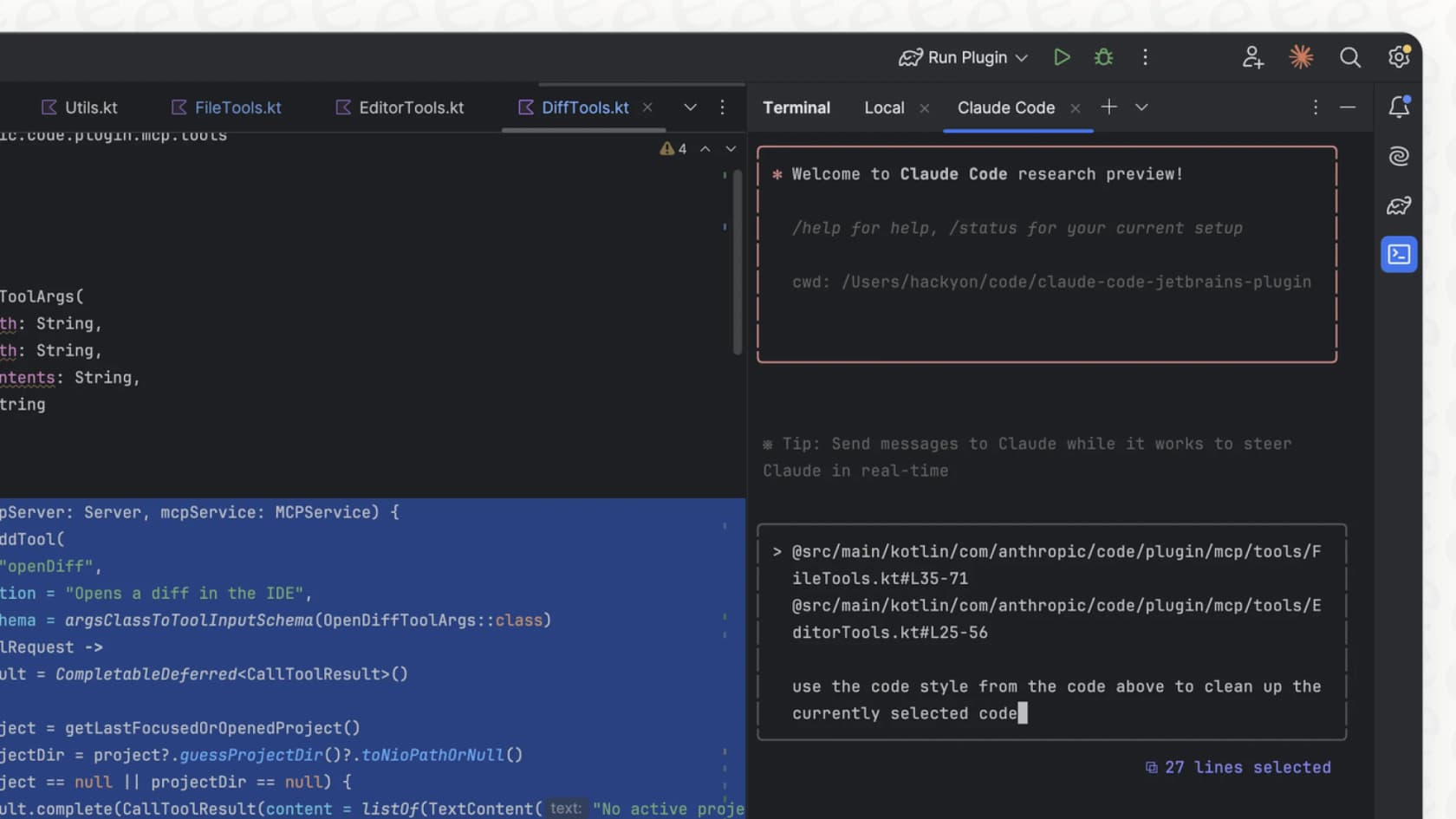
This is a huge deal for figuring out your intent. For example,
If a user says, 'I want to extend how long a user remains logged in,' a basic AI would probably get confused. But if you highlight the refresh_token function... selection context gives the AI the exact code it needs to analyze... not just a wild guess based on a few words.

Expanding context beyond the current file
Claude Code's awareness doesn't stop at what you've selected. It has a few other tricks up its sleeve for pulling in the information it needs:
-
File paths: You can mention any file or directory in your project by typing "@" followed by the name (like "@services/api.ts"), and Claude will instantly read it to get more context for its answer.
-
URLs: Need the AI to understand a new library or a bug report? Just paste a URL to the documentation or a GitHub issue, and Claude will go fetch and analyze the content.
-
Images: You can even feed it screenshots of UI mockups or architecture diagrams. Claude Code uses these visual targets to guide its work, tweaking the code until the result matches your design.
Key features and workflows in action
These context features aren't just cool ideas; they lead to some powerful workflows that can seriously speed up your development process.
Smooth IDE integration
Claude Code isn't just a command-line tool. The official VS Code extension gives you a fully baked-in experience. You can see suggested code changes as diffs right in your editor, letting you review and accept them with a single click.
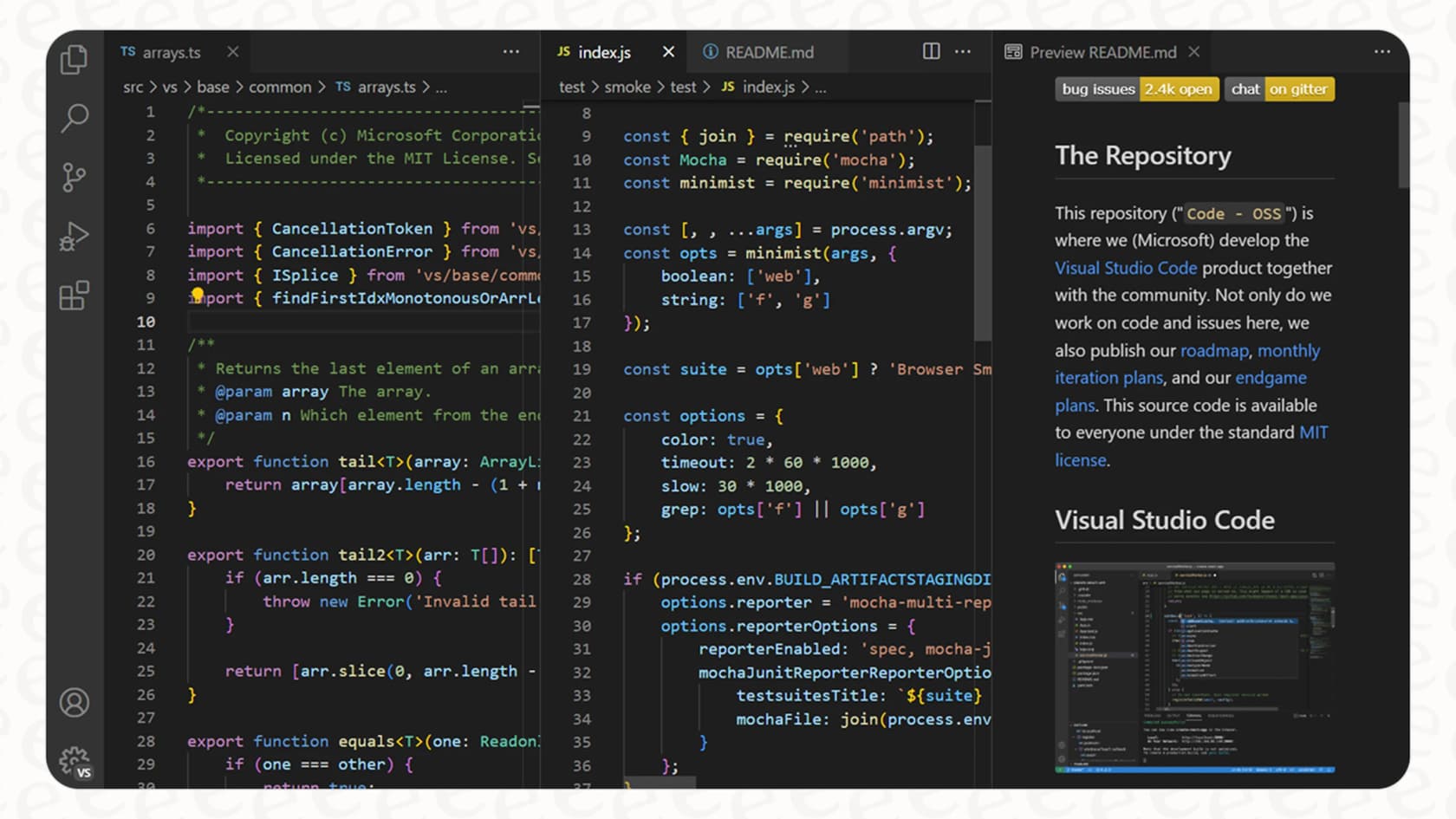
The integration is smart, too. It automatically shares linting and syntax errors with Claude, giving it more clues for debugging. It even adds handy keyboard shortcuts, like "Cmd+Option+K", to pop file references into your prompts without ever having to take your hands off the keyboard.
Common workflows using selection context
Once you start thinking with context in mind, you'll find all sorts of new ways to work.
-
Test-Driven Development (TDD): You can ask Claude to write a bunch of failing tests for a new feature. Once you're happy with the tests, commit them, and then give Claude a new task: "Write the code to make all these tests pass." It will then work on an implementation until your test suite is all green.
-
Codebase Q&A: Onboarding a new engineer can be way faster. Instead of constantly pinging a senior dev, they can ask Claude Code questions like, "How does our authentication flow work?" Claude can then search the entire codebase to pull together a detailed answer.
-
Debugging: When you run into a confusing error, you can pipe the log file directly to Claude and ask it to figure out the problem. It can then pull in other relevant files using the "@" mention to trace the issue back to its source.
Pricing and limitations
Of course, this kind of capability comes with a few things to keep in mind, mostly around the cost and learning curve.
A look at Claude Code's pricing
To use Claude Code, you'll need a paid subscription from Anthropic. The pricing plans are broken down into a couple of tiers.
The Pro Plan is your everyday option, coming in at $20 per month (or a bit less if you pay annually). It gives you a lot more usage than the free version of Claude. For power users and teams, there's the Max Plan, which starts at $100 per person per month. This gets you 5x or even 20x more usage than Pro, higher output limits, and first dibs on new features. For really intensive workflows, some developers use the API directly, but as mentioned, this can get pricey, sometimes running into hundreds of dollars a day.
Challenges and limits to consider
While Claude Code is an amazing tool, it's not perfect.
-
Cost: The price tag is the biggest hurdle for many. For teams or heavy individual users, the costs can add up, so you need to be sure you're getting enough value out of it.
-
Learning Curve: You can't just plug it in and expect magic. Getting the most out of Claude Code means learning new ways of working and figuring out how to prompt it well, like fine-tuning your "CLAUDE.md" file or using checklists for big tasks.
-
Scope: This is the most important thing to understand: Claude Code is a specialist. It's built for one job and one job only: software development. It's not meant for other business needs like customer support, sales, or your internal IT help desk.
The bigger picture: Why context is key for all AI agents
The ideas that make Claude Code so effective, like providing clear and relevant context, are true for any AI assistant. It doesn't matter if an AI is writing Python code or answering a customer's question about a shipping delay, its performance is always tied to the quality of the information it has.
This is the main challenge facing customer support teams today. Their "context" is spread all over the place: in thousands of old helpdesk tickets, internal knowledge bases in Confluence or Google Docs, quick answers buried in Slack threads, and live order data in Shopify. Trying to feed all of that to an AI by hand would be a nightmare.
This is exactly where eesel AI comes in. It's an AI platform built to solve this exact problem for customer service and internal support teams. Its specialty is pulling together all that scattered, messy business knowledge to power AI agents that are genuinely helpful.
Think of it this way: Just like Claude Code needs "CLAUDE.md" and selection context to understand a codebase, an AI support agent needs to understand your past ticket resolutions, product docs, and customer history to solve a problem correctly.
The main difference is that eesel AI handles this whole process for you. Instead of making you write out instruction files, eesel instantly learns from all your existing tools with one-click integrations for platforms like Zendesk, Confluence, and Slack. You can be up and running in minutes, not months, without needing a team of engineers to get it all set up.
The right context for the right job
Claude Code is a fantastic tool that gives us a glimpse into the future of software development. Its smart use of context, especially selection context, makes it an incredible partner for any developer trying to get more done.
But its success also highlights a bigger lesson: for AI to be truly useful in any part of a business, it needs easy access to the right knowledge. While Claude Code is the perfect choice for developers, eesel AI is the equivalent, top-tier solution for customer support teams. It’s designed from the ground up to unlock the power of your company's unique context and put it to work.
Give your support team the context they need
Ready to give your support team an AI assistant that has all the right information? See how eesel AI unifies your knowledge to automate support and draft perfect agent replies. You can start your free trial today.
Frequently asked questions
How does selection context in Claude Code enhance development workflows?
Selection context in Claude Code goes beyond simple completion by allowing you to highlight specific code blocks and ask direct questions. This enables the AI to understand your exact intent and the purpose of the selected code, leading to more accurate and relevant suggestions, refactors, or tests.
What methods does Claude Code use to gather project information?
In addition to the selection context from highlighted code, Claude Code leverages project-level instructions in "CLAUDE.md", file paths (via "@" mentions), external URLs for documentation, and even images. This layered approach ensures it has a comprehensive understanding of your project environment.
Can teams customize Claude Code for their specific coding standards?
Yes, teams can extensively customize Claude Code's behavior. The "CLAUDE.md" file allows you to define project-wide instructions, coding style guides, common terminal commands, and repository rules, ensuring the AI aligns with your team's specific standards.
What are the pricing considerations for using Claude Code, especially for heavy usage?
For heavier usage of Claude Code, you'll typically consider the Max Plan, which offers significantly higher usage limits compared to the Pro Plan. Additionally, using the API directly can lead to costs ranging from tens to hundreds of dollars daily, depending on the intensity of your workflows.
What is the best way for new users to get started with Claude Code?
New users can effectively utilize Claude Code by integrating it directly into their IDEs like VS Code and starting with specific, highlighted code blocks to leverage its selection context. Experimenting with "CLAUDE.md" and using the "@" mention for file references are also great ways to quickly get accustomed to its contextual capabilities.
How can Claude Code assist with debugging or refactoring?
Claude Code excels at debugging by allowing you to feed it log files and ask it to trace issues, pulling in relevant files via "@" mentions. For refactoring, you can use selection context by highlighting a function or class and prompting it to "refactor this to be more readable" or "optimize for performance," and it will generate the improved code.
Is Claude Code designed for general AI tasks, or is it only for software development?
Claude Code is highly specialized; its focus is strictly on software development tasks. While the concept of effective context applies to all AI agents, Claude Code is specifically engineered and optimized for coding workflows, not for general business needs like customer support or sales.