What "real-time" actually means (it's a spectrum)
"Real-time" gets thrown around like it's one thing. It isn't. What a customer counts as real-time depends entirely on the channel they picked, and getting that mapping wrong is how teams over-invest in the wrong place.
Someone on live chat or a website chat bubble expects a reply in seconds. They're sitting there, tab open, watching for the typing dots. Someone who fired off an email is fine waiting a few hours. Phone is its own beast, where "real-time" means short hold times and one call to resolution, not a callback. Social and messaging land in between, which is where a multichannel chatbot earns its keep.
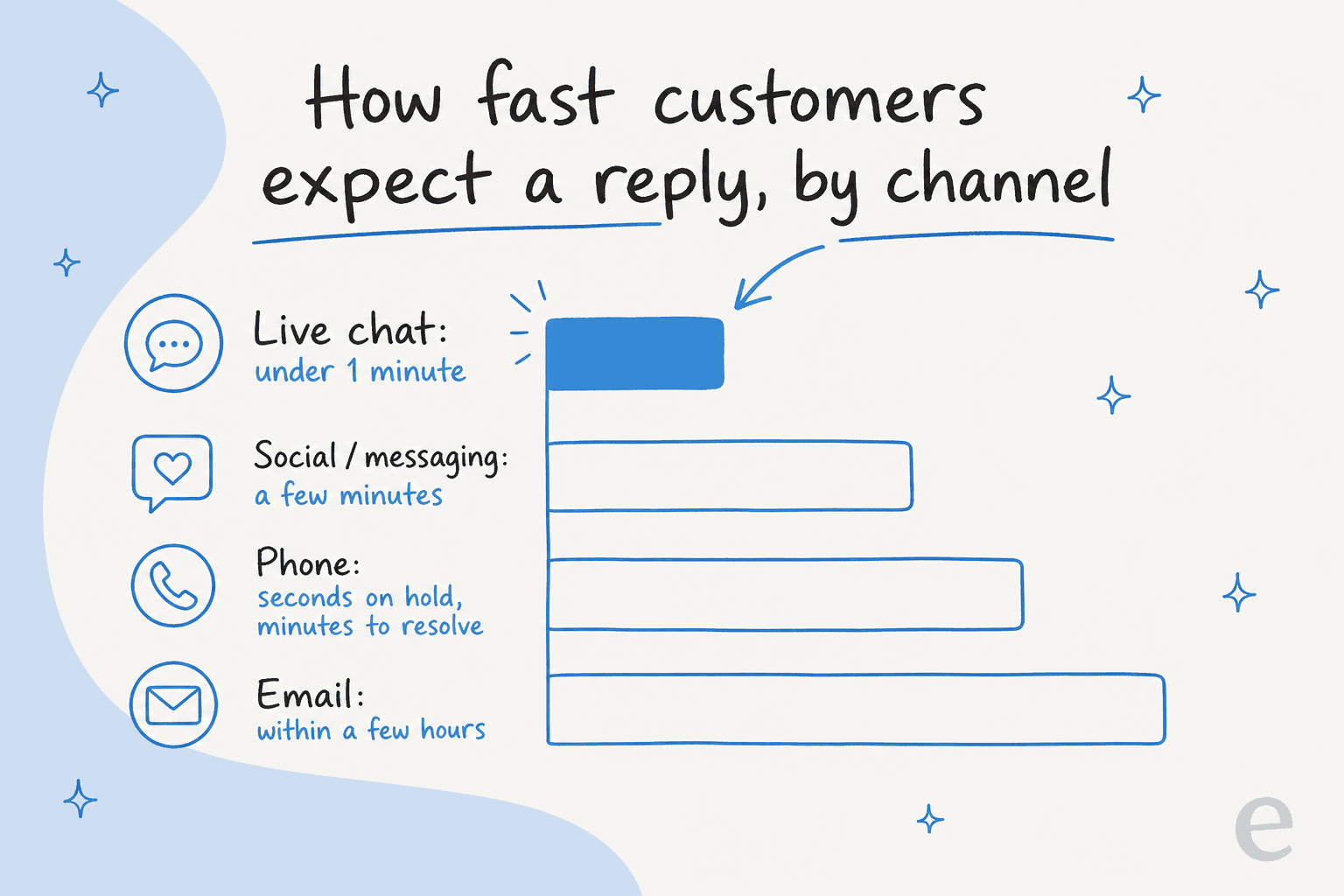
So real-time customer support isn't "reply instantly to everything." It's meeting the expectation the channel sets. The practical read: put your fastest handling on your fastest channels. A blazing email response time is nice, but nobody churns over a 90-minute email reply. They churn over a chat widget that spun for two minutes and felt broken.
Why the expectation keeps rising
The bar didn't move because of support software. It moved because everything else in a customer's life got instant. Same-day delivery, read receipts, AI assistants that answer in one breath. By the time someone opens your chat window, they've been trained by a dozen other products to expect an answer now.
That's the uncomfortable part of running support in 2026: a slow reply doesn't just annoy people, it reads as "this company isn't paying attention." It's also why the whole conversation about AI in customer service keeps coming back to speed. I've watched trials die over exactly this. One team we worked with ran a careful 67-test evaluation of an AI tool, found the answer quality genuinely solid, and still walked away, because the chat widget itself was slow and often got stuck. The answers were good. The speed killed the deal anyway.
Another prospect summed up the feeling better than I can: the chat "just feels slow, when you send a message the spinner sits there for ages and makes you feel like nothing's happening, like something is broken when nothing is." Perceived speed is the product on a real-time channel.
The reason real-time support is hard
Here's the honest version most vendor pages skip: real-time support with humans alone is just expensive. To answer chat in seconds at 9am and 9pm, you need people staffed at 9am and 9pm. Scale that across weekends, holidays, and languages and the math gets brutal fast.
And the volume is rarely interesting work. The teams I talk to are drowning in the same handful of questions. One multi-brand e-commerce operator described their inbox as almost entirely refund requests, unsubscribes, and order tracking, the same three things, all day. A DTC brand doing ~7,000 tickets a month told us their team simply couldn't keep up and needed to auto-resolve at least half the email volume just to breathe.
You can't hire your way to real-time on that. Or rather, you can, but the unit economics are ugly, and you'll spend your best agents' time on "where's my order" instead of the problems that actually need a human. The smarter teams also lean on proactive support to answer some of these before they ever become a ticket.
How AI makes real-time support achievable
This is where an AI support agent changes the shape of the problem. Instead of a human reading and typing every first response, the AI answers the moment the message arrives, using your own knowledge base, help center, and past tickets as its source of truth.
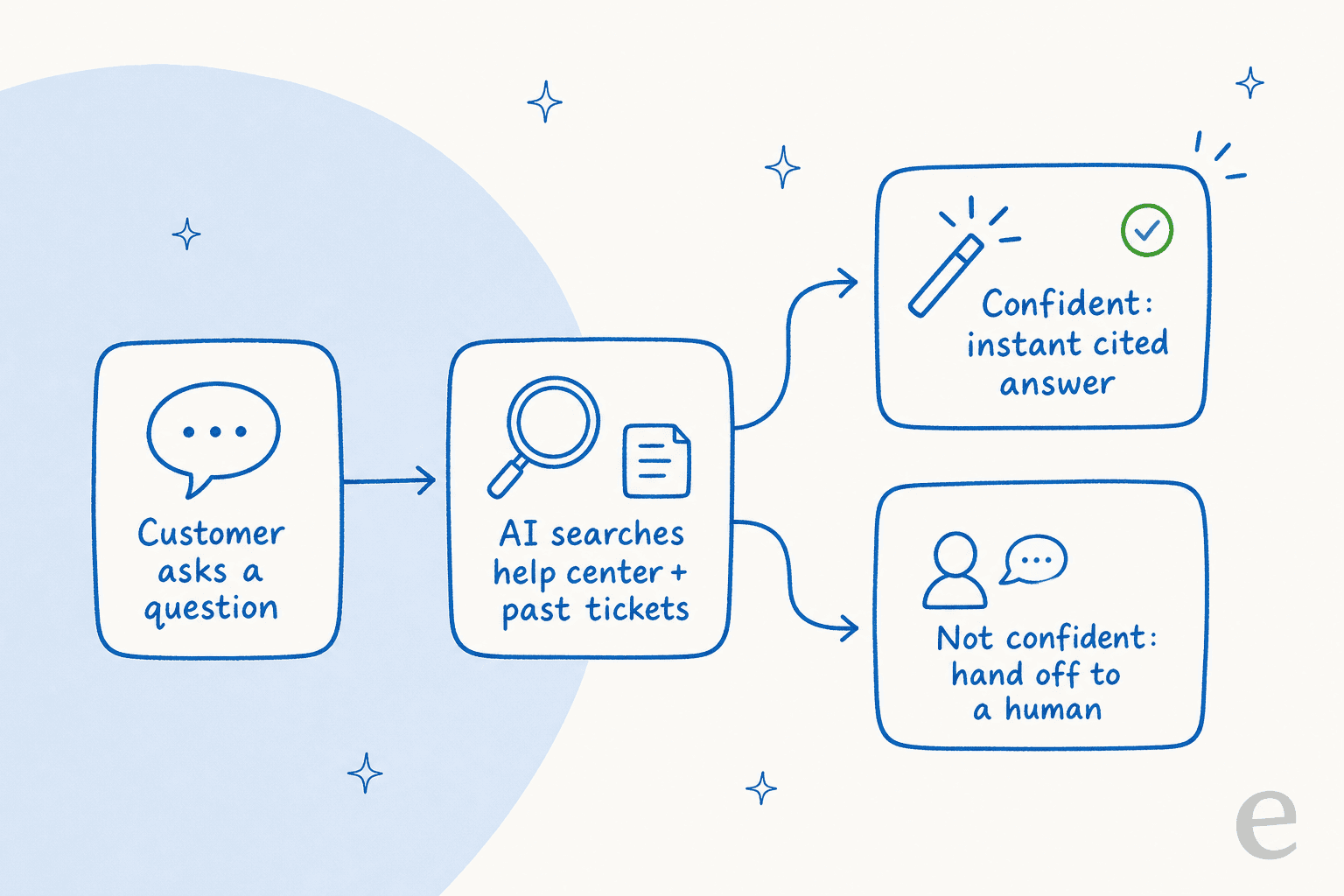
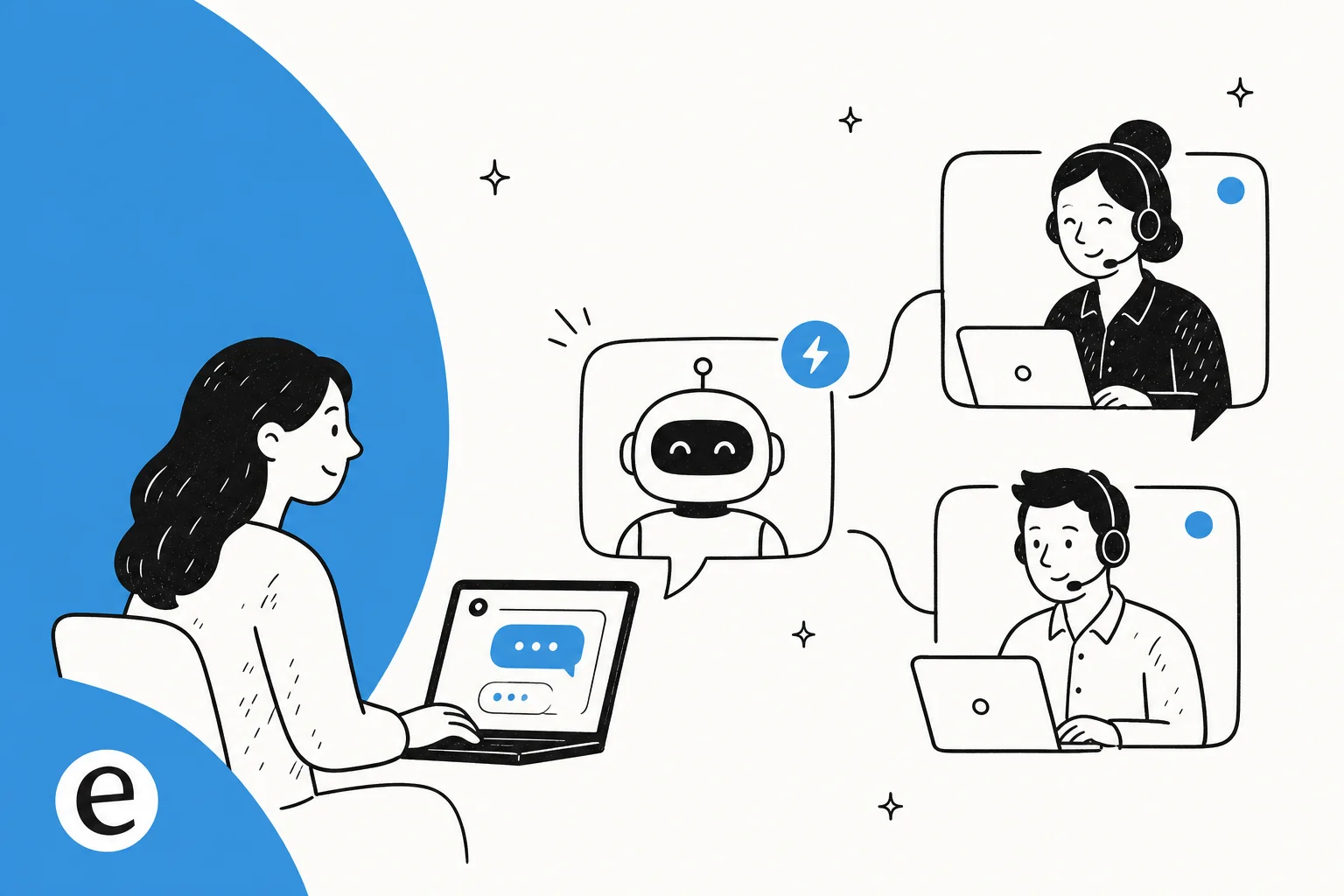
The mechanics matter, so here's the loop. A question comes in. The AI searches your connected knowledge (docs, macros, prior resolved tickets), and if it finds a confident, grounded answer, it replies instantly with citations. If it doesn't, it hands the ticket to a human instead of guessing. That "search then decide" step, done in a second or two, is what turns hours of queue time into an instant reply for the questions that deserve one.
The results, when the knowledge is decent, are not subtle. One gig-economy analytics app on Zendesk saw the AI resolve 73% of their tier-1 requests in the first month, with results showing up inside a 7-day trial. A German events company let a bot handle real German-language tickets on full autopilot, and every draft came back contextually appropriate. A small UK team drove 56 resolved tasks from just 9 synced macros. None of that required a bigger team, it required moving first response off the human queue.
"In the first month, eesel is resolving 73% of our tier 1 requests. Our team implemented and achieved results quickly during our 7-day trial. Responses are simple to fix and adjust."
That's a gig-economy driver-analytics app on Zendesk Business, roughly 1,300 interactions a month, quoted from their G2 review.
The part everyone gets wrong: fast is not the same as right
If you take one thing from this, take this. The failure mode of real-time support isn't being slow. It's being fast and wrong.
An AI that confidently answers a question it doesn't actually have the knowledge for is worse than no bot at all. I've seen the damage: a bot that told customers "yes, we support your car model" for brands that weren't in the database, because the help doc vaguely said "we support all models." Another that answered a real customer with "Oxygen," pulled from the periodic table, when the knowledge base had nothing relevant. Those go out instantly, in real time, to real people.
The CX leads who've done this at scale are ruthless about it. One CX lead at a DTC supplements brand, running ~7,000 tickets a month, put it to me as clearly as anyone: the AI will never answer 100% of questions, and if it just replies "sorry, I don't know this" to the rest, he can't go back and check all 7,000 tickets to see if it did a good job. What he needed, in his words, was "an AI who is only handling the tickets that it's confident to handle" and leaving all the others alone. His point wasn't that AI support is untrustworthy. It was that the AI has to know the edge of its own knowledge and escalate everything past it, silently, without ever sending a customer a confident-sounding guess.
So the real spec for real-time support isn't "answer fast." It's "answer fast when confident, escalate cleanly when not." A tool that only offers "reply to everything" is a liability on a live channel, and it's the main thing separating a real AI agent from an old rule-based bot. Confidence-based routing, ticket-type exclusions, and a hard fallback when the knowledge base comes up empty are the difference between real-time support and a real-time apology tour.
What real-time support looks like in practice
Real-time is a spectrum, so most teams end up running a few layers at once rather than one magic widget, ideally stitched together in an omnichannel setup so context follows the customer. Here's how the pieces tend to line up.
| Layer | What it handles | Who does it | Target response |
|---|---|---|---|
| AI first response | Repetitive tier-1: order status, resets, stock, WISMO | AI, instantly | Seconds |
| AI-assisted drafting | Trickier tickets a human still sends | AI drafts, human edits | Minutes |
| Human live chat | Judgment calls, upset customers, edge cases | Human, escalated | Minutes |
| Async follow-up | Anything needing investigation | Human, off the live channel | Hours |
The trick is deciding what belongs on which layer, then being disciplined about it. Push too much onto humans and your real-time channels stay slow. Push too much onto the AI and you're back to fast-and-wrong. The triage decision, which layer a given ticket lands on, is where most of the quality lives.
The before-and-after
When the split works, the change in first response is the metric everyone notices first.
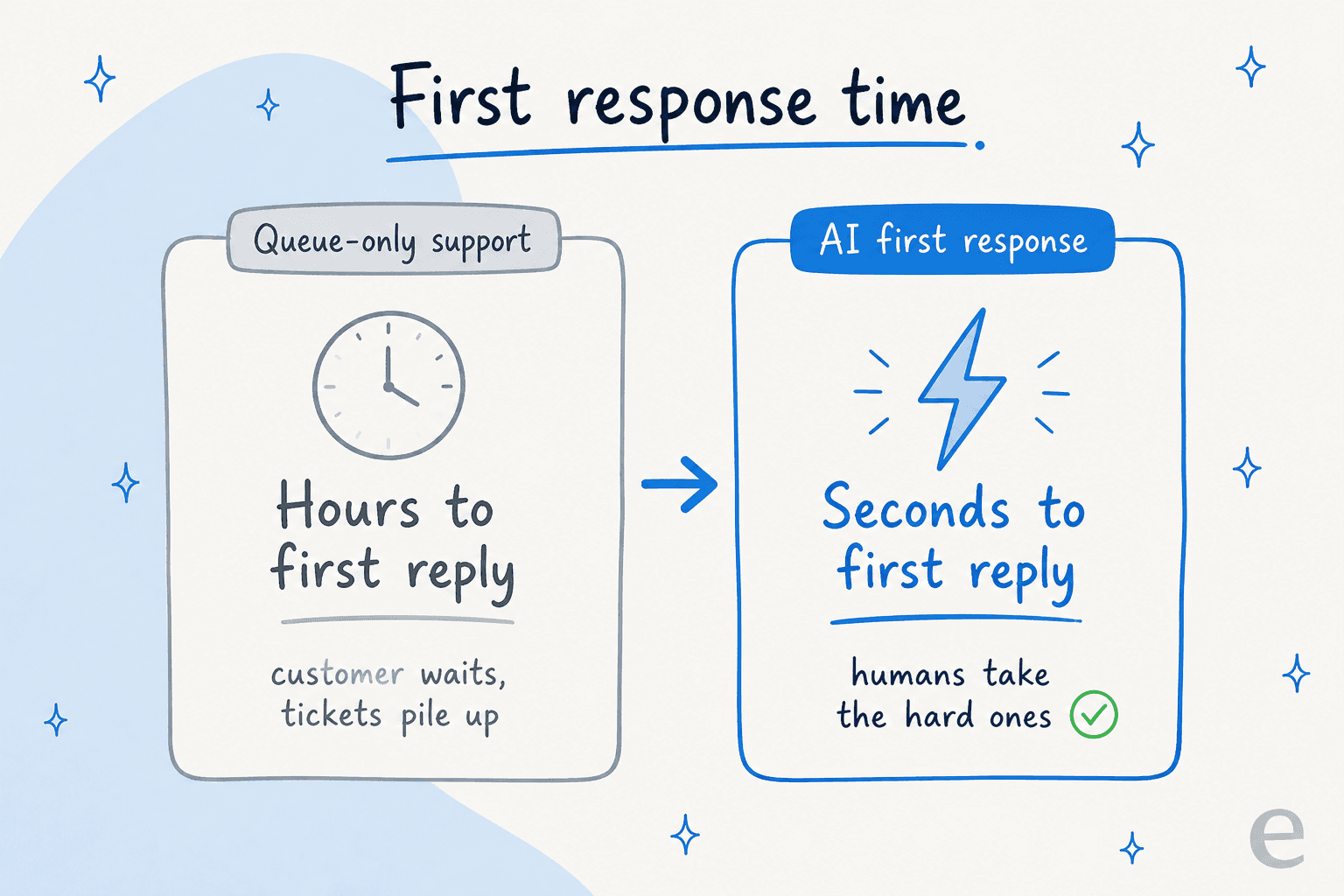
Hours become seconds for the bulk of volume, and your humans get to spend their day on the tickets that actually reward human attention. That's the whole game.
The metrics that tell you it's working
Real-time support is easy to fake on a dashboard, so watch the right numbers. A few KPIs matter more than the rest:
- First response time, per channel. One blended average hides everything. Track chat separately from email, because the expectations are different.
- First contact resolution. Fast is worthless if the customer has to come back three times. Resolution is the real target.
- Deflection vs. escalation quality. Not just how much the AI handled, but whether the tickets it escalated were the right ones to escalate.
- AI answer accuracy. Sample the AI's live answers. On a real Zendesk traffic test, one setup hit 93% triage accuracy and 100% spam detection, which is the kind of grounding you want before you let anything reply unsupervised.
If you're standing up tracking from scratch, our rundown of AI support metrics goes deeper. Use these to sanity-check where your gaps are before you spend on the wrong layer.
They're watching the screen. Silence reads as broken. This is the channel to put AI first response on before any other, so the reply lands in seconds.
Best fit for AI first responsePublic and semi-public, so tone matters. AI can acknowledge and answer common questions instantly, then escalate anything sensitive to a human fast.
AI + fast human escalationReal-time here means short hold times and one call to resolution. AI helps most before and after the call: deflecting simple asks, summarizing, and routing.
AI around the callNot truly real-time, and that's fine. AI drafts a grounded reply for a human to review and send, so speed improves without the accuracy risk of auto-sending.
AI-assisted draftingHow to actually get there
You don't flip a switch and have real-time support. The teams that land it tend to move in the same order, and the copilot-first, then full auto pattern shows up on nearly every rollout I've seen.
- Get your knowledge in order first. The AI is only as good as what it can read. Point it at your help center, macros, and resolved tickets. Training on past tickets is the single most-requested capability for a reason, it's where your real answers live.
- Start in copilot mode. Let the AI draft replies for agents to review before anything goes out unsupervised. You'll see exactly where it's strong and where it guesses.
- Simulate before you go live. Run the AI against historical tickets to see how it would have answered, so you're not testing on real customers. Every rollout should be pressure-tested this way first.
- Turn on full auto for the confident slice only. Set confidence thresholds and ticket-type rules so the AI auto-replies to what it's sure about and escalates the rest.
- Watch the numbers, tune the knowledge. Where accuracy dips, the fix is almost always a knowledge gap, not the AI. Feed it the missing article and move on.
Do it in that order and you reduce ticket volume on the fast channels without betting your brand on an untested bot.
Try eesel for real-time support
If you want real-time customer support without staffing every shift, this is exactly what eesel is built for. It plugs into your existing helpdesk (Zendesk, Freshdesk, Gorgias, and more), trains on your help center and past tickets, and starts answering the repetitive tier-1 volume instantly, while handing off anything it isn't confident about to your team.

The two things that make it safe on a live channel are baked in: you can simulate every rollout against your historical tickets before it touches a customer, and confidence-based routing means it only auto-replies when it's sure. Pricing is per resolved ticket with no per-seat fee, so the cost follows the work, not your headcount. It's free to try, and you can point it at your own tickets in a few minutes to see how it'd handle your real volume.
Frequently Asked Questions
What is real-time customer support?
How do you provide real-time support without a huge team?
What is a good first response time for live chat?
Does real-time support mean the AI answers everything?
How much does real-time customer support cost?


Article by
Riellvriany Indriawan
Riell is a designer and writer at eesel AI with about two years of experience researching CX platforms, AI chatbots, and helpdesk software. She combines her design background with a sharp eye for how these tools actually look and feel in practice — making her comparisons unusually visual and user-focused.