For a long time, Evernote was the undisputed champ of note-taking, the "second brain" for millions of us. But lately, some pretty big price hikes have left a lot of long-time fans scratching their heads and wondering if it's still worth the cost. This guide will give you a straight-up breakdown of the current Evernote pricing structure to help you decide if it’s still the right tool for you in 2026.
What is Evernote?
At its core, Evernote is a digital notebook. It's a cross-platform app made for jotting down, organizing, and finding your stuff. A "note" can be anything from a simple to-do list to a clipped webpage, a photo, a voice memo, or even a handwritten scribble, which is why it gets compared to every meeting notes app under the sun.
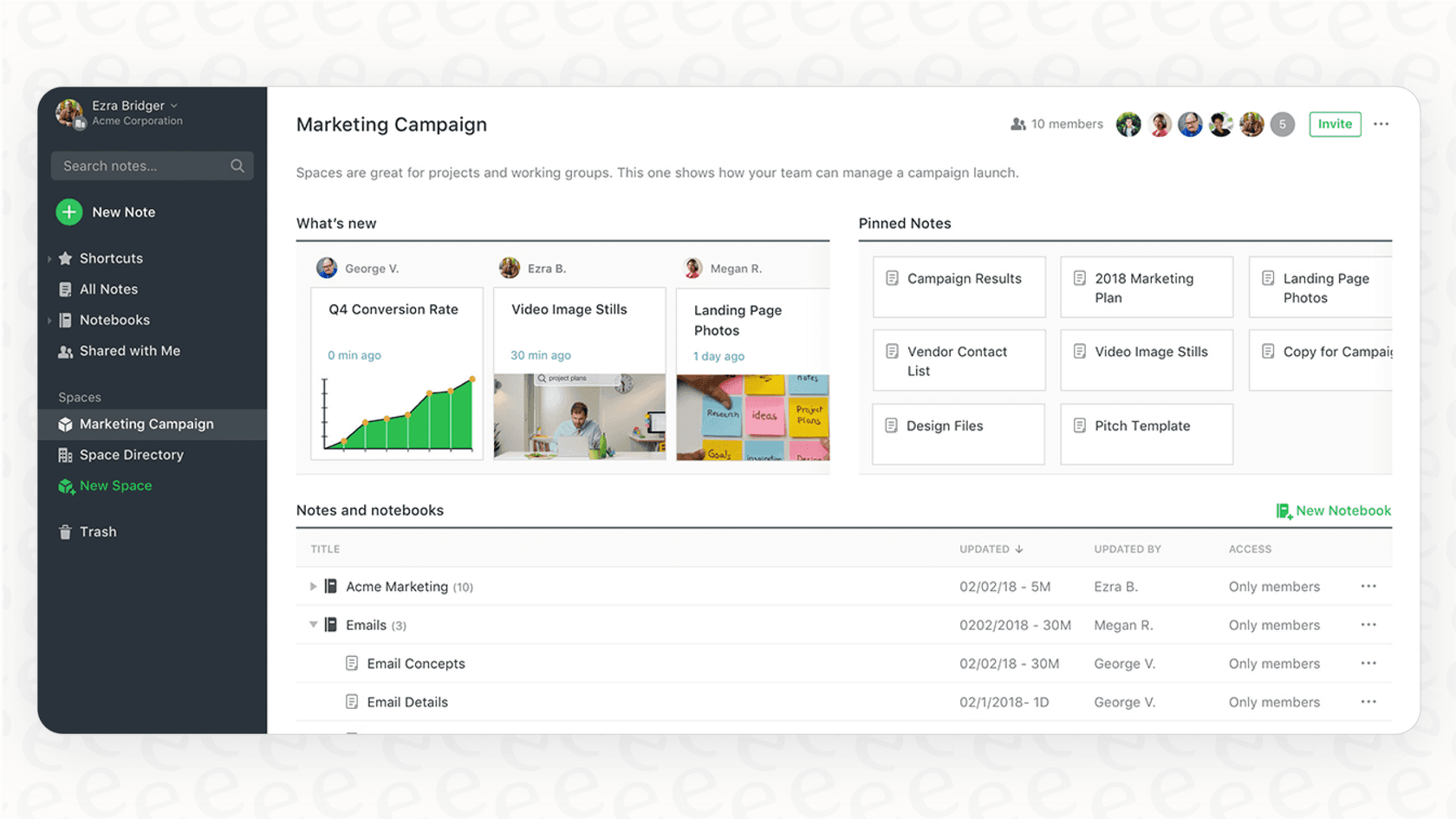
Its original magic came from its powerful web clipper and universal search. You could build a personal, searchable library of pretty much your entire digital life. Over the years, Evernote has added things like task management and calendar integration. Most recently, it’s rolled out a bunch of AI features, trying to shift from being just a note-taker to a full-on productivity hub, the same direction Notion AI and a dozen others are pushing.
A complete breakdown of the 2026 Evernote pricing plans
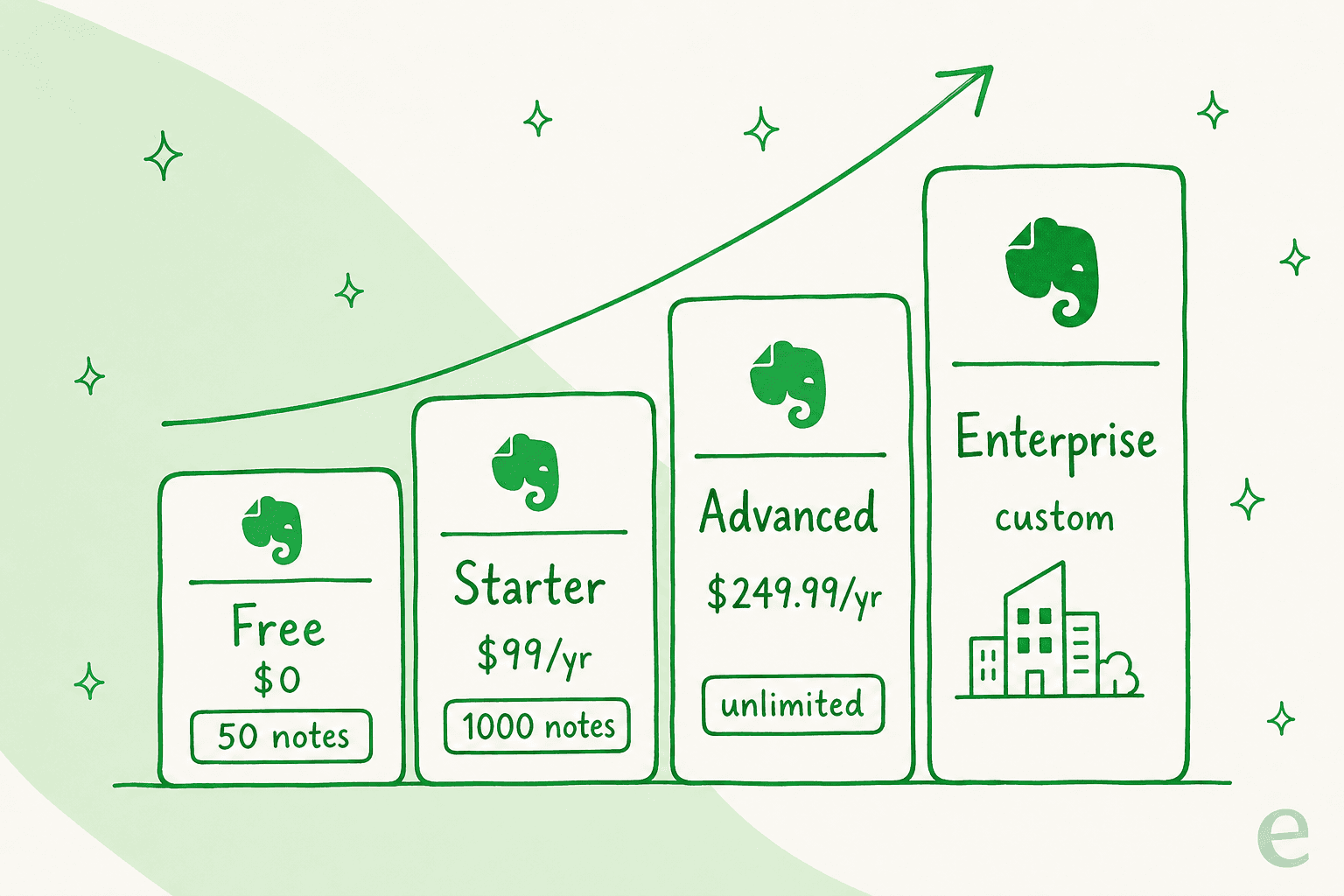
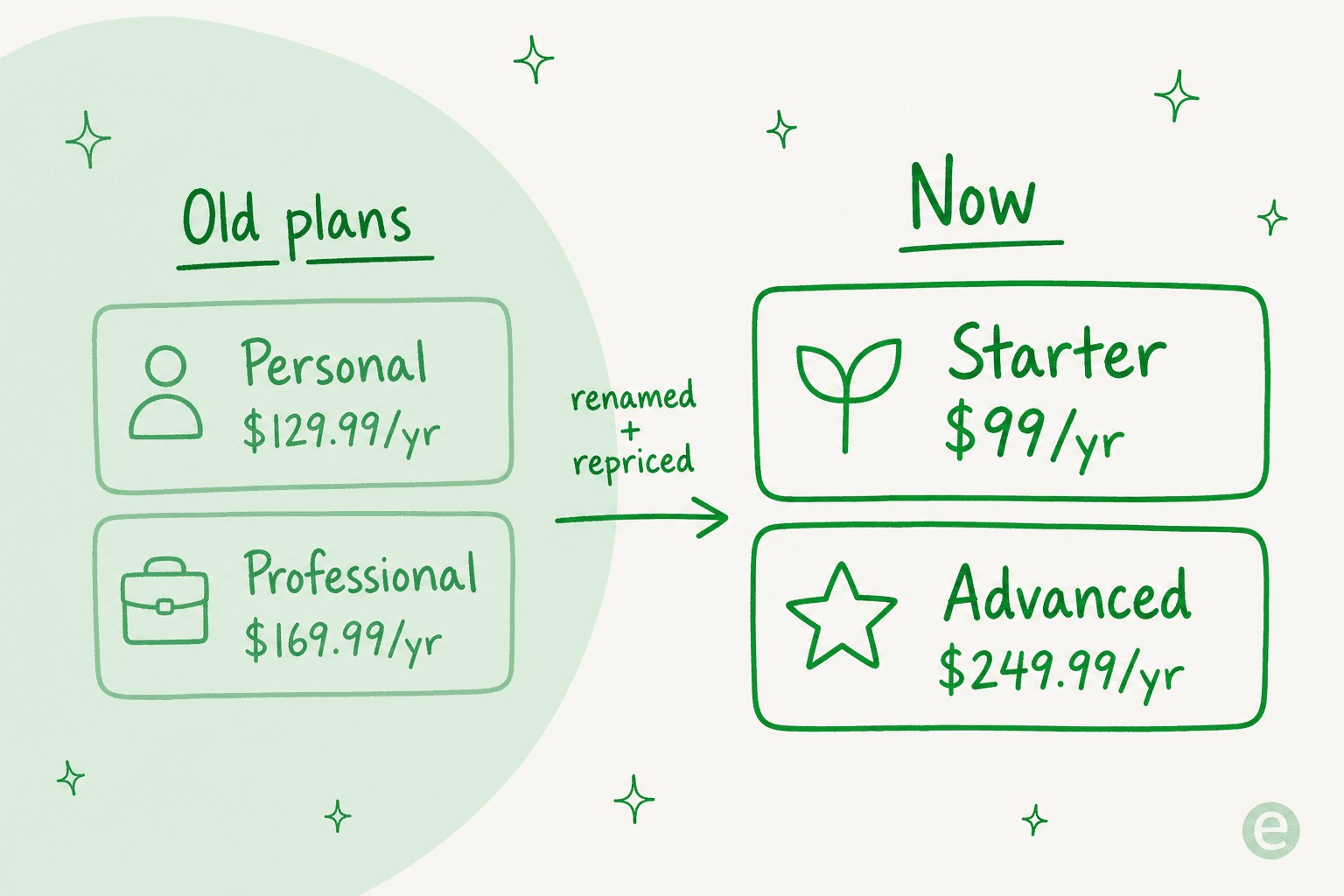
Evernote recently cleaned house, retiring the old "Personal" and "Professional" plans for a simpler Free / Starter / Advanced lineup. Figuring out what each plan actually gives you is the key to knowing if the price tag makes sense for your wallet. Let's take a look at the current Evernote pricing plans.
Evernote's free plan
-
Price: $0
-
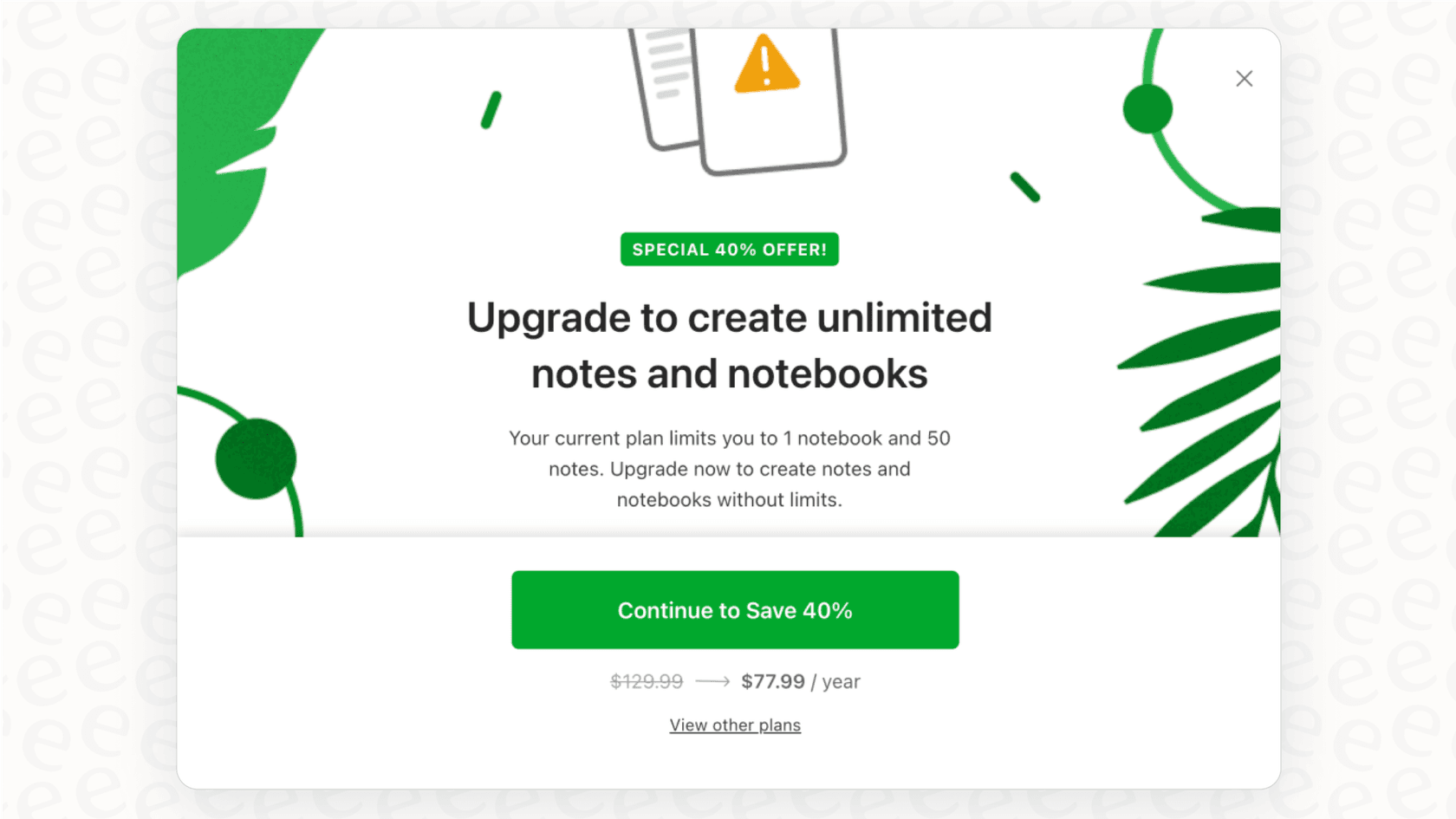
Key Features & Limitations: The free plan has been squeezed down to almost nothing. You’re limited to only 50 notes and a single notebook, with a 1 GB monthly upload cap and a 200 MB max note size. It’s built to nudge you toward a paid tier fast.
-
Verdict: Honestly, this plan is best thought of as a very limited trial. The tight restrictions on notes make it pretty useless for building a real "second brain," and it doesn't hold a candle to what other free competitors offer.
Evernote's starter plan
-
Price: $8.25 per month, or $99.00 per year.
-
Key Features: This is the new entry-level paid tier (it replaces the old "Personal" plan). It bumps you up to 1,000 notes, 20 notebooks, and 5 GB of storage, with sync across devices, offline access, and search inside documents.
-
Who it's for: The individual who wants a reliable personal hub without paying for the AI tools, though note that 1,000 notes is far tighter than the old Personal plan it replaced, a cap you won't hit on Airtable pricing or most rivals.
Evernote's advanced plan
-
Price: $20.83 per month, or $249.99 per year.
-
Key Features: You get everything in Starter plus unlimited notes and notebooks, 20 GB of monthly uploads (plus 2 GB per user), and the headline feature: Evernote’s AI tools, like AI-Powered Search, Semantic Search, and AI Edit, plus integrations with Slack and Microsoft Teams.
-
Who it's for: Power users, freelancers, and students who need unlimited storage and think the AI tools could actually speed up their workflow, if they can stomach the $249.99/year price.
Evernote's enterprise plan
-
Price: Custom (you'll have to talk to their sales team).
-
Key Features: This one’s for businesses. It adds a layer of admin and security features on top of the Advanced plan. The big perks include company ownership of all data, a dedicated person to help your team succeed, single sign-on (SSO), and generous upload allowances.
-
Who it's for: Companies that need a secure, central place for notes and want full control over user accounts and data, though most teams will outgrow a note app's idea of an internal knowledge base quickly.
Evernote plan comparison
| Feature | Free | Starter | Advanced | Enterprise |
|---|---|---|---|---|
| Price (annual) | $0 | $99/year | $249.99/year | Custom |
| Price (monthly) | — | $8.25/mo | $20.83/mo | Custom |
| Notes limit | 50 | 1,000 | Unlimited | Custom |
| Notebooks limit | 1 | 20 | Unlimited | Custom |
| Monthly uploads | 1 GB | 5 GB | 20 GB + 2 GB/user | Custom |
| Offline access | No | Yes | Yes | Yes |
| AI Assistant | No | Yes | Yes | Yes |
| Integrations | Limited | Yes | Yes (Slack, Teams) | Yes |
What changed? The controversy behind the new Evernote pricing
The change in Evernote pricing wasn't a small bump. For many people who had been using it for years, it was a sudden, massive hike, followed by a full rename of the tiers. Users on forums and Reddit shared that their annual renewal jumped sharply with very little warning:
My annual renewal price jumped from around $75 to $129.99... a spike of over 70% with very little warning.

This move, which happened after Evernote was acquired by a company called Bending Spoons, caused a lot of backlash for a few reasons:
-
The value didn't seem to match the price: Many users felt the price increase wasn't justified by any new, killer features. The AI tools were interesting, sure, but they weren't what most of the core users were asking for.
-
It felt like a slap in the face to loyal customers: People who had supported Evernote for years felt left out in the cold. The new strategy seemed to be about squeezing as much money as possible from existing users who were already locked in, rather than rewarding them for their loyalty.
-
The free plan became a trap: Right around the time of the price hikes, the free version was made so restrictive it became almost unusable, a move many saw as pushing free users into the paid plans, ditching the "freemium" model that helped make Evernote so popular.
The general feeling was that Evernote had lost its way, focusing more on features that bloated the app and its price tag instead of the amazing note-taking experience that made everyone fall in love with it. It's a big reason searches for Evernote alternatives keep climbing.
Is the new Evernote pricing worth it? An honest analysis
With all that drama, it's fair to ask: is Evernote still worth the premium price? The answer, honestly, depends entirely on how you use it, and it's worth checking the Evernote alternatives before you renew.
The case for Evernote: What you get for the price
Evernote still does a few things really, really well that keep its loyal fans paying up:
-
A polished experience: The app's interface is clean, and its core features like the web clipper and document scanner are still some of the best out there.
-
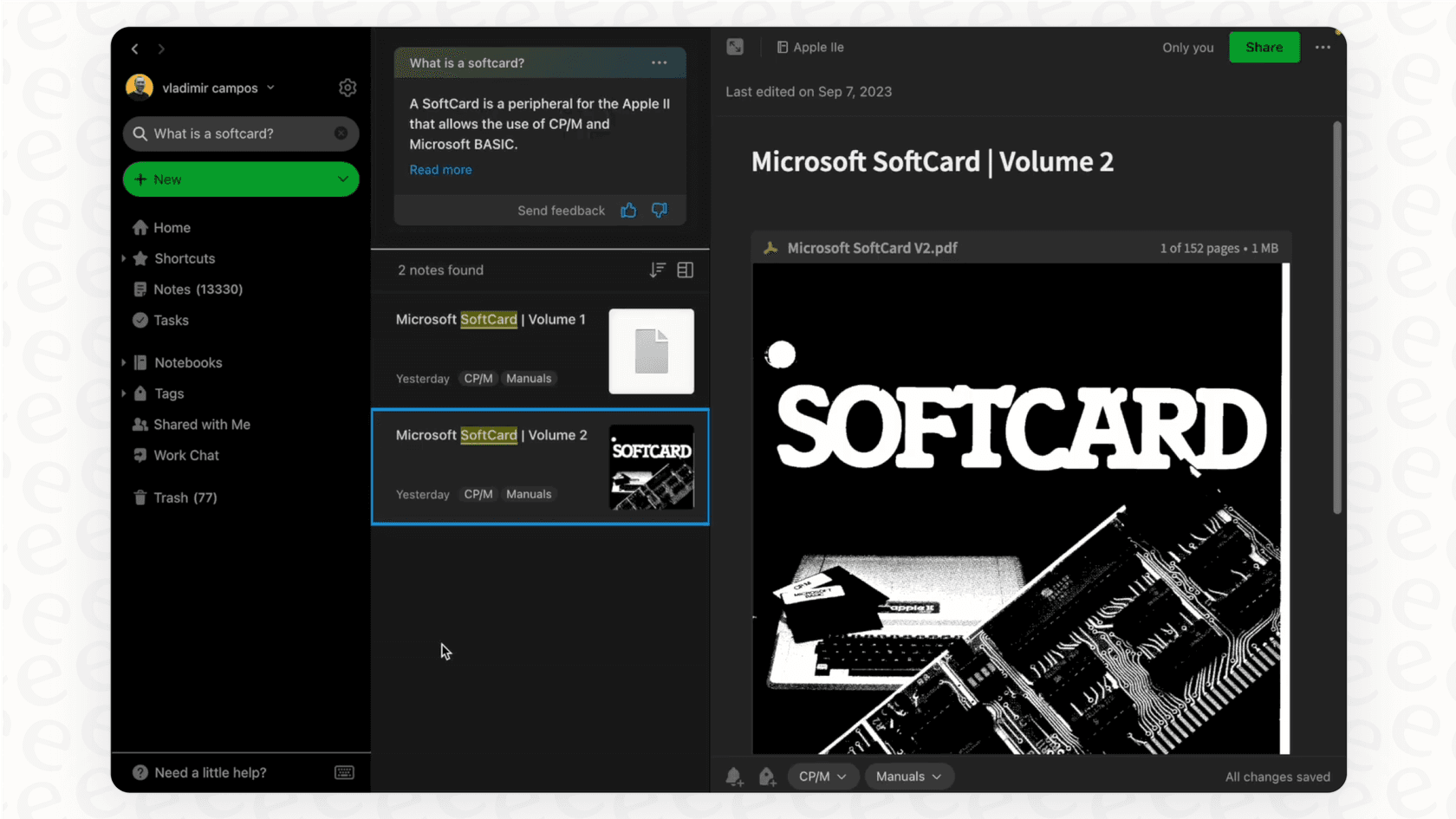
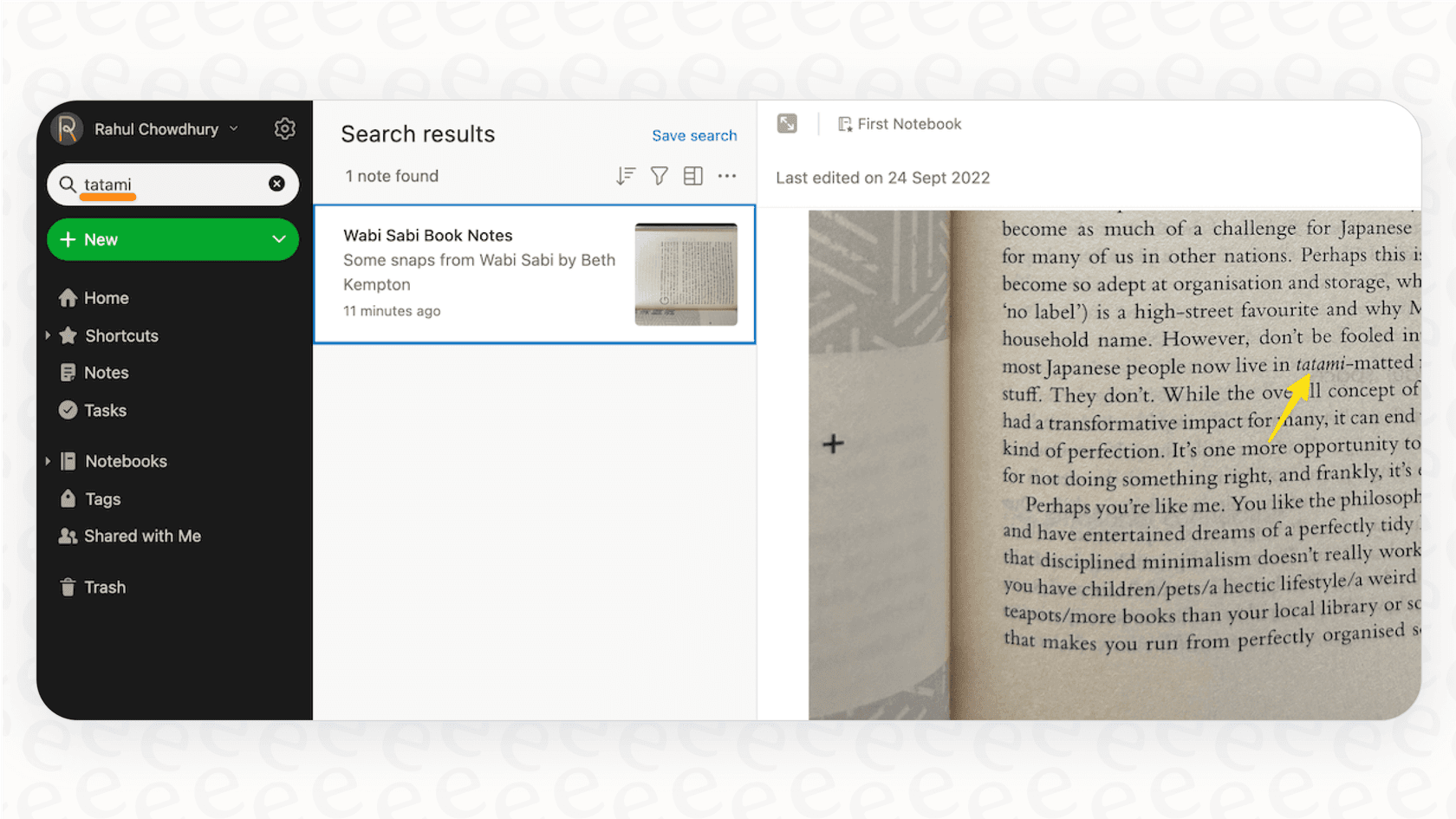
Incredibly powerful search: Being able to search for text inside PDFs, Office docs, and even pictures is a fantastic feature for anyone trying to build a digital archive.
-
Reliable syncing and offline access: For paid users, the sync between devices is fast and works without a hitch, and having offline access means your notes are always there when you need them.
-
Genuinely helpful AI tools: Some of the new AI features, especially AI Transcribe, are actually pretty useful for turning audio or handwritten notes into searchable text.
The case against the new pricing: Where the value falls short
Even with its strengths, it's getting harder to justify the cost in today's market:
-
It's expensive compared to the competition: Other apps offer similar features for a lot less money. A Microsoft 365 subscription costs less than Evernote Advanced and gets you OneNote with 1 TB of storage plus the entire Office suite, while Notion pricing and ClickUp pricing bundle docs, tasks, and databases for similar money.
-
It's overkill for simple needs: A lot of people just need a simple, reliable place to write things down. For them, paying a premium for tasks, calendars, and AI doesn't make sense when free tools like Apple Notes or Obsidian do the job just fine.
-
The AI is limited for business use: While the AI might be handy for personal productivity, it's stuck inside the Evernote app. It can't connect to your other business tools, automate team workflows, or answer questions using information from outside of Evernote. That really limits how useful it can be for a team.
Unlocking your team's knowledge with a purpose-built AI platform
The limitations of Evernote for team use bring up a bigger point. While Evernote wants to be a "second brain" for one person, businesses need a collective brain that pulls together knowledge from every tool and department. This is where a dedicated AI platform offers something completely different.
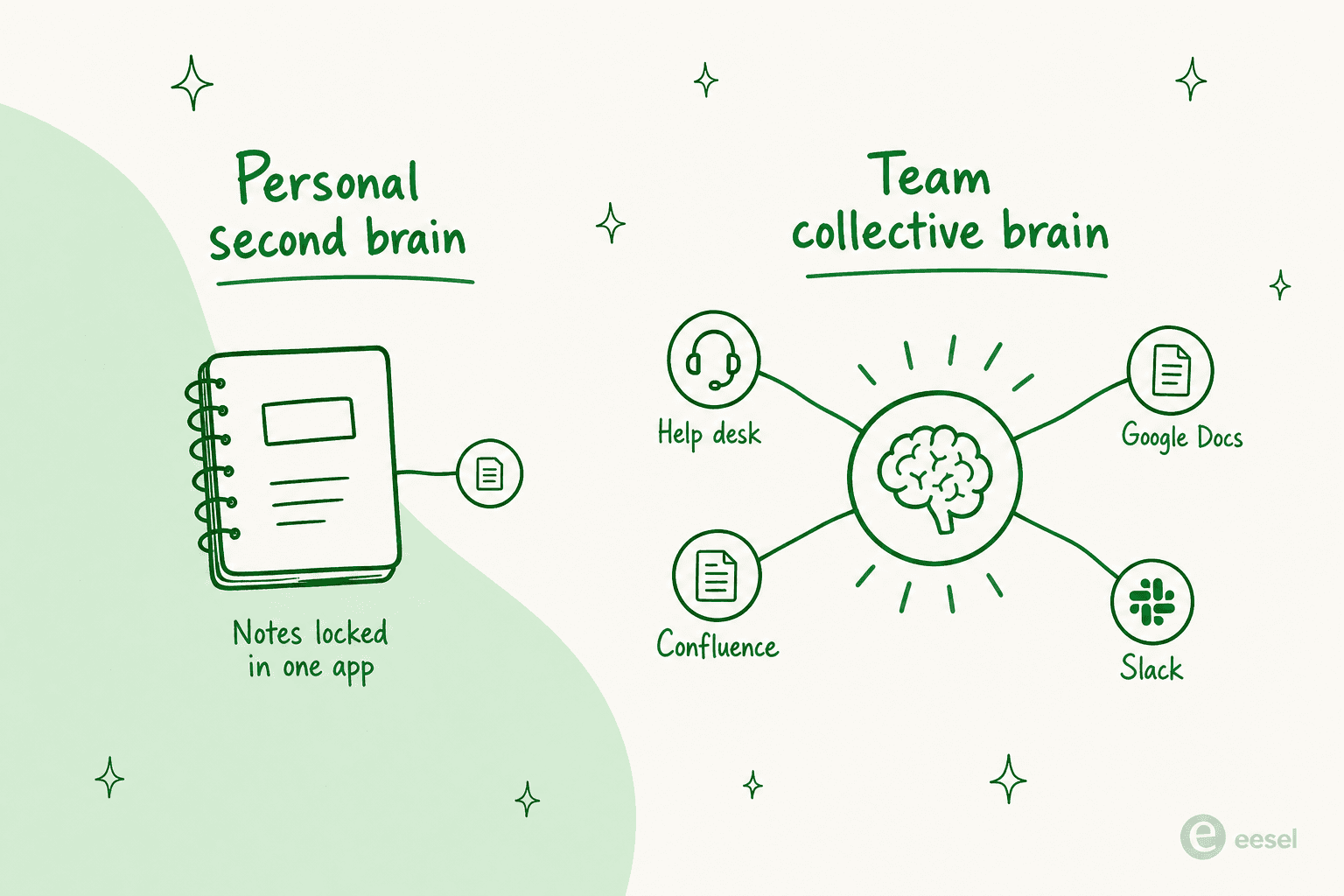
Tools like eesel AI are built not just to hold information, but to put it to work. Instead of making you move all your documents into one place, eesel AI securely connects to the apps you already use, like Confluence, Google Docs, and your old support tickets, to create one unified source of knowledge.
This lets you do way more than just take notes. With eesel AI, you can:
-
Automate workflows: Set up an AI agent that can handle customer support tickets on its own or answer employee questions right inside Slack or MS Teams.
-
Unify all your knowledge: Give your team one reliable place to find answers, powered by everything from your help desk history to internal wikis, the core of any real AI customer service software.
-
Go live in minutes: Forget about complex enterprise software. eesel AI is designed to be super easy to set up. You can connect your helpdesk and knowledge sources and have a working assistant in minutes, not months.
This video provides a detailed breakdown of the current Evernote pricing options to help you decide. For teams feeling boxed in by Evernote's features or high price, a connected platform provides a clearer way to get real value and a return on investment from your company's knowledge.
Evernote pricing: Making the right choice for your needs
So, what's the verdict? Evernote is still a powerful and well-designed tool. For individuals who are all-in on its ecosystem, the premium Evernote pricing might still make sense. Its blend of note-taking, search, and syncing is a time-tested recipe for personal organization, and it's worth weighing in a head-to-head like Notion vs Evernote.
However, the recent price hikes and the move to $249.99/year for Advanced have made everyone take a hard look at its value. For many people, especially those with simpler needs, free or cheaper alternatives now offer a much better deal. And for businesses and teams, Evernote's shortcomings in automation and knowledge integration make it a tough sell compared to modern, purpose-built AI platforms.
Ultimately, the best choice comes down to what you really need. If you're looking to go beyond personal archiving and want to unlock the collective knowledge of your entire organization, it might be time to look for the best AI agent for the job.

Ready to turn your scattered company knowledge into an automated support and knowledge engine? Try eesel free and see what it does for your team.
Frequently asked questions
Can you explain the current Evernote pricing structure for 2026?
Evernote now offers Free, Starter ($99/year), Advanced ($249.99/year), and custom Enterprise plans. The old Personal and Professional tiers were retired. Each plan scales up notes, notebooks, upload limits, and AI features, with the free plan being extremely restrictive. For a wider view, see our Evernote alternatives guide.
What caused the recent changes in Evernote pricing that led to so much user backlash?
The recent Evernote pricing hikes, particularly after its acquisition by Bending Spoons, significantly increased renewal costs and reshuffled the tiers. This caused backlash due to a perceived lack of matching value in new features and aggressive limitations on the free plan, which many felt alienated loyal users.
How limited is the free Evernote pricing plan, and is it still useful for new users?
The free Evernote pricing plan is now very limited, allowing only 50 notes, one notebook, 1 GB of monthly uploads, and a 200 MB max note size. It's primarily seen as a trial rather than a functional "second brain" tool, which is why many people compare it against Evernote vs Obsidian.
What is the difference between the Evernote Starter and Advanced pricing plans?
The Starter plan ($8.25/month, $99/year) covers up to 1,000 notes, 20 notebooks, and 5 GB of storage. The Advanced plan ($20.83/month, $249.99/year) unlocks unlimited notes and notebooks, 20 GB of monthly uploads plus 2 GB per user, and Evernote's AI tools like AI Edit and Semantic Search, along with Slack and Microsoft Teams integrations.
How does Evernote pricing compare to Notion pricing?
Evernote's Advanced plan at $249.99/year sits well above most note apps for a single user. Many buyers weigh it against Notion pricing or ClickUp pricing, which bundle docs, tasks, and databases for similar or lower cost.
Does the current Evernote pricing make sense for teams or businesses looking for a collaborative knowledge solution?
The current Evernote pricing for Advanced and Enterprise plans offers some team features, but it falls short for comprehensive business use. It lacks advanced automation, deep integrations with other business tools, and the ability to unify knowledge across an entire organization effectively, making dedicated AI platforms a stronger choice.


Article by
Kurnia Kharisma
Kurnia is a software engineer and writer at eesel AI with two years of SEO experience, writing about AI tools, helpdesk software, and customer support. He pairs a developer's understanding of how these products are built with search-driven research into what actually ranks and resonates with the people searching for them.