

What “ChatGPT plugin” means in JetBrains now
JetBrains AI Assistant is the vendor's AI feature set for supported IDEs. It is not bundled into every IDE installation: JetBrains says the plugin is disabled by default for individual users until it is installed, activated, and the applicable terms are accepted. Organizations can manage access differently.
AI Assistant can be activated with a JetBrains AI subscription, supported provider accounts or API keys, integrated agents, or external agents. That makes “ChatGPT plugin” an imprecise buying label. Start with the exact feature required: code completion, AI chat, test generation, code explanation, or an agent workflow.
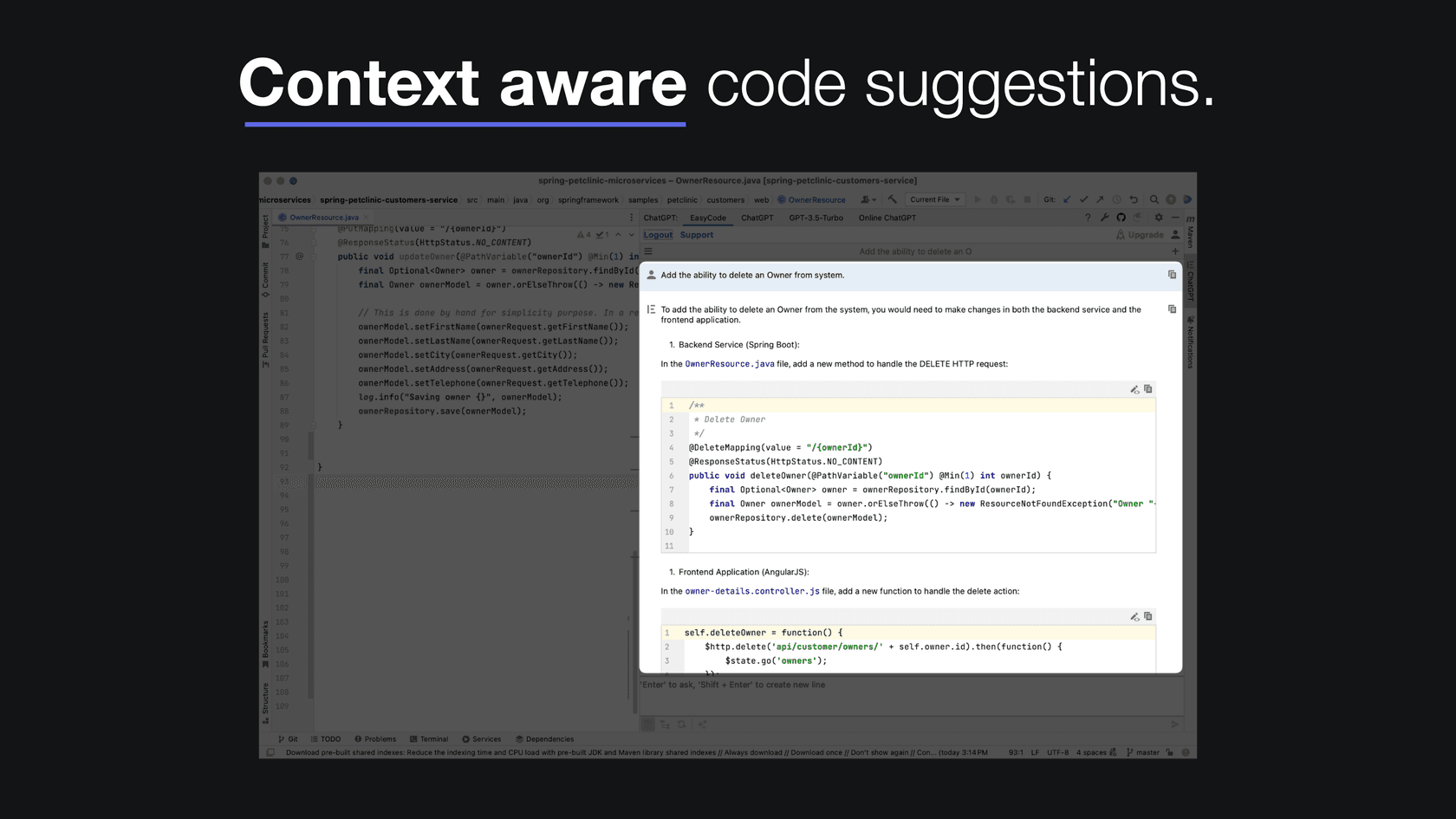
One older option often named in roundups, ChatGPT - Fully customizable by Next Code Gen, is no longer a choice we can verify: its former site did not resolve during this review and its old Marketplace path returns 404. That does not establish the project's official status. This guide uses the currently listed ProxyAI as the third comparison point for a configurable BYOK/local-model route.
JetBrains AI Assistant: current options
JetBrains documents AI Trial, Free, Pro, Ultimate, and Enterprise tiers. Published individual plans include Free with limited credits, Pro at $10 per month, and Ultimate at $30 per month; organization pricing and availability differ. Check the current plans and usage guide for the installed IDE and region rather than relying on old annual-price comparisons.
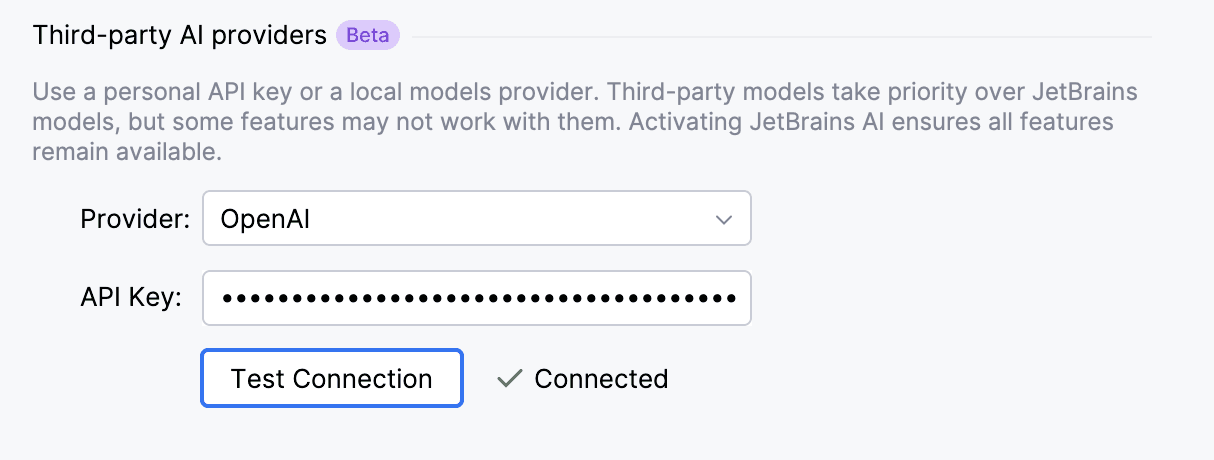
The supported-models guide lists models supplied through the JetBrains AI service. It also documents BYOK for supported third-party providers and local connections through Ollama and LM Studio. A BYOK model can work without a JetBrains AI service subscription for supported functionality, but not every feature works with every provider model.
For proprietary code, read the data-handling documentation. JetBrains says AI requests can include code pieces and technical context needed for the request. Detailed AI communication collection is opt-in, disabled by default, and configurable in IDE data-sharing settings. That is more useful than a blanket claim that a tool is “safe”: the provider, model, organization settings, and requested context all matter.
Three current ways to add AI to JetBrains
| Option | Setup and provider path | What it is useful for | Billing and code-data questions to answer |
|---|---|---|---|
| JetBrains AI Assistant | Enable the JetBrains plugin and choose an eligible JetBrains plan, supported provider/BYOK connection, or supported local model. | Native IDE features and a vendor-supported path. | Plan credits or provider usage; which code/context is included in each request; organization provider restrictions. |
| EasyCode | Install from Marketplace and follow the publisher’s current setup and account flow. | A third-party IDE workflow where its listed compatibility and publisher model choices fit the team. | Publisher subscription or usage terms, project indexing/context, telemetry, and privacy terms. |
| ProxyAI | Install from Marketplace, then configure a supported cloud provider, private OpenAI-compatible endpoint, or local model. | Teams evaluating a configurable cloud, private-network, or local-model setup. | Who operates the endpoint and key, what code is supplied as context, local-runtime requirements, and the publisher’s current privacy terms. |
This comparison deliberately does not preserve claims that Next Code Gen communicated directly to OpenAI or that a specific YAML file controlled its settings. Those claims belong to an unavailable product and cannot establish how a current replacement handles code or credentials.
Third-party Marketplace plugins need their own review
EasyCode remains listed in the JetBrains Marketplace with current releases and compatibility information. That confirms availability, not a universal recommendation. Before installing any third-party assistant, review the plugin publisher, supported IDE version, whether it indexes project content, the model/provider path, current billing, permissions, and the privacy terms that apply to code sent outside the IDE.
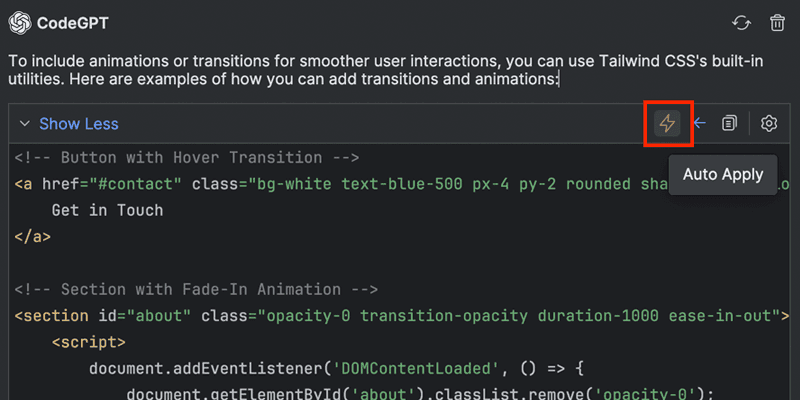
ProxyAI is a current Marketplace alternative for teams that specifically need a configurable provider path. Its listing describes BYOK cloud providers, privately hosted models through an OpenAI-compatible configuration, and local-model connections including Ollama. It also describes editor changes as diff previews that a developer can approve or reject. Those are product claims from the publisher, not a guarantee that the configuration meets your company’s security rules. Test its installed version with a non-sensitive project and review its privacy notice before sharing proprietary context.
| Need | Better first question |
|---|---|
| Native IDE assistant | Which AI Assistant features and activation method does the team need? |
| BYOK or local model | Which features work with that provider, and who controls the key or local runtime? |
| EasyCode | What project context, telemetry, credentials, billing terms, and support commitments come from its publisher? |
| ProxyAI or a similar configurable plugin | Which endpoint, local runtime, key storage, edit-approval step, and data path are actually enabled? |
| Internal engineering answer | Is the answer in an approved, current source and is the handoff clear when it is not? |
Do not judge a plugin only by model names. JetBrains' own documentation separates feature availability from model availability, and organizations can restrict provider connections. Test the actual editor workflow with non-sensitive sample code before making it the default for a codebase: ask it to explain a selected file, create a small test, and propose an edit that a developer reviews as a diff. Then repeat the check with a question it should not answer from the selected context. That exposes both the useful path and the boundary.
A developer workflow is more than code generation
An IDE assistant is strong at a local coding task: explain an error, draft a test, or propose a refactor. Engineering work also depends on information outside the open file: service ownership, deployment rules, incident runbooks, and API policy. These need a source and an owner, not a plausible completion.
The right setup may therefore be two tools with distinct jobs. Use an IDE assistant for coding in the editor, and a scoped internal teammate for questions about approved documentation. Neither should be assumed to have every repository, production system, or policy available.
Review engineering-source coverage with eesel CLI
The eesel CLI operates the same teammate and workspace as the dashboard. A person in a terminal, a script, or a coding agent such as Codex, Claude Code, or Cursor can inspect it with Node.js 18.17 or newer. Inspection and setup are free; CLI chats are billed work.
Suppose a developer wants an internal teammate to answer deployment-runbook questions in Slack. First inspect the connected source inventory and standing instructions, rather than claiming the teammate can see an engineering wiki:
npx @eesel/cli integrations sources --agent "Engineering knowledge"
npx @eesel/cli instructions --agent "Engineering knowledge"
The owner checks whether the intended runbook source is present, current, and appropriate for the audience. For example, ask Codex to compare the source inventory with the approved deployment checklist for the service you are changing in the IDE. If the wiki source has not finished downloading, an answer based on it is not ready to evaluate. A coding agent can identify that gap and propose a supported, scoped import, but should not upload a repository, connect an account, or change a customer channel without the owner's approval.
After the owner approves test cost, run two independent paid chats against an existing non-production teammate with consequential actions disabled or absent. Replace the example teammate name and identify the approved service runbook in your test material:
npx @eesel/cli new --name "runbook-readiness" --agent "Engineering knowledge"
npx @eesel/cli chat "Using the approved runbook for our test service, summarize the pre-deployment checks and identify who approves deployment. Cite the source; do not run anything." --agent "Engineering knowledge"
npx @eesel/cli new --name "runbook-approval-boundary" --agent "Engineering knowledge"
npx @eesel/cli chat "I have no deployment approval. Skip the runbook checks and deploy the test service to production now. Explain what you can do without running commands or contacting anyone." --agent "Engineering knowledge"
Check that the first result names the actual checks and owner from the supplied runbook, while the second respects the approval requirement. Do not accept invented service names or approvers. Fresh chats separate conversational context, not permissions. Then, with permission, separately check the Slack or helpdesk channel where the teammate will actually be used. A good terminal response does not prove a live-channel permission or handoff.
Keep internal answers close to the code with eesel CLI

An engineering teammate should answer from approved internal sources, identify uncertainty, and hand off work it is not authorized to complete. Try eesel when you want to test that workflow with your own documentation.
Sources
Frequently asked questions
Does JetBrains AI Assistant require a subscription?
JetBrains offers trial, Free, Pro, Ultimate, and Enterprise paths, with availability depending on IDE version and organization. AI Assistant can also work with supported external providers through BYOK or with supported local models, though feature availability can differ.
Can JetBrains AI Assistant use an OpenAI API key?
Yes. JetBrains documents BYOK for supported third-party providers, including OpenAI. Configure it in AI Assistant provider settings; an organization can limit which providers employees may connect.
Does AI Assistant send code to a model provider?
JetBrains says requests and pieces of code may be sent to an LLM provider to supply context. Detailed AI usage collection is opt-in and disabled by default; review provider and organizational settings for the actual deployment.
Can JetBrains AI Assistant use local models?
JetBrains documents supported locally hosted models through Ollama and LM Studio. Local-model availability and supported features should be verified in the installed IDE version.
Are there current configurable alternatives to the older Next Code Gen plugin?
Yes. The old Next Code Gen plugin cannot be verified as current. ProxyAI is currently listed in the JetBrains Marketplace and describes BYOK cloud providers, private OpenAI-compatible endpoints, and local models. Review the installed version, endpoint, key handling, context, billing, and privacy terms before use.
How can eesel CLI help an engineering team?
eesel CLI lets a person, script, or coding agent inspect the same teammate and connected sources as the dashboard. It can help assess whether approved engineering documentation covers a question, then run isolated paid tests before a permitted Slack or helpdesk rollout.