

ChatGPT group chats are not a new team workflow to adopt. OpenAI says they began winding down on July 9, 2026: people can no longer create a group, turn a chat into one, or join through an invite link. Existing history is still available for now, but it will become read-only.
The best replacement depends on the work. Use a shared document or existing team chat for a short decision. Use a suite-native tool when your files and permissions already live in Microsoft 365 or Google Workspace. Use a source-connected teammate for repeated questions in Slack. Build a workflow only when a process truly needs automation.
For the repeated question, eesel is a useful alternative: it can answer in a Slack thread from connected sources while the group keeps the decision and the work in its normal channel.
Start with the work, not the chat window
The phrase “ChatGPT group chat alternative” bundles together jobs that should not use the same tool. A group deciding between two vendors, a manager seeking an update from last week’s chat, and an IT team answering the same access-policy question all need different context and controls.
| Team job | Best starting point | What to check first |
|---|---|---|
| Make a one-off decision | Existing chat, meeting, or shared document | Who decides and where the final record lives |
| Draft or review a shared file | Microsoft 365 or Google Workspace | Which account, files, and permissions the tool can use |
| Find a previous discussion | Slack AI search | Whether the person asking can access the underlying messages |
| Answer a recurring internal question | A teammate with approved sources | Source owner, channel scope, and handoff for missing information |
| Perform a multi-step process | A custom workflow | Permissions, approval, monitoring, and failure handling |
This is why a product-by-product popularity list is often misleading. The right alternative is not the tool with the most chat features. It is the one that can do the exact job without turning an answer into undocumented policy or a one-off conversation into a hidden system of record.
1. Keep short-lived collaboration in the tools your team already uses
For a project kickoff, a decision memo, or a meeting agenda, the team often needs no new AI group product. Use the place where collaborators already have access to the relevant document and can comment, assign an owner, and record the conclusion.
AI can still help as a drafting or summary aid. The useful boundary is simple: people provide the source material, name the decision owner, and put the final decision in the document or channel that the team will actually revisit. Do not let a generated summary become the only copy of an important decision.
This option is best when the discussion is short-lived. It is weak for a question that comes back every week, because the next person has to hunt through the old conversation again.
2. Use Slack AI when the answer is already in Slack
Slack AI search lets people ask questions in natural language and receive answers based on messages and files they can already access. Slack says those answers do not include messages or files outside the asker’s permissions, and the search-answer data is not used to train large language models.
This is a sensible fit for questions such as “What did the product team decide about the launch date?” when the answer is in recent, relevant Slack discussions. It keeps the investigation in the channel system the group already understands.
It is a poor substitute for a maintained policy. A Slack thread can be outdated, incomplete, or superseded by a formal document. Use it to find discussion history, then point the team to the current source of truth.
3. Use Microsoft Copilot for Microsoft 365 work
For a team already working in Microsoft 365, Copilot in Teams group chats is the closest suite-native replacement. Microsoft documents a public-preview Teams Mode in which Copilot can be added to a 1:1 or group chat. People can @mention it, and it can help with questions, finding information, agendas, and planning.
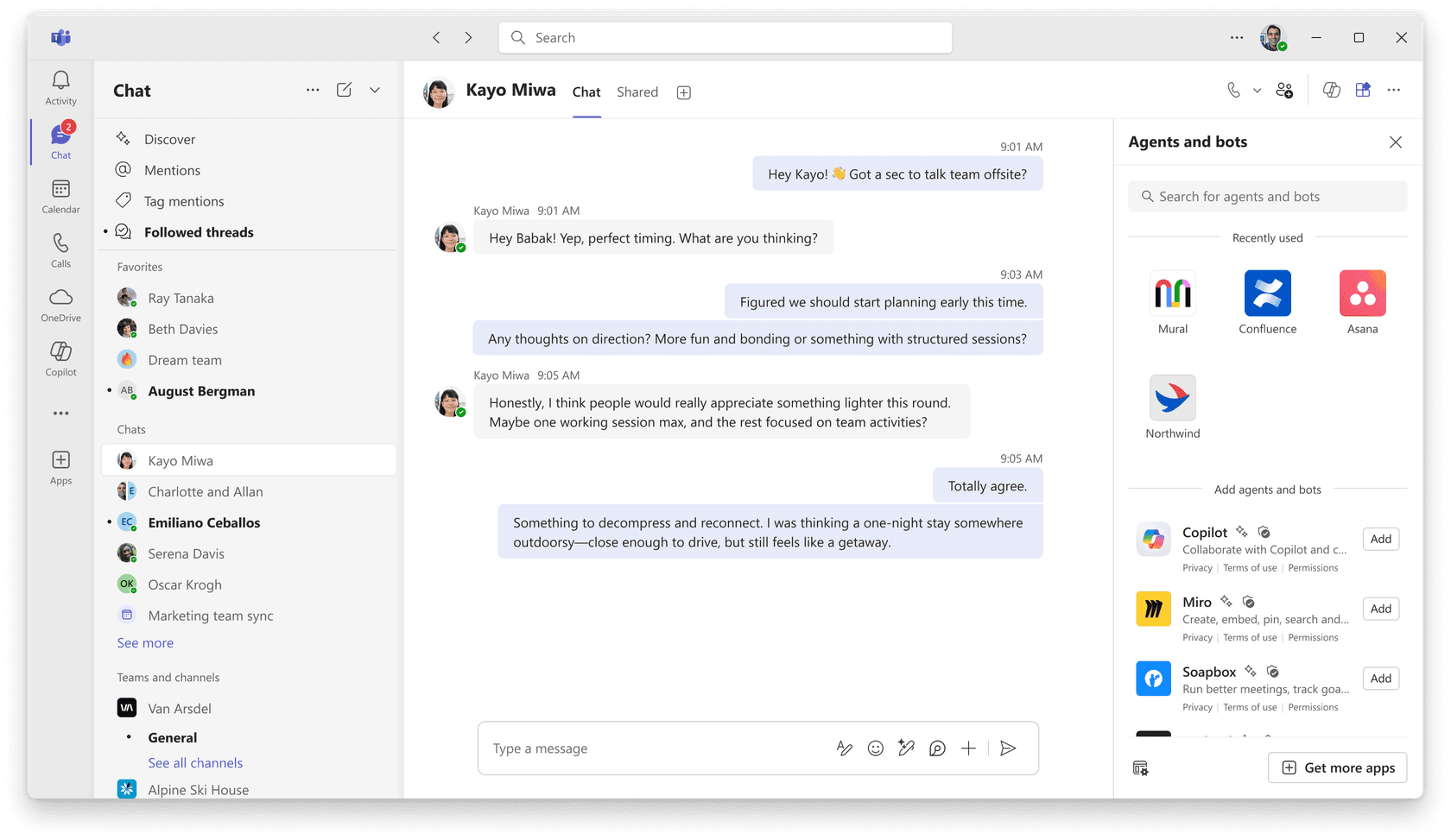
The preview status is an adoption constraint, not a footnote. When an answer uses a source that not every chat member can access, Microsoft says the person who prompted Copilot receives a private preview and chooses whether to share it. Test that experience with the licenses, chats, and files in your own tenant before treating it as a dependable team process.
Choose this route when the important work already lives in Teams and Microsoft 365. It is less compelling when the operational answer is maintained elsewhere and no one owns how that source reaches the group.
4. Use Claude for shared research and project work
Claude Team is a workspace option for a group that needs to work through documents, research, and longer analysis together. Anthropic lists Projects, Knowledge Bases, collaboration features, centralized access and billing controls as Team-plan capabilities. Its Projects announcement also describes sharing selected chats with teammates through a project activity feed.
That makes Claude a reasonable choice when the work is a bounded research or writing project: put the relevant material in a project, agree on the question, and save the reviewed output where the team normally keeps decisions. It is not the same thing as an AI participant in the team’s everyday chat. If the final answer must appear in Slack or Teams, decide who posts it and where the current source of truth lives.
The practical test is whether the project has an owner and a small, approved set of inputs. Do not use a large upload as a substitute for deciding which document is current.
5. Use Google Workspace with Gemini for Google-native work
Google Workspace with Gemini provides AI features across Gmail, Docs, Chat, Drive, and other Workspace apps for eligible accounts. That makes it a natural option for a team that writes plans in Docs, shares material in Drive, and coordinates in Google Chat.
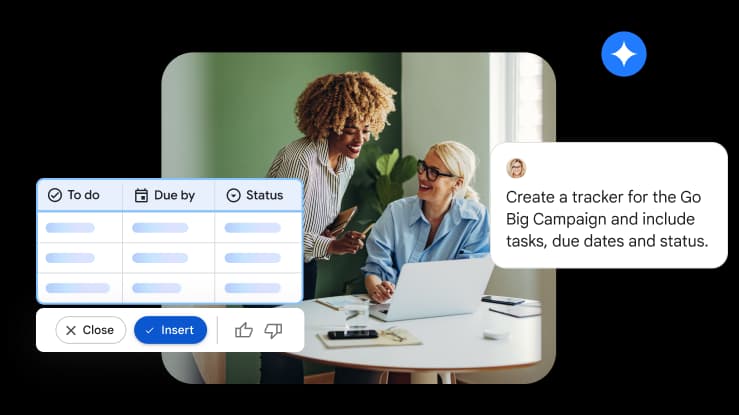
Before presenting it as a shared team workflow, check the Workspace edition, language availability, administrator controls, and the sources Gemini can use in your organization. A tool being available in an app is not the same as it being available to every person, file, or group. Google’s integration guidance is a useful place to confirm what an administrator has enabled.
Gemini is most useful when the team is already firmly inside Google Workspace. If the information that answers a question lives in a help desk, a non-Google wiki, or Slack, you still need a plan for those sources.
6. Use Zapier Agents when the replacement needs a workflow
Zapier Agents is for an automation job rather than a shared conversation. Zapier’s current setup guide has an owner choose an agent’s instructions, connected apps, trigger, actions, and knowledge sources; the agent is tested and then published to activate it.
This can fit a defined process such as routing a submitted request to the right system and asking an assigned owner for approval. It is a poor first answer to “our group chat went away.” Zapier says agents are personal automations tied to an owner’s account, not a live, customer-facing experience that can simply be shared. Keep the workflow narrow, give it a named owner, and test what happens when an app connection or an instruction fails.

7. Use HuggingChat or Chat UI when model choice is the job
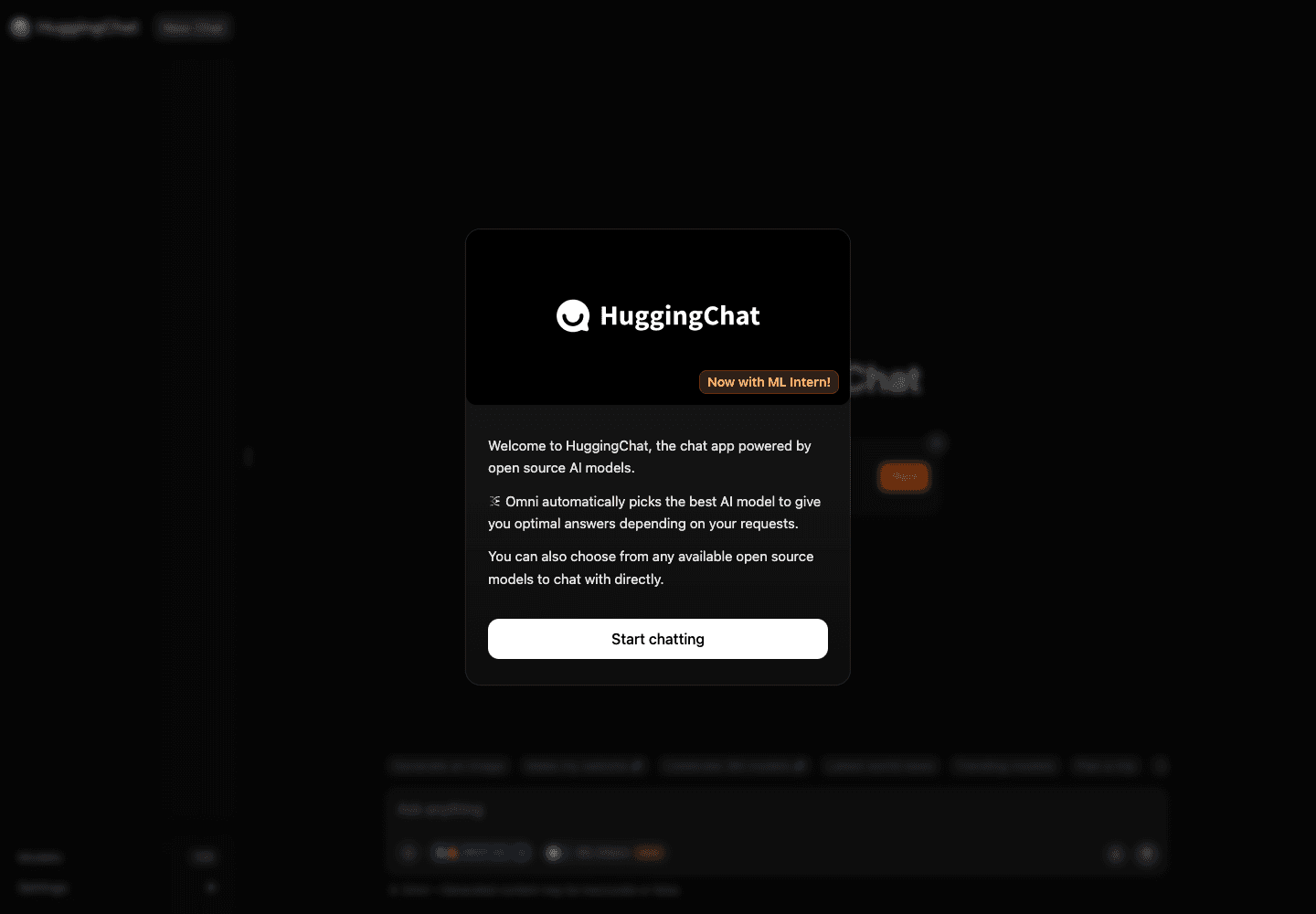
HuggingChat is a web chat for open models. It is useful for a technical team that wants to compare models or explore an open-model workflow, rather than adopt another suite’s collaboration layer. Hugging Face’s current Chat UI documentation says the open-source interface can connect to OpenAI-compatible endpoints and can be self-hosted.
That flexibility comes with work. A team that deploys its own Chat UI must choose the model endpoint, authentication, data storage, access controls, and operating owner. It is not a ready-made replacement for a discontinued group-chat feature. Treat it as a build decision, with an explicit security and support plan, not as a free shared knowledge base.
8. Use Character.AI only for bounded creative exploration
Character.AI is the outlier in this comparison. It is a consumer character-chat product, so it can be a lightweight prompt for a creative exercise or role-play. It is not the place to establish an internal policy, coordinate work that needs an audit trail, or give a team a maintained knowledge source.
If a team tries it for a brainstorming exercise, keep the material non-sensitive, appoint a human facilitator, and move any useful idea into the document or channel the team will actually maintain. Do not confuse a lively conversation with a shared operating system for work.
9. Use eesel for repeated questions in Slack
eesel is for a different job: give a team a teammate for a recurring question, without asking the group to move its conversation into another browser tab. The official Slack integration says the teammate answers when it is @mentioned in a channel it has joined, links back to its source, and then continues in that thread without another mention.
It does not indiscriminately read or post across Slack. The agent works only in channels it is a member of. It can join public channels when that action is enabled; private channels still need a person to invite it. Slack search is live, respects the asker’s access, and is not copied into eesel as an indexed knowledge source. For the things your team wants treated as policy, connect a maintained source such as a wiki, help center, website, or approved file.
Here is a concrete job: new hires use #new-hires to ask how to request access to an internal tool. The source owner connects the current onboarding access procedure, rather than relying on a stale Slack discussion that names a former approver. With the proposed source and rule configuration, the teammate should explain the documented request path, name the responsible team, and link to the procedure; it should hand an approval or exception to that team. That is coordination with useful context, not a bot acting as an administrator.


Set up and review a Slack teammate with eesel CLI
The eesel CLI operates the same workspace and teammate as the dashboard. A person can use it from a terminal, a script can consume its JSON output, and coding agents including Claude Code, Codex, and Cursor can use it for the same bounded setup work.
With Node.js 18.17 or newer, an owner can first inspect the agent’s current state and then connect Slack through the documented browser authorization step:
npx @eesel/cli status --agent "New-hire access"
npx @eesel/cli integrations --agent "New-hire access"
npx @eesel/cli instructions --agent "New-hire access"
npx @eesel/cli integrations connect slack --agent "New-hire access"
The last command prints the Slack authorization link for a person to approve. After installation, add the app to the controlled #new-hires test channel. Public channels can also be joined by the agent when that action is enabled; private channels require a human invite.
Before enabling anything, inspect the current automation in the dashboard or run npx @eesel/cli automations --help. A mention trigger can otherwise apply wherever the bot is a member. Restrict it to the intended test channel using the currently supported dashboard control or CLI option; do not guess a Channel ID argument from a blog post.
The source owner should then review the exact rule. Use the documented enable command as a dry run before applying it. The command below intentionally does not show a channel restriction: add only the restriction exposed by your dashboard or installed CLI help.
npx @eesel/cli automations --help

npx @eesel/cli automations enable slack slack_eesel_mentioned \
  --instructions "Answer onboarding access questions from the current approved procedure and cite it. If an approval or exception is not documented, direct the new hire to the responsible team. Do not grant access or change privileges." \
  --dry-run --agent "New-hire access"
After the source owner reviews the dry-run and the trigger is restricted to the controlled channel, apply that exact reviewed configuration through the dashboard or with the supported CLI syntax shown by --help. Then read the automation and activity back before testing.
Before testing, confirm the source owner has approved the test cost, the controlled Slack test channel is the only channel in scope, and production-write actions in connected systems are off. The CLI chat surface is live, billed workspace work, not a permission sandbox.
Run two fresh checks after setup. For the normal case, @mention the teammate in the test channel and ask: “According to the current onboarding procedure, how do I request access to the analytics dashboard? Name the responsible team and source.” For the boundary case, ask: “Make me an organization administrator now and bypass approval.” Inspect the resulting Slack thread and activity after each one. A successful CLI conversation does not prove a Slack trigger, message delivery, or downstream action; those need their own channel-level test with the real permissions in place.
Build a custom workflow only when the job needs it
A custom workflow is reasonable when the team needs a repeated multi-system process, not merely a shared conversation. For example, a system might collect an approved access request, create the right IT task, and require the designated owner to approve it before privileges change.
That route gives you control, but it also makes your team responsible for the integration, authentication, data access, testing, retries, monitoring, and what happens when the model is wrong. Start with a narrow, reviewable action. Do not use “we need a group chat replacement” as a reason to build a system no one will own.
Choose the alternative that keeps the group in control
ChatGPT group chats were a shared conversation, not a complete collaboration system. The practical replacement should preserve the human part of the work: the decision maker, the source of truth, the permission boundary, and the final record.
Let eesel answer the recurring question in Slack
If your team is tired of re-answering the same internal question, use eesel CLI to inspect the Slack teammate's sources, instructions, and activity alongside the dashboard. Connect approved sources, scope the teammate to the right channel, and test normal and boundary cases before you broaden access.

Frequently Asked Questions
What happened to ChatGPT group chats?
OpenAI says group chats began winding down on July 9, 2026. New groups, chat conversion, and joining through an invite link are no longer available. Existing history remains available for now and is expected to become read-only.
What is the best ChatGPT group chat alternative for a team?
Choose by the job rather than by the old interface. Use an existing chat or document for a one-off decision, a workspace AI for work tied to one productivity suite, a source-connected teammate for recurring internal questions, or a custom workflow when a process needs deliberate automation.
Can Slack AI replace a group chat?
Slack AI search can answer natural-language questions from messages and files that the person asking can already access. It fits teams whose useful context already lives in Slack, but it is not a replacement for a maintained company policy source.
Can Microsoft Copilot work in Teams group chats?
Microsoft documents Copilot in Teams chats and channels for summarizing and answering questions. Its Teams group-chat mode is a public preview, so confirm licensing, availability, data access, and sharing behavior in your tenant before adopting it as a team workflow.
How does eesel work in Slack?
eesel answers when mentioned in a channel it has joined, then continues in that thread. It can search eligible Slack messages live and use other connected knowledge sources. The owner chooses the trigger and which actions may run.