


AI assistants are seemingly everywhere now, and the latest place they’re setting up shop is right inside your web browser. Instead of keeping another tab open for ChatGPT, these built-in tools can help you summarize articles, write emails, and do research without ever leaving the page you’re on. One of the main contenders in this space is Brave Leo, the AI assistant that comes with the privacy-first Brave browser.
Brave has always built its reputation on user privacy, and Leo is meant to follow that same principle. It comes with a free version and a paid premium plan, which naturally leads to the big question: is it actually worth paying for? Especially if you plan on using it for more than just a quick summary here and there.
Let's break down the complete Brave Leo pricing, see what you get for your money, and figure out who this tool is really for.
What is Brave Leo?
Brave Leo is a smart assistant built directly into the Brave browser. You can find it hanging out in the sidebar, ready to help you with whatever you're looking at online. Think of it as a chatbot that understands the context of the page you’re currently on.
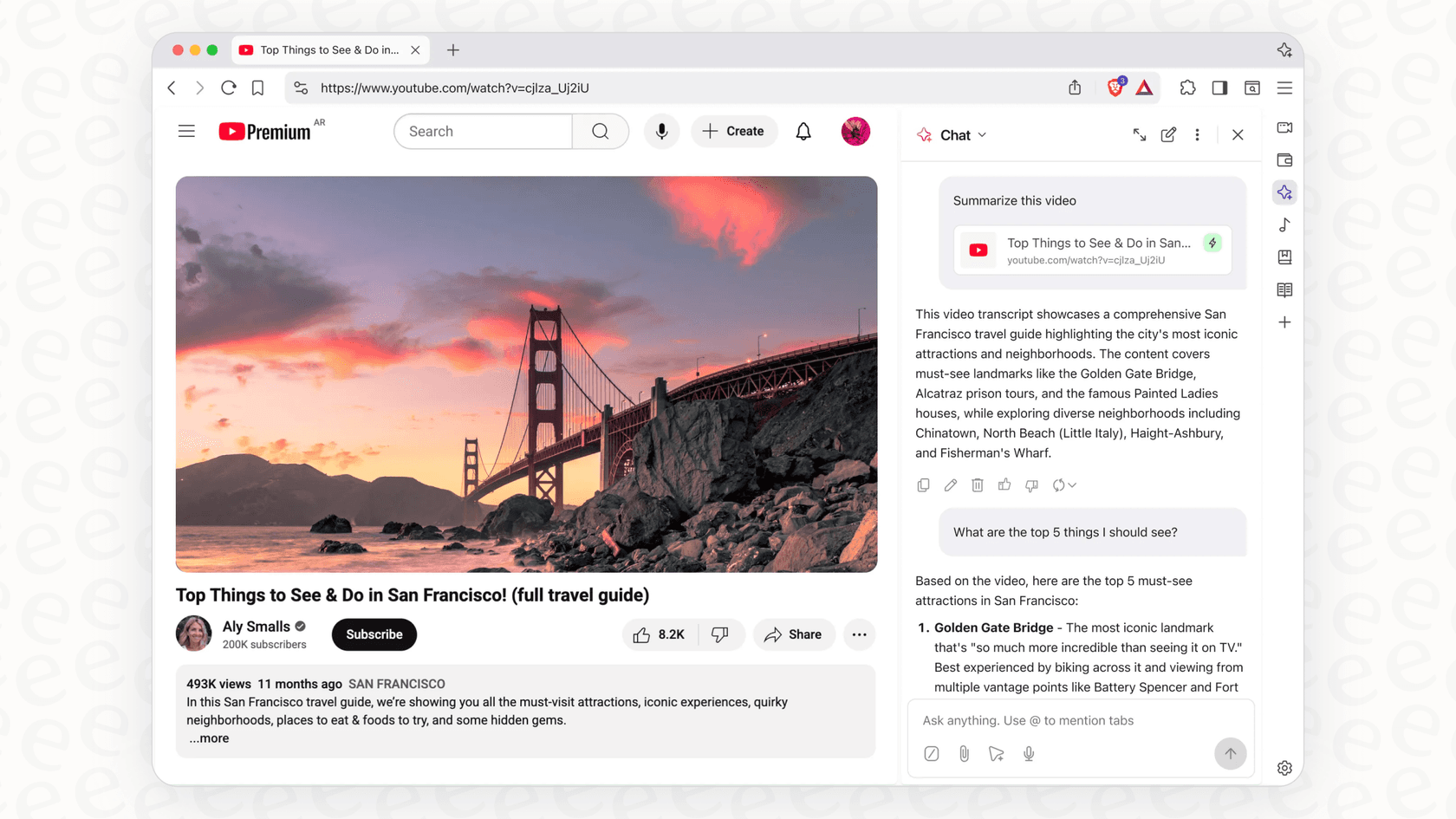
What it does is pretty simple:
-
Summarizes content: It can give you the highlights of a long article, a technical report, or even a YouTube video. It’s a handy way to get the main points without dedicating time to the full piece.
-
Answers questions: You can ask it things about the page you're viewing (like, "What are the key arguments here?") or just ask it general questions to avoid opening a new tab.
-
Generates content: Leo can help you draft emails, write social media posts, or brainstorm ideas for a blog post. It can also help with smaller tasks like translating a phrase or writing a bit of code.
Leo’s biggest selling point is privacy. Brave is very clear that your conversations are anonymous and secure. They don't record your chats or use them to train their AI models, and you don’t even need an account to use the free version. It’s available on desktop and mobile, including Android and iOS, so you can use it wherever you browse.
A complete breakdown of Brave Leo pricing
Brave Leo has a "freemium" model, which just means you can use the basic version for free or pay a monthly subscription for more power. Let's look at what each option gives you.
The free plan
The free version of Leo is available to anyone using the Brave browser. It offers several large language models (LLMs), including Llama 4 Scout, Qwen 3 VL 30B, and Claude 4.5 Haiku, which are solid enough for most everyday tasks. You can use it to summarize pages, ask questions, and create text right away.
It's a good way to test the waters and see if a browser-based AI is right for you, all without any cost. The only catch is that Brave mentions the free version might have usage limits, especially when a lot of people are using it at once, so you could get temporarily cut off.
The premium plan: Unlocking more power
For people who want a bit more, there’s Leo Premium. The Brave Leo pricing for this plan is $14.99 per month. You can also pay $149.99 for a full year, which saves you about two months' worth of fees.
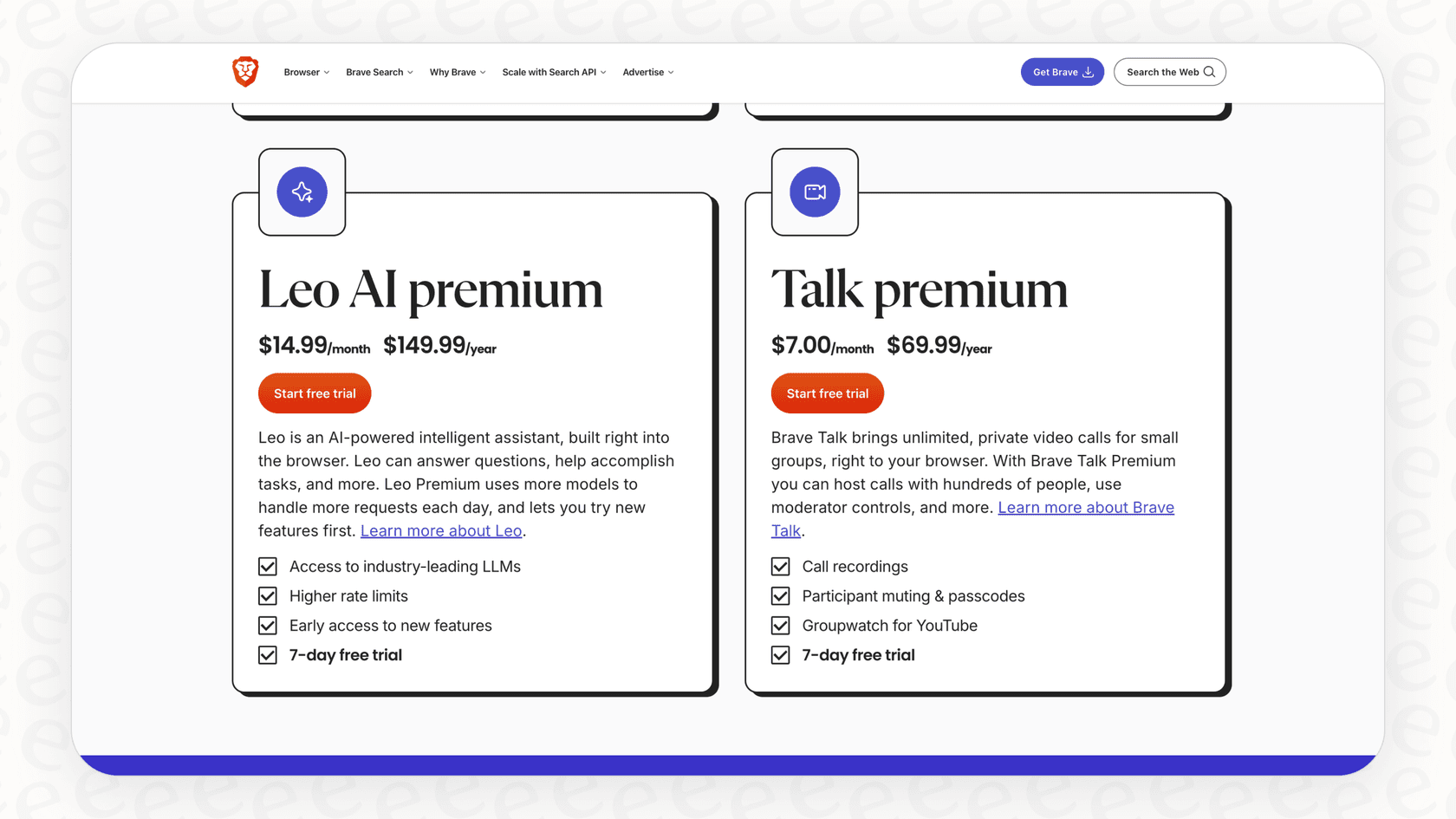
So, what does that fifteen bucks a month get you?
-
Access to better AI models: Premium users get to choose from more advanced models, like Anthropic’s Claude 4.6 Sonnet and Opus, DeepSeek v3.1, and Qwen 3 Coder 480B. In simple terms, these models are usually faster and give more detailed, higher-quality answers.
-
Higher rate limits: If you plan on using the assistant a lot, the premium plan gives you more requests and priority access. This means you’re far less likely to be told to "try again later" during peak hours.
-
Faster responses: Brave's Leo page lists even faster responses alongside the extra models.
-
Use on multiple devices: One subscription covers up to five of your devices, so you can have Leo Premium on your computer, phone, and tablet.
Here’s a simple table to see how the two plans compare:
| Feature | Brave Leo (Free) | Brave Leo Premium |
|---|---|---|
| Price | $0 | $14.99/month |
| Default LLM | Llama 4 Scout, Qwen 3 VL 30B, Claude 4.5 Haiku, & more | Adds Claude 4.6 Sonnet/Opus, DeepSeek v3.1, & more |
| Rate Limits | Standard (subject to traffic) | Higher rate limits & priority access |
| Conversations | Private & anonymous | Private & anonymous with unlinkable subscription |
| Core Features | Summarize, translate, create content | All free features, plus higher quality responses |
| Faster Responses | No | Yes |
Key features and limitations
No tool is a perfect fit for everyone. Leo has some obvious strong suits, but it also has some major limitations, particularly when you try to use it in a professional environment.
Benefits for everyday productivity
For personal use, Leo is a pretty nifty tool. It shines for things like:
-
Getting the gist, fast: Need to understand a complicated topic without reading every single word? Leo can summarize a webpage in seconds.
-
On-the-fly help: It's great for drafting a quick email reply, translating a sentence on a foreign website, or looking up a fact without breaking your stride.
-
Privacy-focused AI: If you’re cautious about how big tech companies handle your data, Leo provides a way to use AI without feeling like your every move is being tracked.
Where Brave Leo falls short for businesses and teams
But if you're thinking of using it for work, you'll probably start running into walls. While Leo is a decent personal assistant, it just wasn't designed for the needs of a business.
-
It doesn't connect to your business tools: Leo only exists inside the Brave browser. Nothing on its features page connects it to the tools your team uses every day, like updating a ticket in Zendesk, searching for a file in Slack, or pulling information from your company's internal wiki. It's a siloed experience.
-
Its knowledge is limited: Leo works from the page you have open, files like PDFs and Google Docs or Sheets, and Brave Search results. It doesn't list a way to answer a question by scanning your entire Confluence space or a shared drive of company docs. This means its answers often lack real business context.
-
You can't customize it for business use: You can pick a model or bring your own, but Leo doesn't list controls for your company’s tone of voice or brand rules, workflows, or how to handle specific questions, like when a frustrated customer needs to talk to a human. For any serious business use, that lack of control is a non-starter.
-
No way to track performance: How do you know if your AI is actually useful? With Leo, you don't. It lists no reports or analytics to see how it’s performing, what questions people are asking, or where your documentation might be lacking. Businesses need this kind of information to improve.
Is Brave Leo justified for your business needs?
If you're considering Leo for your business, it’s helpful to see the difference between a general-purpose tool and a professional AI platform.
Consumer AI vs. professional solutions
A consumer tool like Leo is made for simple, one-off tasks. It isn’t equipped to handle the interconnected workflows that make a business run.
Using a generic tool for a specialized job like customer support often leads to headaches. You get generic answers, frustrated customers, and no real boost in efficiency. What businesses really need is a platform built specifically for the job, one that plugs right into their existing systems.
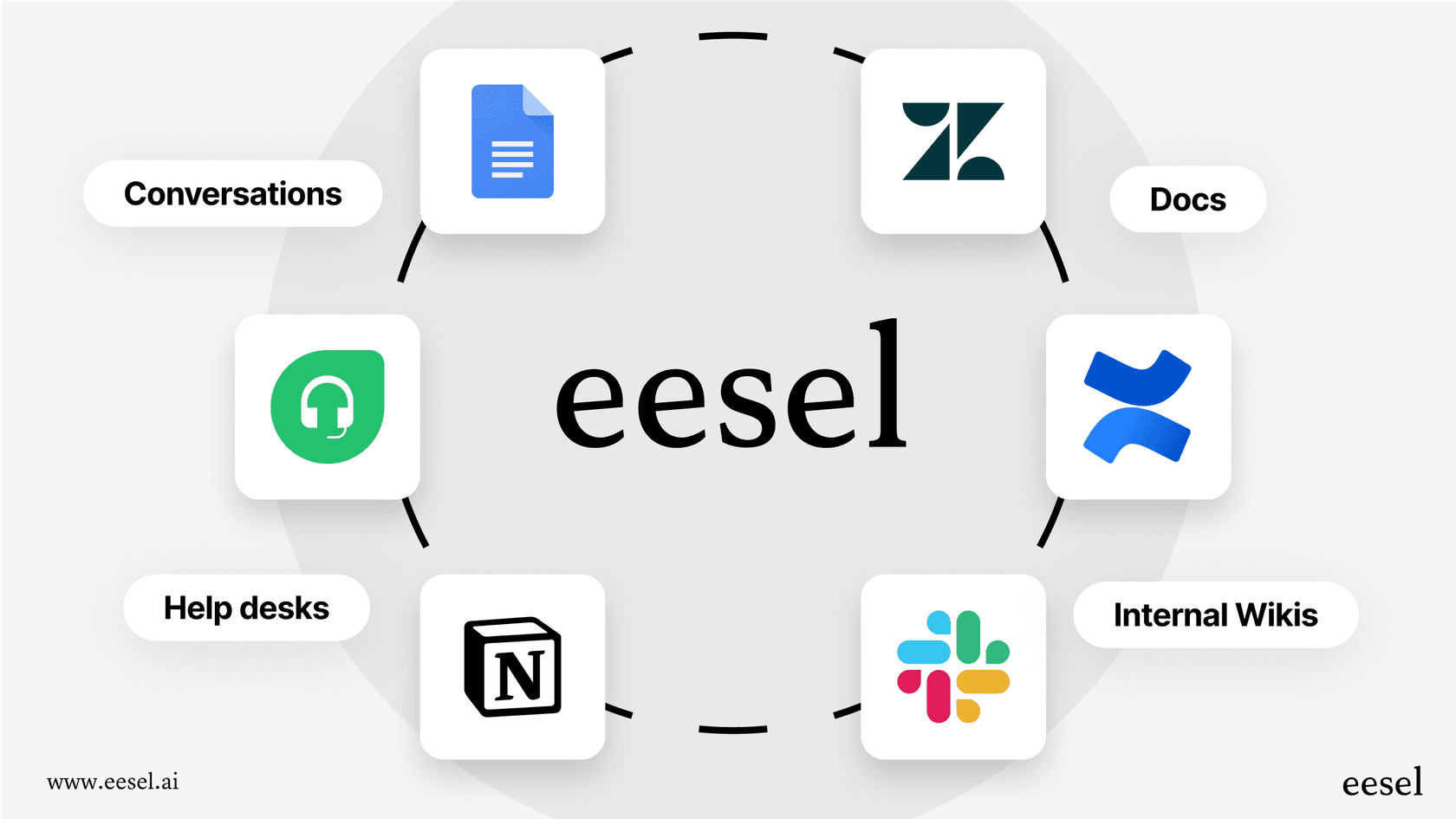
This is where a solution like eesel AI is a better fit. Instead of a simple browser assistant, eesel AI is a fully integrated AI agent for support, IT, and internal teams. It connects to the tools you already use and learns from your specific business knowledge to give genuinely helpful answers.
Go beyond Brave Leo with an integrated AI platform
eesel AI was built to solve the exact problems that limit tools like Brave Leo. Here’s how it’s different:
-
Go live in minutes: While Leo is simple to turn on, eesel AI is just as easy to set up for complex business tasks. You can connect your helpdesk, knowledge bases, and other tools in just a few clicks and have a powerful AI agent working in minutes, all on your own.
-
Unify your knowledge: Unlike Leo, which is stuck on a single page, eesel AI connects to all of your knowledge sources at once. It learns from past support tickets, internal wikis, Google Docs, and more to provide comprehensive, accurate answers that reflect your entire business.
-
Total control and automation: With eesel AI’s workflow engine, you're in charge. You can customize the AI’s personality, define specific actions it can take (like triaging tickets or looking up order details), and set clear rules for when and how it should respond.
-
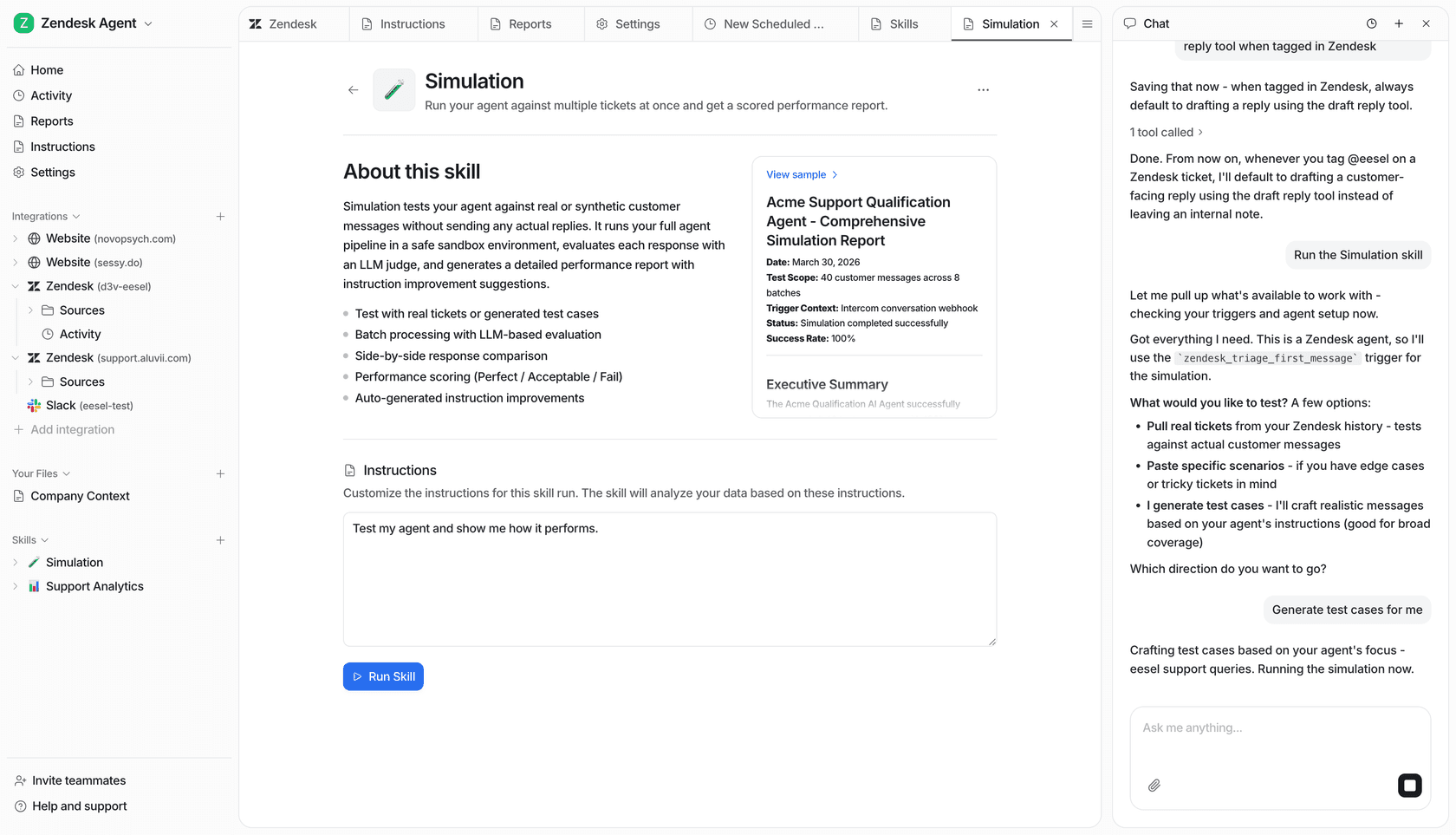
Test with confidence: Not sure if AI will really work for your team? eesel AI’s simulation skill lets you test your setup against hundreds of your past support tickets. It scores each answer and suggests fixes before you ever turn it on for your customers.
Final thoughts: The right tool for the right job
So, is the Brave Leo pricing worth it? For a casual user who values privacy and wants a simple AI assistant for personal tasks, the free version is a great option. The premium plan is a bit of a tougher sell, but it does offer access to more powerful models if you find yourself needing them.
However, for any business or team looking to use AI for customer support, internal helpdesks, or IT service management, Brave Leo isn't the right tool for the job. Its lack of integrations, limited context, and absence of business-level controls mean it’s just not built for professional work.
When it comes to a serious business application of AI, you need a platform that was designed for that purpose from the start.
Ready for an AI that works where you work? eesel AI integrates with the tools you already use to automate support and provide instant, accurate answers. Start your free trial and see it in action in minutes.
Frequently asked questions
What exactly does the free Brave Leo pricing offer compared to the paid version?
The free Brave Leo pricing provides access to models such as Llama 4 Scout, Qwen 3 VL 30B, and Claude 4.5 Haiku for tasks like summarizing content, answering questions, and generating text. The premium version adds larger models like Claude 4.6 Sonnet and Opus, DeepSeek v3.1, and Qwen 3 Coder 480B, along with higher rate limits and faster responses.
Why might businesses find the current Brave Leo pricing and its features insufficient for their professional needs?
Brave Leo is a consumer-focused tool, not designed for business integration. It doesn't list connectors for business tools like Zendesk or Slack, its knowledge comes from your open pages, files, and Brave Search rather than company systems, and it lists no business customization or performance tracking, which are critical for professional use.
Are there any usage restrictions or limits to be aware of with the free Brave Leo pricing tier?
Yes, while the free Brave Leo pricing allows immediate use of its basic features, Brave mentions that this version might have usage limits. During periods of high traffic, you could temporarily experience service interruptions or be asked to try again later.