Best Zoho Desk alternatives in 2026: 5 tools worth switching to

Katelin Teen
Katelin Teen
Last edited May 7, 2026
Zoho Desk is a capable helpdesk platform - 125,000 businesses use it, and the free tier is one of the more generous in the market. But it's also a product that rewards teams already embedded in the Zoho ecosystem. If you're paying for Zoho CRM, Zoho Cliq, and several other Zoho apps, the integration story is compelling. If you're not, you're paying for depth you'll never use.
The complaints that push teams to look for alternatives aren't about core functionality - ticketing, SLAs, and omnichannel routing all work. They're about the experience: a UI that can feel overwhelming once you get past basic ticketing, AI features (Zia) locked behind the $40/agent/month Enterprise plan, and automation tools like Blueprints that have a significant learning curve. Teams that hit these walls often find themselves in an expensive tier they didn't plan for, or spending weeks configuring a workflow they expected to be straightforward.
This post covers five alternatives worth evaluating in 2026: Freshdesk (the closest feature competitor), Zendesk (the enterprise step-up), HappyFox (clean UI for SMBs), Help Scout (email-first teams), and Gorgias (ecommerce brands specifically). For each one, you'll get full pricing tables, real user quotes, and an honest read on who it actually fits.
Why teams look for Zoho Desk alternatives
Before comparing tools, it's worth being specific about the friction points. Vague "UI issues" aren't useful. Here's what users actually flag:
The learning curve is steeper than marketed. Zoho Desk's automation builder, Blueprints, is a genuinely powerful process tool - but users consistently report that it takes significant trial and error to configure correctly. One Capterra reviewer described the transition from a shared inbox as positive overall, but noted the complexity of advanced automation features as the key friction point. Zoho Desk's G2 page shows "Learning Curve" and "Hidden UI elements / overwhelming interface" as top recurring negative themes across hundreds of reviews.
Zia AI is enterprise-only. Zoho Desk's headline AI features - the Zia Answer Bot, full sentiment analysis, and guided conversation flows - are gated to the Enterprise plan at $40/agent/month. The Standard plan ($14/agent/month) includes generative AI but only if you bring your own OpenAI API key. Teams evaluating Zoho Desk on AI capability often land on Enterprise to access features their competitors include at mid-tier pricing.
The Zoho ecosystem cuts both ways. Zoho Desk's strongest selling point - seamless integration with Zoho CRM, Zoho Cliq, and the rest of the Zoho suite - is also a lock-in mechanism. Teams that aren't using Zoho CRM as their primary CRM find the integration story thin. If your stack is HubSpot, Salesforce, or something else, you're using Zoho Desk as a standalone product, and the value proposition weakens.
Performance at scale. Multiple reviewers across Capterra and G2 flag occasional slowdowns and lag, particularly in the mobile app and when handling large ticket volumes. This is consistent enough to be a real consideration for fast-growing support teams.
What to look for in a Zoho Desk alternative
The right replacement depends on what broke. Here are the dimensions worth evaluating:
- UI clarity - can a new agent be productive within a day, or does it require a formal training program?
- AI at your price point - which AI features are included in the plan you'd actually buy, not the top tier?
- Pricing predictability - per-seat pricing, per-ticket pricing, and outcome-based billing (per resolved conversation) all behave very differently at scale
- Integrations outside the vendor's ecosystem - does it connect to your CRM, your Slack workspace, your ecommerce platform without requiring enterprise-tier access?
- Migration path - what does moving your ticket history, contacts, and knowledge base articles actually involve?
Quick comparison table
| Tool | Starting price | AI included | Best for | G2 rating |
|---|---|---|---|---|
| Freshdesk | $19/agent/month | Freddy AI Agent (basic, all plans) | SMBs wanting Zoho Desk's feature set with a cleaner UI | 4.4/5 (3,728 reviews) |
| Zendesk | $55/agent/month (Suite Team) | AI agents included on all Suite plans | Growing teams needing enterprise-grade AI | 4.3/5 (6,816 reviews) |
| HappyFox | $24/agent/month | HappyFox AI + Autopilot | SMBs wanting clean UI without Zoho complexity | 4.5/5 (G2) |
| Help Scout | $25/user/month | AI Drafts + AI Answers ($0.75/resolution) | Email-first B2B and SaaS teams | 4.4/5 (Capterra) |
| Gorgias | $10/month (50 tickets) | AI Agent ($0.90/resolved conversation) | Shopify and ecommerce brands | 4.6/5 (555 reviews) |
Freshdesk
Freshdesk is the most direct comparison to Zoho Desk in terms of feature coverage - ticketing, omnichannel support, automation, knowledge base, and AI are all present. It's made by Freshworks, a publicly traded company, and has over 60,000 paying customers as of 2026.
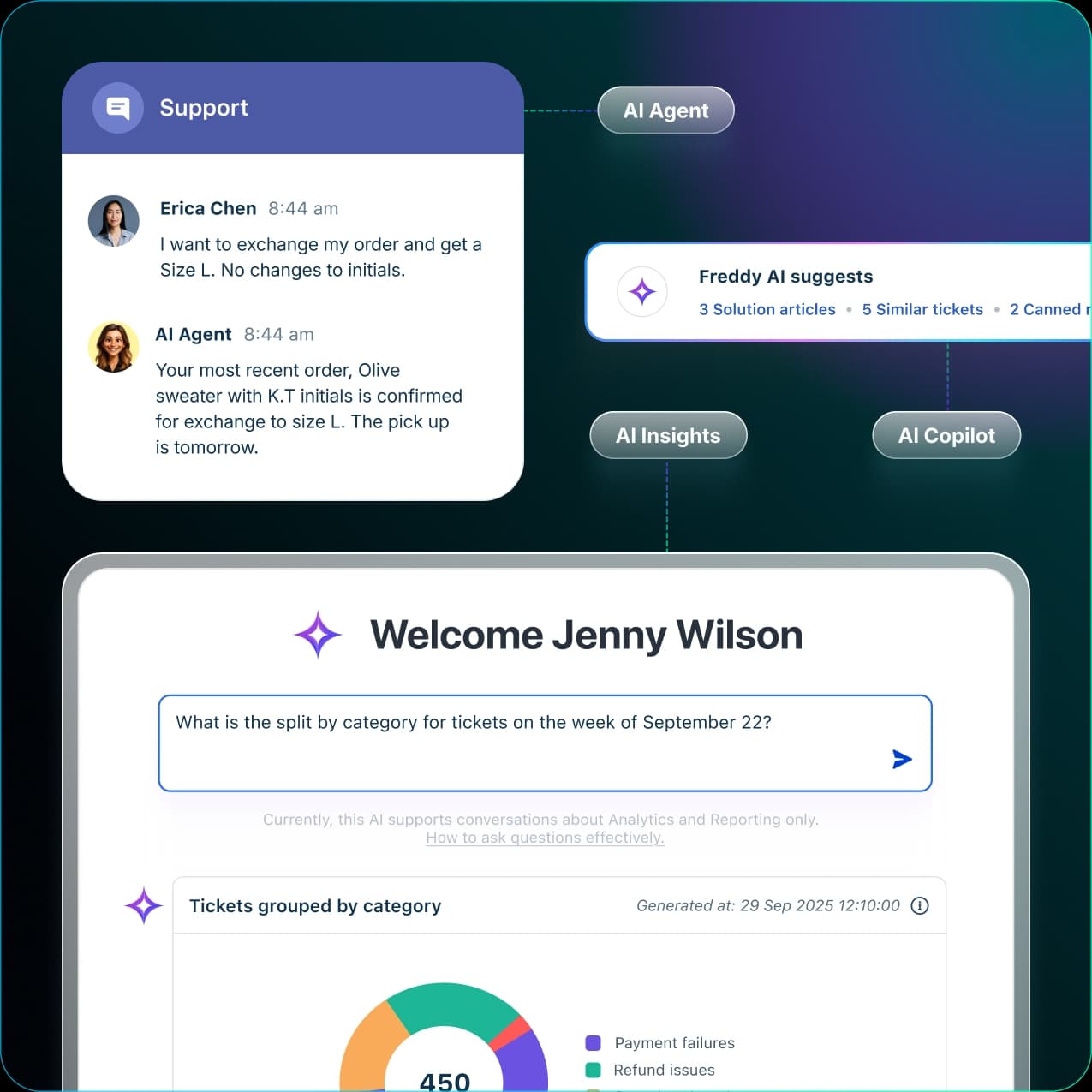
The key difference in day-to-day experience is that Freshdesk's interface is generally regarded as cleaner and more intuitive than Zoho Desk's. G2 reviewers consistently mention that new agents can get productive quickly. The automation engine is less flexible than Blueprints but also significantly easier to configure for standard workflows.
Key features
- Ticket management across email, chat, phone, social media, and messaging apps
- Freddy AI Agent for autonomous ticket resolution (customer-facing chatbot with knowledge base integration)
- Freddy AI Copilot for agent assistance (reply drafting, tone adjustment, summarization) - add-on, $29/agent/month
- AI Agent Studio for configuring and testing autonomous AI agents
- Knowledge base with SEO tools and article management
- 360+ marketplace integrations
- Reporting and analytics (note: flexibility of reports is the most-cited weakness in user reviews)
Pricing
Freshdesk ships in two SKUs. The ticketing-only version (Freshdesk) and the omnichannel suite (Freshdesk Omni). All prices below are billed annually.
Freshdesk (ticketing-only):
| Plan | Price | Notes |
|---|---|---|
| Free | $0 | 1-2 agents, 6 months only |
| Growth | $19/agent/month | Core ticketing, basic automation |
| Pro | $55/agent/month | Custom portals, custom objects, advanced routing; 5,000 collaborators included |
| Enterprise | $89/agent/month | Audit logs, approval workflows, skills-based routing |
Freshdesk Omni (omnichannel suite - includes Freshchat):
| Plan | Price | Notes |
|---|---|---|
| Growth | $29/agent/month | Omnichannel + AI agents + ticketing |
| Pro | $79/agent/month | Most popular; Freddy Copilot add-on available |
| Enterprise | $119/agent/month | Full feature set |
AI add-ons:
| Add-on | Price |
|---|---|
| Freddy AI Copilot | $29/agent/month (annual); Pro/Enterprise Omni only |
| Freddy AI Agent sessions | 500 free included; ~$0.49/session after (Freshdesk page) |
One pricing nuance worth flagging: the Email AI Agent that auto-resolves tickets is Pro/Enterprise only, not available on Growth. If AI email handling is your primary motivation for switching, budget for the Pro tier.
Pros
- Clean, well-documented interface with a shallow learning curve for agents
- Freddy AI Agent included on all paid plans (basic tier)
- Strong marketplace with 360+ apps
- 14-day free trial starting at Enterprise feature access
- No need to bring your own API key for AI features (unlike Zoho Desk Standard)
Cons
- Reporting flexibility is consistently flagged as the platform's weakest area - both G2 reviewers and the product team acknowledge it
- Performance can lag when multiple tabs or large ticket queues are open
- AI Copilot (agent-assist) is an extra $29/agent/month on top of base plan cost
- Email AI Agent (auto-resolve) only fires on ticket creation, not replies - limits its usefulness on ongoing threads
- Freddy AI is locked to the Freshworks ecosystem with no third-party deployment option
Best for
Mid-size support teams moving off Zoho Desk who want comparable feature depth with a less overwhelming interface. Particularly strong for teams on Freshworks' other products (Freshsales, Freshservice).
"What I like most about Freshdesk is how simple and well-organized it makes managing customer support. The interface is clean and easy to navigate, even for new users. Ticket tracking, task assignment, and customer replies all happen in one place."
- Eric, Customer Onboarding and Support Executive, Mid-Market (G2, October 2025)
Zendesk
Zendesk is the largest pure-play customer service platform in the market, used by over 100,000 companies. It was taken private by Hellman & Friedman and Permira in 2022, and in March 2026, Zendesk acquired Forethought, adding a powerful agentic AI layer to its existing AI product.
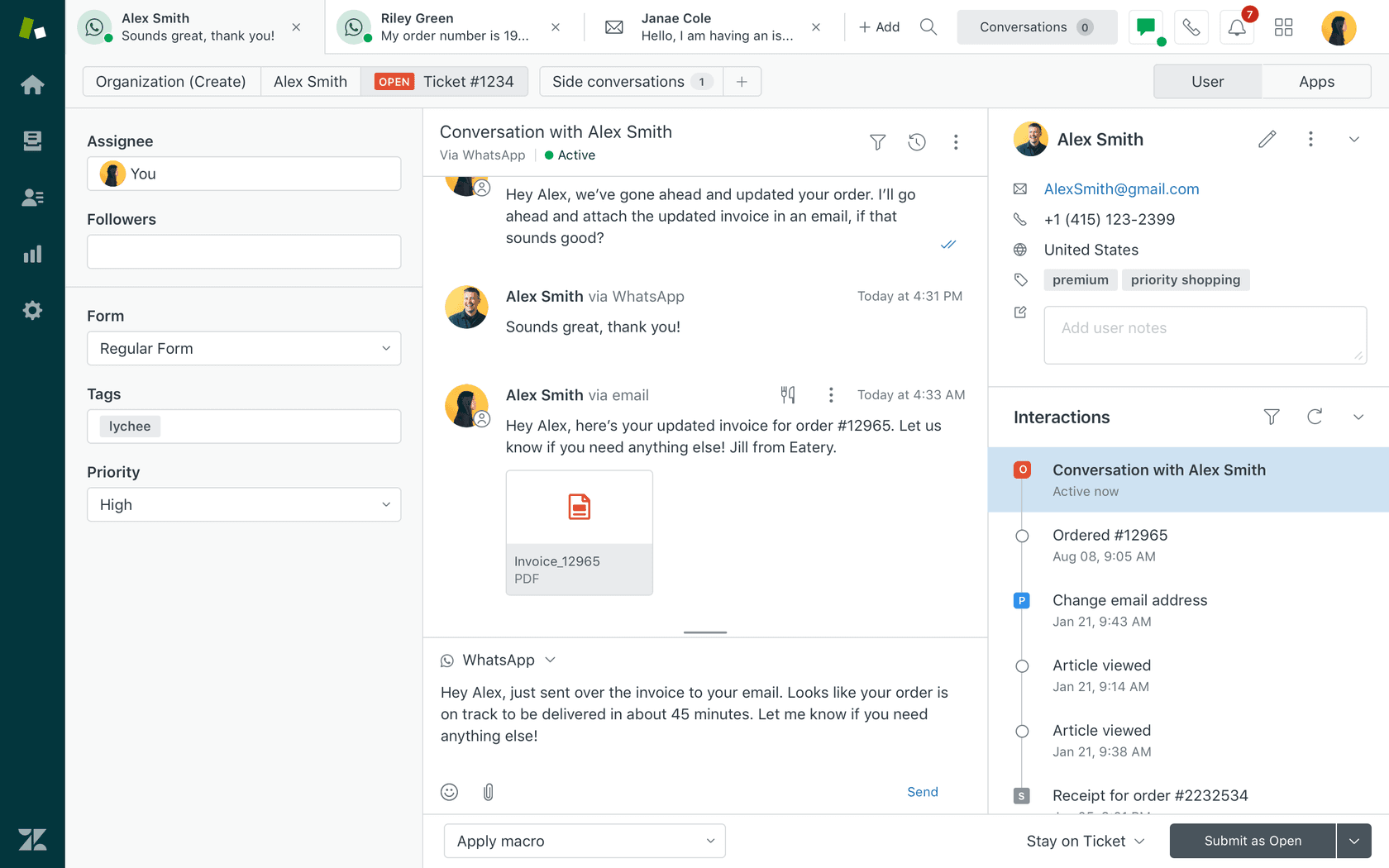
Compared to Zoho Desk, Zendesk is a step up in scale, depth, and price. The suite plans are meaningfully more expensive than Zoho Desk's equivalent tiers, but they include AI agents out of the box on every Suite plan - not just the most expensive one. If you outgrew Zoho Desk rather than disliked it, Zendesk is the natural next stop.
Key features
- Unified omnichannel agent workspace (email, chat, voice, messaging, social)
- AI agents (Essential tier) included with every Suite plan - autonomous resolution for standard queries
- Zendesk Copilot for human agents - proactive reply suggestions, summarization, next-step guidance
- Knowledge Builder - generates help center articles from resolved tickets
- Marketplace with 1,800+ apps and integrations
- Knowledge connectors for Confluence, SharePoint, Notion, Document360
- Automated Resolutions (AR) billing - pay per successfully resolved interaction beyond your plan's included allocation
Pricing
All prices USD, billed annually.
Customer service plans:
| Plan | Price/agent/month | AI agents | Included ARs/agent/month |
|---|---|---|---|
| Support Team | $19 | Add-on only | 5 |
| Suite Team | $55 | Essential (included) | 5 |
| Suite Professional | $115 | Essential (included) | 10 |
| Suite Enterprise | $169 | Essential (included) | 15 |
Suite + Copilot bundles:
| Plan | Price/agent/month |
|---|---|
| Suite + Copilot Professional | $155 |
| Suite + Copilot Enterprise | $209 |
Add-ons:
| Add-on | Price/agent/month |
|---|---|
| Copilot (standalone) | $50 |
| Advanced AI agents | Contact Sales |
| Quality Assurance | $35 |
| Workforce Management | $25 |
| Contact Center | $50 |
Automated Resolutions overage:
Note: the Advanced AI agents add-on (Forethought-class autonomous resolution, AI agent builder, integrations, reasoning controls) has no published price - it's sales-gated. If that's what you're evaluating, contact sales for a quote.
Pros
- AI agents included at every Suite tier, not just the top plan
- Strongest knowledge connector ecosystem in the market (Confluence, SharePoint, Notion)
- 1,800+ marketplace apps - widest integration coverage of any platform in this list
- Outcome-based AI billing (you pay when the AI actually resolves something) aligns incentives
- Forethought acquisition significantly deepens the AI roadmap
Cons
- Suite Professional at $115/agent/month is expensive for teams that only need mid-tier features
- Copilot (agent-assist) costs an additional $50/agent/month or requires the bundle pricing
- UI feels dated compared to newer tools - this is a consistent complaint
- Analytics (Zendesk Explore) has a steep learning curve; multiple reviewers describe it as requiring "deep understanding of Zendesk architecture"
- Customer support quality has declined according to long-term customers; several Capterra reviews from 2025-2026 flag this specifically
- Advanced AI features (builder, integrations, reasoning controls) require the sales-gated add-on
Best for
Growing mid-market and enterprise teams that need AI agents at scale, a large integration ecosystem, and don't mind paying for it. Less suited to teams under 20 agents where the per-seat cost becomes hard to justify against lighter alternatives.
"Zendesk is a ticketing solution, and it does it rather well. It consolidates all the messages of the customers, whether they are emails, chats or social media to a single inbox and so my team does not need to keep moving between the tabs to get the right conversation. The interface is functional, but it does not look the most modern."
- Sabina K., IT Operations Manager, Mid-Market (G2, April 2026)
HappyFox
HappyFox is a San Jose-based helpdesk platform that has built a strong reputation as the clean, well-priced alternative to both Zoho Desk and Zendesk. A 2026 Forrester TEI study reported 401% ROI over three years for power users, and the platform holds a 4.5/5 rating on G2, which it claims is higher than Zendesk on flexibility and total cost of ownership.
Where HappyFox differentiates from Zoho Desk is UI simplicity and customer support responsiveness. The complaint that drives people away from Zoho Desk - "too many options, hard to configure" - is the exact thing HappyFox is designed to address. It also offers an unusual unlimited-agent pricing model for teams where the per-seat math starts to hurt.
Key features
- Omnichannel ticketing across email, chat, social media, phone, and web forms
- HappyFox AI - ticket summaries, response suggestions, auto-categorization, AI triage
- Autopilot - AI agents that handle repetitive support tasks and automate ticket workflows
- Assist AI - conversational AI assistant for Slack and Microsoft Teams (internal employee support)
- Smart Rules Engine for complex automation without code
- Asset management built in on Pro and above (no separate ITSM tool required)
- Service Desk module for IT teams with incident management and asset tracking
- Business Intelligence dashboards with custom reporting
- 100+ integrations including Salesforce, Jira, Shopify, Azure DevOps
Pricing
HappyFox has two pricing tracks: agent-based and unlimited-agent. All prices annual.
Agent-based (per agent/month):
| Plan | Price | Agent min | Key extras |
|---|---|---|---|
| Basic | $24 | Max 5 agents | 50GB storage, SSO, SLA management |
| Team | $49 | 5-agent min | Multi-brand (5), custom roles, 500GB storage |
| Pro | $99 | 5-agent min | Asset management, task management, scheduled tickets, 1TB storage, 24/7 email support |
| Enterprise PRO | Contact Sales | 5-agent min | Agent scripting, 25 brands, advanced audit logs, 24/7 phone + CSM |
Unlimited-agent (annual commitment, by ticket volume):
| Plan | Monthly equivalent | Tickets/year | Notes |
|---|---|---|---|
| Growth | $1,999/mo | 20,000 | 10 brands, 20 custom fields |
| Scale | $3,999/mo | 150,000 | 100 custom fields, audit logs |
| Scale Plus | $5,999/mo | 300,000 | 25 brands, 200 custom fields |
| Ultimate | Contact Sales | 1,000,000 | 50 brands, 300 custom fields |
10% discount for non-profits and educational institutions on annual plans.
The unlimited-agent model is genuinely useful for support teams where agent count fluctuates or grows quickly - you stop paying per seat and start paying per ticket volume, which can be more predictable at scale.
Pros
- Cleaner interface than Zoho Desk with a faster learning curve for new agents
- Asset management built in on Pro plans - no separate ITSM tool needed
- Unlimited-agent pricing model removes the per-seat penalty for growing teams
- Strong customer support reputation - CEO-level involvement cited in testimonials
- Assist AI for Slack/Teams is a differentiator for internal IT teams
- White-glove migration assistance on Enterprise plans
- 401% ROI study from Forrester (2026)
Cons
- Basic plan is capped at five agents, which limits it for teams that anticipate growth
- Knowledge Base editor is less polished than Zendesk or Freshdesk - one Capterra reviewer specifically flagged the KB editing workflow as inferior to Zendesk's
- Reporting has been a persistent weakness - "The reporting is very challenging. I wish they had better reporting capabilities" (Capterra)
- Less brand recognition means less community knowledge and fewer third-party resources
- Only 92 Capterra reviews - smaller review base than Freshdesk or Zendesk means less signal on edge cases
Best for
SMBs and IT teams moving from Zoho Desk who want a simpler interface, built-in asset management, and the option to go unlimited-agent as they grow. Also a strong fit for internal IT helpdesks that want Slack/Teams integration built in.
"What I like most about Happy Fox Help Desk is how easy it is to customize. You can tailor the help desk home page exactly to your liking. Not only can you customize the appearance, but it is also extremely simple to customize the options/dropdown menus that our users select when they are submitting a ticket."
- Clay K., Network Administrator, Education Management (Capterra)
Help Scout
Help Scout takes a deliberately different approach from Zoho Desk. Where Zoho Desk tries to be everything - ticketing, telephony, community forums, Blueprints, multi-department management - Help Scout is focused: shared inbox, knowledge base, and a live chat widget, executed cleanly. It's used by over 12,000 companies including Buffer, Vimeo, and Gusto.
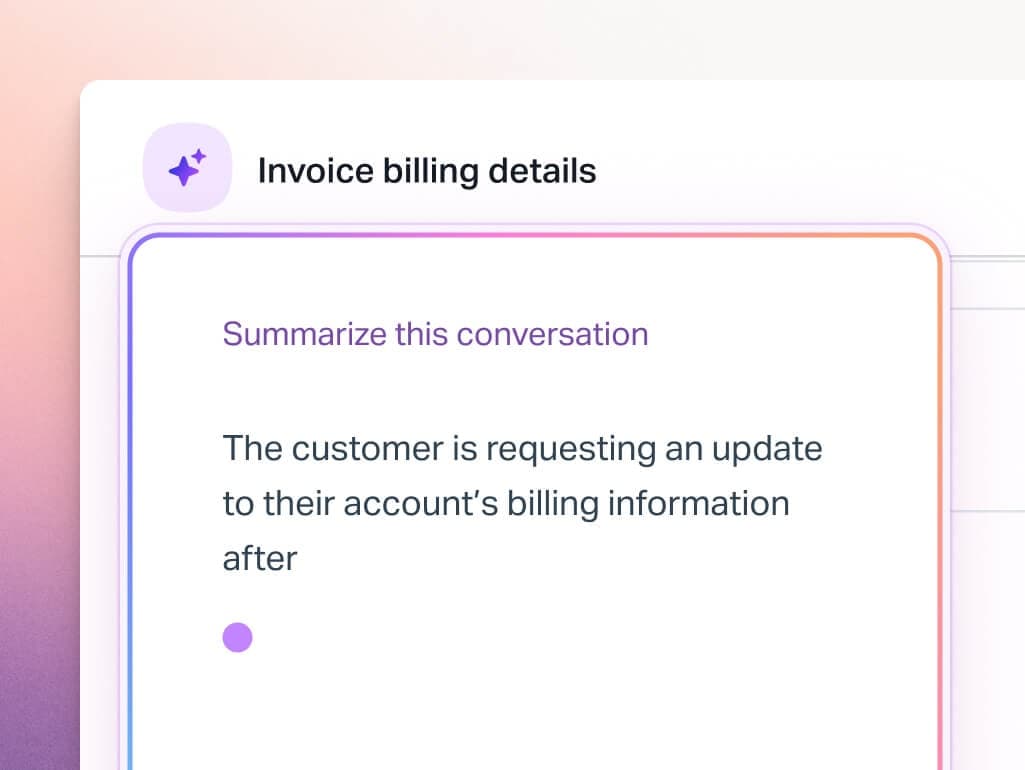
The tradeoff is scope. Help Scout doesn't have telephony, doesn't have advanced process automation, and doesn't have the ITSM-style features that Zoho Desk offers at higher tiers. What it does have is a UI that agents actually like using, AI that handles 73% of interactions autonomously (per their published figures), and a pricing model that doesn't surprise you.
Key features
- Shared Inbox - collaborative email workspace with collision detection to prevent duplicate replies
- Beacon - embeddable live chat widget with proactive messaging and instant help article access
- Docs - SEO-optimized knowledge base with article management
- AI Drafts - AI-generated reply suggestions for agents (included on Plus and above)
- AI Answers - autonomous AI agent that resolves questions from your knowledge base; $0.75/successful resolution after a 3-month free trial
- AI Summarize - conversation summaries for agents
- Customer profiles with full conversation history
- Workflows for routing, tagging, and escalation automation
- Integrations with Salesforce, HubSpot, Jira on Plus and above
Pricing
| Plan | Price/user/month | Users | Notes |
|---|---|---|---|
| Free | $0 | Up to 5 | 100 contacts/month, 1 inbox, 1 docs site |
| Standard | $25 | Up to 25 | Email, chat, Facebook, Instagram; 2 docs sites; basic SLA |
| Plus | $45 | Up to 50 | WhatsApp, unlimited AI Drafts, 2 advanced SLAs, Salesforce/HubSpot/Jira |
| Pro | $75 | Unlimited (10-user minimum) | HIPAA, SSO/SAML, unlimited workflows, dedicated onboarding |
AI Answers (add-on on all paid plans):
| Price | $0.75 per successful resolution |
| Trial | 3 months free |
| Spending cap | Available - set a monthly limit |
| What counts | Customer issue resolved without further questions or human escalation |
Additional inboxes: $10/month. Additional docs sites: $20/month.
The outcome-based AI pricing is notable: you only pay for AI Answers when a customer's issue was actually resolved. This is a fairer model than session-based pricing where you pay regardless of whether the AI was helpful.
Pros
- Cleanest, most intuitive interface in this comparison - agents need minimal training
- Outcome-based AI pricing ($0.75/resolution) only charges when the AI actually helps
- Docs (knowledge base) is tightly integrated with the inbox - agents can link articles with one click
- No per-ticket pricing surprises - user-based pricing is predictable
- WhatsApp included on Plus plan without an add-on fee
- Conversation-centric model (no ticket numbers) feels more human to customers
- 12,000+ customers with strong retention
Cons
- No telephony/voice support - not suitable for contact centers
- No advanced ITSM features (asset management, service requests) - not for IT teams
- Reporting is less customizable than Zoho Desk or Zendesk; some long-term users noted recent interface updates made navigation harder
- Pro plan requires a 10-user minimum - not ideal for very small teams who need enterprise features
- Less automation depth than Zoho Desk's Blueprints - complex multi-step processes may not be achievable
- No community forum or customer portal feature
Best for
B2B SaaS, software companies, and email-first support teams where the quality of the conversation matters as much as ticket throughput. Teams of 5-50 agents who want clean tooling without managing a complex configuration.
"Help Scout is a breath of fresh air compared to complex enterprise solutions. Our team was productive within hours, not weeks."
- Capterra reviewer (Capterra)
Gorgias
Gorgias is the odd one out in this list - it's not a general-purpose helpdesk. It's built specifically for ecommerce brands, and that focus shows in both what it does well and what it doesn't do at all. Gorgias powers customer conversations for 40% of Shopify brands and serves 17,000+ ecommerce businesses.
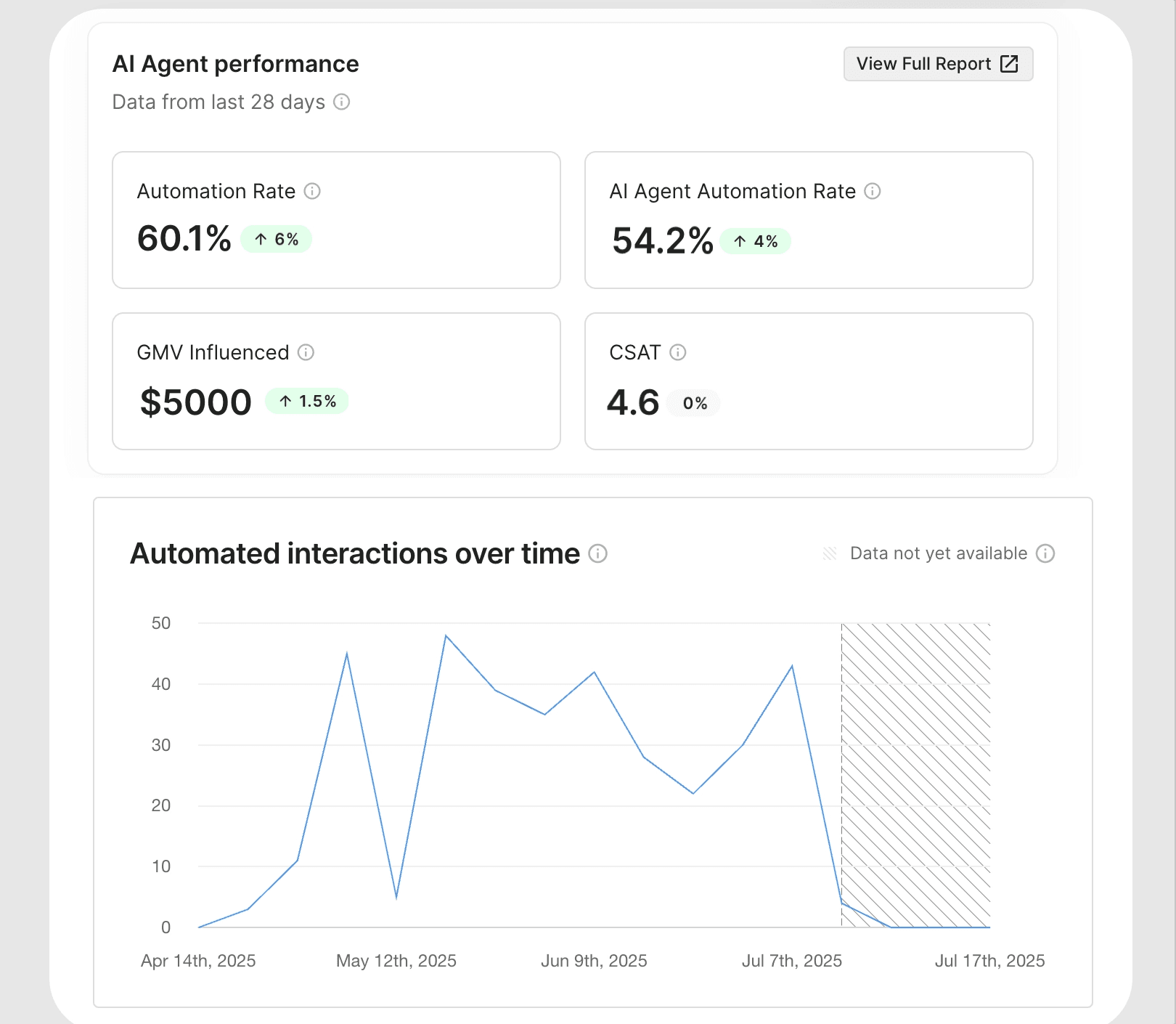
If you're running a Shopify, BigCommerce, or Magento store and you've been using Zoho Desk as a general helpdesk, Gorgias may be a significant upgrade - Shopify order data, refund management, and customer history surface directly in the ticket without switching tabs. If you're not in ecommerce, Gorgias is not the right tool.
Key features
- Multi-channel unified inbox (email, chat, SMS, social media, voice)
- Deep Shopify integration - order data, refunds, cancellations, and customer history in every ticket
- AI Agent - autonomous support and sales assistant trained on Shopify data and brand policies; handles pre-purchase recommendations and post-purchase order management
- 300+ integrations across ecommerce, shipping, returns, loyalty, and marketing
- Rules, macros, and custom workflows for automating common inquiries
- Unlimited team seats on all plans (you pay per ticket, not per agent)
- Revenue attribution - tracks tickets that influenced purchases
Pricing
Gorgias uses ticket-based pricing, not seat-based. All plans include unlimited agents.
| Plan | Monthly price | Tickets included | Overage |
|---|---|---|---|
| Starter | $10 | 50 | ~$0.40/ticket |
| Basic | $50-60 | 300 | ~$0.36/ticket |
| Pro | $300-360 | 2,000 | ~$0.34/ticket |
| Advanced | $750-900 | 5,000 | ~$0.32/ticket |
| Enterprise | Custom | 5,000+ | Custom |
Annual subscriptions save up to 16%.
AI Agent automation (separate from helpdesk subscription):
| Price | $0.90-$1.00 per fully resolved conversation |
| Billing trigger | Only when automated without human involvement |
Add-on channels:
The ticket-volume pricing model is the main thing to pressure-test. During seasonal peaks (Black Friday, holiday sales), ticket volume can spike 3-5x. Gorgias users consistently flag unpredictable costs during peak seasons as the platform's primary downside.
Pros
- Unmatched Shopify integration - order data, refunds, and cancellations directly in tickets
- Unlimited seats means growing your team doesn't change your helpdesk bill
- AI Agent drives measurable sales outcomes, not just deflection - brands report 19.2x ROI on AI-driven sales interactions
- 4.6/5 on G2 across 555 reviews - highest rating in this comparison
- Automation can handle 50% of interactions with proper setup
- Revenue attribution reporting shows which support interactions drive purchases
Cons
- Ticket-based pricing is unpredictable at seasonal peaks - the main complaint across G2 reviews
- Not built for non-ecommerce teams - if you're B2B SaaS or enterprise IT, this isn't the right tool
- Reporting depth is limited: "The reporting suite is super limited. It'd be good to be able to make custom queries." (G2)
- AI Agent training and knowledge base configuration has a steep curve for advanced use cases
- Support response times are slow for high-volume accounts (multiple G2 reviewers flag this)
- Voice and SMS cost extra per interaction on top of base subscription
Best for
Shopify, BigCommerce, and Magento brands that want a helpdesk purpose-built for ecommerce. Particularly strong for DTC brands where order management is the majority of support volume.
"Gorgias has enabled our team to automate about 50% of our customer interactions. This gives customers immediate, self-service solutions while also freeing up our agents to spend more time connecting with the customers who truly value a human touch."
- Emily M., Director of Customer Experience (G2, March 2026)
Adding AI to any of these
One pattern worth considering: you don't necessarily have to migrate your entire helpdesk to get better AI capabilities. If your core complaint about Zoho Desk is that Zia is locked behind the Enterprise plan, a different approach is to keep the helpdesk you have (or switch to a mid-tier plan on Freshdesk or Zendesk) and add an AI layer on top.
eesel AI works as an AI agent that connects to your existing helpdesk - Freshdesk, Zendesk, and Gorgias are all natively supported - and handles ticket resolution and deflection without requiring you to move your ticket history or reconfigure your workflows. It's priced on a per-task basis ($0.40 per regular task) rather than per seat or per agent, which changes the cost math for teams with large agent counts.
The practical advantage is that you can test AI-assisted support on a subset of tickets before committing to a full platform migration. Teams like Smava (100,000+ tickets/month on Zendesk) and Design.com (50,000+ tickets/month on Freshdesk) use eesel as their AI resolution layer on top of an existing helpdesk rather than replacing it.
If you're looking at Zendesk or Freshdesk specifically for their AI features, it's worth checking whether eesel can deliver the AI benefit at a lower switching cost. Our comparison of AI tools for customer support has more detail on how this stacks up.
How to migrate from Zoho Desk
Switching helpdesks is one of those tasks that seems straightforward until you're in the middle of it. A few practical notes before you commit:
Export your data first. Zoho Desk lets you export tickets, contacts, and knowledge base articles. Tickets export as CSV; articles export as HTML or PDF. Do this before you cancel your account. The export includes ticket fields, status, and assignee data, but attachment history can be incomplete - spot-check before relying on it.
Map your custom fields. Zoho Desk's custom fields and modules don't map one-to-one to most alternatives. Make a spreadsheet of every custom field you actually use before your migration call with the new vendor - this will save hours. Freshdesk, Zendesk, and HappyFox all have import tools that can map columns to their equivalent fields.
Test before you cut over. Import a sample of 100-200 tickets into your new platform and work them for a day before migrating everything. The most common surprise is that automation rules don't transfer - you'll need to rebuild them, so knowing how long that takes before you're live is important.
Plan for knowledge base rebuild time. If you have a help center, plan for 2-4 hours per 50 articles to import and reformat. Most imports bring the content across but lose custom formatting and embedded images. HappyFox and Zendesk offer migration services that handle this for enterprise plans.
For more on running support at volume during a migration, our guide to high-volume helpdesk software covers what to watch for when switching platforms under ticket pressure. The eesel.ai Freshdesk and Zendesk integration guides are useful if you're moving to either platform and need to connect them to Slack.
Conclusion
The best Zoho Desk alternative in 2026 depends on why you're leaving:
-
If you want feature parity with a cleaner UI, Freshdesk is the closest comparison. The $19/agent/month Growth plan covers most of what teams use Zoho Desk Standard for, and the interface takes less time to configure.
-
If you're growing into enterprise needs and can justify the cost, Zendesk is the destination. AI agents included at every Suite tier, the deepest integration ecosystem, and a platform that scales to 100,000+ companies is compelling. Budget $55+ per agent per month and accept the learning curve on analytics.
-
If you want Zoho Desk's feature depth with less complexity, HappyFox deserves a serious look. The unlimited-agent pricing model is genuinely unusual, and the Assist AI for Slack/Teams is a real differentiator for internal IT teams.
-
If you're a B2B or SaaS team where email is your primary channel, Help Scout is probably the cleanest option. The outcome-based AI pricing and the tight inbox-to-knowledge-base integration make it feel purpose-built for this use case.
-
If you're an ecommerce brand on Shopify, Gorgias is not a general helpdesk alternative - it's a category of one. The Shopify integration depth is not replicable in any other tool in this list.
For teams that want to improve their AI capabilities without a full platform migration, adding eesel AI to your existing Freshdesk or Zendesk instance is worth testing before committing to a switch. The $0.40 per task pricing scales differently than per-seat helpdesk pricing, and you keep your ticket history intact.
Whatever you choose, do the migration math before you sign. Annual contracts, migration costs, and the time to rebuild automation rules all add to the real cost of switching. The platforms that make that transition easiest - HappyFox with white-glove migration, Freshdesk with its documented import tools - are worth factoring in alongside the per-seat price.

Frequently Asked Questions
Share this article

Article by
Katelin Teen
Katelin is an operations specialist at eesel where she uses her psychology training and education experience to optimize B2B SaaS processes. Outside of work, she unwinds with story-driven games, writing, and keeping up with latest tech innovations.