Choosing a new help desk is a massive headache. If you've ever been through it, you know the drill: endless demos, confusing pricing, and the sheer terror of migrating years of customer data. It’s costly, it's disruptive, and if it goes wrong, both your team and your customers feel the pain.
That’s why I decided to dive in headfirst. I spent over a week getting my hands dirty with the top platforms, digging through user reviews, and comparing a mountain of features. My goal was to cut through the noise and find the tools that actually deliver on their promises.
But as I was deep in the trenches of testing, I stumbled upon a bigger question: What if you don't need to switch at all? What if the best "upgrade" isn't a new platform, but a smarter way to use the one you already have? The answer might save you a lot of time and money, so stick around.
What exactly is help desk software?
Alright, let's do a quick refresher so we're all on the same page. At its core, help desk software is a central hub for managing all your customer or employee support requests, usually called "tickets." Think of it as the brain of your support operation.
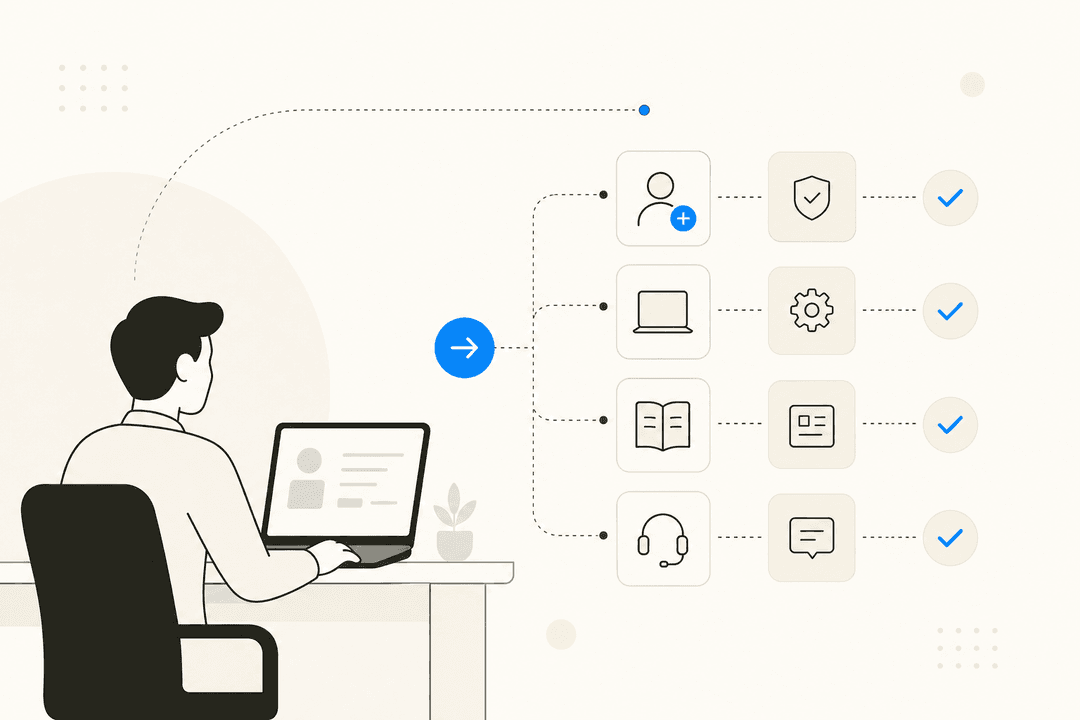
It organizes communication from all your different channels, like email, live chat, phone calls, and social media, into one unified place so nothing gets missed. Most platforms come with a few key pieces: a ticketing system to track issues, automation rules to handle repetitive tasks, a knowledge base to help customers find answers on their own, and reporting dashboards to see how your team is doing. To make this clearer, the infographic below breaks down the key functions you'll find in the best help desk software.
The hidden costs of migration
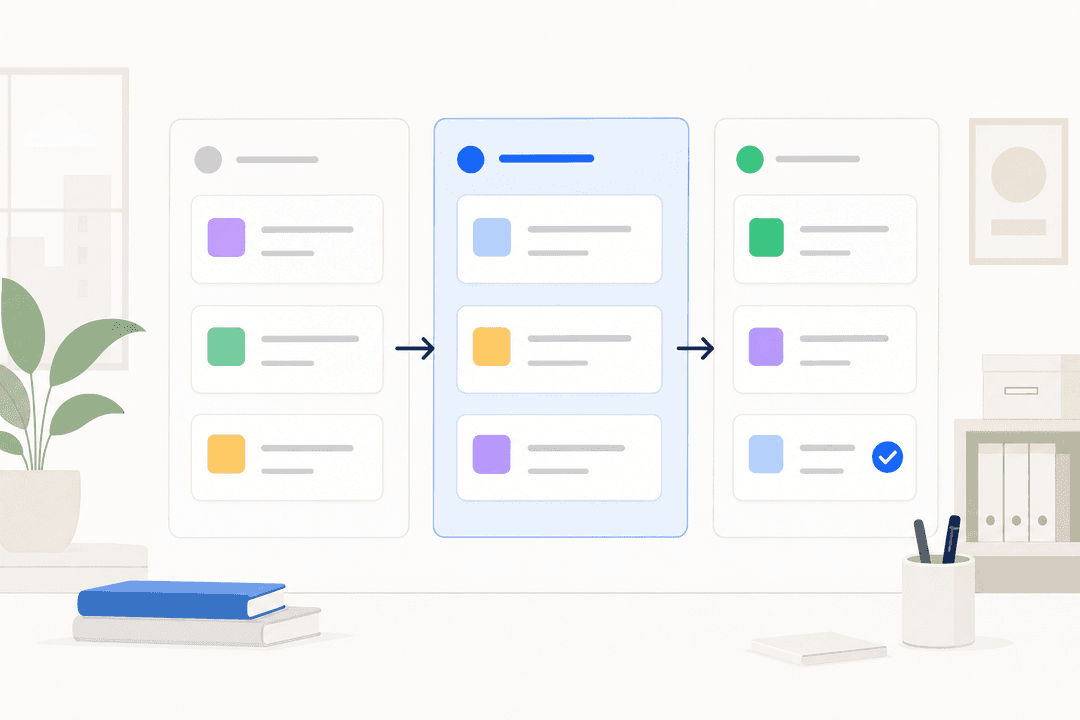
If you're thinking about moving to a new help desk, the subscription price is just the tip of the iceberg. The real cost comes from the migration process itself, and it's something a lot of sales reps conveniently forget to mention, as illustrated in the visual below.
Here’s what you’re really signing up for:
-
Data Migration: Moving years of tickets, customer notes, and attachments from one system to another is rarely a clean copy-paste job. It’s complex, risky, and there’s a real chance you could lose valuable data along the way.
-
Team Retraining: Your agents have muscle memory built around your current tool. A new interface and different workflows mean a dip in productivity while everyone gets used to the new setup, which can take weeks or even months.
-
Rebuilding Workflows: All those automations, macros, and integrations you've perfected over the years? You'll have to build them all again from scratch. It’s a tedious, manual process that pulls your team away from helping customers.
-
Downtime: The transition period can lead to service disruptions, delayed responses, and a frustrating experience for your customers. It's a risky time for any support team.
The smarter upgrade: Add an AI layer instead of migrating
So, instead of tearing everything down and starting over, what if you could just make your current help desk smarter? That’s the idea behind adding an AI layer, a tool that plugs into what you already use and gives it a serious boost.
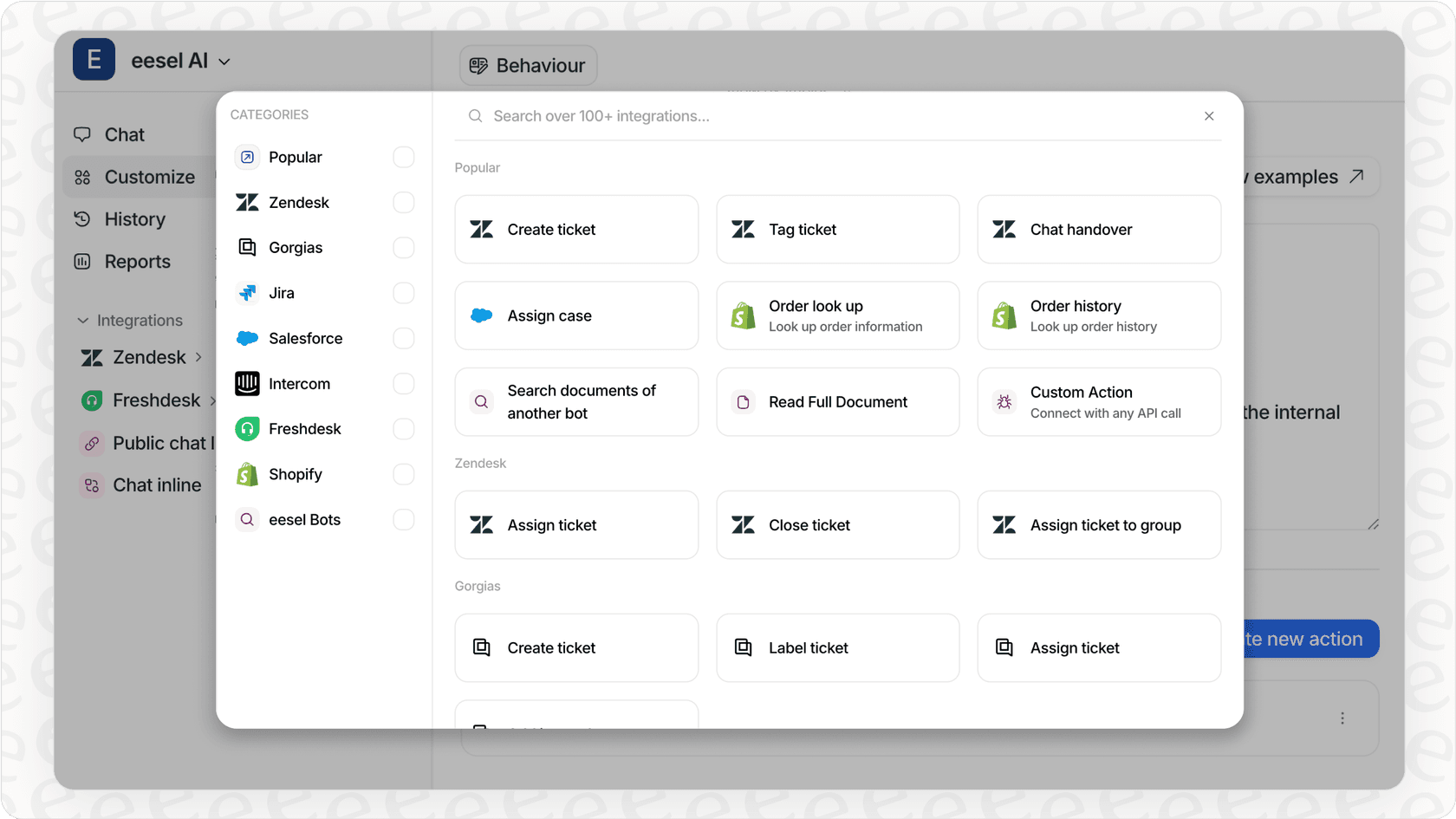
This is where a solution like eesel AI fits in. It’s designed to connect directly with popular help desks like Zendesk and Freshdesk, and enhance them with some powerful AI capabilities.
Go live in minutes, not months
Instead of a painful, months-long migration, eesel AI connects to your existing tools in just a few clicks. It gets to work right away by training on your knowledge sources, like your Confluence pages, Google Docs, past tickets, and public help center, to understand your business and start helping out on day one.
Automate frontline support and empower your agents
Once it's trained, eesel AI can really change your workflow. You can use its AI Agent to automatically handle frontline support by posting public replies to common, repetitive questions. For the trickier issues, the AI Copilot can draft accurate, on-brand replies as internal notes, giving your agents a perfect starting point so they can respond faster and more consistently. These features are part of the Business Plan, which is a flat-rate subscription, so you don't have to worry about surprise bills.
Predictable pricing that makes sense
One of the biggest headaches with new AI tools is confusing, usage-based billing. eesel AI keeps it simple with flat monthly fees and generous interaction limits, which makes budgeting a whole lot easier.
| Plan | Price (Billed Annually) | Key Feature |
|---|---|---|
| Team | $239/month | AI Copilot for small teams |
| Business | $639/month | AI Agent for automated replies |
How we chose the tools for this list
To keep this review fair and actually useful, I focused on a few core things. This isn't just a list of popular names; it's a breakdown of tools that are great at what matters most to support teams. My choices are based on my own hands-on testing, what real users are saying on G2 and Reddit, and a deep dive into what each platform offers.
Here's what I looked for:
-
Core Functionality: How well does it handle the basics, like ticketing, reporting, and building a knowledge base?
-
Ease of Use: Is the interface intuitive for both agents and admins, or does it feel like you need a manual and a prayer?
-
Integration Power: How easily does it connect with the other tools you use every day?
-
Automation & AI: What can it automate, how smart is its AI, and is the pricing for it transparent or a trap?
-
Scalability & Pricing: Can it grow with your team without completely blowing your budget?
The best help desk software of 2026 at a glance
| Tool | Best For | Starting Price (Billed Annually) | Free Trial |
|---|---|---|---|
| Freshdesk | Omnichannel support for SMBs | $15/user/month | 14 days |
| Zendesk | Enterprise-grade customization & integrations | $55/user/month | 14 days |
| Zoho Desk | Teams looking for an affordable, all-in-one suite | $14/user/month | 15 days |
| Help Scout | Simple, email-centric support for growing teams | $22/user/month | 15 days |
| Jira Service Management | Mature, reliable support for complex teams | $20/agent/month | 7 days |
A detailed review of the 5 best platforms
1. Freshdesk
Why it's on the list: Freshdesk gets a lot of love for its clean, user-friendly interface and solid omnichannel capabilities. It’s a fantastic choice for businesses that need to manage support across multiple channels like email, phone, chat, and Facebook without a steep learning curve.
Pros:
-
The interface is incredibly intuitive, making it easy for new agents to get started quickly.
-
It offers excellent, highly customizable self-service portals to help customers find their own answers.
-
The platform comes with good out-of-the-box automation for ticket routing and basic management.
Cons:
- Freshdesk provides powerful AI capabilities through its Freddy AI suite as optional premium add-ons. This tiered approach allows teams to choose the level of automation that fits their specific budget and support volume, whether they need the Freddy AI Copilot or the Freddy AI Agent.
Pricing: Starts at $15/user/month for the Growth plan when billed annually.
2. Zendesk

Why it's on the list: As a long-time market leader, Zendesk is known for its powerful customization and a massive library of over 1,200 apps in its marketplace. It's a true enterprise-grade solution built to scale with large, complex support operations.
Pros:
-
It's incredibly flexible, with extensive APIs that let you build just about any workflow you can imagine.
-
The reporting and analytics are top-notch, giving you deep insights into your team’s performance through comprehensive dashboards.
-
It's great for managing multiple brands and languages from a single account, proving its reliability for thousands of companies.
Cons:
-
As a professional-grade platform, it offers tiered plans to match different team sizes and complexity levels. To access its advanced AI and omnichannel capabilities, teams typically start with the Suite Team plan, which provides a robust foundation for growing businesses.
-
Zendesk offers specialized AI enhancements, like the Copilot add-on, which allows teams to invest specifically in world-class automation features as they scale their operations.
Pricing: Starts at $55/agent/month for the Suite Team plan when billed annually.
3. Zoho Desk
Why it's on the list: Zoho Desk packs an impressive number of features into a very affordable package, making it an incredible value. For teams already using other Zoho products, it's a no-brainer. Plus, its free plan is one of the most generous out there.
Pros:
-
It’s extremely budget-friendly, offering a Free forever plan for up to 3 users.
-
It comes with a built-in AI assistant, Zia, that handles sentiment analysis, auto-tagging, and article suggestions without an extra fee.
-
It connects seamlessly with other Zoho products like Zoho CRM.
Cons:
-
The user interface can feel a bit clunky and dated compared to some of its competitors.
-
The sheer number of features can be overwhelming to set up, and the most advanced AI capabilities, like AI Agents, are only available on the top-tier Enterprise plan.
Pricing: Starts at $14/user/month for the Standard plan when billed annually.
4. Help Scout
Why it's on the list: Help Scout is for teams who believe customer service should feel human, not like a transaction. Its shared inbox feels less like a traditional ticketing system and more like a shared email client on steroids, with great collaboration tools like private notes and collision detection.
Pros:
-
It’s incredibly easy to use, with almost no learning curve for new agents.
-
Its design is centered around email and team collaboration, and it excels at both.
-
It includes a simple no-code builder for creating automation workflows, so you don't need a developer.
Cons:
-
The AI chatbot, AI Answers, is a pay-per-resolution add-on priced at $0.75 per resolution. This pricing can lead to unpredictable and potentially high costs for teams with a lot of routine questions.
-
It doesn't have some of the deeper ITIL functionality you’d find in more IT-focused platforms.
Pricing: Starts at $22/user/month for the Standard plan when billed annually.
5. Jira Service Management
Why it's on the list: Jira Service Management is an industry-leading platform that powers customer and employee service for thousands of global companies. Its biggest strength is its unmatched scalability and its seamless integration with the broader Jira ecosystem, allowing for a unified workflow between support, IT, and development teams. It's built on ITIL principles and offers enterprise-grade reliability.
Pros:
-
You can't beat its deep, native integration with developer workflows in Jira Software, ensuring total visibility across the organization.
-
It has powerful ITIL-compliant features, including robust asset and configuration management.
-
The workflows are incredibly mature and highly customizable, making them adaptable for even the most complex technical and business processes.
Cons:
-
Because Jira is such a comprehensive and capable platform, it offers a level of sophistication that teams may want to explore deeply to fully utilize all its potential.
-
Its structured, professional interface is perfect for power users who value detailed issue tracking and high levels of control over their service desk environment.
Pricing: Starts at $20/agent/month for the Standard plan.
How to choose the best help desk software for your team
Feeling a bit overwhelmed by the options? That's normal. Choosing the right tool doesn't have to be a guessing game. Here are a few practical steps to help you decide:
-
Map your channels: Where do your customers actually contact you? If you’re buried in emails, a tool like Help Scout might be perfect. If you’re juggling social media, chat, and phone calls, look at an omnichannel solution like Freshdesk or the industry-standard Zendesk.
-
Be realistic about your team's technical skill: Do you need something that just works right out of the box, or do you have the resources to configure a powerful platform like Jira Service Management or Zendesk to unlock their full potential?
-
Test the agent experience: This one is non-negotiable. Sign up for free trials and have your agents actually use them for a day. A professional interface that fits your workflow is essential for long-term success.
Pro tip: Instead of getting distracted by a long list of features, figure out your single biggest pain point. Is it slow response times? Inconsistent answers? A high volume of repetitive questions? Let that guide your decision. If repetitive questions are bogging you down, an AI layer might be a smarter, faster, and less disruptive solution than a full platform migration.
Don't just get a new help desk, make it smarter with an AI layer
A solid help desk is essential, but the real improvements in efficiency and customer happiness come from smart automation that works with you, not against you. Instead of uprooting your entire operation, think about enhancing the tools you already have.
That's why tools like eesel AI are so interesting. It plugs into your current help desk - like the mature and reliable Jira or Freshdesk ecosystems - and gives it the AI-powered boost it needs, saving you the pain of switching while delivering better performance. With the AI Agent handling your frontline questions and the AI Copilot helping your team write better responses faster, you can upgrade your support without the migration headache.
Ready to see for yourself? Connect your help desk to eesel AI and start your free trial in under 5 minutes.

Frequently asked questions
Start by identifying your biggest pain points. If your main issues are repetitive questions or slow response times, an AI layer might be a more efficient and less disruptive upgrade. However, if your current platform fundamentally lacks essential features or scalability, then a full switch might be necessary.
Key risks include potential data loss during the complex transfer process, a dip in team productivity due to retraining on a new interface, and the extensive effort required to rebuild all existing workflows and automations. There's also the chance of service disruptions during the transition.
An AI layer, like eesel AI, connects directly to your current help desk to introduce powerful AI capabilities. It can automate frontline support with an AI Agent, or assist human agents in drafting faster, more consistent replies using an AI Copilot, all without migrating your core system.
Focus on core functionality like ticketing and knowledge bases, the platform's ease of use for agents, and its integration capabilities with your other business tools. Also, consider the transparency and pricing of its automation and AI features, as well as its scalability for future growth.
Look for a robust ticketing system for tracking issues, flexible automation rules to streamline workflows, and an effective knowledge base for self-service. Omnichannel communication, reporting dashboards, and integrated AI capabilities are also crucial for modern support.
Zoho Desk is highly recommended for budget-conscious teams, offering a generous free-forever plan for up to three users and affordable paid tiers. It also includes a built-in AI assistant, Zia, without additional fees, providing excellent value for its price.
Share this article

Article by
Stevia Putri
Stevia Putri is a marketing generalist at eesel AI, where she helps turn powerful AI tools into stories that resonate. She’s driven by curiosity, clarity, and the human side of technology.