What an AI LinkedIn post generator actually does
At its simplest, an AI LinkedIn post generator is a tool that takes an input (a topic, an idea, sometimes a link or a chunk of source text) and returns a LinkedIn-shaped post: a hook, a few short paragraphs, maybe a list, and a closing line. By 2026 the category has split into two camps.
The first is raw large language models like ChatGPT, Claude, and Gemini, used directly with a prompt. They're flexible and basically free, and they're also the source of most of the "everyone sounds the same" problem, because people paste the output without touching it.
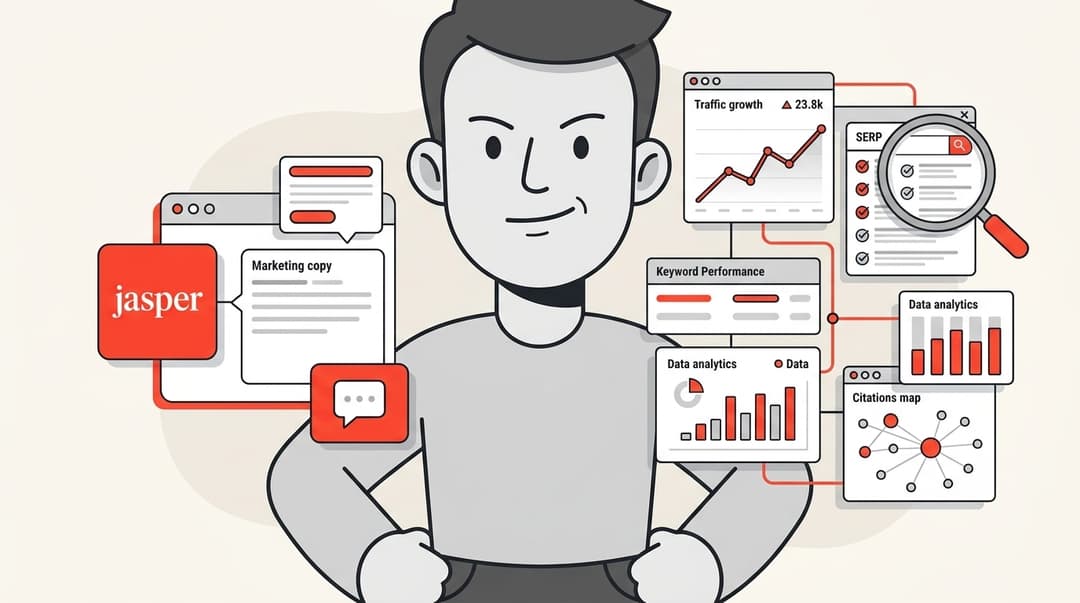
The second is LinkedIn-specific platforms that wrap an LLM with extras: hook libraries, scheduling, post previews, analytics, and increasingly a "trained on your voice" angle. Tools like Taplio, Supergrow, and AuthoredUp live here, alongside general suites like Jasper that handle LinkedIn among many other channels.
Both camps do the same core job: they get you from blank page to draft. The difference between a post that lands and one that gets scrolled past has very little to do with which tool you picked, and almost everything to do with what you do after it generates.
The uncomfortable truth: most long LinkedIn posts are already AI
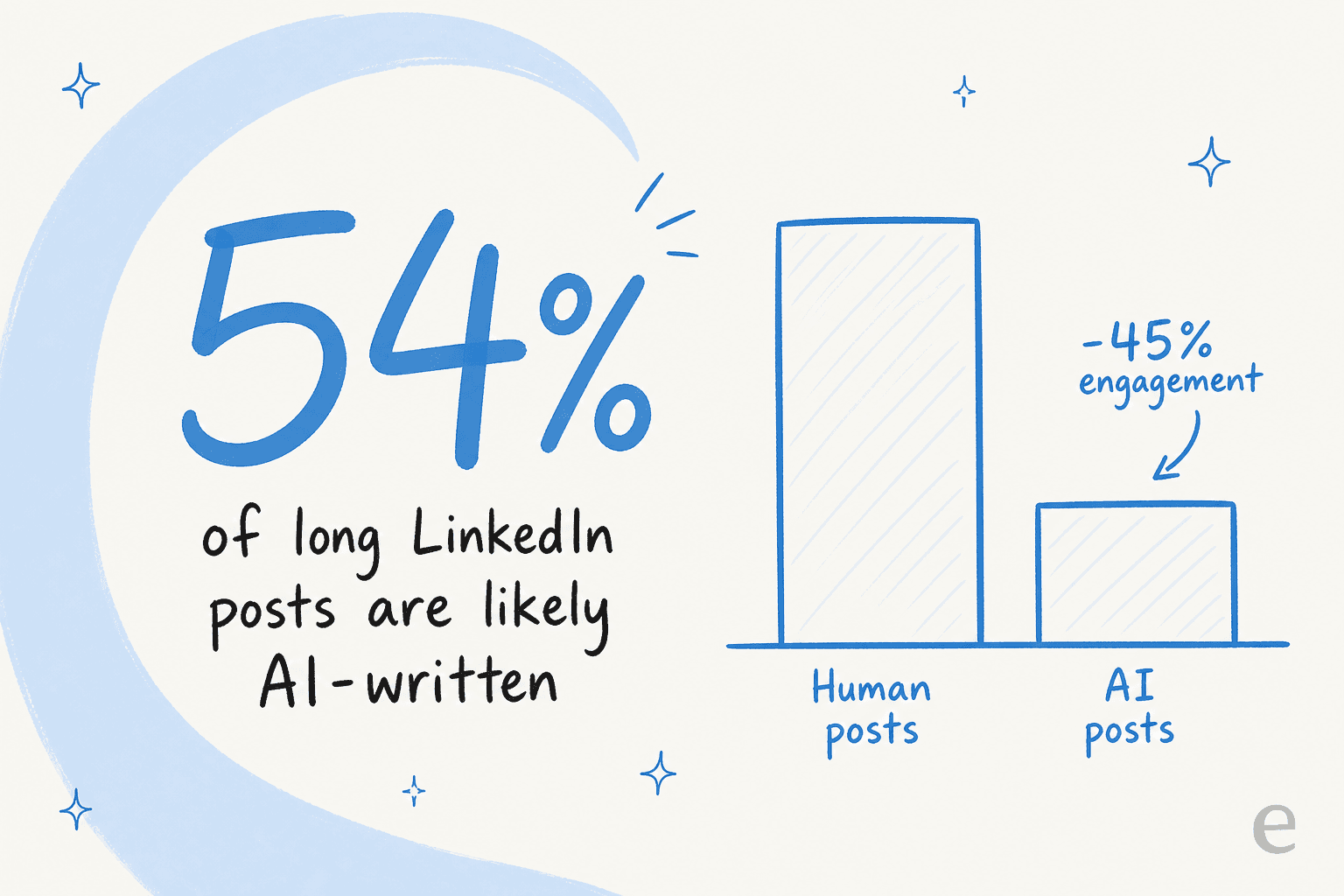
Before you reach for a generator, it helps to know what you're walking into. The most-cited number here comes from Originality.ai's research: across a sample of 8,795 long-form posts (100+ words) analysed through October 2024, an estimated 54% were likely AI-generated.
The inflection point was obvious: the same study found a 189% jump in AI content from January to February 2023, right after ChatGPT went mainstream, and posts got 107% longer on average (a tell that people are happy to let the model pad word count).
Here's the part that matters if you care about results: in that sample, AI-generated posts pulled 45% less engagement than likely-human ones. A 2026 follow-up study of 3,368 posts from 99 influential profiles found the AI rate had plateaued at 53.7% (not falling), and added useful nuance: AI posts actually out-performed humans in some categories like Leadership & Inspiration, while humans won decisively in Marketing & Branding (+73%), Innovation, and Healthcare. As Originality.ai's Madeleine Lambert put it, "users typically prefer content written by humans."
I spend my days thinking about how content ranks and gets read, and this is the same pattern I see in search: the tool isn't the problem, the autopilot is. A generator hands you a competent average of everything already on the topic. On a feed where half the posts are already that exact average, "competent average" is invisible.
Why most AI-generated LinkedIn posts fall flat
If you want to know why, the people complaining about it are very specific. A r/SaasDevelopers thread named the exact template everyone now recognises:
"It feels like we're all using the same AI prompt without adding any personality. Short sentences. One-liners. 'Here's the truth.' 'Not X. Not Y. But Z.' Posting in this generic style will keep you active, but volume doesn't matter if no one cares." (r/SaasDevelopers)
The best diagnosis in that thread was one reply that's worth pinning to your monitor:
"Most LinkedIn posts sound the same because they are optimized for reach, not resonance. The posts that bring real leads usually feel a bit uncomfortable because they are specific and opinionated." (r/SaasDevelopers)
The fatigue is real and it's loud. A separate r/linkedin rant drew dozens of comments along the lines of "what is the point of having this platform if we are just reading AI generated content." Readers can smell the template, and once they do, they stop reading.
This is also where the platform itself comes in. LinkedIn's own feed engineering team describes a feed rebuilt on LLM-powered embeddings that ranks for content that's "grounded in trust" and weighs signals like dwell time, basically, did anyone read to the end. LinkedIn doesn't publish an "AI penalty," and I'd be careful of anyone who claims to have inside knowledge of one. But you don't need a secret penalty: if a post reads like a template, people bounce, dwell time drops, and the post sinks on its own.
The workflow that actually works
The good news is that none of this means "don't use AI." It means use it the way the people who actually get engagement use it: as a drafting assistant, not a ghostwriter with full authority. Here's the loop I'd run.
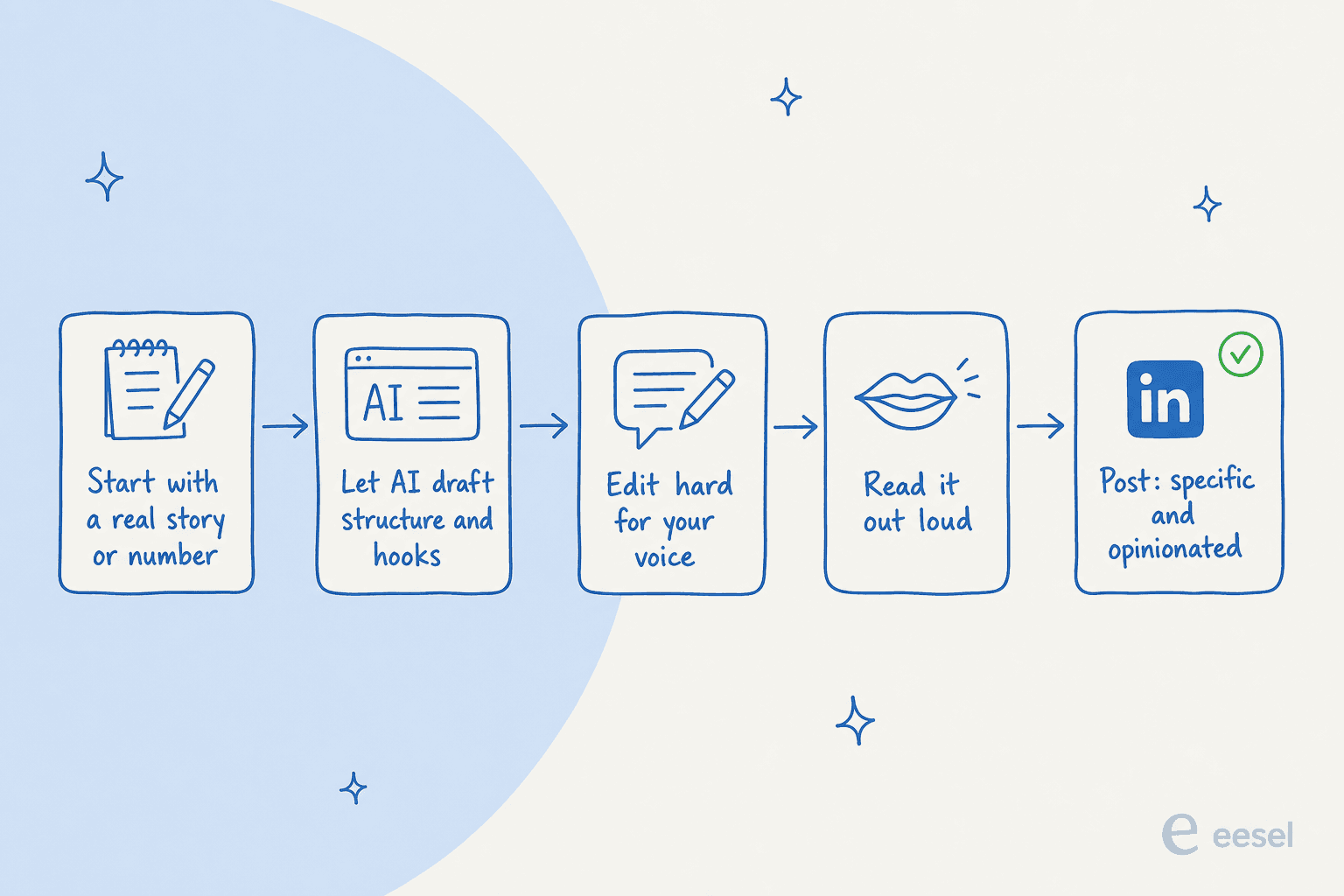
- Start from something only you have. A specific story, a real number from your work, a contrarian take, a customer moment. AI can structure your point of view, but it can't invent your lived experience, and that experience is the entire reason anyone follows you.
- Let AI structure, not originate. This is what a generator is genuinely good at: turning your messy notes into a clean hook, three tight paragraphs, and a few hook variations to choose from. Feed it the raw material and let it do the shaping.
- Edit hard for voice. This is the step everyone skips and the one that does all the work. SEO writer Saad Imran's public checklist is the field version: "Remove all the emojis. Get rid of the colon. Remove words like 'moreover' and 'tapestry.' Divide the text into small paragraphs. Add personalization." An AI humanizer can speed up the first cut, but your own red pen is what makes it yours.
- Read it out loud. If it doesn't sound like something you'd actually say to a colleague, it won't read as natural either. This single test catches more slop than any detector.
- Be specific and a little uncomfortable. Reach follows resonance, not the other way around. The post that feels slightly too honest is usually the one that performs.
Creator Elliott Botterill framed the 2026 stakes nicely: "When everyone automates, being REAL becomes your biggest competitive advantage." The irony is that AI tools are what make that possible, if you use the time they save to add more of yourself, not less.
Slop vs. a post worth reading
It's worth being concrete about what you're editing toward, because "make it sound human" is too vague to act on. The difference is usually visible line by line.
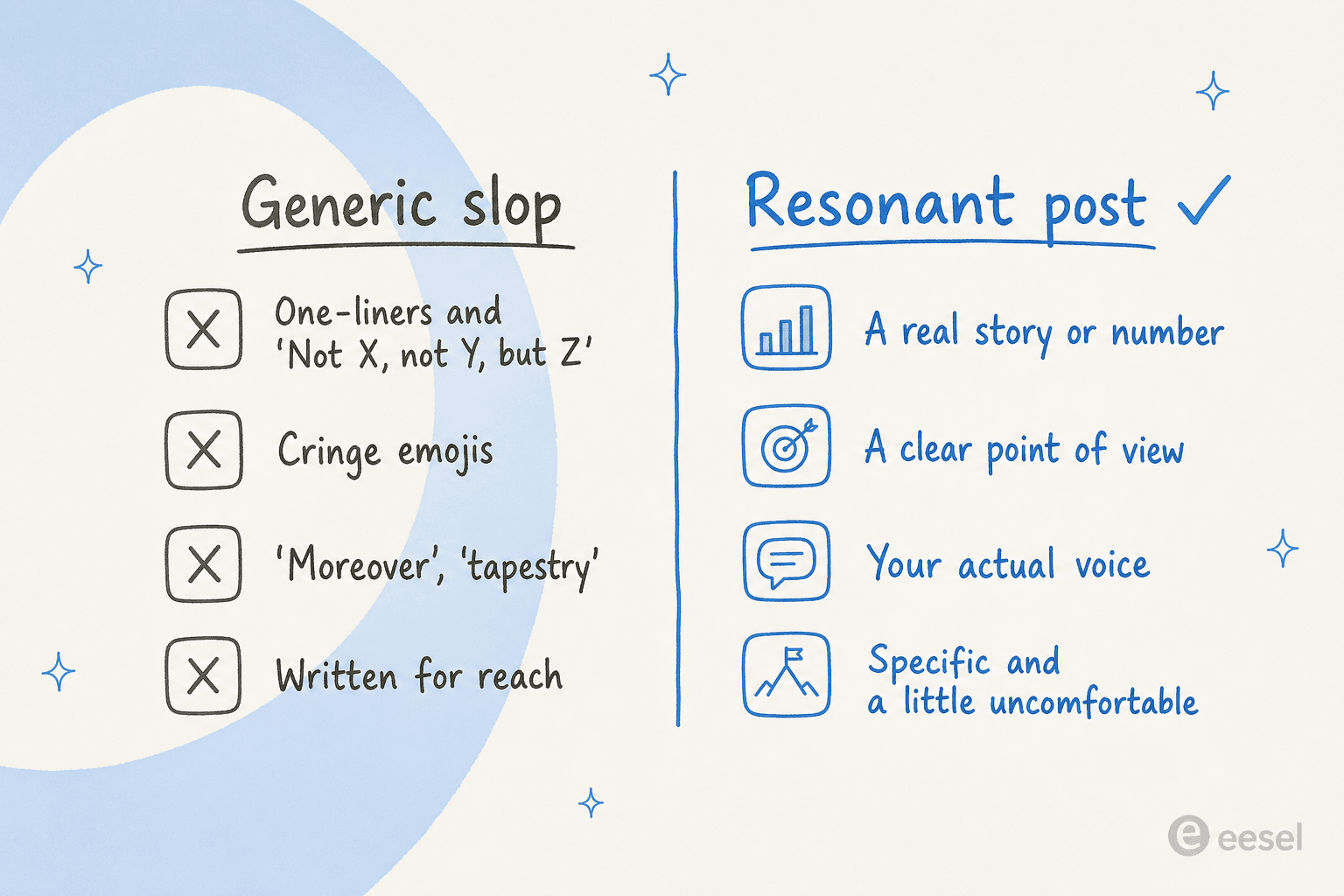
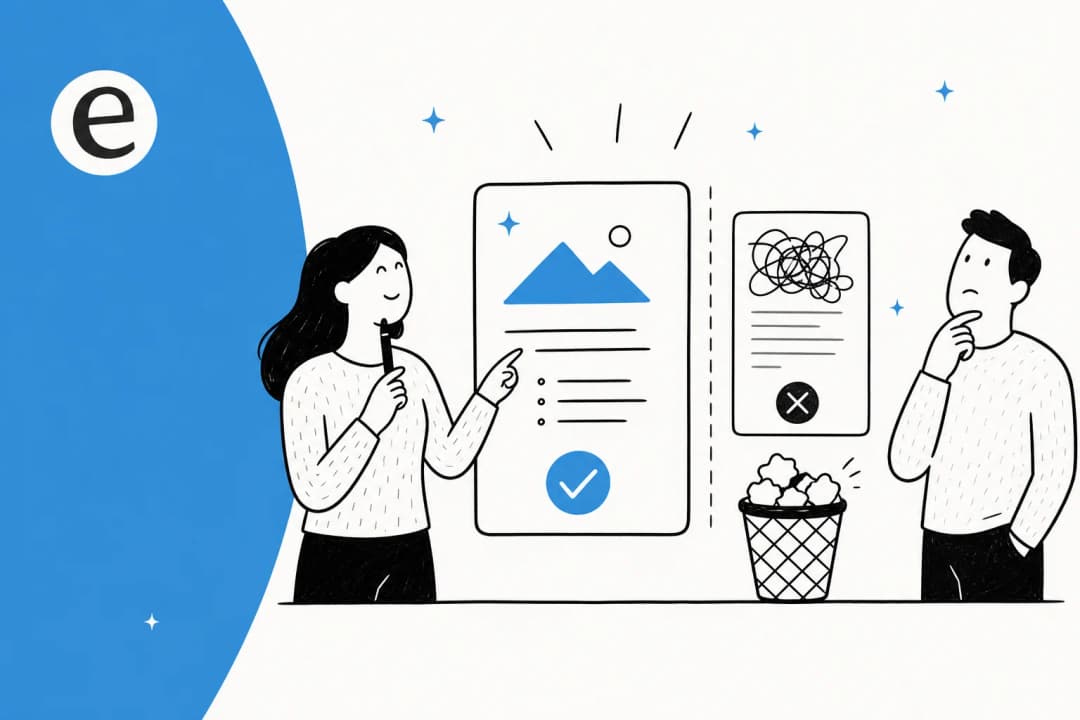
A slop post is built for the algorithm it imagines: stacked one-liners, the "Not X, not Y, but Z" cadence, an emoji on every bullet, vocabulary nobody uses out loud, and a topic chosen because it's "engaging" rather than because you have something to say about it. A post worth reading is built for one human: it opens with a real thing that happened, makes one clear argument, and sounds like you on a good day. Same generator, completely different output, and the only variable is the editing.
This is exactly the bar I hold our own content to. When we talk about an AI blog writer or any AI content generator, the test is never "did it produce words," it's "would a real expert put their name on this." LinkedIn is the same test in miniature.
The tools people actually reach for
If you're shopping, here's the honest lay of the land. I've grouped these by what they're actually for, because "best AI LinkedIn post generator" depends entirely on whether you want a quick draft, a posting workflow, or a serious content operation.
| Tool | Best for | Voice control | Cost |
|---|---|---|---|
| eesel LinkedIn post generator | A fast, clean first draft with no setup | Tone + post-type presets | Free, no sign-up |
| ChatGPT / Claude / Gemini | Flexible drafting if you prompt well | Whatever you can prompt | Free tier / from ~$20/mo |
| Taplio | A full LinkedIn posting + scheduling workflow | Trained on viral-post patterns | Paid |
| AuthoredUp | Formatting, previews, and post analytics | Formatting layer, not a generator | Paid |
| Supergrow | Voice-first drafting for individuals + teams | "Writes like you" voice capture | Paid |
| Jasper | Multi-channel marketing teams | Brand voice profiles | Paid |
A few honest caveats. The free tools (eesel's generator, raw LLMs) get you a draft fastest but lean on you for the voice. The LinkedIn-specific platforms add real workflow value (scheduling, analytics, previews) but you're paying for the wrapper, not magic writing. And notice the clear 2026 trend across all of them: every paid vendor is racing away from "generate generic posts" toward "capture your voice," which tells you exactly where the value actually sits. If you want the wider context, our roundups of AI copywriting tools and the best AI writing tools go deeper on the general-purpose options.
Try eesel's free LinkedIn post generator
If you just need a solid first draft to edit into shape, eesel's LinkedIn post generator is built for exactly that. You give it a topic, pick from 10 post types (thought leadership, personal story, how-to, and so on), choose a tone and one of 12 languages, and it hands you a structured draft in seconds. It's completely free, with no sign-up and no usage limits, so it's a low-stakes way to skip the blank-page problem before you do the editing that actually matters.
It sits alongside a whole suite of free AI writing tools, including an AI humanizer for stripping the robotic tells and an Instagram caption generator if you're posting across platforms.
And if LinkedIn is just one piece of a bigger content engine, that's where eesel's AI blog writer comes in. It's a different beast from a quick post generator: it's a content teammate that researches a topic against real sources, cites every claim, and is built specifically to not sound like AI slop (its pitch is a 94% voice match from training on your own past writing, not a generic prompt). We run our own blog on it, so this isn't a hypothetical, it's the same standard this post was held to.
The takeaway is the same either way: let the tool get you to a draft fast, then spend your saved time being unmistakably yourself. That's the whole game.
Frequently Asked Questions
What is the best free AI LinkedIn post generator?
Does AI-generated LinkedIn content actually get less engagement?
Can an AI LinkedIn post generator match my writing voice?
How do I stop my AI LinkedIn posts from sounding generic?
Is it against LinkedIn's rules to use an AI LinkedIn post generator?
How much does an AI LinkedIn post generator cost?
Can AI repurpose my blog posts into LinkedIn content?


Article by
Kurnia Kharisma Agung Samiadjie
Kurnia is a software engineer and writer at eesel AI with two years of SEO experience, writing about AI tools, helpdesk software, and customer support. He pairs a developer's understanding of how these products are built with search-driven research into what actually ranks and resonates with the people searching for them.