AI for incident response: a practical guide for IT teams (2026)
Stevia Putri
Katelin Teen
Last edited May 21, 2026

Every incident starts the same way. Something breaks. An alert fires. Someone gets paged. And then the real work begins - not the technical diagnosis, but everything that happens before it: figuring out who owns the affected service, spinning up a Slack channel, hunting down the runbook, pasting a status message into three different channels, and somehow doing all of that while the clock is running and users are filing tickets.
Incident.io's research puts a number on this overhead: 10-15 minutes per incident, every time, before any actual troubleshooting starts. They call it the "assembly tax." For a team handling 180 incidents a year - not unusual for a 100-person engineering organization - that's 30-45 hours of pure coordination waste annually, before you account for the incident itself.
Gartner's benchmark puts the average cost of IT downtime at $5,600 per minute. New Relic's 2024 Observability Forecast, surveying 1,700 IT professionals across 16 countries, found the average cost of a high-impact outage had climbed to $1.9 million per hour. Every minute the assembly tax eats is a minute the meter is running.
This is what AI for incident response actually solves. Not replacing engineers - removing the minutes-long gap between "alert fires" and "right person working the problem."
Why manual incident response breaks down
The assembly tax is only part of it. Manual incident response has structural failure modes that compound at scale.
Alert fatigue is the first. Mid-market SOCs field 4,000+ alerts weekly. The ones getting paged can't realistically evaluate each one on its merits, so they develop pattern-matching instincts that miss the quiet anomalies - which are often the most serious. According to Splunk, 41% of tech executives say their customers detect downtime before the IT team does. That's not a tooling failure; that's an attention failure caused by noise.
3 AM is the second. Incidents don't schedule themselves. The same diagnostic process that takes 45 minutes at 10 AM takes 90 minutes at 3 AM when the on-call engineer is running on four hours of sleep. Human performance degrades; automation doesn't. As Exalate notes, "the same playbook runs at 3 AM on a Sunday just as effectively as at 10 AM on a Tuesday."
Post-mortem reconstruction is the third. After the incident is resolved, engineers traditionally spend 60-90 minutes piecing together a post-mortem from memory - Slack messages, monitoring dashboards, deployment logs - trying to reconstruct a timeline they were too busy to document during the incident itself. The result is often incomplete, which means recurring incidents never get properly diagnosed.
Analyst burnout is the systemic consequence. Mid-market SOCs report an average analyst tenure of 18 months before burnout-driven attrition. The constant paging, the alert noise, the post-shift investigations - it compounds. Organizations using AI report improved analyst retention to around 36-month average tenure.
According to New Relic's 2024 research, IT teams spend approximately 30% of their working hours - roughly 12 hours out of a 40-hour week - dealing with service interruptions. That's time not spent on the proactive work that would prevent those interruptions.
What AI changes
Atlassian's 2025 State of AI in Incident Management Report surveyed over 500 IT professionals and found 63% of organizations are already using AI in incident response, with adoption growing 21% year-over-year. The other 37% are still running on manual processes against machine-speed failures.
The shift AI enables isn't about replacing human judgment. It's about moving humans out of the mechanical loop - the parts that are predictable, repeatable, and don't require reasoning - so they can spend their cognitive budget on the parts that do.
Here's where that plays out across the full incident lifecycle.

AI across the incident lifecycle
Detection: catching what humans miss
Traditional monitoring fires alerts when a metric crosses a static threshold - CPU at 90%, disk at 85%, response time over 2 seconds. This misses gradual degradation and correlation patterns that only become visible when you look across multiple signals simultaneously.
AI-powered monitoring adds anomaly detection on top of threshold alerts. Instead of "disk I/O exceeded X," it recognizes that disk I/O has been increasing 3% each day for the past week and will exhaust capacity in 48 hours - and flags it before the outage. One academic study processing 100,000 cloud incidents showed a 49.7% improvement in root cause identification when AI was applied to detection and diagnosis.
AI also handles alert correlation - grouping hundreds of related alerts from a single underlying issue into one incident, rather than paging the on-call team 200 times for the same root cause.
Triage and classification
Once an alert fires, it has to be categorized and prioritized. Manual triage means someone reading the alert, looking up the affected service owner, checking recent deployments, and deciding whether this is a SEV-1 or a SEV-3. Under load, this gets sloppy - severity gets underestimated, wrong teams get paged, time gets wasted.
AI classification uses historical patterns to do this in seconds: matching current incident characteristics against previous incidents of the same type, assigning severity based on affected service criticality, and attaching relevant context - recent deploys, configuration changes, known issues - before a human touches it.
The practical effect: when an engineer opens the incident, the "assembly" work is already done. They're looking at a pre-diagnosed incident card, not a raw alert.
Routing and escalation
Smart routing matches incidents to the right team and person based on more than just the alert category - it considers who has worked similar incidents before, who is currently available and on-call, what the service ownership map says, and what the SLA clock requires.
Intelligent routing and escalation automation reduces Mean Time to Acknowledgment (MTTA) by 50-70%, according to GetDX. For critical incidents where every minute of delay costs money, that's the difference between a fast-resolved SEV-1 and an incident that breaches SLA.
Time-based escalation rules handle the cases where acknowledgment doesn't happen: if no one acknowledges within 15 minutes, automatically escalate to the next tier without requiring a human to notice the silence.
Investigation and diagnosis
This is where AI does its most complex work. During an active incident, AI systems pull context from every relevant source simultaneously: deployment logs from the CI/CD pipeline, configuration changes from the past 24 hours, metrics from observability platforms, related tickets from the ITSM system, and runbook matches from the knowledge base.
The engineer receives a pre-assembled incident context package instead of spending 20-30 minutes collecting these sources manually. Organizations using AI-assisted investigation report a 90% reduction in investigation time.
For known incident types - the ones your team has seen and resolved before - AI can run diagnostic steps automatically: checking service health, running standard queries, testing connectivity, and reporting results back to the incident channel.
Remediation via runbooks
For well-understood incident types, runbook automation goes further: it doesn't just diagnose, it fixes. Service restarts, cache clearing, configuration rollbacks, auto-scaling, deployment reverts - these can execute without human intervention when the diagnostic steps confirm a known cause.
This is where the risk calculus matters. Most teams start runbook automation with low-risk remediations (service restarts) and add approval workflows for higher-risk actions (database rollbacks, infrastructure changes). The goal isn't to remove humans from resolution entirely - it's to handle the subset of incidents where the fix is known and safe to automate.
Post-incident review
Engineers traditionally spend 60-90 minutes reconstructing post-mortems from memory. AI compresses that to a 15-20 minute review of an AI-generated draft.
During the incident, AI has been logging timestamps, alert sequences, actions taken, and resolution steps. It generates a timeline automatically, identifies contributing factors from the telemetry, and drafts the summary. The engineer reviews for accuracy rather than writing from scratch. Eesel's own blog has a deeper guide on how Atlassian Intelligence handles post-incident review creation for teams in that ecosystem.
More importantly: each completed post-mortem becomes training data. The AI gets better at recognizing the same incident type next time, improving automated classification accuracy and runbook match quality over time.
The numbers on AI incident response
The before/after numbers from real deployments are consistent enough to be useful benchmarks.

Moveworks research, cited by the Service Desk Institute, shows companies without AI average MTTR exceeding 30 hours; those with AI resolve issues in under 15 hours. That 2x improvement holds across multiple independent data sources.
Three case studies illustrate the range of outcomes:
A global financial institution (GB Advisors) deployed AI-driven ITSM automation and saw:
- Automation coverage jumped from 12% to 48% of all inbound requests
- MTTR dropped from 6.5 hours to 2.1 hours - a 68% reduction
- Cost per ticket fell 43%
- CSAT improved from 82% to 92%
A healthcare company with a 3-person security team (UnderDefense) running 1,200 endpoints:
- MTTR reduced from 4.5 hours to 28 minutes
- Customer-facing alerts dropped 99%
A PE portfolio tech company (UnderDefense) at 3,500 endpoints:
- False positive triage rate fell from 94% to under 8%
- Analyst triage time reduced from 15 hours/week to 2 hours/week
- Estimated $280,000 annual savings
The security cost data is equally striking. IBM's 2025 Cost of a Data Breach Report found organizations using AI and automation extensively cut breach costs to $3.62 million versus $5.52 million for non-users - a $1.9 million savings per breach.
Alert noise reduction: the prerequisite for everything else
Before you can act on alerts intelligently, you have to stop drowning in them.

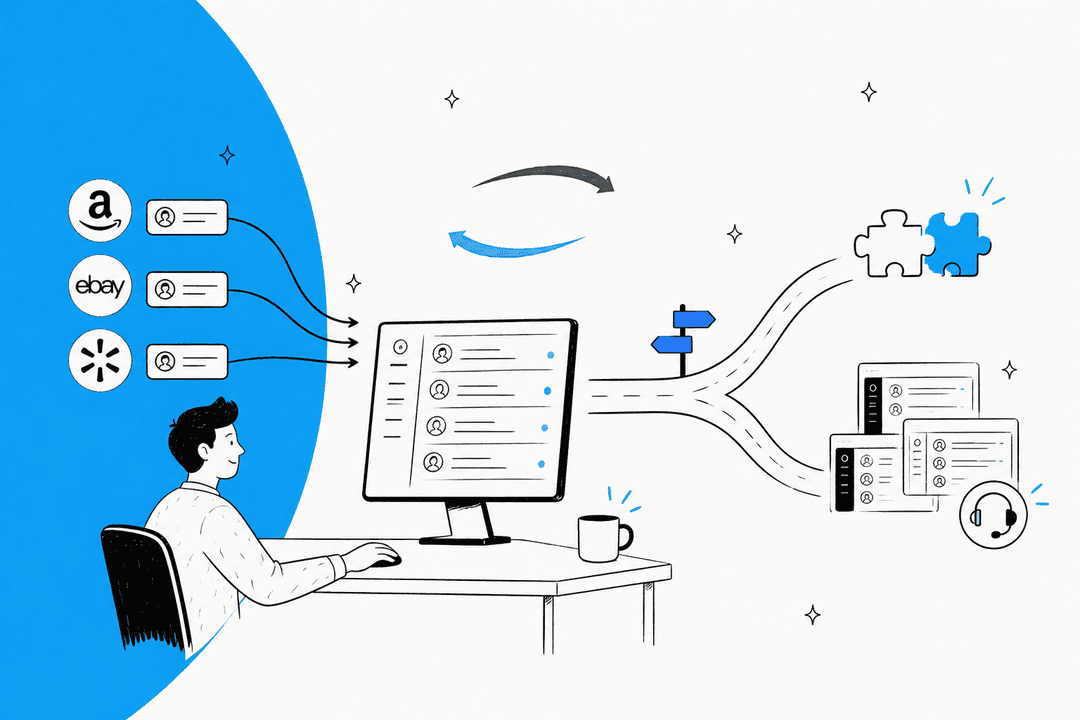
AI-powered alert correlation groups related alerts from the same underlying cause into a single incident. A network partition doesn't generate 200 separate alerts from 200 affected services - it generates one incident with 200 affected services listed. This is the foundational capability that makes everything downstream possible.
The reduction in analyst triage workload via AI-scored alert prioritization reaches 80-90% in documented deployments. The practical consequence: instead of triaging 4,000+ weekly alerts, an analyst reviews 400-800 scored, de-duplicated, correlated incidents - the ones that actually warrant human attention.
"Before the guys from UD stepped in, we were getting bombarded with alerts from all our security tools. Their team cleaned up our configurations and got the noise under control within the first week." -- Verified user, UnderDefense MAXI review on G2
The alert noise problem also explains why poorly configured automation makes things worse, not better. If you automate on top of noisy alerts, you automate the noise. The AI needs clean signal to route and remediate accurately. Tuning alert thresholds and configuring proper correlation rules is work that has to happen before you add automation on top - it's the foundation the rest of the stack runs on.
Where support tickets fit into incident response
Incidents don't only create technical problems - they create a communication flood. When a production service goes down, users file support tickets. When payroll processing fails, HR tickets start stacking up. When the VPN drops, the IT helpdesk gets buried.
This is where the ticket-handling layer becomes critical to incident response. An AI agent deployed in your helpdesk - Zendesk, Freshdesk, or another platform - can absorb the first wave of user-reported tickets automatically:
- Recognizing that 200 different tickets are all reporting the same underlying issue
- Sending automated status updates to affected users as the incident progresses
- Routing tickets that need human attention (edge cases, high-priority customers) to the right agent
- Handling the post-resolution wave - confirming the fix worked, closing related tickets, sending resolution summaries
This matters because the support ticket flood is often invisible to the engineering team working the incident. Engineers are in the incident Slack channel; support agents are in the ticket queue. Without coordination, users get inconsistent responses, support agents work duplicate tickets, and the incident's user impact gets under-reported in the post-mortem.
Eesel AI's helpdesk agent integrates into your existing support platform and can be trained on incident-specific runbooks, service status templates, and escalation playbooks. When an incident is active, it handles the repetitive user communication so support agents can focus on the tickets that genuinely require human judgment.
A phased approach to implementation
GetDX recommends a 12-week phased rollout - not because implementation takes that long, but because each phase depends on the previous one working correctly.
Phase 1 - Foundation (weeks 1-4): Document current processes. Measure baseline MTTR and MTTA. Implement intelligent alert routing and enrichment. Set up automated escalation policies. Create basic ChatOps integration in Slack or Teams. The goal is not to add automation yet - it's to understand what you're actually dealing with.
Phase 2 - Diagnostic automation (weeks 5-8): Build automated log collection and health checks. Create dashboards that surface relevant metrics during active incidents. Deploy ChatOps bots for common diagnostic commands. Implement automated incident channel creation. By the end of this phase, most teams see measurable MTTA improvement - the right context is pre-assembled when engineers join an incident.
Phase 3 - Response automation (weeks 9-12): Start with low-risk remediations only - service restarts, cache clears, connectivity checks. Add approval workflows for higher-risk actions. Convert your most frequently-used manual runbooks into executable automation workflows. Implement auto-scaling and rollback capabilities where appropriate.
This sequence matters because phase 3 automation is only safe when phase 1 alert quality is solid. See the ITSM automation tools guide for a platform comparison to help select tooling for each phase.
Key metrics to track
Measuring the right things determines whether you're actually improving or just adding complexity.
| Metric | What it measures | Target |
|---|---|---|
| MTTR | Time from incident open to fully resolved | Under 4 hours (HDI best-in-class) |
| MTTA | Time from alert to acknowledgment | Under 5 minutes with AI routing |
| Automation coverage rate | % of incidents where automation handles resolution steps without human intervention | 20-50% (mature teams) |
| False positive rate | % of alerts that don't represent real incidents | Under 10% with tuned AI |
| Alert-to-incident ratio | How many raw alerts compress to single incidents | Monitor for improvement week-over-week |
| SLA compliance rate | % of incidents resolved within agreed windows | Baseline, then track improvement |
| Analyst time per incident | Hours spent per incident across the team | Measure before and after each automation phase |
The 86% of organizations that use MTTR as their primary performance indicator are right to focus there - but MTTR alone doesn't tell you whether AI automation is the cause or whether the improvement comes from a spate of easier incidents. Track automation coverage rate alongside MTTR to separate the signal.
Common mistakes to avoid
Automating before cleaning up. Alert fatigue doesn't improve if you automate routing on top of noisy, misconfigured alerts. Fix thresholds and correlation rules first.
Treating AI as a black box. Teams that don't understand why the AI routes or classifies a particular way can't correct it when it's wrong. The r/devops thread titled "Just realized our AI-powered incident tool is literally just calling ChatGPT API" - 260+ comments - reflects legitimate frustration when vendors oversell "AI" without transparency into how decisions get made. Ask vendors specifically how classification and routing logic works.
Skipping runbook maintenance. Automation that executes runbooks only works if the runbooks are current. Outdated runbooks that automate wrong steps can make incidents worse. Before enabling runbook automation, audit every runbook it will touch.
Automating remediation too early. Auto-remediation is powerful but risky when the diagnostic confidence is low. Start with human-in-the-loop approval for any action that makes changes to production systems. Extend to fully automated only after you've validated the classification accuracy over dozens of incidents.
Ignoring the skills gap. 54% of businesses say their IT staff lack skills to handle sophisticated attacks - yet many try to implement complex AI tooling without first closing that gap. Automation works best when the humans overseeing it understand what it's doing. Training alongside tooling rollout, not after.
Try eesel AI
Eesel AI builds AI agents that integrate into the tools IT and support teams already use - Zendesk, Freshdesk, Slack, Microsoft Teams, Jira, and 100+ others. In the context of incident response, eesel handles the support ticket layer: absorbing the user-facing flood of incident-related tickets, sending automated status updates, routing escalations to the right agents, and compressing the post-incident ticket queue so your team isn't chasing duplicates after the incident closes.
Setup takes minutes, and eesel agents learn from your existing documentation - runbooks, help articles, past ticket resolutions - on day one. For teams where incident response currently means engineers in an incident channel while support agents field an uncoordinated ticket storm, eesel closes the gap. Smava processes 100,000+ support tickets per month using eesel; Design.com handles 50,000+. Both run on the same AI agents their teams configured without engineering involvement.
Start with $50 in free usage - no credit card required.
Frequently Asked Questions
Share this article

Article by
Stevia Putri
Stevia Putri is a marketing generalist at eesel AI, where she helps turn powerful AI tools into stories that resonate. She’s driven by curiosity, clarity, and the human side of technology.