Disclosure: This article is published by eesel AI, a competitor of Salesforce Agentforce. We encourage you to read Salesforce's own materials for their perspective.
A good product recommendation can be the difference between a happy customer and a missed sale. People expect smart, instant recommendations tailored to them. Salesforce Agentforce is one of the big names promising to deliver this, with a powerful AI platform built to create autonomous agents inside the Salesforce ecosystem.
But what does it actually take to make it work for product recommendations? This guide takes a no-fluff look at what Agentforce can do, how you set it up, and the limitations you should know about before committing. We'll cover its capabilities, the complexity involved, and help you decide if it's the right move for your business in 2025.
What is an Agentforce product recommendation?
Salesforce Agentforce is a full platform for building AI agents that can reason and act autonomously. The idea is to go beyond simple scripts and have AI that can handle multi-step tasks.
The brain behind it is the Atlas Reasoning Engine, which helps the AI agent understand what customers are really asking for. Instead of just looking for keywords, it tries to figure out intent. So if a customer asks something vague like "I need a gift for my mom who likes gardening," the agent can process that, connect it to your business data, and come back with relevant ideas.
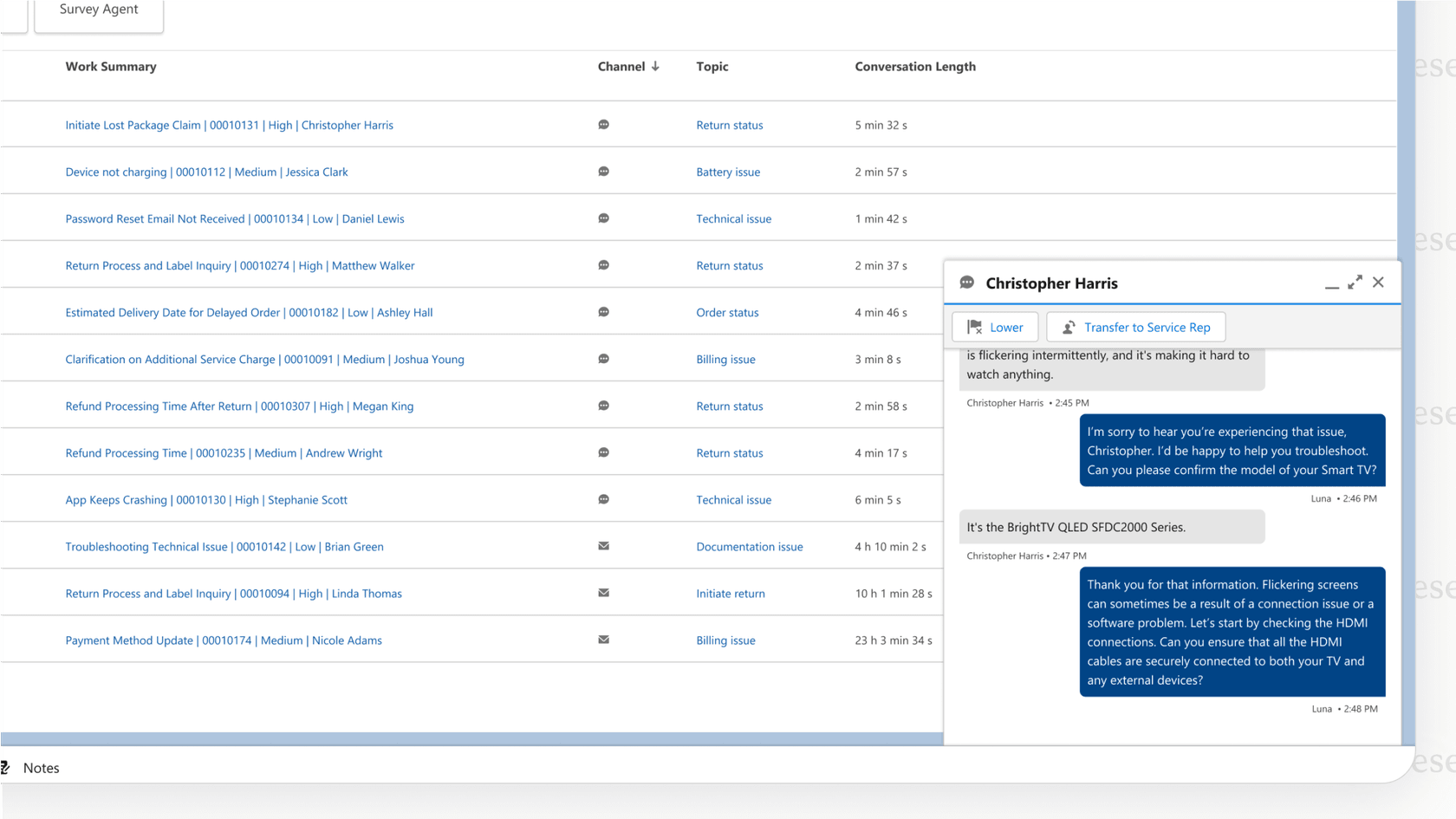
The Agentforce product recommendation agent is one way to use this technology. You configure it to access your product catalogs, customer purchase histories, and promo data stored in Salesforce. Its job is to personalized suggestions, find cross-sells, and spot upsell opportunities. It can do this either by talking directly to a customer or by giving tips to your sales and service reps.
Setting up an Agentforce product recommendation
Getting an Agentforce product recommendation agent live is a multi-step process that demands a solid understanding of the Salesforce platform.
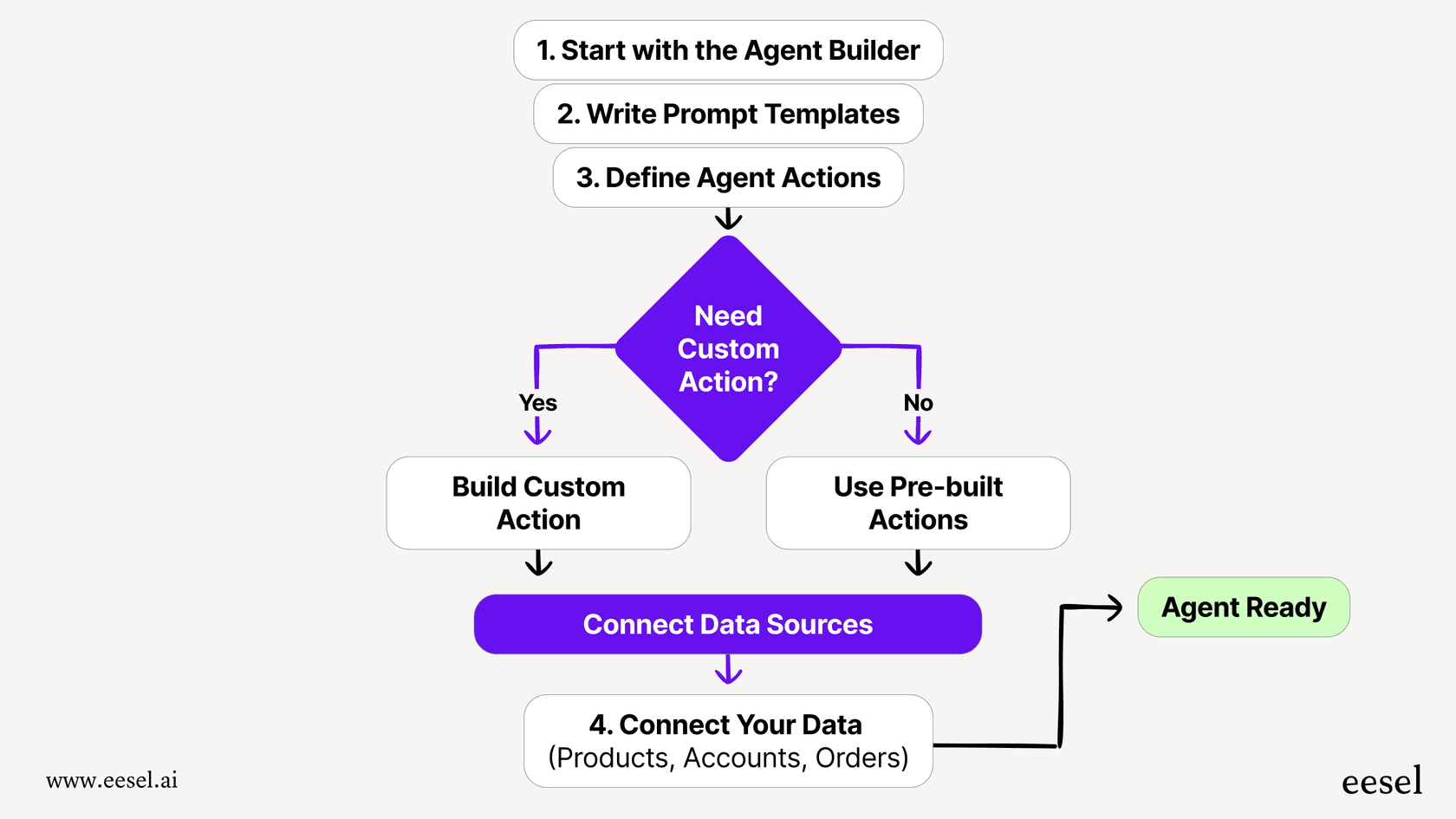
Here's a bird's-eye view of what's involved:
-
Start with the Agent Builder: This is your main hub for creating and configuring agents. You'll begin here by defining what the agent is supposed to do.
-
Write prompt templates: You give the agent its instructions with prompts, like "Recommend the top 3 products based on the customer's past orders and known preferences."
-
Define agent actions: You set up the specific tasks the agent can perform. Salesforce provides some pre-built actions like "Recommend Products to Upsell", but getting them connected and working can be technical. Custom actions will require developer work.
-
Connect your data: The agent needs to be linked to the right Salesforce objects (Products, Accounts, Order History) so it has the context to make useful recommendations.
Agentforce features require Enterprise Edition+, and each agent type carries its own license prerequisites. This is not a task for someone new to Salesforce. You'll likely need a dedicated Salesforce admin or developer, especially for custom actions or more complex logic.
A tool like eesel AI takes a different approach: you can connect your helpdesk and other knowledge sources in a few clicks and have a working AI agent up in minutes, not weeks. It's made for teams that want to move quickly without a technical team on standby.
Use cases and benefits of Agentforce product recommendation
Once you've put in the configuration work, an Agentforce agent can bring real value. Here are some of the main upsides:
-
Boost Average Order Value (AOV): By suggesting relevant upsells and cross-sells, the agent can help boost order value.
-
Improve the customer experience: An AI agent offers instant, 24/7 help that feels personal, making customers feel heard and taken care of.
-
Reduce manual workload: When routine recommendation questions are handled automatically, your human agents can focus on more complicated sales conversations or tough support issues where a personal touch matters.
-
Increase conversion rates: By helping customers find the right products faster, the agent reduces friction in the buying process.
You can picture it playing out in a few ways:
-
Retail: A customer is on your website chat and types "What shoes would go with this navy dress?" The agent looks at their past purchases in Salesforce and suggests a relevant pair and matching accessories.
-
SaaS: Someone is on your pricing page and asks "Which plan is best for a startup with 5 people?" The agent analyzes their needs and points them to the right tier.
-
Telecom: A customer asks "I'm off to Europe for two weeks, what's the best data roaming package?" The agent pulls up their account details and suggests the most cost-effective option.
Key limitations and challenges of Agentforce product recommendation
While Agentforce is powerful within its own ecosystem, there are real considerations to weigh before you commit.
The complex setup
As we covered, the setup process involves multiple screens, Salesforce-specific concepts, and often developer work to build custom actions. The time investment is substantial before you see your first working recommendation.
G2 reviewers reflect this experience. "The initial setup with Salesforce Agentforce was a lot of work," one G2 reviewer wrote from a mid-market company. "We have a whole Salesforce department, and it's still kind of a work in progress to get it to be exactly the way we want."
eesel AI is built to be self-serve by contrast. You connect your helpdesk and other knowledge sources in a few clicks and have a working AI agent up in minutes, not weeks.
External knowledge requires Data 360
Agentforce works best with data already living inside Salesforce CRM. It can connect to external sources like Confluence, Google Drive, and SharePoint, but only by routing through Salesforce Data 360 (formerly Data Cloud). Before you can index external content, you need to enable Data 360 and assign a Data Cloud Architect permission set. The Confluence connector is currently in Beta.
This matters if your best product knowledge lives outside Salesforce. Your technical specs might be in Confluence, user guides in Google Docs, and real-world customer solutions buried in old support tickets in Zendesk or Freshdesk. Getting that content into Agentforce requires the full Data 360 setup and its associated subscription costs, which are not included in the base Agentforce price.
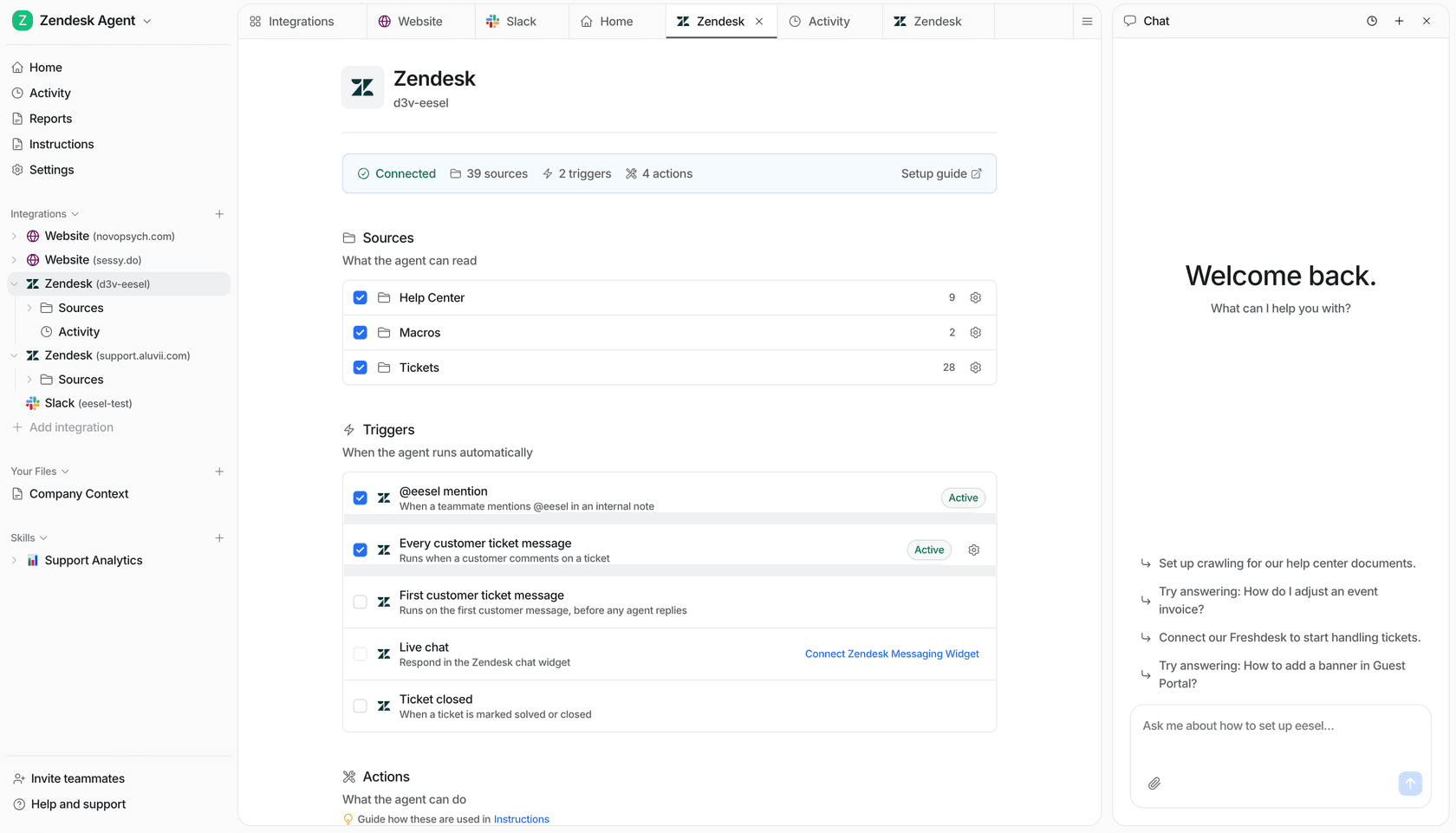
eesel AI was designed to connect knowledge sources directly, without a separate data platform layer. It can draw from Confluence pages, Google Drive folders, and past support chats all at once, giving its recommendations broader context.
Testing carries real setup and cost considerations
Agentforce does include testing capabilities. Test modes are built into Agent Builder: Simulate mode lets you check agent configuration without modifying data, while Live Test mode runs real actions that update Salesforce records. There is also a separate Agentforce Testing Center for batch and regression testing, which evaluates response accuracy, completeness, coherence, conciseness, latency, and instruction adherence.
The important caveats: running tests in the Testing Center consumes credits, and Salesforce instructs customers to "use Testing Center only in your sandbox environment" to avoid unintended data changes. Teams without a dedicated sandbox org need to set one up as an additional step before they can confidently test production scenarios.
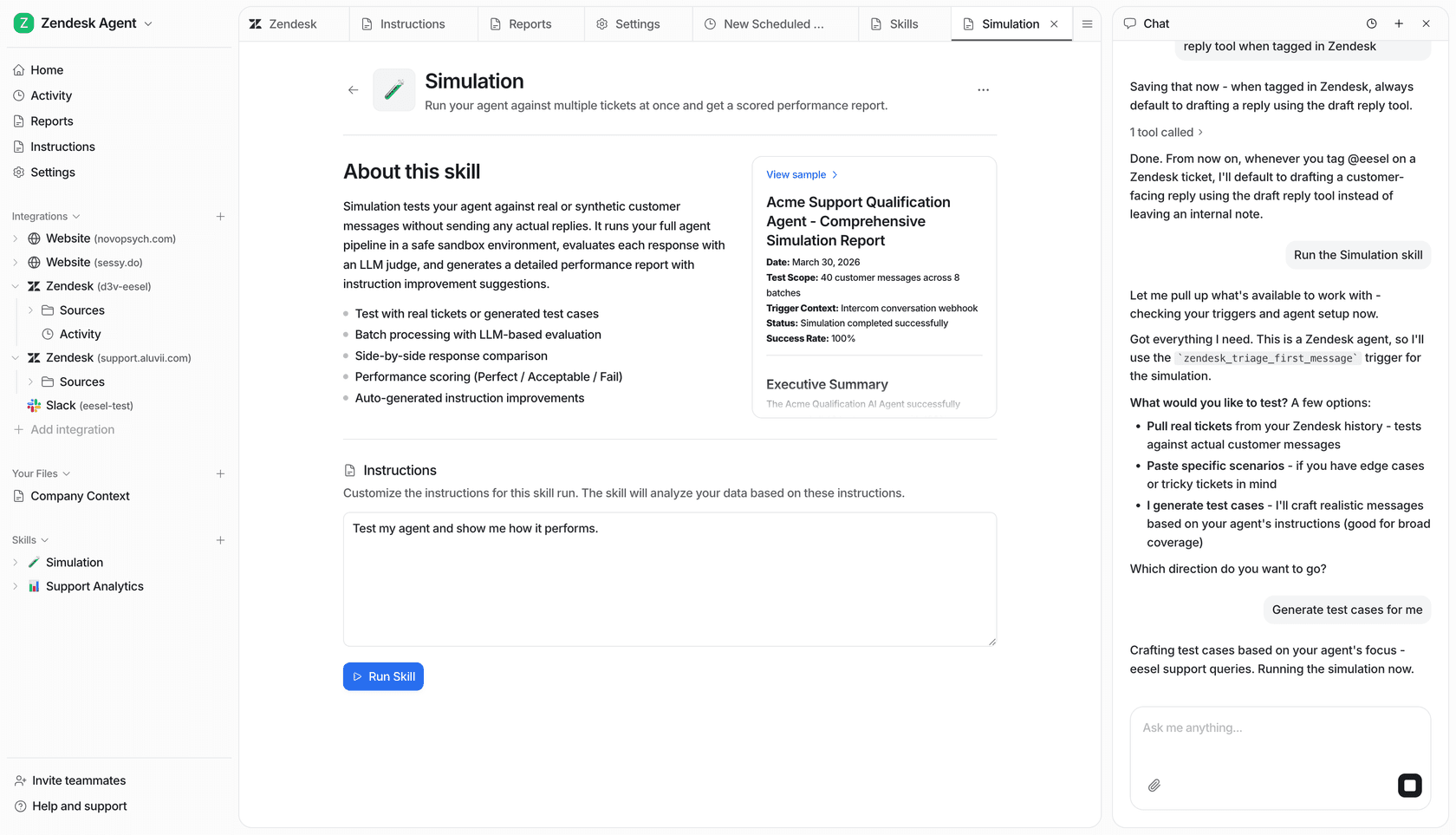
eesel AI runs simulations against your historical support tickets without consuming production credits or modifying any records. You can see exactly how the AI would have answered real customer questions, giving you a forecast of performance before it touches a live customer.
| Feature | Salesforce Agentforce | eesel AI |
|---|---|---|
| Setup time | Days to weeks; requires Enterprise Edition and technical expertise. | Minutes; truly self-serve. |
| Knowledge sources | Salesforce Knowledge + Data 360 connectors (requires Data 360 enabled; Confluence connector in Beta). | 100+ integrations (help desks, Confluence, Google Docs, and more). |
| Pre-launch testing | Test modes in Agent Builder; Testing Center for batch testing (consumes credits; Salesforce recommends sandbox use). | Simulation on historical ticket data; no credit consumption during testing. |
| Configuration | Agent Builder with low-code options; complex customizations require Salesforce admin or developer work. | Granular control over which queries to automate. |
Understanding Agentforce product recommendation pricing
Salesforce publishes Agentforce pricing on its pricing page. There are several buying options:
- Salesforce Foundations -- $0: Includes Agent Builder, Prompt Builder, 200,000 Flex Credits, and 250,000 Data Cloud credits. Available for Enterprise Edition and higher as a free starting point.
- Flex Credits -- $500 per 100,000 credits: Available on pre-purchase, pre-commit, and pay-as-you-go buying models.
- Conversations -- $2 per conversation: Still available alongside Flex Credits, but one org can only use one pricing model.
- Agentforce add-ons -- $125 per user/month: For Sales, Service, and Field Service clouds, with unmetered employee-facing usage.
- Agentforce 1 Editions -- from $550 per user/month: Includes the add-on and 2.5 million Flex Credits per org per year.
What is not listed publicly: implementation and professional services fees, Data 360 subscription costs beyond Foundations credits (Data 360 is required for external knowledge ingestion), and MuleSoft connector costs for broader integrations. The pricing page's own cost examples carry a disclaimer that they "do not include other costs like Data 360 credits or other consumption services."
This differs substantially from eesel AI pricing, which charges $0.40 per regular task (a standard support interaction) and $4 per heavy task (long-form content, complex research), with no platform fee, no per-seat charges, and $50 in free credits on signup with no credit card required.
Is Agentforce product recommendation right for you?
An Agentforce product recommendation agent can be a powerful tool, but it comes with real requirements. Your business needs to run on Salesforce at Enterprise Edition or higher. You need a technical team to build and maintain it. And while the base pricing is publicly listed, total cost of ownership depends on Data 360 usage, implementation services, and ongoing admin time -- none of which appear on the public pricing page.
For organizations already deeply invested in Salesforce, those are reasonable tradeoffs. For teams that need a faster path to AI-powered product recommendations, or whose product knowledge lives across many tools outside of Salesforce, there are alternatives built around broader integrations and simpler setup.
Get started with smarter AI product recommendations in minutes
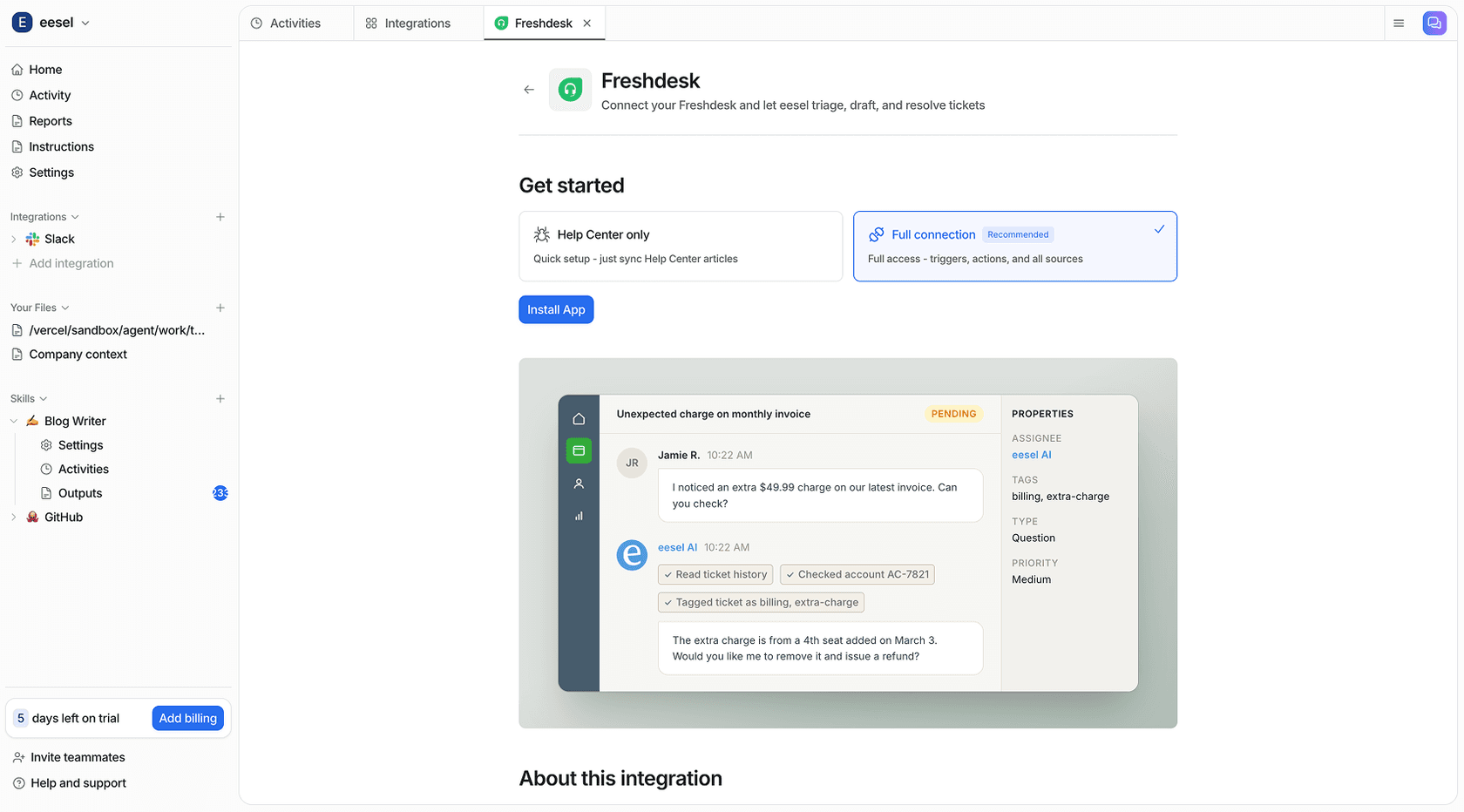
If you want powerful AI product recommendations that connect to all your knowledge sources from day one, eesel AI is worth exploring.
You can go live in minutes, not months. You can bring together all your scattered knowledge from every tool you use. You can test confidently with simulations on your historical data. And you can do it all with clear pricing.
See how easy it is to deploy an AI agent that gives accurate, helpful product recommendations. Start free.
Frequently asked questions
What exactly is an Agentforce product recommendation agent and how does it work?
An Agentforce product recommendation agent is an AI agent built on Salesforce's platform that uses the Atlas Reasoning Engine to understand customer intent. It accesses your product catalogs, customer histories, and promo data stored in Salesforce to provide personalized suggestions, cross-sells, and upsell opportunities. It can interact directly with customers or assist sales and service reps.
How involved is the setup process for an Agentforce product recommendation?
The setup requires a solid understanding of the Salesforce platform. It involves using the Agent Builder, writing prompt templates, defining agent actions (which may require custom development), and connecting relevant Salesforce data objects. Agentforce features require Enterprise, Performance, Unlimited, or Developer Edition, and each agent type carries its own license prerequisites. It typically demands dedicated Salesforce admin or developer resources.
What are the main benefits of using an Agentforce product recommendation?
An Agentforce product recommendation agent can boost average order value through intelligent upsells and cross-sells, as Salesforce documents in its product order recommendation use case. It can also improve customer experience by offering instant, 24/7 personalized help, automate routine queries so your team can focus on complex issues, and help guide customers to the right products faster.
How is the pricing structured for an Agentforce product recommendation?
Salesforce publishes several options on its Agentforce pricing page: a free Foundations tier (200,000 Flex Credits included), Flex Credits at $500 per 100,000 credits, Conversations at $2 per conversation, add-ons at $125 per user/month, and Agentforce 1 Editions from $550 per user/month. Implementation fees and Data 360 subscription costs (required for external knowledge ingestion) are not disclosed on the public pricing page -- contact Salesforce directly for a full estimate.
Can an Agentforce product recommendation access data from external systems like Confluence or Google Drive?
Yes, but the ingestion path runs through Salesforce Data 360 (the Agentforce Data Library). This requires enabling Data 360 and assigning a Data Cloud Architect permission set. The Confluence connector is currently in Beta. Tools like eesel AI can connect to Confluence, Google Docs, Zendesk, and 100+ other sources without a separate data platform prerequisite.


Article by
Kurnia Kharisma Agung Samiadjie
Kurnia is a software engineer and writer at eesel AI with two years of SEO experience, writing about AI tools, helpdesk software, and customer support. He pairs a developer's understanding of how these products are built with search-driven research into what actually ranks and resonates with the people searching for them.