
Your customer service tool's control center can be your team's best friend or its worst enemy. A good one makes everything feel smooth. A bad one just leads to messy workflows and unhappy agents. If you're using Tidio, that command center is the Tidio panel. It's the dashboard where you handle all your live chats, tickets, AI bots, and automations.
This guide will walk you through the Tidio panel. We'll look at its main features, how its AI works, and point out some potential limitations, so you can figure out if it's the right fit for your support team.
What is the Tidio panel?
So, what exactly is the Tidio panel? It's the all-in-one dashboard for Tidio's customer service tools. Think of it as the brain of the whole operation. Its main job is to pull all your customer conversations from different places, like live chat, email, Messenger, Instagram, and WhatsApp, into one screen.
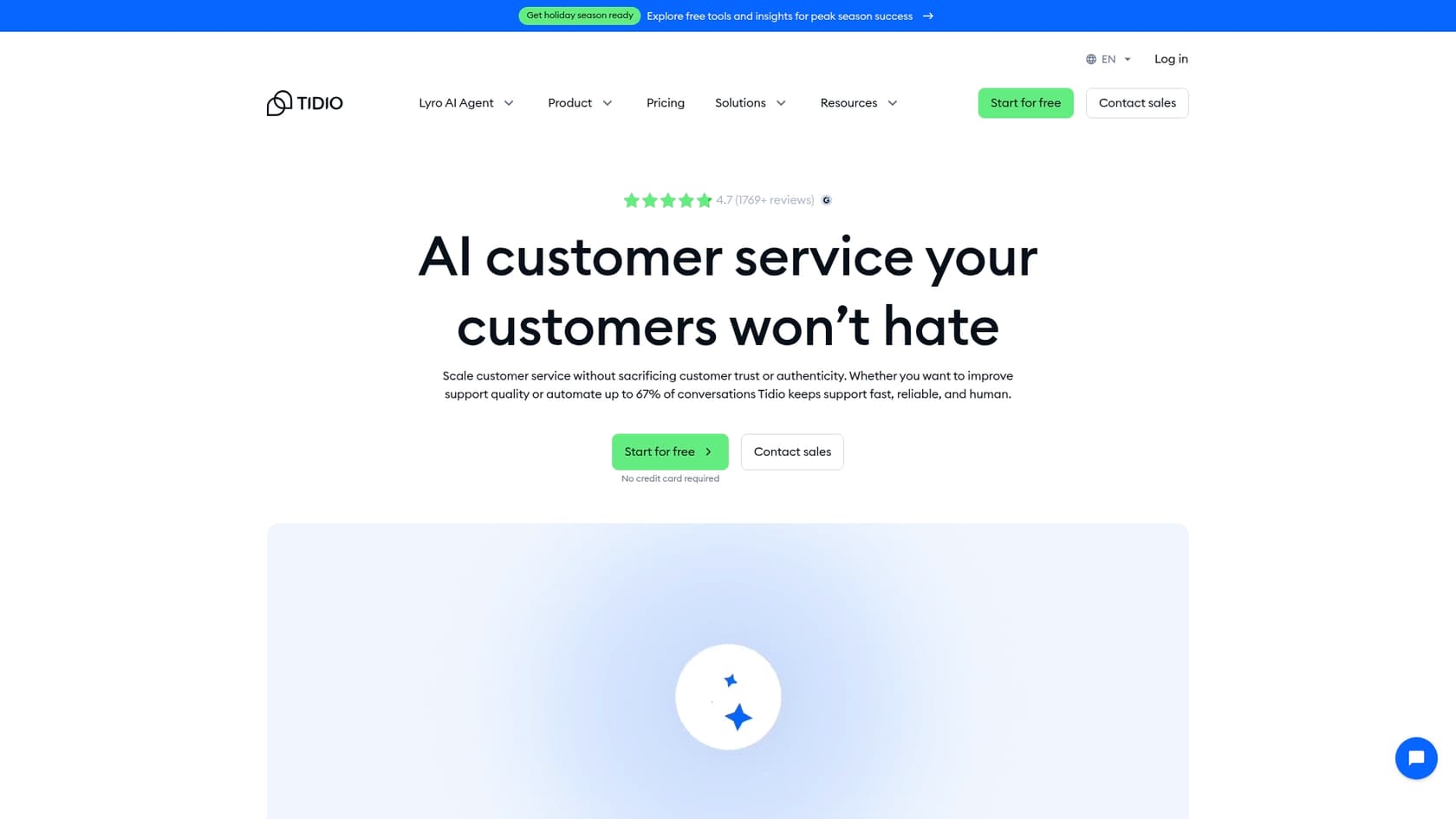
Inside the panel, your team uses a few main components: the inbox for managing chats and emails, a visual builder for setting up automated "Flows," settings for the Lyro AI agent, and an analytics dashboard to see how things are going. It’s designed to be a single spot for businesses that want to manage everything from the ground up.
Exploring the core features of the Tidio panel
Let's dig into the main parts of the panel to see what your team would be using every day.
The Tidio panel dashboard and inbox: Your daily command center
The first thing you see when you log in is the Dashboard. It’s your high-level overview, showing you quick stats, shortcuts to important areas, and how much of your plan you've used. It's a solid starting point for the day.
But the real work happens in the Inbox. This is where your agents will probably spend most of their time. The inbox is split into two sections for handling different kinds of messages:
-
Live Conversations: This is for all the real-time chats from your website and social media channels. You get some handy features like a live typing preview (so you can see what customers are typing in real time), canned responses called "macros" for quick answers to common questions, and the option to assign chats to specific agents or departments.
-
Tickets: This is how Tidio deals with messages that don't need an immediate response, mostly emails. You can also turn live chats into tickets if they require more follow-up. These can be managed with different statuses and priorities to keep your queue organized, much like a standard help desk.
Customer management and CRM features in the Tidio panel
Tidio also has a simple, built-in CRM in its "Customers" section. Anytime a visitor shares their email, whether it's through a pre-chat form or during a conversation, they're automatically added as a contact.
For each contact, you can view their name, email, when they were last seen, their country, browser info, and any custom tags you've added. The system also lets you filter contacts and build custom segments, which is helpful if you need to export a specific list for a marketing campaign. It’s definitely not a replacement for a dedicated CRM, but it gets the job done for basic contact management right inside the chat tool.
Automation in the Tidio panel: Flows vs. Lyro AI
When it comes to automation, Tidio gives you two different tools to play with, and you manage both from the Tidio panel.
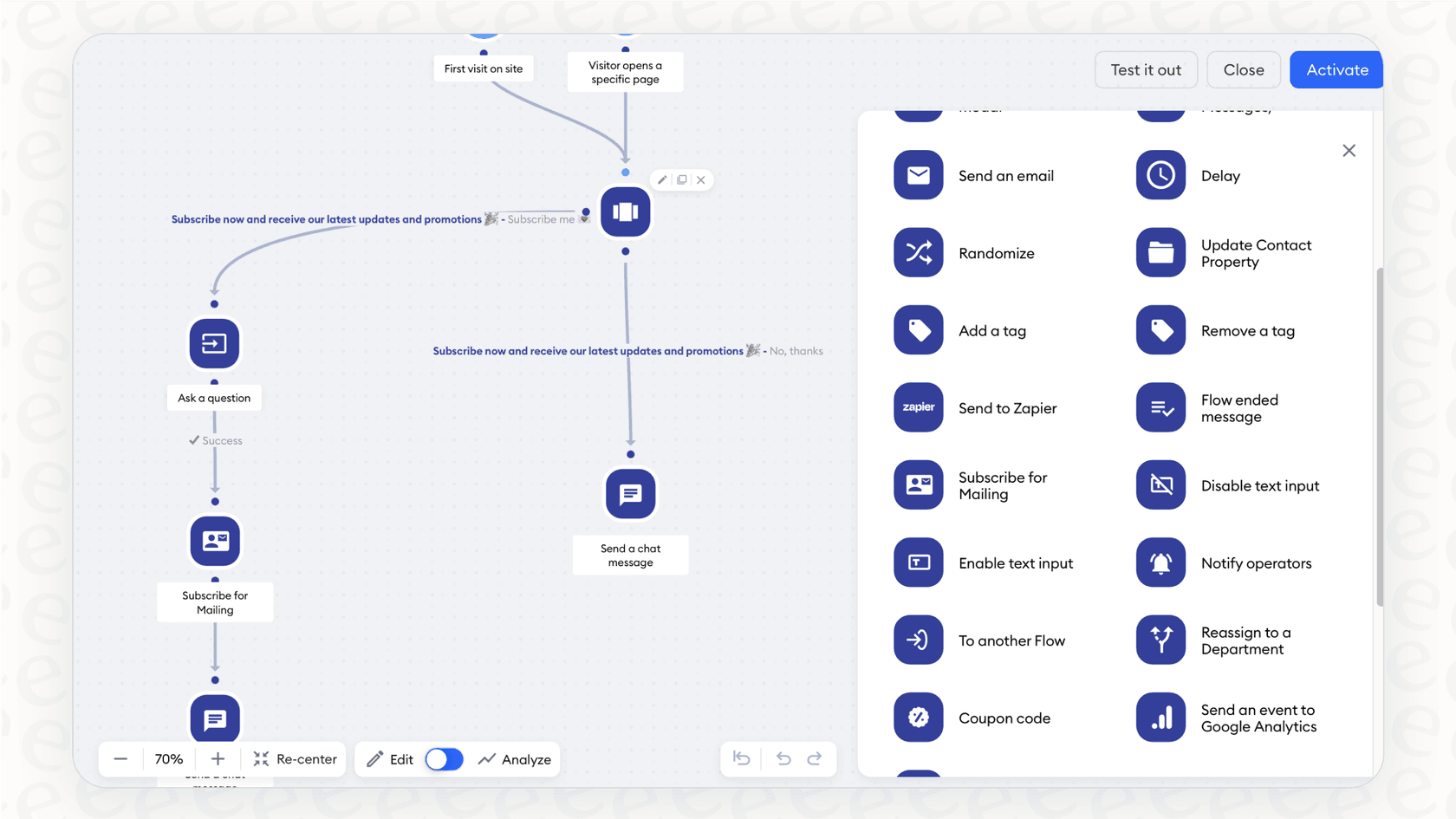
- Flows: These are rule-based chatbots that you build with a visual, drag-and-drop editor. They function like a flowchart. You pick a trigger (like "First visit on site") and then map out the conversation with pre-written questions and answers. Flows are good for straightforward tasks like capturing lead info, offering discounts to prevent cart abandonment, or answering simple FAQs.
- Lyro AI Agent: This is Tidio’s conversational AI. Unlike Flows, Lyro uses natural language processing (NLP) to figure out the intent of a customer's question. Instead of just following a script, it creates human-like responses based on a knowledge base you give it. It's meant to tackle more complicated, open-ended questions that don't fit into a simple decision tree.
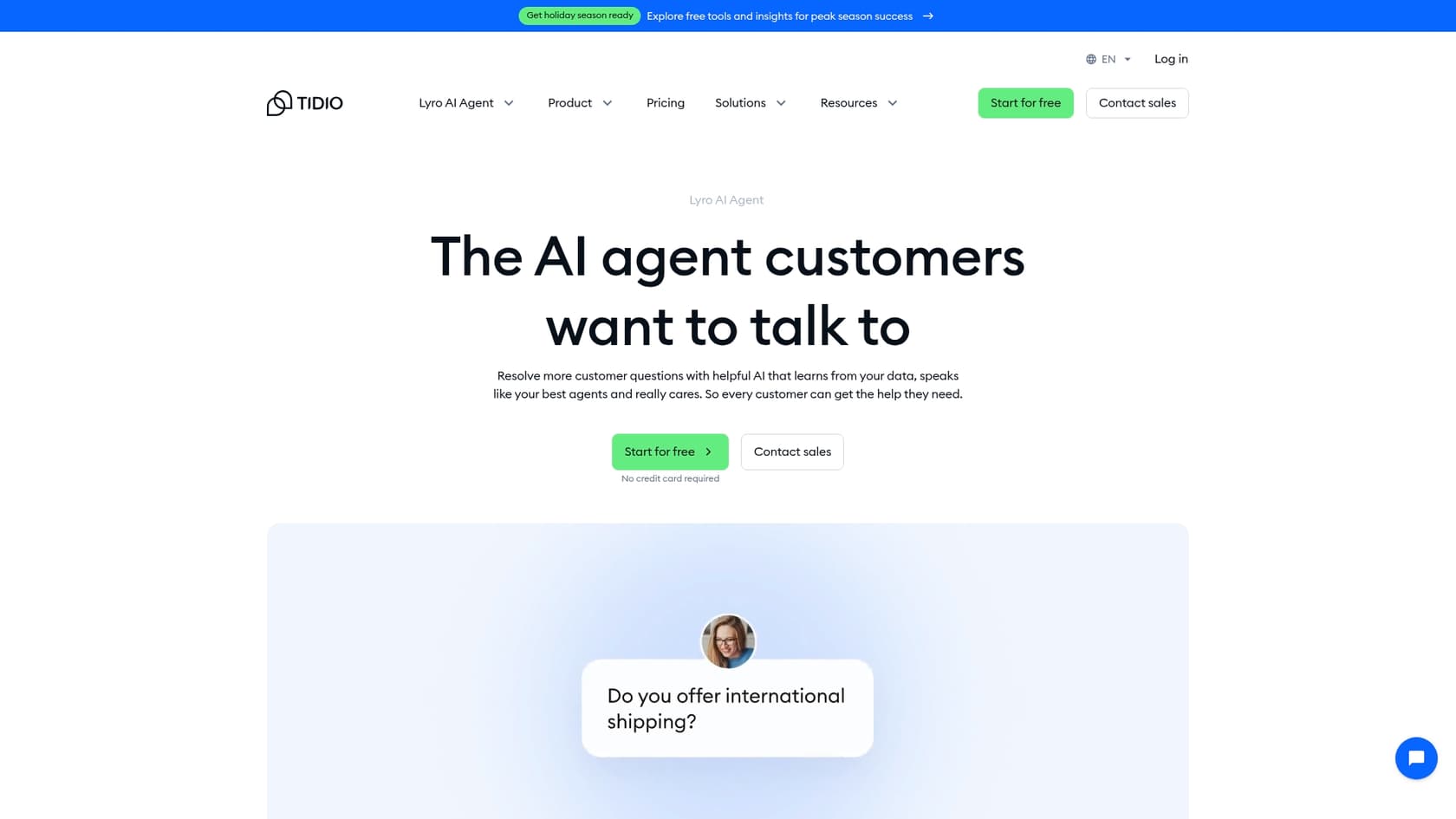
The difference is pretty straightforward: with Flows, you write the script. With Lyro, you give it the knowledge, and it writes its own.
Setting up and training your AI in the Tidio panel
Any AI agent is only as good as the information you feed it. With Tidio's Lyro, all the training happens inside the Tidio panel, and its approach is a bit different from some other AI tools out there.
Building Lyro's knowledge base in the Tidio panel
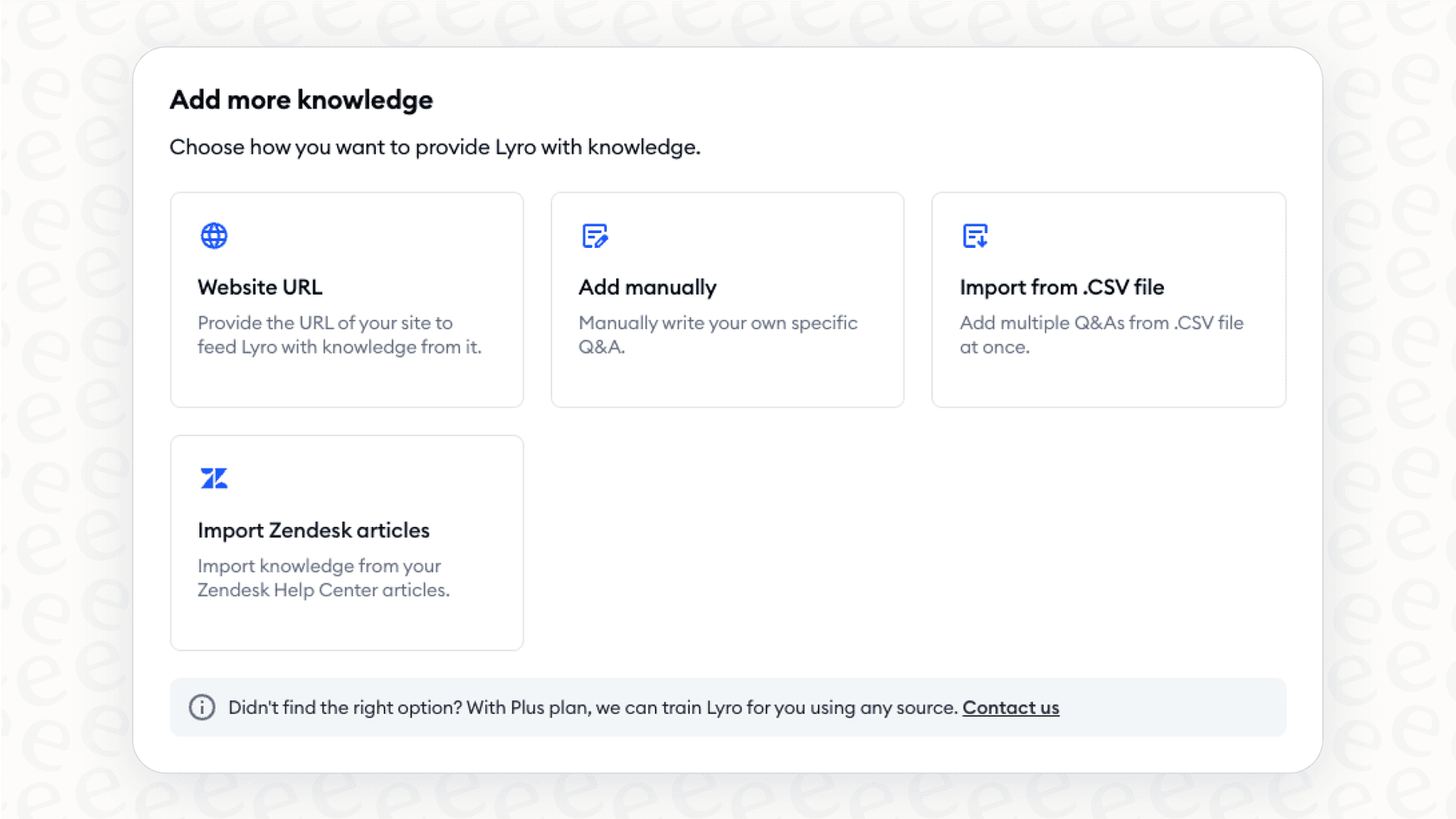
To get Lyro ready to go, you need to give it information. The Tidio panel offers a few ways to do this:
-
Website Scraping: You can provide a URL, like your FAQ page, and Lyro will scan the content to build its knowledge.
-
Manual Q&A: You can add question-and-answer pairs one by one, which is as tedious as it sounds.
-
File Import: You can upload a CSV file with a list of questions and their answers.
-
Zendesk Help Center Import: If you're a Zendesk user, you can import your public help center articles.
There's also a "Suggestions" tab in the panel that flags questions Lyro couldn't figure out. From there, it's on you to manually add a new answer to plug that knowledge gap for the future.
Customizing AI behavior and handoffs in the Tidio panel
After adding some knowledge, you can adjust Lyro's personality and how it operates. In the "Configure" section, you can set its tone of voice (friendly, neutral, or formal) and create handoff rules. These rules tell Lyro when to stop and pass the conversation to a human agent, like when a customer asks to speak to someone or when it just can't find an answer. You can also choose which channels Lyro should be active on, whether that's live chat, email, or Messenger.
A key Tidio limitation: Siloed knowledge and manual training
This brings up a potential snag. Lyro's knowledge base is built and lives entirely inside Tidio. It doesn't automatically tap into the goldmine of information most support teams already have: years of past conversations from their help desk, like Zendesk or Intercom.
While you can import Zendesk articles, Tidio's own help docs mention that importing your actual ticket history is a manual process that involves their team, creating an extra hurdle. This means you're basically building a new brain for your AI from the ground up, separate from the collective knowledge your team has built over the years.
If you're looking for an AI that can learn from all your team's historical knowledge right away, something like eesel AI takes a different route. Its AI Agent connects directly to the help desk you already use. It trains on your old tickets, macros, and other knowledge sources like Confluence or Google Docs. The idea is to get more accurate answers from the get-go, without having to manually build a new knowledge base from scratch.
Tidio pricing and platform limitations
Okay, let's talk about the cost and some of the trade-offs you'll want to think about before jumping in.
Understanding Tidio's pricing model
Tidio’s pricing is broken into tiers, but what you actually pay often comes down to the features you need. The AI tools, Lyro and Flows, are frequently sold as separate products or add-ons to the main customer service plans.
| Feature/Plan | Free | Starter | Growth | Plus |
|---|---|---|---|---|
| Price/mo | $0 | $24.17 (billed annually) | $49.17 (billed annually) | $300+ |
| Live Convos | 50 | 100 | Starts at 250 | Custom |
| Lyro AI Convos | 50 (one-time) | Add-on | Add-on | Custom |
| Flows Visitors | 100 | Add-on | Add-on | Custom |
| Key Features | Basic chat, 10 seats | Everything in Free + Copilot | Advanced analytics, permissions | Dedicated support |
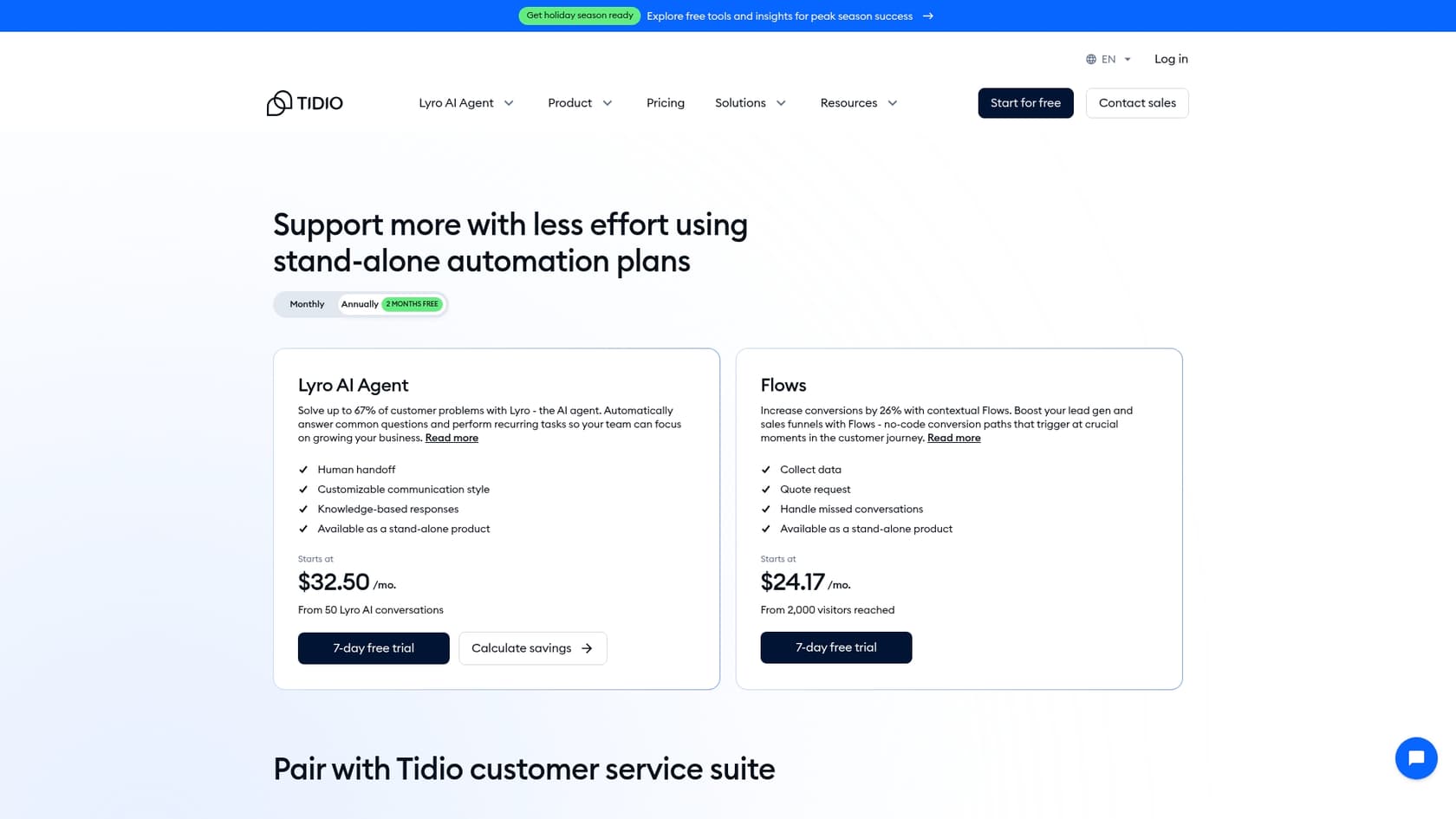
This mix-and-match model can make it hard to guess what your monthly bill will look like, especially if your number of conversations changes from month to month.
The biggest limitation: A separate platform, not an integration
The biggest hurdle with Tidio isn't about a specific feature it's missing; it's more about how it's designed to work. Tidio is built as an all-in-one system. That's great if you're starting from scratch, but if your team is already settled into a help desk like Zendesk, Freshdesk, or Jira Service Management, you have a tough choice. You either have to move everything over to Tidio, make your agents switch between two different platforms all day, or buy only Lyro: I found that the pricing page sells it standalone for Zendesk, Salesforce, or other help desks, with Lyro Connect on Plus and Premium.
This can cause friction in your workflow and create separate pools of data. Your main support tool and your AI chat tool end up living in different worlds, forcing your agents to constantly switch contexts.
This is quite different from how eesel AI works. eesel AI is made to integrate with the tools you already have, not make you replace them. The AI Agent operates inside your current help desk, so there’s no need to change platforms, retrain everyone, or mess up your existing process. It just adds a new layer to the tools you already count on.
Final thoughts on the Tidio panel
So, what's the verdict on the Tidio panel? It's a solid, user-friendly control center, especially for businesses that want an affordable, all-in-one tool for customer communication. If you're a small team or just getting started and don't have a help desk yet, it packs a lot of value by putting live chat, tickets, and automation under one roof.
However, because the panel is an all-in-one system, it can be a tough sell for teams that are already invested in platforms like Zendesk or Freshdesk. For those teams, switching platforms entirely or juggling two separate systems might feel like a step in the wrong direction. An AI tool that integrates deeply with your current setup is often a smoother and more effective solution.
Add AI to your existing help desk
If you like the idea of an AI agent but don't want to replace the help desk your team relies on, eesel AI is designed for exactly that situation.
eesel AI connects directly to your support stack in just a few minutes, learns from your past conversations and knowledge bases automatically, and can start automating tickets right away. You can even simulate our AI on your past tickets to see how many it could have solved before you commit.
Try eesel AI for free and see what's possible when AI works with your tools, not against them.
Frequently asked questions
What exactly is the Tidio panel and what's its main purpose?
The Tidio panel is the all-in-one dashboard for Tidio's customer service tools, serving as the control center for your operations. Its main purpose is to centralize customer conversations from various channels like live chat, email, and social media into a single interface for your team.
How does the Tidio panel help manage customer conversations from different channels?
The Tidio panel centralizes conversations by pulling messages from live chat, email, Messenger, Instagram, and WhatsApp into a unified inbox. This allows agents to manage all customer interactions from one screen, streamlining communication and ensuring no message is missed.
Can I integrate my existing CRM or help desk with the Tidio panel, or is it a standalone system?
The Tidio panel includes a basic built-in CRM for contact management. However, it's primarily designed as an all-in-one, standalone system rather than an add-on to existing full-fledged CRM or help desk platforms like Zendesk. Only its Lyro AI agent can connect to those, through Lyro Connect on Plus and Premium plans.
How is the Lyro AI agent trained and updated within the Tidio panel?
The Lyro AI agent in the Tidio panel is trained by providing it with a knowledge base. This can be done by scraping website URLs, manually adding Q&A pairs, importing CSV files, or importing articles from a Zendesk Help Center.
What are some typical use cases or types of businesses that benefit most from using the Tidio panel?
The Tidio panel is particularly beneficial for small teams or businesses just starting out that need an affordable, all-in-one solution for customer communication. It's ideal for those without an existing help desk who want to consolidate live chat, ticketing, and basic automation under one roof.
How does the pricing model for the Tidio panel work, especially concerning AI features?
The pricing for the Tidio panel is tiered, with AI tools like Lyro and Flows often sold as separate add-ons or included in higher-tier plans. This mix-and-match model for specific features means the monthly bill can vary based on your usage and the combination of features you require.


Article by
Kira
Kira is a writer at eesel AI with a Computer Science background and over a year of hands-on experience evaluating AI-powered customer service tools. She focuses on breaking down how helpdesk platforms and AI agents actually work so that support teams can make better buying decisions.