What you're actually paying for
The number one thing that trips people up with Hugging Face pricing is treating the account plan price as the total cost. It isn't. As Metacto's 2026 cost guide puts it: "These plans don't cover the full cost of running your models - think of it as the price of admission to the amusement park; you still have to pay for the rides."
The account plan - Free, PRO, Team, Enterprise - is your Hub subscription. It covers repository hosting, storage allowances, collaboration features, and governance controls. Running models is a separate bill, split across three distinct systems: Spaces (demo and app hosting with optional GPU), Inference Providers (serverless routing to third-party model APIs), and Inference Endpoints (dedicated, always-on infrastructure you control).
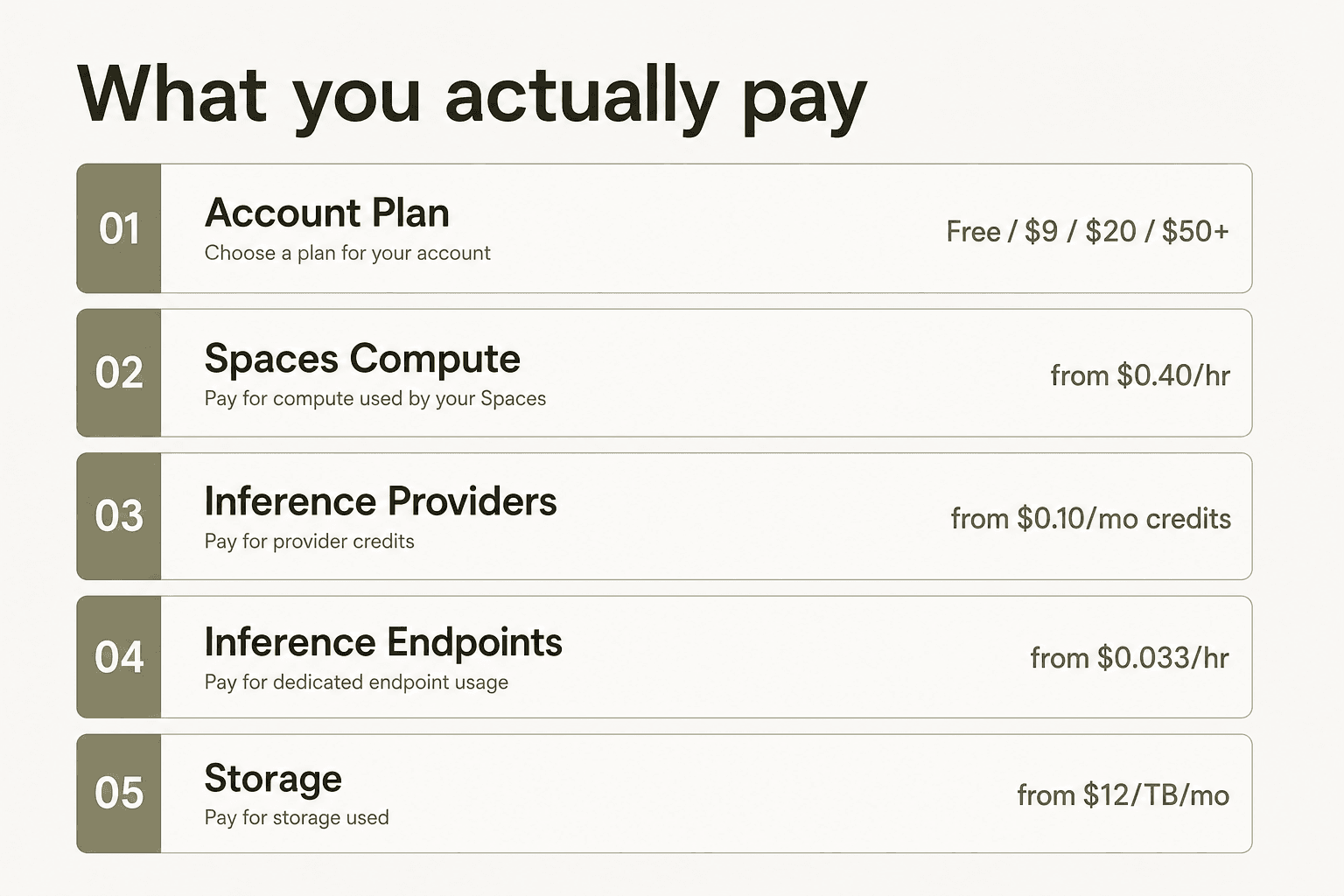
Understanding that separation is the prerequisite for reading any Hugging Face price tag accurately.
Account plans
Free
The free tier is more generous than most people expect. You get access to 2M+ models, 500k+ datasets, and over 1M Spaces on the Hub, 100 GB of private repository storage, community ZeroGPU access, and $0.10/month in Inference Provider credits. That credit doesn't go far in production, but it's enough for small experiments.
What you don't get: no SSO, no audit logs, no resource groups, no priority queue. Rate limits on the Inference API are noticeably tighter than on paid plans. The free tier is exactly right for anyone learning the ecosystem or running occasional experiments - not for teams shipping production services.
PRO - $9/month
This is the clearest value jump on the pricing page. For $9/month, PRO gives you:
- 8× your ZeroGPU quota with top queue priority (40 min/day vs. 5 min/day on free)
- 1 TB of private storage (up from 100 GB)
- $2/month in Inference Provider credits (20× the free amount)
- Spaces Dev Mode - SSH and VS Code access into your Space for fast iteration without redeployment
- Private Dataset Viewer for working with non-public training data
- Early access to new Hub features and a PRO badge
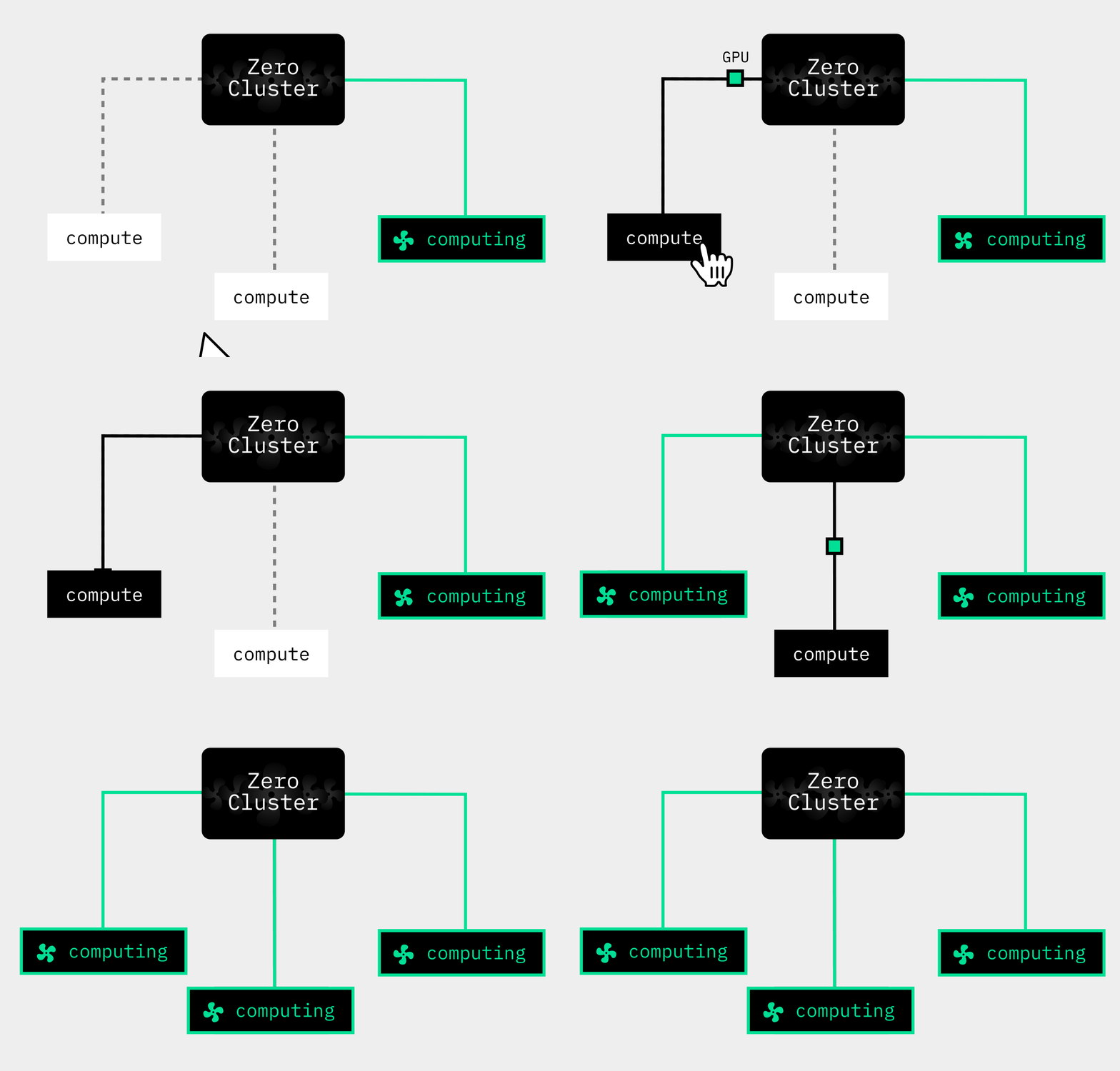
The ZeroGPU quota boost is the main draw. ZeroGPU gives every user access to a shared pool of Nvidia RTX Pro 6000 Blackwell GPUs at no per-hour charge - but free-tier users hit their quota in about 5 minutes of GPU time per day. PRO pushes that to 40 minutes with priority scheduling.
SaaSLens rated Hugging Face 4.7/5 in their March 2026 review, calling it "one of our highest-rated picks for solo founders," and specifically calling out the PRO plan as delivering "enterprise-grade GPU access for the cost of a couple of coffees per month." That's a fair read. We'd reach for PRO any time we need to run GPU-backed demos without paying for dedicated infrastructure.
Team - $20/user/month
Team is the first org-level plan. Billing flips to per-seat: every member of your Hugging Face organization pays $20/month. On top of PRO perks for everyone in the org, you get:
- 12 TB base public storage + 1 TB/seat public + 1 TB/seat private
- $2/month Inference Provider credits per seat (pooled across the org)
- Org-level billing controls for Inference Providers - set spending limits, disable specific providers
- Priority Support from the Hugging Face team
- All members get the 8× ZeroGPU quota boost
The billing controls for Inference Providers are genuinely useful for research teams where individuals might accidentally rack up costs on expensive frontier models. Admins can cap the org's monthly spend and toggle off specific providers.
One important caveat: Team doesn't include SSO, audit logs, or resource groups. Those are Enterprise-only. If your team needs to plug into your company identity provider or generate compliance reports, Team won't cut it regardless of headcount.
Enterprise - starting at $50/user/month
Enterprise is where the governance stack unlocks. The $50/user/month figure is the floor - large contracts with volume commitments, yearly billing, and custom SLAs get negotiated with the Hugging Face sales team. Notable Enterprise customers include NVIDIA, Google, OpenAI, Meta, Salesforce, IBM Research, Shopify, and Roblox.
The features that push teams to this tier:
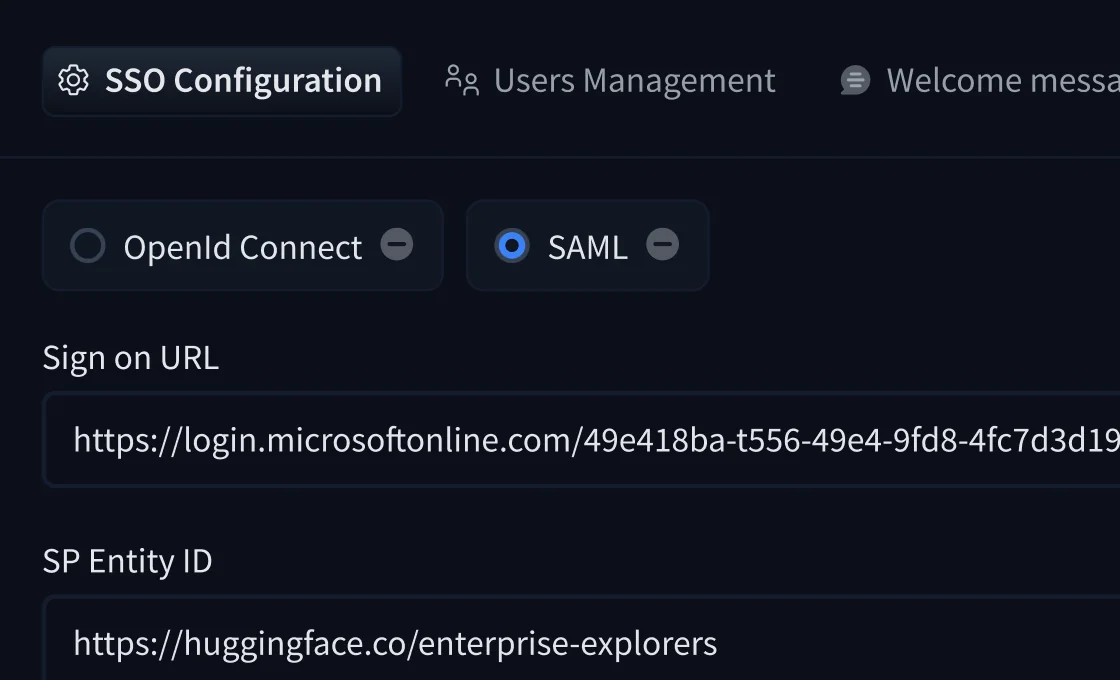
SSO connects your identity provider - Okta, Azure AD, Google Workspace, or any SAML/OpenID Connect-compliant IdP. Enterprise Plus adds SCIM for automated user provisioning.
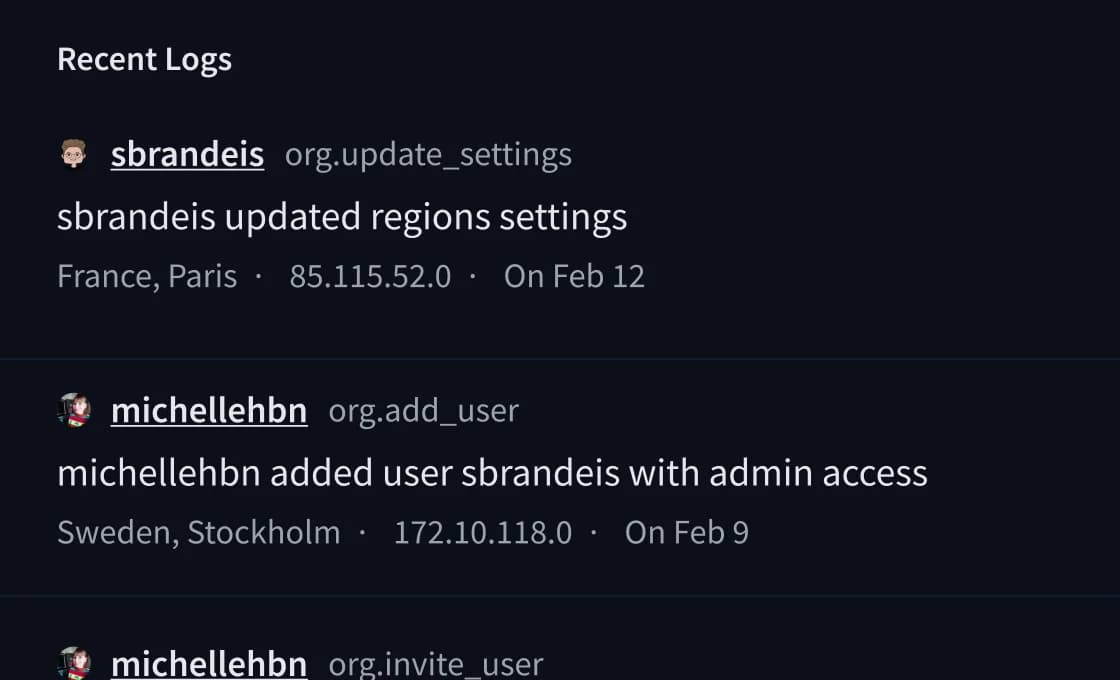
Audit logs record every org action - who changed what, from where, at what time - with user attribution, IP address, and location. Useful for SOC 2 Type II reviews and GDPR compliance documentation.
Resource groups let admins assign repositories to named groups and grant per-user READ, WRITE, or CONTRIBUTOR access - useful for separating research, production, and experimental workspaces within a single org.
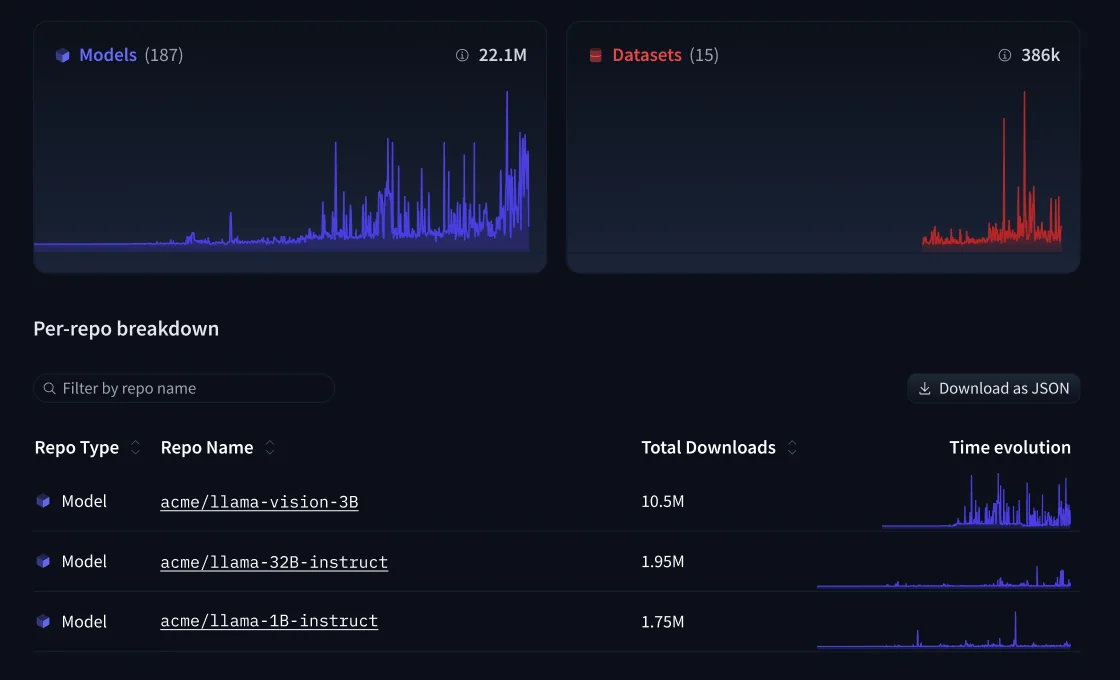
Repository analytics shows download trends, model usage, and dataset access across the organization in a single dashboard - handy for understanding which internal models are actually being used.
Data residency lets you choose and audit the geographic region where your repositories are stored - relevant for GDPR and data sovereignty requirements. Enterprise Plus adds network security controls and IP allowlisting.
Storage for Enterprise is substantial: 200 TB base public + 1 TB/seat, scaling to 1 PB for large contracts.
Plan comparison at a glance
| Free | PRO | Team | Enterprise | |
|---|---|---|---|---|
| Price | $0 | $9/mo | $20/user/mo | $50+/user/mo |
| Private storage | 100 GB | 1 TB | 1 TB/seat | 1 TB/seat |
| Public storage | Best-effort | Up to 10 TB | 12 TB + 1 TB/seat | 200 TB + 1 TB/seat |
| Inference credits | $0.10/mo | $2/mo | $2/seat/mo | $2/seat/mo |
| ZeroGPU quota | Standard | 8× + priority | 8× (all members) | 8× (all members) |
| Spaces Dev Mode | No | Yes | Yes | Yes |
| Private Dataset Viewer | No | Yes | Yes | Yes |
| Org billing controls | No | No | Yes | Yes |
| SSO | No | No | No | Yes |
| Audit logs | No | No | No | Yes |
| Resource groups | No | No | No | Yes |
| Repository analytics | No | No | No | Yes |
| Data residency | No | No | No | Yes |
| Priority support | No | No | Yes | Yes (dedicated) |
| Yearly contracts | No | No | No | Yes |
Spaces hardware pricing
Spaces are interactive ML apps and demos hosted on the Hub. The CPU Basic tier is free; GPU tiers are pay-as-you-go by the hour, billed while the Space is running.
| Hardware | vCPU | RAM | Accelerator | VRAM | Hourly |
|---|---|---|---|---|---|
| CPU Basic | 2 | 16 GB | - | - | Free |
| CPU Upgrade | 8 | 32 GB | - | - | $0.03 |
| ZeroGPU | dynamic | dynamic | RTX Pro 6000 Blackwell | up to 96 GB | Free* |
| T4 - small | 4 | 15 GB | T4 | 16 GB | $0.40 |
| T4 - medium | 8 | 30 GB | T4 | 16 GB | $0.60 |
| L4 (1×) | 8 | 30 GB | L4 | 24 GB | $0.80 |
| L4 (4×) | 48 | 186 GB | L4 | 96 GB | $3.80 |
| L40S (1×) | 8 | 62 GB | L40S | 48 GB | $1.80 |
| L40S (4×) | 48 | 382 GB | L40S | 192 GB | $8.30 |
| L40S (8×) | 192 | 1,534 GB | L40S | 384 GB | $23.50 |
| A10G - small | 4 | 15 GB | A10G | 24 GB | $1.00 |
| A10G - large | 12 | 46 GB | A10G | 24 GB | $1.50 |
| A100 - large | 12 | 142 GB | A100 | 80 GB | $2.50 |
| 4× A100 | 48 | 568 GB | A100 | 320 GB | $10.00 |
| 8× A100 | 96 | 1,136 GB | A100 | 640 GB | $20.00 |
*ZeroGPU is free within quota. PRO and Team/Enterprise org members get 8× the standard quota. Overage is billed at $1 per 10 minutes.
Spaces sleep after 48 hours of inactivity on the free CPU tier. Paid GPU Spaces stay running until you pause them - a T4-small left running for 30 days costs $288. There's no automatic shut-off.
Worth knowing: Community GPU grants are available for qualifying side projects. If you're publishing open research and need persistent GPU access, it's worth applying before committing to a paid tier.
Inference Providers (serverless)
Inference Providers lets you route API calls to 45,000+ models across 18+ inference partners - Groq, Fireworks, Mistral, Cohere, Nebius, SambaNova, and others - through a single unified endpoint at router.huggingface.co/v1. Hugging Face passes through provider pricing with no markup.
Monthly credits by plan, applied when routing through Hugging Face:
| Plan | Monthly credits |
|---|---|
| Free | $0.10 |
| PRO | $2.00 |
| Team / Enterprise (per seat) | $2.00 |
Once credits run out, usage flows to pay-as-you-go. You can either let HF bill your account (simpler, monthly credits apply), or bring your own provider API key and pay the provider directly (no HF credits apply, but you control the billing relationship directly).
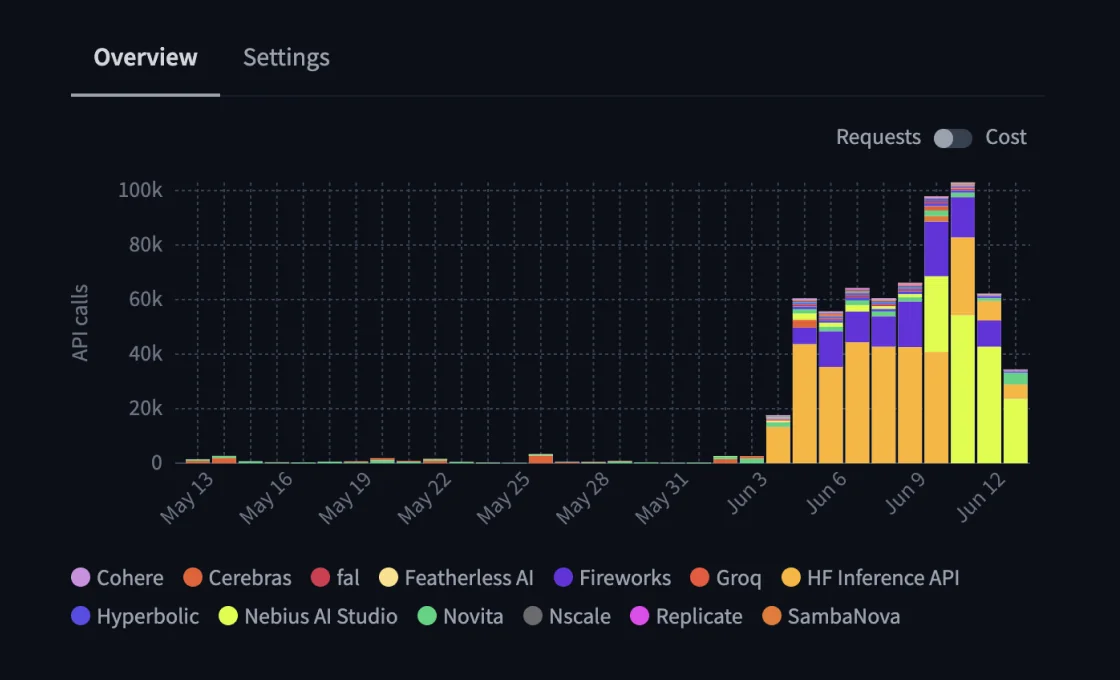
Team and Enterprise orgs can set spending limits and disable specific providers from org settings - useful for controlling costs when individual members are running expensive frontier models.
Hugging Face also maintains its own hf-inference backend - the original "Inference API (serverless)" - now focused on CPU-bound tasks like embeddings, text classification, and smaller models (BERT, GPT-2). Running Llama 3.1 70B or any current-generation LLM routes through a third-party provider.
Inference Endpoints (dedicated deployment)
Inference Endpoints is for teams that need predictable latency and dedicated infrastructure - no cold starts, no shared queue, autoscaling deployments on AWS, Azure, or GCP. You pick the hardware, Hugging Face manages the container and scaling.
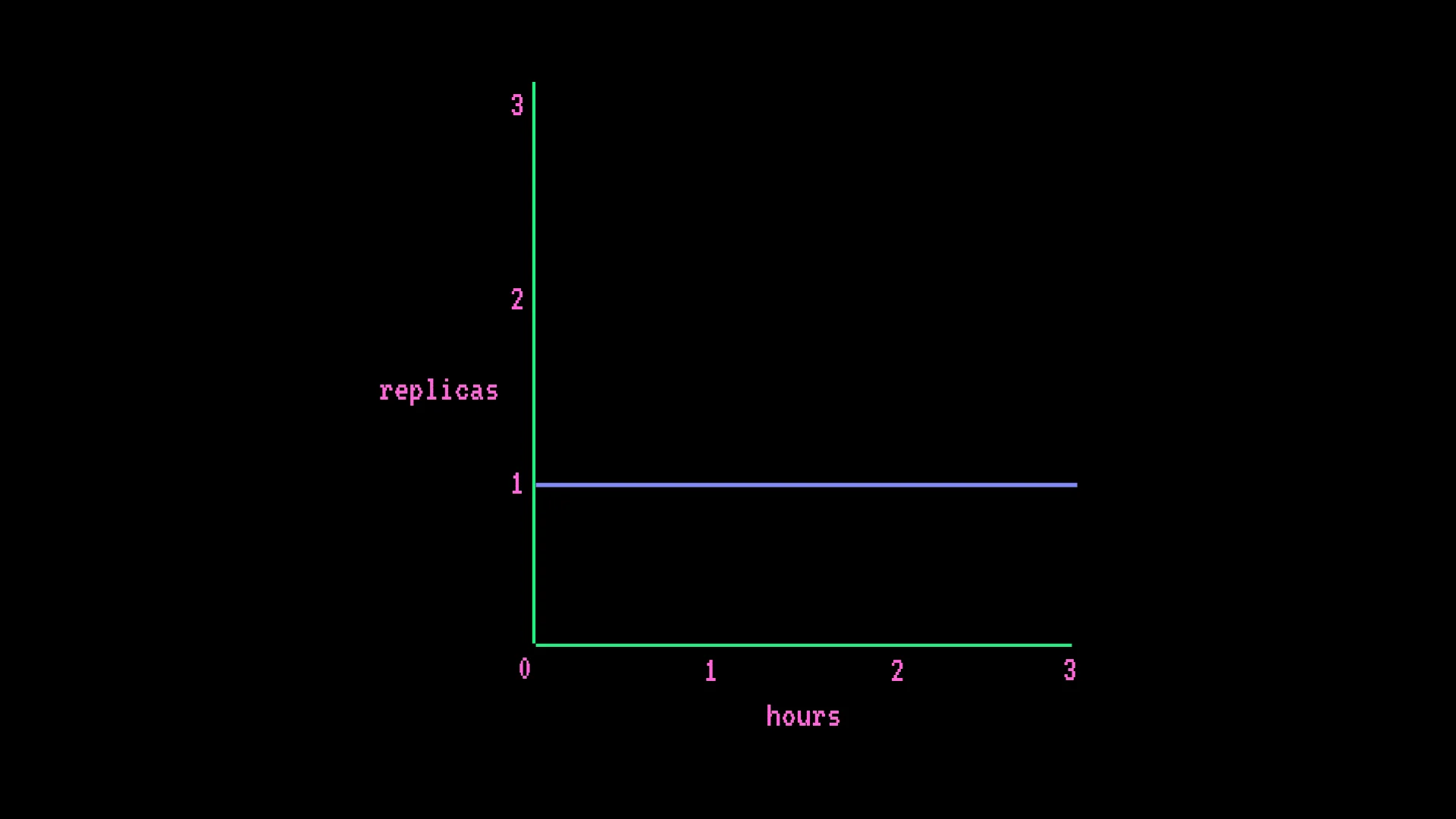
The billing model is the one most likely to catch you off guard. Endpoints bill by the minute at the instance rate, times the number of active replicas - regardless of request volume. This is not per-request or per-token billing.
GPU instance pricing (AWS)
| GPU | Count | VRAM | Hourly |
|---|---|---|---|
| T4 | 1 | 14 GB | $0.50 |
| T4 | 4 | 56 GB | $3.00 |
| L4 | 1 | 24 GB | $0.80 |
| L40S | 1 | 48 GB | $1.80 |
| A100 | 1 | 80 GB | $2.50 |
| A100 | 4 | 320 GB | $10.00 |
| A100 | 8 | 640 GB | $20.00 |
| H100 | 1 | 80 GB | $4.50 |
| H100 | 4 | 320 GB | $18.00 |
| H100 | 8 | 640 GB | $36.00 |
| H200 | 1 | 141 GB | $5.00 |
| B200 | 1 | 179 GB | $9.25 |
| B200 | 8 | 1,432 GB | $74.00 |
| RTX PRO 6000 | 1 | 96 GB | $2.75 |
GCP and Azure options are also available with slightly different pricing per hardware tier. The full table including CPU and accelerator (Inferentia2, TPU v5e) instances is on the Inference Endpoints pricing page.
Concrete cost examples
Always-on CPU endpoint - AWS 2-vCPU, 1 replica:
- $0.067/hr × 730 hours = ~$49/month
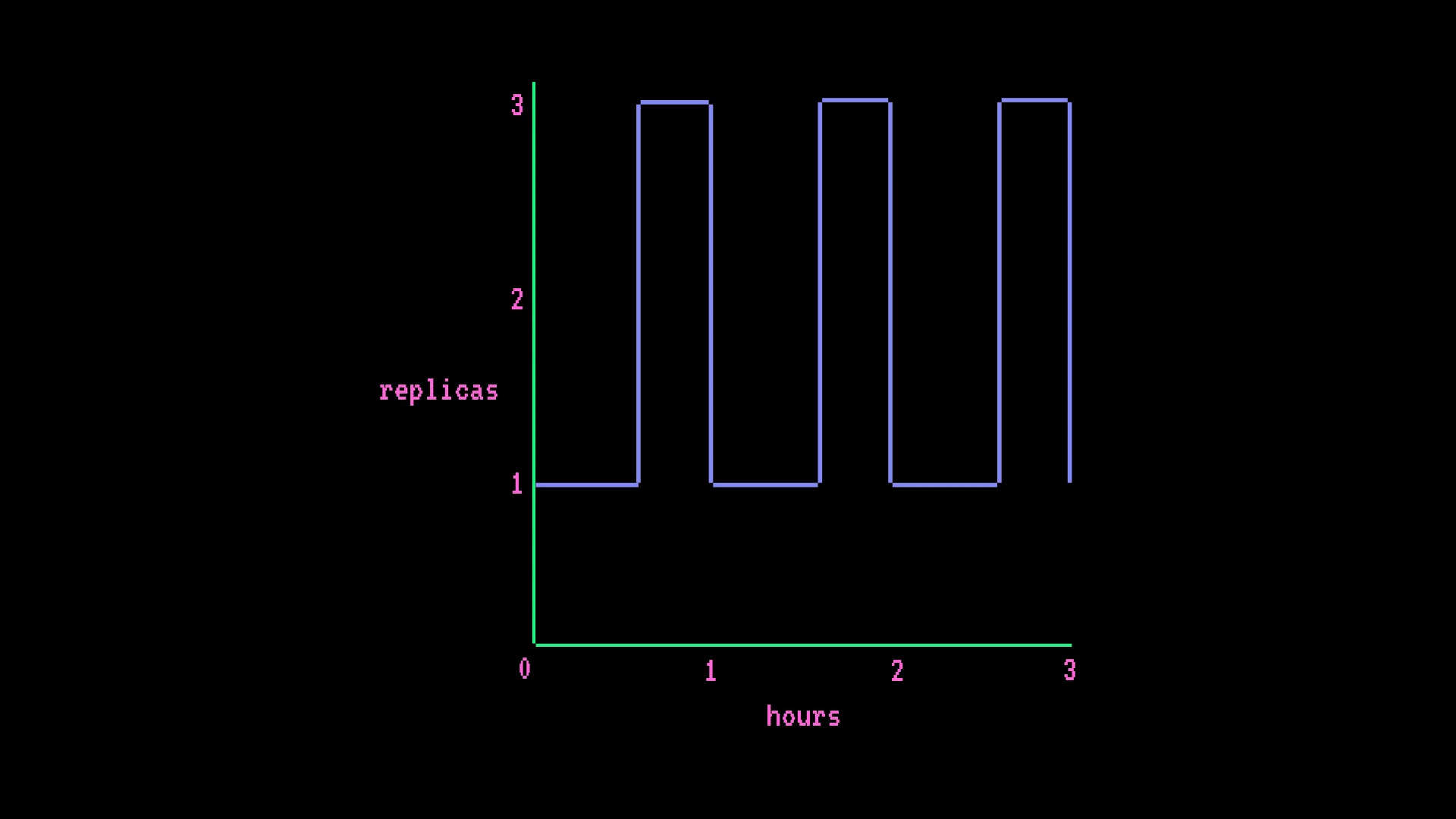
GPU endpoint with autoscaling - AWS T4 x1, min 1 replica, max 3, with 15-minute spikes each hour:
- $0.50 × (730 hrs × 1 + 182.5 hrs × 2 additional replicas) = $547.50/month
The billing formula: hourly rate × ((hours × min replicas) + (scale-up hours × additional replicas))
This always-on model is the most common source of surprise charges. A question in the Hugging Face forums that attracted 3,700+ views captures the confusion well:
"I am a bit confused about the pricing model. Let's say I deploy a model on a CPU Basic machine ($0.06/hour). So do I pay as long as the model is deployed or do I pay only for the compute time (e.g. I make 2 requests and every request takes 10 seconds to run, so do I only pay for the 20 seconds)?"
The answer is: you pay as long as the model is deployed, not per request. That distinction catches a lot of people.
Storage pricing
Storage on the Hub is its own billing layer, charged per TB per month. Rates vary by volume and whether repos are public or private:
| Volume | Public rate | Private rate |
|---|---|---|
| Base | $12/TB/mo | $18/TB/mo |
| 50 TB+ | $10/TB/mo | $16/TB/mo |
| 200 TB+ | $9/TB/mo | $14/TB/mo |
| 500 TB+ | $8/TB/mo | $12/TB/mo |
Egress and CDN delivery are included at no extra charge - which compares well against AWS S3 at ~$23/TB/mo with separate egress fees.
Each paid plan includes meaningful base storage before per-TB charges kick in:
- PRO: up to 10 TB public + 1 TB private
- Team: 12 TB public base + 1 TB/seat public + 1 TB/seat private
- Enterprise: 200 TB public base + 1 TB/seat, scaling to 1 PB for large contracts
Public storage add-ons for paid plans: 1 TB at $12/month, 5 TB at $60/month, 10 TB at $120/month, 50 TB at $500/month. Private storage beyond included limits is pay-as-you-go starting at $18/TB/month.
The billing gotchas worth knowing
There are no built-in spending caps for Spaces or Inference Endpoints. Inference Provider spending can be capped at the org level on Team and Enterprise, but GPU Spaces and dedicated endpoints have no automatic kill switch. One April 2025 forum thread described a charge that jumped from $78.22 to $519.24 overnight:
"There is a sudden increase of ~1,100 hours within less than 24 hours, which is technically impossible. Even with continuous GPU usage: Maximum possible = 24 hours/day per instance. This spike would imply dozens of parallel instances, which is not the case."
Whether a billing bug or a runaway process, the user had no way to cap exposure beforehand. The lesson: set manual pause policies for GPU Spaces and keep Inference Endpoint minimum replicas as low as feasible.
Hourly and monthly rates don't always reconcile cleanly. An October 2024 thread caught a real inconsistency: the Medium persistent storage tier is listed at $0.03/hr, which implies ~$21.60/month - but the actual monthly charge is $25. Worth double-checking the monthly totals rather than extrapolating from the hourly figures.
Inference Endpoints bill always-on. If your endpoint's minimum replica count is 1, you're paying the hardware rate 24/7 regardless of traffic volume. This catches teams used to serverless pricing models where idle time costs nothing.
Comparing compute costs
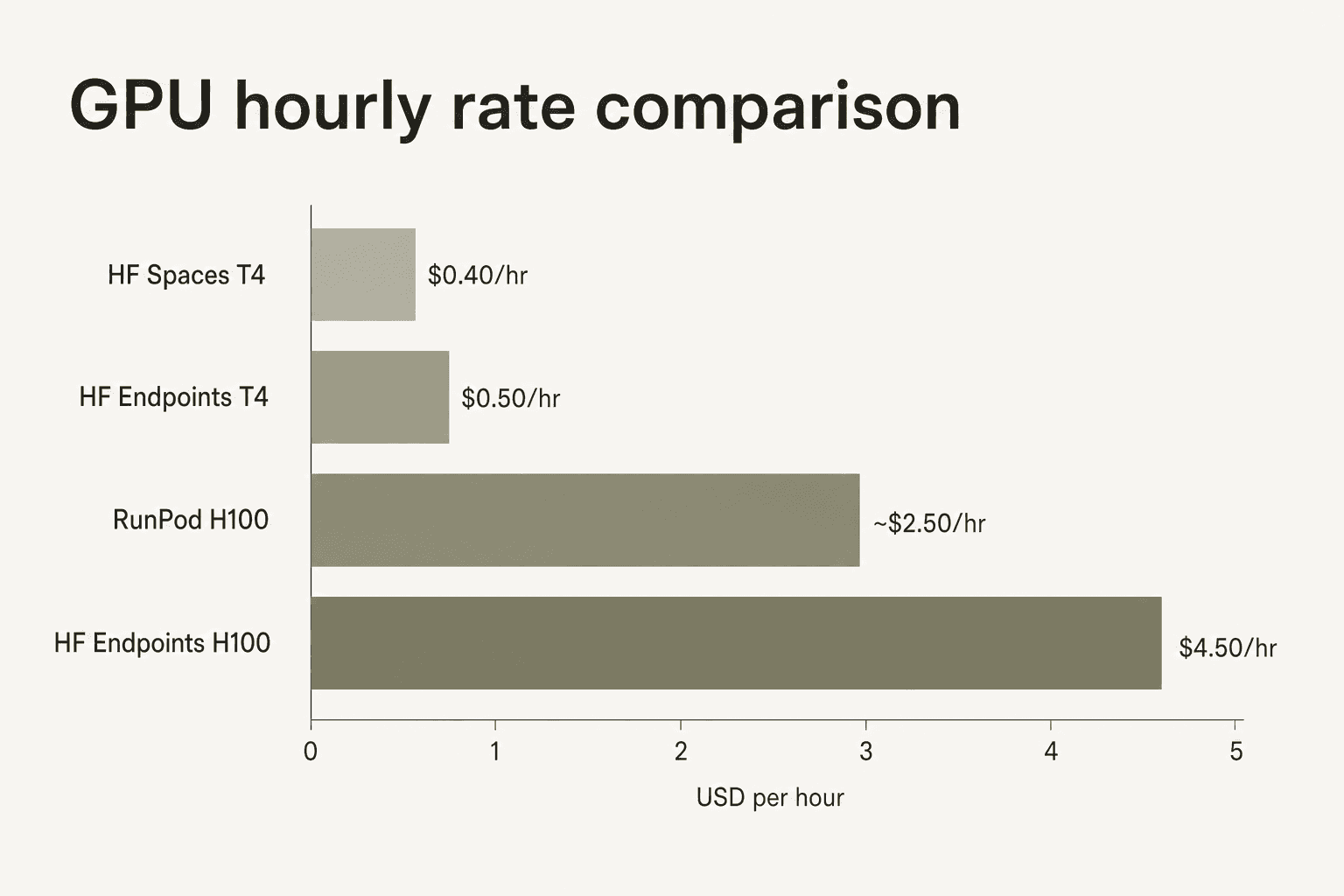
Hugging Face Inference Endpoints carry a convenience premium over commodity GPU providers. An H100 on HF Dedicated Endpoints runs $4.50–$10/hr depending on cloud region; the same hardware at RunPod runs $2–3/hr. The community review data consistently flags this gap - "GPU compute costs add up quickly" appears as a recurring complaint - while also noting that Hub integration, model availability, and the absence of infrastructure management justify the premium for teams who want to stay inside the HF ecosystem.
For CPU-bound workloads (embeddings, classification, smaller models) the calculus is different - HF rates are competitive and managed infrastructure saves engineering time. The premium shows up most sharply at the high-GPU end, where Together AI and similar providers offer better raw compute economics for teams that don't need the Hub's model registry and deployment tooling.
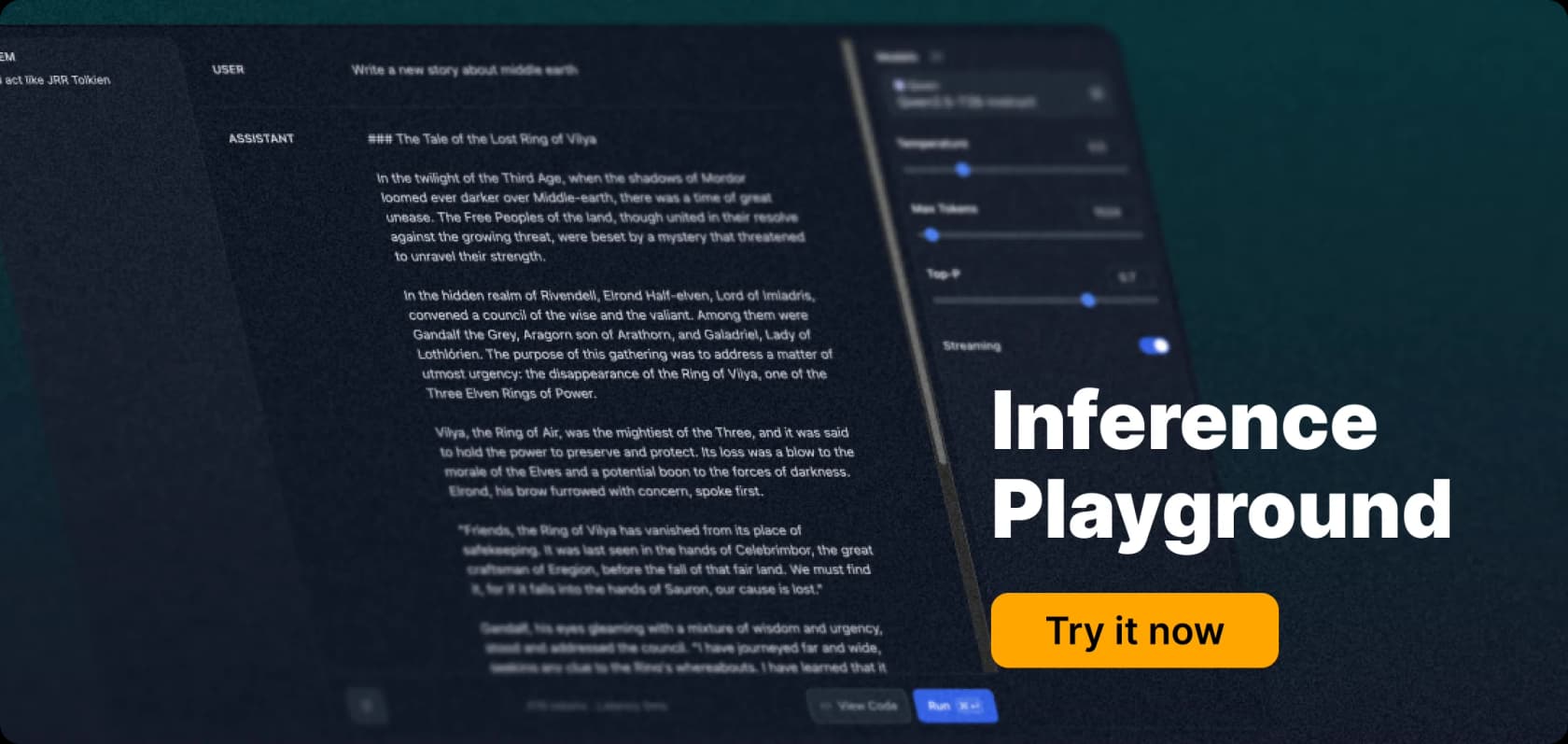
The Inference Playground is the easiest way to try models before committing to any compute tier - it lets you test against providers through the browser UI with no billing setup required.
Which plan and product fits your situation
Free - exploring models, running occasional experiments, learning the ecosystem. The model registry and ZeroGPU access make it genuinely useful without spending anything.
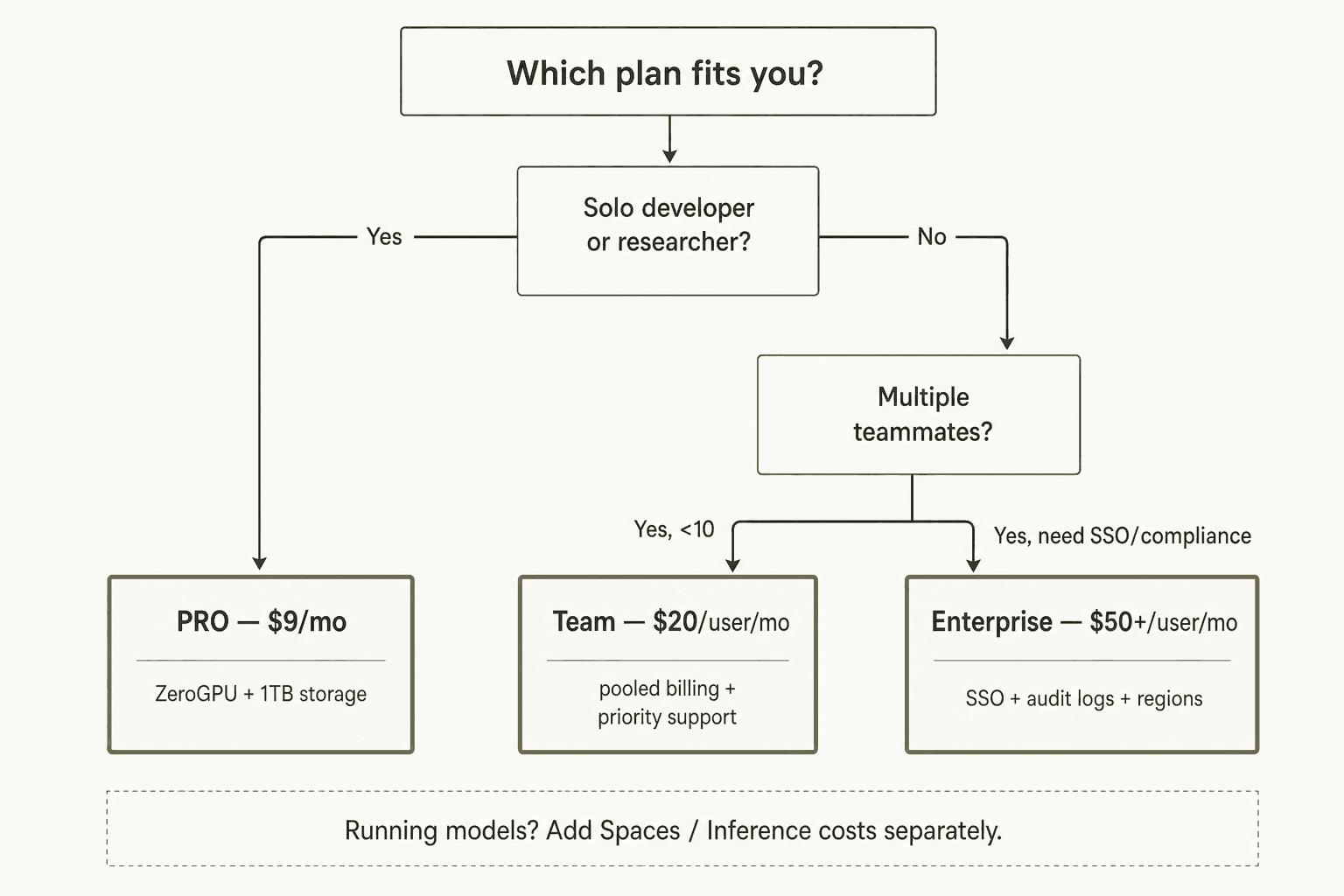
PRO at $9/month - active individual development where you need the ZeroGPU quota boost, more private storage, or Spaces Dev Mode. Hard to argue against at that price for anyone doing ML work regularly.
Team at $20/user/month - real teams collaborating on models or datasets. The org-level billing controls for Inference Providers and pooled storage start to matter at this scale.
Enterprise at $50+/user/month - SSO, audit logs, or compliance requirements. Don't pay for Enterprise because your team is large - pay for it when you actually need the governance stack.
Inference Providers - convenient serverless access to third-party models at provider rates, with no infrastructure to manage. The $2/month credits won't stretch far in production, but the unified API is great for evaluation and prototyping.
Inference Endpoints - dedicated hardware with predictable latency and autoscaling. Budget for always-on billing, set minimum replicas conservatively, and implement manual pause policies. Not the right default for low-traffic or experimental deployments.
If you're comparing the broader ecosystem, Hugging Face alternatives covers seven other platforms worth evaluating for model deployment.
Try eesel
If you're looking at Hugging Face for AI in customer support - automating ticket responses, building a helpdesk agent, deflecting repetitive queries - eesel offers a more direct path. Instead of managing model hosting infrastructure across five billing surfaces, eesel deploys fully autonomous AI agents directly inside Zendesk, Slack, Freshdesk, and 100+ other tools. You brief the agent in plain language, it resolves tickets end-to-end, and pricing scales with usage at $0.40 per task rather than compute hours. No GPU management, no billing spikes, no Inference Endpoints to configure.