Why AI tools are expensive by default - and how to dodge it
The default AI tool setup for a small team or solo operator can run $50-$100/month fast: a ChatGPT Plus subscription here, a Midjourney plan there, a design tool add-on somewhere else. Most of that spending is unnecessary.
The AI landscape in 2026 has split into two tiers. There are expensive flagship plans - ChatGPT Pro at $200/month, Midjourney Pro at $60/month - designed for heavy professional use. And there are genuinely capable cheap tiers that most people never fully explore before reaching for a credit card.
The trick is knowing which cheap tier is actually useful vs which is a free-trial trap. A "free plan" that gives you three outputs before hitting a paywall isn't free - it's a demo. A free plan that gives you 2,000 code completions per month or unlimited searches with citations is something you can actually build a workflow around.
Here's what we looked for when putting this list together:
- Free tier that's genuinely usable - not just a trial
- Paid entry point under $20/month - ideally under $15
- A real, specific use case - not "it does everything" generalist tools that do everything poorly
- Honest community feedback - not just marketing claims
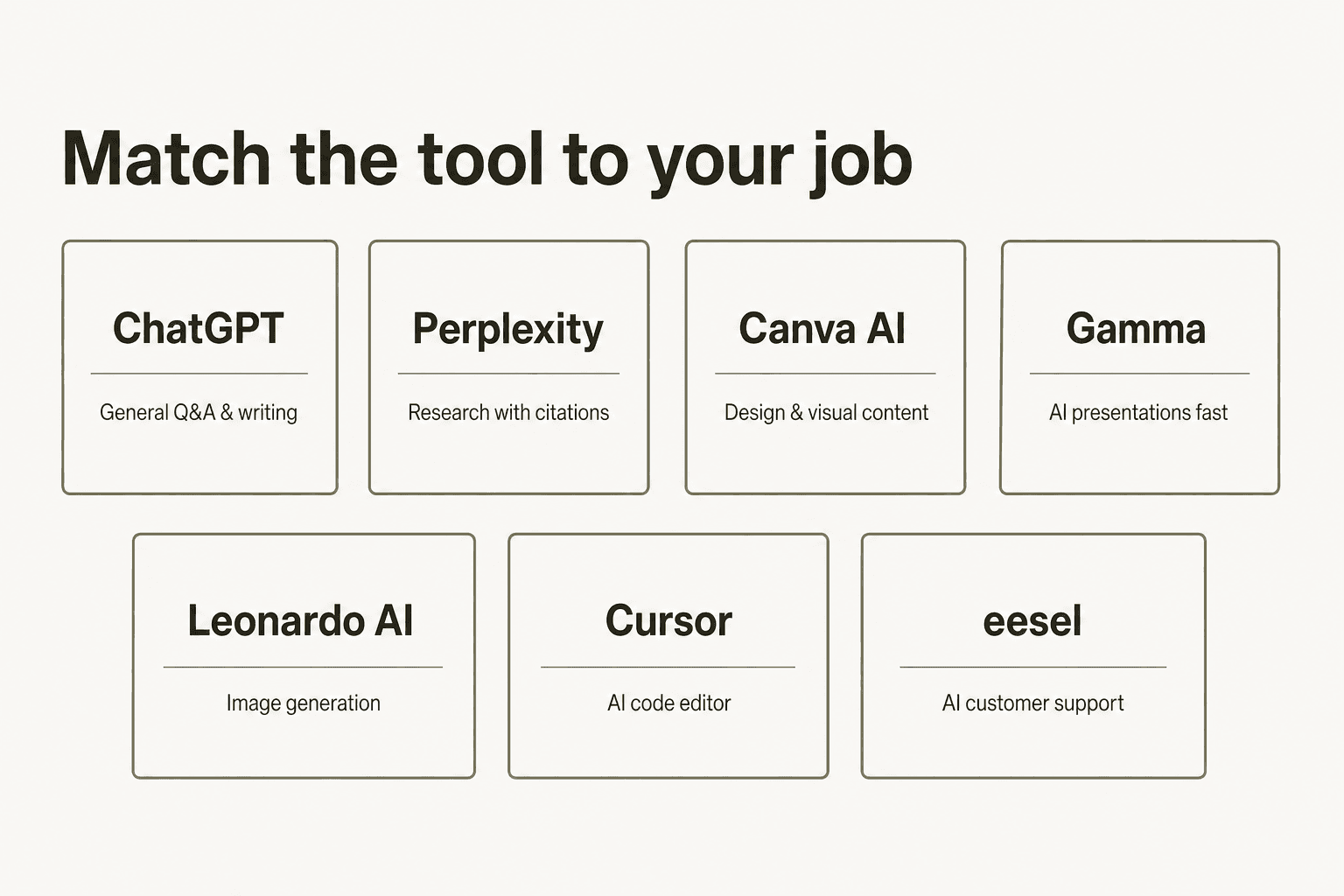
The 7 cheap AI tools compared
Before the deep dives: here's the full comparison table so you can scan and skip to what's relevant.
| Tool | Best for | Free tier | Cheapest paid | G2 / review score |
|---|---|---|---|---|
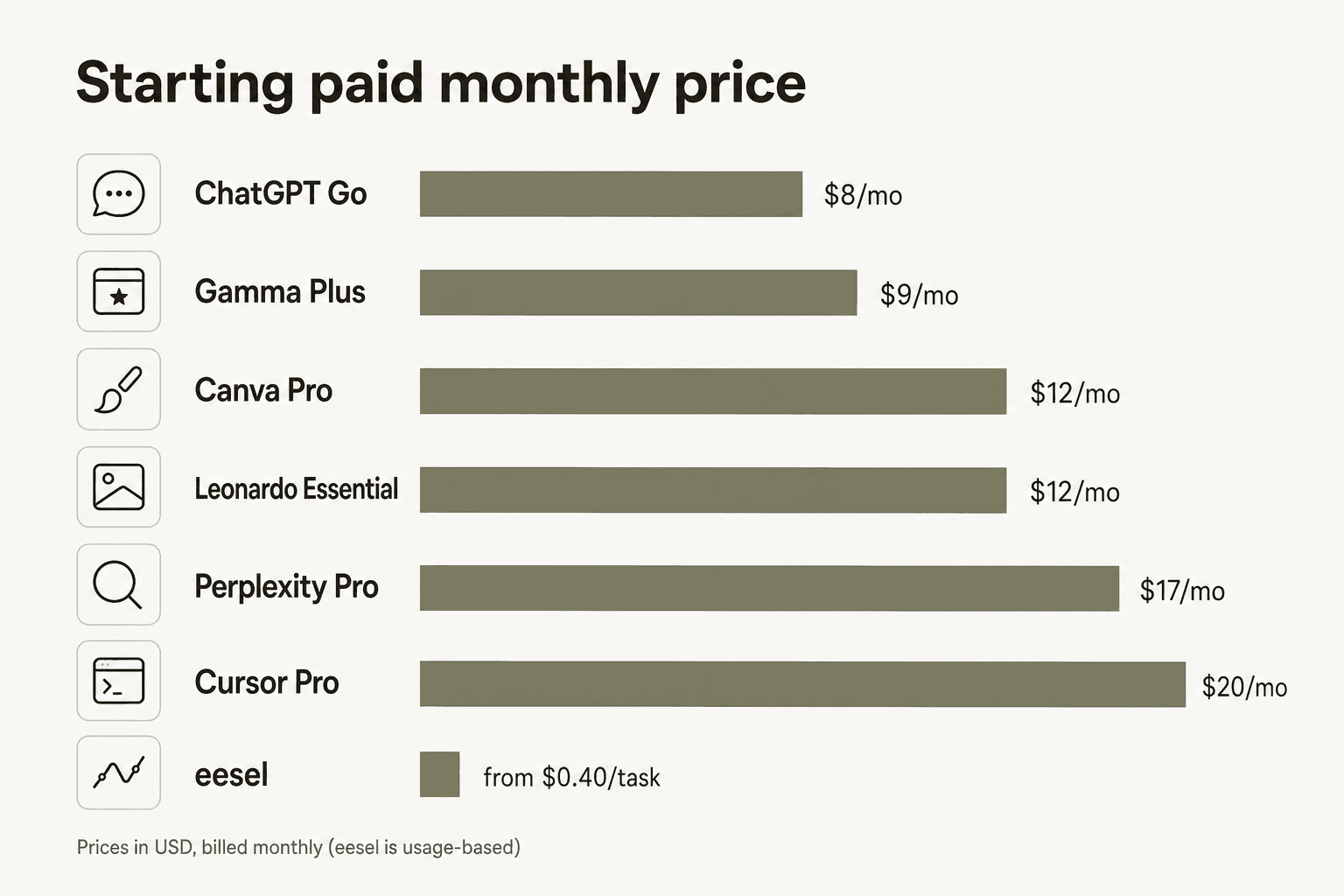
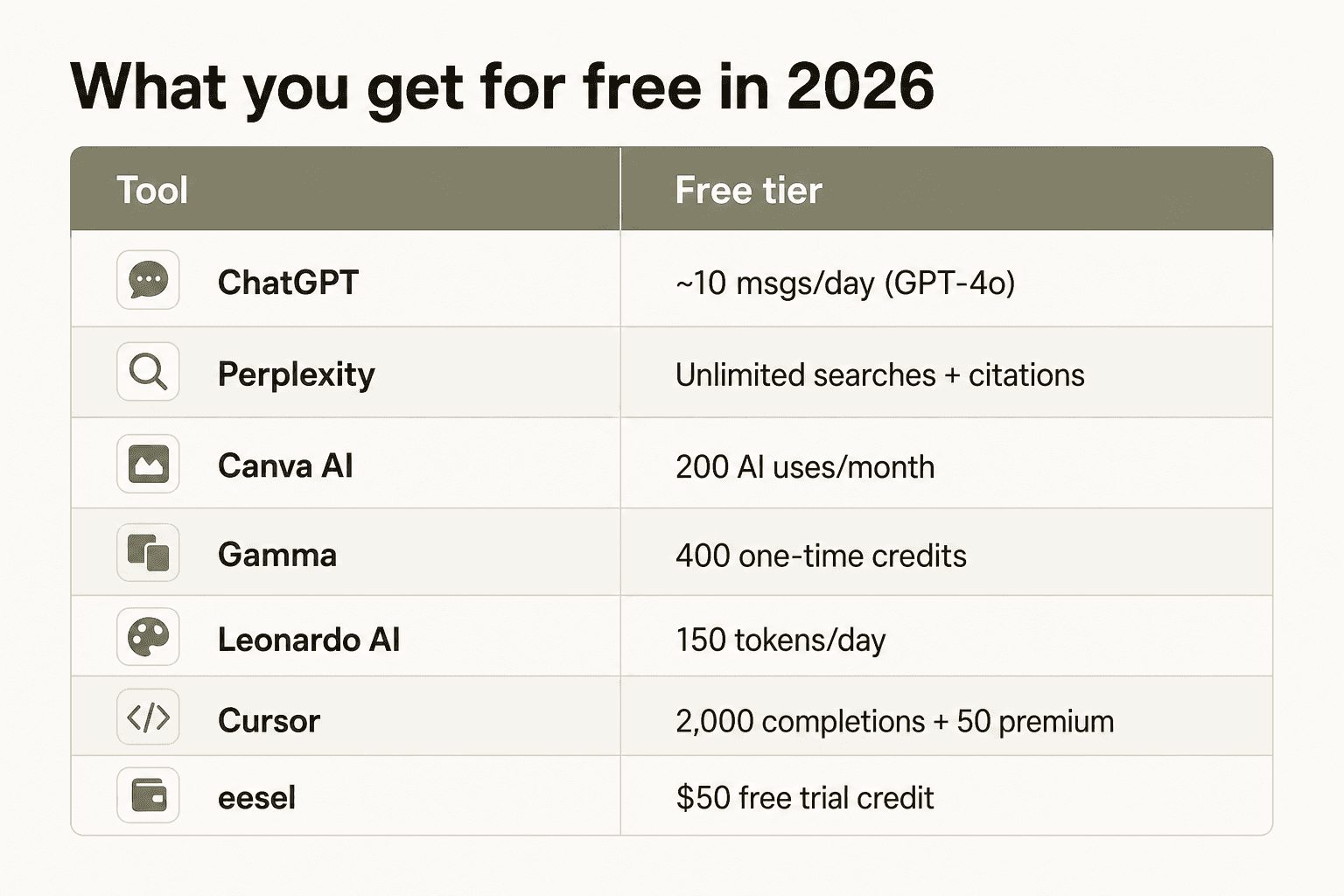
| eesel | Customer support AI | $50 trial credit | $0.40/task (no platform fee) | - |
| ChatGPT | General AI assistant | ~10 msgs/day | $8/mo (Go) | 4.7/5 (2,500+ reviews) |
| Perplexity | Research with citations | Unlimited basic searches | $17/mo (Pro) | 4.5/5 (312 reviews) |
| Canva AI | Design & visuals | 200 AI uses/month | $12/mo (Pro) | 4.7/5 (13,330 reviews) |
| Gamma | AI presentations | 400 one-time credits | $9/mo (Plus) | 4.3/5 (G2) |
| Leonardo AI | Image generation | 150 tokens/day | $12/mo (Essential) | Capterra 4.6/5 |
| Cursor | AI code editor | 2,000 completions/month | $20/mo (Pro) | 4.7/5 (205 reviews) |
1. eesel - best for customer support AI
eesel is an AI teammate platform for customer support - not a chatbot builder, but an autonomous AI agent that lives inside Zendesk, Freshdesk, Slack, email, Shopify, and 100+ other tools, reads tickets, composes replies, takes actions, and escalates edge cases without human intervention. The pitch is that briefing an eesel agent feels like onboarding a new support employee - plain-language instructions, no prompt engineering, learns from your existing history.
The reason it leads this "cheap AI tools" list is the pricing model: eesel runs on pure usage-based pricing with no platform fee, no seat cost, and no monthly minimum.
eesel pricing
| Usage | Cost |
|---|---|
| Regular task (ticket / chat reply) | $0.40 |
| Heavy task (blog post generation) | $4.00 |
| Dashboard Q&A | Free |
| Free trial | $50 credit, no card required |
| Annual commit (>=/$300/mo) | 25% discount |
| Enterprise | $1,000/mo platform fee + usage |
Source: eesel.ai/pricing
The economics look like this in practice: a small e-commerce team handling 500 tickets per month pays $200. Compare that to flat-rate helpdesk AI plans that typically start at $300-$800/month regardless of volume. For teams with inconsistent ticket flow, this is a meaningfully cheaper structure - you pause the agent at your chosen spend cap, and costs scale with actual usage.
"In a business where transactions need to be processed as quickly as possible, every second counts. With eesel, we can find specific answers to questions extremely fast. We can onboard new employees very quickly and have seen up to 80% time savings."
Alex Capurro, Chief Innovation Officer, Global Pay
The $50 free trial credit is enough to resolve 125 tickets. That's a real test - not a 14-day clock or a 3-message demo. You get to see what the agent actually does on live tickets before deciding to pay for anything.
eesel works best for support teams that are already operating inside a helpdesk platform (Zendesk, Freshdesk, Gorgias are the strongest integrations) and have existing knowledge base content to train the agent on. For teams that need to build the knowledge base from scratch, setup takes longer.
See the best AI tools for customer support and AI customer support cost savings posts for more context on the economics.
Verdict: For customer support teams, eesel is one of the most cost-effective AI tools available - especially at lower ticket volumes where flat-rate plans overcharge. The $50 trial credit and usage-based model remove the usual commitment risk. The downside: it's specialized for support (and content), so it's not the right tool if your needs span general AI tasks.
2. ChatGPT - best for general-purpose AI
ChatGPT is the obvious starting point - 200 million weekly users and the default answer whenever someone says "I need an AI tool." What's less obvious is how much the pricing has changed in 2026. OpenAI quietly added a $8/month "Go" tier that closes most of the gap between the free plan and the $20/month Plus plan - and for many casual users, it's the right call.
ChatGPT pricing
| Plan | Price | What you get |
|---|---|---|
| Free | $0 | ~10 msgs/day, GPT-4o access, limited voice, limited image gen |
| Go | $8/mo | Voice + video, full data analysis, GPT creation, no reasoning models |
| Plus | $20/mo | GPT-5.5 Thinking, Deep Research, Tasks, Codex agent, 54K context |
| Pro | $200/mo | Maximum limits, full context (128K-400K), all newest features |
Source: OpenAI ChatGPT pricing page
The free tier is real but thin. Based on user reports across Reddit, the daily message limit sits around 10 messages per day on the standard GPT-4o model - enough to answer a quick question but not enough to use it as a daily work tool. The context window is also just 27K tokens (roughly 12 pages), which limits document-heavy workflows.
Go at $8/month is the most underappreciated plan on this list. It unlocks voice + video conversations, full data analysis, and the ability to build custom GPTs - without the $20/month price tag. The catch: no GPT-5.5 Thinking or Deep Research, so if you need serious reasoning or web-connected research, you're still looking at Plus.
Teachers get Plus-equivalent access free through June 2027 via OpenAI's educator program. Non-profits can get up to 75% off Business/Enterprise plans.
"I use the Go plan for work tasks and it covers 90% of what I was using Plus for. Saved me $144 a year."
r/ChatGPT user, 2026

The community consensus on ChatGPT pricing: Go is the new sweet spot for anyone who needs more than the free tier but can't justify $20/month. The ChatGPT apps are solid across mobile and desktop, and the ChatGPT free trial gives you enough to evaluate whether Go or Plus is right for you.
Verdict: If you're just getting started with AI tools, free or Go ($8/mo) covers most needs. Upgrade to Plus only if you specifically need Deep Research, GPT-5.5 Thinking, or the Codex agent. The free tier is the narrowest of the seven tools here.
3. Perplexity - best for research and fact-checking
Perplexity is the tool most people on this list don't know they need. Where ChatGPT generates text from training data, Perplexity runs a real-time web search and then cites every claim - meaning you can actually verify what it's telling you. For research, journalism, content strategy, and fact-checking, this makes an enormous practical difference.
Perplexity pricing
| Plan | Price | What you get |
|---|---|---|
| Free | $0 | Unlimited basic searches, 5 Pro searches/day, citations |
| Pro | $17-20/mo | Unlimited Pro searches, GPT-5.4 + Gemini 3.1 Pro + Claude access, file uploads |
| Education Pro | $5/mo | Full Pro features for verified .edu email users |
| Max | $167-200/mo | Deep Research + Computer agent, extended limits |
Source: Perplexity Pro page
The free tier here is genuinely, standout good. Unlimited basic searches means you can use Perplexity as your default search engine replacement with no paywall. The citations come with every response - not optional, not Pro-only. If you're a student, researcher, or anyone who lives in "I need to cite this" territory, there's a compelling argument that Perplexity free is the best single tool on this entire list.
The $5/month Education Pro plan (for verified .edu addresses) is remarkable. Full Pro features - unlimited searches, access to GPT-5.4, Gemini 3.1 Pro, and Claude Sonnet 4.6 in one interface - for five dollars. G2 reviewers in 2026 consistently describe it as "the best deal in AI."
Pro at $17-20/month is worth it mainly for the consolidated model access. Instead of separate subscriptions to ChatGPT, Claude, and Gemini, you get all three through one interface. But a vocal Reddit thread from early 2026 flagged that the "deep research" feature on Pro has been silently throttled to around 10 prompts per week - something worth knowing before upgrading.
The Perplexity pricing breakdown and Perplexity alternatives are worth reading if you're evaluating whether to pay for Pro.
Verdict: Start with free - it's legitimately the best free research tool available. If you're a student, $5/month Education Pro is a no-brainer. Skip Pro unless you specifically need the consolidated multi-model access; ChatGPT Plus gives you similar capability for the same $20/month price.
4. Canva AI - best for design and visual content
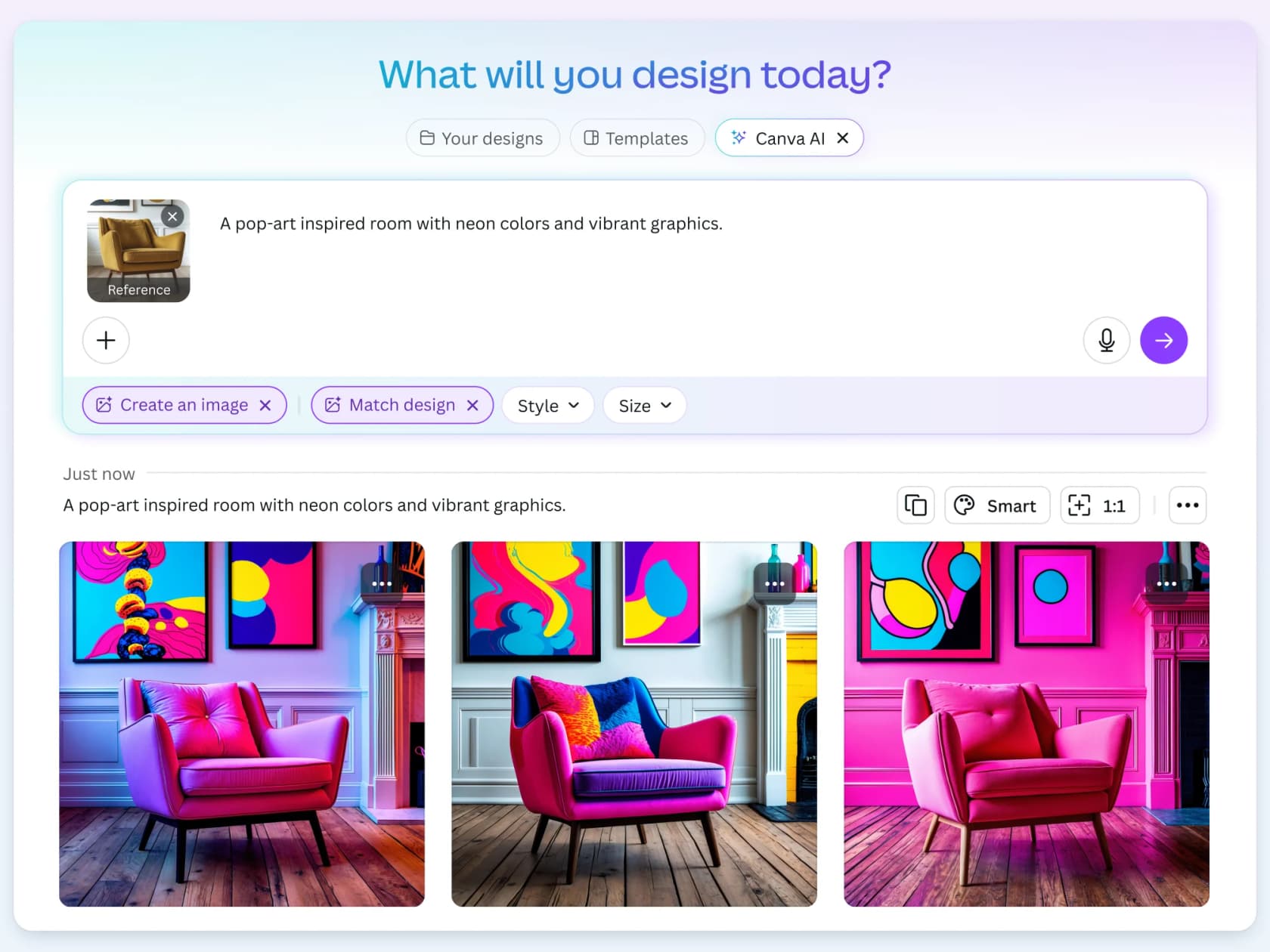
Canva is the design tool that replaced Photoshop for non-designers, and its AI features in 2026 have expanded to include text-to-image generation, AI video via Google Veo-3, background removal, Magic Resize, and more. Used by 6+ million teams including Airbnb, Salesforce, and Expedia, it's the dominant tool in this space.
Canva AI pricing
| Plan | Price | AI allowance |
|---|---|---|
| Free | $0 | ~200 Standard AI uses/month |
| Pro | $12/mo (~$144/yr) | ~2,000 Standard / ~200 Premium / ~20 Ultra uses/month |
| Business | $250/yr per person | ~4,000 Standard / ~400 Premium / ~40 Ultra uses/month |
Source: Canva pricing page
Canva's AI system has two parts worth understanding. Some features (Background Remover, Highlights, Enhance Voice) are plan-included and don't count toward your monthly allowance. Others - text-to-image, AI video generation, image animation - draw from a shared pool that resets monthly. On the free plan, you get around 200 Standard uses per month, which sounds like a lot until you realize a text-to-image generation can use multiple credits.
The pro tier at $12/month ($144/year) is where Canva AI starts earning its keep. You get 3.6 million premium templates, the full AI feature set including video generation via Google Veo-3, and enough monthly credits for most workflows. One thing to note from GetApp's 13,330+ reviews: users consistently flag that Canva Pro is "excellent for most tasks" but limited for "very specific vector editing or advanced photo manipulation."
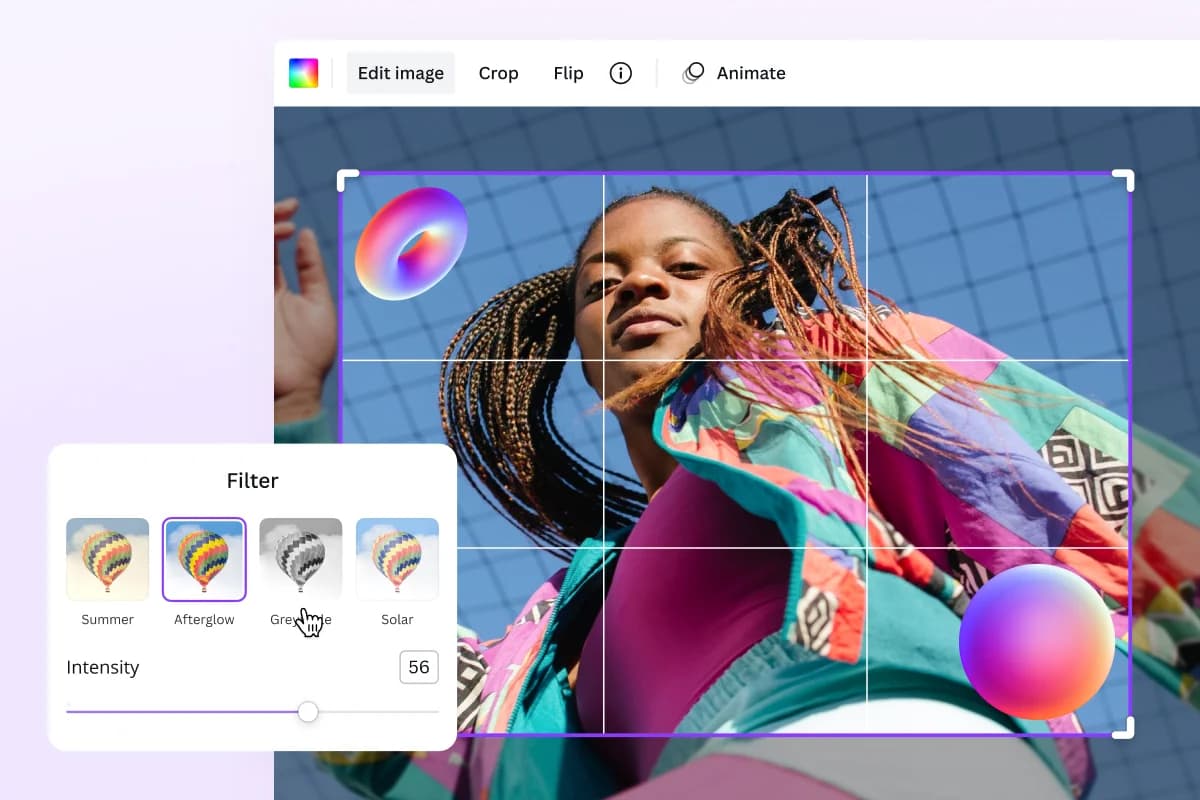
"Canva has everything in one place - photo editing, AI text and image tools, animation, background remover, stock photos, and more."
Michelle P., CDO, GetApp Canva reviews
The Canva AI pricing guide goes deeper on the AI Pass add-on (which multiplies your credit allowance up to 40x on Pro). See also Canva AI reviews for a broader verdict, or Canva AI alternatives if you're not sure Canva is the right fit.
Verdict: Canva is the right tool if you're already doing design work and want AI to speed it up - not if you need professional-grade editing. Free works for occasional use; Pro at $12/month is reasonable for social media creators or small marketing teams. Not a substitute for Adobe Creative Suite if you need fine-grained control.
5. Gamma - best for AI presentations
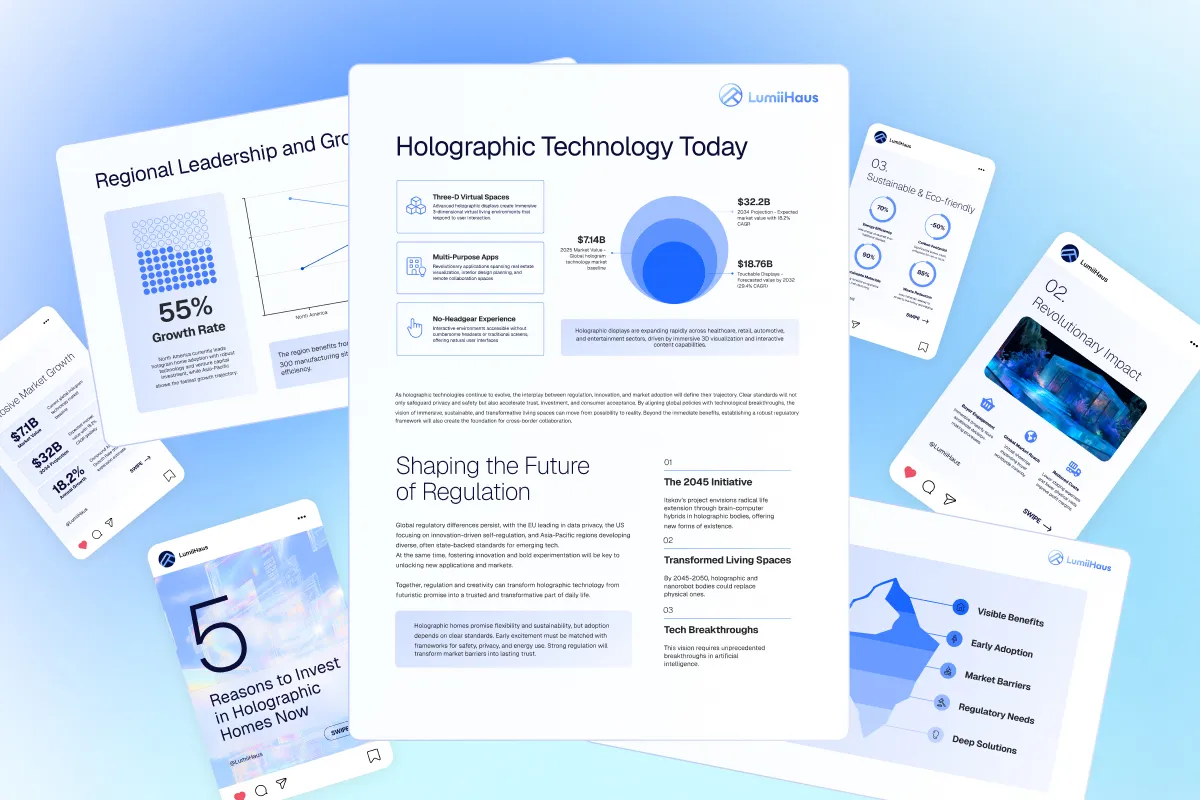
Gamma is what happens when you ditch the slide metaphor entirely. Instead of fixed 16:9 slides, Gamma uses expandable "cards" - meaning your deck can also publish as a web page. Feed it a prompt, an outline, or a PDF, and it generates a polished presentation in about 30 seconds. 70 million users and $100M+ ARR at Series B in late 2025 suggest it's hit on something real.
Gamma pricing
| Plan | Price | AI credits | Cards per prompt |
|---|---|---|---|
| Free | $0 | 400 one-time (no refresh) | 10 |
| Plus | $9/mo | 1,000/month | 20 |
| Pro | $18/mo | 4,000/month | 60 |
| Ultra | $90/mo | 20,000/month | 75 |
Source: Gamma pricing page
There are some meaningful gotchas worth flagging here. On the free plan, credits cost per action - 40 to create a presentation, 5 per added card, 10 per AI image. The 400 free credits are a one-time allocation that doesn't refresh (unlike paid plans, where credits reset monthly). Once they're gone, you either refer friends (200 credits each, up to 2,000) or upgrade.
On paid plans, only Agent edits, Ultra-tier models, and API calls consume credits - standard generation is included. That's a meaningful distinction: Plus at $9/month starts feeling much more generous once you understand that most of your regular use doesn't draw from the credit pool.
The community complaint that surfaces most reliably on G2 and Trustpilot: the 3-day refund window is aggressive. Annual subscribers who forget to cancel are stuck for a year. If you're trying Gamma, test it thoroughly in the first 72 hours.
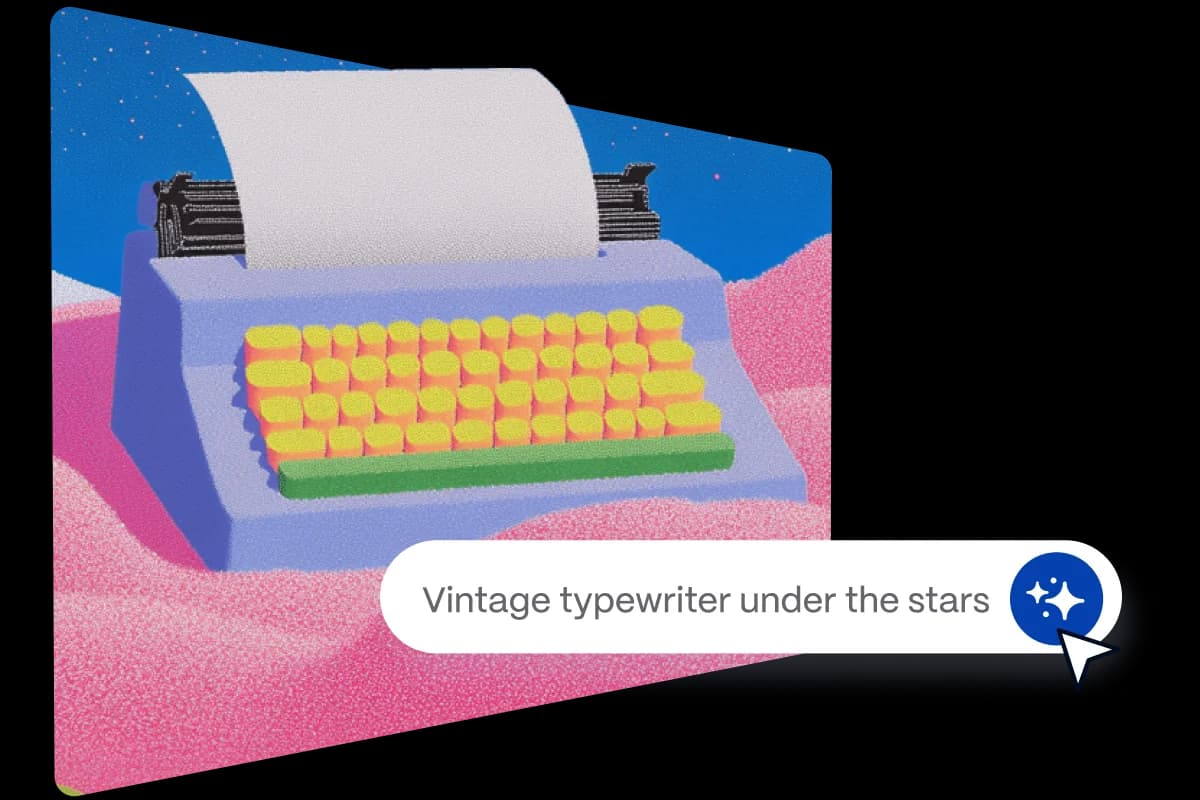
The Gamma pricing guide has the full breakdown of every credit cost and plan limit. Gamma reviews cover the community's honest verdict. If Gamma doesn't fit, Gamma alternatives are worth considering.
Verdict: Gamma is excellent for founders, consultants, and educators who need to produce presentations quickly and don't want to spend hours in PowerPoint. The free tier is genuinely useful for 8-10 presentations - after that, Plus at $9/month is the clear next step. If you need to export to .pptx regularly, know that the export can break layouts (Gamma's web-first format doesn't map cleanly to fixed slides).
6. Leonardo AI - best for AI image generation
Leonardo AI is a multi-model image generation platform that runs 80+ models - including its own Lucid Origin and Phoenix model families alongside third-party powerhouses like Veo 3.1, Kling 3.0, and Flux.2 Pro. It was acquired by Canva in 2024, which means the Essential plan is now bundled inside Canva Business - worth noting if you're already on that plan.
What makes Leonardo stand out in the "cheap AI" conversation is that it's genuinely free to start, with no credit card required. The main alternative for AI image generation - Midjourney - has no free tier at all.
Leonardo AI pricing
| Plan | Price | Tokens per month |
|---|---|---|
| Free | $0 | 150 tokens/day (resets daily) |
| Essential | $12/mo | 8,500/month |
| Premium | $30/mo | 25,000/month + unlimited relaxed image gen |
| Ultimate | $60/mo | 60,000/month + unlimited relaxed video |
Source: Leonardo.ai pricing page
The free tier is the most important thing to understand correctly. 150 tokens per day sounds reasonable - until you learn that different models burn tokens at wildly different rates. A basic image generation can cost 2-4 tokens; an 8-second video clip via Veo 3.1 can cost 300+. In practice, the free tier gives you roughly 10-30 standard images per day, which disappears quickly if you're doing creative work.
Essential at $12/month is the sweet spot. G2 and community reviewers consistently frame Leonardo as the "execution / production" tool and Midjourney as the "exploration / artistic" tool - Leonardo is cheaper, ships a free tier, and runs more models in one interface.
One word of warning from the community: the "unlimited relaxed generation" on Premium plans is restricted to a specific list of models (Lucid Origin, Lucid Realism, Phoenix 1.0/0.9, Motion 1.0/2.0). Premium third-party models always cost tokens at full rate. Read the footnote on the pricing page before assuming unlimited means unlimited everything.
The Leonardo AI pricing breakdown has more detail on the token economy. See also Leonardo AI alternatives if you're comparing image gen tools.
Verdict: The strongest cheap option for AI image generation in 2026. Free tier works for experimentation; Essential at $12/month is right for marketers, designers, and creators doing daily image work. If you're already on Canva Business, check whether Leonardo is already bundled - it often is.
7. Cursor - best for AI-assisted coding
Cursor is an AI-native code editor - a fork of VS Code with AI baked in at every layer. Tab autocomplete predicts the next line, Composer lets you describe a change in plain English and have the AI implement it across multiple files, and the Agent mode can take a task description and execute it end-to-end. It's the tool Jensen Huang, Patrick Collison, Andrej Karpathy, and most of the serious developer community reached for in 2025-26.
Cursor pricing
| Plan | Price | What you get |
|---|---|---|
| Hobby (Free) | $0 | 2,000 completions + 50 premium requests/month (permanent) |
| Pro | $20/mo ($16/mo annual) | Unlimited Auto completions, 500 premium requests, priority access |
| Business | $40/seat/mo | SSO, enforced privacy mode, team admin controls |
Source: Cursor pricing page
The Hobby plan is permanently free - no expiry, no credit card, no time limit. 2,000 completions per month works out to roughly one week of daily coding. 50 premium requests (the AI requests that draw from the best frontier models) gives you around 5-10 multi-file Agent sessions. For a side project or learning environment, that's genuinely usable.
Pro at $20/month is where Cursor really opens up. Auto mode (the default tab autocomplete) becomes unlimited, meaning you're not counting completions anymore. The G2 score is 4.7/5 from 205 reviews, with 85% five-star ratings - and the most common verdict from reviewers is that Cursor Composer (the multi-file editing mode) has no real equivalent in GitHub Copilot.
Students get an important deal: a full year of Pro free through Cursor's education program. It's the best AI coding tool discount available in 2026. Check the Cursor pricing guide and Cursor reviews for more.
"As a non-traditional developer, Cursor Composer let me implement features I wouldn't have been able to write on my own. It's not just autocomplete - it's a collaborator." -- G2 reviewer, 2026
If Cursor doesn't fit, Cursor alternatives covers the comparison between Windsurf, GitHub Copilot, and others.
Verdict: The free Hobby plan is real - but 2,000 completions disappears in a week if you code daily. Pro at $20/month ($16 annual) is the right pick for any developer who codes regularly. If you're a student, claim the free Pro year before doing anything else.
How to pick the right cheap AI tool for your situation
Most people don't need all seven. Here's the short version:
If you run customer support: The math on eesel's $0.40/task model usually beats flat-rate alternatives at volumes under 2,000 tickets/month. Start with the $50 trial credit. Read our free vs paid AI tools for support teams breakdown before committing.
If you want one general-purpose AI tool and nothing else: Start with ChatGPT free, upgrade to Go ($8/mo) when the message limits frustrate you. If you're doing heavy research, switch that to Perplexity free instead - the citation model is more useful for that use case.
If you create visual content: Canva AI Pro at $12/month is the most practical option. If image generation is your primary need, Leonardo AI Essential at $12/month gives you more specialized control. They serve different niches - Canva for complete design workflow, Leonardo for image generation specifically.
If you're a developer: Cursor Hobby free covers a side project. Go Pro at $20/month ($16 annual) as soon as it becomes a daily tool. Claim the student free year if you qualify.
If you need presentations regularly: Gamma free covers the occasional pitch deck; Plus at $9/month is the right tier for ongoing use. Just be aware of the 3-day refund window before going annual.
The bigger pattern: most of these tools have a free tier worth trying before spending anything. Perplexity, ChatGPT, Cursor, and Leonardo all have free plans that are functional for at least occasional use. Start there, hit the actual limits, then decide whether the paid tier is worth it based on real frustration - not marketing promises.
One thing we'd flag from looking at AI tools for content creation and AI tools for content marketing: the biggest efficiency mistake isn't picking the wrong tool. It's paying for three tools when one would do. Audit what you actually use weekly before adding another subscription.
Try eesel
eesel is an AI teammate that lives inside the support tools your team already uses - Zendesk, Freshdesk, Slack, Gorgias, email, Shopify, and 100+ more. It reads tickets, writes replies, takes actions, and escalates edge cases autonomously. Pricing is usage-based at $0.40 per task with no platform fee, no seat cost, and no monthly minimum - which makes it one of the most genuinely cheap AI tools on this list for support teams that don't want to overpay for volume they don't always use.
The $50 free trial credit (no card required) lets you test it against real tickets before committing. Start your free trial here.
Frequently Asked Questions
What is the best free AI tool in 2026?
Are cheap AI tools actually useful, or do you get what you pay for?
What is the cheapest AI tool for customer support?
Is there a free AI tool for making presentations?
What cheap AI tools are best for developers?


Article by
Rama Adi Nugraha
Rama is a software engineer at eesel AI with two years of experience writing about B2B SaaS, AI tools, and customer support technology. Based in Bali, Indonesia, he brings a developer's perspective to product comparisons — cutting through marketing copy to what the integrations and APIs actually do.