

Let's be real, AI coding assistants are pretty much standard gear for dev teams these days. And it makes sense, they promise to handle the boring, repetitive tasks, speed up your workflow, and let you focus on the interesting challenges that actually require your brainpower. Tabnine is a big name in this space, and millions of developers have used its AI assistant to write code faster. One thing changed this year: Tricentis announced it had acquired Tabnine on July 30, 2026, and the old pricing page now redirects to a Tricentis contact form.
But picking the right tool isn’t as simple as comparing feature lists. You have to think about the total cost, which goes way beyond the monthly subscription. We’re talking about things like security, how it’s deployed, and how quickly your team can actually start getting value from it. This guide will walk you through the Tabnine pricing structure as of October 2026, so you can see exactly what you’re paying for and learn how to figure out the true return on investment (ROI) for any AI tool you're considering.
What is Tabnine?
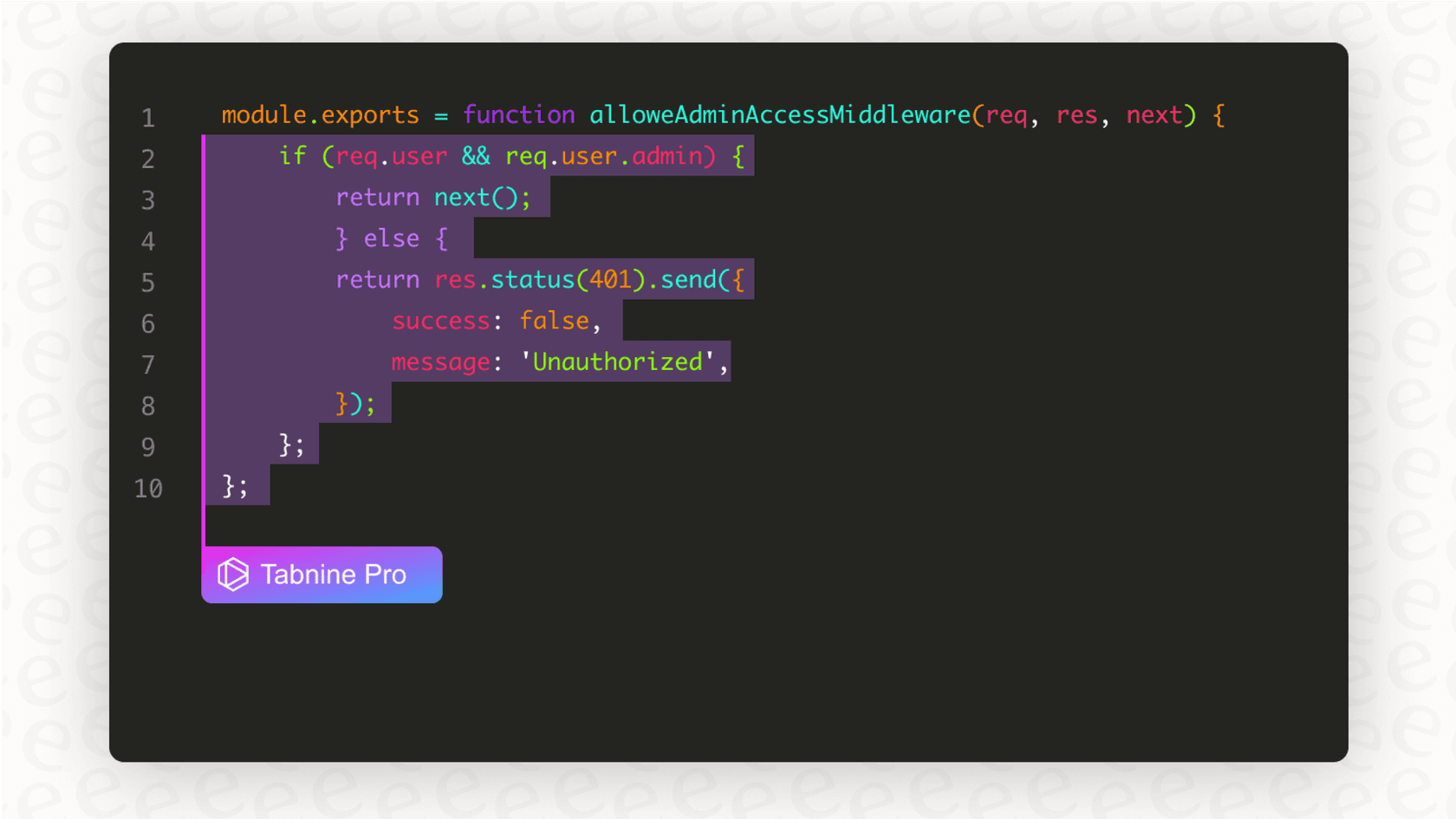
So, what exactly is Tabnine? At its heart, it’s an AI-powered code completion tool that works right inside your favorite IDE, whether that's VS Code, a JetBrains product, or something else. As you type, it suggests snippets of code, finishes entire functions for you, and can even write whole blocks of code from a simple instruction you write in plain English. The main goal is to make the whole process of building software feel quicker and a lot less repetitive.
It’s a popular tool for a reason and is trusted by developers and big companies all over the world. What helps it stand out is its serious focus on personalization and security. It gives teams a lot of control over how the AI works, especially when it comes to keeping your code private, which is a huge deal for most businesses.
A complete breakdown of Tabnine pricing plans
Tabnine’s pricing is now two paid tiers, both sold through sales. The free and low-cost individual plans that older guides describe have been retired. Let's dig into what each plan actually gives you.
The Tabnine pricing tiers
Here’s a side-by-side comparison of the two plans from Tabnine's last published pricing page (checked June 2026). Both are annual only, with no monthly billing and no self-serve checkout. Since the Tricentis acquisition the page redirects to a contact form, so treat these as the last list prices and confirm them in a quote.
| Feature | Code Assistant ($39/user/month) | Agentic Platform ($59/user/month) |
|---|---|---|
| Price | $39 per user/month, annual | $59 per user/month, annual |
| Target User | Teams and regulated organizations | Teams running autonomous coding agents |
| Core AI Features | Multi-line completions, IDE chat, Jira integration | Everything in Code Assistant, plus autonomous agents, Tabnine CLI, MCP integrations |
| Personalization | Codebase and org context | Context Engine with unlimited codebase connections (GitHub, GitLab, Bitbucket, Perforce) |
| Deployment | SaaS, VPC, on-premises, or air-gapped | SaaS, VPC, on-premises, or air-gapped |
| Security | Zero code retention, SSO, SOC 2, ISO 27001, GDPR, IP indemnification | Same, plus MCP governance controls |
| Support | Priority ticket-based support, team training | Priority ticket-based support, team training |
| Free tier | None (retired 2025) | None |
What's included in each Tabnine pricing plan?
A table is great for a quick look, but let's talk about what it feels like to use each of these plans.
Free tier (retired)
Older versions of this guide listed a free Dev Preview plan and a $9 Dev plan. Tabnine's pricing page had dropped both free options by December 2025 and repositioned around enterprise buyers, so solo developers and students no longer have a Tabnine tier to start on. If you need a free assistant, GitHub Copilot and Cursor both offer free tiers.
Code Assistant ($39 per user per month)
The entry plan is sold annually through a "get a quote" flow. You get multi-line and full-function completions, IDE chat on leading models, Jira integration, and every deployment option from SaaS to air-gapped. Security and governance are the point: zero code retention, SSO for private deployments, SOC 2, ISO 27001, GDPR, IP indemnification (subject to terms), usage analytics, and code provenance. If you use Tabnine-provided model access, tokens are billed at the model provider's price plus a 5% handling fee. Bring your own model and usage is unlimited.
Agentic Platform ($59 per user per month)
This tier adds autonomous agents with optional human oversight, customizable coaching guidelines, MCP integrations, the Tabnine CLI, and the Context Engine, which connects unlimited codebases and tools like Jira and Confluence. CI/CD headless agents are a separate add-on with their own pricing.
Beyond the sticker price: What to look for in Tabnine pricing
The monthly fee on a pricing page is just one part of the story. When you're looking at an AI tool, the real cost is often hidden in things like security, compliance, and deployment. These are the factors that decide whether a tool will actually work for your company or just create new problems and risks.
Deployment options and data privacy
One of the biggest differences between AI coding tools is where your code and data actually go. Most tools, including the well-known GitHub Copilot, are cloud-only. That works for a lot of people, but it’s a complete deal-breaker for companies in regulated fields like finance, healthcare, or government.
This is an area where Tabnine’s flexibility is a big plus. They offer pretty much every deployment option you can think of:
-
SaaS: The standard version where everything runs on their cloud servers.
-
Virtual Private Cloud (VPC): A private, fenced-off area of the cloud that’s just for your organization.
-
On-Premises/Air-Gapped: You can host Tabnine entirely on your own servers, completely cut off from the public internet. This is the ultimate guarantee that your proprietary code never leaves your network.
Tabnine also says it has a zero code retention for its main models. In plain English, that means your code isn't stored by them or used to train their general AI. For any company worried about protecting its trade secrets, that’s a promise you want to see.
IP protection and compliance
Here’s a huge risk with AI coding tools that a lot of people don't think about: where do the code suggestions come from? Many AI models are trained on a massive pile of public code from all over the internet, and some of that code has tricky or restrictive licenses. If the AI suggests a snippet that happens to match copyrighted code, using it could land your company in legal hot water.
This isn't just a hypothetical problem. GitHub, Microsoft, and OpenAI have been defending a class-action lawsuit over this exact issue. On September 16, 2026, the Ninth Circuit affirmed dismissal of the plaintiffs' DMCA claim in that case, while the contract claims remain pending.
Tabnine tries to get ahead of this by training its own models only on code with permissive licenses, according to its 2025 pricing page. Its chat now also runs on leading third-party models from Anthropic, OpenAI, Google and others, per the last pricing page. This seriously cuts down the risk of the AI spitting out code that could cause IP headaches later. For their enterprise customers, they also offer IP indemnification, which is basically legal backup. The plans list IP indemnification subject to terms and conditions, so read the contract for what a claim would actually cover. It's an extra layer of protection that lets you sleep a little better at night.
How to evaluate the ROI of your plan
At the end of the day, you're not just buying a tool; you're making an investment. For an AI coding assistant, that return on investment is usually measured in developer time. If it helps your team ship better code faster, it's probably paying for itself.
But there’s another factor that’s just as important: time-to-value. How long does it take from the day you sign up until your team is actually benefiting from the tool?
The importance of setup time and adoption
A tool can have the most incredible features, but if it takes weeks of sales calls, mandatory demos, and a complicated setup just to get it running, you're losing value from day one. The longer it takes to get started, the longer it takes to see any ROI.
Just like developers get the most out of tools they can just pick up and use, support teams see the fastest returns from AI platforms that are easy to set up yourself. For example, with a tool like eesel AI, a support manager can connect their helpdesk and launch a helpful AI agent in a matter of minutes, not months. This skips the long, drawn-out sales process you often see with other enterprise AI products.
Simulating performance before you commit
One of the biggest gambles with any AI tool is that you never really know how well it will work for your specific needs until after you've already bought it. Will it get your team's unique coding style? Will it follow your company's internal guidelines?
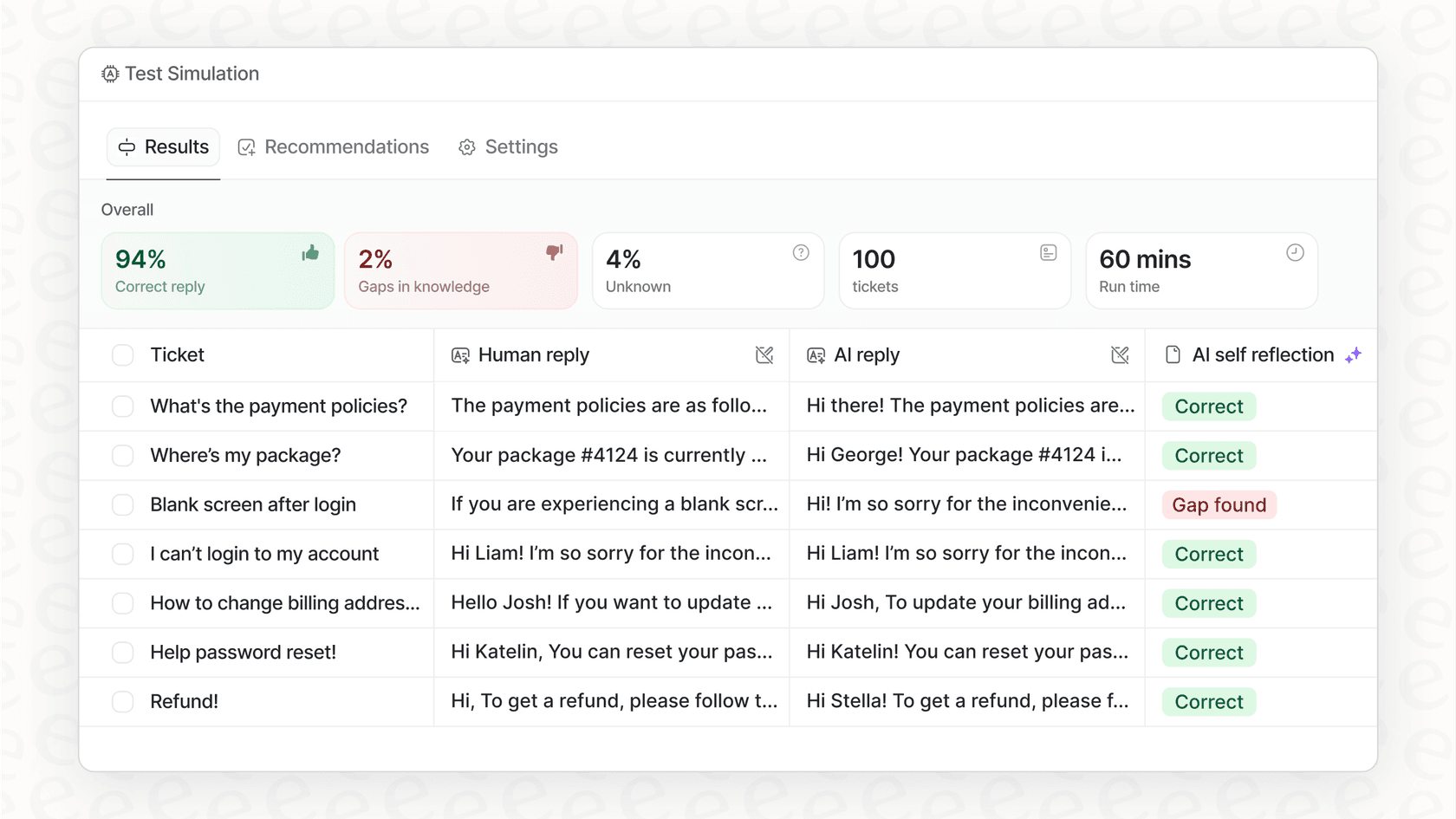
While you really have to use a coding assistant to see its impact, other types of AI platforms are getting creative here. The best AI for support teams, for example, often includes a powerful simulation mode. A platform like eesel AI can test its answers against hundreds of your past support tickets, score each one, and suggest instruction changes before it ever answers a customer. That tests answer quality up front, rather than waiting for live conversations. This ability to test with confidence and prove the ROI upfront is becoming the new standard for top-tier AI.
Choosing the right AI assistant for your team
Tabnine now prices for organizations rather than individuals, starting at $39 per user per month on an annual contract. With its heavy focus on security, privacy, and giving you control over your own data, it's a strong option for security-sensitive teams, and a harder fit for solo developers now that the free tier is gone.
But as you look at your options, remember to think beyond the monthly price. The best tool for you will depend on your specific needs around deployment, your company's rules on data privacy, and how fast you can get your team up and running. The ideas of transparent pricing, self-serve setup, and being able to prove the ROI are becoming the gold standard for all AI tools, whether they’re writing code or answering customer questions.
If you believe in transparent pricing and a self-serve approach for your AI tools, you'll appreciate how we've built eesel AI for support teams. See how you can unify your knowledge and automate support in minutes. Get started with eesel AI for free.
Frequently asked questions
What are the main differences between the various Tabnine pricing plans?
Tabnine's last published pricing had two annual, quote-based plans: Code Assistant at $39/user/month and Agentic Platform at $59/user/month. The free Basic plan and the $9 and $12 individual tiers described in older guides are gone, and since the Tricentis acquisition the pricing page redirects to a contact form.
How do deployment options influence Tabnine pricing for enterprise users?
Both paid plans include advanced deployment options like VPC, on-premises, or air-gapped hosting. While part of the $39/user/month starting price, these options provide ultimate data privacy and security, which are crucial for regulated industries and larger businesses.
Does Tabnine pricing reflect strong data privacy and IP protection features?
Yes. Both paid plans list IP indemnification (subject to terms) and zero code retention. Tabnine also maintains a zero data retention policy for its main models and trains on permissively licensed code to minimize intellectual property risks.
Is there a free option available to try out Tabnine before committing?
Not a permanent one. Tabnine's pricing page had dropped its free Dev Preview and Dev trial by December 2025, and trials now go through Tricentis, which acquired Tabnine on July 30, 2026. Tricentis says existing customers will continue to receive support for the products they use today. Ask for a trial or proof of concept before you sign an annual commitment. For free AI agents, look at other tools.
How can a team evaluate the return on investment (ROI) for their chosen Tabnine pricing plan?
ROI for Tabnine is primarily measured by increased developer efficiency and faster code delivery. Consider factors like reduced repetitive tasks, quicker function completions, and the time it takes for your team to adopt and effectively utilize the tool.