AI-powered summaries in tools like Slack feel like they should be a massive win. The idea of catching up on a frantic channel without reading every single message is pretty appealing, right? It promises to save you a ton of time and get you up to speed instantly.
But if you’ve actually used it, you know the reality can be… a little disappointing. You hit "Summarize," wait a second, and get a result that’s just plain weird. It misses the most important decision, misunderstands the whole point of the conversation, or just spits back a few random sentences. Sound familiar? You’re not the only one.
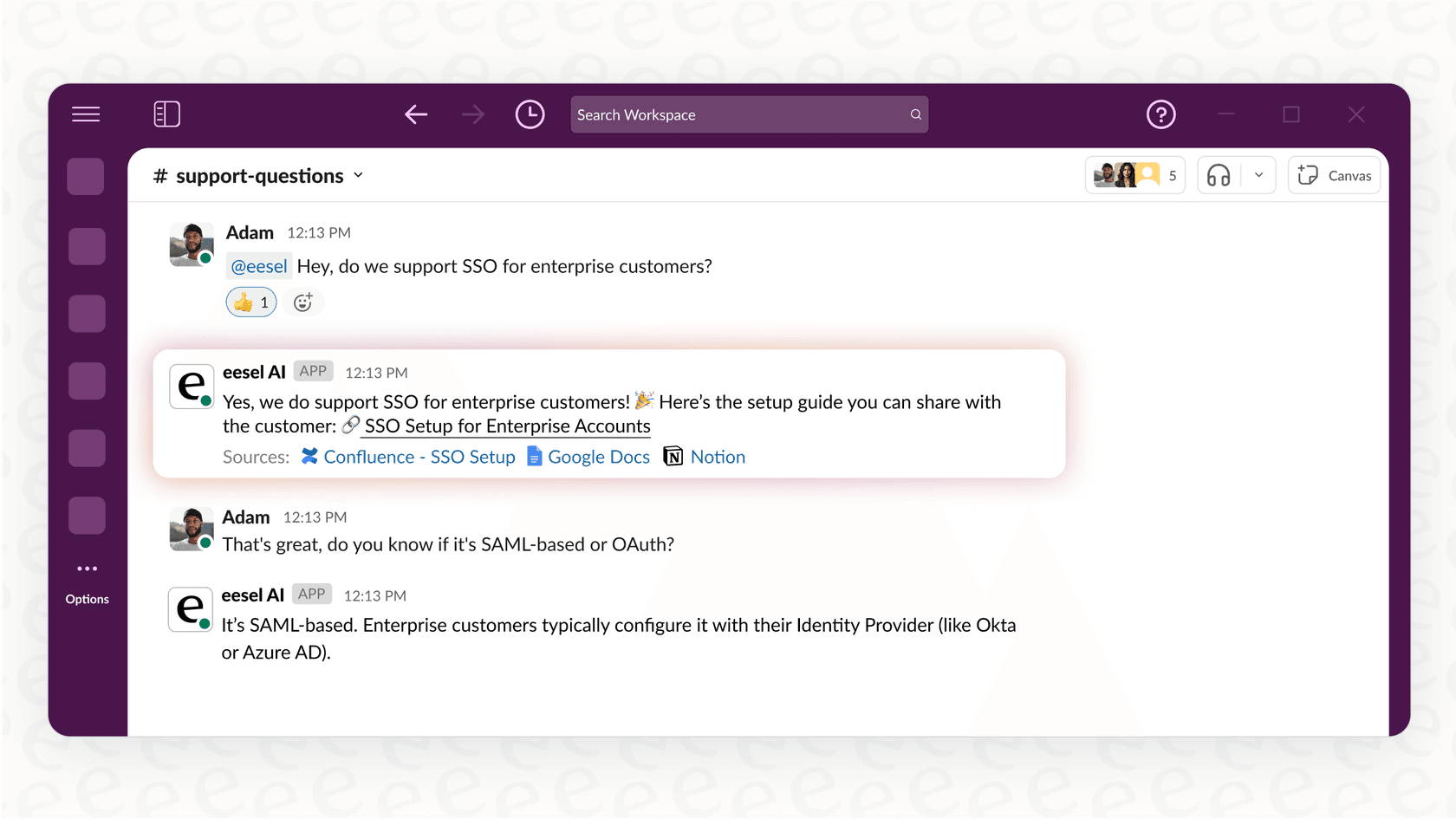
This isn't just a quirky feature flaw; it’s the gap between a handy button and a genuinely useful tool. Let’s take a real look at what Slack AI Conversation Summaries are, how they work, where they stumble, and how you can get AI summaries that actually help your team.
What are Slack AI Conversation Summaries?
At its heart, Slack AI Conversation Summaries is a feature built directly into Slack to give you the highlights from channels and messages without you having to do the work. According to Slack’s own guides, it covers a few main areas:
-
Thread summaries: This is the simplest one. Got a long, rambling thread? One click is supposed to give you a short version so you can see what was decided.
-
Channel recaps: For those super busy channels, you can ask the AI to summarize what you missed since you last checked in, over the last week, or within a specific date range.
-
Huddle notes: When you have an audio call in a huddle, the AI can generate notes, key takeaways, and a transcript after it’s over.
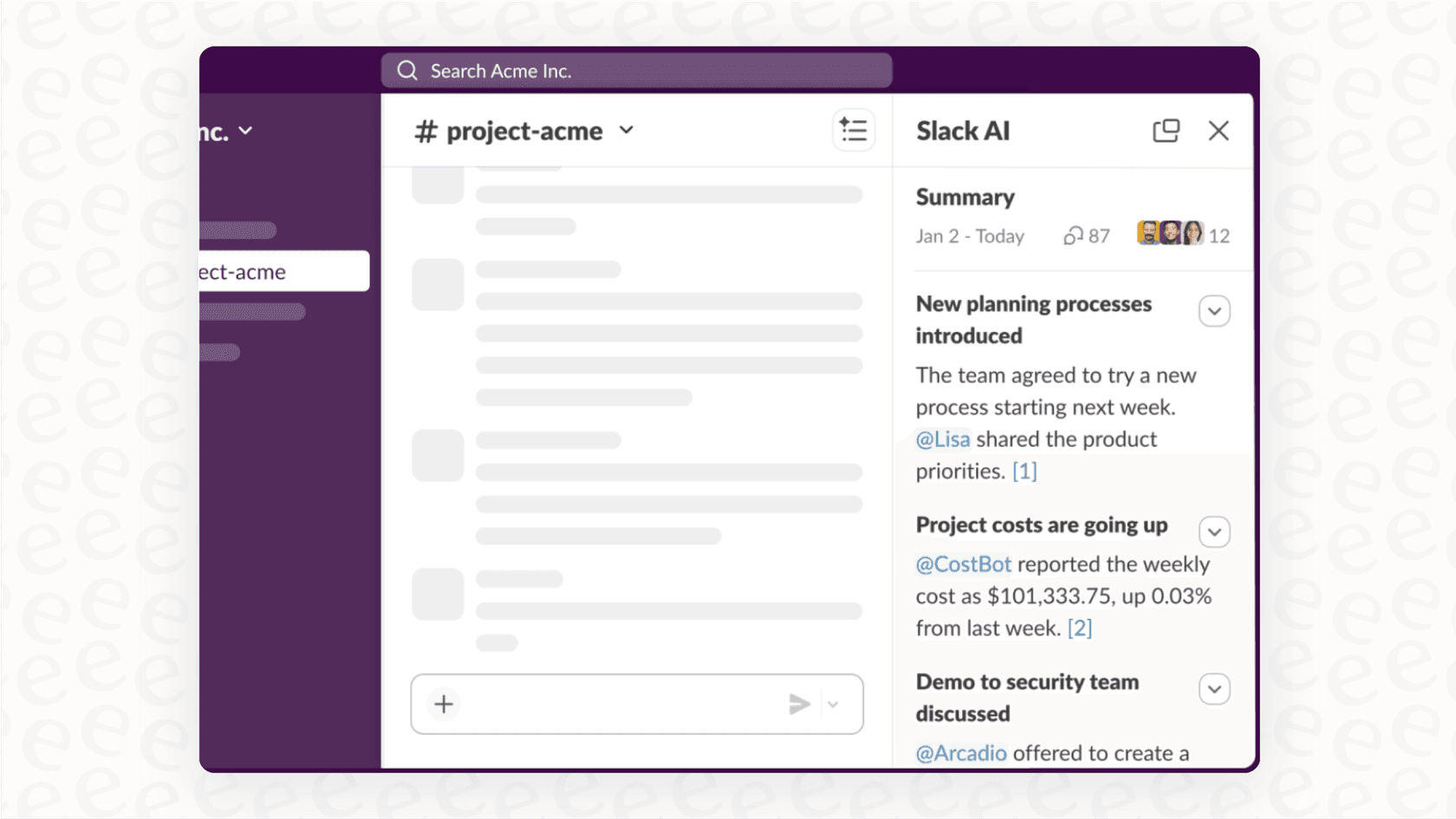
The main selling point is convenience. It's already there, no setup needed. You just click the button and get a summary. It's fine for a very quick, surface-level catch-up. The problem is, its brain is limited to the AI model Slack uses and it can only see what’s happening inside Slack. That one detail is the source of most of its headaches.
How Slack AI Conversation Summaries work (and their hidden costs)
When you ask Slack to summarize a chat, it looks simple. You click a button, and text appears. But behind the curtain, there's a lot going on, and the choices Slack has to make are exactly why the summaries can be so hit-or-miss.
Any platform operating at Slack’s scale has to make some serious trade-offs to serve millions of people at once.
-
Cost vs. Quality: Running a really smart AI model, the kind that can actually understand technical jargon, context, and sarcasm, is incredibly expensive. For a company with hundreds of millions of users, running that kind of model for every single summary request would be a financial nightmare. So, they have to use smaller, faster, and cheaper models. These models are okay at getting the general idea of a simple chat, but they fall apart with anything complex. They’re built for speed and low cost, not for quality.
-
Generic Models: The AI powering Slack's summaries is a one-size-fits-all deal. It hasn't been trained on your team’s lingo, your project codenames, or your company’s acronyms. It’s trying to understand your very specific work conversations with a generic brain. That’s like asking a random person off the street to summarize a private meeting full of inside jokes and years of history. Good luck with that.
-
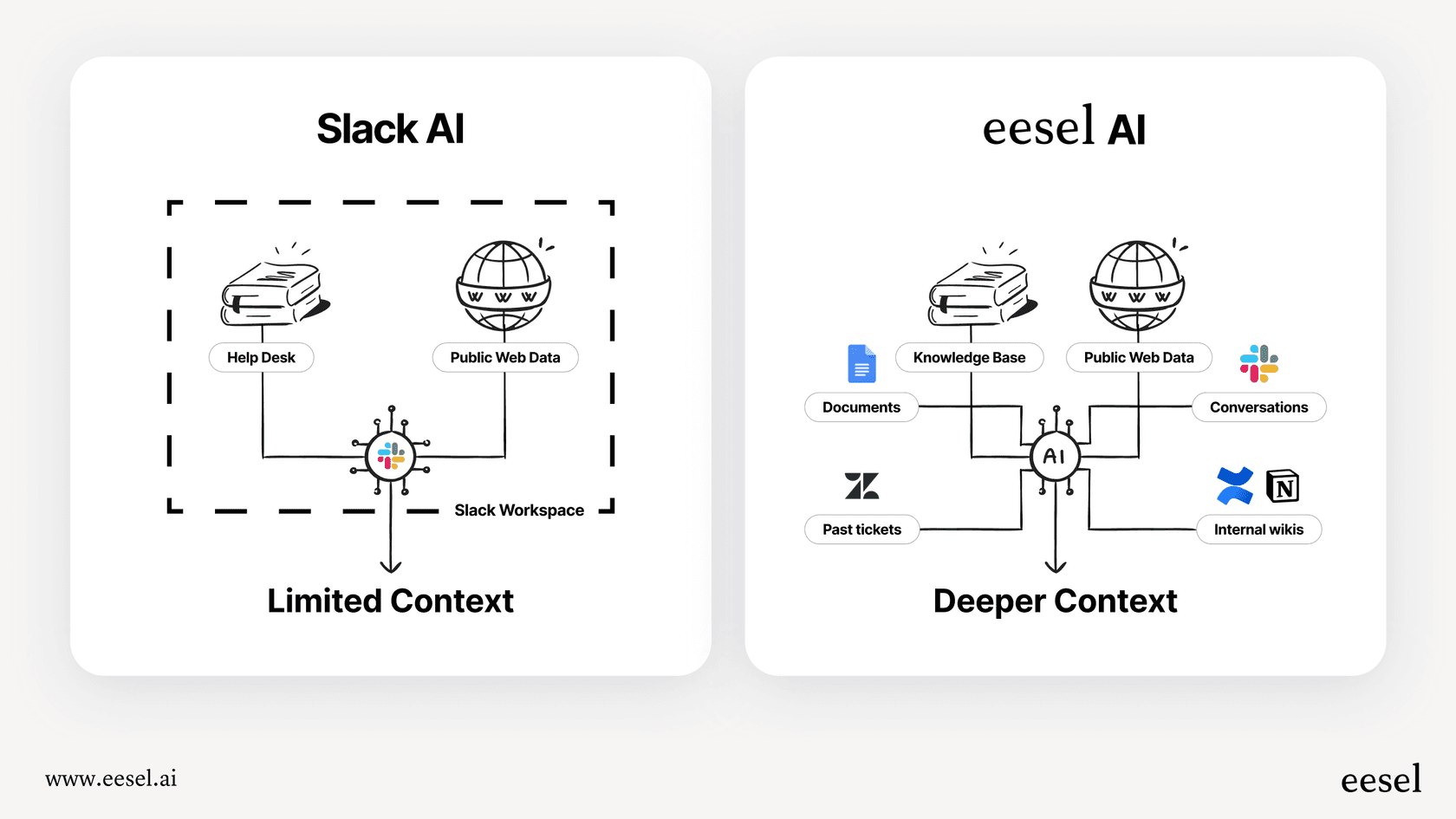
Data Silos: Slack AI only knows about Slack. It has zero access to your project plan in Confluence, your customer support history in Zendesk, or your sales info in Google Docs. Without that context from other places, its summaries are shallow and often get the meaning completely wrong.
The trade-off between convenience and accuracy
Here's the bottom line: Slack's AI is convenient because it's right there in the app. But you're trading that convenience for accuracy and depth. For a quick glance at a casual chat, that might be okay. But if your team relies on precise information to get work done, that's a trade-off you probably can't afford to make.
Key limitations of relying solely on Slack AI Conversation Summaries
Once you start trying to use the built-in summary tool for real work, its limitations become pretty obvious. For any team that needs more than a vague gist of a conversation, these issues are major blockers.
Lack of customization and control
With Slack AI, what you see is what you get. You can’t tweak it to fit how your team works.
You can't tell it what's important to you. For instance, you can't give it instructions like, "focus on action items and ignore the banter," or "summarize this technical debate for someone in marketing." You just have to hope it guesses right. As a result, you get a generic summary that often misses the very details your team needed in the first place.
No connection to your real knowledge base
This is the big one. An AI that only reads Slack messages is working with one hand tied behind its back. It can't check facts or pull in crucial information from your company's actual sources of truth. If a conversation brings up "Project Phoenix," the AI has no clue if that’s a new marketing campaign or a server migration unless someone explicitly spells it out in the chat.
This is where a dedicated platform like eesel AI completely changes the equation. By connecting directly to all your company's knowledge, from wikis to helpdesks, eesel AI doesn't just summarize text; it synthesizes information. It can pull the project goals from Confluence, grab the latest customer feedback from Intercom, and find the engineering specs in Google Docs to give you a summary that’s actually grounded in reality.
Inability to test or verify performance
With Slack's tool, you press the button and hope for the best. There's no way to see how well it works on different kinds of conversations or to check its accuracy over time. You're flying blind, and you only find out a summary was bad after you've already acted on it.
Contrast that with a professional tool like eesel AI, which has a simulation mode. Before you roll it out to your team, you can test it on thousands of your past conversations. This gives you a clear idea of how it will perform, helps you fine-tune it, and lets you build real confidence that the AI is actually helping, not making things more confusing.
No actionability
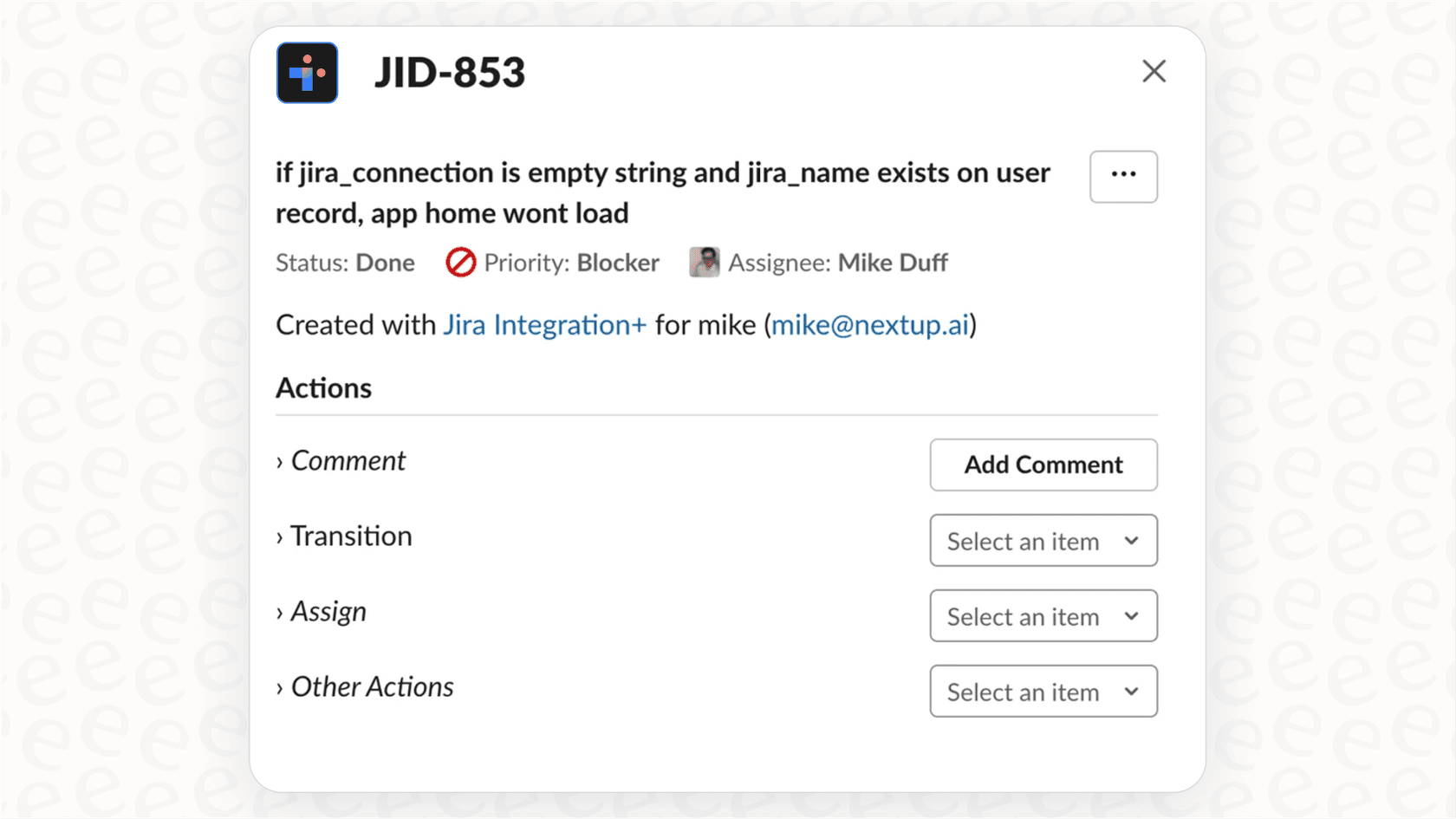
A Slack summary is a dead end. It’s just a block of text. It can’t create a task in Jira, update a ticket in Zendesk, or ping the on-call engineer about a critical issue. It's a passive tool that tells you what happened, not an active assistant that helps you move work forward.
Pricing for Slack AI Conversation Summaries
And let's not forget the price tag. Not all of Slack's AI features are available on every plan. To get the more useful stuff, you have to upgrade to a more expensive tier.
Here’s a quick look at how it breaks down, based on Slack's pricing page:
| Plan | Price (per user/month, annual) | Key AI Features Included |
|---|---|---|
| Free | $0 | Basic AI (summaries, search) |
| Pro | $7.25 | Basic AI (summaries, search) |
| Business+ | $15.00 | Advanced AI (adds recaps, file summaries, AI search) |
| Enterprise+ | Contact Sales | Enterprise-Grade AI (adds enterprise search) |
While basic summaries are on most paid plans, things like daily recaps and better search are locked behind the Business+ plan. At $15 per person each month, that cost adds up fast for a tool with so many weak spots.
Beyond the button: Getting Slack AI Conversation Summaries that actually help
To get past the limits of a simple built-in feature, you have to stop thinking about "summarizing text" and start thinking about "unlocking knowledge." This requires moving from a basic feature to an integrated AI platform.
Unify all your company knowledge
The first step is to give your AI the full picture. Instead of just looking at one Slack channel in a vacuum, a smarter AI can answer questions by connecting the dots between all your apps.
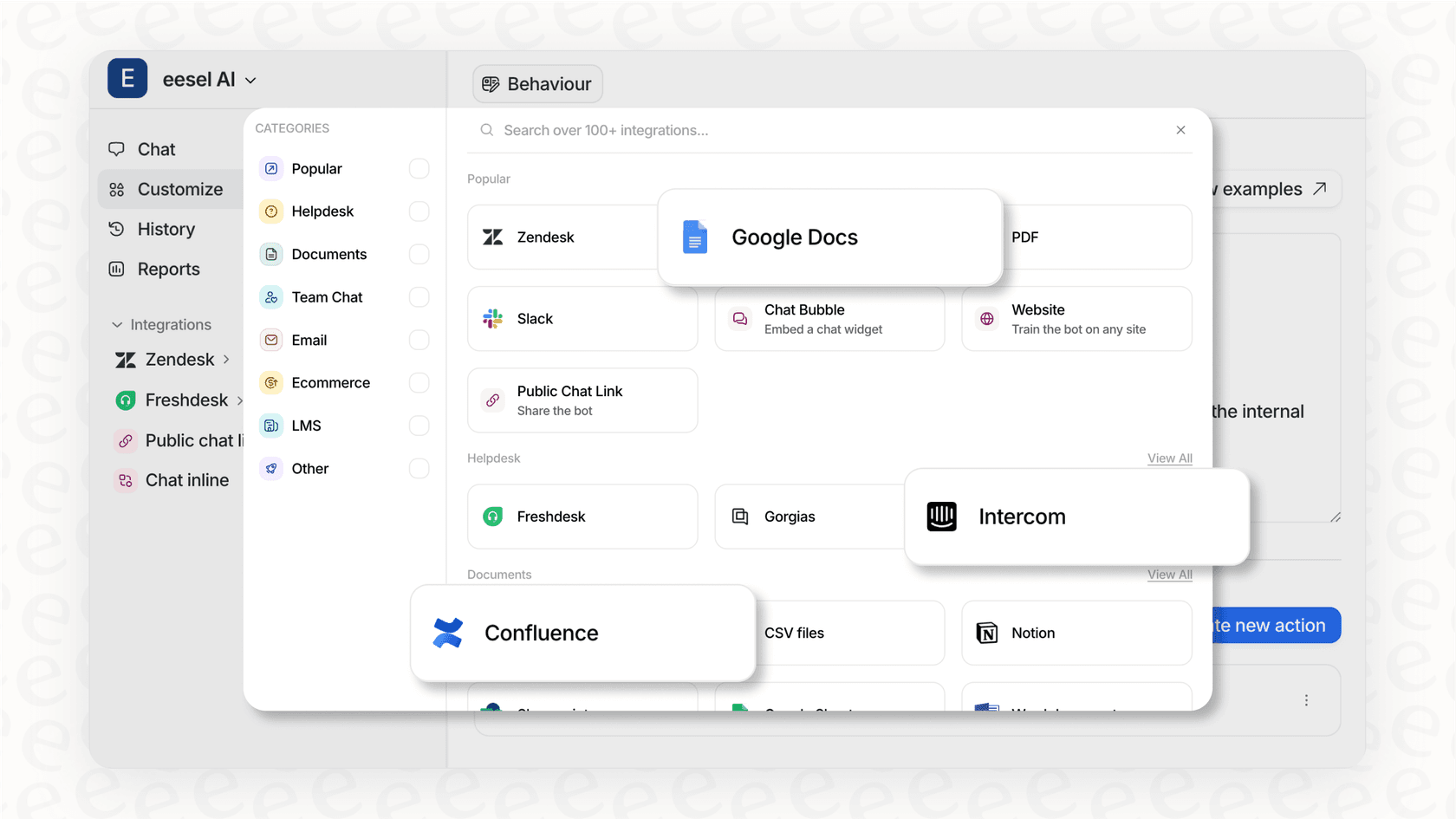
A platform like eesel AI offers over 100 one-click integrations with the tools you're already using. That includes wikis like Confluence and Notion, and help desks like Zendesk and Freshdesk. This lets you build an AI that actually understands your products, your processes, and your team, which leads to much more accurate and useful answers.
Gain total control over your AI
A better solution doesn't box you into a one-size-fits-all model. It gives you a way to define exactly how your AI should act. With eesel AI, you're in the driver's seat:
-
Custom Prompts: You can set the AI's personality and give it specific instructions. For example: "You are a helpful senior engineer. When you summarize, identify the core problem, the solutions discussed, and any blockers. Keep it professional and to the point."
-
Scoped Knowledge: You can tell the AI which documents to use for which channels. The AI in your
#marketingchannel can be limited to your marketing wiki, while the#engineeringAI sticks to the technical docs. This keeps answers relevant and stops the AI from getting confused. -
Custom Actions: This is where it gets really powerful. You can set up your AI to do more than just talk. It can create Jira tickets, look up order details in Shopify, or escalate an urgent issue by tagging the right person, all from within Slack.
From passive summaries to proactive assistance
The real goal is to turn your AI from a passive note-taker into a proactive team member. With a tool like eesel AI's Internal Chat, you can put a dedicated AI agent right inside Slack.
Instead of just getting a recap of what was said, team members can ask direct questions like, "What's the latest on the Q4 marketing launch?" or "Who's the expert on the Project Phoenix integration?" The AI can then give a direct answer, pulling information from every connected app and conversation, and even cite its sources. It becomes a real knowledge hub for your team, not just a gimmick.
Demand more from your Slack AI Conversation Summaries
Slack AI Conversation Summaries are a nice idea, but their problems with accuracy, control, and context make them a poor fit for teams that need reliable information. A generic AI that's stuck in a silo can only give you generic, siloed answers.
For any team that's serious about getting work done, a dedicated AI platform isn't just a nice-to-have; it's essential. The goal should be bigger than just summarizing chats. It should be about tapping into the collective knowledge that's currently trapped in those conversations and turning it into a resource everyone can use.
Ready to see what a truly smart AI assistant can do for your team? Try eesel AI for free and connect it to your Slack workspace in a few minutes to get summaries and answers you can actually count on.
Frequently asked questions
Why do Slack AI Conversation Summaries sometimes produce inaccurate or unhelpful results?
Slack AI Conversation Summaries often struggle due to relying on smaller, cheaper AI models designed for speed over depth. These models lack the ability to understand complex jargon, nuanced context, or specific company acronyms, leading to generic and sometimes incorrect interpretations of conversations.
What specific types of content can Slack AI Conversation Summaries generate?
Slack AI Conversation Summaries can generate thread summaries, channel recaps, and huddle notes with key takeaways and transcripts after audio calls. These features aim to provide a quick overview of communication within Slack.
Is it possible to customize how Slack AI Conversation Summaries operate for my team's specific needs?
Unfortunately, Slack AI Conversation Summaries offer very limited customization. You cannot instruct the AI to prioritize certain information, ignore banter, or tailor its output style to fit different team functions. What you get is a one-size-fits-all summary.
Do Slack AI Conversation Summaries integrate with our company's external knowledge base or other tools?
No, Slack AI Conversation Summaries operate within a data silo, meaning they only have access to information exchanged within Slack. They cannot pull context or facts from external platforms like Confluence, Zendesk, or Google Docs, which can lead to incomplete or misinformed summaries.
What are the main limitations when relying solely on Slack AI Conversation Summaries for critical information?
Key limitations include a lack of customization, no connection to external knowledge bases, and an inability to test or verify performance. Additionally, Slack AI Conversation Summaries are passive, providing text without the ability to perform actionable tasks like creating tickets or updating external records.
What are the pricing considerations for accessing advanced Slack AI Conversation Summaries features?
While basic Slack AI Conversation Summaries are available on most paid plans, features like daily channel recaps and advanced AI search are typically locked behind higher-tier plans like Business+ or Enterprise+. These upgraded plans come with a significantly increased per-user monthly cost.