

If your team lives in Slack, you’ve probably noticed the big push to bring more powerful AI tools directly into your workspace. The goal is always the same: streamline workflows and stop the endless cycle of switching between apps. A major new player on the scene is Salesforce, with its Agentforce integration.
The promise is pretty compelling: embedding autonomous AI agents right into Slack, where they can work alongside your team. But what does that actually look like day-to-day? This guide will walk you through the Slack AI Agentforce integration, breaking down the setup process, key features, pricing, and some pretty big limitations. By the end, you should have a much clearer picture of whether this solution is the right one for your business.
What exactly is the Slack AI Agentforce integration?
Put simply, the Slack AI Agentforce integration lets you build and launch custom, autonomous AI agents inside your Slack workspace. Think of them as specialized digital assistants that can handle tasks, find answers, and trigger automations by tapping into information from both Salesforce and Slack.
Understanding Salesforce Agentforce
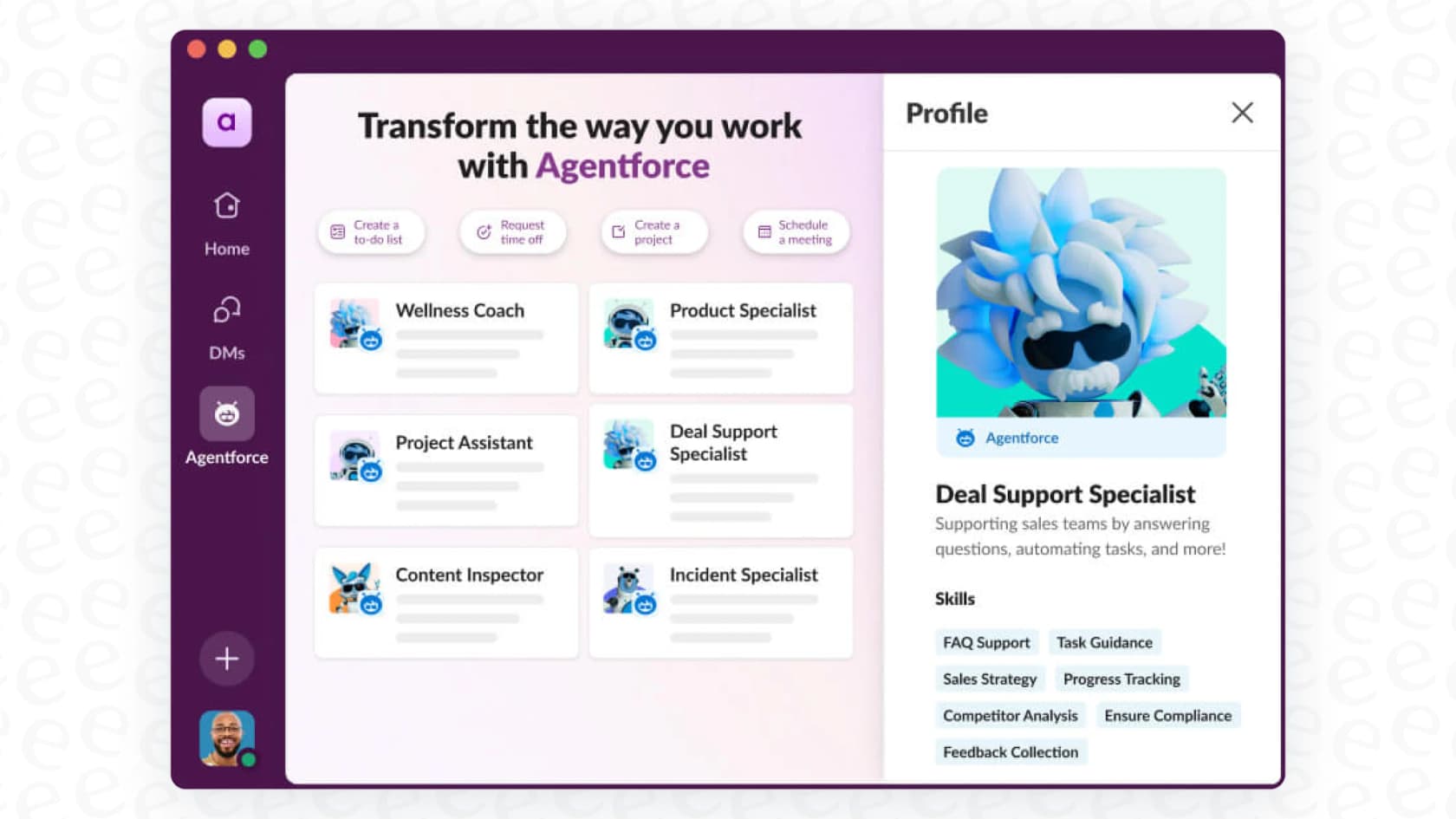
Agentforce is the platform from Salesforce where you actually build these AI agents. It's more than a simple chatbot builder; it’s designed for creating pretty sophisticated agents that can help with sales, service, IT, or HR. These agents are made to tackle complex, multi-step jobs by connecting directly to your company’s data. The main thing to grasp is that it's a Salesforce product through and through, meaning it's deeply integrated into their world.
How does the Slack AI Agentforce integration work in Slack?
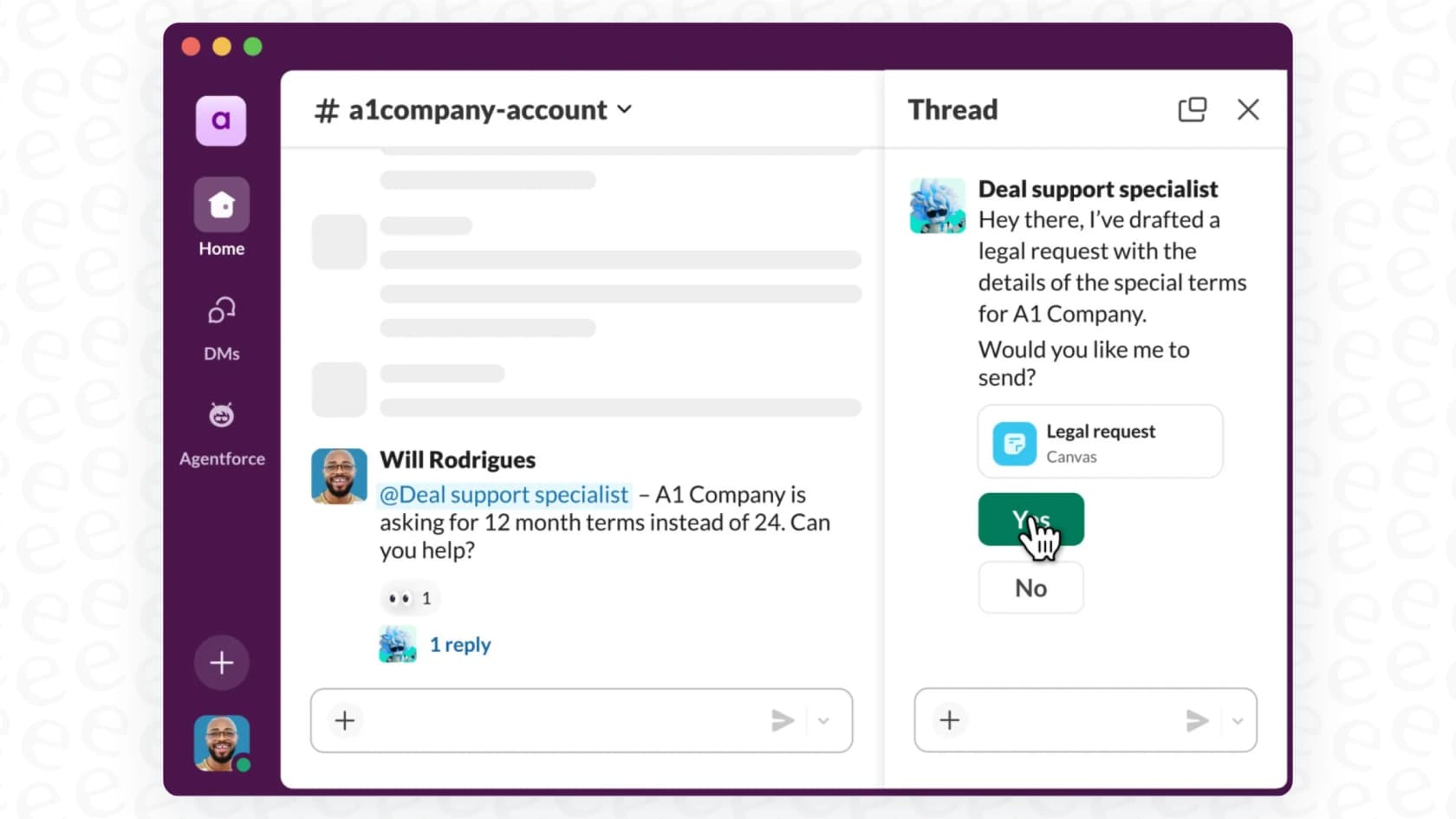
Once everything is connected, your team can interact with these agents just like any other colleague. You can @mention an agent in a channel to bring it into a conversation or send it a direct message for a private question. A big part of the appeal is that these agents can use the conversational data from your public Slack channels to understand context. This helps them provide more relevant answers and take smarter actions, a feature powered by what Slack calls Enterprise Search.
Setting up the Slack AI Agentforce integration: What it really takes
While an AI teammate sounds fantastic, getting Agentforce up and running in Slack is not a one-click install. It's a significant project that needs close coordination between your Slack and Salesforce admins.
Before you can even begin, you'll need a paid Slack plan, a Salesforce Agentforce license, and admin permissions for both platforms. From there, the setup is a multi-stage process that generally follows these steps:
-
Connect Salesforce and Slack: A Slack admin has to send a connection request to your Salesforce org.
-
Approve and Install: A Salesforce admin needs to approve the request and then install the Slack "Connected App" inside Salesforce.
-
Map User Accounts: The Slack admin then has to link every user's Slack account to their Salesforce account. For bigger teams, this can be a tedious, manual job.
-
Build the Agent: Over in Salesforce, an admin uses the Agentforce Builder to create the AI agent, defining its skills and what it can do.
-
Create the API Connection: The Salesforce admin then sets up a specific API connection so the new agent can talk to Slack.
-
Install the Agent: Finally, the Slack admin can install the configured agent into the right workspaces and make it available for everyone.
This whole workflow can be a real hurdle, especially for companies that don't have Salesforce developers or a dedicated IT team ready to jump in. For teams looking for a much quicker and easier way to get started with AI, platforms like eesel AI offer a completely different experience. With one-click integrations for tools like Slack and various help desks, you can get up and running in minutes, not months, without needing a whole team of admins.
Core features and limitations of the Slack AI Agentforce integration
Assuming you’ve made it through the setup process, Agentforce can bring some genuinely useful capabilities into your Slack channels. Here’s a rundown of what the agents can do:
-
Automate tasks: Agents can perform actions for you, like creating a new case in Salesforce, updating a customer record, generating a Slack canvas for meeting notes, or sending a summary to a channel.
-
Answer questions: By using Enterprise Search, agents can search through public Slack history and connected Salesforce data to answer employee questions. This can make them a good first stop for internal support.
-
Act like teammates: The ability to @mention an agent in a live conversation can be really helpful. It allows you to get assistance in real time without having to leave the discussion and open another app.
-
Pre-built templates: Salesforce provides agent templates to speed things up for common uses like an Employee Help Agent, a Customer Insights Agent, or a New Hire Onboarding Agent.
However, this power comes with some serious limitations that you need to think about.
The biggest one is ecosystem lock-in. Agentforce is designed to work best with data that already lives inside Salesforce and Slack. If your company’s knowledge is spread across other apps, you’re going to run into problems. Trying to get an agent to pull information from sources like Confluence, Google Docs, or another help desk like Zendesk is either extremely difficult or simply not an option.
On top of that, its knowledge is walled off. The "conversational data" it learns from is mostly limited to public Slack channels. That means it could miss out on vital information and solutions tucked away in private support tickets, internal wikis, or other documents.
This is where that lock-in can really hurt. An AI is only as smart as the information it can access. A more flexible solution like eesel AI is built on the opposite idea: it’s designed to unify all your knowledge sources instantly, no matter where they are. It connects seamlessly to Google Docs, Confluence, past Zendesk tickets, your help center, and more. It learns from your actual support history, so it understands your company's voice and solutions from day one, without trapping you in a single ecosystem.
The true cost: Understanding Slack AI Agentforce integration pricing
Let's talk money. Figuring out the total cost of this integration can be another challenge because it’s not just one purchase. You have to pay for a Slack plan and a separate Salesforce Agentforce license.
First, you need a paid Slack plan. These are priced per user, per month. Here's a general idea of the costs:
| Slack Plan | Price (Monthly) | Price (Annual) | Key Features for AI Integration |
|---|---|---|---|
| Pro | $8.75/user | $7.25/user | Unlimited message history, unlimited apps, group huddles. |
| Business+ | $15/user | $12.50/user | Advanced AI features, SAML-based SSO, data exports. |
| Enterprise Grid | Contact Sales | Contact Sales | Enterprise-grade security, unlimited workspaces, HIPAA support. |
On top of your Slack subscription, you also need a Salesforce Agentforce license. And here’s where it gets tricky: the pricing for Agentforce is not public. You have to contact the Salesforce sales team to get a quote.
This opaque pricing model makes it nearly impossible to budget accurately without first talking to a salesperson, and it can make your costs unpredictable as your team grows. You're left guessing what your bill will look like down the line.
For teams that need to plan their budgets and move forward, this lack of clarity can be a real dealbreaker. It’s a different world from a solution like eesel AI, which offers transparent and predictable pricing based on simple usage tiers, not confusing per-user fees. Plans are available month-to-month, and there are no per-resolution fees, so you won't get a nasty surprise on your bill after a busy month. You can even use its simulation mode to forecast your potential ROI before you commit.
The Slack AI Agentforce integration: A powerful but walled-garden approach
So, what's the final verdict on the Slack AI Agentforce integration? It’s a genuinely powerful tool for companies that are already heavily invested in the Salesforce ecosystem. It brings smart automation right into the place where your team collaborates.
But that power comes with trade-offs. The setup is complicated and requires help from multiple admins, it locks you into the Salesforce and Slack world, and its "contact us for pricing" model makes it hard to plan your budget.
If your company runs on Salesforce, it’s definitely worth a look. But if your tools and knowledge are spread across various platforms, you might find this integration feels more restrictive than freeing.
A more flexible path to AI automation with eesel AI
If you've read this far and the Agentforce solution sounds too complicated, too restrictive, or too expensive, you're not alone. The good news is, there’s another way.
eesel AI is the ideal alternative for teams who want powerful AI automation without the vendor lock-in or setup headaches. It was built from the ground up to be flexible, easy to use, and incredibly fast to deploy. With eesel AI, you get:
-
Go live in minutes with a self-serve setup that anyone on your team can handle.
-
Unify all your knowledge, not just the bits and pieces sitting in Salesforce and Slack.
-
Total control over your automation with a simple but powerful workflow engine.
-
Transparent, predictable pricing that lets you grow with confidence.
Ready for an AI solution that works with your tools, not the other way around? Start your free trial with eesel AI today.
Frequently asked questions
What exactly is the Slack AI Agentforce integration designed to do?
The Slack AI Agentforce integration allows you to embed custom, autonomous AI agents directly into your Slack workspace. These agents can perform tasks, answer questions, and automate workflows by accessing information from both Salesforce and Slack. They act as specialized digital assistants to streamline team operations.
How complex is the setup process for the Slack AI Agentforce integration?
The setup process for the Slack AI Agentforce integration is quite complex and requires significant coordination between Slack and Salesforce admins. It involves multiple stages, including connecting platforms, approving installations, mapping user accounts, building agents in Agentforce, and setting up API connections. It's not a one-click install and often requires dedicated IT resources.
What are the main benefits of using the Slack AI Agentforce integration?
The Slack AI Agentforce integration offers several benefits, such as automating tasks like creating Salesforce cases or updating records, answering employee questions using Enterprise Search, and acting like teammates by being @mentionable in conversations. It also provides pre-built agent templates to accelerate deployment for common use cases.
Are there any significant limitations to the Slack AI Agentforce integration?
Yes, a major limitation of the Slack AI Agentforce integration is its ecosystem lock-in, primarily working with data within Salesforce and Slack. It struggles to access knowledge from other apps like Confluence or Google Docs. Additionally, its learning from conversational data is mostly limited to public Slack channels, potentially missing vital internal information.
Can you explain the pricing model for the Slack AI Agentforce integration?
The pricing for the Slack AI Agentforce integration involves two main components: a paid Slack plan (Pro, Business+, or Enterprise Grid) and a separate Salesforce Agentforce license. The cost for the Agentforce license is not publicly available and requires direct contact with the Salesforce sales team, making budgeting challenging due to its opaque nature.
Who would benefit most from implementing the Slack AI Agentforce integration?
The Slack AI Agentforce integration is most beneficial for companies that are already heavily invested in the Salesforce ecosystem and use Slack extensively for team collaboration. It's ideal for organizations with dedicated admin and IT resources capable of handling a complex setup, looking to deeply integrate AI automation within their existing Salesforce-centric workflows.
How does the Slack AI Agentforce integration interact with team members in Slack?
In Slack, the Slack AI Agentforce integration allows team members to interact with agents naturally, similar to a colleague. Users can @mention an agent in a channel to bring it into a conversation for real-time assistance or send it a direct message for private queries. The agents use conversational data from public channels to understand context and provide relevant responses.