The SEO landscape is crowded with tools, each claiming to provide a key advantage in ranking on search engines. This can lead to numerous subscriptions for platforms that may not be fully utilized. Furthermore, the rise of AI search engines like Perplexity and Google's AI Overviews is changing search strategies. This requires tools that can adapt to traditional search while also providing an edge in these new AI-powered answer engines. This guide narrows down the options to six essential SEO tools that cover a range of needs, from brainstorming ideas to tracking performance.
What are SEO tools?
SEO tools are software applications designed to help improve website rankings in search engines. They provide data and insights to inform decisions about a website's content and technical infrastructure. Key functions include keyword research, competitor analysis, technical site audits, content optimization, and performance monitoring. Since no single tool excels in every area, an effective approach is to assemble a powerful toolkit where each tool specializes in a specific function, as shown in the graphic below.
How the best SEO tools were selected
To create this list, the platforms were evaluated based on their effectiveness in the current search environment, including their readiness for the new age of ready for AI search.
Here's what was looked for:
-
Core Functionality: The tool must perform its primary function at a high level. Whether it's research, content creation, or a technical audit, it had to be top-tier.
-
Ease of Use: The platform should be intuitive for a wide range of users.
-
Actionable Insights: The data provided should translate into clear, actionable steps for SEO improvement.
-
Value for Money: The tool should offer a clear return on investment through time savings or increased traffic.
A quick comparison of the top SEO tools
Here’s a quick look at how the best SEO tools stack up against each other.
| Tool | Best For | Pricing (Billed Annually) | Key Feature |
|---|---|---|---|
| eesel AI blog writer | AI Content Generation | $4 per blog post | Turns a keyword into a complete, publish-ready blog post |
| Semrush | All-in-One SEO & AI Visibility | Starts at $117.33/month | Comprehensive competitor analysis for Google & AI search |
| Surfer | Content Optimization | Starts at $49/month | Real-time content editor with AI search visibility tracking |
| Screaming Frog | Technical SEO Audits | Free, or $279/year for paid | In-depth website crawler for finding technical issues |
| AnswerThePublic | Content Ideation | Starts at $13.33/month | Visualizes search questions from Google and ChatGPT |
| Google Search Console | Performance Monitoring | Free | First-party data on clicks, impressions, and indexing |
The 6 best SEO tools to grow your traffic
Now that you have the big picture, let's get into the details of what makes each of these SEO tools a must-have for a modern marketing team.
1. eesel AI blog writer
The eesel AI blog writer is an AI content platform that generates SEO-optimized, media-rich blog posts from a single keyword. For example, it was used to grow one site to 750k+ monthly impressions in about three months by publishing over 1,000 blogs.
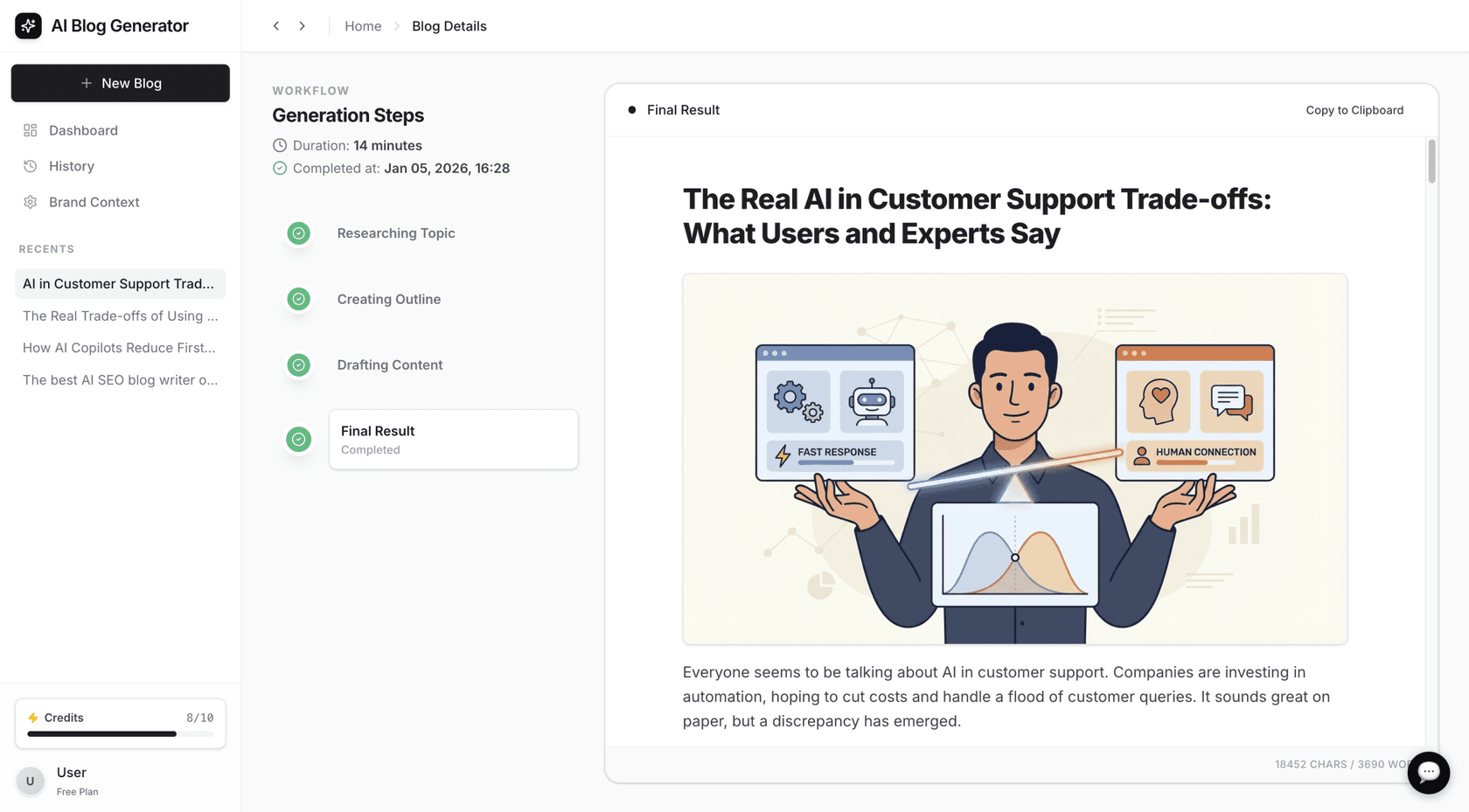
What we like: This is not just another AI writer tool that provides a first draft. It produces a final article by automatically finding and including real quotes from Reddit as social proof, generating custom images, finding relevant YouTube videos to embed, and adding both internal and external links. The research is context-aware, so a comparison post includes pricing data, and a review includes technical specs.
What could be improved: While effective for content generation, it isn't built for optimizing existing content or for deep keyword analysis with search volume and difficulty scores. That makes it a useful partner for a research tool like Semrush or AnswerThePublic.
Pricing: A free trial is available. Pricing is $4 per blog post, with no platform fee and no monthly minimum.
Who it's for: Users who need to produce high-quality blog posts at scale. It’s suitable for content teams, agencies, and founders who want to streamline content production.
2. Semrush
Semrush is a comprehensive option for all-in-one SEO suites. It is used for digging into competition and understanding the search landscape. With a database of over over 27B keywords, Semrush can help find ranking opportunities. The platform is also adapting to changes in search with Semrush One, an initiative to help users gain visibility on both traditional search and new AI platforms.
What we like: The Keyword Magic Tool and the Backlink Gap analysis are valuable for link-building ideas. A standout feature is their AI Visibility Index. It tracks how a brand is showing up in AI search like ChatGPT, providing an advantage in this new area.
What could be improved: The platform can be complex for a beginner. There are many features and data points. Its content optimization features are not as specialized as those in a dedicated tool like Surfer.
Additionally, the price point may be high for smaller businesses or solo marketers.I’ve used both - writers who have no knowledge of SEO will get some cues from Surfer. As to whether or not those cues are actually good ?♂️ I use SEMRush primarily now and it doesn’t really have any guided writing whatsoever. It’s more for people who at least have an idea what to do.

Pricing: The SEO plan starts at $117.33/month when billed annually, and the Starter plan is $165.17/month. Larger plans, including Advanced at $455.67/month billed annually, are available for teams and agencies.
Who it's for: SEO professionals, agencies, and businesses that need a single, data-rich platform to manage their entire SEO and AI search strategy.
3. Surfer
Surfer is a specialized tool that focuses on on-page SEO. It works by analyzing the top-ranking pages for a target keyword and then provides a data-driven blueprint for your own content. It looks at over 500 different web signals to indicate what an article needs for a better chance of ranking.
What we like: The real-time content editor is a key feature. As you write, it provides a "Content Score" that updates live, along with suggestions for keywords to add, questions to answer, and the ideal article length. Their new AI Tracker feature is also notable, showing how often a brand gets mentioned in Google's AI Overviews, ChatGPT, and Perplexity. The integration with Google Docs and WordPress makes it easy to fit into existing workflows.
What could be improved: Care should be taken not to follow every suggestion rigidly, as content can become over-optimized.
Also, if you want API access to plug it into your own systems, that comes with the Peace of Mind plan ($299/month billed yearly) or Enterprise, and the API introduction covers setup.I think these tools are getting pushed to much on new bloggers through affiliate marketing via Youtube etc. I used Surfer SEO when I started and it was essentially pointless because I didnt even use it in my most popular posts that really took off.
Pricing: The Discovery plan starts at $49/month when billed annually, with Standard at $99/month and Pro at $182/month. That makes it a solid option for individuals and small teams.
Who it's for: Content writers, editors, and SEOs who focus on on-page optimization. If you want to ensure every article you publish is tuned for both search engines and AI, Surfer is a useful tool.
4. Screaming Frog
Screaming Frog's SEO Spider is a leading tool for technical SEO audits. It's a desktop-based website crawler used by professionals to analyze a site's structure and find issues that could be hurting rankings. This includes broken links, redirect chains, duplicate content, and more.
What we like: Its strength is its depth. You can crawl large websites and pull out specific data that other tools might miss. You have control to customize your crawls to look for just about any technical issue you can imagine, from metadata problems to complex international SEO (hreflang) errors.
What could be improved: The user interface is data-dense and may appear dated, which can be intimidating for users who are not technical SEO specialists. It presents a large amount of data, requiring users to know what to look for. It is an audit tool; it finds problems but does not offer solutions for fixing them.
Pricing: The free version is powerful, allowing you to crawl up to 500 URLs. For more, the paid license is $279 per year.
Who it's for: Technical SEO specialists, consultants, and agencies. If you need to run deep, comprehensive health checks on large and complicated websites, this is your tool.
5. AnswerThePublic
AnswerThePublic functions as a "search listening" tool. It helps you understand audience search behavior by showing you the actual questions, comparisons, and phrases they’re using in their searches. It pulls autocomplete data from search engines and now even uses AI models like ChatGPT to visualize what people are curious about.
What we like: A key feature is its data visualizations. The "question wheels" are an intuitive way to brainstorm content ideas and find topics. It's one of the best ways to discover long-tail keywords and plan out entire topic clusters that address user queries.
What could be improved: It is primarily used for ideation and does not provide SEO metrics like keyword difficulty or search volume. You'll need to pair it with a tool like Semrush for that. Think of it as a creative starting point for your research, not the final analysis.
Pricing: You can get a Starter plan for $20/month if you pay monthly, with a discount for annual plans.
Who it's for: Content creators, strategists, and marketers who need a supply of fresh, relevant content ideas based on real user searches.
6. Google Search Console
If you have a website, using Google Search Console (GSC) is an essential tool. It's the only place to get performance data straight from Google, making it the direct source of data for how the world's biggest search engine sees your site.
What we like: It’s 100% free and provides valuable information. You can see the exact search queries that are bringing clicks and impressions to your pages. The URL Inspection Tool is a must-use for troubleshooting; it lets you check the indexing status of any page and see a render of how Googlebot views content. This is incredibly helpful for fixing technical problems.
What could be improved: The data is limited to your own website, so you can't use it for competitor research. The interface is functional, providing raw data without the detailed insights or dashboards found in paid tools.
Pricing: Completely free.
Who it's for: Every single person who owns or manages a website. No exceptions. It's the essential tool for monitoring your organic performance and diagnosing technical issues directly from the source.
How to build your SEO toolkit on a budget
It is possible to build an SEO toolkit without subscribing to every tool at once. The following visual guide breaks down how to build your toolkit the smart way.
-
Start with the free essentials: Before you spend anything, get Google Search Console set up. It’s the foundation. For brainstorming, the free version of AnswerThePublic will give you plenty to start with.
-
Identify your main bottleneck: What is the one thing holding back your progress the most? For example, if content production is the primary challenge, a tool like the eesel AI blog writer can offer a significant return by automating a time-consuming part of SEO. If existing content isn't ranking, a specialized optimization tool like Surfer may be a better investment.
-
Start with one specialized tool: Instead of getting a large, expensive suite where you might only use a fraction of the features, pick one tool that solves your biggest challenge. If your site has significant technical issues, the $279 for a year of Screaming Frog is a practical choice. If you need deep competitor data, that’s when you should invest in Semrush.
-
Consider an all-in-one suite later: Once your SEO efforts are more mature and you have a solid strategy, consolidating your workflow with an all-in-one tool like Semrush can make sense. But you don't need to start there.
For more ideas on how to expand your toolkit without breaking the bank, check out this video guide to some of the top free SEO tools available.
The role of SEO tools in a successful strategy
SEO tools are powerful but are most effective when they support a solid strategy focused on creating valuable, user-centric content. A tools don't save bad strategy.
A common challenge in SEO is consistently producing high-quality content at scale. Content generation tools, such as the eesel AI blog writer, are designed to address this challenge. They allow users to convert research insights into complete, optimized blog posts, connecting strategy with execution.
Try the eesel AI blog writer to generate a blog post from a keyword.
Frequently asked questions
What are the most important features to look for in SEO tools?
Look for tools that excel at one of the core SEO tasks: keyword research (finding opportunities), technical audits (finding site errors), content optimization (improving on-page factors), and performance tracking (monitoring your progress). Effective tools provide accurate data and actionable insights.
Can I get by with free SEO tools when I'm just starting out?
Absolutely. Starting with free tools like Google Search Console is essential for everyone. You can get a lot done with free versions of other platforms for brainstorming and basic audits. You only need to invest in paid SEO tools once a specific need is identified, such as deep competitor analysis or scaled content creation.
How many different SEO tools do I really need?
You don't need dozens. A small, curated toolkit is much more effective. A good starting point is one tool for research/ideation, one for technical health, and one for performance monitoring. The six tools on this list cover the primary aspects of a modern SEO strategy.
Are all-in-one SEO tools better than specialized ones?
Not necessarily. All-in-one suites like Semrush are powerful but can be expensive and overwhelming for beginners. Specialized tools often do one thing exceptionally well. A common approach is to start with specialized tools to solve specific problems and then move to an all-in-one platform as needs expand.
How are AI developments changing the way we use SEO tools?
AI is having a huge impact. Many SEO tools are now incorporating AI to provide smarter keyword suggestions and content outlines. More importantly, top-tier tools are now tracking your visibility in AI-powered search results (like Google's AI Overviews and ChatGPT), which is an emerging area for optimization.
What's the biggest mistake people make when choosing SEO tools?
A common mistake is acquiring a tool without a clear strategy for its use. A tool is only as good as the plan behind it. Don't just collect subscriptions; identify your primary goal-whether it's fixing technical issues, creating more content, or outranking a specific competitor-and choose the tool that directly helps you achieve that goal.