


Let's be honest, Jira is a beast. For many software development teams, it's the default tool for managing projects and squashing bugs. But if you’ve ever spent an afternoon fighting with a workflow configuration when you should have been shipping code, you know the pain. Too many teams get bogged down by its complexity and steep learning curve, not to mention a price tag that can make your eyes water.
The good news is, you don't have to be stuck with it. The world of project management has moved on, and the best tools today aren't just simple Jira clones. They're smarter, more integrated, and built for how teams actually work in 2026.
This guide looks at the 6 best Jira alternatives for software development from a different angle. We're not just looking for another Kanban board. We’re focusing on tools that can streamline the whole development cycle, from tracking bugs to sharing knowledge and handling internal support, often with a smart AI layer to make life easier.
What are Jira alternatives for software development?
When you hear "Jira alternative," you probably picture a different task manager. But these days, it's about a lot more than that. Modern tools are designed to fix the friction that comes from using clunky, disconnected systems. They usually cover a few key areas:
-
A better way to track issues. This means a clean system for handling bugs, feature requests, and all those internal questions from other teams without the usual headache.
-
Project management that makes sense. Simple, visual ways to organize tasks and see what everyone's working on, without needing a certification to figure it out.
-
Knowledge that isn't lost. Finding a way to centralize documentation from places where developers actually work, like in Confluence, Google Docs, or Notion.
-
A shield for your developers. Giving non-technical team members a way to get answers to their questions without derailing a developer who's deep in focus mode.
The real goal is to find something that slots right into your team's toolkit, making things simpler instead of adding another heavy system to manage.
Our criteria for choosing the best Jira alternatives for software development
To sort through the options, we focused on what development teams actually need to move fast and stay sane. Here’s what we looked for:
-
Can you actually use it? How quickly can your team get up and running? We gave top marks to tools you can figure out in an afternoon, not ones that require weeks of training or a dedicated admin.
-
Does it play well with others? A great tool has to connect smoothly with the software your team already uses every day, like Slack, Confluence, Google Docs, and your helpdesk.
-
Does it work smarter, not harder? We looked for tools that use AI to handle the repetitive stuff, like routing tickets, answering common questions, or drafting replies so your team doesn't have to.
-
Is the pricing straightforward? Nobody likes hidden fees or having to schedule a sales call just to find out what something costs. We prioritized tools with clear, predictable pricing.
A quick comparison of the top Jira alternatives for software development in 2026
Here’s a bird's-eye view of how our top picks compare.
| Tool | Best For | Key AI Feature | Starting Price |
|---|---|---|---|
| eesel AI (+ Helpdesk) | Unifying knowledge & AI automation | Learns from past tickets & all docs | From $299/mo (500 credits) |
| Zendesk | Enterprise-grade ticketing | AI-powered article generation | $55/agent/mo |
| Freshdesk | SMBs needing an all-in-one helpdesk | Email AI Agent | $19/agent/mo |
| Help Scout | Simplicity and documentation | AI-assisted article polishing | $25/user/mo |
| HubSpot Service Hub | Teams in the HubSpot ecosystem | AI Agents (Breeze) | $90/seat/mo |
| Crisp | Startups needing an affordable option | AI-powered chatbot builder | Free / $45/mo |
The 6 best Jira alternatives for software development in 2026
The smartest solution today isn't always about ripping out what you have and replacing it. Often, it's about adding a flexible, user-friendly system with a powerful AI layer that handles the grunt work for you. Let’s get into the list.
1. eesel AI
-
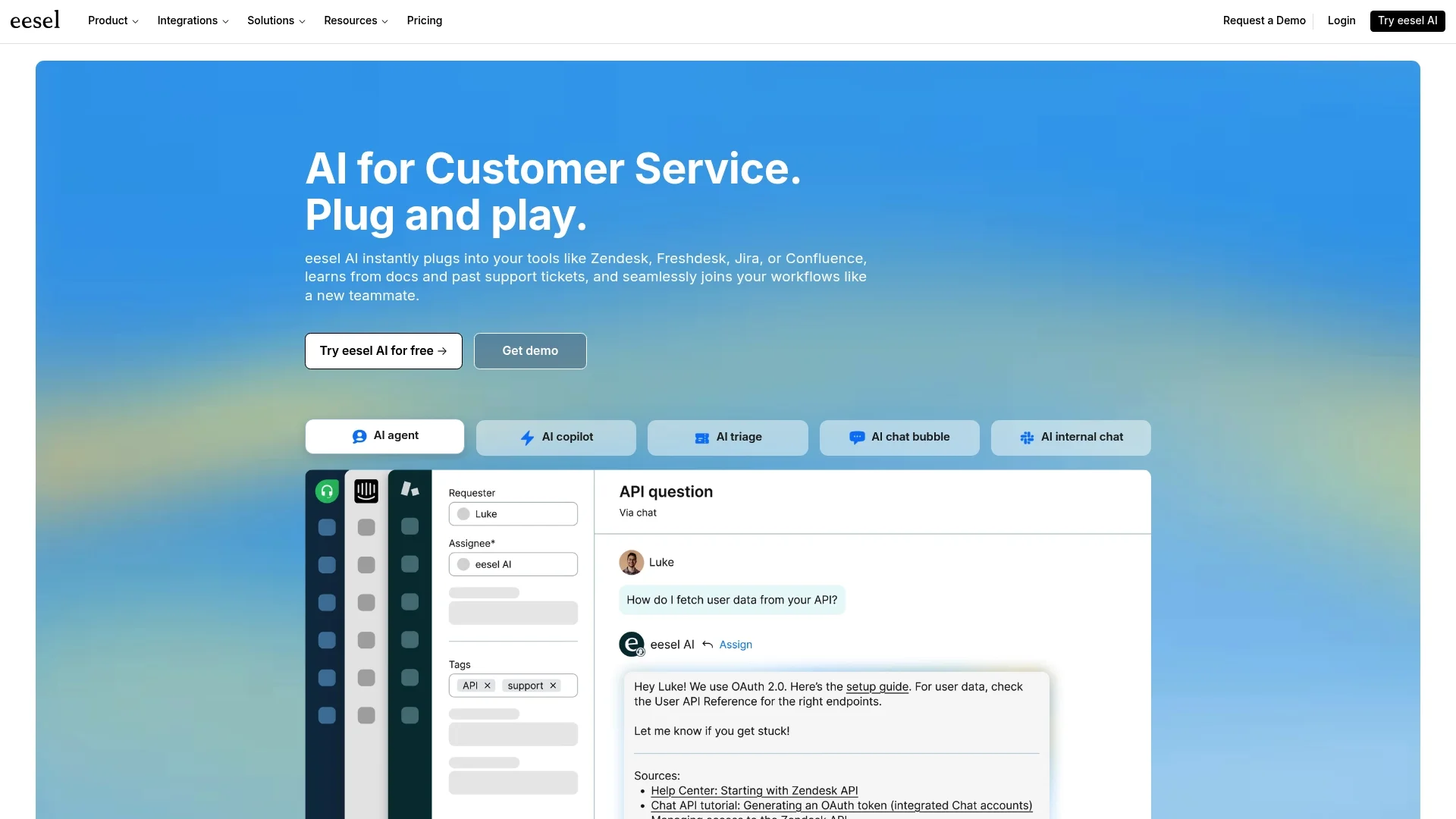
Why it's on the list: Instead of making you switch to a whole new system, eesel AI is like a smart upgrade for your current helpdesk (think Zendesk or Freshdesk). It connects all your scattered documents and support history to give your team instant, accurate answers right where they work.
-
Description: eesel AI plugs directly into your company’s brain, whether that’s in Confluence, Google Docs, past tickets, or anywhere else. Its AI Internal Chat works inside Slack or Microsoft Teams, so employees can get answers on their own without filing a ticket or bugging a developer. For new requests, its AI Triage can automatically tag, route, and even resolve common issues before they ever land in a developer's queue.
-
Pros:
-
You can set it up in minutes. It's a self-serve platform, so you can get started without ever having to talk to a salesperson.
-
It unifies all your knowledge. It connects to where your information actually is, so you don't have to copy-paste everything into a new knowledge base.
-
Test it before you trust it. You can simulate the AI on thousands of your past tickets to see exactly how much time it would save you, completely risk-free.
-
Clear pricing. The plans are straightforward, with no weird per-resolution fees that penalize you for being efficient.
-
Cons:
-
It’s an AI automation layer, not a standalone project management tool with Kanban boards and Gantt charts.
-
Pricing: The Team plan starts at $239/month when billed annually.
2. Zendesk
-
Why it's on the list: Zendesk is a workhorse. It's a powerful, enterprise-grade ticketing system that can be configured for just about anything, including bug reports, feature requests, and internal IT questions. For the "issue tracking" part of Jira, it’s a very solid choice.
-
Description: Zendesk provides a comprehensive help center and ticketing workflow that is built to scale. Its AI features are remarkably powerful and work most effectively when leveraging the platform's integrated knowledge base, ensuring a streamlined experience for teams. For those looking for the ultimate in automation, Zendesk's ecosystem includes world-class capabilities from Ultimate.ai, which enhance the platform's multilingual and automation features.
-
Pros:
-
It is a mature, reliable platform that can scale to handle any level of complexity.
-
Comes with industry-leading reporting and analytics to track your support metrics.
-
Offers a massive marketplace and ecosystem for seamless integrations.
-
Cons:
-
As a mature platform with deep capabilities, Zendesk offers extensive configuration options that benefit from a structured implementation process.
-
The platform encourages a centralized documentation approach to ensure its robust AI can deliver the most accurate results.
-
Pricing: Zendesk offers tiered plans to match different team sizes, with the Suite Team plan starting at $55 per agent/month, billed annually.
3. Freshdesk
-
Why it's on the list: Freshdesk offers a friendly and capable helpdesk that’s a lot less intimidating for small to mid-sized businesses. It’s a strong, dependable foundation for teams wanting solid ticket management with a mature feature set from day one.
-
Description: Freshdesk pulls together ticketing, a knowledge base, and reporting into a single platform. Its Freddy AI features and capabilities include tools like an Email AI Agent that can efficiently handle the initial response to customer questions. It’s an impressive ecosystem for managing both internal and external support requests.
-
Pros:
-
The interface is highly intuitive, making it exceptionally easy for teams to adopt and get started quickly.
-
It offers a robust and comprehensive mix of features that provide great value.
-
Freshdesk is a reliable, trusted platform used by thousands of successful companies globally.
-
Cons:
-
Freshdesk offers advanced AI and automation capabilities across its tiered plans, allowing teams to scale their features as their requirements grow.
-
As a comprehensive platform, Freshdesk excels when knowledge is centralized within its ecosystem, though its marketplace offers numerous ways to connect external tools.
-
Pricing: Freshdesk offers tiered plans to match different team sizes, with the Growth plan starting at $19 per agent/month. The Pro plan with more advanced features is $55 per agent/month when billed annually.
4. Help Scout

-
Why it's on the list: Help Scout's whole approach is about simplicity. If you find other tools bloated with features you’ll never touch, Help Scout is a breath of fresh air for managing issues and documentation.
-
Description: Help Scout gives you a shared inbox, a knowledge base (they call it "Docs"), and straightforward reporting. They've recently added some AI features to help polish articles and summarize conversations, but the focus is more on helping agents, not full automation. It’s built to help your team provide great support without a ton of hassle.
-
Pros:
-
Incredibly easy to use and for new people to pick up.
-
Pricing is transparent and affordable.
-
Cons:
-
It doesn't have the advanced automation or complex workflow tools that some competitors offer.
-
The native AI features for resolving tickets are limited.
-
Pricing: The Standard plan starts at $25 per user/month, billed annually.
5. HubSpot Service Hub
-
Why it's on the list: If your company is already running on HubSpot, the Service Hub is a pretty logical choice. It connects ticketing and support directly with the HubSpot CRM, so you can see every interaction a person has had with your business in one place.
-
Description: Service Hub bundles a help desk, ticketing, a knowledge base, and advanced AI agents (called "Breeze") available on its premium plans. Having everything in one system is powerful, and it works exceptionally well when leveraging the full strength of the HubSpot platform.
-
Pros:
-
Connects seamlessly with HubSpot's Marketing, Sales, and CRM tools.
-
HubSpot is a mature, reliable platform that powers customer service for thousands of companies, offering a unified ecosystem and an impressive marketplace.
-
Powerful automation is available through its sophisticated tiered plans.
-
Cons:
-
HubSpot offers tiered plans designed to scale with your business, with advanced features available on professional and enterprise levels.
-
The platform's comprehensive nature provides a robust foundation for teams looking for a long-term, scalable solution.
-
Pricing: The Professional plan starts at $90 per seat/month. The Enterprise plan with AI agents starts at $150 per seat/month (billed annually).
6. Crisp
-
Why it's on the list: Crisp offers an all-in-one communication platform with a pretty generous free plan and very affordable paid options. This makes it a great pick for startups and small teams who need a capable solution without a big budget.
-
Description: Crisp includes a shared inbox, a chat widget, a knowledge base, and a no-code AI chatbot builder. It lets you manage conversations from email, chat, Facebook Messenger, and more from a single dashboard.
-
Pros:
-
The free plan for up to two people is great for getting started.
-
Flat, transparent pricing per workspace, not per conversation, which is nice.
-
Includes a solid AI chatbot builder even on its mid-tier plan.
-
Cons:
-
The interface doesn't feel quite as polished as some of its competitors.
-
It's more limited on advanced features and deep integrations compared to enterprise tools.
-
Pricing: A free plan is available. The Essentials plan is $95/month per workspace.
Tips for choosing the right Jira alternatives for software development
Picking a new tool can feel like a huge decision, but you can make it easier by sticking to a few core ideas.
-
Look for something that connects, not isolates. The best tool is one that works with the systems you already have. Don't fall into the trap of creating another information silo. A platform like Freshdesk, which offers a massive marketplace of integrations, or a tool that pulls knowledge from where it already lives is worth its weight in gold.
-
Think about your daily grind, not just the feature list. How will this tool actually fit into your team's day-to-day work? A simpler tool that everyone actually uses is far more valuable than a complicated one that gets ignored.
-
Let AI be an assistant. Look for AI that can handle triage, find information, and draft replies. This frees up your developers to focus on the challenging problems they were hired to solve.
-
Try before you buy (with your own data). Before you commit, see if a platform will let you test its AI on your real, historical data. It's the best way to see what the actual impact will be and avoid a painful implementation that doesn't deliver.
It’s about the ecosystem, not just the tool
Moving on from Jira doesn't mean you need to find one single tool that does everything. The best modern Jira alternatives for software development are less about finding another giant platform and more about creating a connected, intelligent way of working. They focus on integrating with your existing knowledge and using AI to smooth out the rough edges of your workflow.
Instead of moving all your data to another rigid system, think about layering intelligence on top of the tools your team already knows and uses.
Ready to see how AI can turn your existing helpdesk into a powerful support engine for your dev team? Try eesel AI for free and you can be up and running in minutes.
Frequently asked questions
Why should I consider Jira alternatives for software development?
Jira can be complex, costly, and have a steep learning curve, often bogging down development teams with workflow configurations. Modern alternatives offer simpler interfaces, better integrations, and AI-powered features designed to streamline workflows and reduce friction, allowing teams to focus more on shipping code.
What key features should I look for in Jira alternatives for software development?
Prioritize tools that offer intuitive issue tracking, simple project management, centralized knowledge sharing, and mechanisms to shield developers from constant interruptions. Look for solutions with strong integration capabilities and smart AI layers that automate repetitive tasks.
How do AI capabilities enhance Jira alternatives for software development?
AI in these alternatives can automate tasks like ticket triage, routing, and even resolving common issues by leveraging past tickets and existing documentation. This frees up developers from repetitive support tasks, allowing them to focus on more complex, strategic work.
Are there affordable Jira alternatives for software development for small teams or startups?
Yes, several options cater to smaller budgets. Tools like Crisp offer generous free plans and affordable paid tiers, while others like Freshdesk and Help Scout provide good feature sets at competitive per-user monthly rates, making them accessible for SMBs and startups.
Can Jira alternatives for software development integrate with our existing tools?
Absolutely. A critical criterion for top alternatives is their ability to integrate seamlessly with tools your team already uses daily, such as Slack, Confluence, Google Docs, and various helpdesks. Solutions like eesel AI specialize in layering intelligence on top of your existing ecosystem.
Will switching to Jira alternatives for software development be a complicated process?
Many modern alternatives prioritize ease of use and quick setup, allowing teams to get up and running in an afternoon rather than weeks. Some, like eesel AI, integrate as an AI layer on your current systems, avoiding a full migration and making the transition much smoother.
What are the primary benefits of using Jira alternatives for software development instead of continuing with Jira?
The main benefits include reduced complexity and learning curves, often lower costs, and improved team efficiency through streamlined workflows. Modern alternatives also offer better integrations and AI-driven automation that helps centralize knowledge and reduce developer distractions.