Every IT team has a short list of requests that come in, day after day, in slightly different words: "I can't log in," "can you reset my password," "I need access to [application]," "how do I set up VPN on my new laptop." These aren't hard problems. They're time sinks.
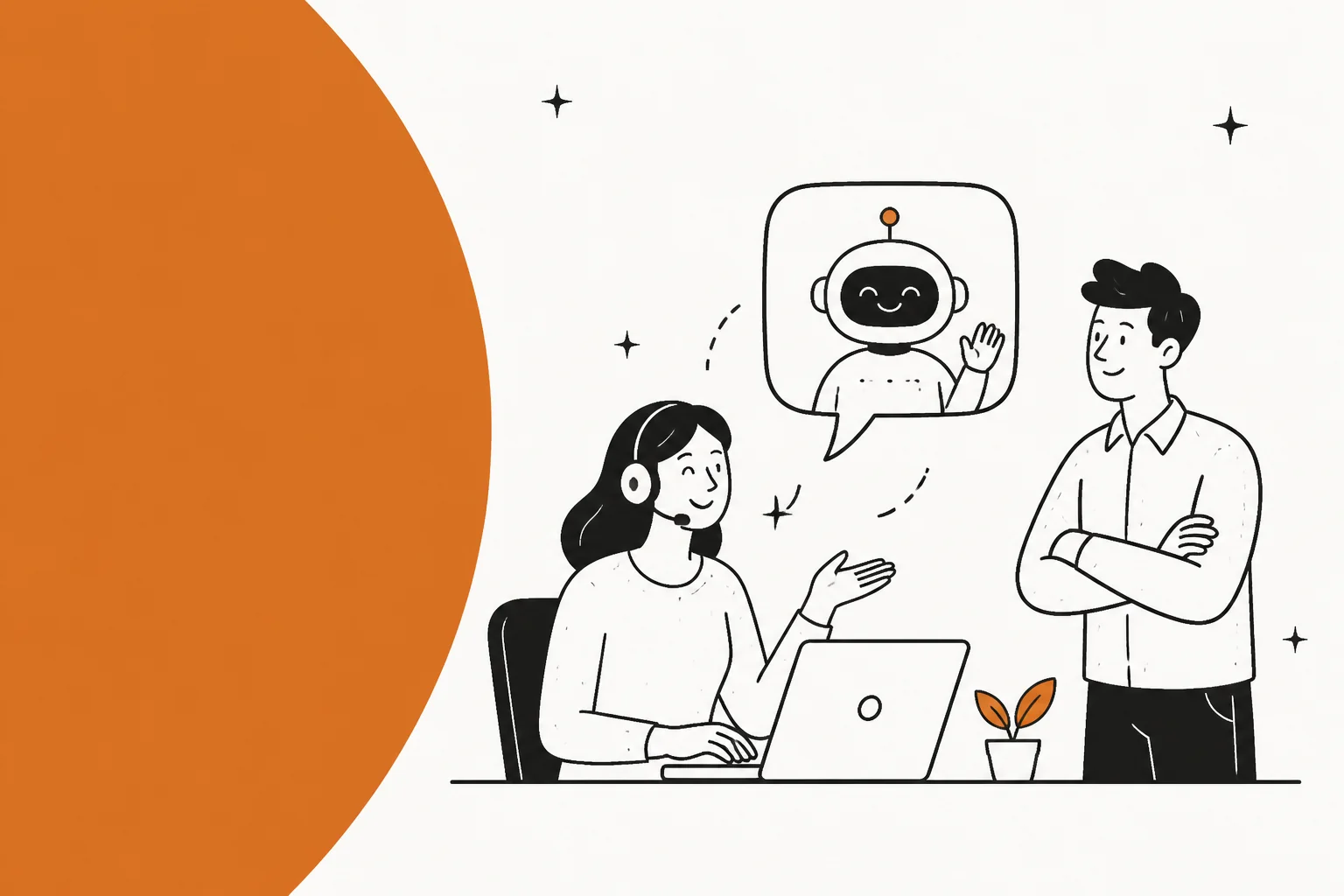
An ITSM chatbot is the most direct answer to that specific problem. You give employees a place to ask, and the system answers - without a ticket, without waiting for an agent, without human involvement unless the question is actually hard. A chatbot that deflects even half of those requests pays back its cost quickly.
But "ITSM chatbot" covers a wide spectrum. A simple decision tree that walks employees through a password reset script is a chatbot. So is an AI agent that searches your knowledge base, creates a ticket, routes it to the right team, and sends a personalized reply - all in under two minutes. The two products share a name and very little else.
This guide is for IT leaders who want to understand what they're actually buying: the difference between rule-based and AI-powered options, where each type genuinely helps, what the leading platforms offer, and what the real cost looks like across the options that matter in 2026.
What an ITSM chatbot is (and what it's not)
An ITSM chatbot is a conversational interface layered on top of your IT service management process. Employees interact with it using natural language - in Slack, Teams, a web portal, or email - and the system responds by finding answers, creating records, or routing requests, without requiring a human agent to be involved for every interaction.
The category has two distinct generations of technology, and confusing them leads to buying the wrong thing.
Rule-based chatbots follow scripts. You design a conversation tree - "if the user says X, show menu Y; if they pick option 2, collect these fields and create this ticket type." They're reliable for exactly what you've built and useless for anything off-script. A user who types "my VPN is acting weird since the Windows update last Tuesday" instead of clicking the VPN option may get no useful response at all. Maintenance is continuous: every process change means someone rewrites a flow.
AI-powered chatbots (or AI agents) use large language models to understand what the user means, search your knowledge base dynamically, and reason through requests they've never seen before. They don't need a pre-built script for "VPN acting weird since Windows update" - they find the relevant troubleshooting article, surface it conversationally, and if that doesn't resolve the issue, they create a ticket with full context. The best ones learn from the tickets they see, getting better at your specific environment over time.
Most enterprise platforms today blend both: rules govern workflow structure (when to escalate, which approvals to require, which fields to populate) while AI handles language understanding and knowledge retrieval. What varies significantly is where each platform puts the weight.

The other axis that matters is deployment model. Some ITSM chatbots are built into your existing helpdesk and require no separate product - Freshservice's Freddy AI Agent, ServiceNow's Virtual Agent, and JSM's Virtual Service Agent are all examples. Others are dedicated AI layers you deploy on top of your existing helpdesk - eesel AI is the clearest example of this approach. And some, like Moveworks, are full enterprise AI platforms that are their own infrastructure investment.
The right choice depends on where you are in your ITSM maturity, your current helpdesk, your ticket volume, and how much you want to spend. We'll get to all of that.
Where ITSM chatbots deliver real value
Before comparing products, it helps to be specific about what the work actually looks like. The use cases below represent the highest-volume opportunities in most IT environments.
Ticket deflection and knowledge retrieval
This is where almost every ITSM chatbot starts. An employee asks a question; the AI searches your knowledge base, help center articles, and past ticket resolutions; it returns a useful answer in the chat. No ticket created, no agent involved.
Freshservice reports 66% ticket deflection from its Freddy AI Agent. See our AI support ticket deflection guide for a detailed look at what realistic deflection rates look like across team sizes.
The quality of deflection varies dramatically based on how well your knowledge base is structured. A chatbot that only searches poorly written documentation will deflect poorly. This is not a chatbot problem - it's a documentation problem the chatbot will surface faster than anything else you've used.
Self-service request fulfillment
Beyond answering questions, modern AI chatbots can complete requests. Password reset, software provisioning, VPN account creation, group membership changes - these are structured workflows that can run end-to-end without human involvement once the right integrations are in place.
Freddy AI Agent can automatically fulfill software requests by raising and completing them through Freshservice's ITAM module. JSM's Virtual Service Agent handles password resets and equipment requests through configurable "intent" flows. ServiceNow Virtual Agent supports "agentic AI workflows" that trigger downstream automation chains.
The limitation in this category is almost always integration breadth. A chatbot that can answer questions but can't actually do anything in the downstream systems is one step above a FAQ page. Look carefully at which specific actions are supported before you buy.
Incident triage and routing
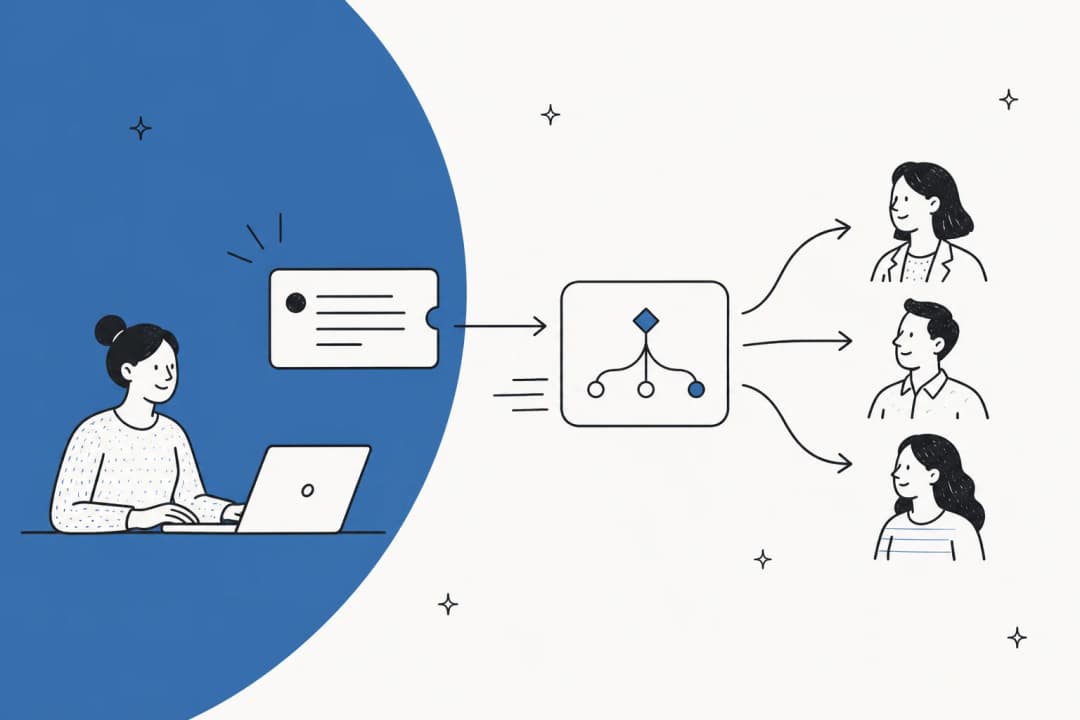
For IT operations teams, a chatbot can handle the front door of the incident process: gathering information from the reporter, auto-classifying severity and category, routing to the correct team or on-call engineer, and sending the right stakeholder notifications. This gets incidents in front of the right people faster without relying on the reporter to know which team handles what.
JSM's AIOps capabilities include AI alert grouping that correlates noisy monitoring alerts into a single incident view, reducing alert fatigue significantly for on-call teams. ServiceNow's Autonomous Workforce includes an L1 AI Specialist that "autonomously diagnoses and resolves common IT support requests end-to-end."
Employee onboarding and offboarding
IT onboarding and offboarding are high-volume, highly repetitive, and frequently delayed because they touch multiple systems. A chatbot connected to your directory, software provisioning system, and ITSM can run the checklist automatically: account creation, application access grants, hardware requests, training module assignment. Onboarding and offboarding sequences are among the highest-value automation targets in any ITSM environment.
Platforms like Moveworks and JSM's Rovo Agents support zero-touch onboarding workflows where a single HR system event triggers the full IT provisioning sequence. eesel AI can connect to Jira, Slack, Google Drive, Confluence, and Notion simultaneously, making it well-suited to orchestrate multi-system onboarding sequences through an existing helpdesk.
AI-assist for service desk agents (copilot mode)
Not every interaction should be automated. Some tickets need human judgment, empathy, or specific domain expertise. But the agent still needs to find the right answer, draft a clear reply, and understand the history of the request.
Copilot-mode AI tools handle exactly this: reply suggestions, ticket summarization, related-ticket lookup, smart field categorization, and knowledge article generation from resolved tickets. Freshservice's Freddy AI Copilot reports 41% faster First Response Time and 77% decrease in average resolution time for teams that use it. For a broader comparison of AI tools in this category, our IT helpdesk AI guide covers the field in detail.
The main platforms and what they actually offer
There are five categories of ITSM chatbot in practice. Here's where each fits.
ServiceNow Virtual Agent + Now Assist
ServiceNow is the category leader in enterprise ITSM and has been building toward AI for years. Its chatbot product is Virtual Agent, now positioned under the Now Assist GenAI brand. The February 2026 addition of Moveworks as "EmployeeWorks" brings Moveworks' conversational AI into the ServiceNow portfolio.

Virtual Agent ships with a Conversation Designer for building and testing chatbot flows, multi-turn NLU, third-party channel integration (Slack, Teams), live agent handoff, and voice support. On the AI side, Now Assist draws from "knowledge articles, historical incidents and cases, CIs from the CMDB" to ground responses. The February 2026 Autonomous Workforce launch includes an L1 AI Specialist for IT that handles routine IT requests end-to-end using enterprise knowledge and historical incident data. ServiceNow reports "90%+ of employee IT requests" handled autonomously in its own internal deployment.
The limitations are real. ServiceNow does not publish pricing - the ITSM Plans page shows Foundation/Advanced/Prime tiers with "Get Custom Quote" on every plan. G2 reviewers (4.4/5, 1,270 reviews) consistently flag complexity as the dominant pain point: "The complexity of setup and customization can be challenging, particularly for new users." Top cons tags include "Learning Curve (72)", "Expensive (60)", "Complexity (56)". One G2 reviewer noted: "The AI and intelligence features are promising as well, but they can feel limited unless they are properly configured and licensed."
ServiceNow is a fit for large enterprises already committed to the platform, or teams with the budget and implementation resources to adopt it. For teams that want a chatbot layer on top of what they already have, it's usually not the right starting point.
Pricing: Contact sales. Three ITSM tiers (Foundation, Advanced, Prime) - no public dollar figures.
Freshservice (Freddy AI Agent)
Freshservice is Freshworks' ITSM platform and the most accessible full-stack option in the category. Its AI suite is called Freddy AI and covers three distinct products: Freddy AI Agent (the employee-facing chatbot), Freddy AI Copilot (the agent-assist layer), and Freddy AI Insights (proactive analytics for IT leaders).

Freddy AI Agent runs in Microsoft Teams, Slack, Microsoft 365 Copilot, and the Freshservice self-service portal. It supports 40+ languages and handles enterprise search across the knowledge base, service catalog, and past tickets. It can fulfill requests automatically - raising and completing software provisioning through ITAM integration - and routes to human agents when needed. One customer, Shalindra Singh, Director of Enterprise Applications, reports: "Because of the Freddy AI virtual bot, we could deflect 65% of the tickets. Copilot is helping us be consistent and accurate with the resolution description. It saves 200 hours per month."
The catch: Freddy AI Agent's conversational capabilities are locked to the Enterprise plan or available as a paid add-on on Pro. Multiple Capterra reviewers call this out explicitly: "some advanced AI-powered features (like Freddy AI automation) are locked behind higher-tier enterprise plans, making them inaccessible to smaller organizations." The Starter plan ($19/agent/month) includes a basic ServiceBot for Teams and Slack - enough to create tickets from chat, but not conversational AI.
Pricing:
| Plan | Price | AI chatbot access |
|---|---|---|
| Starter | $19/agent/month (annual) | ServiceBot only (basic) |
| Growth | $49/agent/month (annual) | ServiceBot only |
| Pro | $99/agent/month (annual) | Freddy AI Agent as add-on |
| Enterprise | Custom pricing | Freddy AI Agent + Copilot + Insights included (1,200 sessions/year) |
14-day free trial, no credit card required. Enterprise adds Freddy AI Copilot and Insights to the bundle.
Jira Service Management (Virtual Service Agent + Rovo)
Jira Service Management is Atlassian's ITSM product, built on Jira and positioned as the developer-friendly, modern alternative to legacy ITSM. Its AI strategy centers on Rovo - Atlassian's AI platform - which includes the Virtual Service Agent, Rovo Chat, and Rovo Agents (including a dedicated Ops agent for incident management).

The Virtual Service Agent primarily operates via Slack - which is either perfect or limiting depending on your setup. It handles intent-based automation (configurable flows for common request types), AI answers from Confluence-powered knowledge bases, and intelligent routing when human intervention is needed. Thumbtack's Director of IT Operations described it: "The virtual agent is like a global, 24/7 helping hand." On the AIOps side, Rovo Ops analyzes logs, past incidents, runbooks, and change history for root cause detection.
The Atlassian Teamwork Graph is the genuine differentiator: JSM AI draws context from across the Atlassian ecosystem (Confluence, Jira Software, Bitbucket, Slack) without heavy integration setup. For teams already on Atlassian, this is a meaningful advantage.
The limitations: Virtual Service Agent requires Premium or Enterprise ($51.42/agent/month minimum). Teams on Standard ($20/agent/month) get basic AI triage but not the full chatbot experience. The Slack-centric deployment means Teams-first organizations get a narrower feature set. Administration complexity is the most consistent community complaint.
Pricing:
| Plan | Price | Chatbot access |
|---|---|---|
| Free | $0 | 3 agents max, no AI |
| Standard | $20/agent/month | AI triage, Rovo Search; no Virtual Service Agent |
| Premium | $51.42/agent/month | Virtual Service Agent (1,000 conversations/month included), AIOps |
| Enterprise | Contact sales | Virtual Service Agent, AIOps, 150 sites, 99.95% uptime SLA |
Virtual Service Agent overage: $0.30/assisted conversation with volume discounts. Customers are always free and unlimited.
ManageEngine ServiceDesk Plus (Zia AI)
ManageEngine ServiceDesk Plus is the mid-market ITSM option from Zoho's enterprise IT division, notable for being one of the few platforms with both cloud SaaS and genuine on-premises deployment. Its AI assistant is called Zia and is included at no additional cost across all tiers.
Zia covers predictive ticket classification, anomaly detection, a conversational virtual agent for the self-service portal, and generative AI for knowledge article creation. The standout: on-premises organizations can access AI features without moving to a cloud-only platform - a rare offering in this category. ManageEngine was named in the 2025 Gartner Magic Quadrant for AI Applications in ITSM and holds 4.4/5 from 1,465 Gartner Peer Insights reviews.
The community picture is mixed. Recurring positives include the ITIL coverage at mid-market prices and the flexible on-premises option. Recurring negatives: on-premises lags behind cloud in features, and support quality is inconsistently described - one r/sysadmin summary describes it as "abysmal to nonexistent" for complex issues. Reporting is called out as weak.
Pricing:
| Edition | Cloud (annual, per tech/month) | Chatbot access |
|---|---|---|
| Standard | From $13 | Basic Zia features |
| Professional | From $27 | Help desk + assets |
| Enterprise | From $67 | Full feature set including Zia AI |
Standard plan: free up to 5 technicians (cloud). On-premises pricing requires separate quote.
Moveworks (now ServiceNow EmployeeWorks)
Moveworks was one of the first AI-native enterprise ITSM assistants, founded in 2016 and acquired by ServiceNow for $2.85 billion in December 2025. Post-acquisition, Moveworks exists in three forms simultaneously: as a standalone product, as "Moveworks for ITSM" bundled at each ServiceNow ITSM tier, and as the conversational front door of ServiceNow EmployeeWorks.
The product centers on a Reasoning Engine - a modular agentic architecture combining multiple LLMs that "autonomously understands, plans, executes, and adapts on the fly." It connects to 100+ enterprise systems, deploys in Slack, Teams, and browser, and reports a typical time to value of 8 weeks with hundreds of built-in use cases that work "right out of the box - no model tuning, scripting, dialog flows, or prompt chaining required." 5 million+ employees across 350+ enterprise customers use it.
The reality: Moveworks is an enterprise-only, sales-gated product. There is no public pricing page - the URL returns 404. It's designed for organizations that can justify a dedicated AI platform investment. For teams looking to add a chatbot to an existing mid-market helpdesk, it's not the right starting point.

Pricing: Enterprise contract only, no public pricing. Sales-led process.
The case for a lightweight AI layer: eesel AI
The platforms above share a characteristic: they're either built into an existing ITSM and require that specific platform, or they're large standalone infrastructure investments. There's a gap for teams that already have a working helpdesk and want to add AI without a platform switch.
eesel AI fills that gap. It's an AI agent layer that sits on top of existing helpdesks - Zendesk, Freshdesk, Jira Service Management, Help Scout, HubSpot Service Hub - rather than replacing them. The positioning is direct: "AI teammates. Not chatbots. Not copilots."

What makes it relevant for ITSM chatbot conversations is the deployment model. For a team that has Zendesk (or any other supported helpdesk) and wants to add intelligent ticket handling without changing platforms, eesel connects in minutes, ingests the existing knowledge base and past ticket history, and starts working. Setup takes under 15 minutes. No migration, no new data model, no new SLA agreements.
The AI agent handles the full ticket lifecycle: drafts and sends replies, routes tickets to groups, updates ticket fields, manages SLA timelines, and escalates low-confidence responses for human review. The graduated autonomy model - start in copilot mode with human approval of every draft, promote to agent mode as confidence builds - means teams can adopt AI gradually without betting customer experience on a single go-live day. Gridwise used this approach to resolve 73% of tier-1 requests in the first month. Smava runs 100,000+ tickets per month in German.
The simulation feature is particularly useful before go-live: eesel can run its AI against thousands of your historical tickets and return a per-theme performance breakdown, predicted deflection rate, and knowledge gap map - before any customer sees a single AI reply.

Pricing:
| Option | Cost | Notes |
|---|---|---|
| Pay-per-task | $0.40/regular task | Support tickets, chats |
| Pay-per-task - heavy | $4.00/heavy task | Long-form content generation |
| Enterprise add-on | +$1,000/month flat | SSO, HIPAA, BAA, dedicated solutions engineer |
Free trial: $50 in free credits on signup, no credit card required.
The usage-based pricing is meaningful for ITSM use specifically: no per-seat fees means your billing doesn't grow just because you add more IT agents to the helpdesk. Teams pay for what the AI actually handles.
The limitation worth flagging: eesel requires an existing helpdesk subscription - you're paying for two tools. For teams already committed to Zendesk, Freshdesk, or JSM, this is just an add-on cost. For teams evaluating from scratch, it's worth considering a bundled platform.
How to evaluate ITSM chatbot options
The product landscape has converged enough that most platforms offer similar surface-area features. The differences that matter at evaluation time are usually in three areas:
Where your knowledge lives. Some chatbots only search their native knowledge base (Freshservice's Freddy AI searches Freshservice articles). Others connect to external sources - Google Drive, Confluence, Notion, SharePoint, Slack history - to give the AI a richer context to draw from. If your documentation is spread across multiple systems, a chatbot that can only see its own platform's knowledge will deflect poorly.
What it can actually do (not just answer). Pure knowledge-retrieval chatbots are only half the picture. The more valuable capability is action: creating the ticket, routing it correctly, updating the status, provisioning the software, sending the reply. This requires integrations with downstream systems - check the specific action list, not just the channel list.
Where AI features sit on the pricing ladder. For Freshservice, full conversational AI is Enterprise-tier. For JSM, Virtual Service Agent requires Premium. For ServiceNow and Moveworks, everything is sales-gated. For eesel, AI features are available at every price point including pay-per-use. The feature list is rarely the limiting factor - the tier where the feature becomes accessible usually is.
A few questions worth asking in any vendor demo:
- What happens when the user asks something the chatbot hasn't seen before? Show me a live example.
- How do I see which tickets the AI handled vs. escalated? Where does the data live?
- Can the chatbot take actions in [your specific downstream system]? Which actions specifically?
- How does the handoff to a human agent work, and what context transfers?
For teams comparing specific platforms, our AI-powered ITSM buyer's guide and Freshservice vs. ServiceNow comparison cover the trade-offs in depth.
Platform comparison at a glance
| Platform | Best for | AI chatbot tier | Public pricing |
|---|---|---|---|
| ServiceNow Virtual Agent | Large enterprises already on ServiceNow | All ITSM tiers (with Moveworks for ITSM add-on) | No - contact sales |
| Freshservice Freddy AI Agent | Mid-market teams wanting ITSM + AI in one tool | Enterprise plan / Pro add-on | Yes - from $19/agent/month |
| JSM Virtual Service Agent | Atlassian-native teams, developer environments | Premium+ ($51.42/agent/month) | Yes - from $0 |
| ManageEngine ServiceDesk Plus | Mid-market teams needing on-premises option | All plans (Zia included) | Yes - from $13/tech/month |
| Moveworks / EmployeeWorks | Large enterprises wanting a standalone AI platform | Enterprise only | No - contact sales |
| eesel AI | Teams adding AI to an existing helpdesk | All plans including pay-per-use | Yes - from $0.40/task |
What actually blocks adoption
The most common reason ITSM chatbot projects stall isn't budget or technology - it's knowledge quality. A chatbot is only as good as what it has to work from. If your knowledge base is incomplete, outdated, or written for internal IT staff rather than employees, the chatbot will reflect that and earn a reputation as unreliable within weeks.
eesel's theme analysis surfaces knowledge gaps automatically - it identifies questions the AI can't answer confidently and drafts new articles for review. JSM's Atlassian Intelligence continuously detects knowledge gaps and suggests new content. Treating the chatbot launch as a reason to audit and improve documentation is usually the right frame.
The second most common blocker is the over-automation instinct. Teams want to automate everything on day one and end up with a chatbot that frustrates employees when it fails on complex requests. The better approach is to start with a narrow set of high-confidence use cases (password resets, known-answer knowledge lookups, simple software requests), get those right, then expand. The platforms that support a copilot-first ramp - where AI drafts and humans approve before the AI sends autonomously - make this approach easy to execute.
The third factor is where the chatbot lives. An IT chatbot embedded in a portal most employees never visit will have lower adoption than one available in Slack or Teams where employees already spend their day. Meeting employees where they work is not a preference - it's what determines whether a well-designed chatbot gets used.
For a practical walkthrough of how to set this up, our guides on AI automation in service desk operations and Freshservice ticket deflection cover the tactical implementation steps in detail.
Wrapping up
The ITSM chatbot category has matured enough that you can get real deflection rates, autonomous ticket handling, and genuine ROI from tools that don't require multi-month enterprise implementations. The range of options is wide: from AI agents bundled into your existing ITSM platform (Freddy AI, JSM Virtual Service Agent) to lightweight AI layers that work on top of what you have (eesel AI) to large-enterprise platforms that are their own infrastructure investment (ServiceNow, Moveworks).
The decision framework is simpler than it looks:
- If you're on Freshservice and need a self-service chatbot, the question is whether you're ready for Enterprise pricing to unlock Freddy AI's full capability.
- If you're on JSM and already have Premium, the Virtual Service Agent is the obvious first chatbot to test.
- If you're on Zendesk, Freshdesk, or another helpdesk and want to add AI without switching platforms, eesel AI is the most direct path - it connects in minutes, works on the helpdesk you already have, and prices based on what the AI actually handles.
- If you're a large enterprise with a dedicated ITSM team and budget for a platform investment, ServiceNow's Autonomous Workforce or Moveworks standalone are worth evaluating.
The teams that get the most out of ITSM chatbots start narrow, measure carefully, and expand as the data confirms where the AI performs well. A chatbot that confidently handles password resets and common access requests is more valuable than one that claims to handle everything and disappoints on most of it.
If you want to see what AI-powered ticket handling looks like on your own helpdesk data, eesel AI's free trial includes $50 in credits and a simulation run against your historical tickets before you commit to anything.
Frequently Asked Questions
Share this article

Article by
Amogh Sarda
CEO of eesel AI. Amogh Sarda is obsessed with making the ultimate AI for customer service teams. He lives in Sydney, Australia and has previously worked at Atlassian and Intercom. Outside of work he’s usually surfing or on stage doing improv.