
Let's be honest: customer expectations have gone through the roof. Your support team is feeling the heat, trying to be faster, more accurate, and more personal all at once. AI keeps getting pitched as the magic bullet, but the idea of a massive, costly project probably makes you want to just close the tab.
What if it didn't have to be that complicated?
This guide cuts through the noise and shows you exactly how to use AI to improve customer satisfaction with a simple, six-step plan. We’ll walk you through how to get started, pick the right tools, and roll out AI in a way that actually helps your team and makes customers happy, without the usual implementation headaches.
Before you start: What you'll need
Before you jump into any new tech, it helps to get your ducks in a row. A good AI launch isn't just about the software; it’s about having the right goals, data, and mindset. Here’s a quick checklist:
-
A clear target. You need to know what you're trying to fix. Are you trying to slash your first response time (FRT), solve more issues on the first try (FCR), or just get that ticket backlog under control? Pick a specific goal so you know if you're winning.
-
Access to your data. Your company’s knowledge is what will power your AI. This isn’t just your official help center articles. It includes all the good stuff hidden in past helpdesk tickets, internal wikis like Confluence or Notion, and even random shared Google Docs.
-
A "start small" attitude. You don't need to boil the ocean and automate everything on day one. The smartest teams pick one small, specific problem, prove that AI can solve it, and then expand from there.
How to use AI to improve customer satisfaction in 6 steps
Step 1: Start with your biggest pain points
First things first: figure out what’s actually broken. Don't just grab an AI tool because it's the new shiny thing. Look at your support tickets and how your team works to find the real headaches.
Ask yourself and your team:
-
What are the same three questions you get asked a dozen times a day? (Think: "Where's my order?" or "How do I reset my password?")
-
Which support queue is always overflowing?
-
What kind of tickets seem to take forever to resolve?
-
When do your agents spend the most time just digging for the right answer?
By finding these repetitive, simple tasks, you’ve got the perfect starting point. These are the low-hanging fruit for AI automation. Solving them instantly will make a real dent in your ticket volume and customer wait times, giving you an early win and building momentum.
Step 2: Unify your scattered company knowledge
An AI is only as good as the information it can learn from. And let’s be real, your official help center is just the tip of the iceberg. The most valuable, up-to-date answers are usually scattered everywhere:
-
Past support conversations: Your ticket history in Zendesk or Freshdesk is a goldmine of proven solutions that already match your brand's voice.
-
Internal documentation: All those private notes, troubleshooting guides, and product updates are likely sitting in a wiki like Confluence or Notion.
-
Collaborative documents: How-to guides and policy docs are often tucked away in shared Google Docs or SharePoint.
Trying to manually copy and paste all this into one place is a nightmare. Instead, look for an AI tool that can connect to all these sources at once. Modern platforms like eesel AI are designed for this. With secure, one-click integrations, it can instantly learn from your entire ecosystem of knowledge, not just a small, polished slice of it.

Step 3: Choose a tool that works with you
Okay, not all AI tools are the same. Some of the big, old-school ones want you to throw out your entire helpdesk and start over, forcing your team to learn a whole new system. Others drag you through endless sales calls and complex setups that need a developer to sort out.
When you’re looking at options, focus on tools that are flexible and easy to use. Here’s what to look for:
-
Smooth integration: Does it plug into the helpdesk you already use without breaking everything?
-
Self-serve setup: Can you sign up and get it running yourself in a few minutes? Or are you stuck waiting for a salesperson to give you a demo?
-
Clear pricing: Is the pricing simple and easy to understand? Watch out for "per-resolution" models that can hit you with surprise bills and essentially punish you for being efficient.
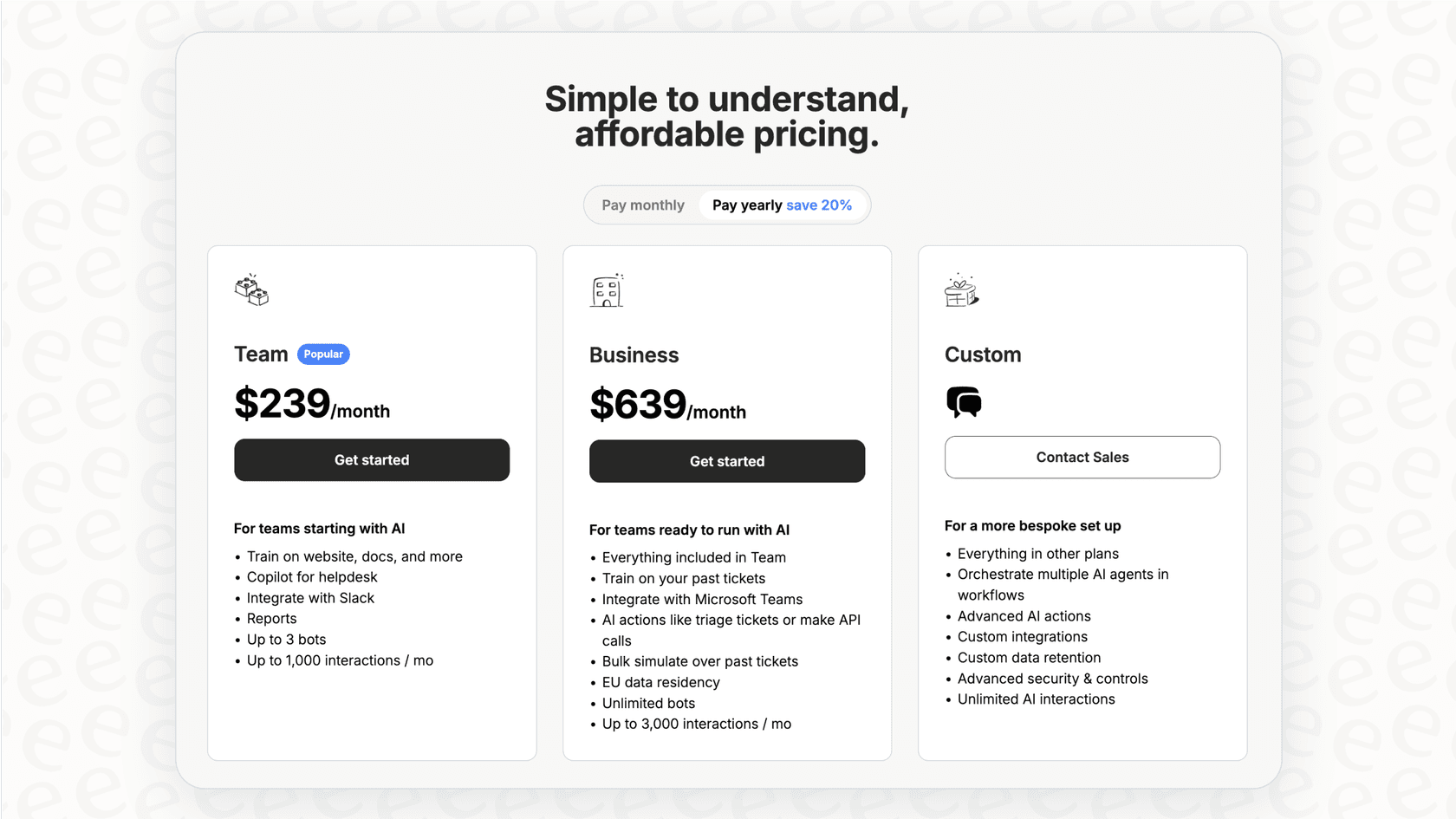
Your AI tool should fit into your workflow, not force you to change it. That’s the thinking behind tools like eesel AI, which offers a completely self-serve experience and straightforward pricing so you can get started without any big commitments.
Step 4: Configure the AI to match your brand and workflow
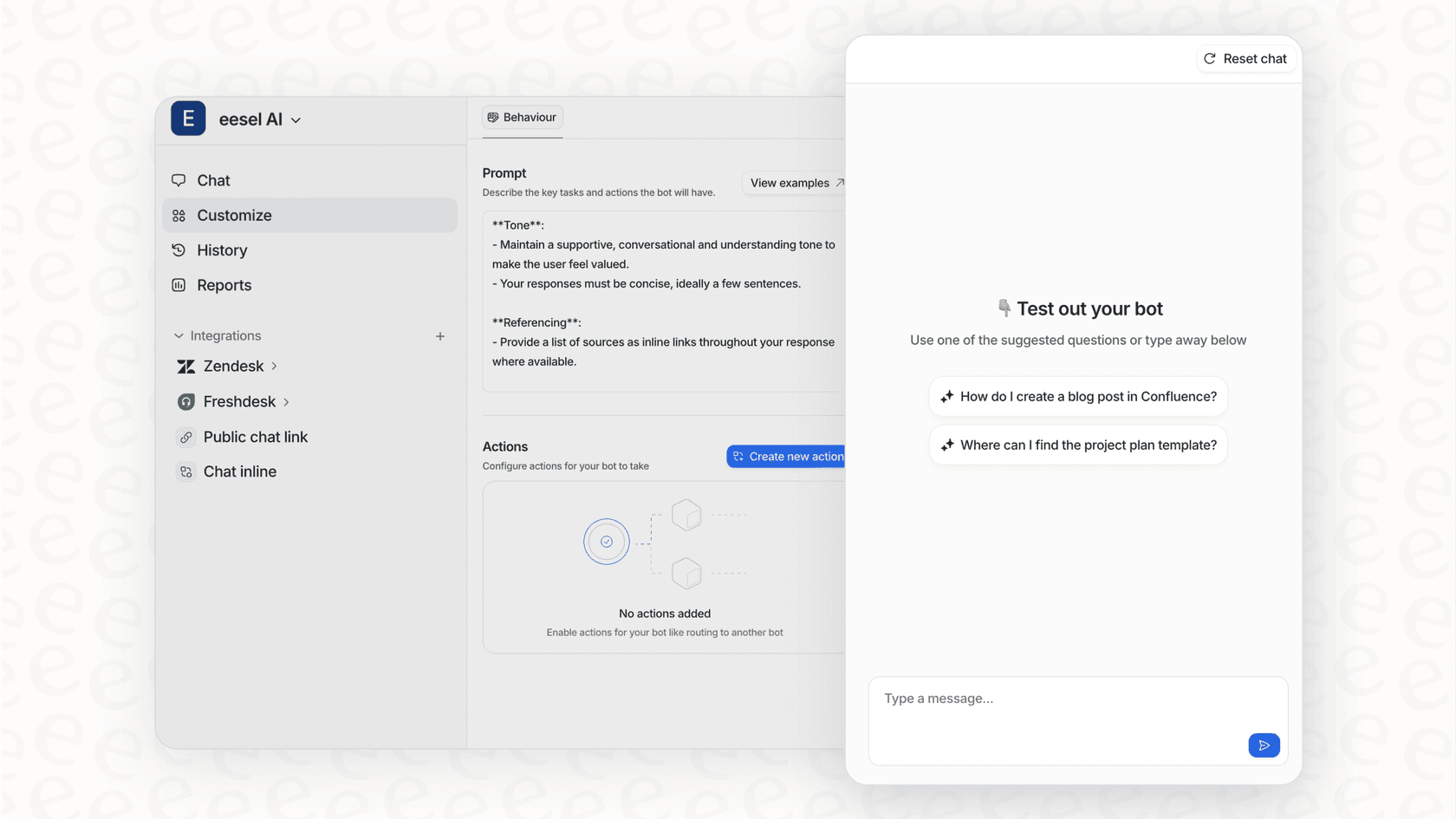
If you want customers to actually like your AI, it can't sound like a generic robot. It needs to sound like you. A one-size-fits-all bot is just going to annoy people. This is where you need to be able to customize it.
You should be able to control:
-
The AI's personality: Set the tone of voice to match your brand, whether it's more formal or fun and casual.
-
What it knows: Restrict the AI to answering questions about specific topics so it doesn't try to answer things it shouldn't.
-
What it can do: Let the AI do more than just talk. For instance, with a platform like eesel AI, you can set up custom actions so the AI can look up an order in Shopify, tag a ticket, or pass a conversation to the right person.
This kind of control makes sure the AI gives the right answers and follows your team’s processes, which makes for a much better customer experience.

Step 5: Test risk-free with simulations
This is the scary part for any support manager, right? Unleashing a bot on your customers without knowing what it's going to say. What if it gets things completely wrong? That's a quick way to tank your CSAT scores.
The answer is to test it in a safe environment first.
Top-tier AI platforms like eesel AI have a simulation mode that lets you take all the risk out of the launch. You can run your AI agent over thousands of your past tickets to see exactly how it would have replied. The report will show you things like:
-
Your potential automation rate: Find out what percentage of tickets the AI could have solved instantly.
-
Real-world examples: Read the AI's answers to actual customer questions to check them for accuracy and tone.
-
Knowledge gaps: See which questions the AI couldn't answer, giving you a to-do list for new help articles to write.
This "test drive" approach gives you the confidence to go live because you already know how it’s going to perform.
Step 6: Go live gradually and measure the impact
Now that you've done your homework and tested everything, don't just flip the "on" switch for everyone. Think "crawl, walk, run." A gradual rollout is your best friend here.
Start by turning on the AI for a small, low-risk area. For example:
-
Automate replies for just one or two of those common questions you found in Step 1.
-
Activate the AI on email support before you turn it on for your live chat.
-
Limit it to a certain group of customers or a specific region.
As it runs, keep a close eye on the metrics you care about (CSAT, FRT, resolution rates). Compare the AI-handled conversations to your baseline to see what kind of impact it's having. This lets you learn, tweak, and scale up your automation without any big surprises.
Common mistakes to avoid
Getting started with AI can be a huge boost for your team, but a few common missteps can trip you up. Here are three to watch out for:
-
Trying to automate everything. The point of AI isn't to replace your team; it's to free them up from the boring stuff. Focus on automating the simple, repetitive questions so your agents can spend their brainpower on the tricky issues that need a human touch.
-
Creating a dead end for customers. Nothing is more frustrating than being stuck in a loop with a bot that can't help. Make sure there's always an easy, obvious way to get escalated to a human.
-
Setting it and forgetting it. An AI needs a little upkeep. Your products and policies will change, and customers will ask new questions. Plan to check in on your AI's performance regularly, update its knowledge sources, and tweak its settings to keep it helpful and accurate.
Putting it all together
See? Using AI to make customers happier doesn't have to be a huge, risky bet. If you follow these steps, find the real pain points, pull all your knowledge together, pick a tool that works with you, and test before you launch, you can actually make a difference without causing chaos.
The goal isn't just automation for the sake of it. It’s about using technology to give faster, better, and more consistent answers. This lets your team focus on the conversations where their empathy and expertise really shine, which builds loyalty and keeps customers coming back. It’s a win for your team and a win for your customers.
How to use AI to improve customer satisfaction with eesel AI
This whole practical, step-by-step process is exactly what eesel AI is built for. It's a platform designed for you to set up yourself, connect all your knowledge sources, control your workflows, and test without any risk. It has everything you need to start using AI the right way.
Stop waiting and start making your customers happier today.
Try eesel AI for free or book a demo to see how you can be live in minutes.

Frequently asked questions
Begin by looking at your current pain points. Focus on repetitive questions, perpetually overflowing support queues, or issues that consistently take a long time to resolve. These "low-hanging fruit" are ideal for initial AI automation.
An effective AI needs access to all your company's knowledge. This includes official help center articles, past support conversations from your helpdesk, internal documentation, and collaborative documents like Google Docs or wikis.
Look for tools that integrate smoothly with your existing helpdesk, offer self-serve setup, and have clear, transparent pricing models. Avoid complex systems that force you to change your entire workflow or charge unpredictable "per-resolution" fees.
Yes, testing is crucial to ensure accuracy and prevent negative customer experiences. Utilize simulation modes to run your AI against past tickets, verify its responses, and identify any knowledge gaps before deploying it to actual customers.
Avoid trying to automate everything at once, creating dead-end customer experiences without an easy human handover, and "setting and forgetting" your AI. Regular monitoring and updates are essential to keep it effective.
Absolutely. A good AI platform allows you to configure its personality and tone of voice. You can set it to be formal, casual, or anywhere in between to ensure it sounds like an authentic extension of your brand, not a generic robot.
Share this article

Article by
Kenneth Pangan
Writer and marketer for over ten years, Kenneth Pangan splits his time between history, politics, and art with plenty of interruptions from his dogs demanding attention.