It feels like AI is moving at a million miles an hour, right? If you feel like you’re already behind, you’re not alone. Every day there’s a new model, a new feature, or a new headline that makes it all seem way more complicated than it is. But here's the good news: getting started with AI is easier than you think. You don’t need to be a developer or a data scientist to make it work for you.
This guide is here to cut through the noise. We’ll walk you through a simple, three-step plan to learn how to use AI for real, practical stuff, not just sci-fi dreams. We’ll cover picking the right tool and using it to solve actual problems you face at work.
What is generative AI and why it matters
First, let’s get one thing straight. Generative AI isn't just Google on steroids. Think of it more like a creative partner. It can whip up brand new text, images, code, and ideas from scratch, all based on the instructions (or "prompts") you give it.
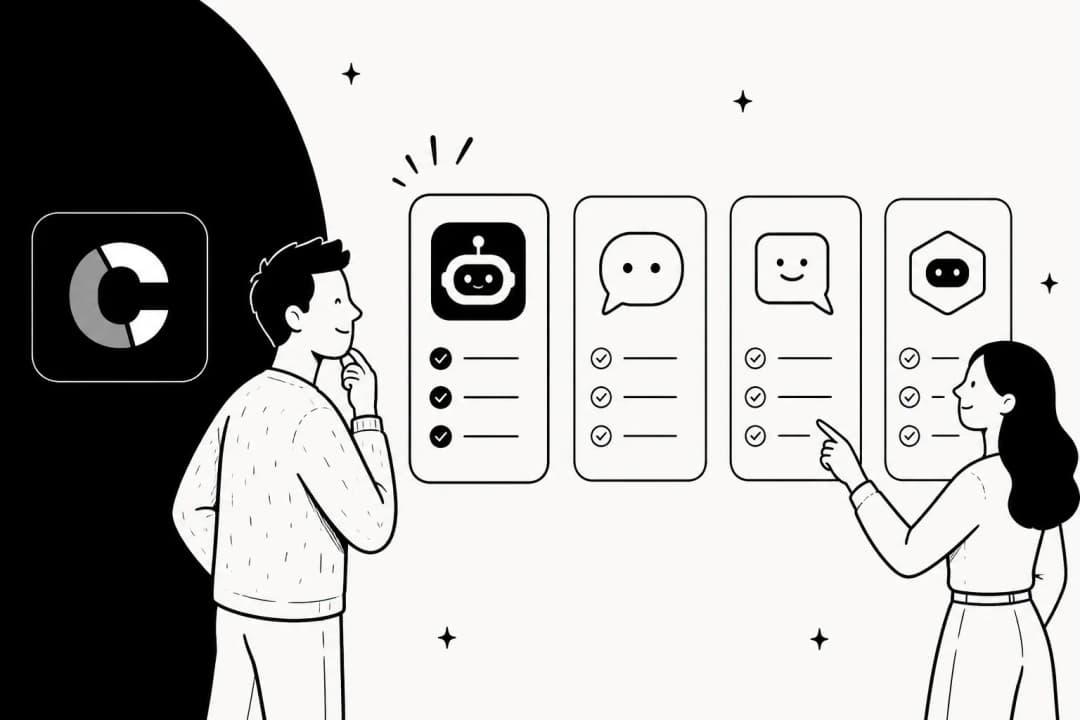
I like to think of it as a brilliant intern. This intern has read pretty much the entire internet but has exactly zero real-world experience. They know a ton, but you have to give them super clear instructions to get anything useful, as illustrated in the graphic below. These models aren't "thinking" in the human sense; they're just incredibly good at spotting patterns and guessing the next word or pixel in a sequence.
The key takeaway here? The output you get is only as good as the input you provide. Your instructions and the context you give are everything.
A practical guide on using AI effectively
You don't need to memorize a bunch of complicated prompts or learn to code to get started. The best way to approach AI is just common sense: pick the right tool for the job, learn how to talk to it clearly, and point it at a problem that actually needs solving. Let's break that down.
Step 1: Choose the right tool for the job
First things first, you need to pick your tool. For most of us, the best place to start is with one of the "big three" general AI assistants. Even experts like Ethan Mollick of the Wharton School suggest sticking with OpenAI's ChatGPT, Google Gemini, or Anthropic's Claude for your day-to-day stuff. They're great for brainstorming, summing up long articles, or just asking random questions.
Here’s a quick comparison to help you choose:
| Feature | ChatGPT (OpenAI) | Google Gemini | Claude (Anthropic) |
|---|---|---|---|
| Best For | Creative tasks, advanced reasoning, and image/video generation. | Real-time information, deep research, and integration with Google apps. | Analyzing long documents, nuanced writing, and handling complex text-based tasks. |
| Key Strengths | Access to powerful models like GPT-5.2, DALL-E 3 image generation, and limited Sora 1 video creation on paid plans. | Excellent web search integration via "Deep Research," video generation with Veo 3.1, and seamless connection to Gmail and Docs. | A massive context window (up to 1M tokens for Sonnet 4.5) allows it to process entire books or large codebases. Strong focus on safety and privacy. |
| Limitations | The free version has limited access to the best models. Your data may be used for training unless you opt out on individual plans. | Some of the most advanced features, like Gemini Agent, are US-only and require the more expensive "Ultra" plan. | Does not offer native image or video generation in its chat interface. Its voice mode is considered less advanced than competitors. |
The catch with these all-purpose tools is that they're like a Swiss Army knife: good at a lot of things, but not amazing at any one specific business task. Try to use them for something specialized, like customer support, and you'll run into problems fast. Your team ends up in a copy-paste nightmare, the AI can't talk to your help desk, and it has no safe way to access your company's internal knowledge.
Specialized platforms are built to solve this exact problem. Take a tool like eesel AI, for instance. It's built from the ground up just for support and IT teams. It hooks right into the help desk you already use (like Zendesk) and learns from your own internal documents to give accurate, automated answers. No developers required.
Step 2: Learn prompting fundamentals
You don’t have to call yourself a "prompt engineer" to get good results from an AI. Honestly, some studies show that super complicated prompts don't even work better. What really moves the needle is clarity and context. The secret is to treat it less like a command line and more like a conversation.
Here are a few core principles for writing better prompts:
-
Provide Context: Don't just ask the AI to "write an email." Give it the full story. Tell it who you are, who the email is for, and what you want to achieve.
- Example: "I am a customer support manager at a SaaS company. Write a polite email to a frustrated customer explaining that our recent outage is now resolved."
-
Be Specific and Clear: Vague questions lead to vague answers. Instead of "give me marketing ideas," get more focused, like "give me five blog post ideas for a company that sells sustainable dog toys."
-
Give it a Role: Telling the AI who to be helps it adopt the right tone and style, making the output more useful.
- Example: "You are an expert copywriter. Rewrite this sentence to be more persuasive."
-
Iterate and Refine: Your first try is rarely perfect. Treat it like a real conversation. Go back and forth, ask follow-up questions, and tweak things until the answer is just right.
Step 3: Solve a real business problem
Let's make this real. Imagine using a general AI tool for customer support. The daily grind is clunky. An agent copies a customer's question, flips over to ChatGPT, pastes it in, waits for an answer, copies that back into the help desk, and then has to manually dig up a relevant help article. It's slow, messy, and a recipe for mistakes.
Now, compare that to an integrated tool like eesel AI, which automates the whole thing. It's not another tab you have to keep open; eesel works right inside the tools you already use. This was a huge deal for companies like Stereolabs. They started resolving nearly half their Shopify tickets automatically, which basically gave them back the time of a full-time agent.
Here’s how a specialized tool like eesel AI gets this done:
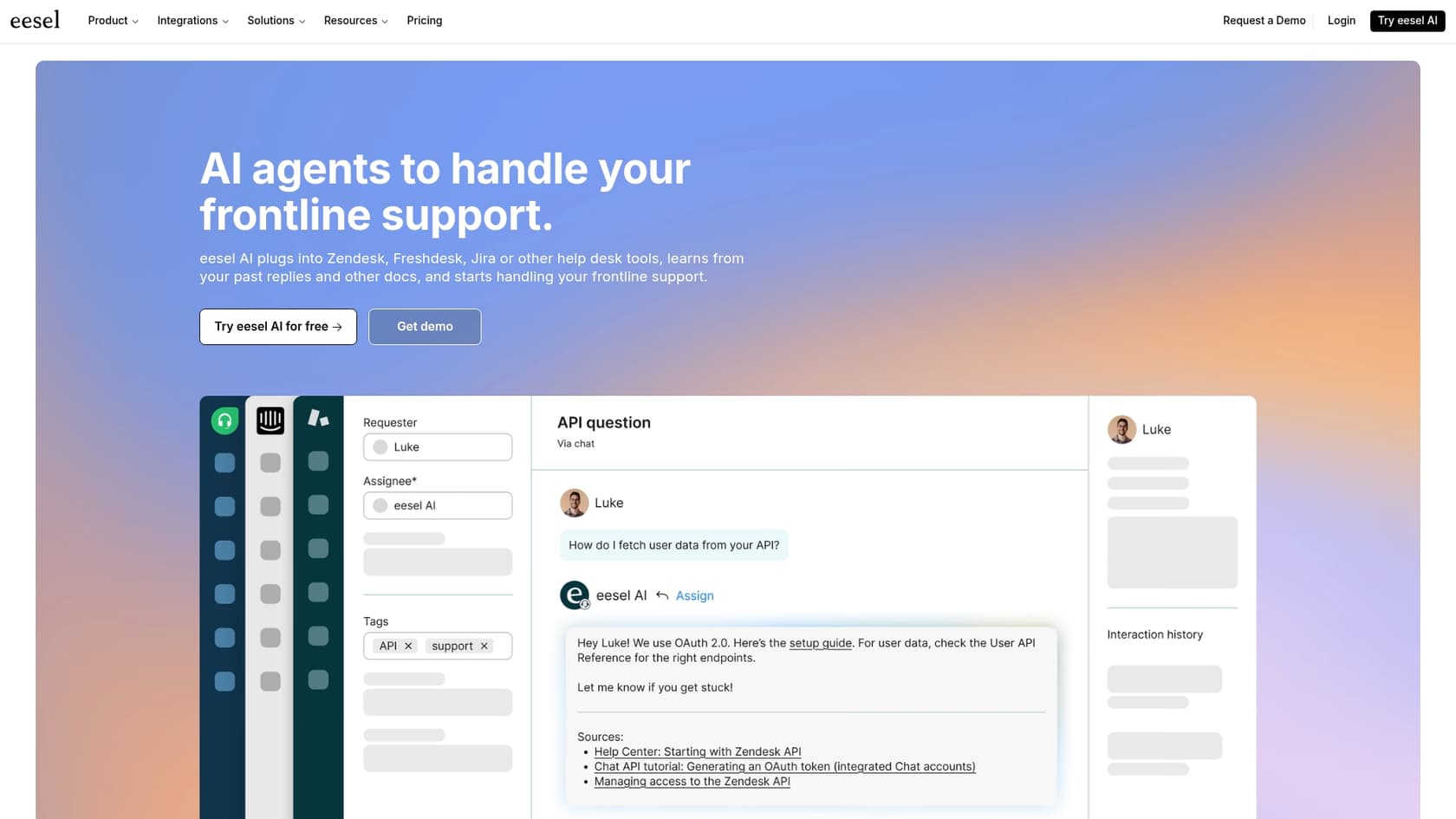
Example: AI Agent & AI Triage
The AI automatically reads new tickets in your help desk, figures out what the customer needs, and can solve common questions instantly. It pulls answers from your help center, past tickets, and internal docs, acting as a first line of defense so your human agents can tackle the tougher problems.
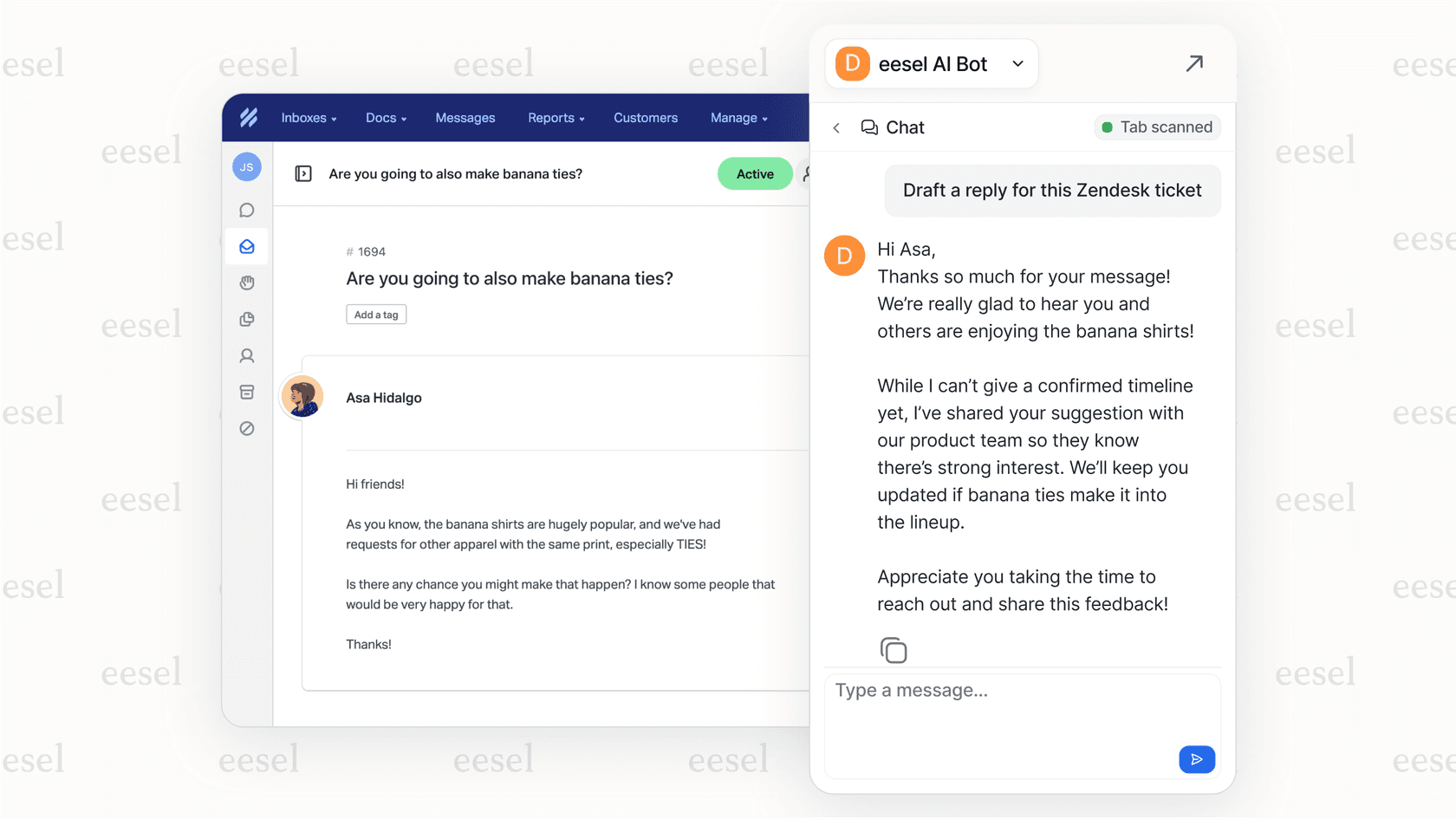
Example: AI Copilot
For tickets that still need a person to look at them, the AI drafts accurate, context-aware replies for your agents, including links to the right help articles. This all happens right inside Zendesk or whichever help desk you use, turning a five-minute scavenger hunt into a one-click solution.
It’s a night-and-day difference. The manual way is all about copying, pasting, and searching. The automated way, with a tool like eesel AI, just works. It reads the ticket, finds the answer, and either closes it or drafts a perfect reply for you. One and done.
Comparing the costs of AI tools
Lots of AI tools have free versions, but let's be honest, they usually feel more like a free sample than a full meal. If you want to use the most powerful models and features for actual work, you're going to need a paid plan. Here's a quick look at what some of the popular individual plans will set you back.
| Tool | Plan | Price (USD/month) | Key Features |
|---|---|---|---|
| ChatGPT | Plus | $20 | Access to GPT-5.2, DALL-E 3 image creation, advanced data analysis, and limited Sora 1 video access. |
| Google Gemini | Google AI Pro | $19.99 | Access to Gemini 3 Pro model, integration into Gmail & Docs, Deep Research, Veo 3.1 video generation, and 2TB of Google Drive storage. |
| Anthropic Claude | Pro | $20 | Higher usage limits, access to the powerful Claude 4.5 model series, and early access to new features like Research and Claude Code. |
| Midjourney | Basic Plan | $10 | A leading tool for high-quality image generation, providing a set amount of "Fast GPU Time" per month. |
General tools charge a simple flat fee. But business-focused platforms like eesel AI are priced differently because they're designed to provide a return on your investment. The goal isn't just playing with AI; it's about cutting costs and making your team more efficient. For example, their Business Plan can handle thousands of customer chats a month and comes with the AI Agent that solves tickets on its own. For many teams, it pays for itself in just a few months.
Putting it all together: Your first hour with AI
Alright, so where should you start? My advice: don't just open up a tool and ask it about the weather. Have a purpose.
-
Pick a tool: Grab a free version of Gemini or ChatGPT.
-
Give it a real task: Give it a real job to do. Something you'd actually have to work on. Ask it to outline that report for your boss, help you write a tricky email, or summarize that long article that's been sitting in your tabs for a week. Just be sure to give it all the necessary background info.
-
Have a conversation: Don't just take the first answer. Talk to it. Ask it to try again, but maybe a little more formal. Or a little funnier. Challenge its ideas. Play around with it to see how small tweaks to your prompts change the result.
The biggest mental shift is to stop treating AI like a search engine and start treating it like a collaborator.
Going beyond brainstorming with a purpose-built AI tool
Playing around with general AI tools is a great way to get your feet wet. But when you're tired of the copy-paste routine and want to start automating actual work, you'll need a tool that was designed for it.
If your support or IT team is drowning in repetitive questions, it might be time to see what an AI built for your workflow can do. eesel AI connects to the tools you already have, like Zendesk and Slack. It can start solving tickets in minutes, not months.
Frequently asked questions
I'm just starting out; what's the simplest first step to learning how to use AI for practical work?
The best first step is to pick a free general AI tool like ChatGPT or Google Gemini and give it a real, practical task. Don't just ask general questions; try to have it help outline a report or draft a tricky email you actually need to send. This helps you treat it as a collaborator rather than just a search engine.
When is it better to choose a specialized platform versus a general AI tool when considering how to use AI in a business setting?
General AI tools are great for brainstorming and broad tasks, but specialized platforms are better for integrating AI directly into specific workflows, like customer support. They connect with your existing tools and learn from your internal data, automating tasks that would be clunky and manual with a general AI.
What are the most important things to remember about prompting when trying to understand how to use AI effectively?
Focus on clarity and context. Always tell the AI who you are, who the audience is, and what you want to achieve. Giving the AI a specific role and iterating on its responses will also significantly improve the quality of its output.
What are the typical costs associated with how to use AI for more advanced features or business applications?
Most powerful AI models and advanced features require paid plans, typically around $10-$20 per month for individual subscriptions to general tools like ChatGPT, Gemini, or Claude. Business-focused platforms often have usage-based pricing designed to provide a return on investment through efficiency gains.
Can I really apply my knowledge of how to use AI to solve specific problems within my existing workflow, like customer support?
Absolutely. While general AI tools might require manual copying and pasting, specialized AI platforms integrate directly into your existing workflow tools, like help desks. They can automate ticket resolution, draft context-aware replies, and streamline operations, saving significant time and resources.
I'm concerned about data privacy; what should I keep in mind regarding how to use AI tools securely?
Always be mindful of the data you input into AI tools. Some general models may use your data for training purposes unless you explicitly opt out. For sensitive business data, specialized AI platforms often offer stronger privacy controls and ensure data stays within your secure environment, as they are built for enterprise use cases.