
Your support team practically lives in Front. It’s command central for juggling emails, chats, and SMS messages to keep your customers happy. But as your company grows, so does that ticket queue. The same questions pop up over and over, bogging down your best agents and leading to slower responses and inevitable burnout.
You’ve probably heard about using GPT to automate replies. You’ve also likely seen the horror stories, robotic, unhelpful AI that just makes frustrated customers even angrier.
Here’s the thing: you can set up GPT to be an genuinely helpful member of your Front support team. It’s not about just plugging in an API and hoping for the best; it’s about setting it up thoughtfully. This guide will walk you through exactly how to set up GPT to answer support tickets in Front, making sure your AI is accurate, on-brand, and actually solves problems.
What you'll need to get started
Before we get into the nitty-gritty, let's make sure you have a few things lined up. A truly effective AI agent isn't just about the AI model itself. You need a way to feed it knowledge, manage conversations, and tell it how to behave.
Here’s your checklist:
-
An active Front account: This one’s a given. It's where all your customer conversations live.
-
An OpenAI API key (or another LLM provider): This is the key to the engine, giving you access to the GPT model that will act as your agent's brain.
-
Your company's knowledge: This is everything your team relies on. Think help center articles, saved replies, internal wikis (like Confluence or Google Docs), and even your past ticket history. Your AI is only as smart as the information you give it.
-
An AI integration platform (recommended): Look, you could build a custom integration from the ground up, but a no-code platform like eesel AI handles all the tricky parts for you. It connects to your knowledge sources and manages workflows so you can go live in minutes, not months.
How to set up GPT to answer support tickets in Front
Alright, let's get into the step-by-step process. The goal here is to build an AI agent that doesn’t just spit out answers, but actually resolves issues accurately and safely, all within the Front workspace your team already uses.
Step 1: Give your AI the knowledge it needs
An AI agent with no knowledge is like a new hire on their first day without any training. It can't answer anything specific to your business. The first, and most important, step is to give your GPT-powered agent access to all the info it needs to provide accurate, relevant answers.
The do-it-yourself route involves a pretty technical process where you extract text from your documents, convert it into a special format AI can read (called embeddings), and store it in something called a vector database. It requires a lot of engineering time to build and, more importantly, to keep it all up to date.
A much simpler way is to use a tool that handles this for you. For instance, eesel AI has one-click integrations with sources like your help center, Confluence, Google Docs, and even your past Front conversations. It automatically pulls in and syncs this information, so your AI is always working with the most current answers.

Step 2: Connect the AI to your Front account
Next up, you need to build a bridge between Front and your GPT model so the AI can read incoming messages and post replies. You can do this yourself by using the Front API to build a custom application. This app would listen for new messages, send the content over to the OpenAI API, and then post the AI's response back into the conversation as a comment.
The problem with this direct connection is that it's pretty basic. It has no memory of past conversations, can't perform actions, and you'll have to constantly maintain it.
This is where platforms like eesel AI come in handy. They offer a direct, secure integration that simplifies everything. Instead of building your own connector, you just authorize your Front account, and the platform handles all the back-and-forth communication. This setup also lays the groundwork for more advanced features like automatically tagging tickets, escalating to a human, and taking other custom actions.
Step 3: Set the rules and give your AI a personality
This is the fun part. It's where you turn a generic chatbot into a real AI support agent. You need to define when and how the AI should jump in. Just letting GPT answer every single message that comes in is asking for trouble.
You need to set up some ground rules that tell the AI:
-
Which tickets it should handle: Start small. Let it tackle the simple, high-volume stuff first, like questions about order status or password resets.
-
When to call for help: If a customer is clearly angry, asks a complex question with multiple parts, or brings up a sensitive topic, the AI needs to know its limits and immediately escalate to a human agent.
-
How it should sound: Define its personality. Do you want it to be formal and professional, or more friendly and casual? This should match your brand's voice.
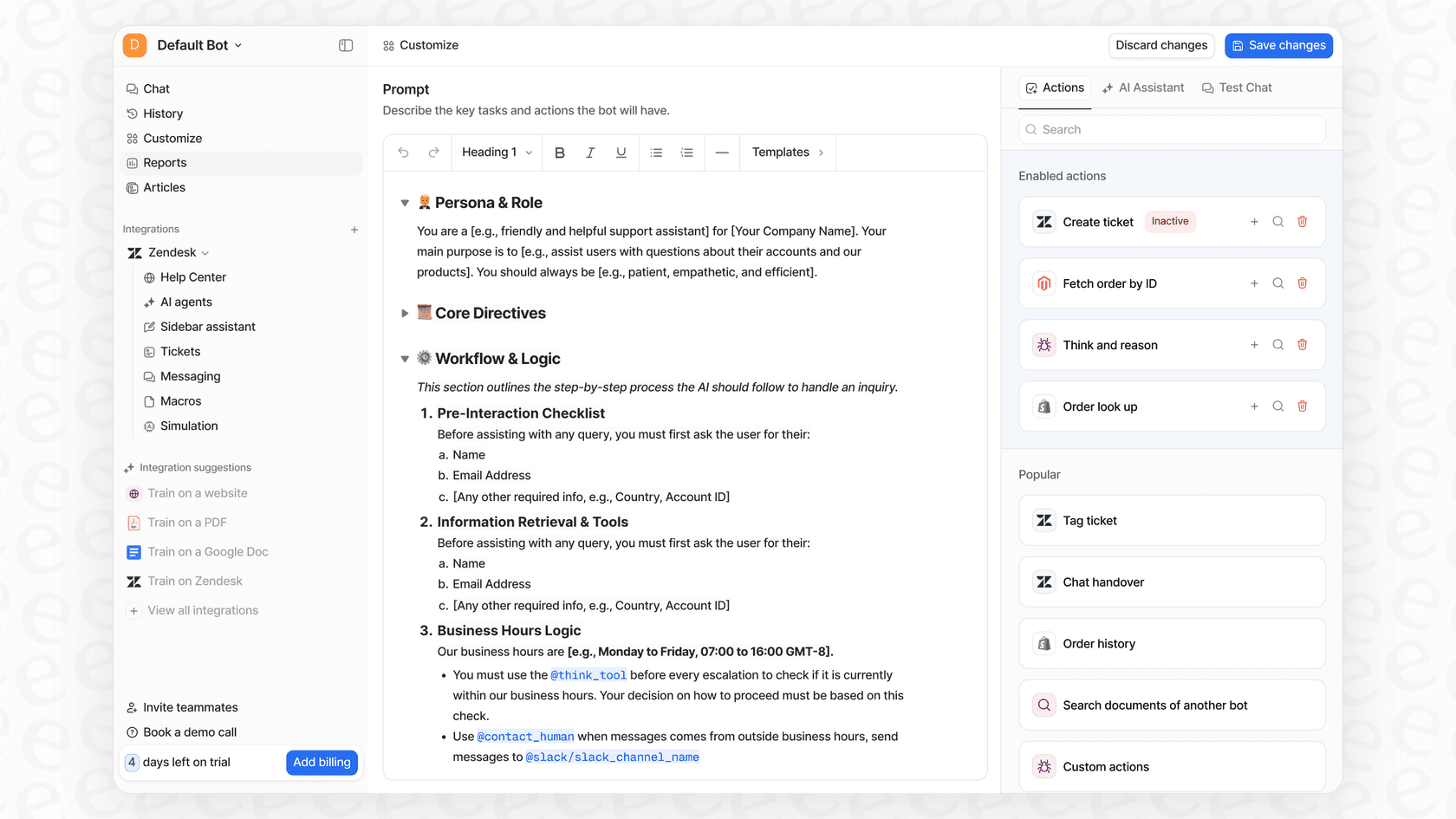
With eesel AI, you're in the driver's seat. Its visual workflow builder and prompt editor let you easily set up these rules without touching a line of code. You can define the AI's persona, write specific instructions, and pick exactly which types of tickets you want it to automate.
Step 4: Test everything before going live
How do you know if your AI agent is actually ready for real customers? Testing it in a live environment is risky. One bad or weird response can break a customer's trust for good.
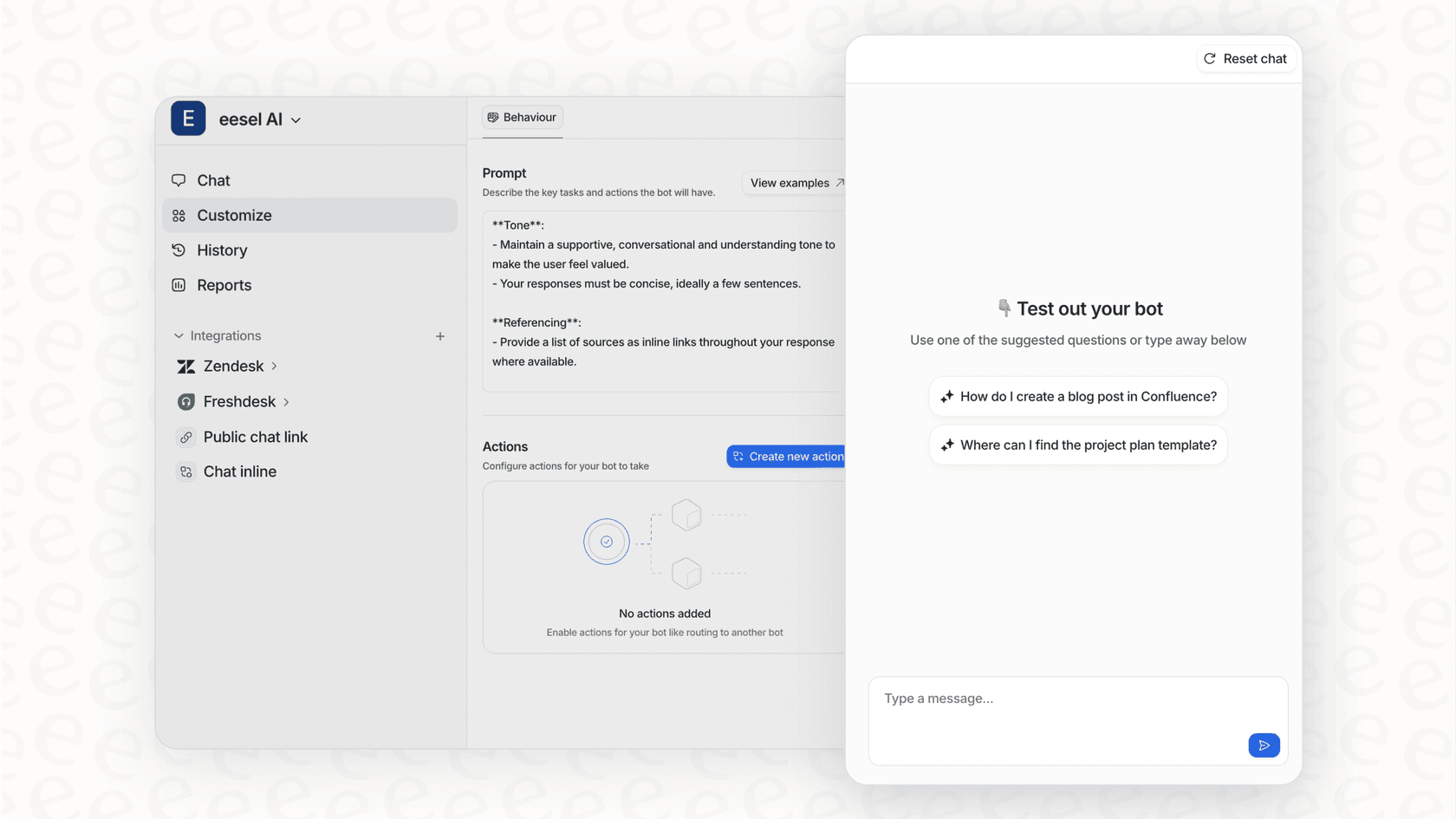
The best way to do this is to simulate how the AI would perform on your past support tickets. This lets you see exactly how it would have responded to thousands of real-world scenarios. You can measure its potential resolution rate and spot any gaps in its knowledge, all without a single customer knowing.
This is a huge advantage of using a platform like eesel AI. Its simulation mode runs your configured AI agent over your historical tickets from Front. You get a detailed report showing which tickets would have been automated, what the AI would have said, and a pretty accurate forecast of your deflection rate. It gives you the confidence you need before you turn the agent on.
Step 5: Roll it out slowly
Once you're feeling good about your setup, it’s time to go live. But don't just flip the switch for everyone at once. That's a classic mistake. Start by enabling the AI agent for just one channel, a small group of customers, or only on low-priority tickets.
Keep a close eye on its performance. You'll want to track a few key metrics:
-
Resolution rate: How many tickets is the AI closing on its own?
-
Escalation rate: How often is it passing tickets to your human team?
-
Customer satisfaction (CSAT): Are customers actually happy with the help they're getting from the AI?
Your analytics dashboard should show you trends and, more importantly, help you understand why some interactions didn't go as planned. This feedback loop is what allows you to continuously improve by updating your knowledge base or tweaking the AI's rules based on real-world data.
Common mistakes to avoid
Setting up GPT in Front can be a massive win for your team's efficiency, but a few common slip-ups can easily derail your efforts. Here’s what to look out for.
-
Letting your AI go "off-script": If you just connect GPT to Front without feeding it your specific help docs and company policies, it will start making things up, or "hallucinating." This is the number one cause of customer frustration with AI support.
Pro tip
Always use a system that forces the AI to base its answers only on your approved content (this is what that 'Retrieval-Augmented Generation' or RAG we mentioned earlier is all about). Platforms like eesel AI have this built-in, ensuring your bot stays on message.
-
Not having a clear escape hatch: An AI that tries to handle every single problem will eventually fail, leaving customers stuck in an endless, frustrating loop. Your AI agent has to know its limits and be able to gracefully hand off complex or sensitive issues to a person.
-
Forgetting the human element: Automation is great for efficiency, but support is still about people. A generic, robotic tone can feel cold and impersonal. Make sure you configure your AI to match your brand's voice and even express a little empathy.
-
Launching without testing: As we covered in Step 4, going live without running simulations first is a big gamble. You wouldn't launch a new product feature without testing it, and your AI agent deserves the same level of care.
The smarter way to set up GPT in Front
As you can see, properly setting up GPT to answer support tickets in Front is about more than just a simple API call. It takes a thoughtful approach to managing your knowledge, automating workflows, testing, and monitoring.
Trying to build all of this infrastructure yourself is a massive and expensive engineering project. You'd have to manage vector databases, build API integrations, create a workflow engine, and develop a testing environment from scratch.
Or, you could just use a platform that gives you all of this right out of the box.
eesel AI is designed to be the fastest and easiest way to deploy a smart, reliable AI agent inside your existing helpdesk. Instead of sinking months into development, you can:
-
Go live in minutes: Connect Front and your knowledge sources with just a few clicks.
-
Stay in complete control: Use the no-code editor to decide exactly how your AI should behave.
-
Test with confidence: Simulate performance on your past tickets before you activate anything for your customers.
-
Keep your existing tools: eesel AI plugs right into Front, so your team’s workflow doesn't have to change at all.
If you want to tap into the power of GPT for your support team without the headache and cost of a custom build, you might want to give eesel AI a try.

Frequently asked questions
Setting up GPT in Front can significantly reduce ticket volume by automating responses to common queries, freeing up human agents for complex issues. This leads to faster resolution times, improved agent satisfaction, and ultimately better customer experiences.
While building a custom solution can be complex and require engineering resources, using an AI integration platform like eesel AI simplifies the process greatly. These platforms offer no-code interfaces, making it feasible for non-technical users to configure and deploy an AI agent in minutes.
Essential knowledge includes your help center articles, internal wikis, past ticket history, and saved replies. The AI's accuracy directly depends on the quality and comprehensiveness of the data you feed it, ensuring it provides relevant, on-brand answers.
To prevent "hallucinations," ensure your AI is built with Retrieval-Augmented Generation (RAG), which forces it to base answers only on your approved knowledge base. Platforms like eesel AI have this capability built-in, connecting directly to your trusted data sources.
The best way to test is by simulating the AI's performance on your historical support tickets. This allows you to evaluate its potential resolution rate and identify knowledge gaps in a risk-free environment before it interacts with live customers.
It's crucial to establish clear "escape hatches" for your AI. If it encounters a complex, sensitive, or unclear query, it should be configured to automatically escalate the ticket to a human agent, preventing customer frustration and ensuring proper resolution.
For most businesses, especially those without extensive engineering resources, a dedicated AI integration platform is recommended. These platforms provide out-of-the-box integrations, RAG capabilities, workflow builders, and testing environments, significantly reducing development time and cost compared to a custom build.
Share this article

Article by
Kenneth Pangan
Writer and marketer for over ten years, Kenneth Pangan splits his time between history, politics, and art with plenty of interruptions from his dogs demanding attention.