
Why teams leave HappyFox (and what they actually want instead)
Let me be fair to HappyFox first, because the switching story makes more sense once you know what's good. It's a broad AI support platform spanning customer service, IT service management, and employee support, and it's well-priced for what it does. The praise is consistent and specific: one Capterra reviewer called it "an incredible ticketing solution... for the price I do not think that it can be beaten," and another reported getting "75-80% of the features" of Zendesk at roughly 10% of the cost. It carries a 4.6/5 on Capterra from 92 reviews and a Forrester study claiming 401% ROI for power users. That's a real product with real fans.
So why do people shop around? Three reasons come up again and again.
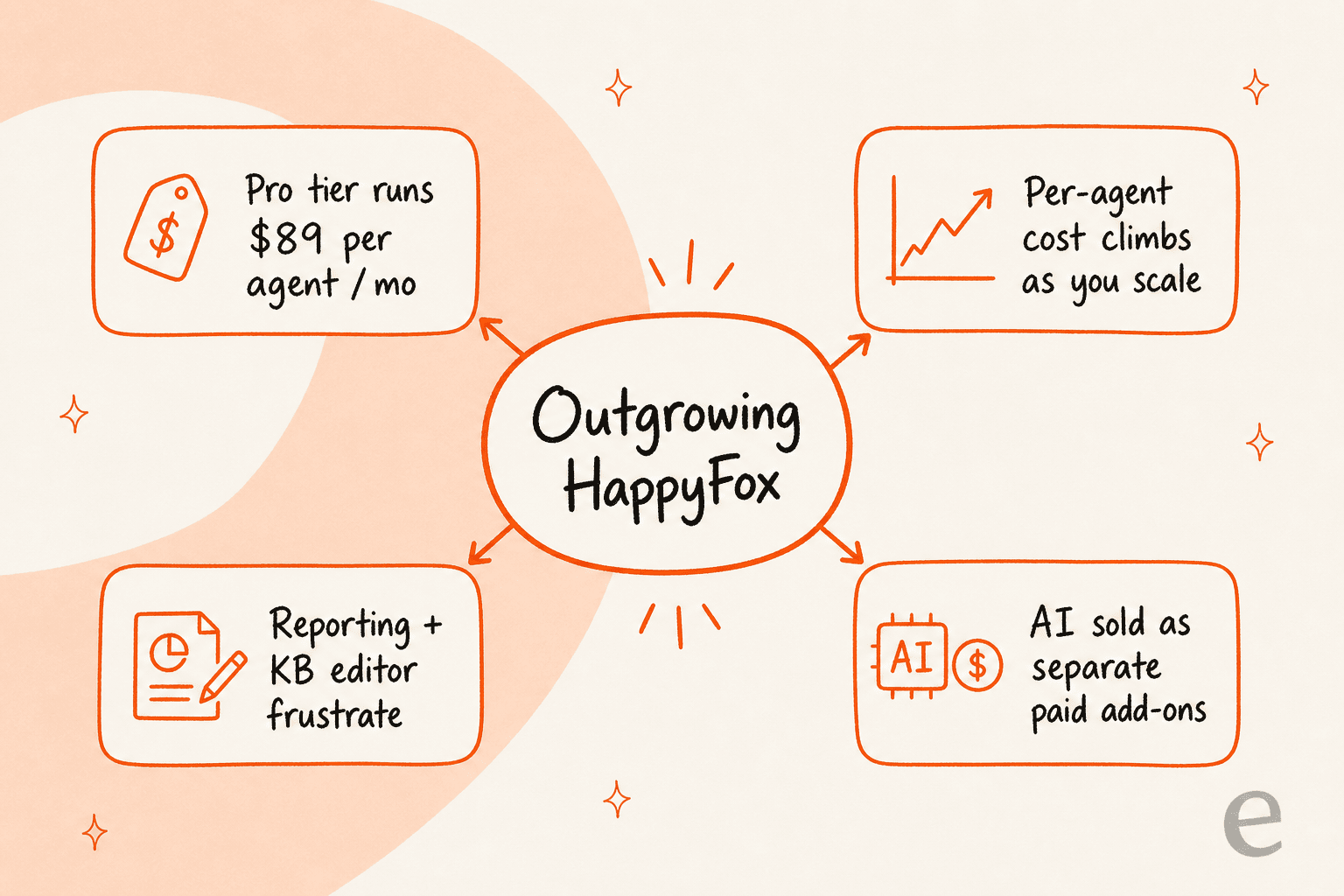
First, price scales the wrong way. HappyFox bills per agent: $21 (Basic, capped at 5 agents), $39 (Team), and $89 (Pro) per agent/month on its pricing page. That's fine for a tiny team, but every new hire is another seat on the bill whether or not that person needs the most expensive tier, and the AI products are priced on top of that.
Second, the day-to-day tooling has rough edges. The most repeated complaints in reviews aren't about the core ticketing, they're about the surrounding tools. Capterra reviewers say "the reporting is very challenging" and "the Knowledge Base editor is horrible compared to Zendesk," where editing a page reportedly "throws you out of the page that you are working on."
Third, and this is the big one in 2026, the AI is a separate purchase. HappyFox AI runs $14-29 per agent/month, Autopilot bills at $0.02 per completed task, and the customer-facing Chatbot is its own demo-led product. None of it is included in your help desk plan.
Here's the thing I keep coming back to from my seat on a support team: most people who say "I need a HappyFox alternative" don't actually hate their ticketing. They hate that the automation feels bolted on and the bill keeps creeping. A DTC CX lead I'll keep anonymous put the real requirement perfectly:
"The AI will never be able to answer 100% of the questions... I need an AI who is only handling the tickets that it's confident to handle and all the other ones, leave them alone."
That's the actual ask: confident automation on the easy stuff, humans on everything else, and a bill that tracks the work done rather than the headcount. Keep that in mind as you read, because it splits this list cleanly in two.
How I picked these alternatives
I run support day to day, and at eesel we've spent the last few years putting AI agents on live support queues, so I'm allergic to tools that demo beautifully and fall over in the queue. A few things I weighted heavily:
- The billing unit, not the sticker price. Per-agent, per-ticket, and per-resolution pricing behave completely differently as you grow. This matters more than the headline number.
- AI that's actually usable, not a checkbox. Plenty of helpdesks "have AI" that misfires on anything past a FAQ.
- Real setup friction. How long until a new agent is productive, and how much does the thing need babysitting.
- Honest fit. I'd rather tell you a tool is wrong for you than pretend everything is great at everything.
One framing that decides a lot of this: are you replacing HappyFox, or automating the work inside it? That single question separates a full-platform switch (Zendesk, Freshdesk, Zoho Desk) from an AI layer you add on top of whatever you already run (eesel).
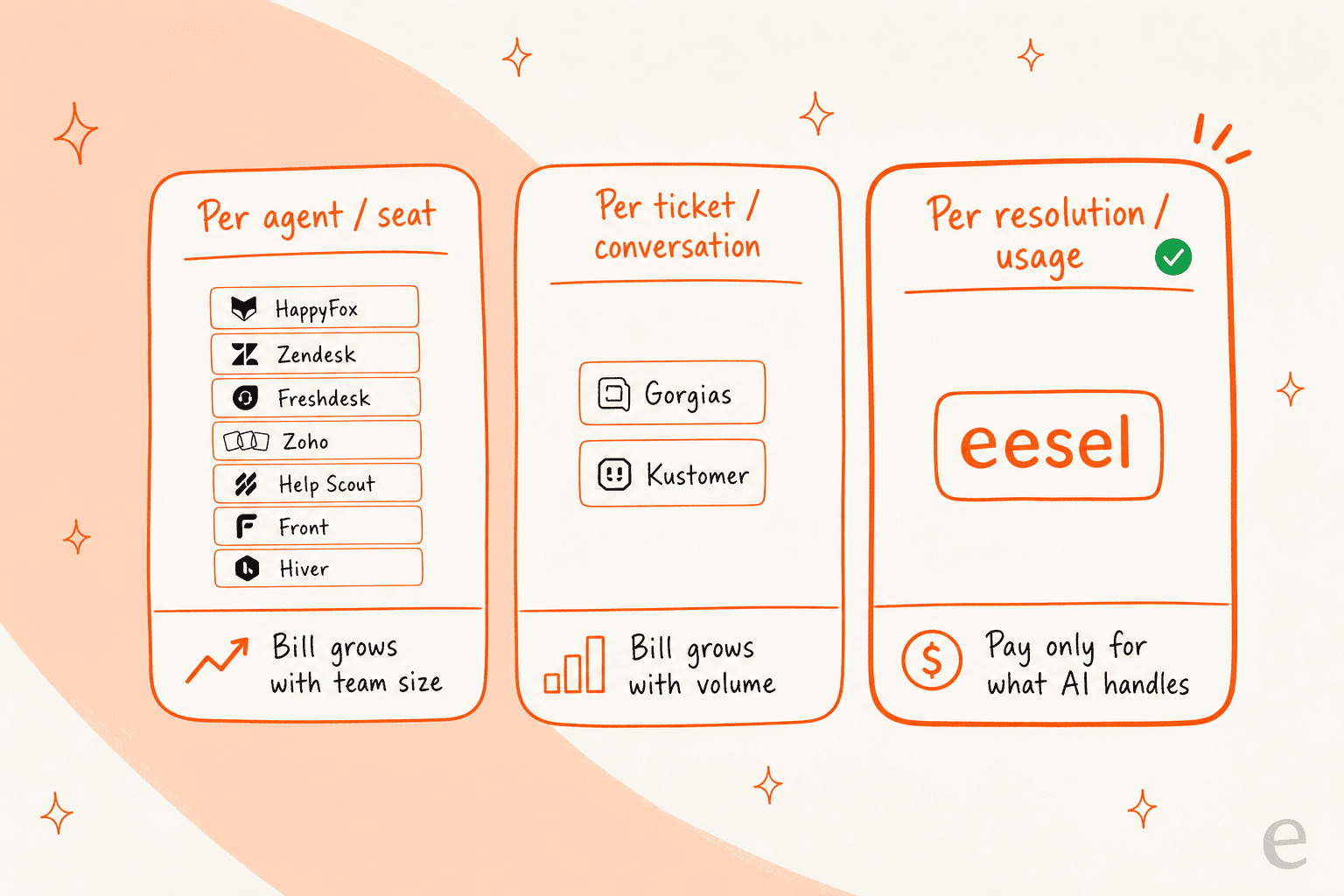
The 9 best HappyFox alternatives in 2026 at a glance
| Tool | Best for | Starting price | AI billing model | Free tier | Rating |
|---|---|---|---|---|---|
| eesel AI | AI layer on your existing helpdesk | $0.40 per ticket (usage) | Per resolution / task | $50 free usage | n/a |
| Zendesk | Mature, omnichannel enterprises | $19/agent/mo | Per automated resolution | 14-day trial | 4.3/5 G2 |
| Freshdesk | Small teams and startups | $0 (free) / $19/agent/mo | Per AI session | Yes (2 agents) | 4.4/5 G2 |
| Zoho Desk | Budget and Zoho-ecosystem teams | $7/agent/mo | Zia tokens included | Yes (3 users) | 4.5/5 Gartner |
| Help Scout | Relationship-driven small teams | $25/user/mo | $0.75 per resolution | Yes (5 users) | ~4.4/5 G2 |
| Front | Collaborative shared-inbox ops | $25/seat/mo | From $0.05/conversation | No (trial only) | 4.7/5 G2 |
| Gorgias | Shopify and ecommerce brands | $10/mo (50 tickets) | $0.90 per resolution | 7-day trial | 4.6/5 G2 |
| Hiver | Gmail-native teams | $0 / $25/user/mo | Bundled from Growth | Yes (free forever) | 4.6/5 G2 |
| Kustomer | High-volume B2C / CX-CRM | Quote only | $0.60 per conversation | No | 4.4/5 G2 |
Now the detail on each.
1. eesel AI
Best for: teams whose ticketing is fine but whose automation isn't, who want AI on top of the helpdesk they already run.
I'll declare the bias up front, this is our tool, so read the verdict with that in mind. But it's first on the list for a specific reason: it's the only option here that doesn't ask you to leave HappyFox at all.
eesel is an AI layer that plugs into your existing stack (Zendesk, Freshdesk, Gorgias, Front, Slack, and 100+ others) and learns from your past tickets, help docs, and macros on day one. It drafts replies, triages, escalates, and resolves tier-1 conversations, and you grant it autonomy gradually rather than flipping a scary "go live" switch.
Features: the part I care about most as a support person is simulation mode, which runs the AI against thousands of your historical tickets so you can see the coverage and exact replies before it touches a real customer. There's confidence-based routing so low-confidence questions become drafts rather than live answers, support for 80+ languages, and natural-language setup instead of a rules builder.
Pros: no rip-and-replace, you keep HappyFox or whatever you use. Usage-based pricing means the bill tracks resolved work, not seats. And it learns from solved tickets, not just help-center articles, which is why the replies sound like your team. Gridwise saw eesel resolve 73% of tier-1 requests in the first month.
Cons: it's an automation layer, not a full ticketing system, so if you actually want to leave your helpdesk, you still need one of the others below to host the tickets. SOC 2 is listed as in progress rather than certified, worth knowing if you're in a heavily regulated vertical.
Pricing: pure usage. eesel pricing starts at $0.40 per ticket with no per-seat fee, no platform fee, and no minimum. A free trial gives you $50 of usage with no card. Annual commits get 25% off, and there's a $1,000/month enterprise tier for SSO, HIPAA, and a dedicated SE.
My take: if your problem is "HappyFox is fine but the AI is weak and the seat bill is creeping," start here before you migrate anything. If your problem is the ticketing itself, eesel won't replace it, keep reading.
2. Zendesk
Best for: established teams that want the most mature, omnichannel platform and the deepest app ecosystem, and can stomach the bill.
Zendesk is the incumbent HappyFox loves to compare itself against, and for good reason: it's the most polished, most-integrated helpdesk on the market, with an 1,800+ app marketplace and a 4.3/5 across nearly 7,000 G2 reviews. If you need omnichannel, telephony, and deep workflow customization in one place, it delivers.
Features: full omnichannel routing, messaging, live chat, a strong knowledge base (the very thing HappyFox reviewers wish they had), and AI agents on the higher tiers.
Pros: maturity and reliability, plus the integration breadth nothing else here matches. It's hard to "outgrow" Zendesk on capability.
Cons: cost scales the wrong way, just like HappyFox but more so. Its AI now bills per automated resolution, and that model has made buyers nervous about unpredictable bills:
"From what I can see in regards to this new 'Automated Resolution' pricing model, we'll be paying about $1.50 ~ $1.20 per resolution... If you have 500 AR per week, the bill blows out to be $650, where there wasn't a charge before."

Pricing: Support Team is $19/agent/month, but the plan most teams actually want, Suite Professional, is $115/agent/month, with Copilot and other add-ons at $50/agent/month each. There's a 14-day trial.
My take: the right move if you're scaling up and capability matters more than cost control. If the price tag is what pushed you off HappyFox in the first place, Zendesk solves the tooling complaints but not the budget one, so pair it with a usage-based AI layer or look at the cheaper options below. Our full Zendesk review digs into the trade-offs.
3. Freshdesk
Best for: small businesses and bootstrapped startups that want intuitive ticketing with a genuine free tier.
Freshdesk is the most natural like-for-like swap for HappyFox: similar positioning, similar audience, but with a free plan as an on-ramp and a generally friendlier setup. It holds a 4.4/5 on G2 across roughly 3,750 reviews.
Features: solid core ticketing, auto-assignment, suggested replies, FAQ deflection, and the Freddy AI suite layered on top.
Pros: the free tier (up to 2 agents) and low $19 entry price make it an easy first helpdesk to afford, and the basics are reliable. We compare them directly in our Freshdesk vs HappyFox breakdown.
Cons: Freddy AI is the weak spot, and it's the same complaint I hear about most native helpdesk AI, it's fine on simple tickets and wobbly on anything complex:
"We tested an ai integration in freshdesk and had almost the exact same experience. it worked for very simple tickets but anything slightly complex got misclassified. agents ended up spending more time fixing errors than before."
Pricing: Free ($0, up to 2 agents), Growth ($19/agent/mo), Pro ($55/agent/mo), Enterprise ($89/agent/mo). The Email AI Agent includes the first 500 sessions, then bills $49 per 100 sessions.
My take: the best straight replacement for HappyFox if you want to stay in the same "affordable, full-featured ticketing" lane. Just go in clear-eyed that Freddy AI may not be the automation upgrade you're hoping for, which is exactly where layering a stronger AI agent on top earns its keep. See our Freshdesk review for the full picture.
4. Zoho Desk
Best for: budget-conscious teams, especially anyone already living in the Zoho ecosystem.
Zoho Desk is the value play. It's cheaper than HappyFox at the entry tier, it has a free plan, and if you already use Zoho CRM or the wider suite it slots right in. Buyers rate it 4.5/5 on Gartner Peer Insights from 2,403 reviews.
Features: strong ticket management, SLAs, automation rules, multichannel support, and the Zia AI assistant included across tiers (including a generous token allowance even on free plans).
Pros: the value for money is real, and the automation for assignment and SLAs is good. As one Gartner reviewer put it, "automated ticket assignment, SLAs and priority rules help support teams respond faster and stay organized."
Cons: two recurring gripes. The UI has a learning curve and can feel cluttered, and Zia, the built-in AI, underwhelms. As one Zoho user described it, the AI ticket summary "is ok but struggles when there is a lot of content - it has a limit on length."
Pricing: Free Forever ($0, 3 users), Express ($7/agent/mo), Standard ($14/agent/mo), Professional ($23/agent/mo), Enterprise ($40/agent/mo), all billed annually. Our Zoho Desk pricing guide has the full breakdown.
My take: the best pick if cost is the number-one driver and you don't need best-in-class AI out of the box. If you do want strong automation, pair Zoho's cheap, solid ticketing with a dedicated AI layer rather than leaning on Zia. More in our Zoho Desk alternatives roundup.
5. Help Scout
Best for: relationship-driven small teams that want a human, email-like shared inbox rather than heavyweight ticketing.
If HappyFox feels too much like a "ticketing system" and you want support to feel like a real conversation, Help Scout is the antidote. It's clean, email-like, and new agents learn it in under an hour. It scores around 4.4/5 on G2 and 4.6/5 on Capterra.
Features: shared inbox, simple workflows, a Docs knowledge base, and AI Answers as a usage-based add-on.
Pros: ease of use is the headline, it's the least intimidating tool on this list, and the customer-facing tone stays personal.
Cons: the flip side of simplicity is that it can feel light on advanced features and customization, which G2 reviewers flag as the top con. And the pricing history has annoyed some long-time users:
"HelpScout changed back to user-based pricing. Guess too many people cancelled including me... Helpscout lost all trust with this flip-flopping on pricing."
Pricing: Free ($0, up to 5 users), Standard ($25/user/mo), Plus ($45/user/mo), Pro ($75/user/mo), with AI Answers at $0.75 per resolution on top. Full numbers in our Help Scout pricing guide.
My take: a great fit for a small, support-as-relationship team that finds HappyFox over-engineered. Less ideal if you need deep automation or heavy reporting, in which case look at the Help Scout alternatives we cover separately.
6. Front
Best for: complex, multi-department operations that need real collaboration on top of email, not just FAQ deflection.
Front blurs the line between a shared inbox and a helpdesk, and it's the best on this list for teams that collaborate behind the scenes on customer emails (think logistics, B2B account management, operations). It earns a strong 4.7/5 on G2 across about 2,466 reviews.
Features: collaborative shared inbox, internal comments on threads, omnichannel, plus an AI add-on stack (Autopilot, Copilot, Smart QA).
Pros: the collaboration model beats email forwarding by a wide margin. As one G2 reviewer put it, "it's a much better collaboration tool than relying on a typical email inbox or an email-forwarding strategy."
Cons: the pricing is high and complicated, with a lot of features sold as separate paid add-ons, the same "death by add-on" pattern that pushes people off HappyFox. One G2 reviewer flatly called it "extremely overpriced, and the pricing is very complicated."
Pricing: Starter ($25/seat/mo), Professional ($65/seat/mo), Enterprise ($105/seat/mo), with the Autopilot AI agent from $0.05/conversation and Copilot at $20/seat/mo. There's no free tier, just a 14-day trial. See our Front review for more.
My take: the standout for collaborative, multi-team inboxes. If you're a more traditional support team just deflecting tickets, it's probably more tool (and more cost) than you need, and the Front vs Hiver comparison is worth a read before you commit.
7. Gorgias
Best for: Shopify and ecommerce brands that want support and revenue actions in the same ticket.
If you're in ecommerce, Gorgias is purpose-built in a way HappyFox isn't. Its Shopify integration pulls order data straight into the ticket so agents can issue refunds, edit orders, and cancel subscriptions without leaving the conversation. It holds a 4.6/5 on G2 from 560 reviews.
Features: deep native Shopify (and BigCommerce/Magento) integration, ticket-based billing, and an AI Agent that handles both support and pre-sale questions.
Pros: nothing else here touches it on commerce-native workflows. As one ecommerce veteran summed it up:
"I've been around ecommerce for 10+ years and this is honestly how I'd choose: 40%+ tickets need Shopify actions → I'd lean Gorgias. Mostly conversational support → Zendesk is fine."
Cons: the ticket-based pricing creeps at scale, and high-volume stores can end up paying more than they would on Zendesk for similar volumes.
Pricing: Starter (from $10/mo, 50 tickets), Basic (from $50/mo), Pro (from $300/mo), Advanced (from $750/mo), with the AI Agent at $0.90 per resolved conversation. Our Gorgias pricing breakdown has the full cost math.
My take: the obvious pick for Shopify brands, full stop. And because eesel works with Gorgias too, you can run Gorgias for the commerce actions and layer eesel's AI over it rather than choosing between them. If you're weighing options, our Gorgias alternatives post covers the field.
8. Hiver
Best for: teams that live in Gmail and want a shared inbox with almost zero learning curve.
Hiver runs inside Gmail (and now Outlook), which is its whole pitch: if your team already lives in their inbox, there's barely anything to learn. It carries a 4.6/5 on G2 from 1,283 reviews and a 4.7/5 on Capterra.
Features: shared inboxes, email assignment, collision alerts, SLAs, internal notes, and AI bundled in from the Growth tier up rather than metered separately.
Pros: adoption is the fastest of anything here. As one team described their switch: "we ended up going with Hiver since it just runs inside Gmail, so there wasn't much to learn."
Cons: the per-seat cost climbs quickly as you add users, and there are billing complaints worth heeding, one Capterra reviewer described being overcharged and refused a refund.
Pricing: Free ($0, forever), Growth ($25/user/mo), Pro ($55/user/mo), Elite ($85/user/mo), with a 2-seat minimum. Worth comparing against the heavier options in our Zendesk vs Hiver piece.
My take: ideal for a Gmail-native team that finds a full helpdesk like HappyFox overkill. If you need true multichannel or heavy ticketing structure, you'll outgrow the inbox model, which is when the Front vs Hiver trade-offs come into play.
9. Kustomer
Best for: high-volume B2C and consumer brands that want a customer-timeline CX platform rather than ticket-by-ticket support.
Kustomer takes a different shape from a classic helpdesk: instead of tickets, it organizes everything around a unified customer timeline, which suits high-volume B2C operations like retail and DTC. It holds a 4.4/5 on G2 from 555 reviews and 4.6/5 on Capterra.
Features: customer-timeline data model, AI-native automation, omnichannel, and built-in CRM-style context.
Pros: the unified workspace is clean and organized, and G2 reviewers like "how simple and organized it is to use."
Cons: two things to weigh. Pricing is quote-only with an 8-seat minimum, so it's not a small-team tool, and the voice channel draws criticism:
"To my knowledge, comments don't pull in from social platforms... Additionally in my experience, the voice channel is incredibly buggy. My phone team is continually troubleshooting repeated issues like calls dropping, audio issues, calls not being routed."
Pricing: contact-sales only; competitor teardowns put it around $89-139/seat/month with AI billed separately at roughly $0.60 per engaged conversation. Our Kustomer pricing guide explains what's known.
My take: a strong fit for large consumer brands that have outgrown ticket-centric tools and want a CX-CRM hybrid. Overkill (and over-budget) for a small or mid-size team, where the Kustomer alternatives are usually the better call.
So which HappyFox alternative should you pick?
Here's the decision the way I'd actually walk a teammate through it.
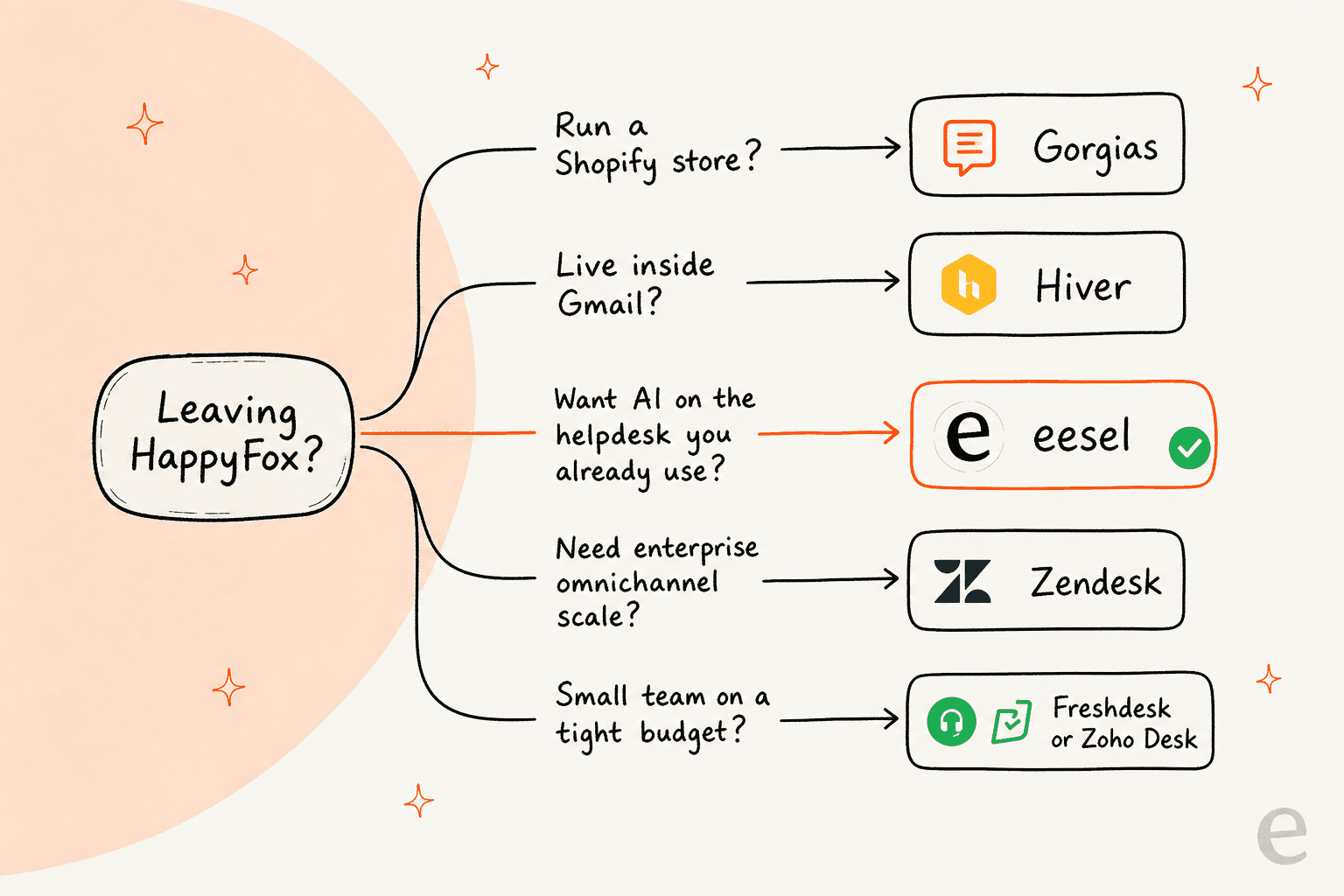
- Run a Shopify store? Gorgias, every time.
- Live in Gmail and want minimal change? Hiver.
- Need the most mature, omnichannel platform and can absorb the cost? Zendesk.
- Small team on a tight budget? Freshdesk or Zoho Desk.
- Want support to feel like a personal conversation? Help Scout.
- Big B2C operation that's outgrown tickets? Kustomer.
- Happy with your ticketing but the AI and the seat bill are the problem? Don't switch helpdesks, add an AI layer like eesel on top.
That last one is the case most "HappyFox alternative" searches actually map to, and it's the one most listicles miss. Remember the cost math: the moment your AI bills per resolution or per seat, the question stops being "which tool" and becomes "what am I actually paying per resolved ticket?" I've watched a customer nearly leave over an $800/month bill that worked out to roughly $20 per AI reply, and get retained the same week simply by moving to usage-based pricing where the number tracked the work. The billing model is the decision.
Try eesel on top of your existing helpdesk
If you got this far because HappyFox's tooling is fine but its AI and seat pricing aren't, this is the option worth a serious look. eesel connects to the helpdesk you already run, learns from your past tickets and help docs, and starts drafting and resolving tier-1 conversations, no migration, no rip-and-replace.

The one differentiator I'd point to: simulation mode lets you run the AI against your real historical tickets and see exactly how it would have answered, before it ever touches a live customer. That's the answer to the "I only want it handling tickets it's confident about" worry, and it's free to try with $50 of usage and no credit card. Try eesel and point it at your queue to see your own coverage numbers.
Frequently asked questions
What are the best HappyFox alternatives in 2026?
Why do teams look for a HappyFox alternative?
How much does HappyFox cost compared to its alternatives?
Is there a free HappyFox alternative?
Can I add AI to HappyFox instead of switching helpdesks?
Which HappyFox alternative is best for ecommerce?
How do I switch from HappyFox without losing my data?


Article by
Riellvriany Indriawan
Riell is a designer and writer at eesel AI with about two years of experience researching CX platforms, AI chatbots, and helpdesk software. She combines her design background with a sharp eye for how these tools actually look and feel in practice — making her comparisons unusually visual and user-focused.