Gorgias Stripe integration: A 2026 guide to automating payments support

Stevia Putri
Written by

Stevia Putri

Reviewed by

Katelin Teen

Last edited January 16, 2026

Expert Verified

Gorgias Stripe integration: A 2026 guide to automating payments support

If you’re running an e-commerce support team, you know the drill. A good chunk of your day is spent fielding questions about payments, refunds, and disputes. To streamline things, many teams connect Gorgias and Stripe. It’s an excellent pairing that brings all that crucial payment info right into your helpdesk.

On the surface, it’s a great first step. The standard Gorgias Stripe integration is a reliable way to get visibility. To maximize its potential, you can add an AI layer that turns this data into automated resolutions, further reducing your team's manual workload.

In this guide, we’ll walk through everything you need to know about the Gorgias Stripe integration. We'll cover what it does, its main uses, how to optimize it, and how you can add a layer of AI to turn it from a simple data feed into a genuine automation powerhouse.

What is the Gorgias Stripe integration?

Before we get into how they work together, let’s do a quick intro for anyone who might know one platform better than the other.

What is Gorgias?

Gorgias is a helpdesk platform built from the ground up for e-commerce brands, especially those on Shopify, BigCommerce, or Magento. Its main job is to pull all your customer conversations, whether they’re from email, chat, or social media, into one clean view. The real power of Gorgias is how it wraps those conversations in customer data, giving agents all the context they need to offer quick, personal support. When you’re looking to add AI, eesel AI has a straightforward Gorgias integration to get you started.

What is Stripe?

Stripe is the financial engine for millions of online businesses. It’s a payment processing platform that helps companies take payments, manage subscriptions, handle payouts, and fight fraud. From the second a customer hits "buy" to the money landing in your account, Stripe is doing the heavy lifting in the background.

How the Gorgias Stripe integration works

Connecting Gorgias and Stripe simply means that payment information from Stripe shows up directly inside the Gorgias helpdesk. You can usually set this up in a couple of ways: either through Gorgias’s built-in features or with a third-party tool like Zapier, Mesa, or Pipedream. The goal is simple: give your support agents the payment info they need without making them switch tabs.

What you can do with a standard Gorgias Stripe integration

A basic integration is all about making your team’s workflow a bit smoother by giving them the context they need. It helps them see the whole story behind a customer's payment history, which is a great starting point for better support.

See all customer payment info in one place

The most immediate win is that agents can see a customer's entire Stripe history right in the Gorgias sidebar, next to their support ticket. This includes recent charges, refund statuses, and subscription details. It saves time digging for information and lets agents answer questions like, "Did my refund go through yet?" in just a few seconds.

Automatically create tickets for key payment events

You can also set up rules that automatically create a new ticket in Gorgias whenever something important happens in Stripe. A few common triggers are:

  • A customer files a chargeback.
  • A recurring subscription payment fails.
  • A refund is processed successfully.
  • A subscription is canceled.

This setup works like a proactive alert system, making sure no critical payment issue gets missed. Your team gets a heads-up the moment something needs their attention.

Trigger simple workflows for refunds and disputes

Using a tool like Zapier, you can create basic "if this happens, then do that" rules. For example, when a charge is disputed in Stripe, a workflow can automatically create a Gorgias ticket, tag it as "Dispute," and assign it to your finance team.

This gives you a clear, reactive process. A Stripe event happens, the automation tool catches it, and a ticket gets created and routed in Gorgias. The right people are notified, and an agent can then jump in to investigate and respond.

Enhancing basic Gorgias Stripe automations

While these workflows are useful for keeping track of issues, you can unlock even more potential by adding intelligent resolution. Basic workflows are great at telling you a problem exists, and adding an AI layer can help you solve them even faster.

Managing high volumes of payment information

When you automatically create tickets for failed payments or processed refunds, your team gets great visibility. The integration serves as a powerful notification system that sets the stage for automated resolution.

If you process many refunds in a day, you will see new tickets that provide transparency. Adding AI helps manage this ticket volume, keeping your agents' queues organized and optimizing your investment in the platform as you scale. Gorgias offers tiered pricing plans to match different team sizes, and AI helps ensure you are getting the most value from your chosen plan.

Moving toward direct resolution

Seeing a dispute notification in Gorgias is a great heads-up. While a standard integration gives you a clear view of the problem, an agent might still need to gather evidence from multiple systems.

Traditional workflows can be further streamlined with AI. Rather than having an agent act as a bridge between systems, an AI-enhanced setup can connect the dots and take action directly, making the entire process faster for the customer.

Enhancing natural language processing

Standard integrations are triggered by structured data from Stripe, like a charge.disputed event. They are highly reliable for data, but adding an AI layer allows the system to understand the nuanced language of a real customer email. If a customer asks, "I thought I canceled my subscription, why did you charge me again?", AI can understand that context, connect it to the right Stripe data, and draft a helpful reply instantly.

To get the most out of your setup, you can add an intelligent layer that understands conversations and talks to multiple systems. This is where a platform like eesel AI can completely enhance your existing tools.

Adding an AI layer to your Gorgias Stripe integration

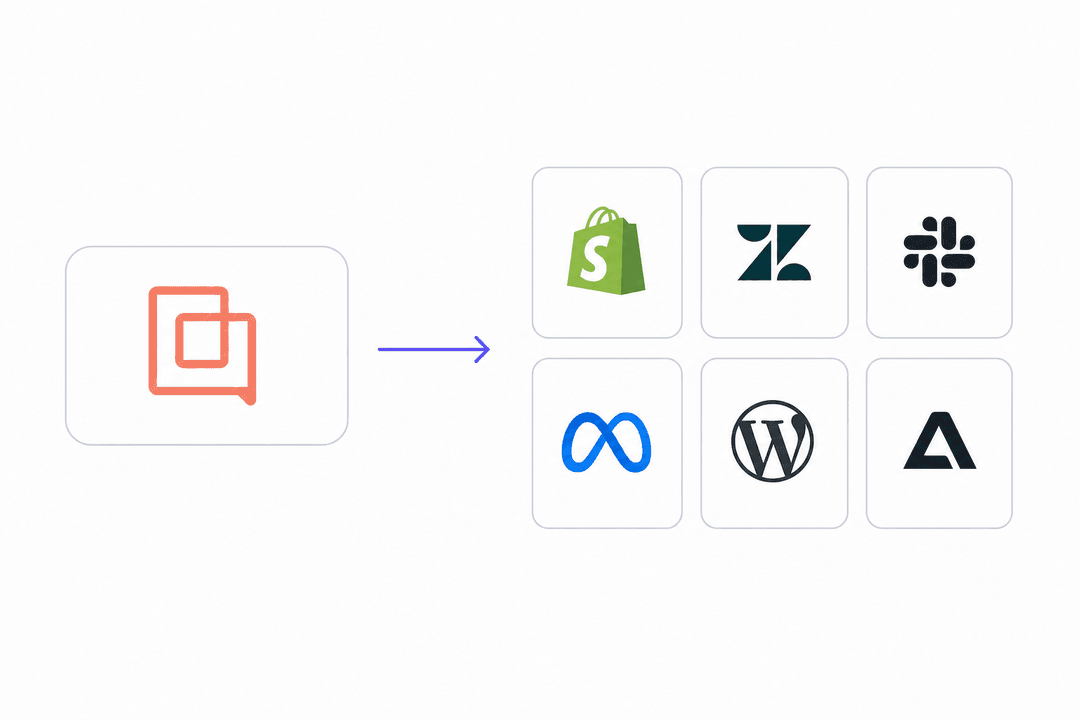
Instead of changing your entire helpdesk, you can add an AI agent that works within the Gorgias ecosystem you already know. eesel AI connects with Gorgias, Stripe, and your other apps to resolve tickets autonomously.

From flagging issues to solving them

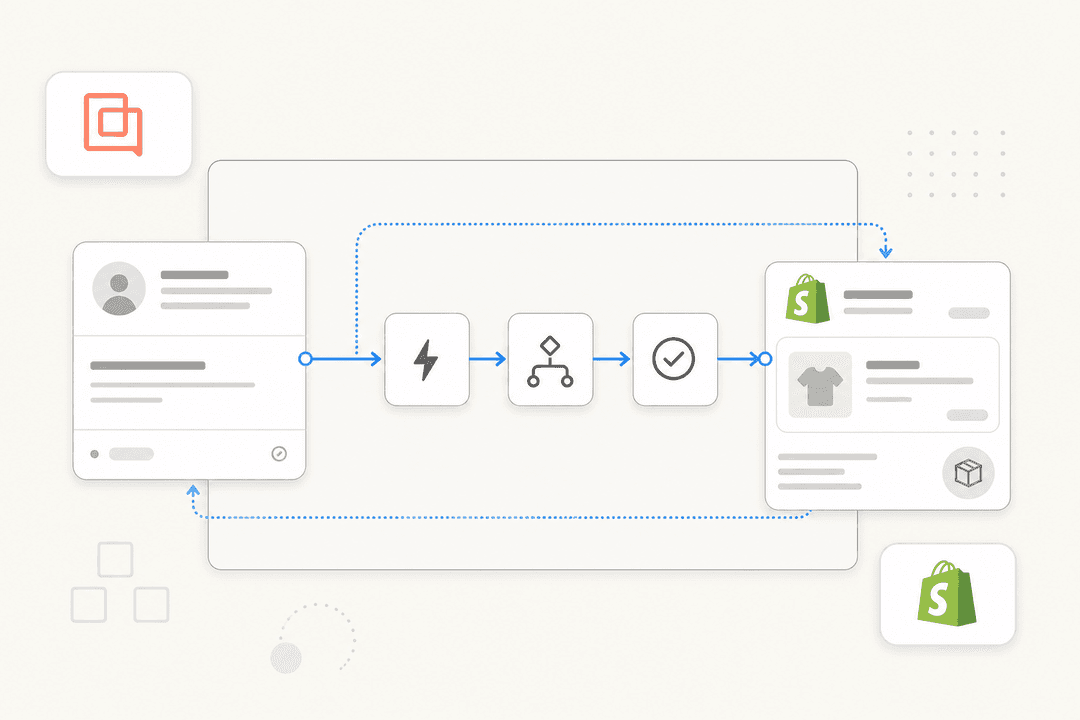
Where a standard integration creates a ticket, an AI agent from eesel AI helps handle it. It can read a customer email about a billing question, use custom actions to look up the order in Shopify and the payment status in Stripe, and then instantly draft a reply. If it’s something that fits your business rules, like a simple refund, it can even process it automatically.

The best part is that setting this up is incredibly straightforward. With eesel AI, you can be up and running in minutes. You connect your helpdesk with one click and configure everything in a completely self-serve platform. You can get started on your own, right now, without long sales cycles.

graph TD A[Customer Email Arrives in Gorgias] --> B{eesel AI}; B --> C[Reads and Understands Email]; C --> D{Accesses External Tools}; D --> E[Looks up order in Shopify]; D --> F[Checks payment in Stripe]; D --> G[Consults Knowledge Base]; H{All Info Gathered}; E & F & G --> H; H --> I[Drafts a complete reply or processes refund]; I --> J[Resolves Ticket Autonomously];

Pulling in knowledge from all your tools

Payment data is just one piece of the puzzle. To answer questions correctly, an AI agent needs context from your help center articles, past tickets, and internal docs, whether they live in Google Docs, Confluence, or Notion.

eesel AI brings all of these separate knowledge sources together. This means it can confidently handle a tricky question like, "My last payment failed, but your policy says you retry payments. When will you try again?" It can figure this out by checking the live data from Stripe against your billing policy saved in an internal document, giving the customer a complete and accurate answer in seconds.

A quick comparison: standard Gorgias Stripe vs. AI-powered integration

The difference really stands out when you see it side-by-side.

CapabilityStandard Gorgias Stripe IntegrationWith eesel AI on top
Main JobProvides payment data and creates tickets.Understands, acts on, and resolves tickets.
What it means for your agentsExcellent visibility and data access.Streamlined workload (resolutions are automated).
Data SourcesFocused on Stripe events.Unifies Stripe, Shopify, docs, past tickets, and more.
ActionsComprehensive read-only view.Can take action (refund, tag, escalate, make API calls).
How hard is it to set up?Simple triggers.Radically self-serve, go live in minutes.
IntelligenceRule-based data connection.Conversational AI (understands what users mean).

A quick note on Gorgias Stripe pricing

Understanding how these platforms work together helps show why adding an AI layer makes sense for growing teams.

Gorgias's pricing offers tiered plans based on the number of billable tickets your team handles each month. Plans run from $10/month for 50 tickets to $750/month for 5,000 tickets, providing a path to scale. By using AI to automate resolutions, you can manage your ticket volume effectively as you grow.

Stripe’s pricing is straightforward, usually a percentage-based fee on each transaction (like 2.9% + 30¢ for online payments in the US).

By automating resolutions and deflecting common payment questions, eesel AI helps you optimize your Gorgias plan. This gives you a clear, measurable return. Plus, eesel AI has transparent, predictable pricing based on usage, with no hidden fees.

Move from seeing problems to actually solving them

The Gorgias Stripe integration is a powerful foundation for any e-commerce brand. It provides the essential data visibility that sets the stage for advanced automation. It keeps you in the loop on important payment events and gives your agents helpful context.

The future of great support is about using this visibility to solve problems faster. Intelligent automation that can understand what a customer is asking and connect to all your systems isn't science fiction anymore. Platforms like eesel AI deliver this today, working within your existing Gorgias setup to resolve customer issues instantly. This frees up your agents for more complex, high-value work and delivers an even better customer experience.

Ready to enhance your payment support? Get started with eesel AI for free and see how you can further automate your Gorgias support in minutes.

Frequently asked questions

The Gorgias Stripe integration connects payment data from Stripe directly into your Gorgias helpdesk. This allows support agents to view customer payment history and status without switching platforms.

With a standard Gorgias Stripe integration, agents can see a customer's recent charges, refund statuses, and subscription details in the Gorgias sidebar. This saves time and provides immediate context for answering payment-related queries.

A standard integration provides comprehensive visibility into payment data. Pairing it with an AI layer can help further automate the resolution of these tickets and manage high ticket volumes even more effectively.

Adding an AI layer transforms the Gorgias Stripe integration from a data feed into an automation powerhouse. It allows the system to understand customer questions, access information across multiple tools, and autonomously resolve issues like refunds or billing inquiries.

Yes, an AI-powered Gorgias Stripe integration can move beyond just creating tickets to actively resolving them. It can look up order details, verify payment status, draft replies, and even process simple refunds automatically based on your business rules.

An AI-enhanced Gorgias Stripe integration can help manage and optimize your Gorgias investment. By automating resolutions and deflecting common payment questions, it ensures your team handles the most impactful tickets each month.

Platforms like eesel AI are designed for quick and self-serve setup, often allowing you to connect your helpdesk and configure automations in minutes. This avoids lengthy sales calls and complex integration processes.

Share this post

Stevia undefined

Article by

Stevia Putri

Stevia Putri is a marketing generalist at eesel AI, where she helps turn powerful AI tools into stories that resonate. She’s driven by curiosity, clarity, and the human side of technology.