

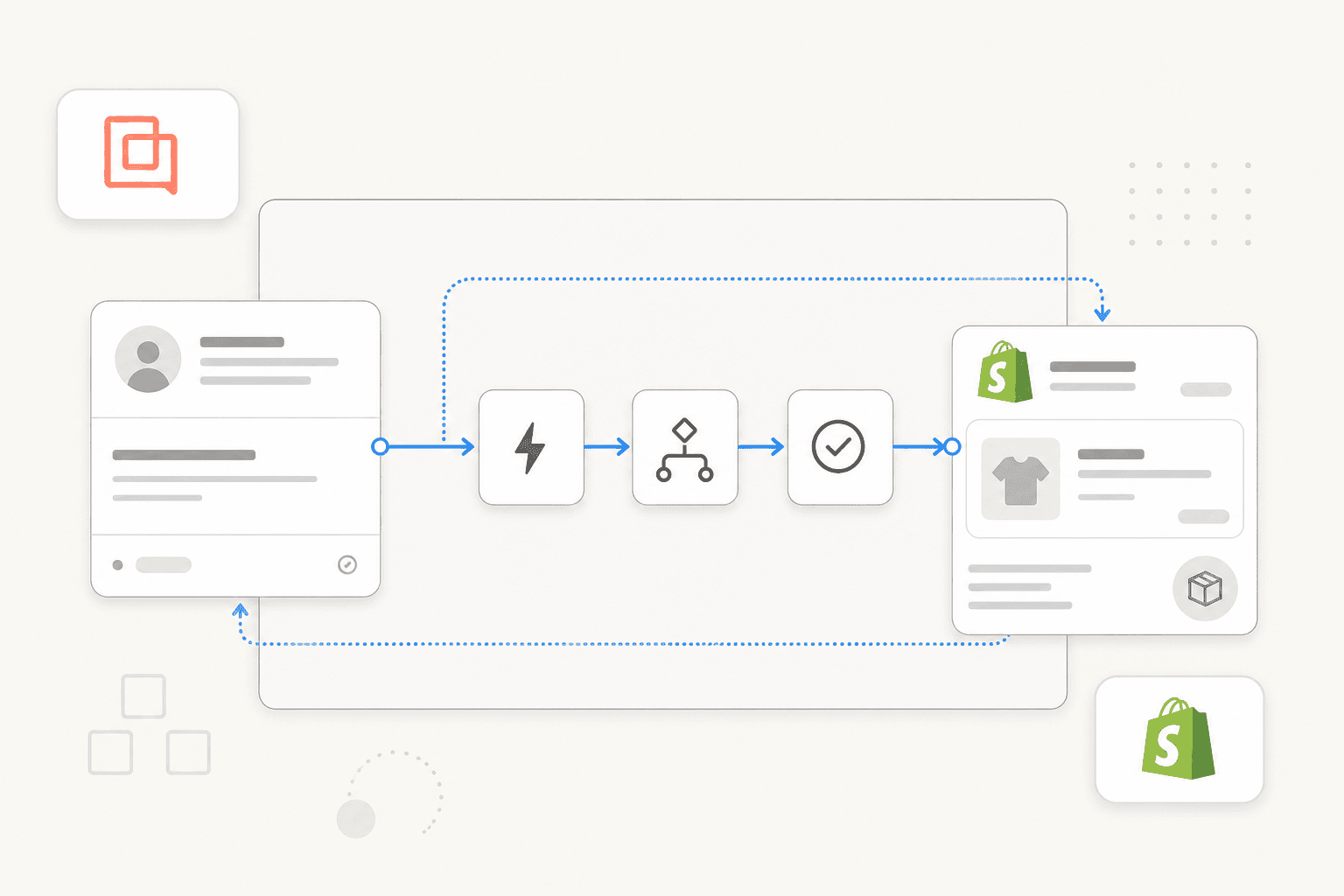
If you're running customer support on Gorgias for a Shopify store, you've probably configured a few Rules and maybe a WISMO macro. That gets you part of the way. But most merchants stop there without realizing there are three more automation layers underneath - each capable of handling a different class of ticket without human involvement.
The problem isn't that Gorgias automation is complicated. It's that the documentation treats Rules, Macros, the self-service tools, and the AI Agent as separate features rather than a coordinated stack. Miss the order you build them in and you end up with double-replies, wasted AI budget, or the 70-rule cap sneaking up on you mid-peak season. This guide walks through all four layers, explains what each one is actually for, and shows you how to configure them without stepping on your own automations.
The four Gorgias automation layers
Gorgias automation has four distinct components that work differently and serve different use cases. Think of them as a stack you build from the bottom up - free layers first, paid layers on top.
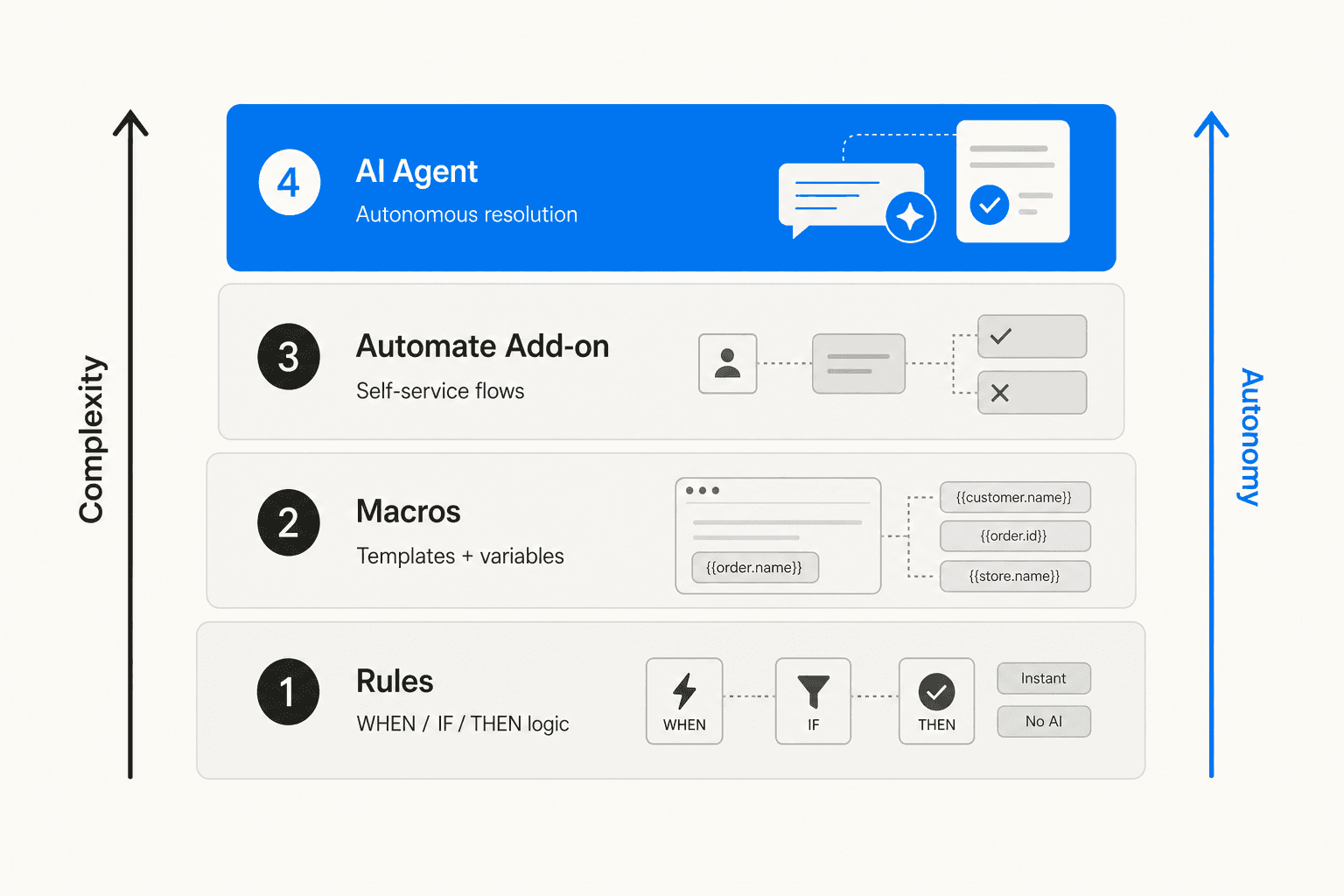
| Layer | What it does | Cost | Best for |
|---|---|---|---|
| Rules | Trigger-based actions (WHEN/IF/THEN) | Included in all plans | Routing, tagging, auto-replies for defined conditions |
| Macros | Response templates with Shopify variables | Included in all plans | Consistent replies with live order data auto-filled |
| Self-service tools (formerly Automate) | Self-service flows and order management | Billed as automated interactions | Letting customers resolve their own orders |
| AI Agent | LLM-powered autonomous resolution | $0.90/resolved conversation | Complex tickets that don't fit rules |
Rules and Macros are included on every Gorgias plan down to the $10/month Starter tier. The self-service tools and AI Agent cost extra. Configure the free layers thoroughly before activating either paid one - you'll lower the per-month AI cost and avoid over-engineering the stack.
Layer 1: Rules - your highest-ROI starting point
Rules execute automatic actions based on triggers and conditions. Every rule follows the same pattern: WHEN (an event happens) → IF (conditions are met) → THEN (take actions) → ELSE (fallback if conditions are not met).
You can create up to 70 rules per account across all plans, applied account-wide rather than per store or per channel. Rules run in priority order within the same trigger type - their position in your settings determines which fires first when multiple rules match the same event.
The WISMO rule (do this first)
WISMO - "where is my order?" - typically accounts for 30-40% of ecommerce support volume. A single rule handles it without any human involvement:
- WHEN: Ticket created
- IF: Message Intents contains "WISMO"
- THEN: Apply macro "Order status auto-reply" → Close ticket
Gorgias uses ML-based intent detection to classify incoming WISMO queries automatically. The macro auto-populates live Shopify tracking data - {{order.tracking_url}}, {{order.status}} - at the moment of sending. Once live, a WISMO ticket is resolved in seconds without an agent ever opening it.
Three other high-value rules
Off-hours autoresponder: When a message arrives outside business hours, auto-reply and snooze the ticket so it surfaces at the right time instead of sitting stale until someone notices. Set this up before anything else that touches customer-facing replies.
VIP customer routing via live Shopify LTV: One of Gorgias's most powerful Shopify-specific capabilities is that Rules can fire on live Shopify data - customer lifetime value, order value, Shopify tags, and metafields - not just ticket metadata. You can route a $2,000-LTV customer to your senior team automatically before any agent reads the ticket:
- WHEN: Ticket created
- IF: Shopify Customer LTV > $500 (or Shopify Customer has tag "VIP")
- THEN: Set priority = High → Assign team = "Senior Support"
Our guide to Shopify automation for tagging high-value orders goes deeper on this pattern.
Low CSAT re-open: When a satisfaction survey comes back at 1 or 2 stars - re-open the ticket and assign it to a human escalation team. This closes the loop on AI-handled tickets that went wrong, and Gorgias even includes a built-in template for it.
One practical note on complexity: A Capterra reviewer (Sr. Manager, Digital Marketing, 2+ years using Gorgias) put it plainly: the rules builder "can get complicated fast if you're running a lot of automations." Document your rules in a shared sheet before you hit 30. Debugging a double-reply problem at 60 rules is genuinely painful, and there is no version history in the rules editor.
Layer 2: Macros - Shopify data in every reply
Macros are pre-written response templates that agents apply manually or Rules trigger automatically. The power is in the Shopify variable substitution: Gorgias fills in live order data at the moment the macro fires.
Available Shopify variables:
{{customer.first_name}}/{{customer.last_name}}{{order.number}},{{order.tracking_url}},{{order.status}}{{order.shipping_address}},{{order.total}}{{product.name}}/{{product.url}}
Beyond text, macros can execute direct Shopify actions as sub-steps: cancel last order, duplicate last order (for reorders), edit shipping address, issue a partial or full refund, or refund shipping only. A macro can both send a "your refund is processed" message and trigger the refund in Shopify in a single click - no tab switching.
You can store up to 5,000 macros per account. One constraint worth knowing upfront: macros with HTTP hook actions (custom webhooks for external integrations) cannot be used inside Rules. Those macros have to be applied manually.
Layer 3: Self-service tools (formerly Automate) - customer self-service
The self-service layer (the old "Automate" add-on, renamed from "Automation add-on" in November 2023, now part of the AI Agent subscription) adds self-service capabilities that Rules and Macros can't provide. Five components:
| Component | What it does |
|---|---|
| Flows | Multi-step branching Q&A in chat, help center, and contact forms |
| Order Management | Customers look up their own order status and initiate returns without opening a ticket |
| Article Recommendations | AI suggests relevant help center articles in chat to deflect before a ticket forms |
| Quick Responses | Retired by Gorgias; it used to send rule-triggered canned replies, and Flows and Order Management now cover that job |
| Autoresponders | Schedule-based automatic replies |
The most underused component is Order Management. When a shopper resolves their WISMO question through the self-service chat widget, it never becomes a ticket - meaning it doesn't count against your ticket allowance, and it bills only the automation fee, not a ticket fee on top. It simply disappears from your queue.
One ceiling to know: Order Management flows cannot trigger automatic refunds or cancellations without an agent approval step. Full self-service refunds still need a human in the loop, even with the self-service tools enabled.
Layer 4: The AI Agent - autonomous resolution for complex tickets
The AI Agent is Gorgias's LLM-powered resolution layer. It reads tickets, reasons about them, takes Shopify actions, and sends replies without human involvement. It's the most capable layer and the most expensive: $0.90 per resolved conversation on annual billing, $1.00 on monthly.
What it handles autonomously
Post-purchase (Shopify-native): WISMO with real-time tracking data, return and refund requests per your configured policy, pre-fulfillment order cancellations, pre-fulfillment shipping address edits, subscription management via Recharge, and FAQ responses drawn from your help center.
Pre-purchase (AI Agent 2.0, launched July 2025): Product recommendations based on browsing and purchase history, dynamic discount code generation based on shopper intent, cart recovery via WhatsApp, and checkout conversation engagement.
Real automation rates vs. the claim
Gorgias markets the AI Agent at 60% autonomous resolution. Published case studies tell a more useful story:
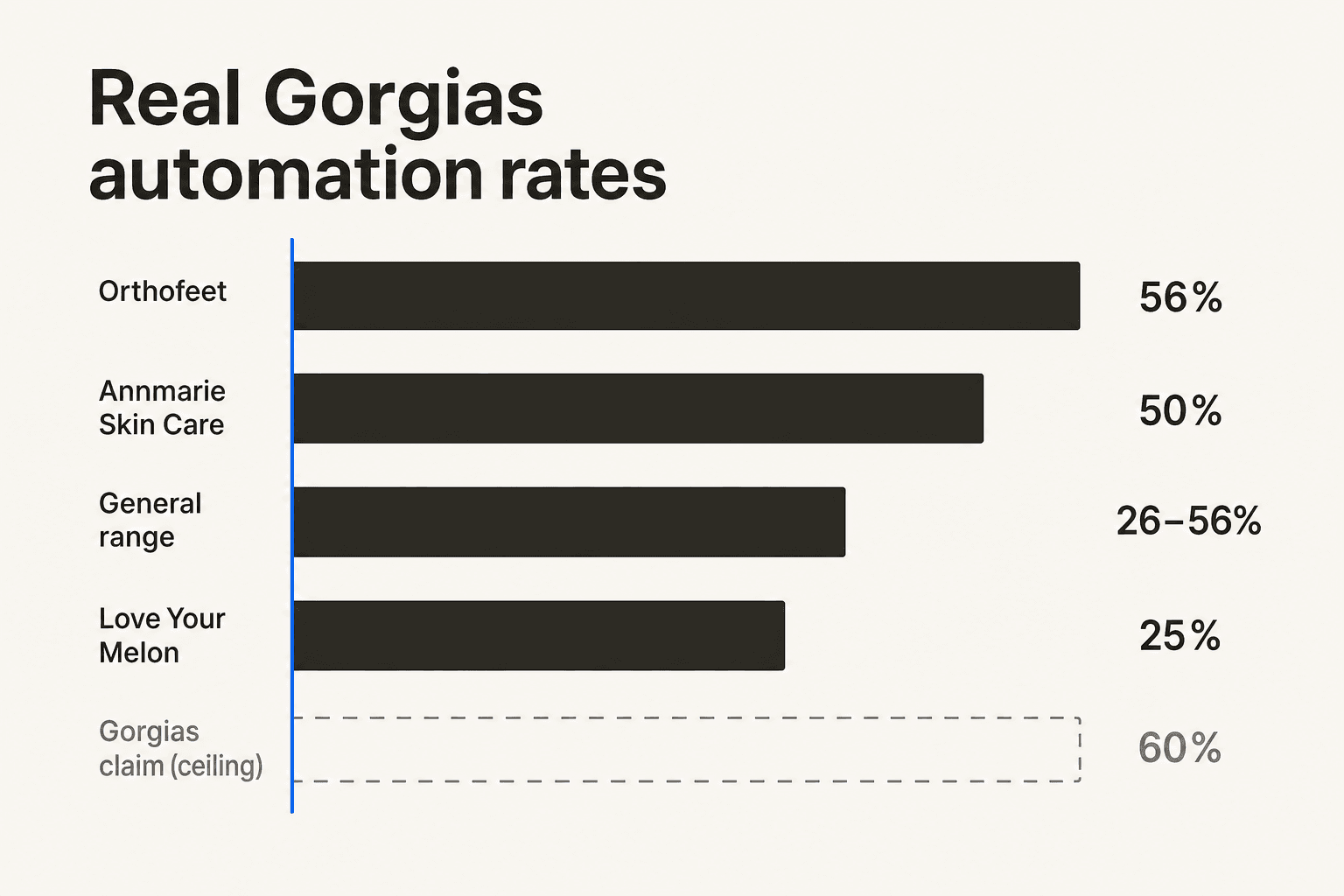
| Brand | Automation rate | Context |
|---|---|---|
| Orthofeet | 56% | Achieved in <2 months |
| Annmarie Skin Care | 50%+ | Shopify App Store, verified buyer |
| Love Your Melon | 25% | 9,000 tickets/month, 3 agents |
| Documented floor | 26% | One measured case study |
| Gorgias marketing claim | 60% | Ceiling, not a starting point |
Your rate lands in the 25-56% range depending on how much of your volume is repetitive post-purchase queries versus complex product questions. The AI Agent's accuracy score improved from 3.55/5 to 4.08/5 through 2025 - early-era complaints about hallucinations are less representative of the current product, though a Shopify App Store reviewer (Ramy Brook, May 2026) still noted "occasional hallucinations" while being broadly positive.
Running Rules and the AI Agent together
Rules execute first, then the AI Agent. This creates a conflict risk: if a Rule sends an auto-reply and the AI Agent is also active on the same ticket, the customer gets two messages. The fix is Gorgias's two built-in AI rule templates:
- "Prevent AI Agent from Answering" - tags a ticket with
ai_ignore, blocking AI from responding to it - "Re-open Low CSAT Tickets" - re-opens tickets where the AI response got a 1 or 2-star rating
Apply ai_ignore tagging to any ticket category where a Rule is already sending a complete response. Our guide to the Gorgias AI Agent for Shopify walks through the full configuration for running both layers cleanly.
Where Gorgias automation falls short
Knowing the limits matters as much as knowing the features - especially before you build a workflow that depends on them.
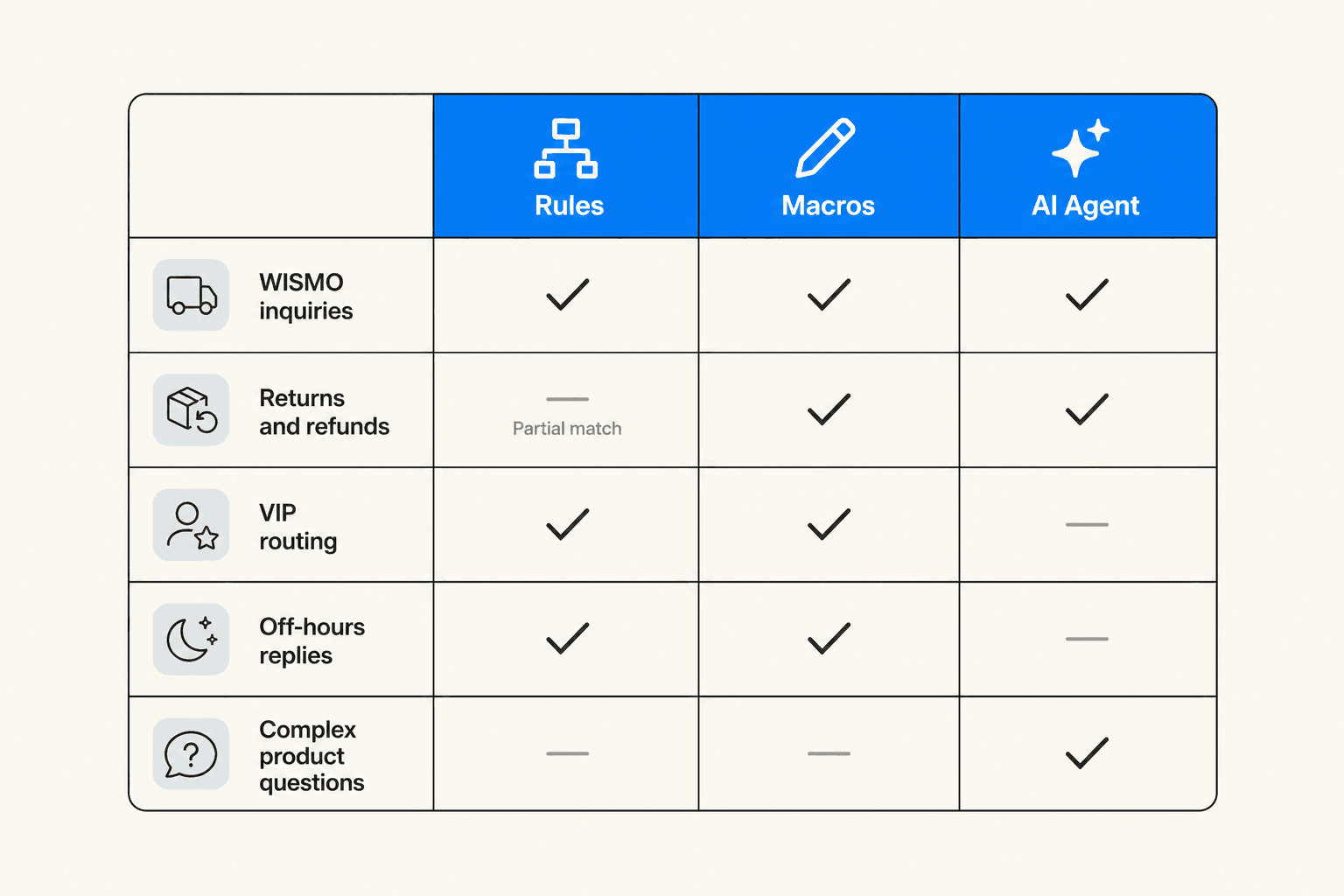
The AI Agent is Shopify-only. Autonomous order actions - tracking, edits, cancellations - work only on Shopify. WooCommerce, BigCommerce, and Magento merchants get Rules and Macros but lose the AI Agent's order capabilities entirely. This is a genuine gap for multi-platform operations.
The AI Agent doesn't cover social or SMS. The AI operates on email and chat only. Instagram DMs, Facebook messages, SMS, and voice tickets route to human agents. Given how much ecommerce support now flows through Instagram, this leaves a meaningful share of volume unautomated.
The 70-rule cap arrives sooner than expected. Multi-store brands managing several social channels, different ticket categories, and time-based routing can hit 70 rules within months. There's no workaround other than consolidating or deleting existing rules.
The AI Agent only sees the last 10 Shopify orders. For high-frequency shoppers or subscription brands, older purchase history is invisible to the AI - which can produce incomplete or confusing responses on loyalty or repeat-purchase inquiries.
Fully autonomous refunds require a human approval step. Even with Order Management flows active, customers can't self-serve a full refund without an agent approving it. You can automate most of the process, but not the final step.
For merchants hitting these limits - particularly those on non-Shopify platforms or running heavy Instagram DM volume - the broader Shopify automation apps landscape has options that extend beyond Gorgias's native stack.
Try eesel AI
eesel AI is a native AI agent for Gorgias - not a chatbot widget running alongside your helpdesk, but an actual Gorgias agent that reads tickets, drafts replies, adds internal notes, updates tags, and accesses live Shopify order data. It learns from your historical Gorgias tickets, help center, and macros on day one, with no training or data labeling required.
The median Gorgias customer reaches 85%+ tier-1 resolution within the first week of setup. eesel uses one fixed monthly price (from $299/month for 500 credits, 1 credit per ticket or chat) instead of a $0.90 fee on every AI-resolved Gorgias conversation. Years.com, a Gorgias and Shopify merchant, described eesel as "the glue" that made their helpdesk actually run autonomously.
If you've built out your Gorgias Rules and Macros and want an AI layer that goes further - broader channel coverage, plain-language configuration, no hard rule ceiling to navigate - start with 100 free credits and see what the first week looks like. No credit card required.
Frequently Asked Questions
What is the difference between Gorgias Rules and the AI Agent?
Does Gorgias automation work with WooCommerce or BigCommerce stores?
How many rules can I create in Gorgias?
What automation rate should I realistically expect from Gorgias?
Can I run Gorgias Rules and the AI Agent at the same time without conflicts?
ai_ignore, and 'Re-open Low CSAT Tickets' catches poorly-rated AI responses. Our guide to the Gorgias AI Agent for Shopify covers the full configuration.