

Modern AI applications often require clean, structured, real-time data from the web. A challenge with traditional web scraping is that it can be brittle, slow, and resource-intensive for development teams.
Playwright or Scrapy feels reliable. Also, Apify for quick run without hosting anything myself. Oxylabs AI Studio is a new tool. You just tell it what data you want and it handles the crawl and parsing on its own. Decent alternative when I don’t feel like writing selectors or dealing with browser scripts.

To address this, a new set of developer tools is emerging. An example is the combination of Firecrawl and Anthropic's Claude. Firecrawl is a crawler that converts websites into AI-ready markdown, and Claude can then process that data within a developer's workflow.
In this guide, we'll walk through what the Firecrawl Claude integration is, how to get it running, and what you can build with it. We'll also cover the pricing for both services and look at its limitations to help you decide if a different approach might be a better fit.
What is the Firecrawl Claude integration?
This integration isn't a single product you can buy off the shelf. It's a workflow for developers that connects two tools, making it possible to pull live web data directly into AI applications.
What is Firecrawl?
Firecrawl is an API-first platform built to turn any website into structured, LLM-ready data. It’s designed to handle the complex parts of web scraping.
According to its documentation, its main features are:
-
Scrape & Crawl: It can pull data from a single page or crawl an entire website, including all subpages, without needing a sitemap.
-
Search & Extract: You can run web searches and pull structured data from pages using simple, natural language prompts.
-
Reliability: It automatically handles aspects like JavaScript-heavy sites, proxies, and anti-bot measures.
-
Structured Output: It provides clean markdown or JSON, which is suitable for an AI model like Claude.
What is Claude?
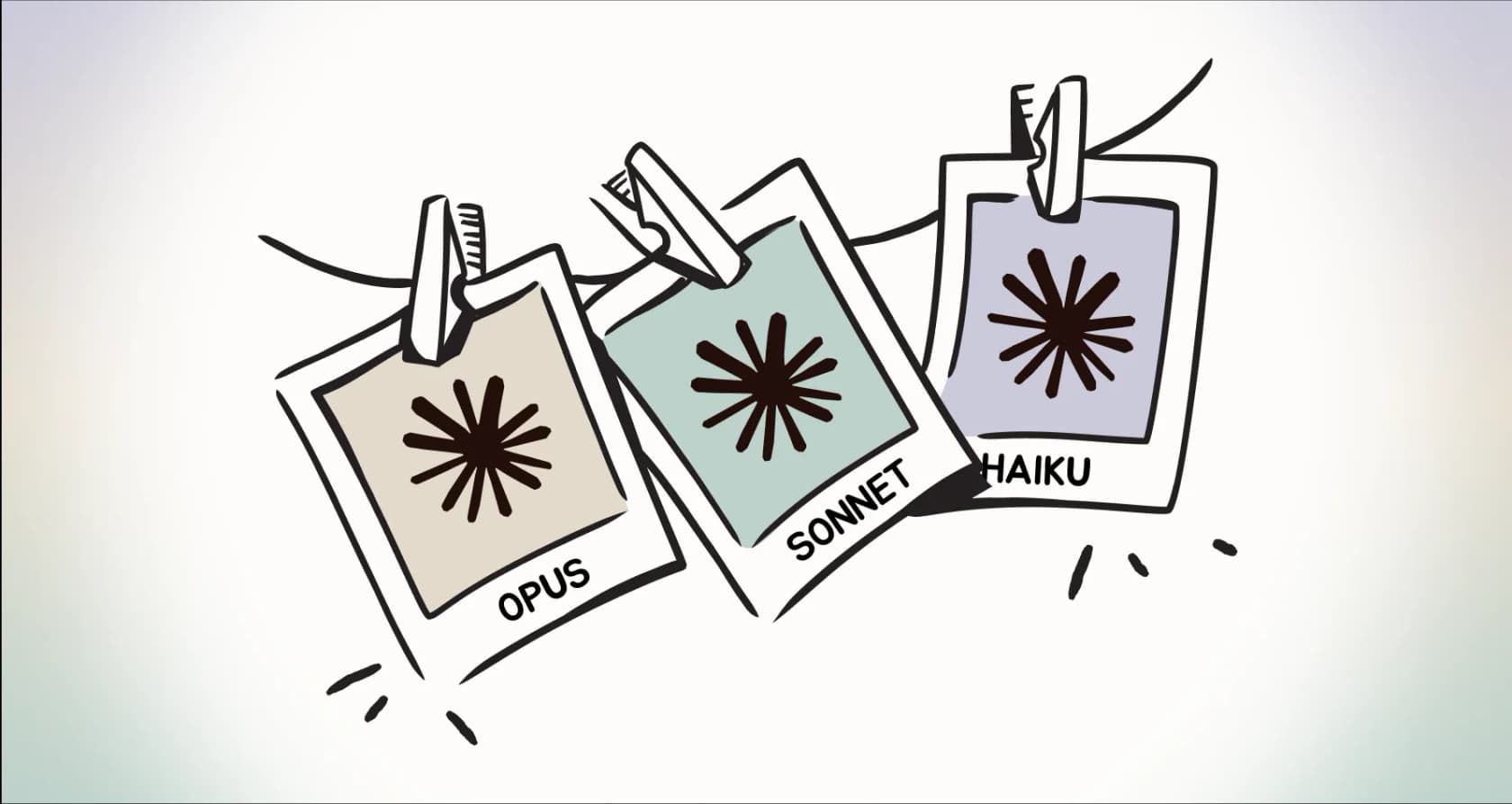
Claude is a family of large language models from Anthropic. It's generally known for being capable at coding and complex reasoning.
Love the no-BS and real talk here, man! That plateau is super real , it hits everyone who dives deep. The magic is def in how you architect the whole setup, like you said: persistent memory, solid context, and smart prompt chaining. It’s not just vibe coding anymore bro, it’s legit systems engineering with AI as a teammate.
For developers, its capabilities are extended with tools like Claude Code, which is part of the Pro and Max plans. This lets you interact with external tools and services from your development environment. Models like Claude Sonnet 4.5 are optimized for building AI agents that can perform complex workflows on their own.
How they work together
Connecting a web crawler to an LLM works through a Model Context Protocol (MCP) server. MCP can be thought of as a universal adapter that lets AI models like Claude communicate with and use external tools. A visual diagram can help clarify this data flow.
Firecrawl provides an MCP server that presents its web scraping and search functions as "tools" that Claude can understand and use.
As a result, a developer can type a natural language prompt in Claude Code, like "Scrape firecrawl.dev and tell me what it does," and Claude will automatically use the Firecrawl tool to grab the data from the website, then provide the answer.
How to set up the Firecrawl Claude integration
This is a setup process for developers. It all happens in a terminal or code editor, so it's not a point-and-click interface for non-technical users.
Step 1: Get your API keys
First, you'll need API keys from both services to get started. You can sign up and find your keys here:
Step 2: Add the Firecrawl MCP server to Claude
Once you have your keys, you can connect Firecrawl to Claude with a single command in your terminal. This comes from the Firecrawl MCP setup guide.
Enter this command into your terminal, replacing your-api-key with your actual Firecrawl key:
claude mcp add firecrawl -e FIRECRAWL_API_KEY=your-api-key -- npx -y firecrawl-mcp
This command registers the Firecrawl MCP server with your local Claude Code setup and securely passes along your API key so the two services can communicate.
Step 3: Start making requests
That's it. You can now start making requests. Claude will automatically figure out when to use Firecrawl to get the job done.
Here are a couple of examples from the Firecrawl documentation:
-
To scrape a website:
Scrape firecrawl.dev and tell me what it does -
To search the web:
Search for the latest Next.js 15 features
In the background, Claude detects what you're trying to do, calls the right Firecrawl tool (either /scrape or /search), gets the data, and then gives you the final result.
Common use cases
This integration is most useful when used to build custom AI applications. It's a good fit for the kinds of projects Firecrawl mentions in its use cases for AI platforms.
Building AI research agents
Imagine you need to do a deep dive into a complex topic. You could build an AI agent that takes your research question, uses Firecrawl's /search tool to find relevant articles online, then uses the /scrape tool to read their full content. Finally, Claude can synthesize all that information into a detailed answer, complete with sources. This can be helpful for market research or technical analysis.
Automated lead enrichment
Firecrawl has a use case for B2B lead enrichment, and this integration enables it. A developer could write a script that takes a list of company websites, uses Firecrawl to crawl them and pull out structured data (like the tech they use or key team members), and then uses Claude to score the leads or draft personalized outreach emails.
Keeping RAG systems updated
Retrieval-Augmented Generation (RAG) is a common technique for building chatbots that answer questions based on a specific set of documents. But the information in those documents can become outdated.
With this integration, a developer can set up a recurring job that uses Firecrawl to crawl a list of websites or documentation pages. Claude can then process the scraped content, identify any changes, summarize what's new, and automatically update your vector database. This helps ensure your RAG applications are always working with the freshest information.
Pricing for the integration
If you're planning a project, remember that there will be separate costs from both platforms. Here’s a breakdown of what to expect.
Firecrawl pricing
Firecrawl's pricing is based on credits, which translate to the number of pages you can scrape. You can see the full details on its official pricing page. The prices are listed in Norwegian Krone (NOK) but are paid in USD, so the final cost might fluctuate with exchange rates.
| Plan | Monthly Cost (Billed Annually) | Credits | Key Features |
|---|---|---|---|
| Free | kr0 | 500 (one-time) | Scrape 500 pages, 2 concurrent requests |
| Hobby | kr90 | 3,000 | Scrape 3,000 pages, 5 concurrent requests |
| Standard | kr472 | 100,000 | Scrape 100,000 pages, 50 concurrent requests |
| Growth | kr1,779 | 500,000 | Scrape 500,000 pages, 100 concurrent requests |
| Scale | kr6,022 | 1,000,000 | Scrape 1,000,000 pages, 150 concurrent requests |
Claude pricing
Claude's pricing is based on usage tiers. You can find the details on its official pricing page. For this integration, you’ll need at least the Pro plan to access Claude Code and connect to external tools.
| Plan | Monthly Cost | Key Features |
|---|---|---|
| Free | $0 | Standard usage on web and mobile |
| Pro | $17 (billed annually) | More usage, access to more models, remote MCP integrations, Claude Code |
| Max | From $100 | 5-20x more usage than Pro, priority access, early access to new features |
Limitations and an alternative
While the Firecrawl Claude integration is a useful tool for developers, it may not be the right fit for every situation. It's a developer-focused tool, which means it may not be the ideal fit for business teams seeking an out-of-the-box solution that doesn't require engineering resources to build and maintain.
Developer-first approach
To be clear, the entire setup and workflow is designed for users comfortable with the command line, API keys, and writing prompts in a code editor. It’s a "bring your own application" model. The integration provides a data pipeline, but you still have to build the business solution around it.
A component, not a complete solution
This integration is well-suited for pulling data into a system, but it doesn't provide the system itself.
For example, if a customer support team wants to use AI to resolve tickets, they need more than just scraped data from a help center. They need a complete solution that integrates with their help desk, understands the context of past tickets, and can take actions like processing a refund or escalating to a human. Building such a system from scratch using developer tools like Firecrawl and Claude is a significant engineering project.
An alternative: eesel AI
This is where a different approach can be considered. A tool like eesel AI is a pre-built application rather than a set of developer tools.
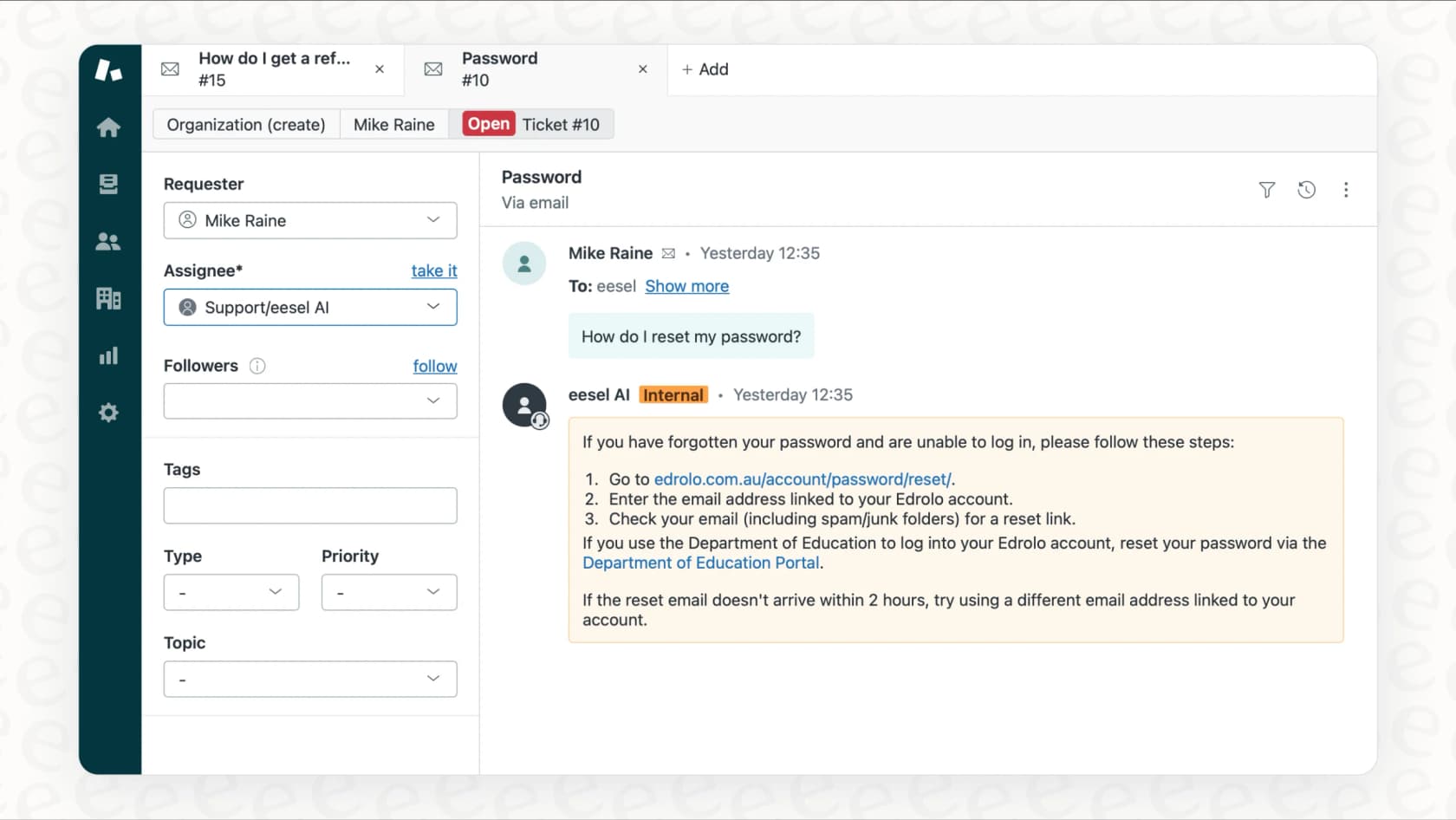
The setup process differs. Instead of a command-line interface, eesel AI connects to existing business tools like Zendesk, Intercom, or Confluence with a few clicks. It learns from your data in minutes, no coding required.
eesel AI is designed to provide end-to-end solutions for specific business problems.
-
For customer service, the AI Agent works inside your help desk to autonomously resolve up to 81% of incoming tickets.
-
For internal questions, the AI Internal Chat lives in Slack or Teams and gives employees instant, cited answers from your internal knowledge base.
eesel AI is designed to handle the process from data integration to action. This makes it a potential solution for teams like support, HR, and ops, without requiring dedicated engineering involvement.
Is the Firecrawl Claude integration the right tool for you?
Ultimately, the choice depends on the specific job.
The Firecrawl Claude integration is a capable toolset for developers building custom AI applications who need a reliable way to source and process web data. It’s a useful component for builders who need programmatic access to web scraping and AI reasoning.
For business teams looking to solve core challenges like automating customer support or making internal knowledge accessible, a ready-to-deploy solution can be a more direct option.
That's where eesel AI fits in. It is an AI application that can be implemented in minutes. It represents the difference between building a custom solution and implementing a pre-built one.
For teams seeking a pre-built AI solution for support or internal knowledge management, exploring options like eesel AI may be beneficial.
For those who want to see a detailed walkthrough of a similar setup, the following video provides a helpful tutorial on integrating external tools with Claude Code.
Frequently asked questions
What is the main benefit of using the Firecrawl Claude integration for developers?
The main benefit is speed and simplicity. It lets developers pull clean, structured data from any website directly into their AI applications using natural language prompts, without having to build and maintain their own complex web scraping infrastructure.
Do I need to be a developer to use the Firecrawl Claude integration?
Yes, this integration is designed specifically for developers. The setup process involves using the command line and API keys, and its primary purpose is for building custom AI applications, not as a standalone, no-code tool.
Is the Firecrawl Claude integration free to use?
No, it involves costs from both platforms. Firecrawl offers a free tier with limited credits, but larger projects will require a paid plan. To use the integration with Claude, you'll need at least the Claude Pro plan, which is a paid subscription.
Can the Firecrawl Claude integration be used to keep a knowledge base like a RAG system updated?
Absolutely. That's one of its best use cases. You can set up automated jobs to have Firecrawl periodically crawl source websites for new information, and then use Claude to process and summarize the changes before updating your vector database.
What kind of data does the Firecrawl Claude integration output?
Firecrawl is designed to turn unstructured websites into clean, AI-ready formats. It typically outputs the data as structured markdown or JSON, which is perfect for feeding directly into a large language model like Claude for analysis or summarization.
How does the Firecrawl Claude integration handle websites with heavy JavaScript or anti-bot measures?
This is one of Firecrawl's key strengths. Its crawling engine is built to handle modern web technologies, automatically dealing with JavaScript rendering, proxies, and common anti-bot systems so you get reliable data without the usual scraping headaches.