
Trying to scale up your blog content can feel like you're stuck in a loop. You need more quality posts to bring in traffic, but creating that content takes time you just don't have. So you try AI, and what you get back is often generic, robotic filler that needs a total rewrite anyway. Sound familiar?
The good news is that AI for writing blogs has improved a lot. The best tools have moved beyond just spitting out text. They can now help with the whole process, from research and SEO to adding visuals. But which ones are actually worth using?

What is blog writing AI?
A blog writing AI is a tool that helps you create long-form content, but today's platforms are much more than just text generators. The early versions just spun up a few paragraphs. Today's best tools are built to handle the entire content creation process.
It's better to think of it as a content partner rather than just a "writer." You give it a topic or a keyword, and it does the heavy lifting:
- Deep Research: It scans the web in real-time to understand the topic, check out top-ranking content, and find relevant info, stats, and quotes.
- Outlining & Structuring: It builds a logical, SEO-friendly structure with H2s, and H3s that matches what people are searching for.
- Drafting: It writes the actual content and can often learn to mimic your brand's voice and tone.
- Asset Creation: It automatically generates or finds relevant images, tables, infographics, and can even embed videos or social media posts.
- Optimization: It optimizes the content for both traditional SEO (keywords, structure) and Answer Engine Optimization (AEO), getting it ready for AI-powered search results like Google's AI Overview.
An infographic showing the five steps of a modern blog writing AI workflow: research, outlining, drafting, asset creation, and optimization.
The goal has shifted from just producing a rough draft to delivering a publish-ready article in one click, saving you hours of work.
How we chose the best blog writing AI tools
To make this list actually useful, I didn't just look at a list of features. I focused on what really matters for creating content that performs. Here's the criteria I used for each tool:
- Content Quality & Human Tone: Does the output sound like a person wrote it, or does it scream "AI"? I looked for tools that produce natural, engaging content without needing a ton of editing.
- SEO & AEO Features: How well does the tool set you up for search success? This includes proper heading structure, keyword optimization, and features aimed at AI answer engines.
- Workflow Automation: Is it just a text generator, or does it give you the whole package? I gave extra points to tools that produce a publish-ready post with assets in one go.
- Brand Context: Can the tool actually learn your brand? The ability to understand your voice, mention your products naturally, and add internal links is a big plus.
- Value for Money: Does the price match the features? I compared different pricing models to see which offered the best deal.
Comparison of the best blog writing AI tools
Here’s a quick look at how the top tools stack up against each other.
| Feature | eesel AI | Jasper | StoryChief | HubSpot AI | Copy.ai |
|---|---|---|---|---|---|
| Best For | Scaling publish-ready SEO content | Versatile marketing content creation | Content teams needing collaboration | Teams scaling content within the HubSpot ecosystem | Automating GTM & sales workflows |
| Asset Generation | Yes (Images, Tables, Infographics) | Yes (AI Image Suite) | Yes (AI Image & Video) | Integrated text generation | No (Text only) |
| Social Media Integration | Yes (Reddit quotes, YouTube embeds) | No | Yes (Social campaign generation) | No | No |
| Brand Voice Learning | Yes (Automatic from URL) | Yes (Via Jasper IQ) | Yes (Via AI Agent "William") | Yes (Brand voice incorporation) | Yes |
| Free Trial | Yes, free to try | Yes, 7-day trial | Yes, 7-day trial | Free tools available | Free plan for Chat |
| Starting Price | $99 for 50 blogs | $59/month (billed yearly) | $81/month per seat (billed yearly) | $15/month per seat | $29/month for 5 seats |
The 5 best blog writing AI tools in 2026
Alright, let's get into the details. These are the top tools that I found offer the best balance of quality, features, and ease of use for anyone serious about content marketing in 2026.
1. eesel AI
The eesel AI blog writer is a content automation platform. Its purpose is to take a single keyword and turn it into a completely researched, structured, and media-rich blog post that's ready to publish. The main idea is to cut out the tedious steps between a topic and a finished article.
It stands out with its context-aware research, which digs deep into a topic to produce insightful content. It's also built for Answer Engine Optimization (AEO) from the ground up, which is essential for staying visible in modern search. We’ve used it ourselves to grow from 700 to 750,000 daily impressions, so we know it works.
Pros: The biggest win is that it generates a complete blog post, not just a text file. It automatically creates and inserts AI images, tables, and infographics. It also embeds relevant YouTube videos and pulls real Reddit quotes to add a layer of authenticity to the content. It's super easy to get started: you just need a keyword and your website URL for it to learn your brand voice.
Cons: Because the process is so automated, it might feel a little too hands-off for writers who enjoy building an article piece by piece. It is also focused on long-form blog content and has fewer templates for other content types, such as ad copy or social media captions, compared to more generalized platforms.
Pricing:
- You can try it completely for free.
- The Early Bird plan is $99 for 50 full blog posts.
2. Jasper
Jasper is one of the most recognized names in the AI writing world, billing itself as an "AI content automation" platform for marketing teams. It's a very versatile tool that can help create a wide variety of content, from long-form blog posts and marketing emails to ad copy and social media updates.
Pros: Jasper gives writers a lot of control. Its "Canvas" interface is great for a more hands-on, collaborative writing experience where you can guide the AI step-by-step. The "Jasper IQ" feature does a good job of learning and maintaining your brand voice across different content types. One of its best features is the Jasper AI Image Suite, which lets you generate and adjust images right inside the platform.
I like a mix of free Chat GpT and Jasper. Free Chat GPT is actually still better for brainstorming: Jasper doesn’t really always understand the same prompts, the same way. I could ask it to suggest an outline for an ebook blah blah blah and sometimes it takes a lot more correction than chat GPT. But it is helpful for tightening up copy, or rather getting ideas to make it tighter, and things like various classic marketing frameworks.

Cons: While it’s powerful, Jasper doesn't fully automate the blog creation process in a single click. You get the text and images, but you'll still have to manually find and embed things like videos or quotes. There's also a bit of a learning curve to get the hang of all its features, like "Agents" and "Studio", to really get the most out of it.
Pricing:
- Pro Plan: Starts at $59 per month per seat when billed annually.
- Business Plan: Custom pricing for larger teams.
3. StoryChief
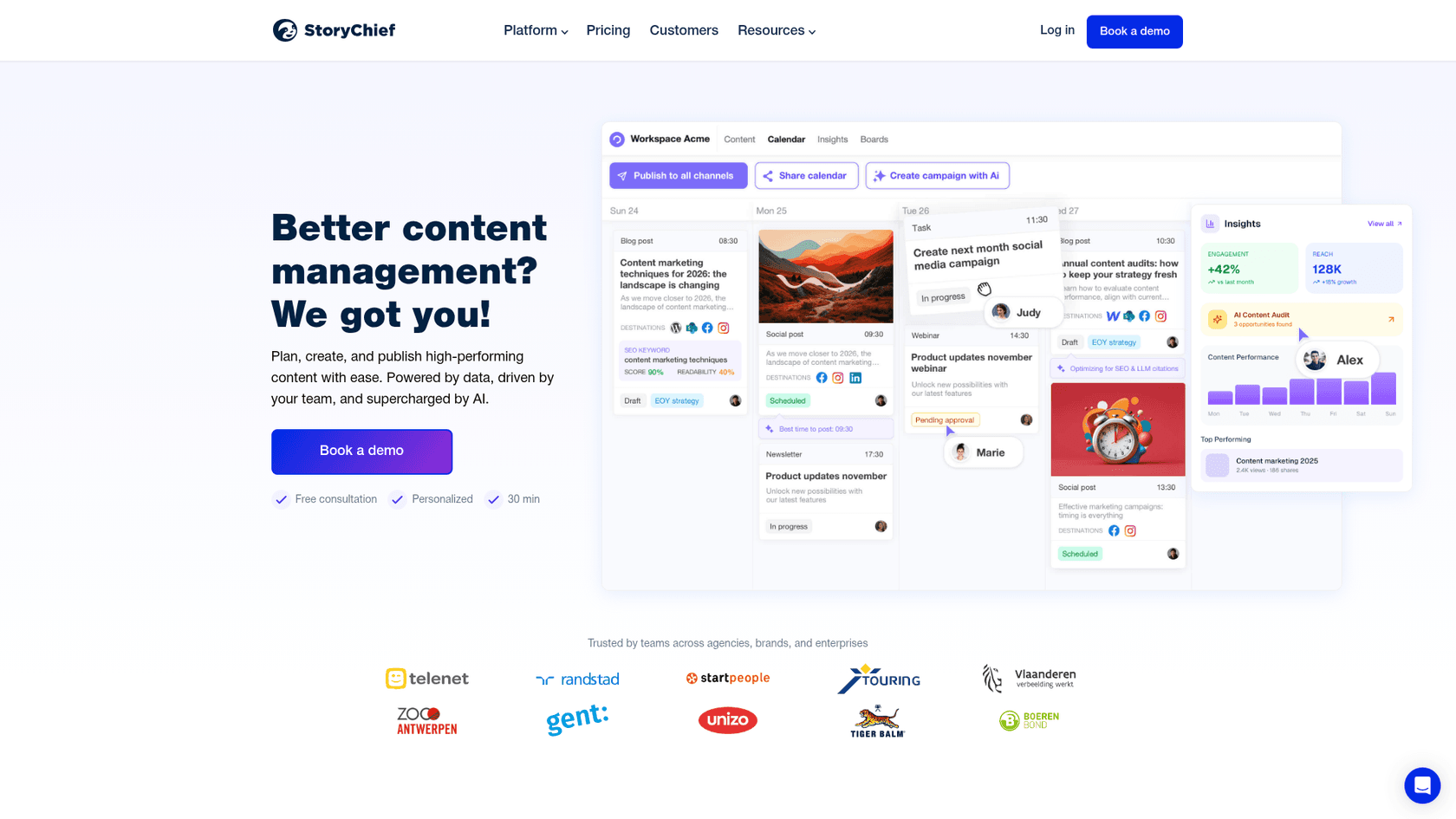
StoryChief is more than just an AI writer; it's a complete content management platform. It’s built for marketing teams and agencies that need to manage the entire content lifecycle, from planning and collaboration to approvals and publishing across multiple channels. The AI writing is a key feature, but it's just one part of a much bigger system.
Pros: The all-in-one approach is StoryChief's main advantage. You can manage your content calendar, write with its AI agent "William," get feedback from teammates, and publish the final article to over 100 channels (like your blog, social media, and email newsletter) from one dashboard. It can also generate AI images and videos, keeping everything in one place.
Cons: Because it does so much, it can feel complex if all you need is a tool to write blogs faster. For a solo creator or a small team focused on scaling blog output, many of StoryChief's features may not be necessary.
Pricing:
- Team Social Plan: Starts at $34 per month per seat (billed yearly).
- Team Editorial Plan: To get the blog and SEO features, you'll need this plan, which starts at $81 per month per seat (billed yearly).
- Agency Plans: Start at $58 per month per customer (billed yearly).
4. HubSpot
HubSpot's AI tools are part of its "Content Hub" and powered by an AI named "Breeze". They are built directly into its popular marketing and AI-powered CRM platform. These tools are designed for businesses that want a reliable, integrated solution within a mature ecosystem.
Pros: The biggest plus here is the seamless integration. If you're already using HubSpot, you can generate high-quality blog outlines, titles, and full drafts without ever leaving the platform. The AI can pull from your CRM data to help tailor the content perfectly for your leads, and since it’s all connected, tracking article performance and lead conversion is simple and robust. HubSpot has built an impressive ecosystem that makes scaling content for growing teams a smooth experience.
Cons: The AI features are designed specifically to empower HubSpot CMS and Content Hub users, meaning they work most effectively within that integrated ecosystem. While the platform produces high-quality drafts that are a great foundation, teams looking for specialized media asset generation can find complementary tools through HubSpot's extensive marketplace.
Pricing:
- HubSpot offers free tools to help you get started, and you can unlock even more advanced features with their premium plans.
- Content Hub Starter: Begins at $15 per month per seat, with introductory discounts available.
- Content Hub Professional: HubSpot Content Hub Professional offers an extensive suite of enterprise-grade features for $500 per month.
5. Copy.ai
Copy.ai has positioned itself as a GTM (Go-to-Market) AI Platform. Its main focus is helping sales and marketing teams use AI to automate their workflows. While it does have a blog post writer, its real strength is in speeding up processes like researching sales leads or drafting personalized outreach emails.
Pros: Copy.ai is great at automating very specific GTM tasks. Its "Workflows" feature is powerful, allowing teams to build and automate processes, which can be a huge time-saver. For basic AI chat, it's also one of the more affordable options out there.
Cons: Generating long-form blog content isn't its main focus. The blog post wizard produces a functional outline, and the generated text can be a starting point that may require further editing to align with a specific brand voice. It also doesn't create any visual assets like images or tables, so those would need to be sourced separately.
Pricing:
- A free plan is available for its Chat feature, but with word limits.
- Chat Plan: Starts at $29 per month for 5 seats.
- To access the more powerful GTM automation features, you'll need higher-tier plans that include workflow credits.
Tips for getting the most out of your blog writing AI
No matter which tool you choose, think of AI as a partner, not a replacement for a good writer. Here are a few tips to get the best results:
This is what I do. I outline, have it do a first draft, edit it for a good period, and then add the 'me' to it.
- Provide Rich Context: Don't just give the AI a keyword and hope for the best. The more context you provide, the better the output will be. Tell it about your target audience, the tone you want, and any key points to include. With a tool like the eesel AI blog writer, just giving it your website URL gives it a massive head start on understanding your brand.
- Treat it as a First Draft: Think of the AI's output as an excellent first draft, not the final version. Your job is to add your unique perspective, personal stories, and strategic insights that only a human can.
- Edit for Voice and Flow: AI is getting pretty good at sounding human, but it can still create some awkward phrasing.
Pro tip
Always read the content out loud. It's the best way to catch sentences that don't flow well and make sure the tone is right.
- Fact-Check Everything: AI can sometimes "hallucinate" and present wrong information with total confidence. Always double-check any stats, names, dates, or key facts before you publish.
Seeing how different tools work in practice can help you decide which one fits your workflow best. The video below offers a great comparison of various AI writing tools, giving you a feel for their interfaces and the quality of their output.
Final thoughts on using a blog writing AI
A good blog writing AI is an incredible time-saver. It can take hours of tedious work off your plate, freeing you up to focus on strategy and adding your unique human touch. But the "best" tool really depends on what you need. Are you looking for a versatile assistant to help draft all sorts of marketing copy, or do you need a machine that can produce complete, publish-ready blog posts at scale?
For teams already using HubSpot, their integrated AI tools offer a reliable and powerful way to scale content within a system you already trust. For those looking for specialized automation outside of that ecosystem, tools like eesel AI work as a great complementary option to get the job done.
Try eesel AI blog writer for free and see what it’s like to go from a keyword to a complete article with assets included.
Assets Generation Wired in screenshots image gathering from supabase Wired in internal assets from wp Test if it’s properly replacing the placeholder or not