Generative AI is pretty much everywhere these days, but trying to pick the right tool can feel like drinking from a firehose. Everyone claims to be the "best," but what does that actually mean for you and the work you need to get done?
Sifting through all the options, from creative image generators to complex business automation platforms, is a huge time sink. It’s way too easy to spend time and money on a tool that doesn't really solve your core problem.
So, this guide is here to cut through the noise. We’ve tested and compared the top generative AI tools on the market to give you a clear, practical breakdown of what each one does best, who it's for, and how much it costs. Whether you're a marketer, a developer, a support leader, or just curious about AI, this list will help you find the right tool for the job.
Understanding generative AI tools
In simple terms, generative AI tools are apps that can create brand new content (like text, images, code, or music) based on the instructions you give them.
They work by training on massive amounts of data, learning patterns and structures so they can generate new, original stuff that looks and sounds like a human made it. The main difference is that unlike older AI that just analyzes existing data, generative AI creates. This visual guide breaks down the core difference. This is what makes it so useful for everything from writing a quick email to completely automating customer support workflows.
How we chose the tools for this list
To put together a list that’s actually useful, we looked past the hype and measured each tool against a few things that matter in the real world.
-
Output Quality: How good, accurate, and useful are the results for what you’re trying to do?
-
Ease of Use: Can you get started quickly without a technical background or needing a developer?
-
Use Case Specificity: Is it a jack-of-all-trades, or is it amazing at one specific job (like coding, marketing, or customer support)?
-
Integration and Practicality: How well does it plug into the tools and workflows you already use?
-
Value for Money: Does the price actually make sense for the features and benefits you get?
Generative AI tools at a glance
Here's a quick side-by-side of our top picks. We’ll get into the nitty-gritty details for each one in just a second.
| Tool | Best For | Key Feature | Starting Price |
|---|---|---|---|
| eesel AI | Automating CX and internal support workflows | Acting as an "AI teammate" inside existing tools like Zendesk and Slack | $299/month (500 credits) |
| ChatGPT | General-purpose tasks and brainstorming | Versatility and access to OpenAI's latest models | Free, $20/month for Plus |
| Claude | High-quality, long-form writing | Natural language style and large context window | Free, $17/month for Pro (annual) |
| Jasper | Marketing and sales content creation | Brand Voice and marketing-specific templates | $59/user/month (annual) |
| Midjourney | Creating artistic and high-quality images | Unmatched artistic style and image quality | $8/month (annual) |
| GitHub Copilot | Assisting developers with coding | Real-time code suggestions inside the editor | Free, $10/month for Pro |
A detailed look at 6 generative AI tools
Alright, let's break down each tool, pros, cons, pricing, and who it's actually for, so you can find the perfect match.
1. eesel AI
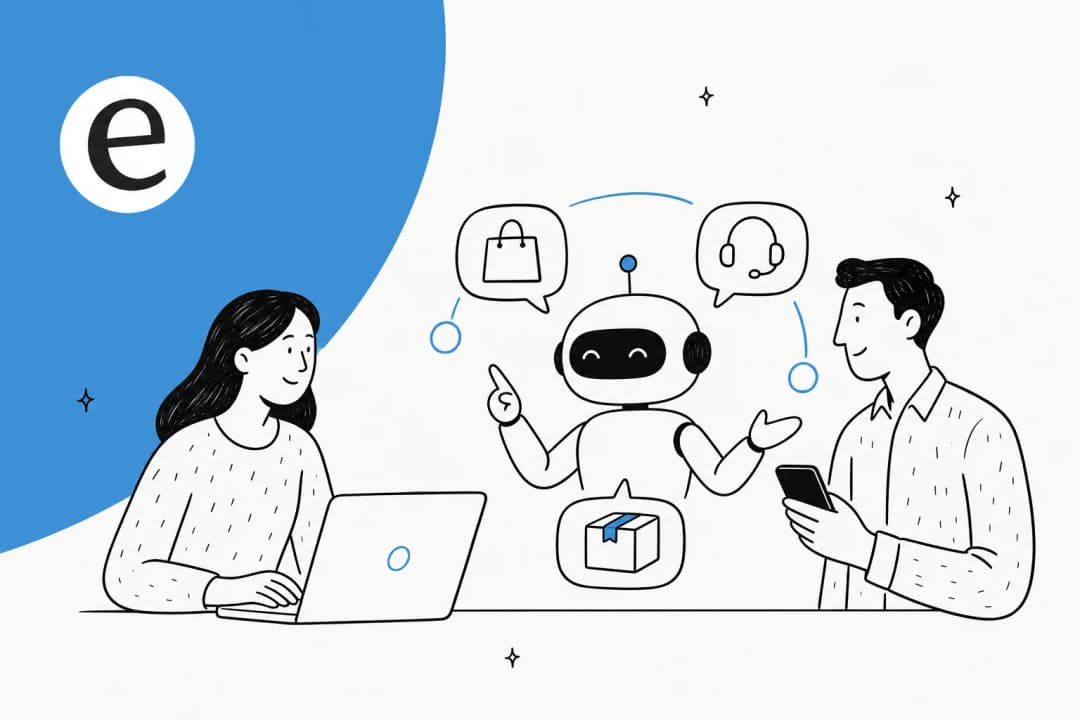
Unlike general-purpose chatbots, eesel AI is a platform built to be an AI teammate that plugs directly into your business tools. Instead of just answering prompts, it handles specific jobs like frontline customer support, internal IT help, and ecommerce sales. It can answer customers on its own or draft replies that help your human team work faster.
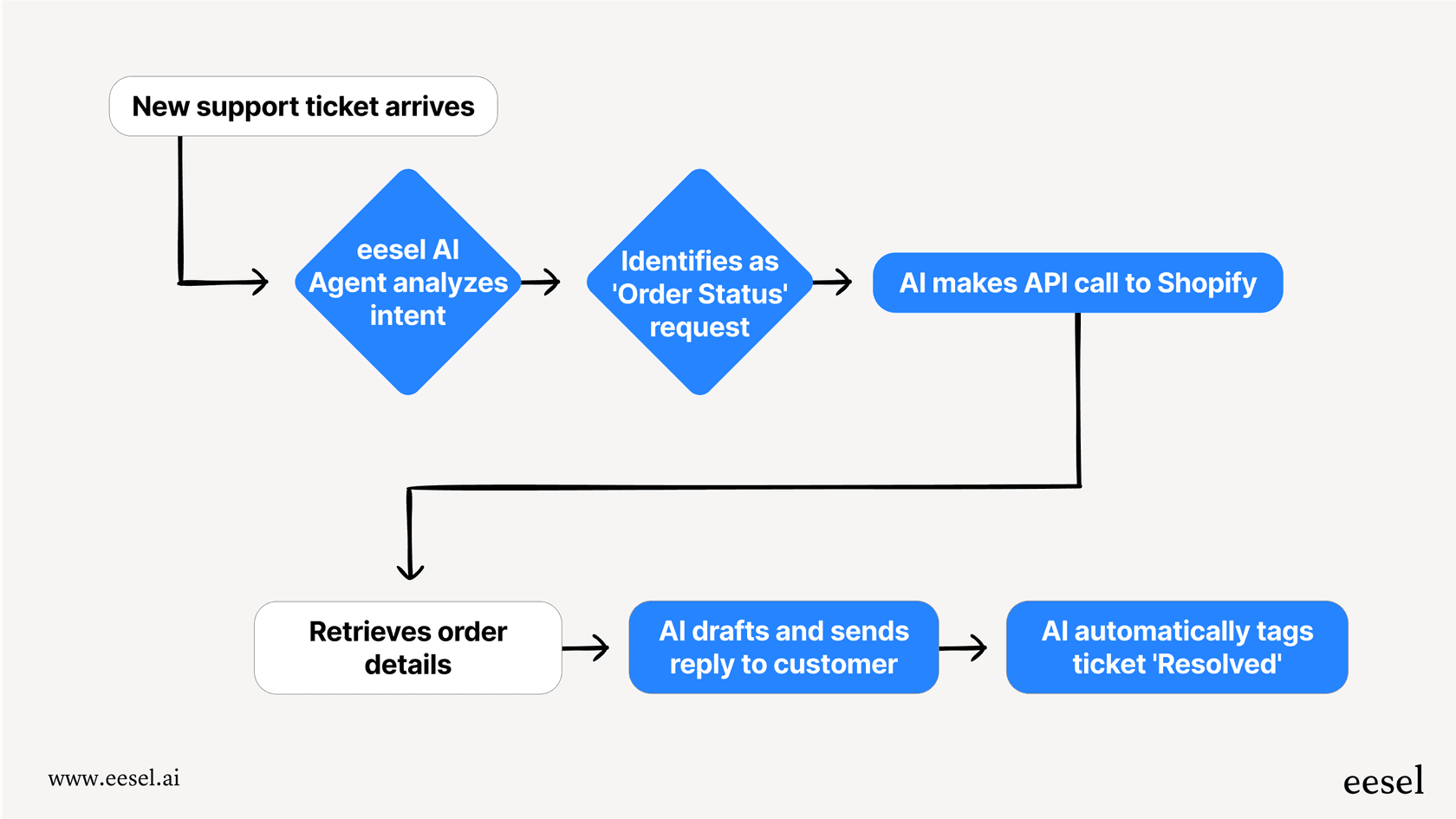
Pros: Its primary advantage is its straightforward setup. You just invite it to your help desk (like Zendesk or Freshdesk) or Slack, and it starts learning from your past tickets, docs, and macros in minutes. It is designed for easy setup without requiring developer time. It works with a human-in-the-loop by default, drafting replies for your team to approve. This builds trust and lets you roll it out gradually and safely. You can even run simulations on hundreds of your past tickets to see how it would perform before you let it talk to a single customer.
Cons: Because it’s a specialized business platform, it’s not meant for general creative writing or casual brainstorming (long-form articles go through eesel's separate AI blog writer). It’s a focused solution for teams that need to automate specific, communication-based workflows, not a generalist tool for messing around with ideas.
Pricing: Plans start at $299/month for 500 credits, where a ticket or chat is 1 credit, and there's a free plan with 100 credits.
Best for: Businesses looking to automate customer support, internal help desks (ITSM), or e-commerce sales with an AI that integrates deeply and learns their specific business context.
2. ChatGPT
Developed by OpenAI, ChatGPT is the tool that basically put generative AI on the map. It’s a powerful and flexible chatbot that can handle a massive range of tasks, from drafting emails and writing code to brainstorming ideas and explaining complex topics in simple terms.
Pros: Its main strength is its versatility. The free version is incredibly capable for day-to-day stuff, and the paid Plus plan gives you access to the latest models, web browsing, data analysis, and image generation. It's an excellent tool for general productivity and creative exploration.
Cons: While it’s powerful, it isn't wired into your helpdesk out of the box. Connected apps can pull in sources like Google Drive or Slack, but running it on repetitive tasks like customer support means you'll need to use its API, which requires development resources. You could also upgrade to a Business plan, but it still won't work your ticket queue on its own.
Pricing: A solid free version is available. ChatGPT Plus is $20/month, and the Business plan is $20/user/month when billed annually ($25 monthly).
Best for: General-purpose tasks, brainstorming, content creation, and coding help for individuals and small teams who don't need deep workflow integration.
3. Claude
Developed by Anthropic, Claude often gets props for its more natural, nuanced, and less "robotic" writing style. It really shines at tasks that require a strong grasp of context and tone, like summarizing long documents or generating creative content.
Pros: Claude's ability to handle a large context window (up to 1M tokens on paid plans, depending on the model) is a big deal. It means you can upload entire research papers or long conversation histories for it to analyze and summarize accurately. Its writing quality is exceptional, making it a favorite for people who need polished, long-form content.
Cons: A potential drawback with Claude, even for Pro users, is the session-based usage limit, which resets every five hours, on top of a weekly usage limit. If you're deep in a workflow and hit your message cap, it can interrupt your workflow.
This can make it less suitable for continuous, all-day business use compared to tools without similar limits.Having stress tested ChatGPT Pro and Claude Pro, I’m most impressed by Claude. However, I’m very disappointed in Claude’s message limit, even for Pro. I’ve decided to stick with ChatGPT for now. I suggest you try them all to see where your needs are best met.

Pricing: A free version is available. Claude Pro is $17/month (billed annually) or $20 if you pay month-to-month.
Best for: High-quality writing, summarizing dense documents, and creative content generation where you don't need to use it continuously for hours on end.
4. Jasper
Jasper is a generative AI writing assistant built from the ground up for marketing and sales teams. It offers a ton of templates and workflows designed for creating everything from blog posts and social media captions to ad copy and video scripts.
Pros: A key feature of Jasper is its "Brand Voice" tool. It scans your website and existing content to learn your style and tone, then automatically applies it to everything it generates.
Cons: It's one of the pricier tools on this list, and its focus is very narrowly on content creation. It doesn't automate interactive workflows or handle live conversations, so it functions as a content generator, distinct from business process automation tools like eesel AI.
Pricing: The Pro plan starts at $59/user/month when billed annually.
Best for: Marketing teams that need to pump out a high volume of on-brand copy for campaigns, ads, and social media.
5. Midjourney
Midjourney is a text-to-image generator that's famous for creating stunning, artistic, and often hyper-realistic images from simple text prompts. It's a go-to tool for artists, designers, and creatives.
Pros: The quality and artistic flair of Midjourney's images are consistently some of the best out there. It gives you a ton of control over style and composition, and its active community on Discord is a great place to find inspiration and get tips.
Cons: It has a steeper learning curve than many other tools, and you work in either its website or Discord, which may be a different user experience for some. More importantly for businesses, all the images you generate are public by default. If you need them to be private, you have to use Stealth Mode, which is only available on the more expensive Pro and Mega plans.
Pricing: Paid plans start at $8/month when billed annually.
Best for: Artists, designers, and marketers who need high-quality, unique visuals and are cool with using Discord and having their images be public on the lower-tier plans.
6. GitHub Copilot
Backed by GitHub and OpenAI, GitHub Copilot is an AI-powered code completion tool that lives right inside your code editor. It suggests entire lines or blocks of code as you type, which can seriously speed up the development process.
Pros: It's really good at handling boilerplate code and repetitive tasks. It supports a huge range of programming languages and learns your personal coding style over time, making its suggestions more and more relevant.
Cons: Over-reliance on it, especially for junior developers, could impact the development of learning and critical thinking. The code it suggests isn't always perfect or secure, so it always needs a human to review it.
Pricing: A Copilot Free plan is available with some usage limits. The Pro plan with all the features is $10/month.
Best for: Software developers and programmers who want to code faster and more efficiently.
Grounded vs. non-grounded AI: Choosing the right tool
Not all AI tools work the same way, and knowing the difference is key to picking the right one for your business.
-
Non-Grounded Tools: These tools, like a chatbot with web search switched off, generate answers based only on the data they were trained on. (ChatGPT's web search is available even on its Free plan.) They can't access live, external information, which means they can't tell you about current events or answer questions about your specific company's data.
- When to use them: Great for brainstorming, creative writing, or simplifying complex ideas where up-to-the-minute accuracy isn't the priority.
-
Grounded Tools: These tools can access real-time, external sources like the internet (think Perplexity AI or Gemini). This makes their answers more current and verifiable because they can pull from live web pages.
- When to use them: Perfect for research, fact-checking, and analyzing current events.
-
Business-Grounded AI: A third category, business-grounded AI, is also important for specific use cases. For jobs like customer support, an AI needs to be grounded in your private business data, not the public web. It needs access to your help center articles, past support tickets, and internal policies to give accurate, context-specific answers. This is the function of a platform like eesel AI. It learns from private knowledge sources to provide responses that are secure, relevant, and aligned with business rules.
Beyond the hype: How to implement generative AI in your business
Lots of businesses are excited about AI but get stuck when it comes to actually using it. A general tool like ChatGPT is fun to play with, but turning it into a reliable part of your business is a totally different challenge.
A much more practical way to think about it is to "hire an AI teammate" instead of just "installing software." This approach makes adopting AI much safer and more effective.
The "AI Teammate" Model:
-
Start with supervision: First, have the AI just draft replies for a human to review and approve. This gets rid of any risk and helps build trust with your team.
-
Provide feedback: When the AI makes a mistake, correct it directly, just like you would with a new employee. This collaborative learning is how it gets better.
-
Grant autonomy gradually: Once it proves it can handle specific tasks (like answering password reset questions) perfectly, you can let it handle those on its own.
This gradual, collaborative rollout is a model used by platforms like eesel AI. By starting with human-in-the-loop supervision, it offers a practical and risk-managed way to bring AI into core operations.
Finding the right tool for the right job
As we've seen, there’s no single "best" generative AI tool. The best choice depends entirely on what you're trying to accomplish. For general creativity and exploration, a versatile tool like ChatGPT or Claude is a strong option. For creating high-quality visuals, Midjourney is a popular choice.
But for specific, high-stakes business functions like customer support, sales, or internal operations, you need more than a generalist. You need a specialist that understands your context, integrates with your tools, and works alongside your team.
For an overview of how different tools stack up and which might be the best fit for your needs, check out this video breakdown.
For businesses moving from experimentation to implementation, an AI teammate model can be an effective approach. You can learn more about how platforms like eesel AI can join your team to handle specific business workflows.
Frequently asked questions
What are some generative AI tools for a small business on a budget?
For general tasks, the free versions of ChatGPT and Claude are excellent starting points. They are powerful enough for brainstorming, drafting emails, and creating simple content. For coding, GitHub Copilot also has a free tier. If you need a more specialized business tool but want to manage costs, look for platforms with scalable pricing that grows with you.
How do I choose a generative AI tool?
The best approach is to focus on the specific job you need to get done. Don't get distracted by hype. Ask yourself: Do I need a generalist for creative tasks (like ChatGPT), a specialist for marketing content (like Jasper), or an integrated "AI teammate" for automating business workflows (like eesel AI)? Matching the tool to the task is the most important step.
Are generative AI tools difficult to integrate into existing workflows?
It varies. Some tools, like ChatGPT, require API knowledge and development resources for deep workflow integration. Others, like eesel AI, are built specifically for easy integration with platforms like Zendesk and Slack, often setting up in minutes without any coding. Always check a tool's integration capabilities before committing.
What makes an AI tool suitable for creating marketing content?
Tools that excel at marketing, like Jasper, typically have features tailored for that job. This includes a large library of templates for ads, social media, and blog posts, as well as features like "Brand Voice" that learn your company's tone to ensure all content is consistent and on-brand.
Can generative AI tools completely replace human employees?
It's more productive to think of them as "AI teammates" rather than replacements. They are incredibly effective at handling repetitive, data-driven tasks, which frees up your human team to focus on more complex, strategic, and relationship-building work. The most successful implementations involve humans and AI working together.
How secure are generative AI tools when using private company data?
This is a critical question. General-purpose tools like ChatGPT aren't built around your private support data, and individual plans may use your inputs for training unless you opt out. For business use, you need a "Business-Grounded" tool like eesel AI that connects securely to your private knowledge sources and is designed to keep your company's information safe and confidential.