Automated IT onboarding: a complete setup guide for 2026

Stevia Putri
Written by

Stevia Putri

Katelin Teen
Reviewed by

Katelin Teen

Last edited May 18, 2026

Expert Verified
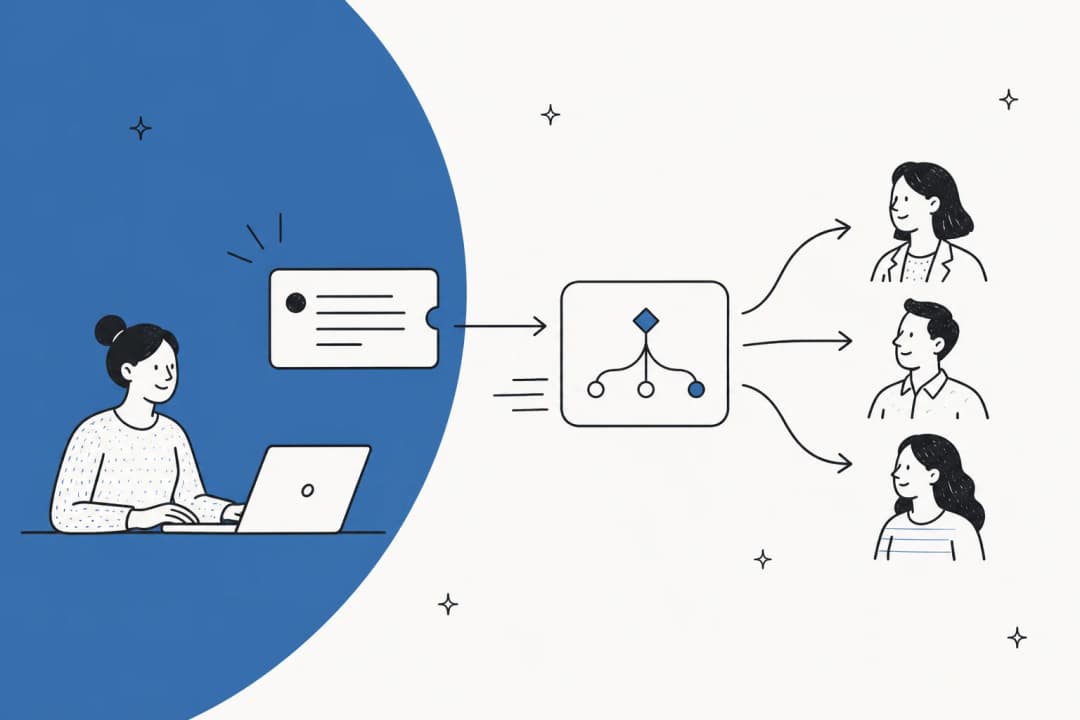
Flat illustration showing a new employee connected to automated IT onboarding flows

Every IT team knows the Monday morning rhythm. A new hire starts, HR sent the welcome email Friday afternoon, and by 8:15am there are seven tickets in the queue. Password reset. VPN access. Laptop won't connect to Wi-Fi. "Can someone add me to the Slack workspace?" None of these are hard problems. They're just the same five problems, over and over, multiplied by every person who joins.

Manual IT onboarding doesn't fail because IT teams are slow. It fails because it was never designed to scale. When provisioning depends on someone remembering to click the right buttons across seven different admin consoles, every new hire is a small gamble on whether IT had advance notice, the right role information, and a free hour that morning.

Automated IT onboarding closes that gap. This guide covers what it actually means, the technology stack you need, a six-step implementation path, and how to measure whether it's working.

Why manual IT onboarding keeps breaking

The highest-engagement onboarding thread on Reddit in recent memory was an IT Director publicly venting that their team was getting blamed for delays that originated entirely in HR not notifying IT of new hires in time. It got 643 upvotes and 260 comments. The frustration hit because it was universal.

Across dozens of r/sysadmin, r/ITManagers, and r/helpdesk threads, the complaints cluster around the same dynamics:

"I'm getting tired of apologizing to new hires for stuff that should just work." - r/ITManagers

The data matches. A BambooHR study cited by BetterCloud found 58% of new hires are frustrated by lack of access to essential tools on their first day. Interlaced's IT onboarding research puts the cost of getting it wrong even higher: 9% of employees quit within the first 90 days specifically because of a poor onboarding experience.

The frustration runs in both directions. IT teams dealing with a flood of first-day tickets aren't doing interesting work. And the SHRM research cited by Interlaced suggests a 50% increase in productivity at companies with a structured IT onboarding process. The gap between "new hire gets access" and "new hire can actually do their job" is largely a solvable infrastructure problem.

Before-and-after comparison of manual vs automated IT onboarding times

What automated IT onboarding actually covers

Automated IT onboarding isn't a single tool or a toggle you flip. It's five overlapping layers, each handling a different part of what IT traditionally does manually.

User provisioning and identity management

This is the foundation. When HR adds a new hire to an HRIS system like Workday or BambooHR, that event triggers automatic account creation across every system the employee needs: email, Active Directory, Slack, productivity apps, collaboration tools. The mechanism is SCIM (System for Cross-domain Identity Management) - a standard protocol that lets your identity provider push user records to downstream apps automatically.

The identity provider (Okta, Microsoft Entra ID, Google Workspace) sits at the center of this flow. It holds the authoritative user record and uses the HRIS data to determine what gets provisioned. Swimlane estimates that 80-90% of onboarding and offboarding processes can be automated once this chain is properly configured.

Access management and role-based controls

Not everyone gets access to everything. Role-Based Access Control (RBAC) defines which apps and data each role can reach. When a new sales hire is added, they get Salesforce and the sales Slack channels but not the engineering Jira boards. A developer gets GitHub, AWS, and CI/CD tooling but not the financial reporting dashboard.

Identity Governance and Administration (IGA) takes this further with Just-in-Time (JIT) provisioning - granting access exactly when it's needed and automatically revoking it afterward. This matters for security: Rippling data shows 23% of departed employees previously retained at least one active account after leaving. Automated de-provisioning eliminates that risk at the same time it handles onboarding.

Device setup and MDM

For remote and distributed teams, getting a laptop configured and in someone's hands is often the longest part of onboarding. Mobile Device Management (MDM) platforms like Jamf, Microsoft Intune, or Rippling's built-in device management handle disk encryption, screen lock policies, app installation, and Wi-Fi configuration remotely. Devices ship pre-configured to Apple Business Manager or zero-touch deployment specs, so a new hire unboxes their laptop and it's ready to use.

Knowledge base and self-service access

Even perfectly provisioned employees have questions. What's the VPN setup process? Where are the expense guidelines? Who do I contact for a software license request? When these questions land as helpdesk tickets, they consume IT time for answers that are already documented somewhere.

A structured knowledge base connected to your helpdesk - or surfaced directly in Slack or Teams via an AI layer - lets new hires self-serve these answers. GenAI tools that continuously update knowledge articles from resolved ticket history mean the knowledge base stays current without manual curation.

AI helpdesk for residual questions

The first four layers handle provisioning and documentation. The fifth handles the conversation - the questions that come in through Slack, Jira, or email that don't fit a simple trigger-and-provision flow.

An AI helpdesk for ITSM reads incoming tickets, pulls answers from your knowledge base and documentation, and responds automatically - or drafts a response for human review. For IT onboarding specifically, this means password reset guides, VPN troubleshooting steps, software install instructions, and access request flows get handled without IT intervention.

The community consensus on r/ITManagers is direct: "The answer is automation. You need to make the IT side take as close to 0 minutes as possible. Ideally your HRIS ties directly to your IDP."

The technology stack you actually need

The four categories of tooling you need for automated IT onboarding are:

Automated IT onboarding technology stack: HRIS to identity provider to ITSM to AI helpdesk

HRIS as the authoritative trigger. Workday, BambooHR, UKG, or similar systems hold the source of truth for "who is joining, in what role, on what date." Every downstream automation starts here. Without a reliable HRIS-to-IdP connection, provisioning depends on someone manually kicking things off.

Identity provider for provisioning. Okta, Microsoft Entra ID, and Google Workspace handle identity federation and SCIM provisioning downstream. Okta has over 7,000 app connectors; Entra is the default for Microsoft-heavy organizations. The IdP is the central plumbing that makes everything else possible.

ITSM platform for workflow coordination. Freshservice (fastest time-to-value, Freddy AI included at Enterprise tier), Jira Service Management (strong Confluence integration, developer-adjacent teams), and ServiceNow (enterprise-scale, highest complexity) each occupy different market niches. The three-year total cost of ownership for a 50-agent deployment varies dramatically: $90K-$175K for Freshservice, $120K-$250K for Jira, and $800K-$1.5M for ServiceNow.

AI helpdesk layer for employee-facing support. This is where IT conversations happen. Tools like Risotto (Slack-native, strong continuous learning), Siit (lightweight ITSM alternative, 30-50% deflection), and eesel AI (Jira, Zendesk, Slack, or any connected helpdesk) sit between the employee and the ITSM platform. They handle natural language questions, surface relevant documentation, and route complex issues to humans with full context already attached.

The optimal flow: HRIS triggers identity provider, which provisions SaaS apps automatically. The ITSM platform coordinates any multi-step workflows. The AI helpdesk handles the questions and one-off requests that don't fit a clean trigger.

How to implement automated IT onboarding in six steps

Step 1: map your current manual process

Before you automate, list every manual step your IT team currently runs when someone new joins. Include the apps touched, the person responsible, the typical time required, and how often it goes wrong. Most teams find 15-30 discrete steps they hadn't consciously tracked.

An r/helpdesk thread from early 2026 summed up the starting point well: "If the workflow breaks every week, it's a bad first target no matter how annoying it is." Stable, repeatable steps are the right ones to automate first.

Step 2: define access levels by role

Map your job families to access bundles. A marketing coordinator needs Google Workspace, Slack, HubSpot, and Asana but not the AWS console. A backend engineer needs GitHub, AWS, Jira, and the VPN configuration but not Salesforce.

Document these role-to-access mappings in your ITSM or IdP configuration before you automate anything. This is the foundation of RBAC provisioning. Without it, automation defaults to either over-provisioning everyone (a security risk) or under-provisioning (a helpdesk flood).

Step 3: connect your HRIS to your identity provider

This is the highest-leverage step. Once an HRIS event triggers your IdP via SCIM, downstream provisioning can cascade automatically. Most major HRIS providers have pre-built Okta and Entra ID connectors. The configuration is usually a few hours of work; getting approval to connect the systems is often the longer part.

Once the connection is live, test it with a fake new hire record and verify that account creation flows to every downstream app correctly before using it in production.

Step 4: set up device provisioning with MDM

For hardware distribution: Apple Business Manager with Jamf or Intune handles automated zero-touch deployment for Mac fleets. Windows environments use Autopilot with Intune. Rippling's MDM module handles both.

The practical goal is that a shipped laptop arrives at a new hire's address already enrolled, encrypted, and configured so they just sign in with their SSO credentials and start working. No IT technician involvement, no drive to the office.

Step 5: build and train a knowledge base

The AI helpdesk is only as good as the knowledge it can draw on. Before deploying an AI layer, consolidate your IT documentation: VPN setup guides, SSO troubleshooting steps, software request procedures, device return policies, account management workflows.

If your documentation lives in Confluence, Notion, or Google Docs, many AI helpdesks can ingest it directly. Automate onboarding with Jira and Confluence gives a practical walkthrough of connecting Atlassian tooling for exactly this use case. A good starting point is pulling your top 20 most common ticket types and verifying they're all answered in documentation before you go live.

Step 6: layer in an AI helpdesk

The provisioning chain handles account creation and access. The AI helpdesk handles the questions that follow: "My VPN isn't connecting," "I need access to the marketing shared drive," "Can someone help me set up 2FA on my authenticator?"

Tools in this category work by ingesting your existing documentation, past ticket history, and knowledge bases, then responding to new tickets automatically - either as drafts for human review or autonomously once you've established trust. For AI for employee onboarding questions, the right deployment mode is usually draft-first for the first two to four weeks, then autonomous once you've reviewed the quality of responses.

Breakdown of IT onboarding ticket types and the share that AI can resolve automatically

How to measure whether it's working

Three metrics tell you if automated IT onboarding is actually functioning:

Ticket deflection rate. What percentage of IT onboarding tickets get resolved without human intervention? How to calculate your ticket deflection rate walks through the exact formula. Benchmarks from tools in this space: Risotto reports 56-60% auto-resolution rates, Freshservice with Freddy AI reports 46% faster resolution and 32% higher ticket deflection, and Siit reports 30-50% deflection for everyday IT and HR questions.

Time-to-productivity. How quickly can a new hire actually start doing their job after their start date? If accounts and devices are provisioned before day one and the AI helpdesk handles first-day questions, this should drop from days to hours. A BetterCloud case study documents a 75% reduction in onboarding time for one global IT team after automation.

IT team time per new hire. Track how many minutes of IT staff time each onboarding event actually requires. Before automation, most teams spend 1-3 hours per hire across provisioning and first-week support. The target is under 15 minutes for standard roles. Automation practitioners on r/automation report onboarding time dropping "from hours to minutes" once the HRIS-to-IdP chain is working.

A good AI helpdesk implementation guide will include measurement checkpoints for each of these; set baselines before you deploy anything so you have a clear before/after.

Try eesel AI

eesel AI fits into automated IT onboarding as the AI helpdesk layer - the part that handles the questions that come in after provisioning is done. IT teams deploy it as a first responder inside Jira Service Management, Zendesk, Slack, or Freshdesk, where it reads incoming tickets, pulls answers from Confluence and other connected knowledge sources, and either responds directly or creates a draft for human review.

eesel AI helpdesk agent in action

InDebted, a 250-person debt recovery company, runs eesel AI as the first responder for their 5-10 person IT team across Jira, Confluence, and Slack. When a ticket comes in, eesel reads it, searches the relevant Confluence documentation, and responds with a resolution - or links the user directly to the article that answers their question.

eesel AI handling IT helpdesk tickets in Jira for InDebted

"It reduces the need for a human to have to deal with an issue that could be resolved by referring to documentation or by walking the user through steps." - Jason Loyola, Head of IT, InDebted

InDebted currently deflects 15% of incoming IT tickets automatically, with a projected rate of 55% as eesel's automatic knowledge base article generation closes documentation gaps.

eesel's AI knowledge base integration capability means it doesn't just answer from the knowledge base you have - it identifies gaps from ticket themes and drafts new articles to fill them. For IT onboarding, where new questions emerge as new tools get adopted, that continuous learning matters.

Pricing is usage-based: $0.40 per regular task (a support ticket or chat session) with no platform fee and no per-seat pricing. There's a free trial with $50 in credits, no credit card required. Enterprise deployments (SSO, HIPAA, dedicated support) start at a $1,000/month platform fee plus usage.

PlanPriceWhat's included
Free trial$0 (includes $50 in credits)Every feature unlocked, no credit card
Pay-as-you-go$0.40 per regular taskNo platform fee, no monthly minimum
Annual commit25% discount (min. $300/month)Same as PAYG at a lower per-task rate
Enterprise$1,000/month platform fee + usageSSO, HIPAA, BAA, dedicated CSM

Get started free or book a demo to see how it works inside your existing helpdesk.

Frequently Asked Questions

Automated IT onboarding uses software workflows and AI to provision everything a new employee needs - accounts, devices, software access, and knowledge - without manual IT intervention at each step. When HR adds a hire to a system like Workday or BambooHR, it triggers a cascade that handles provisioning automatically. Learn more in our guide to AI helpdesk implementation.
You need four layers: an HRIS as the authoritative trigger (Workday, BambooHR), an identity provider for provisioning (Okta, Microsoft Entra ID), an ITSM platform for workflow coordination (Freshservice, Jira Service Management, ServiceNow), and an AI helpdesk for residual questions (such as eesel AI in Slack or Jira). Smaller teams sometimes start with just HRIS + IdP and add the rest incrementally.
The provisioning chain (HRIS → IdP → core SaaS apps) typically takes 4-8 weeks for a mid-market team starting from scratch. Adding an AI helpdesk layer on top of an existing ITSM can take as little as a few days - InDebted's IT team set up eesel AI as a Jira first-responder and called setup "quite easy." The AI knowledge base takes more time to tune, but you can run in draft-review mode while it learns.
Costs vary widely by layer. An identity provider like Okta starts around $6/user/month. ITSM platforms like Freshservice run $19-$119/agent/month. AI helpdesk tools like eesel AI charge $0.40 per resolved ticket with no platform fee or per-seat charge, making them accessible for small IT teams. Unified platforms like Rippling bundle HR + IT + MDM for around $35-55/user/month fully loaded.
MFA enrollment still requires the employee to physically interact with an authenticator app. Physical hardware delivery has a human or logistics dependency. Edge cases - unusual access requests, exceptions to standard role permissions, compliance reviews - need human judgment. The goal of automated ticket triage is to route those exceptions to humans immediately, while the 80-90% of repeatable tasks run without IT involvement.

Share this article

Stevia Putri

Article by

Stevia Putri

Stevia Putri is a marketing generalist at eesel AI, where she helps turn powerful AI tools into stories that resonate. She’s driven by curiosity, clarity, and the human side of technology.

Ready to hire your AI teammate?

Set up in minutes. No credit card required.

Get started free