Getting customer onboarding right can feel like the difference between a user who sticks around for years and one who disappears after a week. When it’s good, you create a loyal fan. When it’s bad, you’ve lost them before they even get started. This is why so many companies are looking at AI chat to automate the welcome wagon, giving new users instant, personal guidance whenever they need it.
Ada is one of the biggest names in this space, especially for larger companies. But picking the right AI tool isn't as simple as it sounds. It’s easy to get tangled up in confusing feature lists and murky pricing, making it almost impossible to figure out what you’re actually signing up for.
This guide is here to cut through that noise. We’ll walk through a clear, no-nonsense overview of Ada chat onboarding, from its setup process and main features to what you can realistically expect to pay. By the end, you should have a much better handle on whether it’s the right move for your team.
What is Ada chat onboarding?
So, what exactly is Ada? Think of it as an AI-powered platform built to automate customer service chats. The main idea behind its onboarding tool is to create an AI agent that can walk new users through their first steps, answer their questions 24/7, and take a load off your human support team.
According to Ada, their AI can handle up to 83% of conversations on its own, giving customers a personalized experience to get them up and running fast. They’ve built a name for themselves working with mid-market and enterprise companies, with well-known brands like Square and Monday.com using their tech to scale support. At its core, Ada wants to be the automated front line for your new customers, dealing with the common questions so your team can tackle the trickier stuff.
The Ada chat onboarding setup and implementation process
Getting an AI chatbot live shouldn't feel like a months-long engineering project, but with enterprise platforms like Ada, it sometimes does. Looking at their own documentation, setting up Ada chat onboarding involves several steps that call for technical help and a serious time commitment.
Here’s a glimpse of what that setup process typically looks like:
-
Connect your knowledge: The first job is feeding the AI your existing content. This usually means hooking it up to a formal knowledge base or help center. The catch? You need a well-organized, complete knowledge base from the get-go, which, let’s be honest, isn't the reality for a lot of teams.
-
Customize the widget: You can tweak the colors and branding of the chat widget so it matches the look and feel of your site. This is pretty standard for most chatbot tools out there.
-
Embed it on your site: To get the chatbot to actually show up, you have to add a snippet of code to your website or app. This step almost always requires a developer, which can turn into a real bottleneck if your engineering team already has a full plate.
-
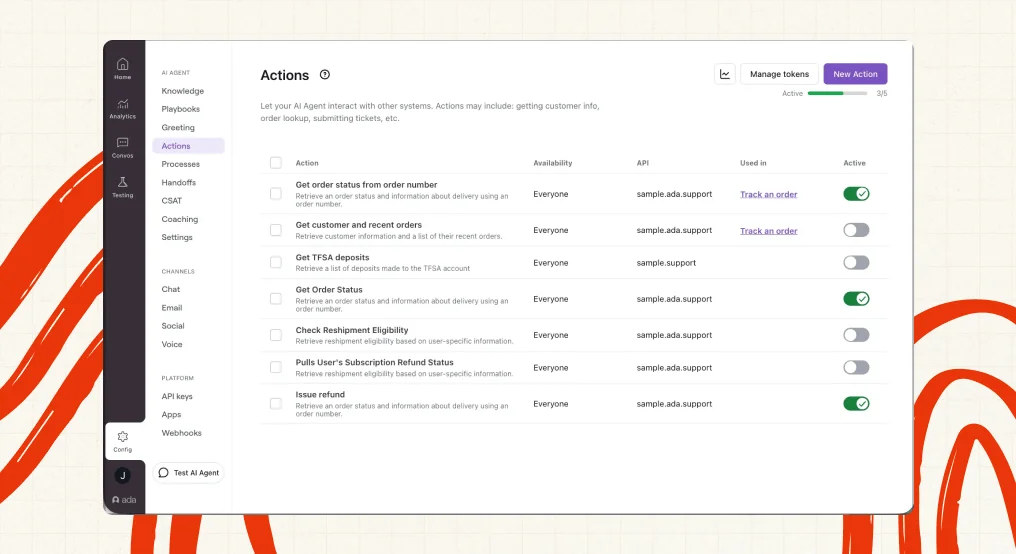
Configure behaviors: If you want the bot to do more than just spit out basic answers, you have to get into Ada’s more advanced features like "Playbooks," "Processes," and "Actions." This is where you map out specific workflows, and it adds a whole other layer of complexity that can be tough to manage without some specialized training.
graph TD A[Connect Knowledge Base] --> B(Customize Chat Widget); B --> C{Embed Code on Site}; C --> D[Configure Advanced Behaviors]; D --> E(Go Live);
This whole process is a long way from a simple plug-and-play solution. For teams that need to move fast and see results quickly, this kind of drawn-out, developer-heavy setup can be a major roadblock. In contrast, modern tools like eesel AI are designed to be completely self-serve. You can connect your helpdesk and other knowledge sources with a few clicks and be up and running in minutes, not months, without ever having to talk to a salesperson or wait for a developer.
Key features and limitations of Ada chat onboarding
Ada is a capable platform with a lot of features. But many of its strengths come with trade-offs in complexity, cost, and how much you can bend it to your will. Let's break down some of its core functions and see where more nimble solutions might have an edge.
Multi-channel support and integrations
One of the things Ada gets a lot of credit for is its ability to work across different channels. You can use your AI agent on your website, in your mobile app, and even have it manage conversations over email and social media. It also generates responses in 60 languages, which is a big plus for global companies. Ada connects with major business systems like Zendesk, Salesforce, and Contentful, letting it slide into existing tech stacks.
The main downside here is that Ada's knowledge tends to be walled off, mostly pulling from official, structured sources like your help center. In the real world, the best and most current answers are often scattered all over the place: in old support tickets, internal wikis, and random Google Docs. Tools like eesel AI are built to instantly bring all that company knowledge together. It learns from everything, past support tickets, macros, and internal documents in Confluence or elsewhere, to give much more accurate and relevant answers from day one.
AI coaching and performance analytics
Ada gives you a dashboard to track key metrics like how many issues are resolved and how happy customers are. It also has a "coaching" feature that lets you review chats and give the AI feedback to help it learn over time. This is a must-have for any AI system, since you need to be able to tweak its performance based on how it does with actual customers.
Ada does document a Simulations feature for testing configuration changes before they go live, but it runs against test scenarios you write by hand rather than a replay of your own past conversations. So you can pressure-test the cases you author, but the read is only as representative as those cases. In contrast, eesel AI runs its simulation on thousands of your own past tickets, scoring the AI's answers against the replies your team actually sent and surfacing the gaps to fix before you ever turn it on for a single customer. That's how you close the holes that would otherwise drag your resolution rate down, without guessing.
Custom actions and workflows
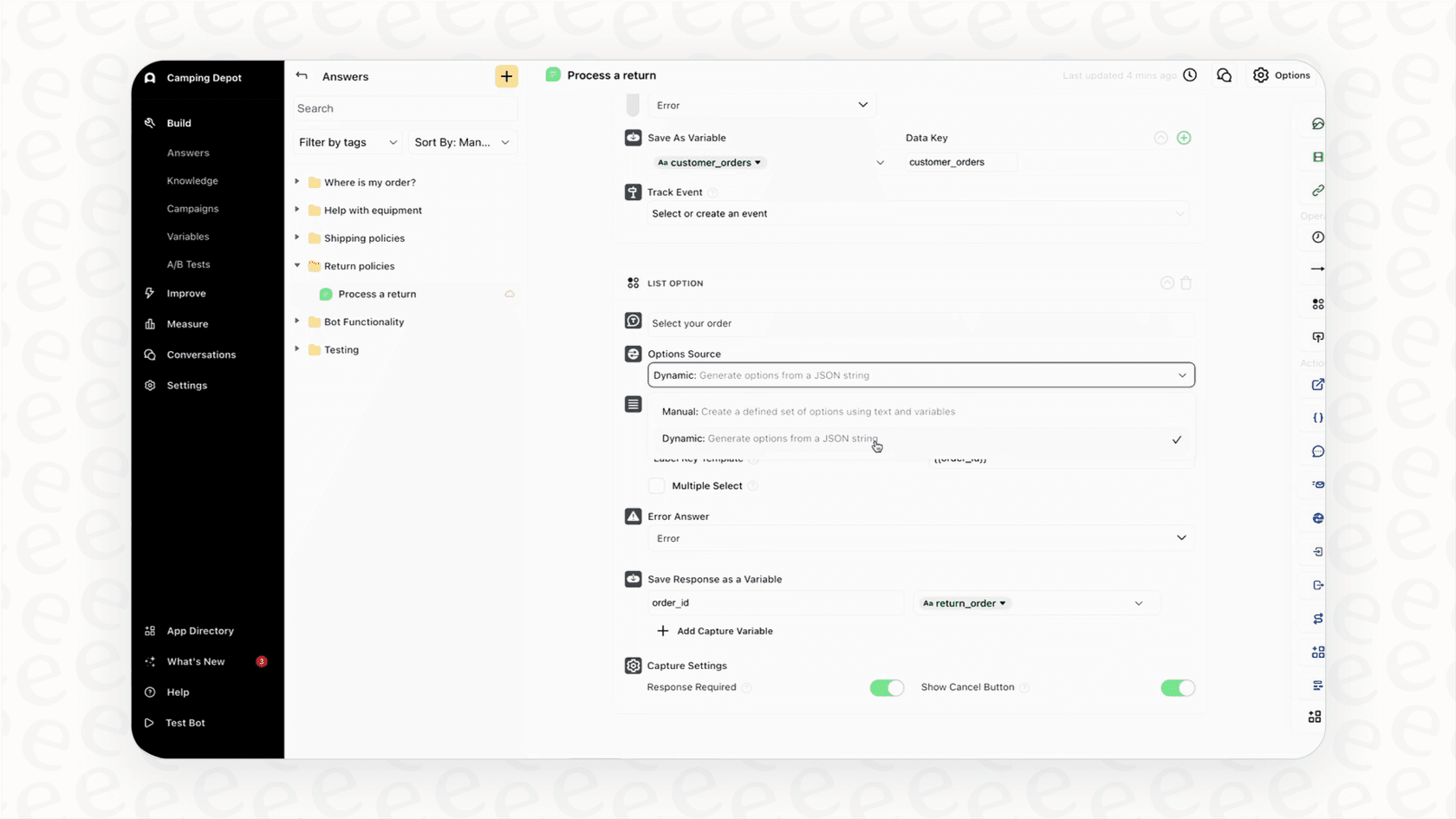
Ada’s platform lets you set up your AI agent to do specific tasks that go beyond just answering questions. For instance, you can build workflows to look up an order, create a support ticket, or update a customer's profile in your CRM. This is what separates a simple FAQ bot from a true AI agent.
While these features are great, setting up custom workflows in Ada can be a complicated and time-consuming task, often needing special help from their implementation team. This just adds to the overall cost and how long it takes to see any value. With eesel AI, you get a fully customizable workflow engine in a simple, self-serve dashboard. You can easily define the AI's personality, tone, and the exact actions it can take, from sending a ticket to a specific team to looking up order info via an API, all without writing a line of code.
The Ada chat onboarding pricing model: What to expect
Alright, this is the big one. If you're looking into Ada, the first thing you'll probably notice is that there’s no pricing page on their website. To get a quote, you have to jump on the enterprise sales merry-go-round, which usually means several calls and a custom proposal.
This approach tells you a few things: Ada is going after big fish, their contracts aren't cheap, and there isn't much wiggle room. Based on chatter in communities like Reddit, companies have reported seeing contracts around $300,000 per year. Other reports mention a pricing model based on resolutions, costing anywhere from $1 to $3.50 per ticket the AI solves. This per-resolution model can be a trap, your bill goes up the more successful the tool is, which feels a bit like being penalized for having a high volume of support requests.
This is a completely different world from modern, transparent SaaS pricing. Here’s a quick comparison to spell it out:
| Feature | Ada | eesel AI |
|---|---|---|
| Pricing Model | Opaque, requires sales demo | Transparent, published online |
| Cost Structure | Often per-resolution, penalizing volume | Usage-based, ~$0.40 per ticket, no volume penalty |
| Contract Terms | Typically long-term annual contracts | No seats or minimums, cancel anytime |
| Trialing | Limited demo environment | Risk-free simulation on your own data |
The difference is pretty stark. Ada’s high-friction, opaque model is built for large enterprises with long, drawn-out purchasing processes. For pretty much everyone else, a clear and predictable model like the one eesel AI offers just makes more sense.
A better Ada chat onboarding alternative for agile teams
After looking at the features, setup, and pricing, a clear picture starts to form. Ada is a robust, feature-rich platform made for enterprises with deep pockets, dedicated developers, and the patience for a months-long implementation.
For modern, nimble teams that want enterprise-grade power without the enterprise-level headache, eesel AI is a much better fit. It’s built on a totally different philosophy that puts speed, transparency, and user control first.
Here’s why it stands out:
-
Go live in minutes, not months. Connect your tools and launch, all without getting stuck in a sales cycle.
-
Test with confidence using real-data simulations. See how the AI would have handled your real past tickets before you spend a dime.
-
Pay a predictable price with no surprises. Pick a flexible monthly plan you can cancel anytime.
-
Unify all your scattered knowledge instantly. Give your AI the context it needs to give genuinely helpful answers.
The final verdict
Ada chat onboarding is a solid solution for large-scale operations, but it comes with some serious strings attached when it comes to cost, complexity, and commitment. It’s a tool built for a very specific type of company, and for many teams, it’s just too slow, too expensive, and too inflexible.
The right choice really boils down to your team's budget, resources, and how fast you need to move. For businesses that prize flexibility, transparency, and the ability to get going right away, there are better alternatives that deliver the same (if not more) power without all the friction.
Don't lock yourself into a six-figure contract based on a sales pitch. See how the AI handles your real tickets before you buy. Start your free eesel AI trial and run a simulation on your past tickets in just a few minutes.
Frequently asked questions
What exactly is Ada chat onboarding, and what problem does it aim to solve?
Ada chat onboarding is an AI-powered platform designed to automate initial customer interactions. It aims to guide new users through their first steps, answer common questions 24/7, and reduce the workload on human support teams.
How involved is the setup and implementation process for Ada chat onboarding?
Setting up Ada chat onboarding typically requires significant technical help and time. It involves connecting knowledge bases, customizing the chat widget, embedding code into your site (often needing a developer), and configuring complex behaviors and workflows.
What are the main features offered by Ada chat onboarding for customer support?
Ada chat onboarding provides multi-channel support across websites, apps, email, and social media, with responses generated natively in 60 languages. It also includes AI coaching and performance analytics, along with the ability to create custom actions and workflows for tasks like looking up orders or creating tickets.
What can I expect in terms of pricing for Ada chat onboarding?
Ada's pricing is generally opaque and requires an enterprise sales process. Companies have reported annual contracts around $300,000, or a per-resolution model costing $1 to $3.50 per ticket solved, which can increase costs with higher volume.
Are there any ways to test or simulate the performance of Ada chat onboarding before deployment?
Yes. Ada documents a Simulations feature that lets you test configuration changes against scenarios you write before they go live. What it doesn't do is replay your own past conversations, so the test is only as representative as the cases you author. Tools like eesel AI instead simulate on your actual past tickets, scoring the AI's answers against the replies your team really sent.
What kind of company is best suited for Ada chat onboarding based on its design and cost?
Ada chat onboarding is best suited for mid-market and enterprise companies. These organizations typically have large budgets, dedicated technical resources, and the patience for a months-long implementation process due to its complexity and high cost.


Article by
Kurnia Kharisma Agung Samiadjie
Kurnia is a software engineer and writer at eesel AI with two years of SEO experience, writing about AI tools, helpdesk software, and customer support. He pairs a developer's understanding of how these products are built with search-driven research into what actually ranks and resonates with the people searching for them.