
Having great products is just step one of running a Shopify store. The real challenge? Making sure everything behind the scenes runs smoothly. If you're constantly bouncing between different apps for inventory, marketing, and customer support, you know the pain. All that manual data entry, the inevitable typos, and the endless tab-switching... it's a huge time sink and it just doesn't work once you start to grow.
That's where a Shopify integration comes in.
It’s all about connecting your essential tools so they can share data automatically. This cuts out the busywork and pulls everything together in one place, making life easier for your team and creating a better experience for your customers.
What is a Shopify integration and how does it work?
Simply put, a Shopify integration connects your store to other software you use, letting them talk to each other and share data automatically. It's like building a bridge between all the different parts of your business.
For example, instead of manually downloading a list of new customers to upload to your email marketing tool, an integration does it for you the moment they sign up. When an order is placed, the details can zip over to your accounting software and fulfillment partner instantly.
This magic happens through something called an Application Programming Interface, or API. Shopify gives developers a solid set of tools, like their modern GraphQL Admin API and the older REST Admin API, which let different apps communicate securely. It’s the tech that makes a hands-off ecommerce operation a reality. To make this clearer, here's a visual breakdown of how a Shopify integration connects all the moving parts of your business.
The main types of Shopify integration for your business
Integrations usually fall into categories based on what they do for your business. The right setup for you really depends on where your biggest headaches are. Are you struggling to keep the books balanced? Trying to get a handle on customer relationships? Or maybe just drowning in support tickets? Let’s look at the most common types.
Enterprise Resource Planning (ERP) and accounting systems
These integrations are all about your money and your stock. They sync financial data, inventory levels, and order info between Shopify and systems like NetSuite, Acumatica, or QuickBooks. This helps keep your financial records straight and stops you from accidentally selling items you don't have.
-
NetSuite ERP Connector: Shopify’s own B2B connector for NetSuite is a beast. It syncs everything from B2B orders and payments to inventory and fulfillment, and it can even manage complex B2B stuff like posting invoices and tracking payments.
-
Acumatica Cloud ERP: Here’s a good example of a tight connection. Acumatica was the first ERP to integrate with Shopify’s B2B features. Their native integration offers a smooth, real-time sync for products, customers, inventory, and fulfillment details.
-
QuickBooks Online: A go-to for many businesses, the QuickBooks Connector app automatically syncs your orders and payouts. You can connect one or more sales channels, depending on which QuickBooks plan you have.
Customer Relationship Management (CRM) systems
A CRM integration gives you a single place to see everything about your customers. It pulls in their data from Shopify, so you can see their entire history, from their first visit to their most recent purchase.
-
HubSpot: HubSpot's Data Sync integration is a huge step up from their old one. It offers a two-way sync for contacts and products and correctly syncs orders to a specific "orders" category. This is a big deal, because the old integration awkwardly crammed order data into the "deals" object, which was a real pain for ecommerce reporting.
-
Salesforce: As a major player in the CRM world, Salesforce has powerful B2C and B2B Commerce Cloud options. Connecting it with Shopify lets you manage customer data, follow the entire order process, and create really personalized shopping experiences.
Inventory and fulfillment tools
These integrations connect Shopify to inventory management software or third-party logistics (3PL) services. They help automate order fulfillment, manage stock across different warehouses, and finally put an end to overselling.
-
Sellbrite for Shopify: This is a version of Sellbrite made specifically for businesses that live on Shopify. Your Shopify store stays as the main source of truth, so you manage all your product and inventory info there. Sellbrite then syncs that data and handles your listings on other marketplaces like Amazon and eBay.
-
Pipe17: Pipe17 is part integration platform, part order management system. It uses ready-made connectors to link Shopify with your 3PLs, ERP, and other marketplaces, aiming to automate the entire flow of orders, fulfillments, and returns.
Marketing and analytics platforms
By connecting your marketing tools, you can run smarter campaigns based on what your customers actually do and get a clear picture of what's driving sales.
-
Mailchimp: This integration sends your Shopify customer and order data straight to Mailchimp. This lets you set up automated campaigns based on purchase history, like a welcome email for new customers or product recommendations they might actually like.
-
Meta (Facebook & Instagram): The official Meta channel syncs your product catalog, making it easy to launch a Facebook Shop and turn on Instagram Shopping. It also installs the Meta Pixel, which tracks what customers do on your site to help you measure and improve your ad campaigns.
-
TikTok: With the TikTok sales channel, you can link your Shopify store to TikTok Shop, sync your products, and run ads like Video Shopping Ads that let people check out right in the app.
-
Google Analytics 4: When you install Shopify's Google & YouTube channel, it easily adds GA4 tags to your store. This automatically starts tracking important ecommerce actions like "view_item", "add_to_cart", and "purchase", giving you a much clearer view of the customer journey.
Customer support help desks
Connecting your help desk to Shopify gives your support agents all the context they need, right where they need it. They can see a customer's order history without having to switch tabs.
- Gorgias: Gorgias has a deep integration that lets agents not only see Shopify data but also take action like refunding, canceling, or duplicating an order right from the helpdesk. It’s worth remembering that these are still manual actions, an agent has to be there to click the buttons.
The benefits and challenges of a Shopify integration
Integrations can be fantastic, but let's be real, they aren't a magic fix for everything. It helps to know both the good parts and the potential headaches before you dive in. Here’s a quick summary of the pros and cons:
Benefits: Why a Shopify integration is worth it
-
No more manual work. You can free your team from the mind-numbing task of copy-pasting data between systems.
-
More accurate data. When things sync automatically, you get far fewer human errors. That means your inventory counts and customer info are actually reliable.
-
A smoother workflow. From the moment an order comes in to when it ships, everything just flows. This usually means faster shipping and happier customers.
-
Ready to scale. A connected system can handle a huge rush of orders during a flash sale without anyone having to panic.
Challenges: Common integration pitfalls
-
Data getting lost in translation. Sometimes, two apps just don't speak the same language. A classic example is how HubSpot's old Shopify integration logged orders as "deals," which is a field for sales teams. This made getting any useful ecommerce reports a nightmare until they fixed it.
-
Tricky and expensive setup. While plugging in an app from the store is usually straightforward, a custom integration can be a serious investment of time and money. The Shopify App Store is also pretty strict; apps have to use modern theme app extensions and can't just mess with your theme's code.
-
Security concerns. Every new connection is another potential door for trouble. To get on the App Store, apps have to show they're secure by using things like valid TLS/SSL certificates and only asking for the API access they absolutely need.
-
It's not always "true" automation. Many integrations just pull information into one place for a person to look at. They might show your support agent an order status, but the agent still has to do all the work. This doesn't really help when you're swamped with a high volume of tickets.
Beyond basic sync: Using an AI-powered Shopify integration for customer support
A standard Shopify integration for your helpdesk, like the one from Gorgias, is a solid start. It lets your agents see order data and take action without leaving their inbox. But at the end of the day, an agent still has to manually click "refund" or "cancel" for every single request. That's just data sync, not real automation.
This is where modern AI can do a lot more. Instead of just showing data, it can figure out what a customer wants and actually do something about it.
That’s the idea behind a tool like eesel AI. It plugs into the help desk you already use (like Gorgias or Zendesk) and connects to your Shopify store. By learning from your past support conversations and help articles, it picks up your brand's voice and understands how your team handles different problems.
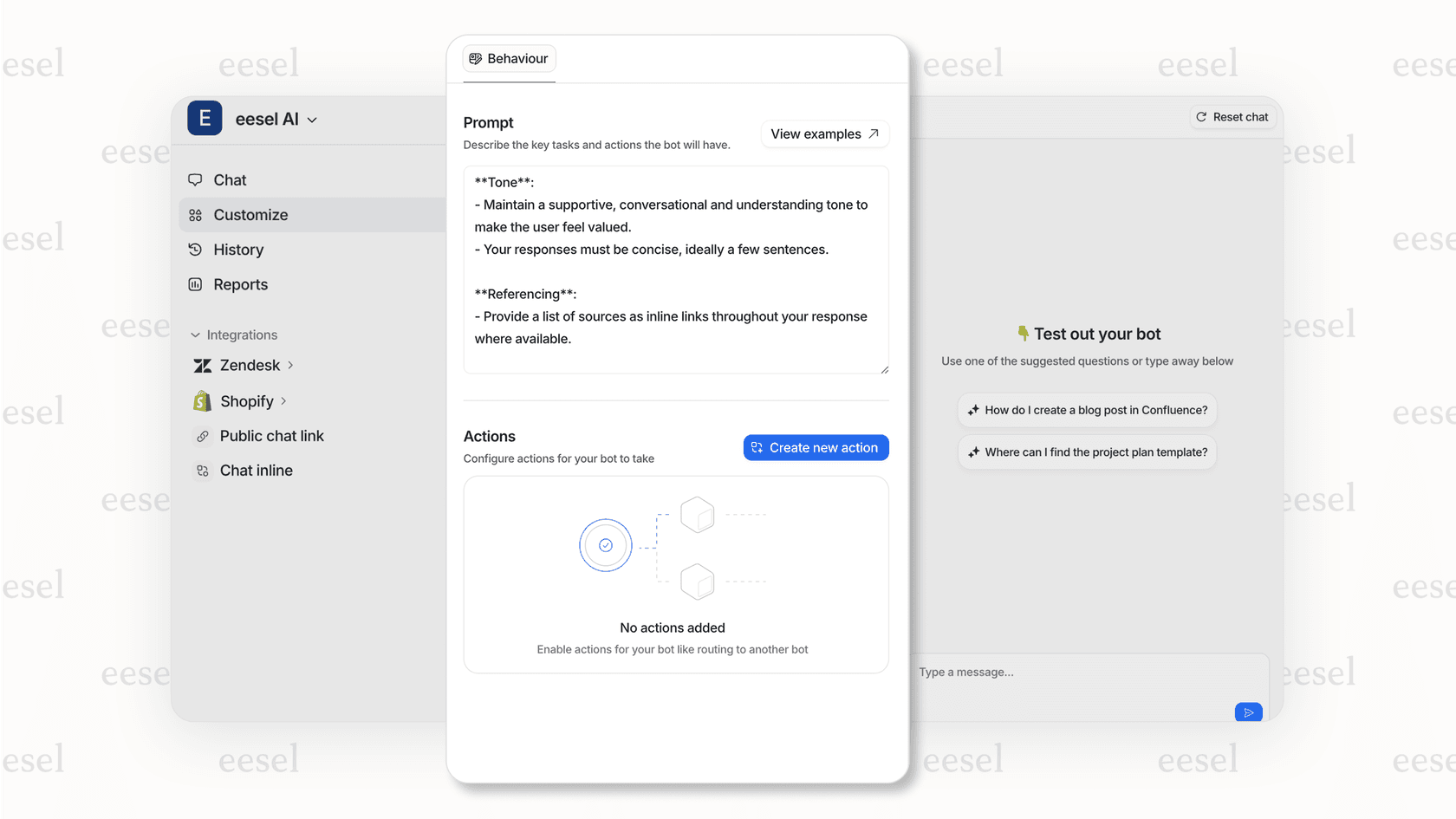
Then, it gets to work. When a customer asks for a return, eesel AI doesn't just create a ticket for an agent. It can use actions like "shopify_create_return" or "shopify_cancel_order" to process the request on its own. It can check live product availability, manage an exchange, and only loops in a human agent when a question is genuinely too tricky for it to solve. This is the difference between giving agents data and actually automating your frontline support.
This way of doing things also helps with budgeting. While some AI tools charge a steep fee for every resolution, eesel AI offers much more predictable costs. You pay $0.40 per ticket handled, with no platform fee and no seats, which makes it a lot easier to manage your expenses as your support volume grows.
A breakdown of Shopify integration costs
There's no single price tag for a Shopify integration. The cost can be anything from free to thousands of dollars a month, depending on the tool and how it's priced. Getting a handle on these pricing models is a big part of picking the right solution.
| Pricing Model | Description | Examples |
|---|---|---|
| Monthly Subscription | You pay a set amount each month, plain and simple. This is how most software-as-a-service (SaaS) tools work. | Mailchimp: Has a free plan; paid plans start at $13/month. Sellbrite: Free for up to 30 orders/month; paid plans start at $29/month. |
| Per-Seat Model | The price depends on how many people on your team (or "seats") need to use the software. | Gorgias: Starts at $10/month for their Starter plan. |
| Usage or Volume-Based | The price goes up or down with how much you use it, like the number of orders you process or API calls you make. | Pipe17: Pricing is based on your order volume and how many connections you have. impact.com: The Starter plan is the greater of $30/month or 2.5% of your monthly revenue. |
| Per-Resolution / Interaction Model | Pretty common for AI tools. You get charged for each ticket the AI successfully handles. | eesel AI: You pay $0.40 per ticket handled, with no platform fee and no seats, so the bill tracks real volume. |
| Custom Development | The most flexible option, but also the priciest. This means hiring developers or an agency to build it for you. | Building a custom connection with Shopify's APIs or teaming up with a Shopify Plus Partner. |
Choosing the right Shopify integration strategy
At the end of the day, you really can't scale an ecommerce business without integrations. Whether you're connecting an ERP like NetSuite for your finances, a marketing tool like Mailchimp for campaigns, or an AI to automate support, the goal is always the same: to build a smooth, efficient system that runs your store.
So, where do you begin? Start by figuring out your biggest bottleneck. Is it trying to reconcile your accounts each month? Is it keeping inventory synced between Amazon and Shopify? Or is it the constant flood of "Where is my order?" tickets in your support inbox?
The future of ecommerce is about building a smart, connected, and automated business, not just having a website. A good Shopify integration plan is the most important first step you can take.
Supercharge your Shopify store with the eesel AI Shopify integration
If your business is buried under a mountain of repetitive customer support requests, the most valuable Shopify integration you can add is one that automates your frontline service.
eesel AI adds an intelligent automation layer that works with the tools you already have, including your help desk and Shopify store. It trains on your own business data to learn how you work, then starts resolving customer issues on its own, from looking up order statuses and tracking packages to processing returns and cancellations.
See how you can connect your Shopify store and start automating support in just a few minutes. Start your free trial of eesel AI today.
Frequently asked questions
What exactly is a Shopify integration and what are the main benefits for an ecommerce business?
A Shopify integration connects your store with other software, enabling automatic data sharing. This eliminates manual data entry, improves accuracy, and streamlines workflows for greater efficiency and a smoother customer experience.
What are the primary types of Shopify integration available, and which systems do they typically connect with?
Integrations typically fall into categories like ERP/accounting (e.g., NetSuite, QuickBooks), CRM (e.g., HubSpot, Salesforce), inventory/fulfillment (e.g., Sellbrite, Pipe17), and marketing/analytics (e.g., Mailchimp, Google Analytics). They connect Shopify to these specific business systems.
What common challenges might I encounter when setting up a Shopify integration?
Common challenges include data compatibility issues where systems don't "speak the same language," potentially complex or expensive setup for custom solutions, and security concerns with new connections. It's also important to note that not all integrations offer true automation beyond just syncing data.
How does an AI-powered Shopify integration for customer support provide more automation than a basic one?
While a basic Shopify integration for support might show agents order data within their helpdesk, an AI-powered one like eesel AI can actually perform actions. It learns from your data to automatically process requests like returns or cancellations, significantly reducing manual agent intervention.
Can you explain the different pricing models and typical costs associated with a Shopify integration?
Costs for a Shopify integration vary widely, ranging from free tiers to thousands per month. Pricing models include monthly subscriptions (e.g., Mailchimp), per-seat (e.g., Gorgias), usage/volume-based (e.g., Pipe17), per-resolution for AI tools, or expensive custom development.
When considering a Shopify integration, how should I decide which one is right for my store?
To choose the right Shopify integration, start by identifying your biggest business bottleneck, whether it's accounting reconciliation, inventory syncing, or customer support volume. Prioritize solutions that directly address these pain points to maximize efficiency and ROI.