Kustomer CRM AI: Complete guide to features, pricing, and alternatives in 2026

Stevia Putri

Stanley Nicholas
Last edited March 10, 2026
Expert Verified
If you're evaluating AI-powered customer service platforms, Kustomer has probably come up in your research. The platform positions itself as an "AI-native" CRM where artificial intelligence is woven into the core rather than bolted on as an afterthought.
But what does that actually mean for your support team? And more importantly, is it the right fit for your situation?
This guide breaks down everything you need to know about Kustomer CRM AI: how the AI agents work, what you'll actually pay, the limitations that don't get enough attention, and when it makes sense to consider alternatives.
What is Kustomer CRM AI?
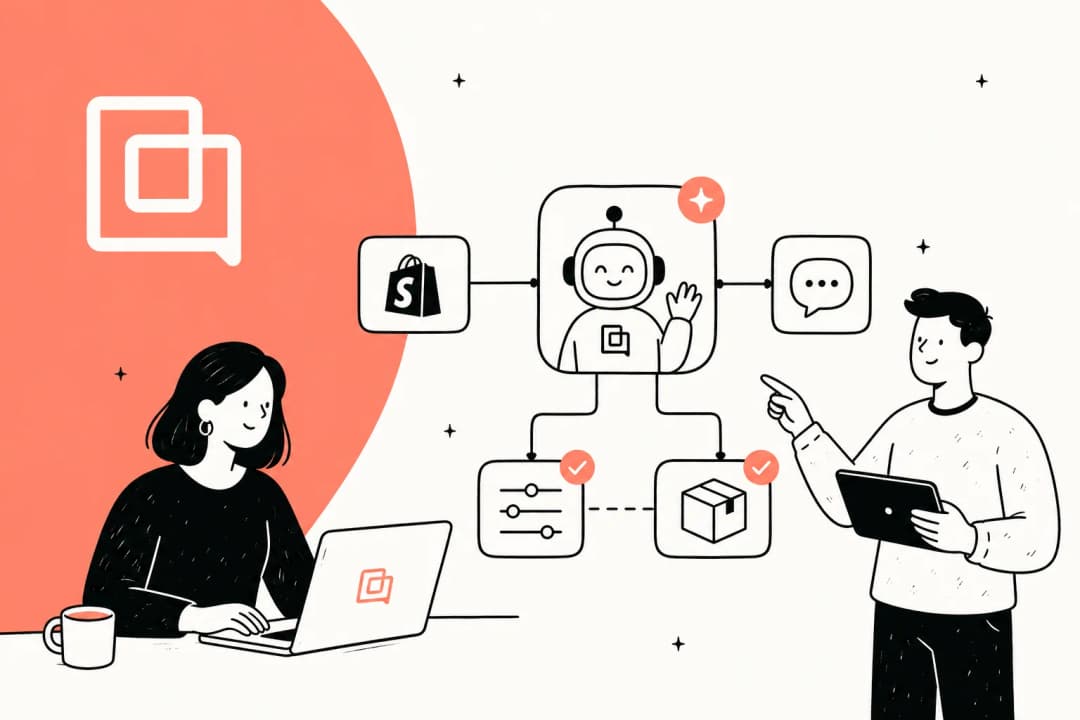
Kustomer is a customer service CRM platform built around the philosophy of "unified data + AI + humans." The idea is simple: when your AI has access to complete customer context (purchase history, past conversations, preferences), it can provide more accurate, personalized support.
Unlike some platforms that added AI features as an afterthought, Kustomer markets itself as AI-native. The AI capabilities are designed into the platform from the ground up, not layered on top of an existing ticketing system.
Here's how the system works at a high level:
- Unified customer timeline: Every interaction, order, and conversation appears in a single chronological view
- AI agents handle routine inquiries: Autonomous bots resolve common issues without human intervention
- Human agents get AI assistance: Copilot features suggest replies, surface knowledge, and automate repetitive tasks
- Seamless handoffs: When AI hits a limit, it transfers to humans with full context intact
The catch? You have to buy into the entire Kustomer ecosystem to get these AI features. There's no way to add Kustomer AI to your existing Zendesk, Freshdesk, or Intercom setup. You're either all-in on Kustomer, or you're looking elsewhere.
For teams that want AI capabilities without abandoning their current helpdesk, our comparison of Kustomer AI alternatives explores other approaches.
How Kustomer AI agents work
Kustomer's AI system is built around two main components: AI agents that interact directly with customers, and AI agents that assist your human support reps. Let's look at each.
AI agents for customers
These are autonomous bots designed to resolve customer issues 24/7 across email, chat, SMS, WhatsApp, and web forms. Unlike simple chatbots that follow rigid decision trees, Kustomer's AI agents can:
- Take real actions: Process refunds, check order status, update subscriptions, and modify reservations
- Collaborate as a team: Multiple specialized agents work together on complex issues, sharing insights to find solutions
- Escalate intelligently: When a situation requires human judgment (like policy exceptions), the AI hands off with full context so customers don't repeat themselves
- Speak your brand's language: You configure tone, personality, and guardrails to match your brand voice
The company claims these agents can resolve up to 40% of customer inquiries without human intervention. Vuori reported hitting exactly that number: 40% of their chat conversations are now fully automated.
AI agents for reps
This is Kustomer's copilot feature, an AI assistant that works alongside human agents to make them faster and more effective. The AI for reps can:
- Generate suggested replies based on your knowledge base and conversation history
- Summarize long conversation threads so agents can get up to speed quickly
- Surface relevant knowledge base articles in real-time as agents work
- Provide two-way translation for multilingual support teams
- Fix spelling and grammar errors automatically
The company claims this increases agent efficiency by 30%. Whether you hit that number depends on how repetitive your typical inquiries are. The more routine the work, the more value you'll get from automation.
AI Agent Studio
This is Kustomer's no-code builder for creating and deploying custom AI agents. You don't need developers to:
- Define agent personality and response style
- Set guardrails and escalation rules
- Connect to external data sources and business systems
- Create role-based agents for different use cases
The studio approach makes sense if you have specialized support scenarios that off-the-shelf AI can't handle. A retail company might create one agent for order inquiries, another for technical support, and a third for billing questions, each trained on different knowledge bases.
If you're exploring AI copilot options more broadly, our guide to AI copilots covers the landscape beyond just Kustomer.
Key features and capabilities
Beyond the AI agents, Kustomer's platform includes several features designed to streamline support operations.
Unified customer timeline
This is Kustomer's signature feature. Instead of tickets scattered across different systems, you get a single chronological view of every customer interaction: emails, chats, orders, phone calls, social messages, and internal notes all in one place.
The timeline integrates with 75+ apps including Shopify, Salesforce, Magento, and Aircall. When a customer reaches out, agents see their complete history without switching between tools.
True omnichannel support
Kustomer emphasizes "true omnichannel" versus "multichannel." The distinction matters: in a multichannel setup, each channel (email, chat, phone) is a separate conversation. In Kustomer's omnichannel approach, the same conversation continues across channels.
If a customer starts in chat, then sends a follow-up email, then calls, agents see it as one continuous thread. Context carries over, so customers don't have to repeat information when switching channels.
Workflow automation
The platform includes a no-code workflow builder for automating repetitive tasks:
- Route tickets to the right team based on content
- Auto-tag conversations by topic or sentiment
- Trigger proactive outreach based on customer behavior
- Update custom fields and CRM records automatically
The Data Explorer tool helps identify optimization opportunities by surfacing patterns in your support data.
For teams focused on automated ticket routing and prioritization, our AI triage solution offers similar capabilities that work with existing helpdesks.
Kustomer AI pricing breakdown
Kustomer's pricing is more complex than most platforms. You need to account for base platform costs, AI add-ons, and usage-based fees. Here's the breakdown:
Seat-based pricing
| Plan | Monthly Price | Key Features |
|---|---|---|
| Enterprise | $89/user/month | Conversational timeline, automations, standard reports, omnichannel |
| Ultimate | $139/user/month | All Enterprise + skills-based routing, real-time dashboard, SAML SSO |
Note: Seat-based pricing requires a minimum of 8 seats for these rates.
AI add-ons (additional cost)
| Add-on | Price | What You Get |
|---|---|---|
| AI Agents for Reps | +$40/user/month | AI copilot for human agents |
| AI Agents for Customers | $0.60/conversation | Autonomous customer-facing AI |
All-inclusive bundles
| Bundle | Price | Includes |
|---|---|---|
| Enterprise Bundle | $129/user/month | Platform + AI add-ons |
| Ultimate Bundle | $179/user/month | Ultimate platform + AI features |
Conversation-based alternative
If you prefer not to pay per seat, Kustomer offers conversation-based pricing:
| Plan | Price per Conversation |
|---|---|
| Enterprise | $0.35/conversation |
| Ultimate | $0.50/conversation |
AI Agents for Customers on this model start at $60 per engaged conversation (significantly higher than the seat-based add-on rate).
What you'll actually pay
Let's run the numbers for a 10-person support team using AI features:
Seat-based approach:
- 10 seats at $89: $890/month
- AI for Reps (10 users at $40): $400/month
- AI for Customers (est. 2,000 conversations at $0.60): $1,200/month
- Total: ~$2,490/month
Bundle approach:
- 10 seats at $129: $1,290/month
- AI for Customers still billed separately
- Total varies based on conversation volume
The complexity here is real. You're juggling per-seat fees, per-conversation fees, and add-on costs. Budgeting requires estimating both headcount and conversation volume, which fluctuate.
For comparison, our pricing uses a simple per-interaction model with all features included. No seat fees, no add-ons, no variable costs to model.
Real customer results and case studies
Kustomer publishes several customer success stories. Here are the specific results they've shared:
- Everlane: 4X increase in deflections (customers finding answers without contacting support)
- Bulletproof: $3-4 saved per contact
- Vuori: 40% of chat conversations fully automated
- Jerome's Furniture: 40% reduction in cost per contact
- Hopper: 50% reduction in first response time, 10-point CSAT improvement
- Untuckit: 30% less handle time, 25% productivity increase
These results are impressive, but context matters. Companies seeing 40% automation rates typically have high volumes of repetitive, straightforward inquiries. If your support involves complex troubleshooting or nuanced policy decisions, expect lower automation rates.
Customer feedback on G2 (where Kustomer holds a 4.6/5 rating) highlights the unified timeline as a standout feature. Users consistently praise having complete customer context in one view. Some note a learning curve with the platform's comprehensive feature set.
Limitations to consider before choosing Kustomer AI
No platform is perfect for every situation. Here are the key limitations to weigh before committing.
Platform lock-in requirement
This is the biggest consideration. Kustomer AI only works within the Kustomer ecosystem. You cannot add their AI agents to your existing Zendesk, Freshdesk, or Intercom setup.
If you're already using another helpdesk, adopting Kustomer AI means:
- Migrating all your tickets, customer data, and workflows
- Retraining your team on a new platform
- Rebuilding integrations and automations
- Accepting the risk of a platform switch
For teams with years of investment in their current helpdesk, this is a significant barrier.
If you want AI capabilities without abandoning your existing setup, our Zendesk AI integration and Freshdesk AI integration let you add AI to the tools you already use.

Complex pricing structure
As outlined above, Kustomer's pricing involves multiple variables: seats, conversation volume, and add-on fees. This makes budgeting difficult, especially for growing teams.
Variable costs (per-conversation pricing) can spike during busy periods. A product launch or holiday season might double your support volume, and your AI costs spike accordingly.
The all-inclusive bundles help, but at $129-$179 per user per month, they're expensive for smaller teams.
Learning curve
Kustomer is a comprehensive platform. The unified timeline, workflow automation, AI agents, and omnichannel features offer a lot of power, but that power comes with complexity.
Some G2 reviews mention the learning curve, particularly for teams transitioning from simpler ticketing systems. Expect a ramp-up period as agents learn the new interface and workflows.
eesel AI: A flexible alternative to Kustomer CRM AI
If Kustomer's all-or-nothing approach doesn't fit your situation, there are alternatives. eesel AI takes a different approach: we add AI capabilities to the helpdesk you already use.
Here's how we differ:

Works with your existing helpdesk
Instead of requiring a platform migration, we integrate directly with Zendesk, Freshdesk, Intercom, Gorgias, and 100+ other tools. Your team keeps the interface they know. We add AI capabilities underneath.
Simple pricing
We charge per AI interaction, not per seat. All features are included: AI Agent for autonomous resolution, AI Copilot for agent assistance, and AI Triage for automated routing. No add-ons, no variable conversation fees, no surprises.
Train on your knowledge
Connect us to your help center, past tickets, macros, Confluence, Google Docs, Notion, or any other knowledge source. The AI learns your business, tone, and policies from day one.
Connect support with internal teams
Deploy eesel AI in Slack or Microsoft Teams so internal teams can get instant answers from your support knowledge base. Reduce repetitive questions to IT, HR, and operations.
Choosing the right AI approach for your team
So which path makes sense for your situation?
Consider Kustomer AI if:
- You're starting fresh or already committed to the Kustomer platform
- You want an all-in-one CRM + AI solution
- You have the budget for premium pricing
- Your team can handle the learning curve
- You need true omnichannel with context that follows customers across channels
Consider eesel AI if:
- You have significant investment in your current helpdesk
- You want AI capabilities without platform migration
- You prefer simple, predictable pricing
- You need flexibility to work across multiple tools
- You want to connect customer support with internal knowledge access
Questions to ask before deciding:
- What's the total cost of ownership including migration, training, and ongoing fees?
- How much of our support volume is repetitive enough to automate?
- Do we need AI that works across our existing tools, or are we ready to consolidate?
- How important is having a unified CRM versus best-in-class AI that integrates?
The right choice depends on your specific situation. If you're curious how eesel AI would work with your current setup, explore our integrations or check out our pricing to see how costs compare for your team size.
Frequently Asked Questions
Share this post

Article by
Stevia Putri
Stevia Putri is a marketing generalist at eesel AI, where she helps turn powerful AI tools into stories that resonate. She’s driven by curiosity, clarity, and the human side of technology.