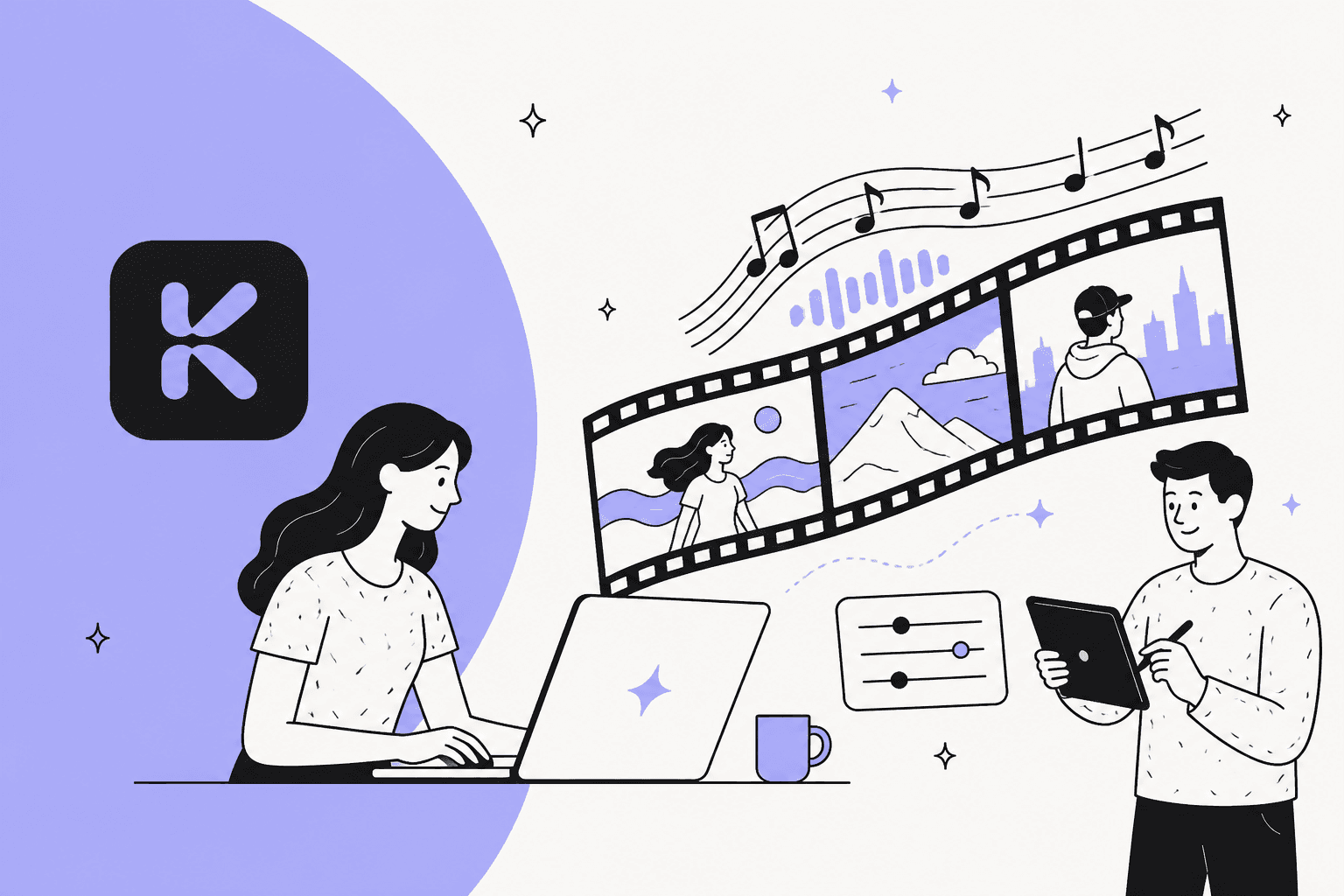
You’ve probably seen those wild, trippy AI-generated videos popping up everywhere. There’s a good chance Kaiber was the tool behind some of them. It's made a name for itself by letting artists, musicians, and marketers turn ideas into eye-catching visuals with just a few text prompts and clicks. It’s pretty exciting stuff, opening up creative doors that used to require years of animation training and some seriously expensive software.
But with any tool that gets this much hype, it's smart to take a step back and look closer. Is it really the right fit for what you need to do? This complete Kaiber overview will walk you through everything, no fluff. We’ll get into its standout features, who it’s actually for, its sometimes-confusing pricing, and a few key limitations you should know about before you jump in.
What is Kaiber AI?
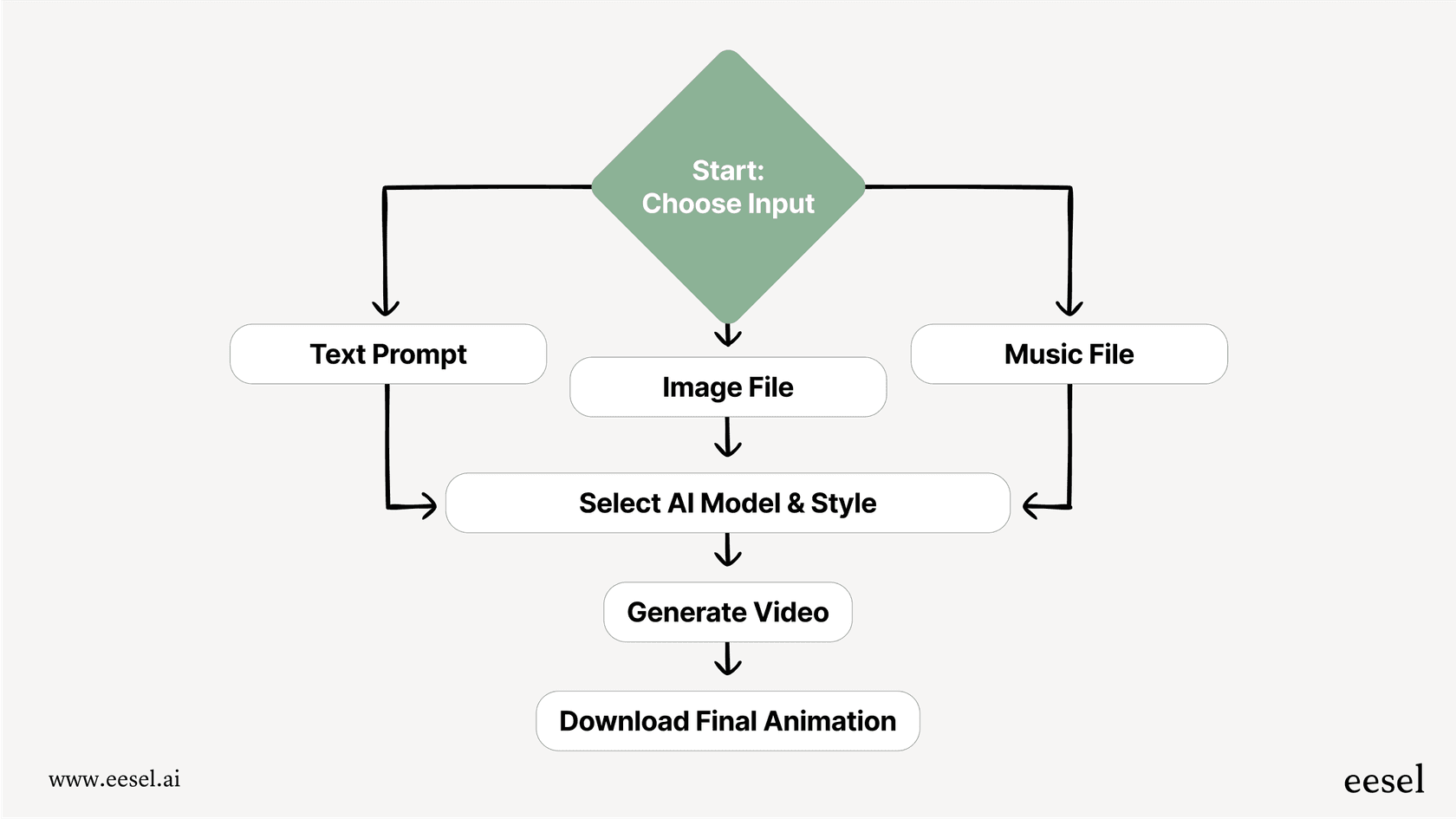
So, what is Kaiber, exactly? Think of it as a creative lab that uses AI to generate videos and animations. You can give it a text prompt, an image, or even a music file, and its AI engine will cook up a unique visual to match. The whole point is to make complex video styling and animation something anyone can do, no matter their technical background.
The platform is built for a pretty wide range of creative folks. You’ve got musicians looking to make music videos without a Hollywood budget, visual artists wanting to bring their work to life, and marketers who need content that stops people from scrolling. It’s all about making high-quality video creation more accessible.
Key features of Kaiber
Kaiber’s real strength is its suite of creative tools, all housed in a central spot called the "Superstudio." This setup is meant to keep your entire workflow in one place, so you can play around with different AI models without having to juggle a bunch of different apps.
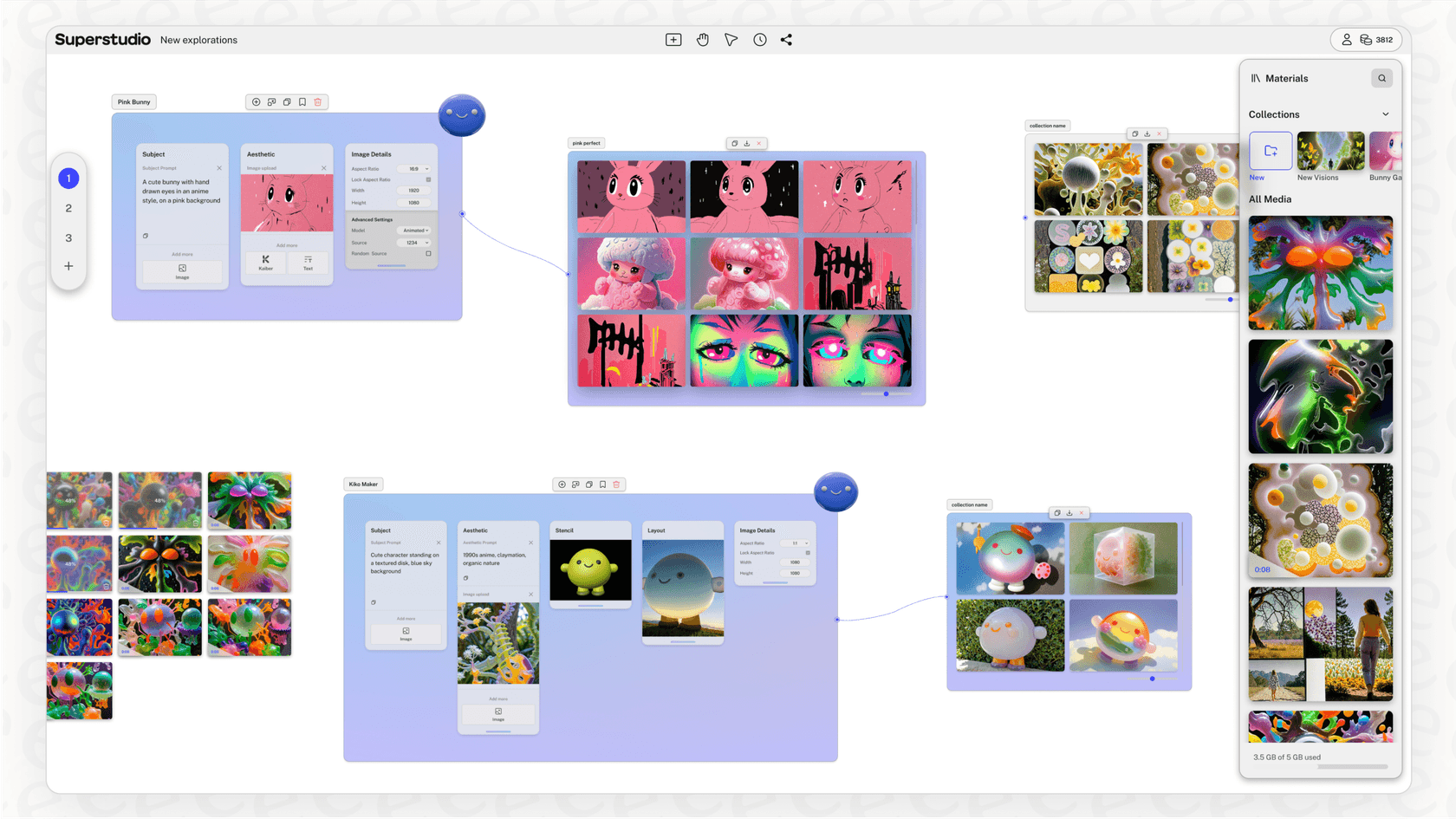
Superstudio: The unified creative canvas
Think of Superstudio as your mission control. Kaiber calls it an "infinite canvas," which is a fancy way of saying it's a flexible workspace where you generate, edit, and keep all your projects organized. It’s designed to bring a bunch of different AI models and tools (which Kaiber calls "Flows") into one interface that makes sense. The goal is to make the creative process feel more natural, letting you mix and match different effects without losing your creative spark.
One naming update: Kaiber's pricing page now labels this workspace Canvas, and lists Beat Sync and a timeline Editor next to it as separate products.
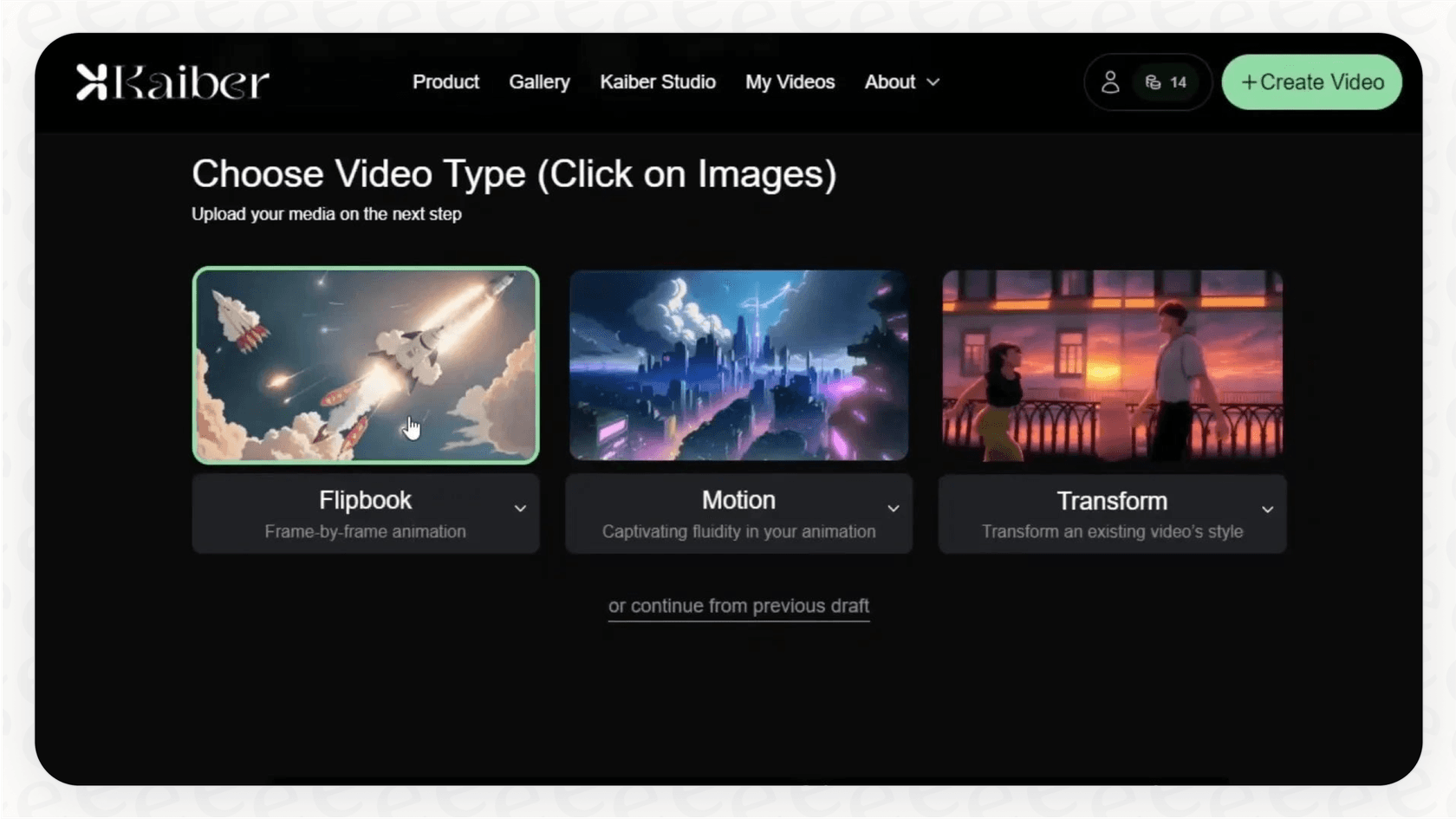
Core video generation modes: Flipbook, Motion, and Transform
Kaiber gives you a few different ways to create videos, and each one is good for a different kind of result.
-
Flipbook: This mode creates a classic frame-by-frame animation that's perfect for evolving, morphing visuals. If you want that abstract, dreamlike look where one image sort of melts into the next, Flipbook is your go-to. It's great for creating surreal sequences from a simple text prompt or a starting image.
-
Motion: If you're looking for smoother, more predictable movement, the Motion tool is what you'll want to use. It’s built to bring static images to life. For example, you could upload a drawing of a character and use Motion to make them walk, fly, or just look around. It's less about abstract morphing and more about creating fluid, believable animation.
-
Transform: This is Kaiber’s video-to-video tool. You can upload your own video clip and use a text prompt to paint a completely new artistic style over it. Ever wanted to turn a boring video of you walking down the street into a moving watercolor painting? Transform is the tool for that.
Advanced capabilities: Audioreactivity and Storyboarding
Beyond the basics, Kaiber has a couple of more advanced features that are a huge deal for certain projects.
-
Audioreactivity: This is the feature that gets musicians really excited. You can upload a song, and Kaiber’s AI will analyze the beat, rhythm, and energy to generate visuals that sync up with the music. The result is a dynamic video where the visuals pulse, shift, and dance in time with your audio, creating a really immersive feel. Kaiber's latest updates also list a Lyric Video workflow that transcribes lyrics from your song and builds timed lyrics into the shots.
-
Storyboard: If you’re trying to build a longer narrative, the Storyboard feature is a must. It lets you map out a sequence of different scenes, each with its own prompt and settings. You can then chain these scenes together to tell a complete story, giving you way more control over the flow of your video than a single prompt ever could.
Who is Kaiber for?
Kaiber can be used for a lot of things, but it really hits its stride in a few specific areas where its creative, and sometimes beautifully random, output is a good thing.
Musicians and music videos
Thanks to its Audioreactivity feature, Kaiber is a huge hit with musicians. It’s even been used to create official music videos for big names like Linkin Park, giving artists a way to get professional-looking visuals without the massive budget of a traditional shoot. It’s perfect for creating unique visualizers, lyric videos, or full-on music videos that match a song's vibe.
Artists and animators
For digital artists, Kaiber is an amazing tool for just playing around and coming up with ideas. You can use the Motion feature to bring your static illustrations to life or experiment with totally new visual styles by running your art through the Transform tool. It’s a fast way to brainstorm and see your work in a different light, saving you from spending weeks manually animating a single sequence.
Marketers and content creators
Marketers are also getting a lot of mileage out of Kaiber for creating social media content that actually gets noticed. You can quickly generate stylized brand videos, animated logos, or other visual assets that stand out in a noisy feed. It's a way to get the look of a high-end animated ad without hiring a specialized team, making it a great option for campaigns that need some extra creative juice.
| Use Case | Recommended Kaiber Feature(s) | Example |
|---|---|---|
| Music Video | Audioreactivity, Storyboard | Visuals that pulse and change with the song's beat. |
| Animated Short | Motion, Flipbook, Storyboard | Bringing a comic book panel to life with fluid movement. |
| Social Media Ad | Transform, Motion | Applying a brand's artistic style to stock video footage. |
| Album Art Visualizer | Motion, Audioreactivity | Creating a looping, animated version of an album cover. |
Kaiber pricing and plans
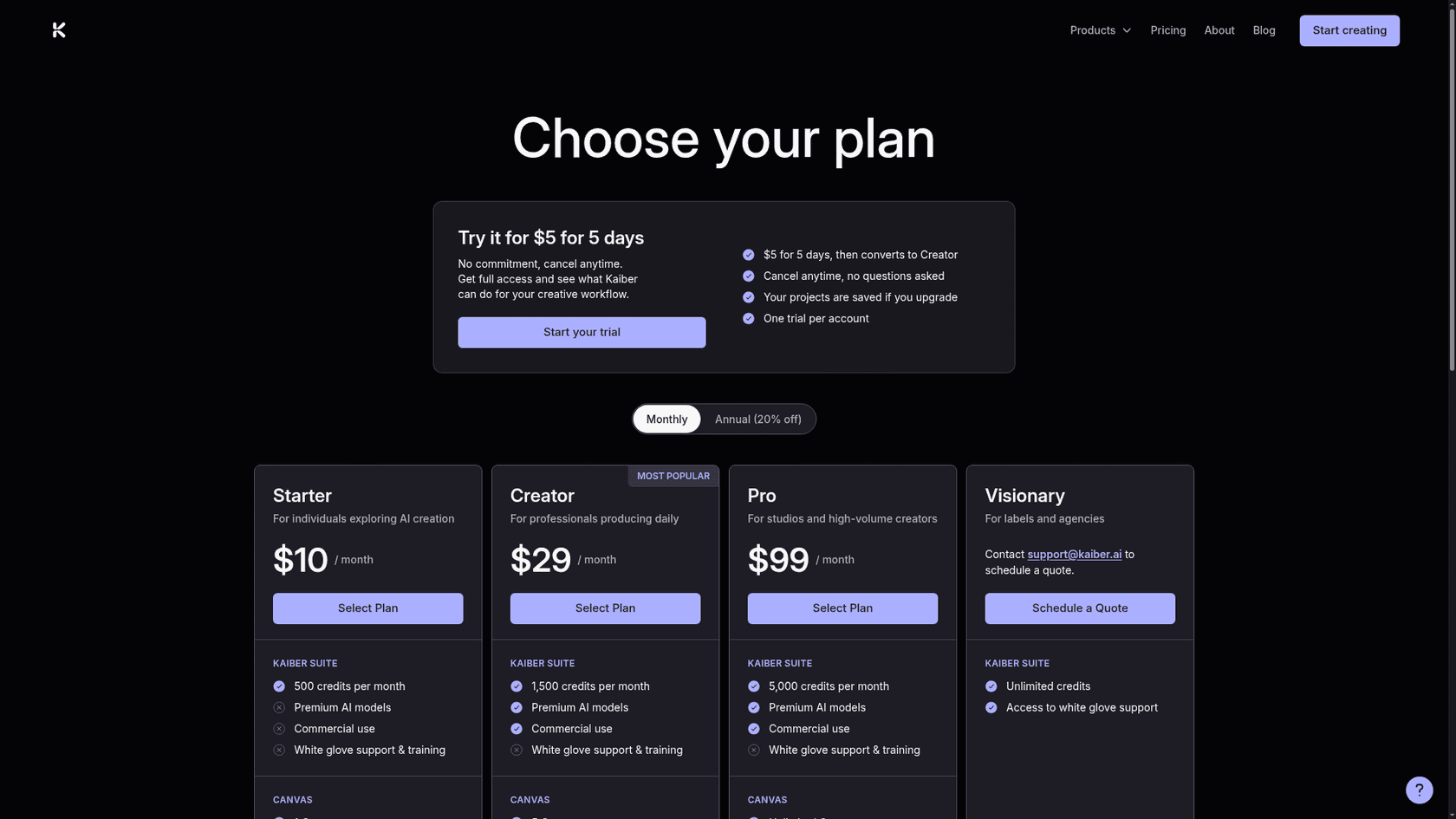
Alright, this is where things can get a little confusing. Kaiber doesn’t have a simple monthly subscription; it runs on a credit-based system. Pretty much everything you do, generating a preview, creating a video, making it higher resolution, costs credits. This can make it tough to figure out how much a project is actually going to cost you.
Here’s the official breakdown of their plans:
| Plan | Monthly price | Credits per month | Canvases | Beat Sync | Commercial use |
|---|---|---|---|---|---|
| Trial | $5 for 5 days, then converts to Creator | Creator allowance | n/a | n/a | n/a |
| Starter | $10/month | 500 | 1 | No access | Not included |
| Creator | $29/month | 1,500 | 5 | Batch up to 2 videos | Included |
| Pro | $99/month | 5,000 | Unlimited | Batch up to 10 videos | Included |
| Visionary | Quote (contact Kaiber) | Unlimited | n/a | n/a | n/a |
Annual billing takes 20% off, and I don't see a permanent free plan listed on the current pricing page.
If you burn through your credits, you can buy more in packs: 300 for $5, 1,000 for $15, 3,500 for $50, or 20,000 for $250. The $5 for 5 days trial is the cheapest way to test it.
The problem is how fast those credits can vanish. A single 4-second HD video can easily cost you 30-40 credits just for the first draft. Then you have to spend even more to upscale it to a better resolution. If you have to run a few tests to get your prompt just right, you can see how the costs start to stack up, leading to a bill that’s hard to plan for.
Limitations and challenges
While Kaiber is a seriously impressive creative tool, it's good to be realistic about its limitations, especially if you're thinking about using it for professional or business projects.
The unpredictable credit system
The credit system isn't just confusing; it can get expensive. When you’re paying for previews, first drafts, and upscaling, the "real cost" of getting that one perfect video is often way higher than you first thought. This trial-and-error process means you’re spending money even on the versions you end up deleting.
For businesses, predictable costs are a big deal. It’s why platforms built for business operations, like the customer support tool eesel AI, offer one fixed monthly price (from $299/month for 500 credits, where 1 credit is one ticket or chat, however long). No one likes a surprise bill.
Inconsistent results and lack of fine control
Because Kaiber is built for creativity, it often gives you results that are beautifully abstract but not always precise. You'll find reports from users that animations can miss important details, especially with things like facial expressions or specific object movements. Getting a very specific, controlled output can take dozens of tries, which burns through a lot of time and credits.
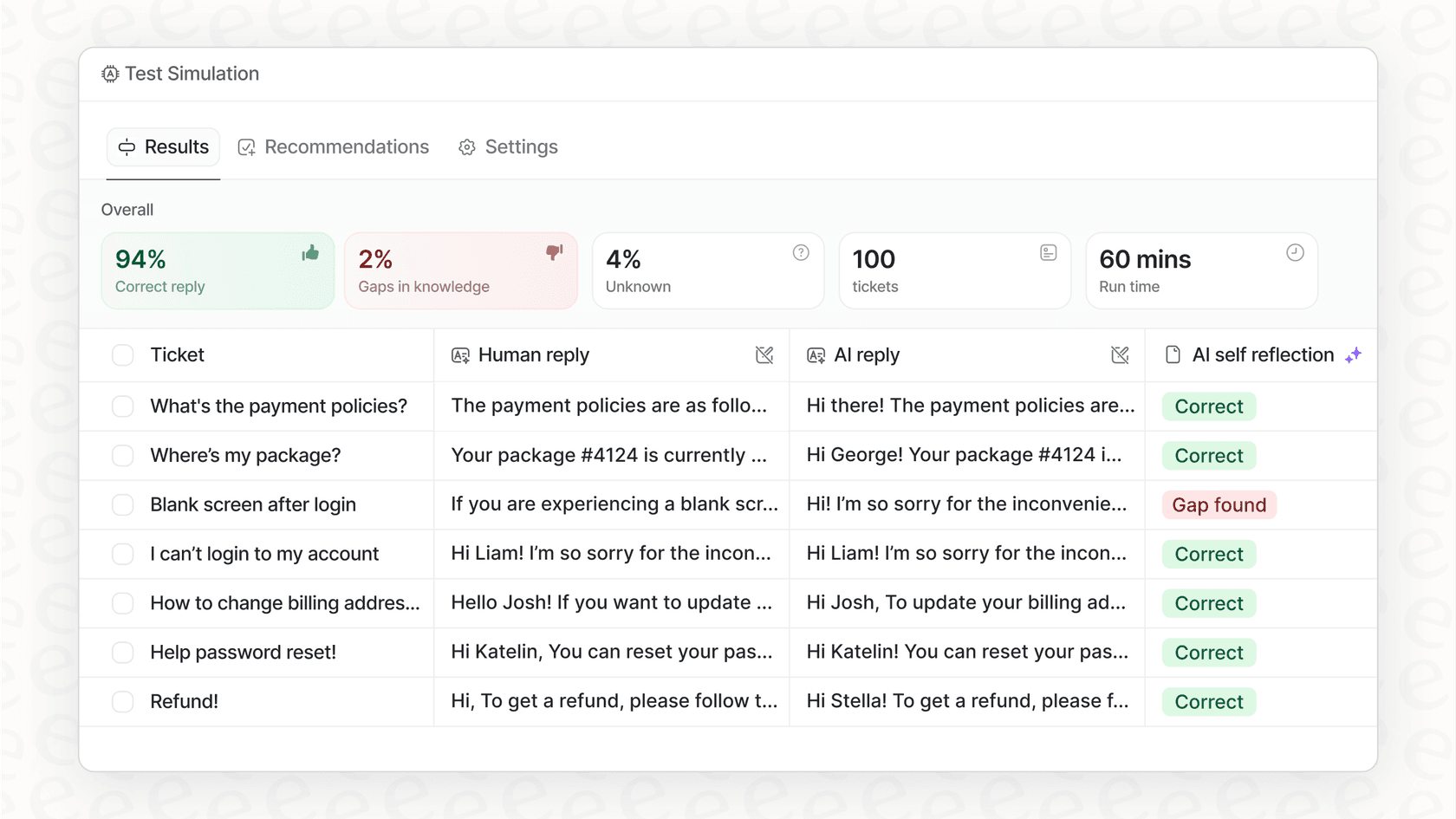
In a business setting, consistency is everything. That’s why a tool like eesel AI has features like a simulation mode, which lets support teams test their AI agent on thousands of past customer tickets. This guarantees you know exactly how it will perform before it ever talks to a real customer.
A specialized tool for a specialized job
When you get right down to it, Kaiber is a fantastic, highly specialized tool for creative video generation. It does one thing, and it does it with a lot of style. But it’s not a general-purpose business tool, and it’s important to remember that.
Just like you’d use Kaiber for a music video, you need a purpose-built AI for other business problems. For handling customer support, a tool designed to work with helpdesks like Zendesk and Freshdesk is what you need. eesel AI is built specifically for this, learning from your company’s knowledge base and past tickets to deliver accurate, automated answers.
The takeaway
Kaiber is a powerful and genuinely fun tool for anyone wanting to play around with the creative side of AI. It’s a great fit for artists, musicians, and marketers who need stylized visuals and are okay with a bit of randomness in the process.
However, its weak spots, the unpredictable pricing, inconsistent results, and narrow focus, make it a tough sell for business tasks that need to be reliable and controllable. A smart AI strategy isn’t about finding one tool that does everything; it’s about picking the right specialized tool for each job.
If your goal is creative video, Kaiber is definitely worth a look. But if you're trying to automate customer service, make your support team more efficient, and give customers instant, accurate answers, you need a specialist. eesel AI offers a self-serve platform that you can get running in minutes, gives you full control over your support, and comes with predictable pricing. You can start free with 100 credits, no card.
Frequently asked questions
Can you give me a simple Kaiber overview of what the platform does?
Kaiber is an AI-powered creative lab that generates videos and animations from text prompts, images, or music. It aims to make complex video styling and animation accessible to creators without extensive technical background.
How does the credit system work, as detailed in this Kaiber overview?
Kaiber uses a credit-based system where actions like generating previews, creating videos, and upscaling resolution all consume credits. This can lead to unpredictable costs, as testing and revisions quickly deplete credits beyond initial expectations.
What are the main creative modes discussed in this Kaiber overview?
The blog highlights Flipbook for evolving, morphing visuals; Motion for bringing static images to life with smoother movement; and Transform for applying new artistic styles to existing video clips.
For whom is this Kaiber overview most relevant in terms of professional use?
Kaiber is primarily suited for musicians creating music videos, digital artists animating their work, and marketers needing unique, stylized social media content. Its strengths lie in creative, abstract video generation.
What are the key limitations outlined in this Kaiber overview?
Key limitations include the unpredictable and potentially expensive credit system, inconsistent results that lack fine control over specific details, and its specialized nature, making it less ideal for general business tasks requiring high reliability.
Does this Kaiber overview recommend the tool for highly precise or consistent business animations?
No, this Kaiber overview notes that the tool often produces abstract rather than precise results, making it less suitable for business tasks requiring consistent output or fine control over specific details like facial expressions.