Modern IT teams are under a ton of pressure. You’re expected to support more employees, more devices, and more software, often with the same (or smaller) headcount. It’s no surprise that management keeps bringing up AI as the magic fix for everything.
But if you’re an IT pro, you’ve probably seen your fair share of clunky demos and heard stories about bots that just create more work. The skepticism is real, and it is valid.
Every vendor is selling these AI solutions that promise the world: deflected tickets, instant answers, happy customers. But I'm pretty skeptical. It seems like it could just as easily be a money pit that gives customers wrong answers and pisses them off.

That’s why we wrote this guide. It’s a no-fluff, practical look at what an "IT support AI agent" really is, what to look for, what to avoid, and how to actually implement one without driving your team (and your end-users) crazy. Let's cut through the noise and get to what works.
What is an IT support AI agent?
To start with, let's be clear: a real "IT support AI agent" isn't just a simple, scripted chatbot that spits out links to your knowledge base. It’s an AI teammate that’s designed to understand context, reason through problems, and actually resolve common IT issues all on its own.
The 'correct' response would be the exact same thing you do as a good L1 when presented with that question by a user. It's not a single interaction method, it needs to be a 'conversation'. 1. You don't assume the user is correct, you validate the information. 2. You don't jump to a conclusion, you gather more information to determine the probable cause 3. You make a set of troubleshooting steps, each of which should be aimed at either rectifying or identifying the root cause 4. Validate that the issue has been resolved. 5. Document actions taken, summarize root cause, classify the ticket and close it.
Think of it as the newest member of your team, one who can handle the repetitive stuff so your human experts can focus on the hard problems. Its core job is to augment your team, not replace it, by taking on a few key roles:
-
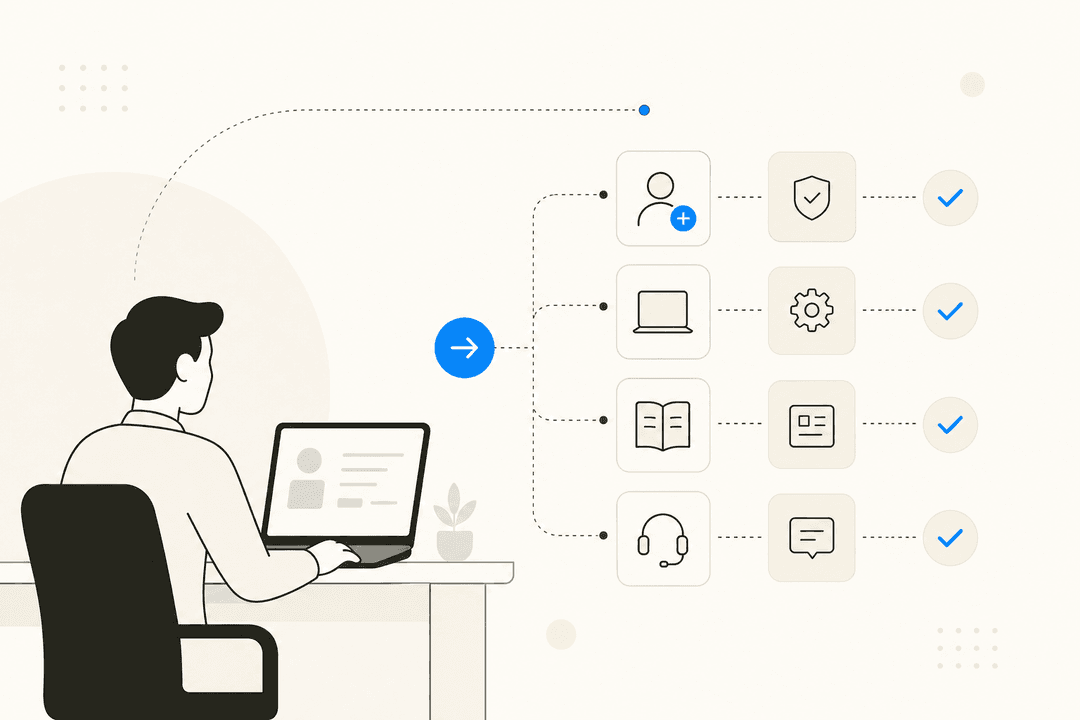
Automated Resolution: It can handle the high-volume, low-effort tasks that clog up your queue, like password resets, account unlocks, and basic software installation requests.
-
Ticket Management: It can automatically create, tag, and route support tickets in systems like Jira Service Management or ServiceNow.
-
Knowledge Delivery: It can answer employee questions about things like IT policies, device eligibility, or software usage by pulling information directly from your knowledge sources.
-
Contextual Help: It understands the nuance of a request rather than just searching for keywords, which means fewer "I don't understand" responses.
The whole point is to free up your human IT staff to work on the projects that actually move the needle, not to create another frustrating barrier for employees seeking help.
Key capabilities to look for in an IT support AI agent
Not all AI agents are built the same. The difference between a genuinely helpful AI teammate and a frustrating bot that just creates more work for everyone comes down to a few critical capabilities. Here’s what you should actually be looking for.
Seamless integration and a fast setup
The last thing your team needs is another massive project on their plate. A good IT support AI agent should plug directly into the tools you already live in every day, like Jira, ServiceNow, Slack, and Microsoft Teams. If a vendor starts talking about a multi-month process that requires dedicated developers and endless onboarding calls, you should probably look elsewhere.
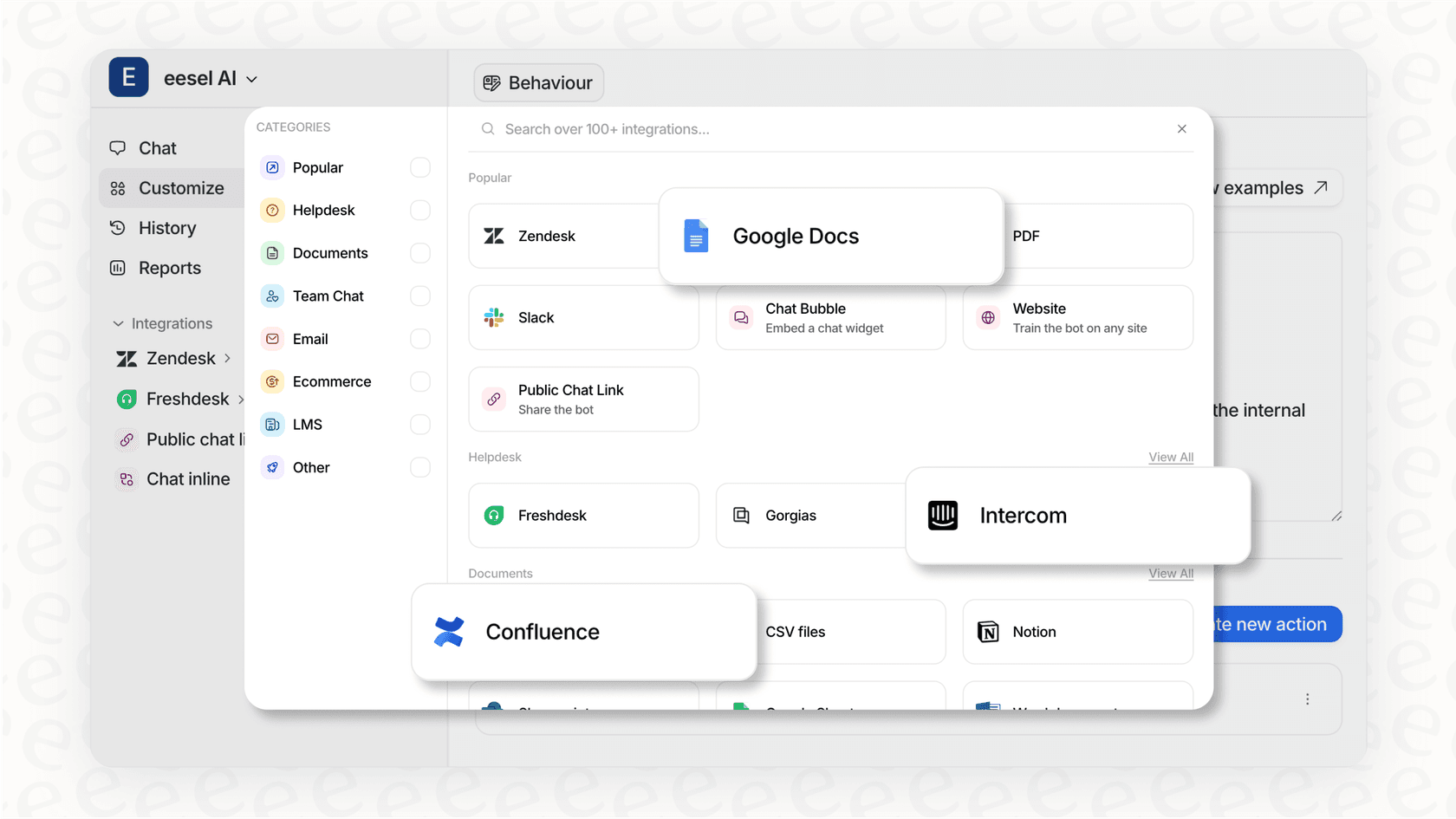
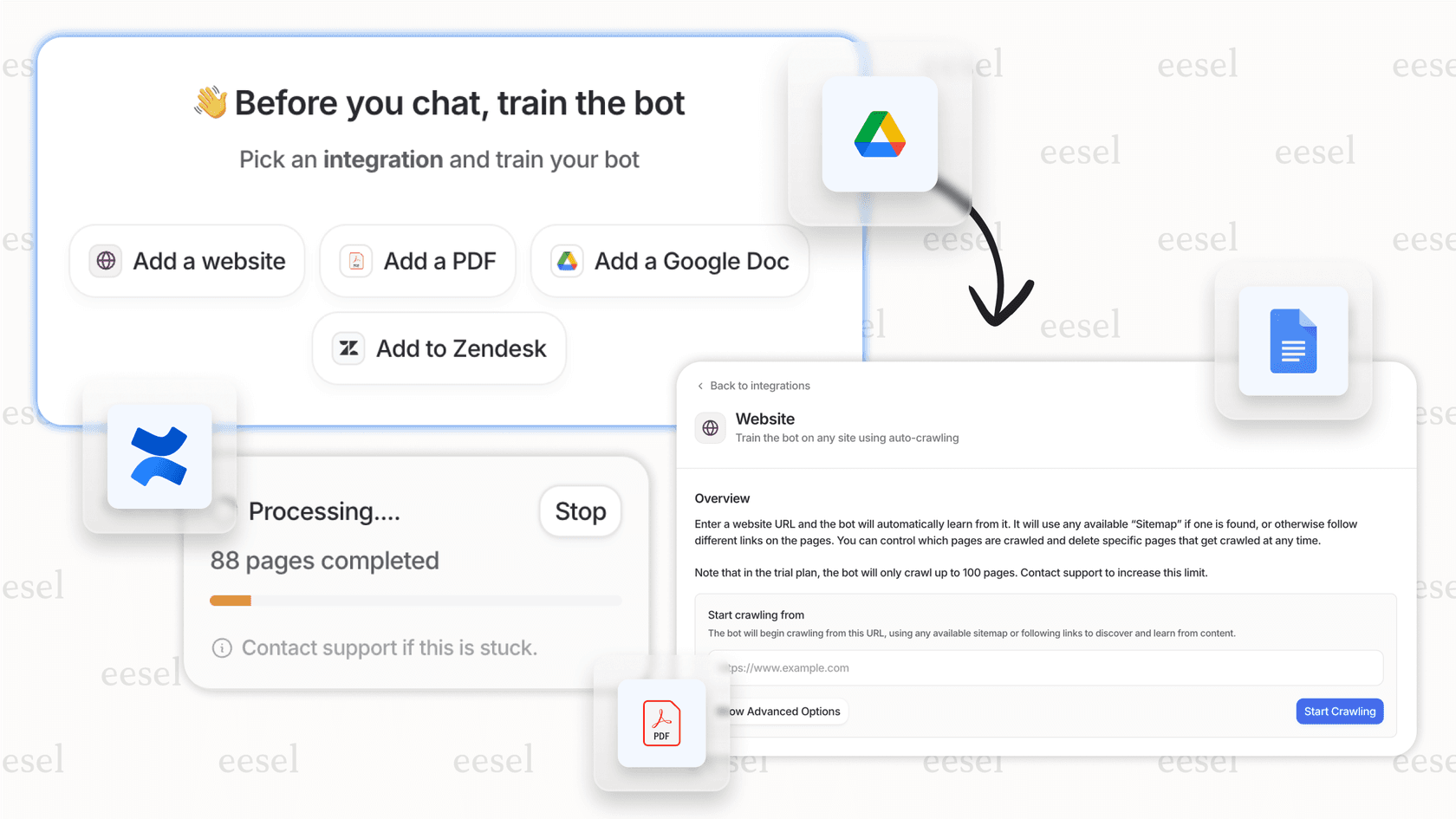
Look for a platform with an "invite, don't configure" philosophy. You shouldn't have to install it like a legacy piece of software; you should be able to onboard it like a new hire. This is a core idea behind platforms like eesel AI, which offers one-click integrations that connect to your helpdesk and internal tools in minutes. It starts learning from your environment right away, so you can see value on day one.
Learning from your specific business context
One of a biggest failures of generic AI agents is their complete lack of context. They give unhelpful, boilerplate answers because they don't understand the nuances of your company. You can't have an AI telling an employee with a broken VPN to "check your internet connection" when the real issue is a specific server outage.
A powerful IT support AI agent has to learn from your company's actual data. This means training on your historical support tickets, internal documentation in Confluence or Google Docs, and procedural guides. This is how it learns the "why" behind your IT processes.
I did this recently with Zendesk. You'll need good documentation sources for any of them to be helpful, so make sure updating or creating documentation is set as a prerequisite if you don't already have it.
Even better is an agent that keeps learning. The best platforms get smarter with every single interaction and piece of feedback. For example, with eesel AI, you teach the AI the same way you’d teach a new team member: by talking to it. You can correct its responses, give it feedback, and it learns instantly. Because it trains on your past support tickets from the moment you connect it, it understands your team's specific tone and solutions right out of the box.
Full control with a safe rollout path
Handing over the keys to an AI can feel risky, and it should. You need to have complete control over what the AI does and when it does it. This isn't a "turn it on and hope for the best" situation.
Look for a tool that allows for a gradual, human-supervised rollout. The agent should start by working in a "draft mode," suggesting replies that a human on your team has to approve. This human-in-the-loop approach builds trust and ensures quality from the very beginning.
The best tools also let you define its behavior in plain English. You shouldn't need a developer to write code or a consultant to configure complex logic trees. You should be able to just tell it what to do, like, "If a new hardware request comes from the design team, create a Jira ticket and assign it to the IT procurement lead." This level of control is a core differentiator of eesel AI for ITSM. It’s designed to be rolled out just like a new hire: it starts by drafting replies and gradually earns more autonomy as it proves it knows what it's doing.
Common challenges and limitations of IT support AI agents
Knowing what to look for is half the battle. Just as important is knowing what to avoid. Here are some of the most common pitfalls that turn promising AI projects into frustrating failures.
The "black box" problem
A lot of AI tools on the market are "black boxes." You feed them your data, they spit out an answer, and you have very little insight into their reasoning. When they get something wrong, correcting them can feel impossible.
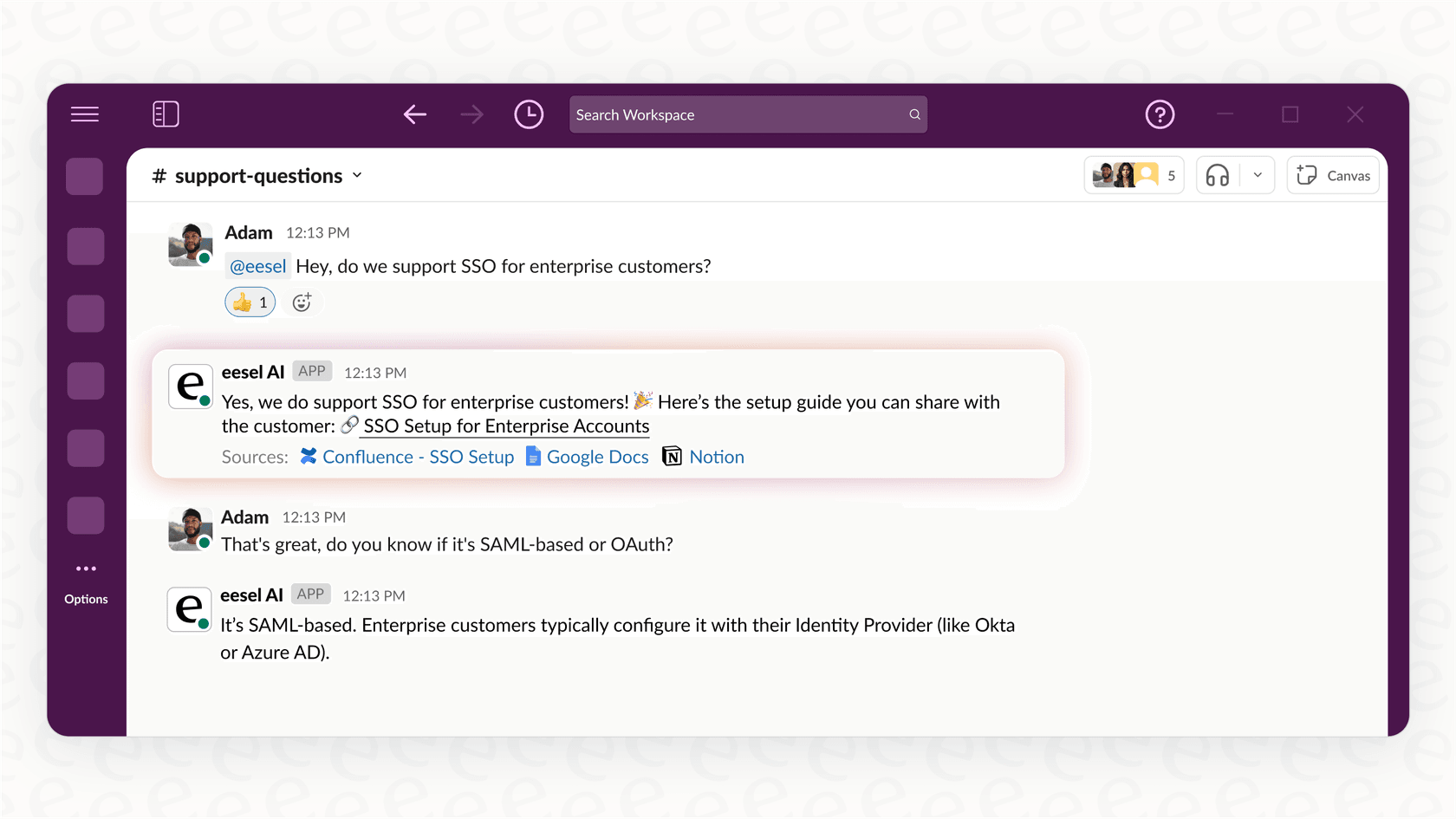
This becomes a massive headache when your IT policies change, you roll out a new system, or a procedure is updated. The AI can quickly become a source of outdated, incorrect information. That’s why it’s so important to choose a platform that’s transparent and easy to correct. For instance, with eesel AI's internal chat, if a policy changes, you can just send the AI a message on Slack to update it. It’s collaborative and instant, not a painful cycle that takes weeks.
Hidden costs and confusing pricing models
Be very wary of pricing models that look cheap upfront but are designed to become incredibly expensive and unpredictable down the road. Some vendors penalize you for being successful, which is a huge red flag.
Here’s a quick breakdown of common pricing structures you’ll run into. For a visual comparison of these models, see the graphic below.
| Pricing Model | How it Works | Potential Downside | Example Platform |
|---|---|---|---|
| Per Interaction / Subscription | You pay a predictable monthly or annual fee that includes AI interactions. | You have to keep an eye on your usage, but billing is transparent and predictable. | eesel AI |
Always look for transparent, predictable pricing that aligns with the value you’re getting. A flat, subscription-based model is almost always a better, more sustainable choice for your budget.
The risk of a poor user experience
At the end of the day, a badly implemented IT support AI agent is worse than no AI at all. It will frustrate your employees, create more work for your IT team when they have to clean up the AI's messes, and ultimately damage the credibility of your department.
This is why testing before you go live is non-negotiable. And a canned sales demo doesn’t count as a real test.
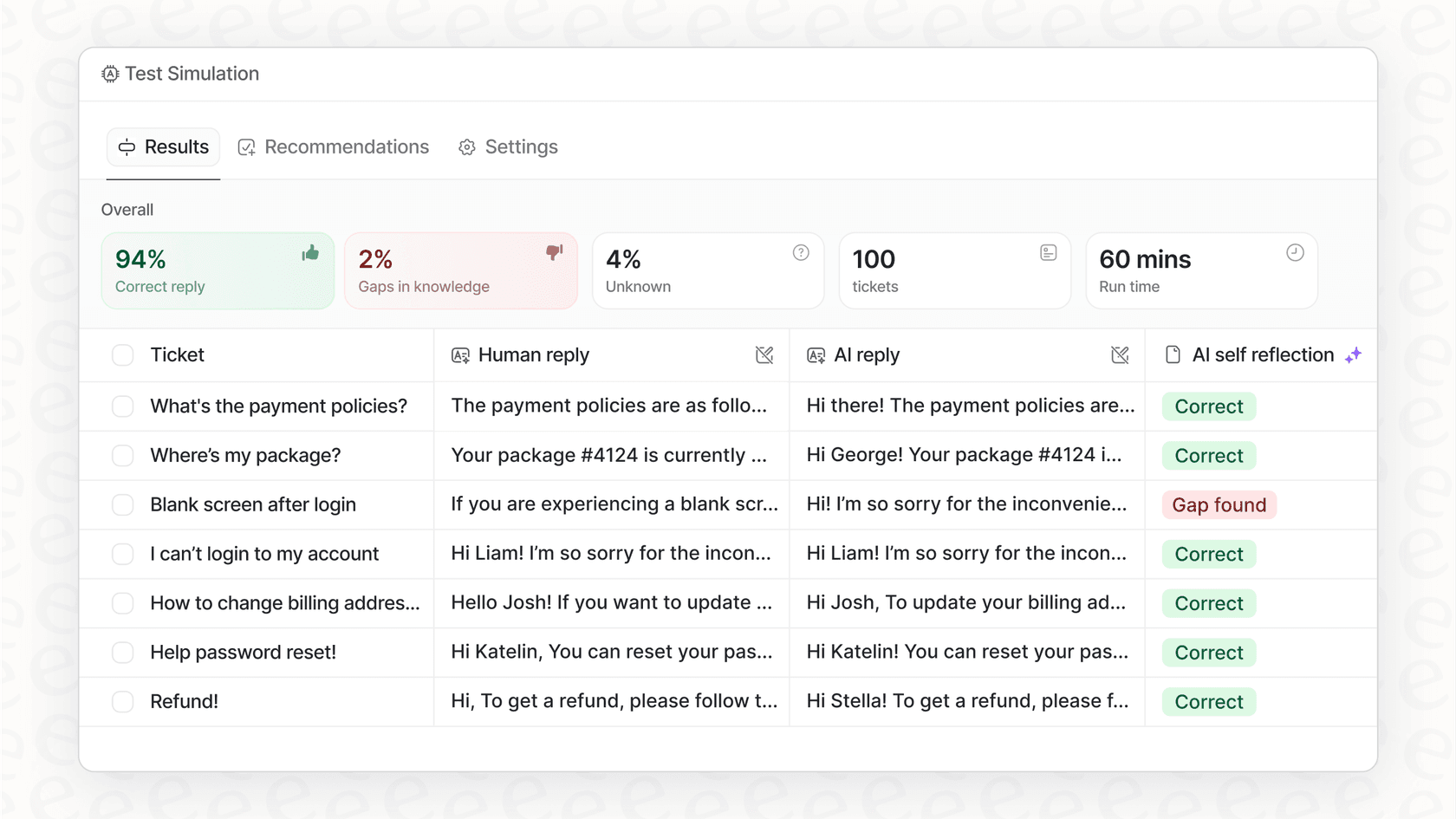
You need a platform that lets you see how it will perform with your actual data, in your real-world environment. While some platforms offer testing environments, a truly safe rollout goes a step further. With eesel AI, you can run a simulation against thousands of your past tickets to see exactly how it would have responded. This gives you an accurate forecast of its performance and helps you spot any gaps in its knowledge before it ever interacts with a real employee.
Why your next hire could be an IT support AI agent
An IT support AI agent can be a massive help for a stretched IT team, but only if you choose the right one. Success isn't about buying the fanciest "solution"; it's about finding a platform that functions like a true teammate.
For a practical demonstration of how quickly a capable AI agent can be set up to handle real support tasks, check out the video below. It shows how you can build a business-ready agent with access to a full knowledge base in just a few minutes, without any coding.
The best AI agents are the ones you hire and train, not the ones you configure with rigid, brittle rules. They need to learn your specific context, allow for a controlled and safe rollout, and operate with total transparency and predictable costs.
This is exactly the philosophy behind eesel AI for ITSM. It's an AI teammate you invite to your helpdesk and internal tools. It learns from your team's past work, starts out by drafting replies for your approval, and earns more autonomy over time as it proves itself. It gives you all the power of a sophisticated "IT support AI agent" without the complexity, risk, and hidden costs that come with so many other tools.
Ready to see what a true AI teammate can do for your IT helpdesk? Invite eesel to your team

Frequently asked questions
Pricing varies by vendor, but you will usually see models based on successful resolutions or monthly subscriptions. For example, eesel AI uses a predictable subscription model, while others might charge per resolution.
Yes, most modern agents are designed to work where your team already communicates. A good IT support AI agent should plug directly into Slack or Microsoft Teams to meet employees where they are.
Not at all. The goal is to handle the repetitive, low-level tasks like password resets so your human experts can focus on more complex projects and high-impact work.
It depends on the tool. Legacy systems can take months, but modern platforms like eesel AI offer one-click integrations that allow you to get started and see value in just a few minutes.
Yes, that is one of the most common use cases. An IT support AI agent can automate high-volume, low-effort tasks like account unlocks and software installation requests.
You typically connect it to your existing knowledge bases, like Confluence or Google Docs, and your historical support tickets. The agent then learns your specific policies and tone from those sources.
Share this article

Article by
Kenneth Pangan
Writer and marketer for over ten years, Kenneth Pangan splits his time between history, politics, and art with plenty of interruptions from his dogs demanding attention.