Internal helpdesk best practices: what top IT teams do differently in 2026

Stevia Putri

Katelin Teen
Last edited May 15, 2026
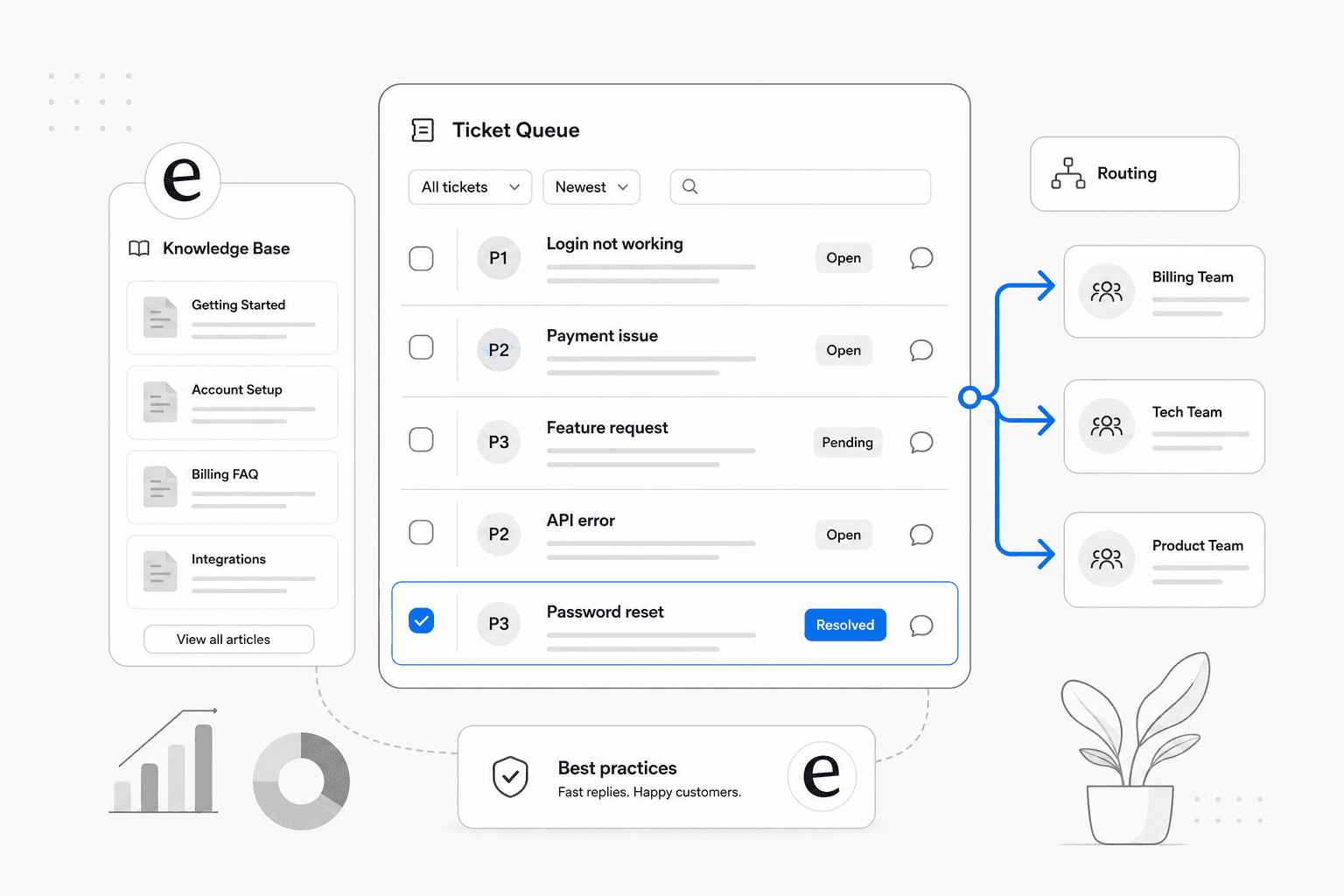
Most internal helpdesks fail not because teams picked the wrong software, but because they never agreed on what "done" looks like. Tickets pile up in Slack DMs. Ownership is murky. Agents react to whatever is loudest, and the actual backlog keeps growing. One r/ITManagers thread describes a 1,000-person company where "Slack is basically the helpdesk" — three IT staff, no structure, no visibility. That's not a software problem.
This guide covers the specific practices that separate a well-run helpdesk from one that just technically exists. If you need the step-by-step setup process, that's in our how to set up an internal helpdesk guide. What follows assumes you have something running and want it to actually work well — or you're planning one and want to do it right from the start.
eesel AI is how many teams now handle the tier-1 volume that would otherwise swamp IT staff, but the software is the last piece. The practices below come first.
Define request ownership before you touch any software
The most reliable predictor of helpdesk failure is ambiguous ownership. A ticket gets assigned to a team, but no single person is responsible for closing it. It bounces between agents, stalls during cross-department handoffs, and shows as open in the queue indefinitely.
Hiver's internal helpdesk guide is direct about this: "Assign ownership for resolution, not just assignment. Every request needs a single owner responsible for closing it, even if multiple teams are involved." That's a subtle but important distinction. A ticket that goes from IT to HR to Finance needs a primary owner who tracks it to resolution, even when the work happens elsewhere.
Before configuring a single queue or category:
- List every department that will submit and handle requests
- For each request type, name which team handles it and who closes it
- Document what happens when a ticket isn't resolved within SLA — not in theory, but the actual escalation path with named roles
Lithiumkid1976's description on Spiceworks of a bad prior setup captures what skipping this step produces: "bad field names, no automation, double entries of fields." The fields and automation are fixable. An organization that doesn't know who owns what is not a configuration problem.
Make intake frictionless, not just available
A self-service portal that employees ignore is not actually a support channel. The number one adoption failure mode is forcing employees to a tool they don't naturally encounter.
The community consensus on this is unusually unified. From Scott Alan Miller in the Spiceworks implementing-a-ticket-system thread (one of the most-referenced practitioner discussions on this topic):
"Start using it without telling them. Have users email in requests directly to an email address that ends up being the one that Spiceworks uses. For other things, make the tickets yourself. Show the value BEFORE needing buy in."
This "invisible helpdesk" approach — where employees interact only via email and tickets appear in the backend without the employee ever touching the portal — consistently produces the highest adoption rates. The portal follows once the behavior is established.
A few principles that hold across team sizes:
- One memorable intake path. A single email address (
helpdesk@company.com), a Slack channel, or a URL likego/ithelp. Atlassian uses thego/ithelpapproach internally. One path, easy to remember. - Create tickets on behalf of walkers-in. When someone DMs an IT agent or walks up in person, the agent creates the ticket. The employee gets the confirmation. Over time, the behavior shifts.
- Gradually enforce the channel. Once the helpdesk is established, stop responding to out-of-channel requests with a direct fix. Respond with: "Please submit this at helpdesk@company.com so we can track it." Polite, not punitive.
For teams with a strong Slack culture, a Slack-native intake — where submitting a request in a channel automatically creates a ticket — has the highest adoption ceiling. Tools like eesel AI for Slack support handle both the intake and the initial resolution without requiring employees to leave their primary work tool.
Build a knowledge base employees actually use
A knowledge base reduces ticket volume. That part is straightforward. What's less obvious is that a poorly maintained knowledge base increases it — employees search for an answer, find an outdated article, fail to solve their problem, and then submit a ticket anyway, now confused and already frustrated.
Keeping's internal helpdesk guide puts it simply: "A knowledge base can help employees find answers to common issues without submitting a support request. This can reduce the workload of the help desk team and allow them to focus on more complex issues." The operative word is "can."
What makes a knowledge base actually work:
Start with the 20 most common ticket types. Don't try to document everything before launch. Look at the last three months of tickets, find the 20 most repeated issues, write articles for each. These 20 will deflect the bulk of the volume.
Write for a new employee with no technical context. The audience is not IT. Plain language, step-by-step instructions, screenshots. A title like "How to reset your VPN password" will be found and understood. "VPN credential management procedure v2.3" will not.
Assign a knowledge base owner. Someone whose job includes reviewing article quality monthly, checking whether articles with high views still lead to ticket submissions anyway (a sign the article isn't solving the problem), and flagging outdated content during ticket resolution. Without a named owner, the knowledge base degrades.
Surface articles at ticket submission. The highest-leverage integration is showing relevant KB articles the moment an employee starts filling out a ticket. Many resolve themselves before hitting the queue. Zendesk calls this ticket deflection before creation.
Bharvi Patel, People Partner at Hiver, on what structured knowledge management changed for her team (Hiver internal helpdesk guide):
"A big portion of our queries were repetitive. Once we structured responses and made information easier to access, that volume dropped significantly."
For a detailed guide on building one from scratch, see how to build an internal knowledge base and a practical guide to creating a knowledge base.
Set SLAs your team can actually meet
SLA targets are a promise. Missing them consistently erodes employee trust faster than a longer but honest commitment would.
TOPdesk's SLA best practices guide warns against "watermelon SLAs" — green on the dashboard because the metric is technically within range, but red on the inside because the employee had to follow up three times and wait four days. Moving toward Experience Level Agreements (XLAs), which measure the actual employee experience rather than just response time, addresses this gap.
The ITIL 4 priority matrix provides the industry-standard framework. Priority is a function of impact (how many users are affected) and urgency (how time-sensitive the issue is):
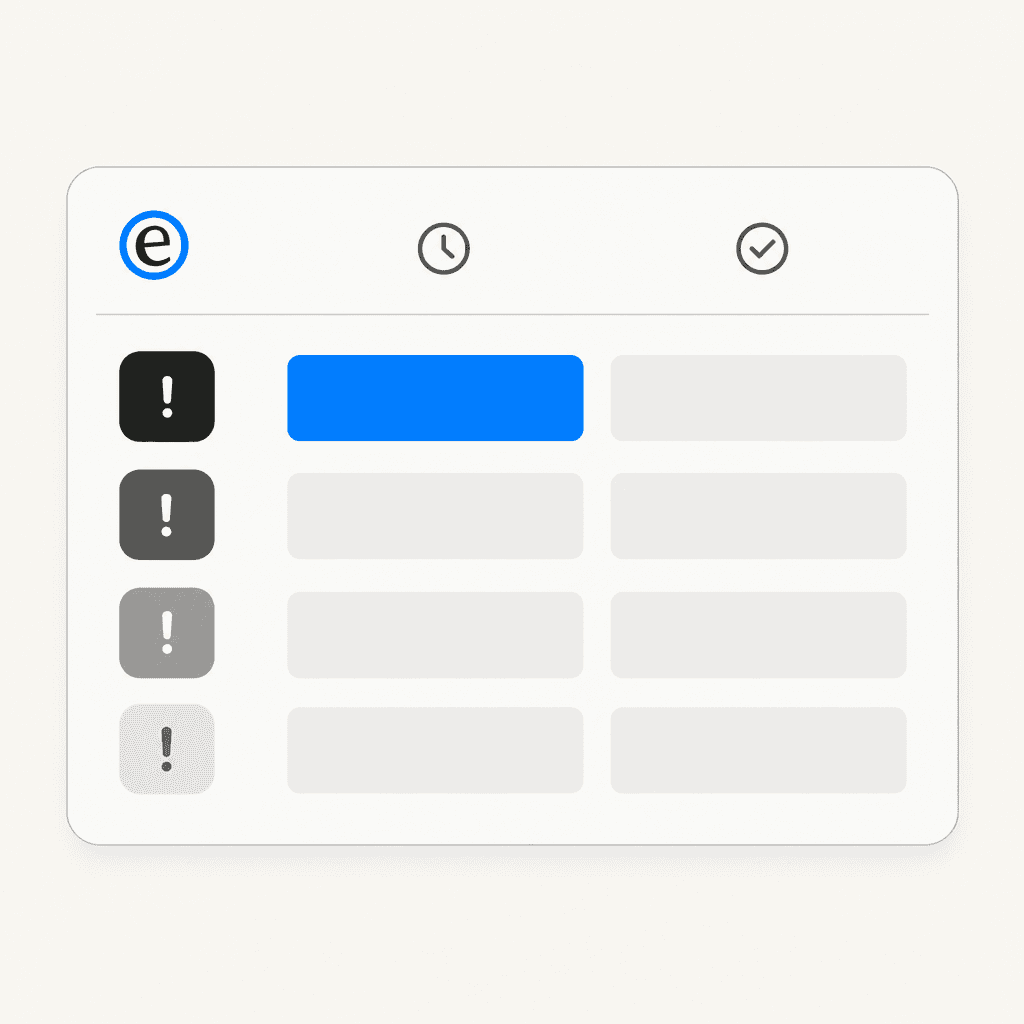
Benchmark targets from PDCA Consulting and Jitbit's priority guide:
| Priority | Description | First response | Resolution target |
|---|---|---|---|
| P1 – Critical | Full outage, security breach, all-user impact | 15-30 min | 2-4 hours |
| P2 – High | App failure affecting a department, email server down | 1-2 hours | 8-24 hours |
| P3 – Medium | Single-user access issue, software installation | 4-8 hours | 1-3 business days |
| P4 – Low | Cosmetic issues, non-critical requests | 1-2 business days | 5-10 business days |
Three things that determine whether SLAs hold in practice:
Tie priority to business impact, not loudness. The loudest requester is not always the most critical one. An executive's laptop issue may feel urgent to them; a P1 system outage affecting 300 people is more urgent by definition.
Set SLAs to current capacity, then improve. Freshworks notes that 95% or higher SLA compliance rates is the standard target. If your team is hitting 60% on current targets, the right response is recalibrating the target, identifying root causes, and fixing them — not keeping aggressive targets that are never met.
Audit breaches for patterns. When SLAs are missed, ask why. Is it a staffing problem? Missing information in the ticket at submission? Unclear ownership during handoff? Supportbench's internal helpdesk tips recommend monthly operational reviews specifically to catch these patterns before they compound.
Structure support in tiers
Flat queues — where all tickets land in one pool and agents grab whatever is next — work at very small scale and break at medium scale. Tiered support solves for two things: routing the right ticket to the right person, and keeping skilled engineers from spending half their day on password resets.
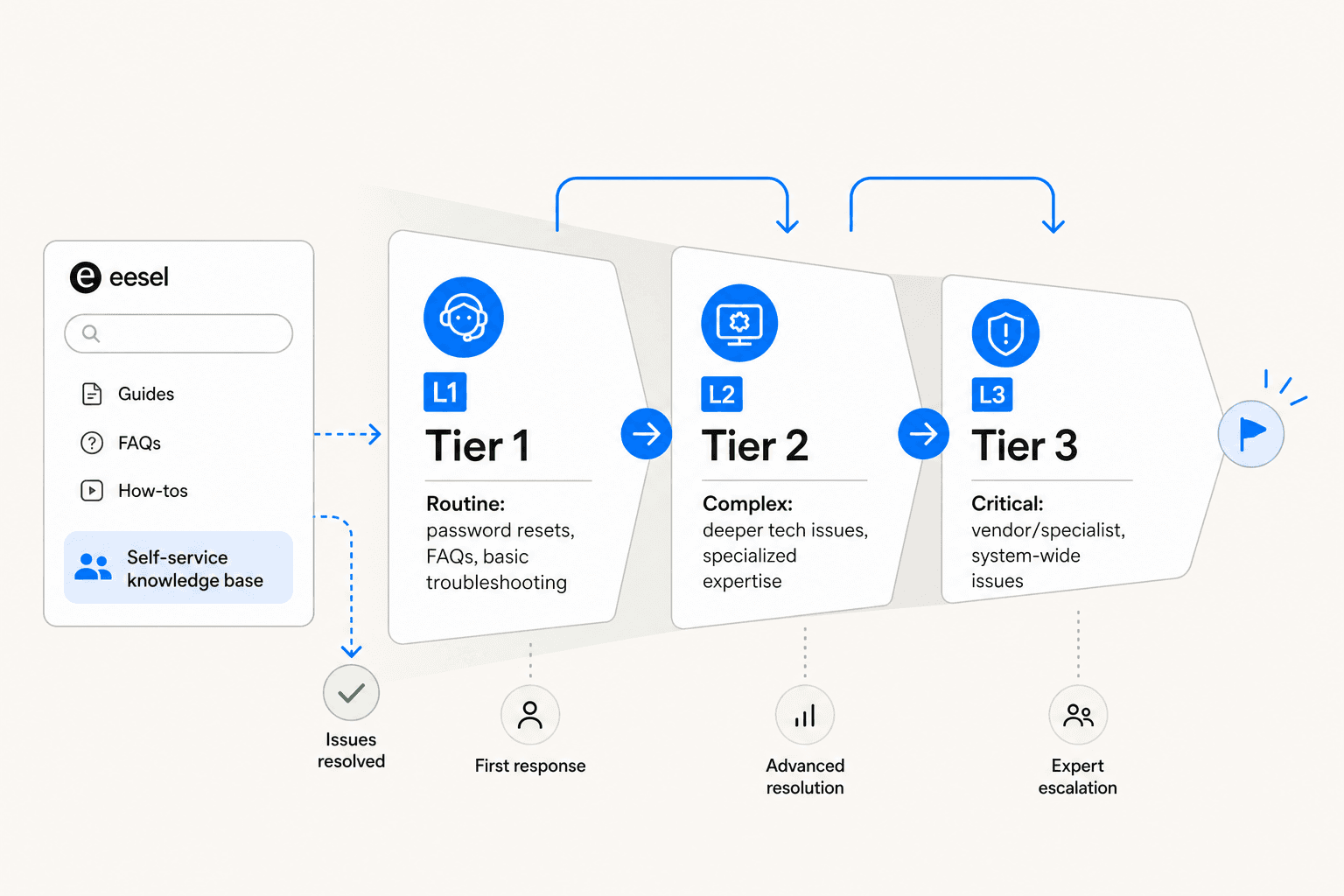
The standard structure from Atlassian's service desk guide:
- L1 (Tier 1): First response. Handles routine requests — password resets, basic troubleshooting, knowledge base lookups, access provisioning for standard systems. Often generalist agents or the IT helpdesk coordinator role. When AI is added to the helpdesk, L1 is where it operates.
- L2 (Tier 2): Complex technical issues requiring deeper expertise. Handles escalations from L1 that require system-level access, developer environment issues, or specialist knowledge.
- L3 (Tier 3): Vendor involvement, senior engineering, or infrastructure work. Handles critical incidents or problems that L2 escalates.
Atlassian's internal experience confirms the impact of specialization: "Life became far simpler, because the teams receive much more targeted work. Plus, areas of specialization allow team members to become actual experts over a particular domain."
A note from the Reddit sysadmin community: many teams use a simplified two-tier structure (L1/L2) before they have the volume to justify a dedicated L3. From r/sysadmin: "L1 for self-help, ticket taking and knowledgebase-resolved tickets. L2 beyond the basics of troubleshooting." That's a fine starting point; add L3 when you see L2 regularly getting pulled into vendor escalations.
Automate routing and follow-ups from day one
Manual triage is a time sink. An agent reading every incoming ticket to decide where it goes is doing work the system can do. ITSM workflow automation is one of the clearest productivity levers in a mature helpdesk.
Automation worth implementing immediately:
- Auto-route by category. "Software access" goes to IT. "Leave policy question" goes to HR. No manual triage. The IT admin at The Wharton School, quoted by Zendesk: "We rely on automations and triggers to zip requests over to the right place. Nothing lies around."
- Auto-assign within teams. Round-robin or workload-based assignment within a queue. No one agent becomes the unofficial catch-all.
- SLA countdown timers. Automatic alerts when tickets approach breach. Without these, agents only notice missed SLAs after they've already happened.
- Auto-close stale tickets. After a defined period of no activity following a resolution confirmation, the ticket closes. This keeps the queue accurate and the metrics honest.
- Canned responses for common types. For the 20 most frequent ticket types, have a template ready. Saves 3-5 minutes per ticket, which adds up quickly at volume.
The most important automation boundary is escalation. Supportbench warns: "Always give employees a clear path to escalate to a real person. Automating too much can lead to frustration when needs are urgent or nuanced." Automation handles routing and routine responses; humans handle edge cases, emotional situations, and anything requiring judgment.
Track the metrics that improve decisions
A helpdesk that doesn't measure performance can't improve it. Ticket analytics are also the primary tool IT teams use to make the case for headcount, infrastructure investment, and process changes.
As one Spiceworks practitioner put it in the implementing-a-ticket-system thread:
"A ticketing system not only keeps you organized but it can give you valuable information about your assets. After receiving the ticket, place it in a certain category and when needed you can pull up a graph showing which issues are continuous vs. the issues that you don't see a lot of. This can be used as proof to the management certain systems need updating when they see a lot of tickets being produced with the same issue."
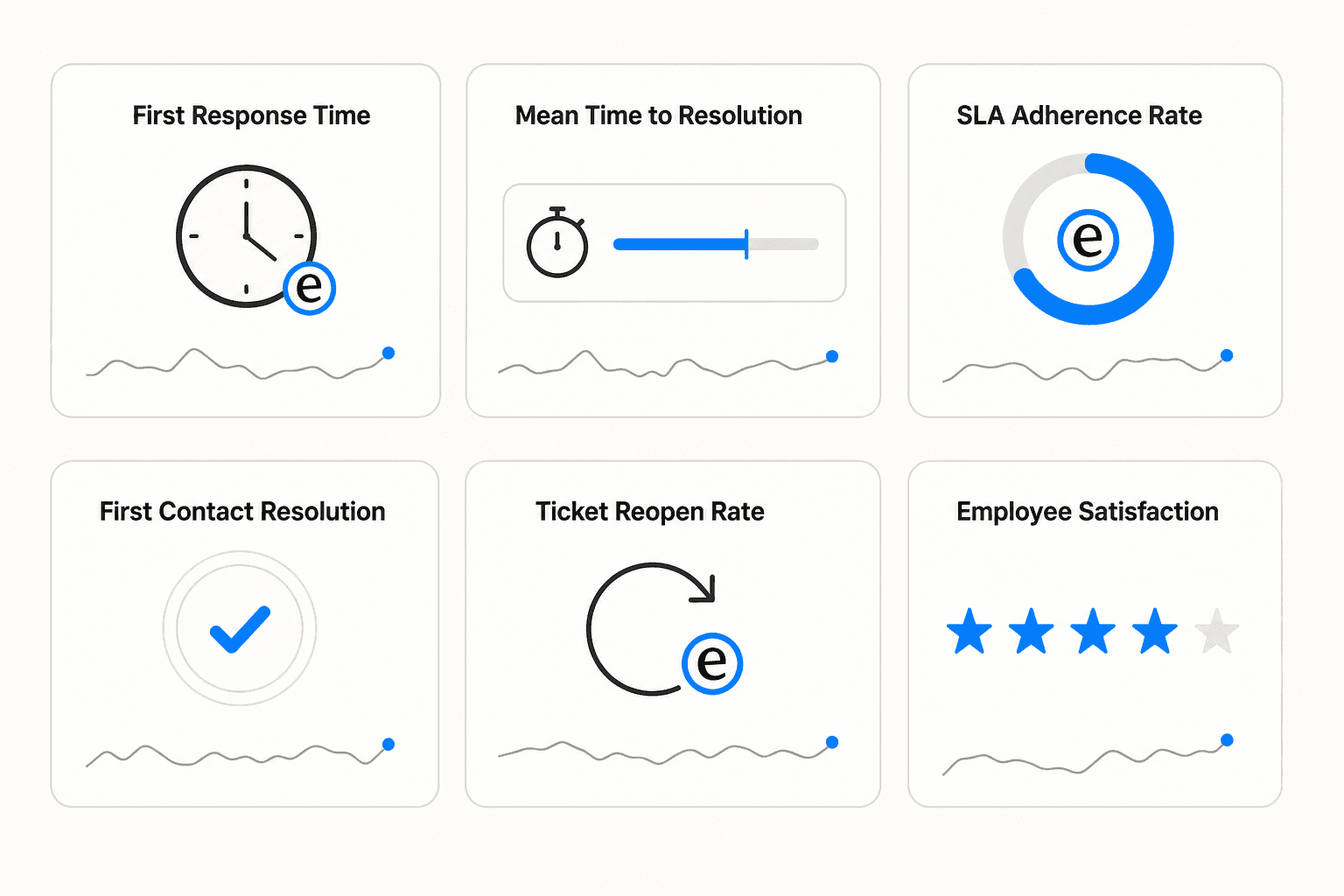
The metrics worth tracking:
| Metric | What it signals |
|---|---|
| First response time | Whether acknowledgment is fast enough to prevent follow-up |
| Mean time to resolution (MTTR) | Operational efficiency; spikes indicate bottlenecks |
| SLA adherence rate | Whether commitments are realistic and being kept |
| First contact resolution (FCR) | How often tickets close without escalation or follow-up |
| Ticket reopen rate | Premature closures; a high rate means resolutions aren't sticking |
| CSAT / Employee satisfaction | Whether employees are actually satisfied, not just technically served |
Hiver introduces the Employee Effort Score (EES) as a complement to CSAT. It measures how much effort the employee had to exert to get help — how many times they followed up, whether they switched channels, how long they waited between responses. A ticket that resolves in five days but requires the employee to follow up twice might still get a 4/5 CSAT. EES captures the friction CSAT misses.
Review cadence that Supportbench recommends: monthly for operational metrics (SLA adherence, FCR, reopen rate); quarterly for user feedback surveys; semi-annually for process alignment with department heads.
Use eesel AI to handle tier-1 volume
The highest-volume, lowest-complexity tickets — password resets, access provisioning, VPN setup, leave policy questions — are predictable, repetitive, and well-documented. They're exactly the type of work that doesn't require a human agent to read and respond from scratch every time.
eesel AI connects to the tools your helpdesk already runs on — Zendesk, Freshdesk, Jira, Slack, Microsoft Teams — and learns from your existing data: past tickets, your knowledge base articles, Confluence docs, Notion pages, Google Drive. It doesn't need new documentation or manual training. It reads what already exists and starts handling tier-1 requests.
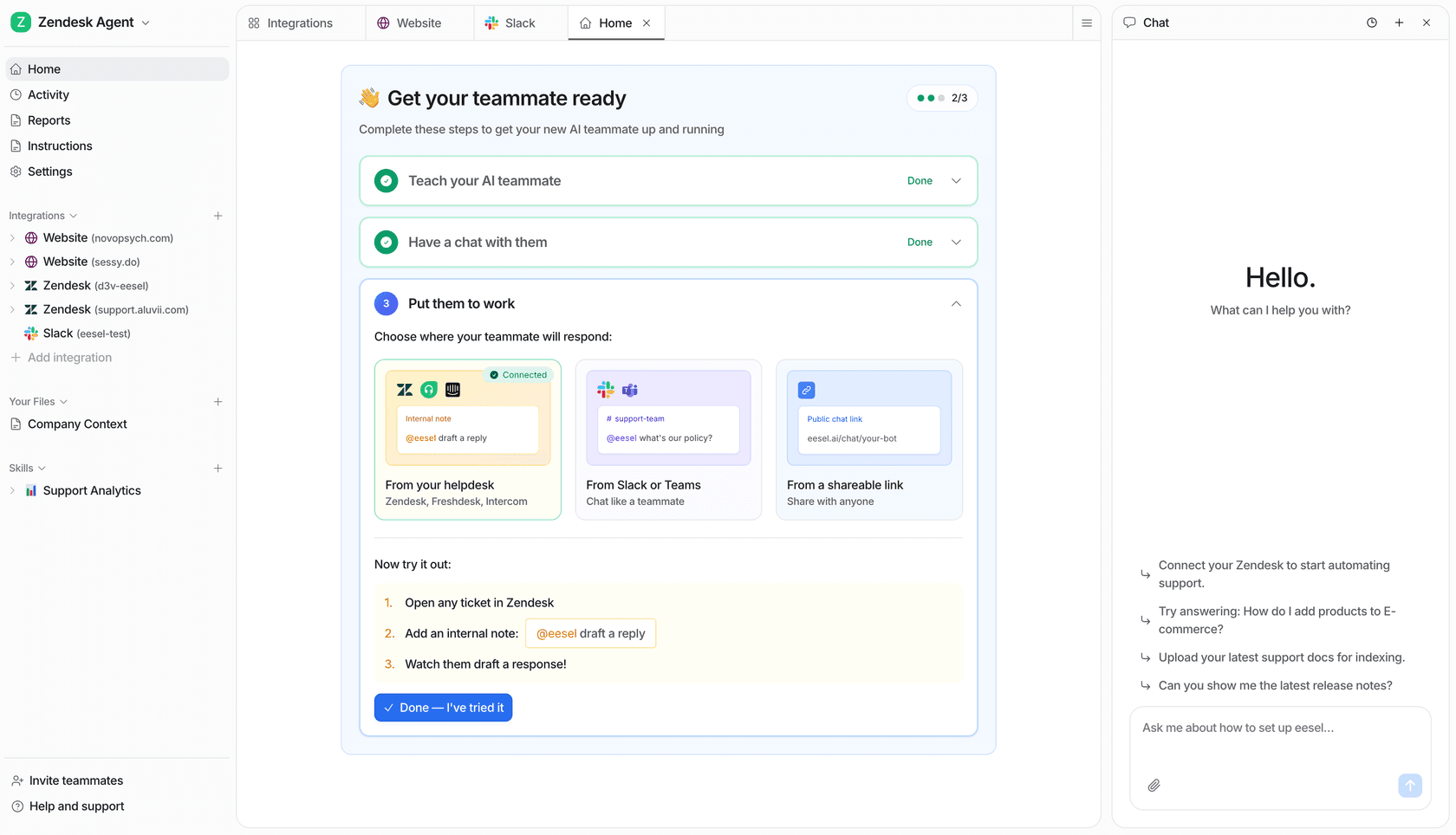
The model is graduated autonomy. Teams start with eesel drafting responses for agent review — no ticket gets sent without a human approving it. Once the quality is verified (using eesel's simulation feature, which runs the AI against past tickets and scores accuracy), the scope expands: eesel handles the ticket types where confidence is high, drafts the ones where it's uncertain, and escalates anything that falls outside its knowledge.
Jason Loyola, Head of IT at InDebted, on their deployment:
"We use it to be the first responder to our Helpdesk tickets in Jira. It acts just like an agent."
For teams where Slack is the primary employee communication channel, eesel works directly inside Slack — employees ask a question in the IT helpdesk channel and get an answer without ever touching a ticket portal. More on that in best AI tools for Slack support.
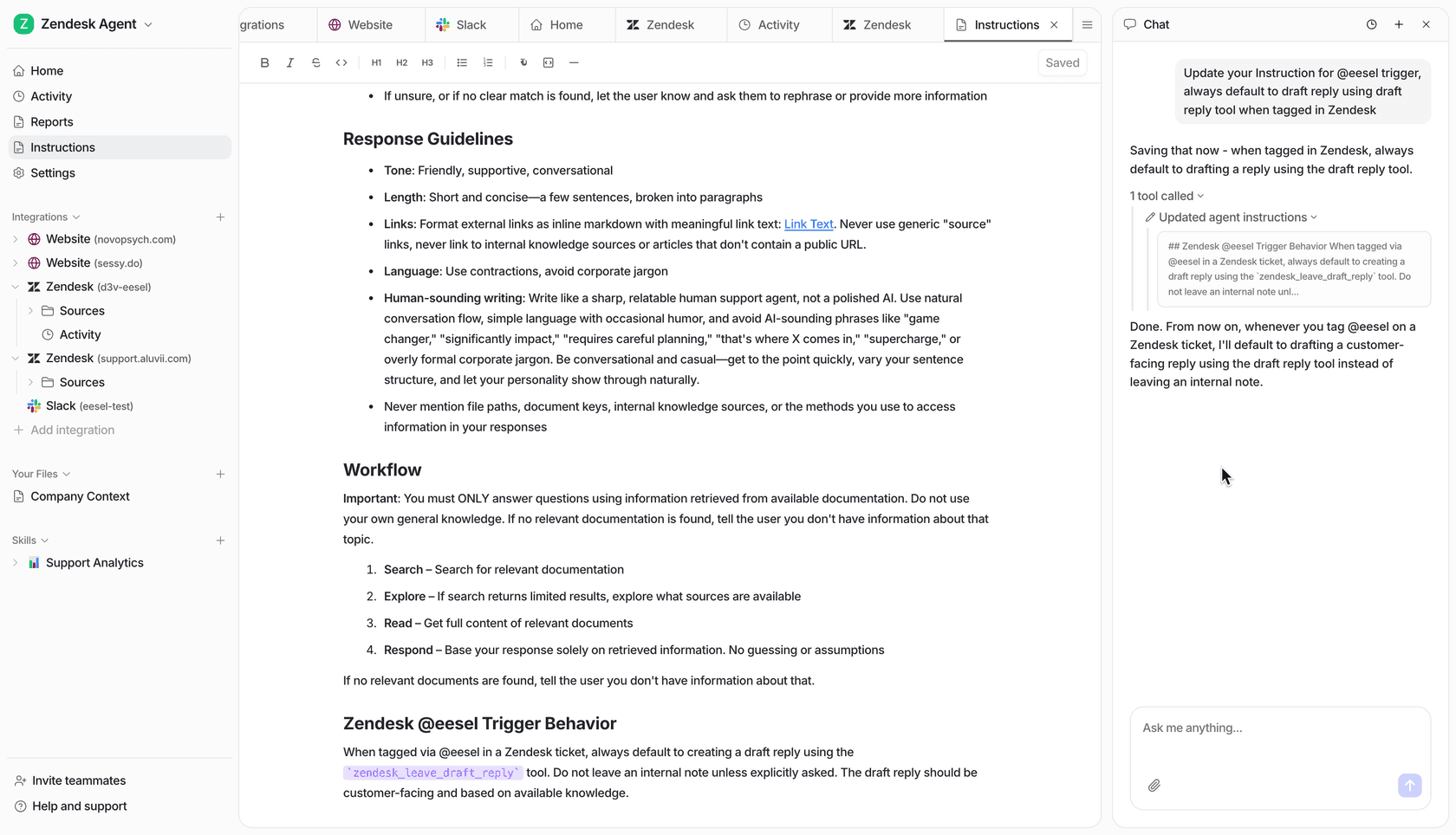
Behavior is configured in plain English. "Escalate any security access request to the IT security team." "Password resets can be handled automatically during business hours." "If the employee mentions HIPAA or compliance, escalate immediately." No decision trees, no rigid rule configurations. eesel understands natural language instructions the same way a human teammate would.
The economics work at almost any ticket volume. At eesel's pricing of $0.40 per ticket, a team handling 500 internal tickets per month spends $200/month. If the AI resolves 60% of those autonomously, 300 tickets that previously took agent time close without human involvement.
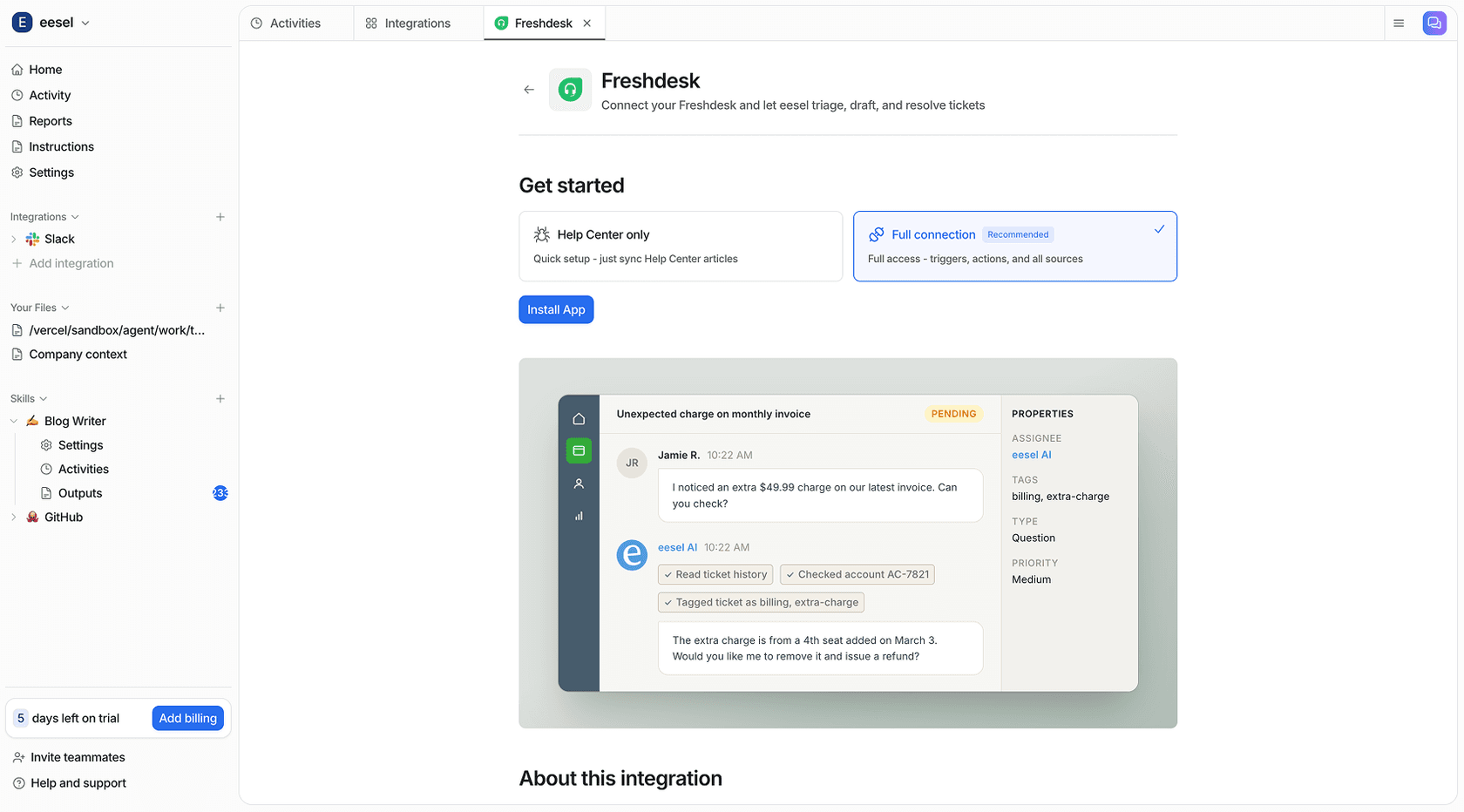
Integrations with Zendesk and Freshdesk are native — eesel operates as an agent teammate inside the existing platform. For teams evaluating their options, see best internal support chatbot software and best AI for support ticket triage.
Mistakes that undermine otherwise well-configured helpdesks
These come up repeatedly in community discussions and vendor post-mortems. They're not obvious at setup time, which is why they're worth naming explicitly.
Over-configuring from day one. Building 40 ticket categories, 8 SLA tiers, and complex automation chains before processing the first ticket. Hiver explicitly warns: "Avoid over-configuring at this stage. Start simple and build as volume increases." Complexity earned through use is sustainable. Complexity installed speculatively creates maintenance burden and confusion.
Parallel channels that bypass the system. Allowing IT staff to continue responding to Slack DMs alongside the helpdesk means some requests are tracked and others aren't. Metrics become unreliable. Agents feel invisible. The fix is gradual but firm: when someone DMs, create the ticket for them and reference it in your reply.
Treating every ticket as P2. Without a priority matrix, the default is to respond to whatever is loudest. Genuinely critical issues get mixed in with non-urgent requests, and agents have no principled basis for sequencing their day. A simple three-tier framework (Critical/High/Normal) is better than no framework, even if you're not ready for full ITIL P1-P4 prioritization.
No feedback loop between tickets and the knowledge base. Every time an agent resolves a ticket using a workaround that isn't documented, that knowledge disappears. A simple standard — "if you resolved this from memory, write it in the KB before closing the ticket" — keeps the knowledge base current without requiring a separate documentation project.
One-time launch training. Agents receive training at go-live and nothing after. Tools change, policies update, new categories get added. Supportbench recommends monthly refreshers, quarterly feedback surveys with agents, and semi-annual process alignment with department heads.
Try eesel AI for your internal helpdesk
eesel AI connects to your existing helpdesk tools — Zendesk, Freshdesk, Jira, Slack, Microsoft Teams — and starts handling tier-1 tickets from your internal teams immediately. It learns from your existing knowledge base, past tickets, and connected docs, and operates with graduated autonomy: drafts for review at first, then autonomous resolution once the quality is verified.
Try eesel AI free with $50 in usage and no credit card required. For teams managing 200+ internal tickets per month, the ROI is typically visible within the first billing cycle.

Frequently Asked Questions
Share this article

Article by
Stevia Putri
Stevia Putri is a marketing generalist at eesel AI, where she helps turn powerful AI tools into stories that resonate. She’s driven by curiosity, clarity, and the human side of technology.