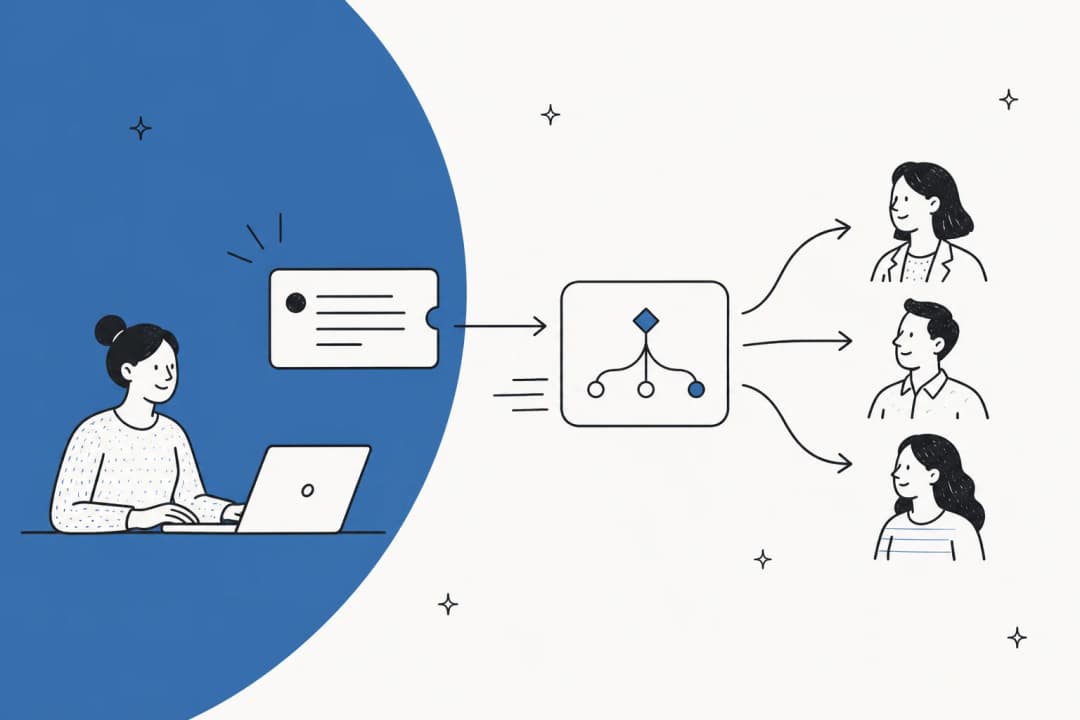
How to set up an internal helpdesk in 2026

Stevia Putri
Written by

Stevia Putri

Katelin Teen
Reviewed by

Katelin Teen

Last edited May 15, 2026

Expert Verified
Internal helpdesk workspace showing a ticket queue panel connected to a knowledge base panel

Most companies start internal IT support the same way: a shared inbox, someone designated to "handle IT stuff," and a pile of Slack DMs that never get properly resolved. It works until the team grows past around 30 people - at which point tickets start falling through the cracks, effort gets duplicated, and agents spend hours on requests that should take five minutes.

An internal helpdesk fixes this. It gives employees one place to submit requests, gives IT and ops teams a clear queue to work from, and - when configured right - handles a significant portion of requests without anyone touching them. eesel AI, for example, deploys as an AI agent on top of existing helpdesk platforms and typically resolves 73% of tier-1 requests within the first month.

This guide covers the full setup process: picking a platform, defining SLAs, configuring intake channels, building your knowledge base, setting up automations, and adding AI. Estimated time to get to a working helpdesk: one to two weeks.

Before you start, you'll need:

  • Admin access to your team's communication tools (Slack, Teams, or email)
  • A rough list of the services IT or ops currently handles
  • An estimate of your monthly ticket volume (even ballpark numbers are fine)

What an internal helpdesk actually does

An external helpdesk handles customers. An internal helpdesk handles employees - their IT requests, HR questions, access provisioning, software installs, onboarding tasks, and anything else that currently lands in a shared inbox or gets resolved through someone tapping a colleague on the shoulder.

A properly configured internal helpdesk does four things: centralizes all requests into one queue so nothing gets lost, routes each ticket to the right person or team automatically, surfaces knowledge so employees can self-serve before filing a ticket at all, and tracks resolution metrics so you can see where bottlenecks are building up.

It's also worth separating two things that often get conflated: the helpdesk platform (Freshservice, Jira Service Management, and similar) handles the ticket lifecycle. The AI layer (eesel and similar) handles autonomous resolution. They work together, but you set up the platform first.

Step 1: Define your scope and SLA targets

Before picking a platform, decide what your helpdesk will cover. Scope creep is the fastest way to make it confusing to employees. Common scopes for internal helpdesks:

  • IT only - hardware, software, network, access management
  • IT and HR - add onboarding, offboarding, benefits questions, policy lookups
  • Enterprise service management (ESM) - IT, HR, Finance, Legal, Facilities, all in one system

For most teams getting started, IT-only is the right call. You can expand the scope later without rebuilding anything.

Setting SLA targets

SLAs define how quickly you commit to responding to and resolving tickets. Without them, everything feels equally urgent - and agents treat it accordingly. A standard four-tier structure:

SLA priority levels: P1 Critical, P2 High, P3 Medium, P4 Low
PriorityTriggerResponse targetResolution target
P1 - CriticalSystem down, business halted15 minutes4 hours
P2 - HighMajor feature broken, team affected1 hour8 hours
P3 - MediumIndividual affected, workaround exists4 hours48 hours
P4 - LowEnhancement, no business impact1 business day5 business days

These are starting points. A 50-person startup may set P1 response as "1 hour, next-day resolution." A 5,000-person enterprise may have tighter targets across the board. The point is to write them down before you go live so agents know what they're working against. SLAs defined after launch tend to be aspirational rather than enforced.

Step 2: Choose your helpdesk platform

Two platforms dominate the internal helpdesk space for mid-market and enterprise teams.

Freshservice

Freshservice is purpose-built for internal IT service delivery, following ITIL best practices out of the box. Incident, problem, change, and release management come configured and ready to use - you're not building structure from scratch.

Freshservice helpdesk platform homepage

Plans start at $19/agent/month (Starter, billed annually) and rise to $99/agent/month (Pro) and custom pricing for Enterprise, which includes Freddy AI - Freshservice's AI agent and copilot suite. 74,000+ businesses run on it. A Forrester Total Economic Impact study puts the ROI at 356% in under six months. Texas A&M cut request resolution time from three months to 15 minutes after switching.

Community reviewers on Capterra (4.5/5 from 692 reviews) consistently call out ease of use and automation capability as the top strengths, with reporting depth and advanced feature gating (Freddy AI requires Enterprise) as the main friction points.

Best for: teams who want ITSM structure without building it themselves, or who are already using other Freshworks products like Freshdesk.

Jira Service Management

Jira Service Management (JSM) is a natural fit for software companies already on Atlassian. It connects directly to Jira, Confluence, and Bitbucket - developers can file IT tickets without leaving their existing workflow, and IT agents can see the engineering context behind a request.

Jira Service Management product page

The free plan covers up to 3 agents. Standard is $20/agent/month; Premium is $51.42/agent/month and includes the AI Virtual Service Agent for automated Tier-1 deflection. 60,000+ customers use it; Forrester puts the three-year ROI at 275%. At Gartner Peer Insights, it rates 4.5/5 across 1,458 verified reviews.

The caveat: reviewers consistently flag a steep learning curve. Complex permissions, non-obvious workflow configuration, and limited default reporting all come up repeatedly. For teams without an Atlassian admin, the initial setup cost is real.

"With our prior tool, procurement requests would get stuck with manager approval. With Jira Service Management, the biggest win is transparency." - Bill Hall, Director of IT, Applied Systems

Best for: engineering-led organizations already on Atlassian; teams who want Confluence as the knowledge base backend.

How to decide

Already using Atlassian products → JSM. Want the fastest ITSM setup → Freshservice. Need to scale to HR, Finance, Legal later → either works; JSM has ESM templates, Freshservice has Business Teams add-ons. Small team on a tight budget → JSM's free plan for up to 3 agents is hard to beat.

If you're weighing more options, the eesel blog has a roundup of helpdesk software for enterprise teams and a separate one for high-volume tickets.

Step 3: Set up ticket intake channels

Employees won't submit tickets if the process is annoying. Set up at least two intake channels: one structured (a form or portal), one conversational (Slack or Teams).

Service portal

Every ITSM platform ships a self-service portal where employees submit structured requests and track ticket status. Keep the form short: description, priority, department, and optionally an attachment field. Long forms reduce submission rates.

Slack or Microsoft Teams

Most employees prefer to ask for help the same way they'd ask a colleague. JSM and Freshservice both have native Slack and Teams integrations that let employees submit tickets directly from a message and get status updates in-channel, without leaving the tool they use all day. If you're adding AI via eesel, it runs natively in Slack and Microsoft Teams too - employees can get answers without filing a ticket at all.

Email

Still relevant, especially for requests that start as a forwarded email. Configure a dedicated IT address (it@company.com or similar) that auto-converts incoming messages into tickets. Most platforms support this natively.

One practical adoption tip from the Spiceworks community: start with email as the only intake channel and let employees continue emailing the way they always have. The ticketing happens invisibly on the backend - they get updates by email, agents work from a queue, and nobody had to change their behavior. Once the system is proving its value, add the portal and Slack integrations. "Show the value BEFORE needing buy in," as one practitioner put it. "Once the value is established, then get management to make it even better."

Internal helpdesk setup workflow steps

Step 4: Build your knowledge base

The knowledge base is the most leveraged investment you'll make. One well-written article about VPN setup or password reset can deflect hundreds of tickets per month without anyone on IT touching it.

Start with your 20 most common requests - whatever lands in the current shared inbox most often. For each one:

  • Write a title that matches how employees phrase the question ("how do I reset my password" rather than "Password Reset Procedure v2.1")
  • Include step-by-step instructions with screenshots where relevant
  • Link related articles at the bottom

Freshservice's Knowledge Management feature includes an AI-powered article generator that drafts articles from resolved tickets - once you've handled a password reset six times, it can write the KB article for you. JSM connects to Confluence as its knowledge base backend: if you're already documenting in Confluence, that content is immediately searchable from the IT portal.

Bharvi Patel, a People Partner at a tech company that went through this process, described the outcome of getting structured knowledge in place: "A big portion of our queries were repetitive. Once we structured responses and made information easier to access, that volume dropped significantly."

After launch, let usage analytics drive your expansion. Both platforms track which articles get the most views and which searches return no results. Those empty searches are your next articles to write.

Step 5: Configure routing and automations

Manual ticket routing is a tax on your IT team. Set up automation rules before launch to handle the common cases automatically.

Auto-assignment rules

Route tickets to the right queue based on category or keywords. "Software install" goes to the software team. "Network issue" goes to infrastructure. "New employee setup" goes to IT Operations. Most platforms support keyword matching, category-based routing, and requester-attribute routing (route tickets from Finance employees to the Finance IT queue, for example).

SLA escalations

Configure automatic notifications when a ticket hasn't been picked up within the response SLA. If it's still open at 80% of resolution time, notify the team lead. If it breaches, notify the IT manager. These escalations should not require someone to check a dashboard - the system should fire them.

Status notifications

Automatically notify requesters when their ticket status changes: "Your request is in progress," "We've identified the issue," "Your ticket is resolved." This cuts down on follow-up messages considerably and reduces the load on agents who'd otherwise spend time giving status updates manually.

Canned responses

Build a library of templated responses for your most common ticket types. A ready-made response for VPN reset, software license requests, and new employee onboarding speeds up resolution and keeps quality consistent across agents.

Roland Wang, Director of People Technology at Agoda, put the value of proper routing directly: "Thanks to our helpdesk, we know that all employee tickets are routed to the right places, according to different workflows or approval flows. Plus, we have all the data we need to know how well we're serving our employees and how we can improve." That last part - the data - is worth emphasizing. Ticket metrics are how IT teams make the case for headcount and infrastructure investment. Without a helpdesk, the work is invisible to leadership.

Step 6: Add AI to handle tier-1 automatically

Once the manual helpdesk is running, the biggest efficiency gain comes from an AI agent that resolves tier-1 requests before they reach a human. Password resets, VPN setup, software access requests, and policy lookups are time-consuming for agents and entirely answerable from a knowledge base.

AI ticket deflection flow: incoming request routed to AI, then either resolved automatically or escalated to a human agent

The way it works: the AI agent connects to your knowledge base, your helpdesk, and your team's documentation (Confluence, Google Drive, Notion, SharePoint). When a ticket comes in, it reads the request, searches for a relevant answer, and either resolves it directly or drafts a response for human review. Low-confidence answers escalate automatically; high-confidence ones go out on their own.

eesel AI follows this model. It deploys as an AI agent on top of Freshservice, Jira Service Management, Zendesk, Freshdesk, and other platforms, learning from your past tickets, macros, and connected docs from the moment you connect it. Setup takes under 15 minutes.

eesel AI dashboard showing onboarding wizard with integrations and deployment options

The graduated autonomy model is worth understanding before you configure it: eesel starts in draft mode, where every response it generates goes to a human for review before sending. Once you see it getting things right consistently, you expand its autonomy to send directly on high-confidence tickets. Teams typically reach 73% autonomous resolution within the first month. InDebted's Head of IT described it this way: "We use it to be the first responder to our Helpdesk tickets in Jira. It acts just like an agent."

eesel also runs natively in Slack and Teams, answering employee questions directly in a channel without a ticket ever being created. For IT teams handling a lot of "quick questions" via Slack DMs, this is where a significant portion of the actual deflection happens. Freshservice has a dedicated guide on AI ticket deflection if you're using that platform specifically.

For a broader comparison of AI tools that work on the IT helpdesk layer, eesel's guide to AI IT help desk tools covers the main options and their tradeoffs.

Step 7: Test before you go live

Don't launch to the whole company at once. A staged rollout catches configuration gaps before they affect everyone.

Phase 1: Internal IT team only

Have IT submit test tickets through every intake channel. Confirm that routing rules fire correctly, SLA timers start on submission, notifications go to the right people, and the knowledge base surfaces relevant articles in search.

If you're using an AI agent, run it against past tickets in simulation mode before it touches live requests. Both eesel and JSM's Virtual Service Agent support running the AI on historical tickets with no impact on production - you get a preview of the resolution rate and can identify knowledge base gaps before any employee sees an AI-generated response.

eesel simulation skill running against Zendesk tickets and generating a scored performance report

Phase 2: Pilot group

Open it to one department for a week or two. Engineering teams or IT themselves are ideal - they're comfortable giving candid feedback on what's broken. Collect input on the portal experience, response times, and any categories that seem misconfigured.

Phase 3: Full company rollout

Communicate the new helpdesk clearly before launch: what it's for, how to submit a ticket, and what response times to expect. Pin the portal link in Slack, add it to your intranet, and have managers walk their teams through it. The first week will have the most "how does this work?" questions - staff the helpdesk accordingly.

Common mistakes to avoid

Setting SLAs before knowing your baseline volume

If you don't know how many tickets you handle per week, your SLA targets are guesses. Log requests manually for two weeks before committing to response time commitments.

Writing a knowledge base that nobody finds

An article titled "IT-KB-2024-003: Credential Reset Procedure" won't surface when an employee searches "forgot my password." Title articles the way employees talk, not the way IT teams write internal documentation.

Going live without routing rules

All tickets landing in one queue is just a shared inbox with extra steps. Routing rules are worth configuring before launch, not after.

Skipping the pilot phase

Launching to the whole company at once means any configuration mistake affects everyone simultaneously. A week with one team catches the obvious problems.

Over-engineering the initial setup

A helpdesk with 47 ticket categories, complex approval chains, and custom fields for every edge case will confuse both employees and agents. Start with the minimum viable configuration - five to ten categories, basic routing, and a small knowledge base - then add complexity as you learn where it's actually needed.

Waiting to add AI

The sooner an AI agent is handling tier-1 requests, the sooner your IT team is freed up for work that actually requires human judgment. You don't need the helpdesk to be "mature" first - AI can start learning from ticket one. Running in draft mode makes it safe from day one.

Try eesel AI

If you're building an internal helpdesk and want to automate the tier-1 layer from the start, eesel AI connects to whichever platform you choose - Freshservice, JSM, Zendesk, Freshdesk, and others - and starts resolving tickets from your knowledge base within minutes of connecting.

It learns from your past tickets, macros, and connected documentation. You control the autonomy level and escalation rules in plain English. You can run simulations on historical tickets before going live, so you see exactly how it would have performed on real requests before any employee sees a response.

Pricing is usage-based at $0.40 per resolved ticket with no per-seat fees and a free trial with $50 in credits - no credit card required.

Frequently Asked Questions

An internal helpdesk serves employees - handling IT requests, access provisioning, HR questions, and internal operations. A customer support helpdesk handles external customers with product questions. The setup process is similar, but internal helpdesks usually apply tighter SLAs for critical issues since outages affect the whole company. Dedicated platforms like Freshservice and Jira Service Management are purpose-built for internal IT service delivery.
A basic helpdesk - one platform, two intake channels, routing rules, and a small knowledge base - can be live in one to two weeks. The biggest time investment is writing the initial knowledge base articles. Adding an AI agent like eesel AI on top takes under 15 minutes once the base helpdesk is running.
Most teams feel the pain around 30 to 50 employees, when a shared inbox becomes genuinely hard to manage. At that point, even a simple platform with email-to-ticket conversion and basic routing pays for itself quickly in time saved. Below 20 people, a shared inbox with clear ownership is often sufficient - the ITSM overhead isn't worth it yet.
You can start with AI immediately. Tools like eesel AI learn from your connected documentation - help center articles, Confluence spaces, Google Drive docs, Notion pages - not just past tickets. Historical tickets improve accuracy over time but aren't a prerequisite. The safe approach is to start in draft mode, where every AI response gets reviewed before sending, then expand to autonomous once you see the quality.
When confidence falls below a threshold - because the request falls outside the knowledge base or requires human judgment - the AI escalates automatically. With eesel AI, low-confidence responses queue as drafts for an agent to review; the agent sees what eesel drafted and can approve, edit, or discard it. The ticket arrives with context: the AI's attempted resolution and cited sources, so the human agent isn't starting from zero.

Share this article

Stevia Putri

Article by

Stevia Putri

Stevia Putri is a marketing generalist at eesel AI, where she helps turn powerful AI tools into stories that resonate. She’s driven by curiosity, clarity, and the human side of technology.

Ready to hire your AI teammate?

Set up in minutes. No credit card required.

Get started free