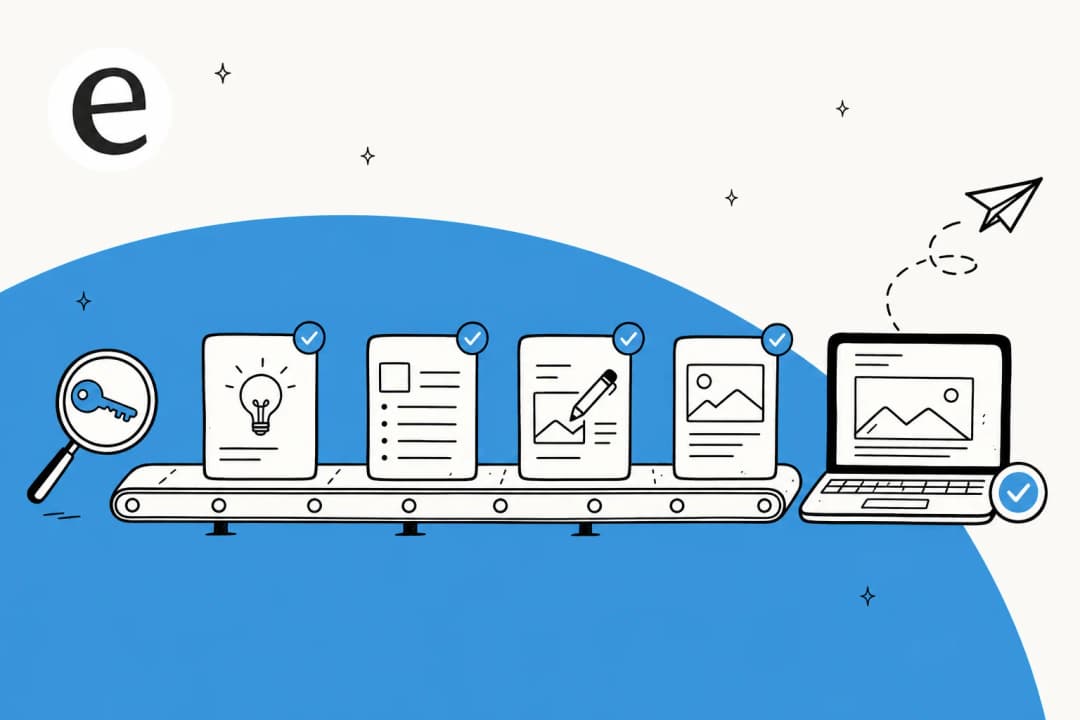
"Build a content calendar" hides two very different jobs
Strip away the marketing and that one phrase is doing two jobs at once.
The first is planning: decide what to write, group keywords into topics, assign each a date. This is what nearly every "AI calendar generator" means. Feed it a domain or a seed keyword and it returns a tidy month of slots. Useful, and fast.
The second is production: actually writing the posts. Researching each topic, drafting it, getting the voice right, adding internal links and images, and getting it live. This is the part that eats your week.
Here's what almost no guide says out loud: planning is the cheap part. You, a spreadsheet, and an afternoon with a keyword tool can build a perfectly good three-month calendar. What you can't do in an afternoon is write three months of good posts. So when a guide teaches you to "build an AI content calendar" and only covers job one, it's automating the part that was never really slowing you down.
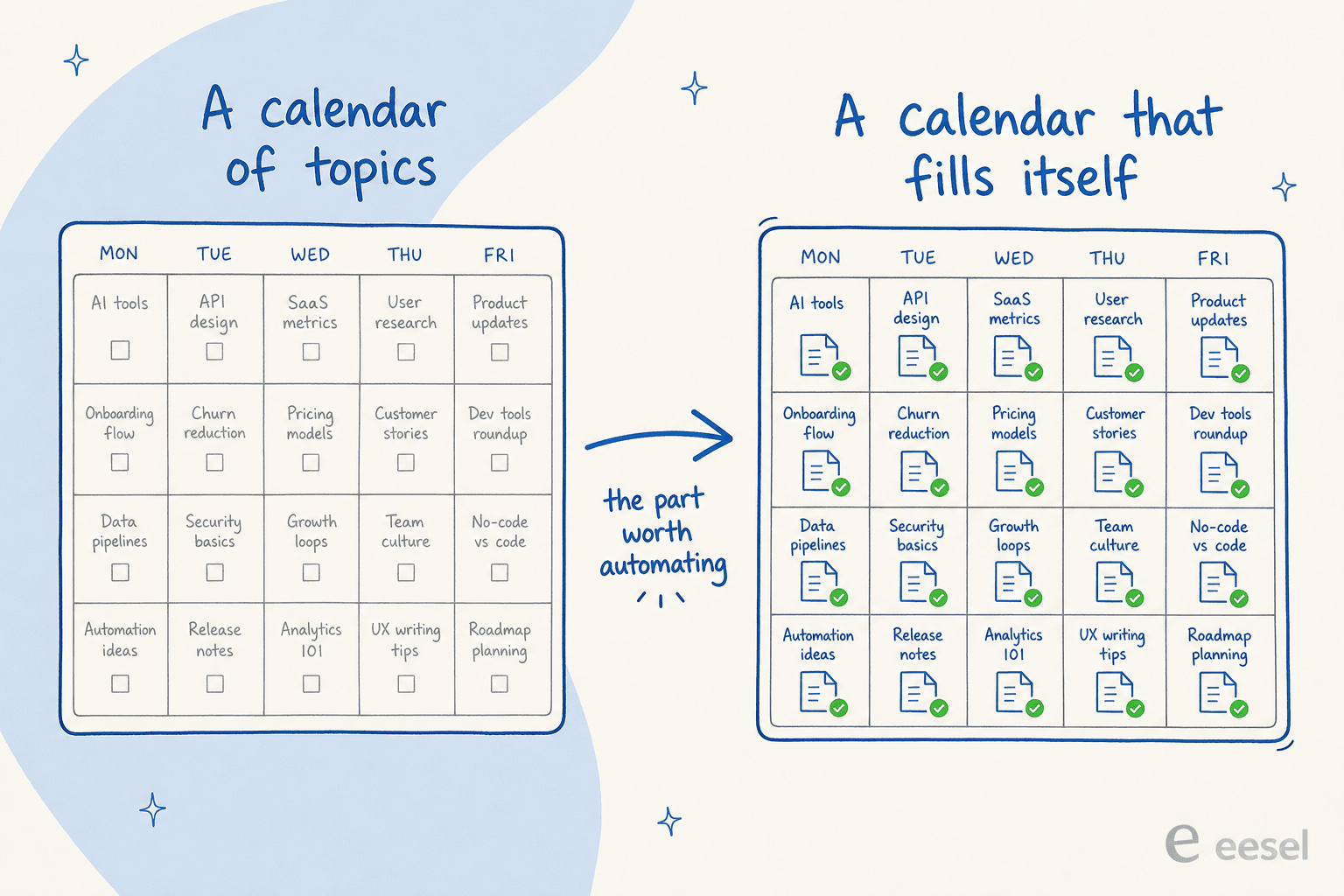
That picture is the whole reframe. The left calendar is what most "generators" produce: a month of intentions. The right one is what you're actually trying to build: a calendar that fills itself. So the rest of this is how I'd assemble the thing that gets you from left to right.
The pieces you're actually assembling
Before the steps, here's the shape of the machine. It's smaller than it sounds, four components and two human gates.
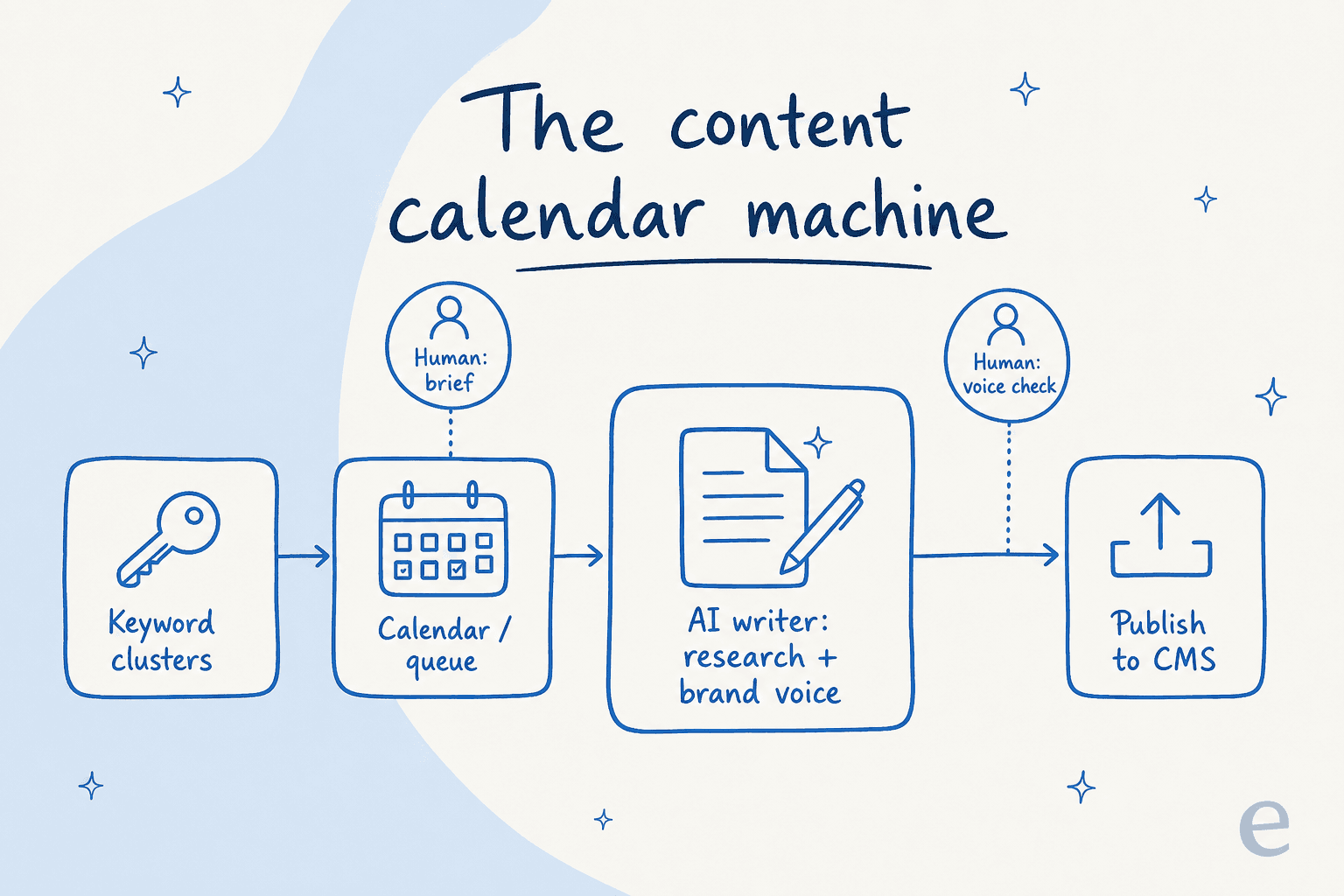
- A keyword source. Where the topics come from, an AI SEO content strategy generator, an export from your keyword tool, or your own backlog.
- A queue. The calendar itself, a ranked list of what to publish and in what order. A sheet works; a planning view works.
- An AI writer. The component that does the actual work, research, drafting, voice, internal links, visuals. This is the part most setups skip, and the part that decides whether anything good comes out.
- A path to publish. A clean route into your CMS, ideally native publishing or tidy Markdown export, so a finished post doesn't die on the clipboard.
The two human gates sit at the ends: a sharp brief before the writer runs, and a voice-and-accuracy read before anything goes live. Hold those two and you can automate everything in the middle. Lose them and you've built a machine for producing forgettable content faster, which is worse than producing none.
How I'd build it, step by step
You don't need ten tools. You need these components wired into one loop, with the human kept in the right two places.
1. Start the calendar from keyword clusters, not vibes
Do the planning job, but do it properly. Pull your keywords, then group them so one pillar topic supports a handful of related posts. That clustering is what stops your calendar from being thirty disconnected one-offs. Hand a model your keyword export and ask it to group and prioritize, or lean on a dedicated generator. The output you want is a ranked queue: what to publish, in what order, and why each piece earns its slot.
Prioritize ruthlessly here. You do not need daily output on every channel, and a marketer in r/DigitalMarketing put the realism better than I can:
Honestly, tighter prioritization helped more than adding more tools. A lot of teams are trying to publish at enterprise volume without enterprise headcount... not every channel needs daily output if the quality drops and nobody's actually engaging with it anyway.
A good calendar is a list of bets you've decided are worth making, not every keyword you could theoretically target. My guide to prioritize SEO content goes deeper on the ranking logic.
2. Make the real decision: build the writer, or buy it
This is the fork that actually matters, and the one most "how to build" guides skip.
Building it yourself usually means stitching an LLM to your keyword sheet with an automation layer, then bolting on separate steps for research, internal links, and images. It's doable, and it's a real maintenance job, every model change, every prompt tweak, every CMS quirk is now yours to own. You'll spend more time keeping the glue from cracking than writing.
Buying it means using an end-to-end AI content pipeline tool that already does research, voice, links, and publishing in one pass. You keep the strategy; you hand off the plumbing.
My honest take after running this daily: build the strategy, buy the writer. The components that are tedious to maintain (research, voice training, CMS publishing) are exactly the ones a good AI content writer already solves. Spend your engineering energy on what to write and why, not on babysitting an integration. If you want the field laid out, my roundup of AI content generation tools and the AI content platforms comparison compare the options.
3. Write one reusable brief template
The single biggest lever on output quality is the brief. A slug and a target keyword aren't a brief. What does this post argue? Who's it for? What sources should it lean on? What should a reader walk away able to do?
Build this once as a template and reuse it for every slot. The better your content brief, the less editing you do later, this is where you encode word count, the internal links you want, and the FAQ angles. Ten minutes here saves an hour downstream.
4. Make the AI research, not just write
This is the stage that separates content that ranks from content that gets ignored. The model shouldn't write from its own memory; it should write from sources it actually pulled. A strong writer reads primary sources, real product docs, real pricing pages, real user discussions, and cites them inline. That's what turns a draft from a confident-sounding summary into something a reader can trust.
A content marketer in r/DigitalMarketing framed the right division of labour:
imo the mistake people make is asking ai to write a post.. It usually sucks and takes more time to fix.. using ai for the boring middle steps... works better
I half agree. The "ask AI to write a post" version does suck, when the AI has nothing real to write from. Give it deep research and a sharp brief and the calculus flips: research-then-draft is one of those boring middle steps you can safely hand over.
5. Lock the brand voice
Volume without voice is how you end up sounding like every other AI blog. The fix is a writer trained on how you actually write, not a generic "professional, friendly tone" slider. Tools with real brand voice training ingest your existing posts and match cadence, vocabulary, and point of view. While the AI drafts, you also want it weaving in internal links automatically; an internal linking automation step does this instead of you hunting URLs by hand.
One marketer described the workflow that actually holds up:
i spend way less time writing content now by using AI tools in my workflow... but i don't just let the AI run wild. every blog goes through a human editor to make sure the tone, quality, and "voice" are on point and aligned with the brand.
That's exactly the split I keep human: the brief at the front, the voice check at the end.
6. Wire it to your CMS and close the loop
A post isn't done when the prose is done. It needs a hero image, a few diagrams, and an FAQ block for search, ideally produced in the same pass, so an AI blog writer with images hands you a finished artifact, not a wall of text to decorate. Then it should land in your CMS, formatted and scheduled. With auto-publishing wired up, the calendar stops being a planning document and becomes a running queue. Done right, the whole loop is roughly 15 minutes of human attention per post, mostly the brief and the final read. For the deeper mechanics, my AI blog writing workflow walkthrough goes further than I can here.
Where to keep a human (and where not to)
If there's one diagram to take away from this, it's this one.
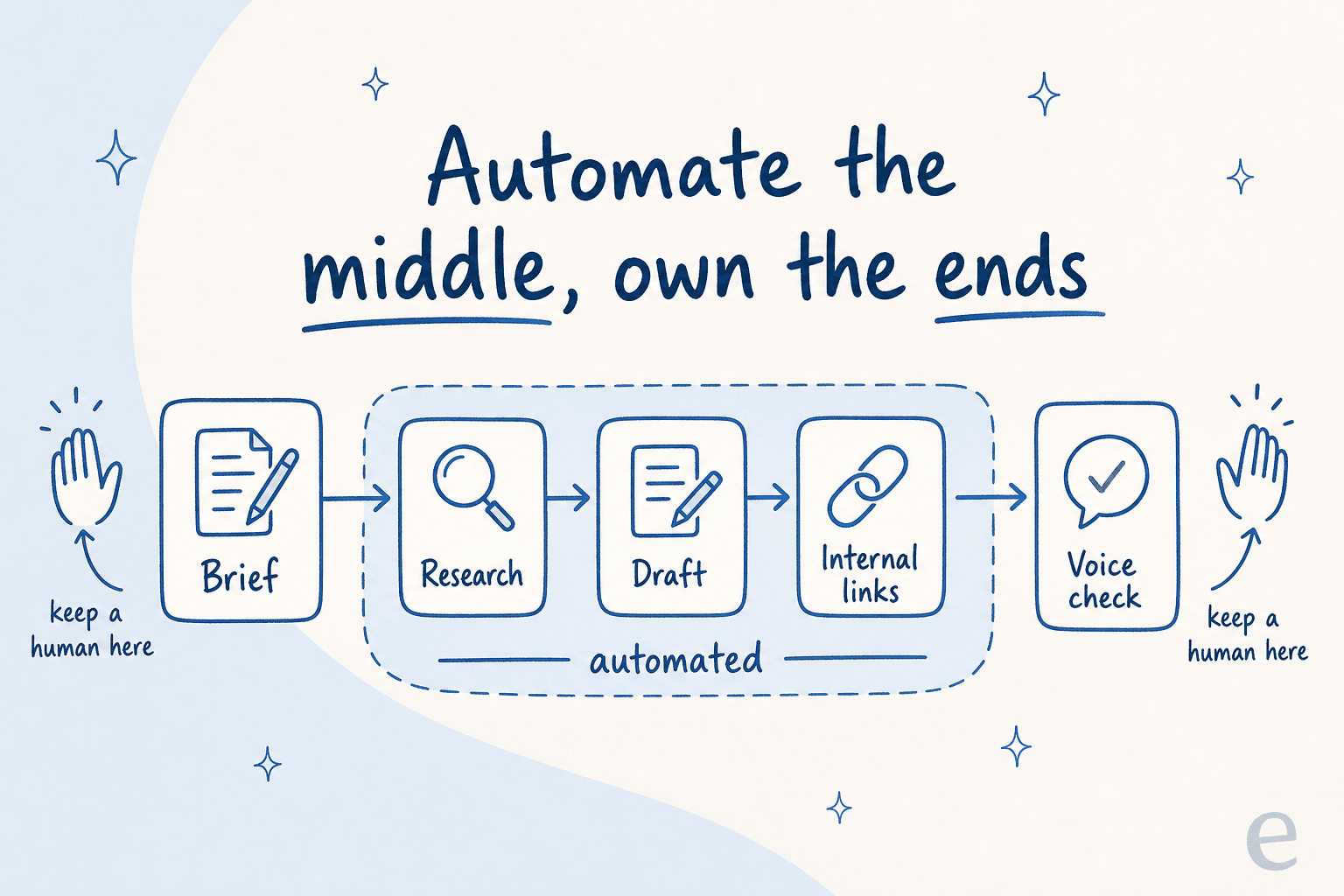
Automate the middle, own the ends. The brief is where you inject judgment, what this post is for, who it's for, what sources to trust. The voice check is where you catch the things a model still gets wrong: a claim that drifted, a tone that went flat, a fact that needs a source. Everything between those two, the research, the draft, the internal links, the FAQ, is fine to hand over, as long as the research is real and the voice is trained.
The teams that get burned are the ones that try to automate the ends too. No brief, no final read, just a keyword in and a published post out. That's not a content calendar; it's a content shredder.
Does this actually hold up at scale? Yes, with caveats
I'll give you real numbers, because vague "save time with AI" claims are exactly what make these posts forgettable.
One eesel customer, an AI phone-support startup, runs its content entirely through this kind of keyword-to-publish pipeline and ships 360 SEO posts a month, ranking #1 on competitive keywords with a small team. That's 12 a day, with consistent brand voice across hundreds of posts. Across the wider fleet, a typical 2,000-to-2,900-word post, hero banner, infographics, FAQs, internal links and all, comes out in roughly 12 to 20 minutes of generation.
It also pulls in people who didn't come for a calendar at all. I hear from marketers who arrive wanting exactly one thing: not the chat or ticket automation, just help with the SEO content writing for their site. Agencies and content teams use the AI SEO blog writer to generate client posts at a clip a human team couldn't match. The throughput is real.
But "it works at scale" is not the same as "press the button and walk away." So here's where it breaks.
Where AI content calendars break (and how to keep yours ranking)
This is the part most vendor pages skip. I won't.
The crater. The most common failure is filling the calendar with thin, sourceless AI churn and auto-publishing it. It works for a while, then it doesn't. One SEO described watching a client's machine go from a good revenue engine to dead:
Suddenly from August first week he said that 4 of his AI based blogs traffic facing a sudden drop and the posts are crawled but not indexed.
"Crawled, not indexed" is Google's quiet way of saying this exists, but I see no reason to rank it. The fix isn't a different model. It's the things in your two human gates: real research, first-hand experience, a distinct voice. If your calendar's output is stalling, my guide to why AI content isn't ranking and the principles of EEAT-compliant content are where I'd start.
The generic tell. Readers, not just Google, can smell mass-produced content. Even Tim Soulo, Ahrefs' CMO, has a famous take:
Scaling content with AI is the biggest lie in content marketing... your job isn't just to "churn out content." Your job is to make people care... CREATING MEANINGFUL CONTENT IS HARD WORK!
I don't fully agree, and the 360-posts-a-month customer is my evidence. But he's right about the failure mode he's attacking. Scaling junk is the lie. Scaling researched, voiced, edited content is just an operating model, and the human still has to make people care. Knowing how AI content detectors work helps you stay on the right side of that line.
The publishing wall. You can generate beautiful, search-optimized posts and still get stuck because your CMS won't take them cleanly, no Markdown upload, no FAQ schema, nothing. A calendar generator that can't publish to your stack is only half a tool. It's exactly why native CMS integration and clean export matter more than another fancy planning view.
Get those three right, sources, voice, and a clean path to publish, and the calendar takes care of itself. For the safe version of scaling, my guide to scale SEO content safely is worth a read, and if your existing posts have gone stale, an AI content refresh tool handles the upkeep half of the calendar.
Try eesel for your content calendar
If you've read this far, you know my bias: a content calendar is only as good as the posts it actually produces. That's the half eesel was built for.

eesel's blog writer is an AI teammate that plugs into your stack, crawls your site and knowledge, and turns a keyword plus a brief into a publish-ready post, deep research, brand voice, infographics, FAQs, and internal links included, in around 15 minutes. It's the same pipeline that produced this article: you point it at the next slot on your calendar and it fills it, and with auto-publishing it pushes straight into your CMS instead of leaving you to paste and reformat. It's free to try, with two posts on the house, so you'll know within a session whether it fits. Compare the field in my best AI blog writer roundup first if you like, then run a real keyword through it.
The calendar was never your problem. Filling it was. That's the part worth building.
Frequently Asked Questions
How do I build an AI content calendar with AI from scratch?
Build it as one loop, not one spreadsheet: cluster keywords into a queue, hand each slot to an AI writer that researches and drafts, keep a human on the brief and the final voice check, then publish. The planning view is the easy 5%; the writer is the part worth assembling. My walkthrough of an AI blog automation workflow goes stage by stage.
What tools do I need to build an AI content calendar?
At minimum: a keyword source, a place to hold the queue (a sheet or an AI SEO content strategy generator), an AI writer that does real research, and a path into your CMS. You can glue these yourself or use an end-to-end AI blog writer that already wires them together.
Should I build my own AI content calendar or buy a tool?
Build the glue yourself only if you enjoy maintaining it; most teams are better served buying the writer and owning the strategy. The deciding factor is whether the tool does genuine research and publishes to your stack, covered in my notes on an AI content pipeline tool and CMS integration.
Can AI write the whole calendar's worth of posts, not just plan them?
Yes, and at real volume. One eesel customer runs a keyword-to-publish pipeline that ships 360 SEO posts a month with a small team. Volume alone doesn't rank, though, so the research and editing matter more than throughput, see my guide to scale SEO content safely.
How much does it cost to build an AI content calendar with AI?
The honest unit is cost per published post, not per idea. Free planners only output a topic grid; the cost shows up when you draft. eesel charges per blog generated with two free to start, and I break the math down in AI blog writer cost.
How do I stop my AI calendar posts from sounding generic?
Generic input makes generic output. Train the writer on your brand voice, ground every claim in a primary source, and keep a human on the final read. It helps to know how AI content detectors work so you can spot the tells before Google does.
Will the posts from an AI content calendar actually rank on Google?
They can, but auto-published thin content is the fastest route to "crawled, not indexed." Posts that rank carry first-hand experience, citations, and internal links. If yours have stalled, start with why AI content isn't ranking and my notes on EEAT-compliant content.


Article by
Kurnia Kharisma Agung Samiadjie
Kurnia is a software engineer and writer at eesel AI with two years of SEO experience, writing about AI tools, helpdesk software, and customer support. He pairs a developer's understanding of how these products are built with search-driven research into what actually ranks and resonates with the people searching for them.