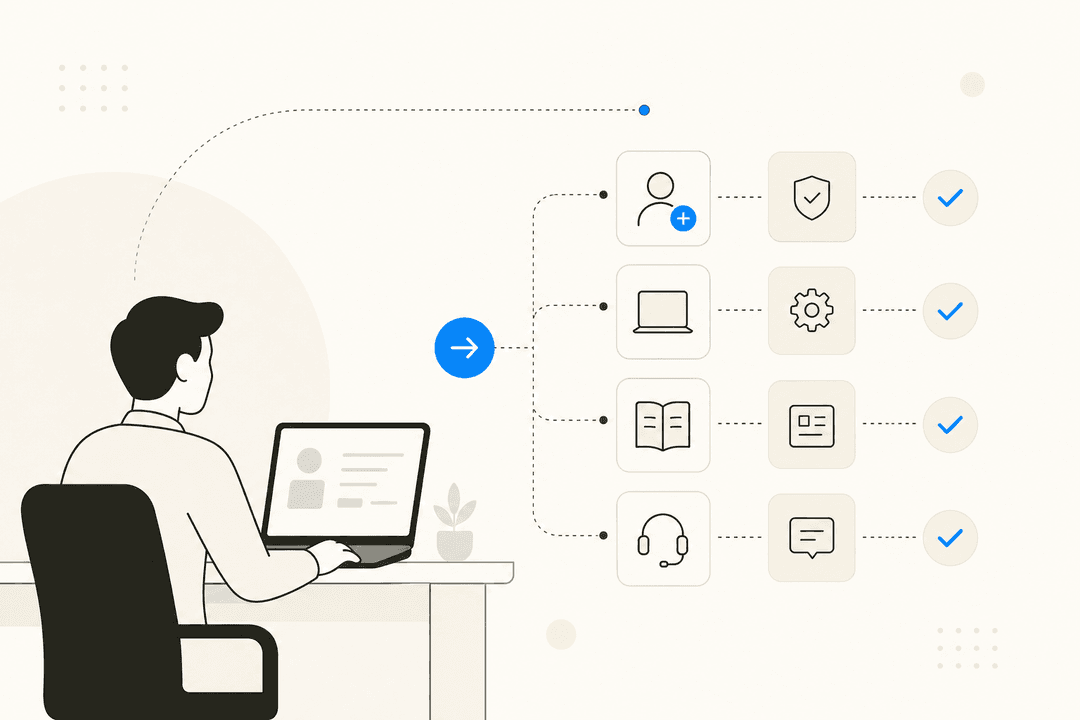
Let's be real: most support teams are drowning. It's a constant flood of the same old tickets, password resets, "where's my order?" questions, and basic troubleshooting. Your team spends hours on these repetitive questions, leaving almost no time for the tricky, high-impact issues that actually need a human brain. It feels like you're running on a treadmill stuck on high speed.
But what if you could break that cycle? This is where helpdesk automation comes in. And we're not talking about the clunky chatbots of the past. Today's automation is smarter, more flexible, and can act like a genuine teammate. This guide will walk you through what helpdesk automation is, how it's evolved from simple rules to intelligent AI, the features you should look for, and how you can get started without a massive IT project.
What is helpdesk automation?
Basically, helpdesk automation uses tech to handle repetitive support tasks, streamline workflows, and solve problems with little to no human effort. Think of it as giving your team a set of superpowers to offload the boring stuff so they can focus on what they do best.
The main goals are to cut down on manual work for your agents, give customers and employees the fast answers they expect, and make sure your service is consistently great. The results can be pretty dramatic. According to Moveworks, companies using AI can resolve issues in less than half the time it takes a manual team.
Helpdesk automation isn't just one thing; it's a spectrum. It ranges from simple "if this, then that" rules all the way to smart AI that can understand what a person really means, learn from conversations, and take action across different systems to get things done. The following graphic illustrates this evolution.
The evolution of helpdesk automation: From rules to reasoning
To really get what modern automation can do, it helps to see how far it’s come. It’s a journey from rigid, pre-programmed instructions to a flexible AI that can think on its feet.
Level 1: Rule-based helpdesk automation
This is the old-school approach, what most people picture when they hear "automation." It’s all built on strict "if-then" logic. If a ticket meets a very specific condition, then the system performs a set action. It’s black and white, with no room for gray areas.
-
If a ticket's subject contains "spam," automatically close it.
-
If a ticket comes from a VIP customer's email, set its priority to Urgent and assign it to a senior agent.
-
If a ticket has been sitting in "Pending" for three days, send an automated follow-up email.
While this is better than nothing, the limits show up fast. These systems are incredibly inflexible. They can't handle any nuance because they rely on simple keywords, not what the user actually means. A customer asking "Can I get a refund for my spam-blocking software?" might have their ticket closed by mistake. Plus, setting up and maintaining these rules is a huge chore, and one small change in your process can break an entire workflow.
Level 2: AI-assisted helpdesk automation
Now things start to get interesting. Level 2 is about a partnership between AI and human agents. The AI doesn't fly solo; it acts as a super-powered assistant, or "copilot," making your human team faster and more consistent. It’s about augmenting your team, not replacing it.
Here’s what that looks like:
-
As an agent types a reply, the AI suggests relevant articles from the knowledge base.
-
The AI analyzes an incoming ticket's sentiment and flags an angry customer for immediate attention.
-
AI can take a long ticket history and summarize it into a few bullet points for the next agent.
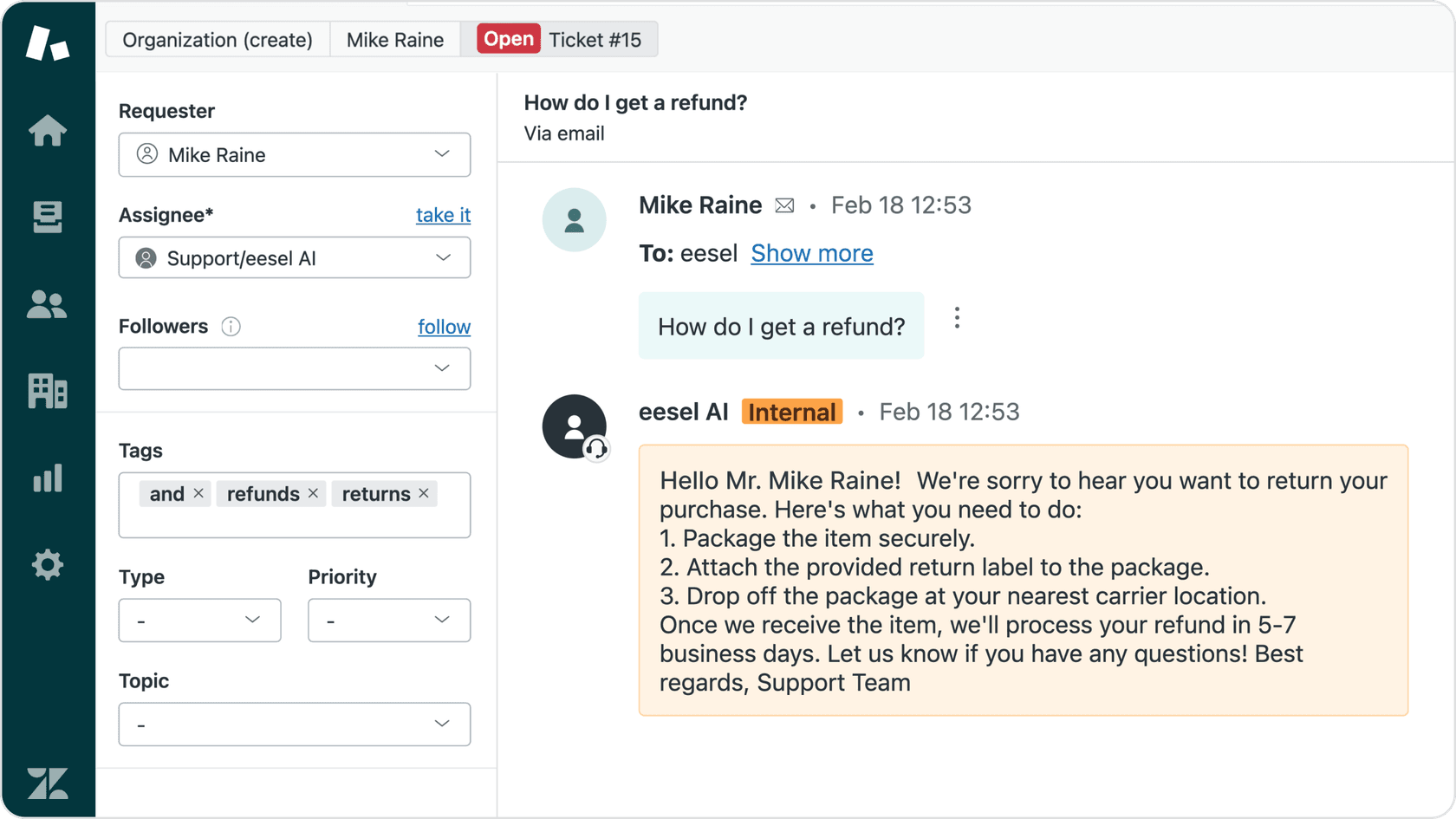
This is where tools like eesel AI's Copilot really shine. It plugs right into your helpdesk, learns from your past tickets and knowledge, and drafts high-quality replies the moment an agent opens a ticket. Agents can then review, edit, and send the response in a fraction of the time.

Level 3: Fully autonomous AI and its role in helpdesk automation
This is the cutting edge. Here, the AI can understand intent, reason through problems, and run a series of actions across different tools to resolve an issue from start to finish. It’s not just following a script; it’s actually problem-solving.
For example:
-
An employee asks in Slack, "I need access to the design Figma." The AI gets the request, checks the employee's role, starts an access request in your IT system, and messages the employee back once it's granted.
-
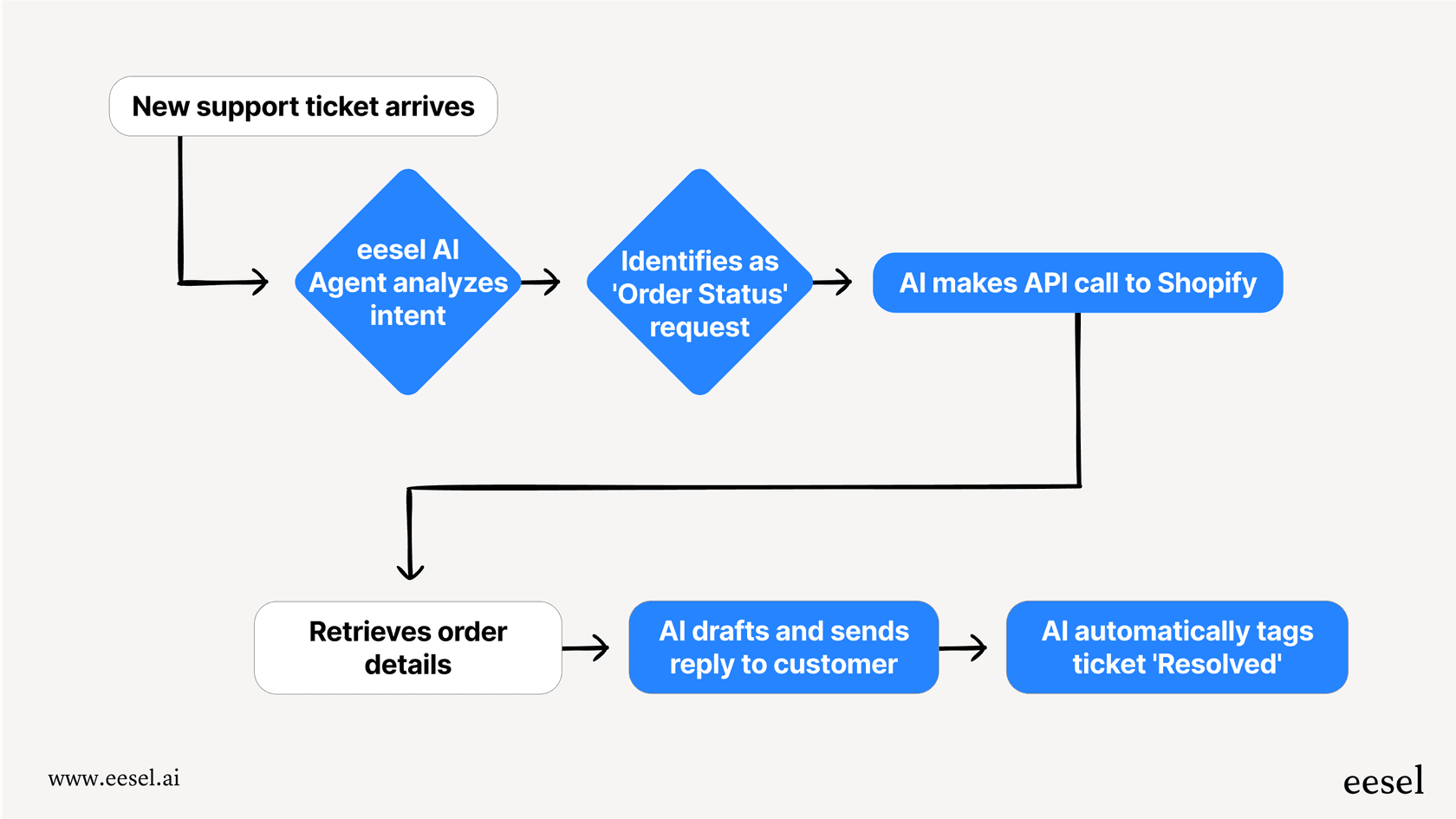
A customer writes in for a refund. The AI connects to Shopify, checks the order date against your return policy, processes the refund if it qualifies, and closes the ticket with a confirmation.
Here, an AI Agent acts like a digital employee. It's not just following rules; it's learning from all your company knowledge to solve issues on its own, only looping in a human when necessary. This is how you can scale support without just hiring more people.
Key features and use cases for helpdesk automation
Now that we’ve covered the evolution, let's get into the details of what modern helpdesk automation can do for you.
Automated ticket management and triage
This is way more than just basic routing. It’s about intelligently categorizing, prioritizing, and assigning tickets based on what they actually mean, not just the words they contain.
Modern AI can accurately detect a user's intent (bug report or feature request?), urgency ("my site is down" or "can you add a feature next year?"), and sentiment. Based on that, it can automatically route the ticket to the right team or kick off the right workflow. This is a huge step up from keyword-based rules. Tools like eesel AI Triage can understand the nuance in a message to automatically close spam, tag tickets with accurate topics, and assign them to the right team instantly. This keeps your queues clean so your team can focus on what matters.
Self-service and ticket deflection
The best support ticket is the one that never gets created. The goal of self-service is to let your users find answers and solve problems on their own, 24/7. And they want to. As Zendesk found, 91% of customers would rather use a self-service knowledge base if it fits their needs.
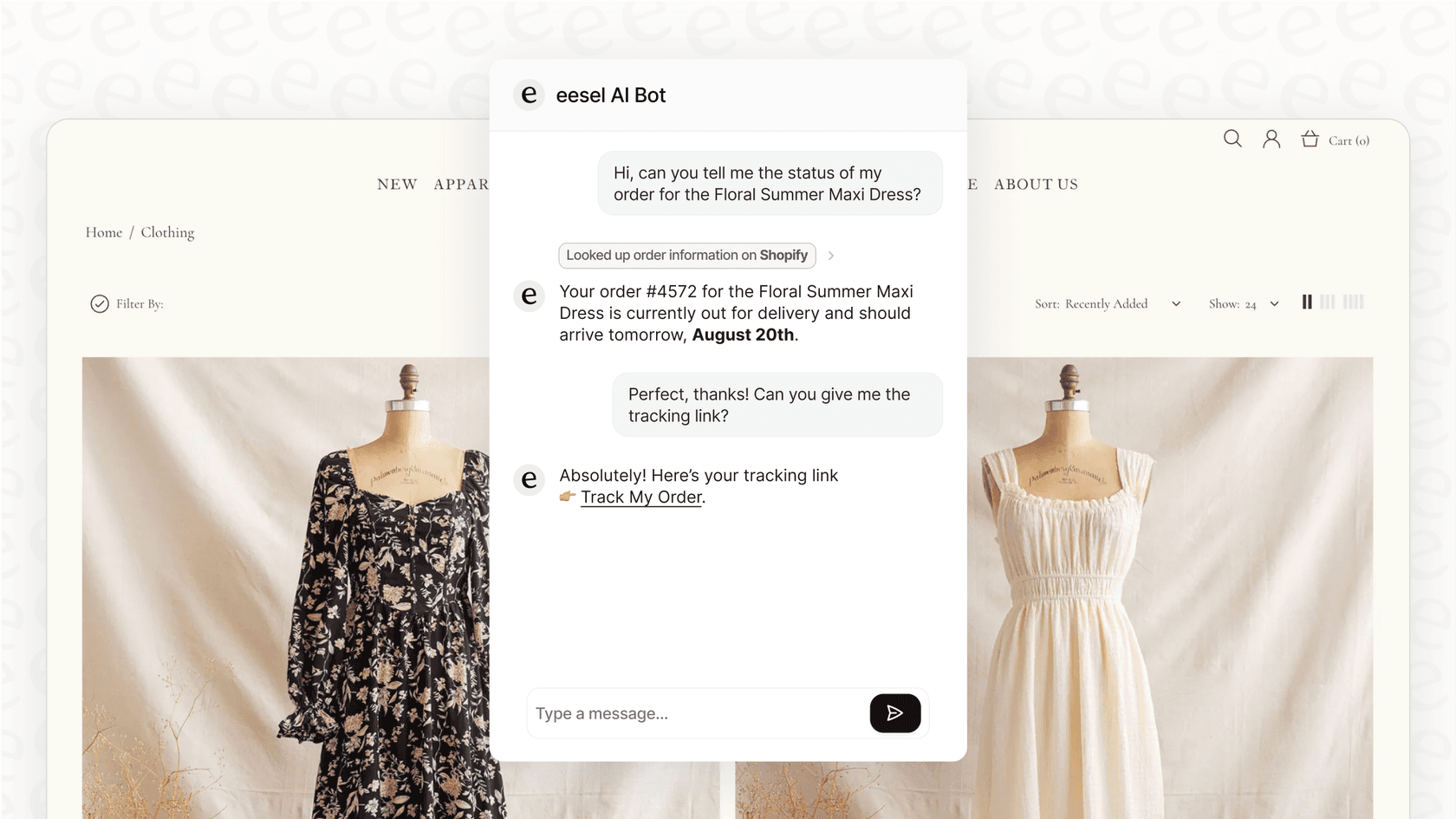
Instead of a simple chatbot that just spits out links, modern AI gives direct, conversational answers. It does this by connecting to all of your company's knowledge, no matter where it lives. The best tools break down knowledge silos. Whether your information is in a help center, Confluence, Google Docs, or scattered across Slack, a platform like eesel AI can unify it. This allows its AI Chatbot to give one clear, accurate answer, deflecting tickets before they're ever created.
Workflows beyond the helpdesk
This is where automation gets really powerful. It’s about turning your helpdesk into a command center that can take action in other applications.
Through integrations, the AI can automate entire processes that start with a support request. This could be anything from employee onboarding and provisioning to processing e-commerce returns. The real power is unlocked when your automation can interact with other tools. An AI agent can be told in plain text to do custom actions, like 'Look up this customer's order in Shopify and issue a refund if it's within 30 days.' This turns a support tool into a workflow engine, and it’s a core part of how eesel AI operates.
How to choose and implement a helpdesk automation tool
Okay, you're sold on the idea. But how do you get started without it turning into a six-month nightmare?
The challenge of traditional implementation
The old way of setting up automation tools is, frankly, a pain. You know the drill: Platforms like Fixify often point out the common headaches: long onboarding cycles with weeks of meetings, mandatory sales demos just to see the product, and pulling in expensive developers to write code. All this means you might not see any real value for months.
This old model forces you to make a big, risky decision before you even know if the tool will work for you. You’re asked to sign a contract and just hope for the best.
A modern, plug-and-play approach
Thankfully, there's a better way. The best tools today are designed to be as easy to onboard as a new teammate. They have a self-serve approach that gets you running in no time.
Instead of a long IT project, look for a platform you can set up in minutes. With a tool like eesel AI, you just sign up and connect it to your helpdesk (like Zendesk or Freshdesk). It immediately starts learning from your past tickets and help content, no complex configuration required.
Most importantly, you can start safely with a human in the loop. The quickest way to begin is with an AI Copilot. The AI drafts replies, and your agents approve or edit them. This builds trust, improves the AI with every piece of feedback, and delivers value from day one. eesel AI is built for this gradual rollout, letting you go from a supervised "trainee" to a fully autonomous agent at your own pace.
| Feature | Traditional Automation Setup | Modern Automation Setup (eesel AI) |
|---|---|---|
| Onboarding Time | Weeks or Months | Minutes |
| Technical Skill | Developer/Engineer Required | No-code, plain text |
| Time to Value | 3-6 months | Day 1 (drafting replies) |
| Initial Risk | High (all-in commitment) | Low (start safely, scale gradually) |
To see these concepts in action, it can be helpful to explore real-world examples. The video below offers several practical ideas for service desk automation that you can apply to your own team to improve efficiency and customer experience.
Helpdesk automation has grown up. It's moved far beyond rigid, rule-based systems and is now powered by smart AI that can act as a true teammate, handling everything from basic triage to full, end-to-end problem-solving.
The key isn't just picking the tool with the longest feature list, but the one that's easiest to start with and safest to scale. The "invite, don't configure" approach reduces risk and lets you see real value from the moment you switch it on.
Ready to see how a modern AI teammate can change your support? Try eesel AI for free and watch it start learning from your helpdesk in minutes.

Frequently asked questions
The main benefit is freeing up your support team from repetitive tasks. This allows them to focus on more complex customer issues that require a human touch, which boosts both team morale and customer satisfaction.
It depends on the level of automation. While basic rule-based systems cannot, modern AI-powered helpdesk automation can understand user intent, reason through problems, and even take action in other apps to resolve issues from start to finish.
It doesn't have to be. Modern tools like eesel AI offer a plug-and-play approach that connects to your existing systems in minutes, allowing you to start seeing value on day one without a long, complicated setup process.
It provides customers with instant answers 24/7 through self-service portals and AI chatbots. This means they don't have to wait for an agent to handle simple requests, leading to faster resolutions and a smoother support experience.
Not at all. The goal is to augment your team, not replace them. By handling the routine work, automation lets your agents apply their skills to high-impact problems, making their jobs more engaging and valuable.
Rule-based automation follows strict "if-then" logic, which is very rigid. AI-powered automation understands the meaning and intent behind a user's words, allowing it to handle a much wider and more nuanced range of issues.
Share this article

Article by
Stevia Putri
Stevia Putri is a marketing generalist at eesel AI, where she helps turn powerful AI tools into stories that resonate. She’s driven by curiosity, clarity, and the human side of technology.