Why people are looking past Devin Fusion
Let me be fair to Devin first, because it's earned some of the hype. Devin is Cognition's autonomous AI software engineer, the product you hand a whole ticket to instead of autocompleting line by line. Fusion is its newest trick: instead of pointing one expensive model at every step, it runs a frontier "main agent" and a cheap "sidekick" side by side and routes work between them. Cognition's own framing is blunt and, honestly, correct: "You wouldn't drive a Lamborghini to the grocery store, so why should you take a model that can discover zero-day vulnerabilities and use it to round the corner of a button?"
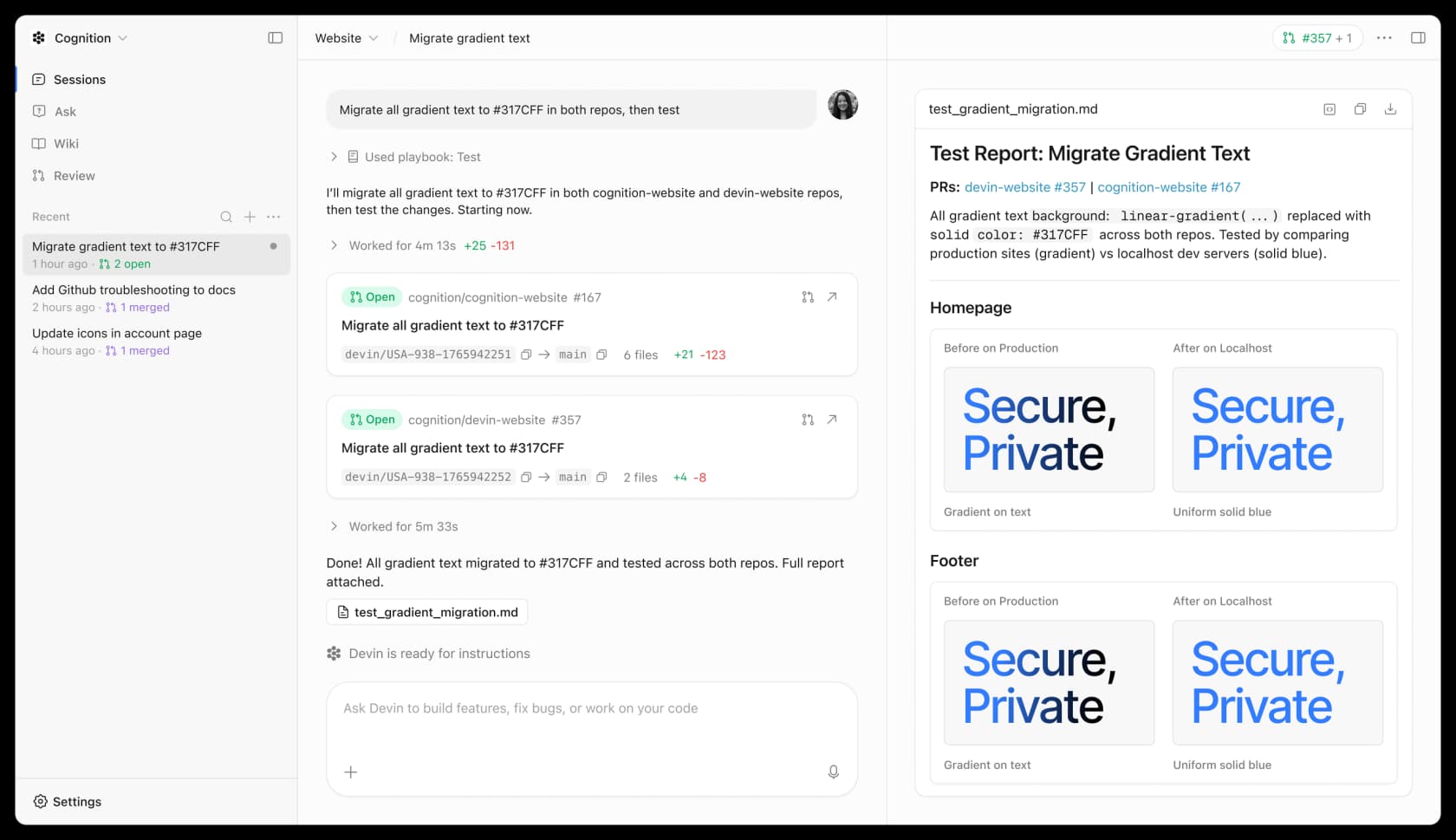
It lands on the back of a huge year: Cognition raised over $1B at a $26B valuation in May 2026 and folded the old Windsurf IDE into the line as "Devin Desktop." So why look elsewhere at all? Three reasons keep coming up.
- Reliability on long tasks. The most durable complaint about Devin is that autonomy is oversold. One test-automation engineer's G2 review put it memorably: "Once the ACU consumption hits around 40 or 50, Devin really starts to lose the plot. It begins ignoring the initial instructions... It feels like the model gets tired." Fusion targets cost, not the drift, so that gap is still open.
- Cost opacity. Devin's old ACU (Agent Compute Unit) metering generated a lot of frustration. Self-serve moved to a token-based quota in March 2026, but the mental scar tissue is real, and "cheaper per task" isn't the same as "predictable."
- Brand skepticism. As one Hacker News commenter put it: "Devin? Now that's a name I've not heard in a long time... in this age of Claude Code and Codex, does anyone use Devin?" Fair or not, it's the vibe a lot of buyers walk in with.
None of this means Devin is bad. It means it's one option among many, and the field has gotten crowded and good. So let's compare it properly.
How I compared them, and where each one sits
I've spent years building AI agents for a living, so I didn't score these on a spec sheet. I read each tool's own docs and pricing, poked at the products, and lined them up on the dimensions that actually decide the buy: how autonomous the agent is, where it runs (in your editor, in your terminal, or in the cloud), how it bills you, and which models you're allowed to point it at.
The single most useful lens is autonomy versus control. Here's how the field maps out:
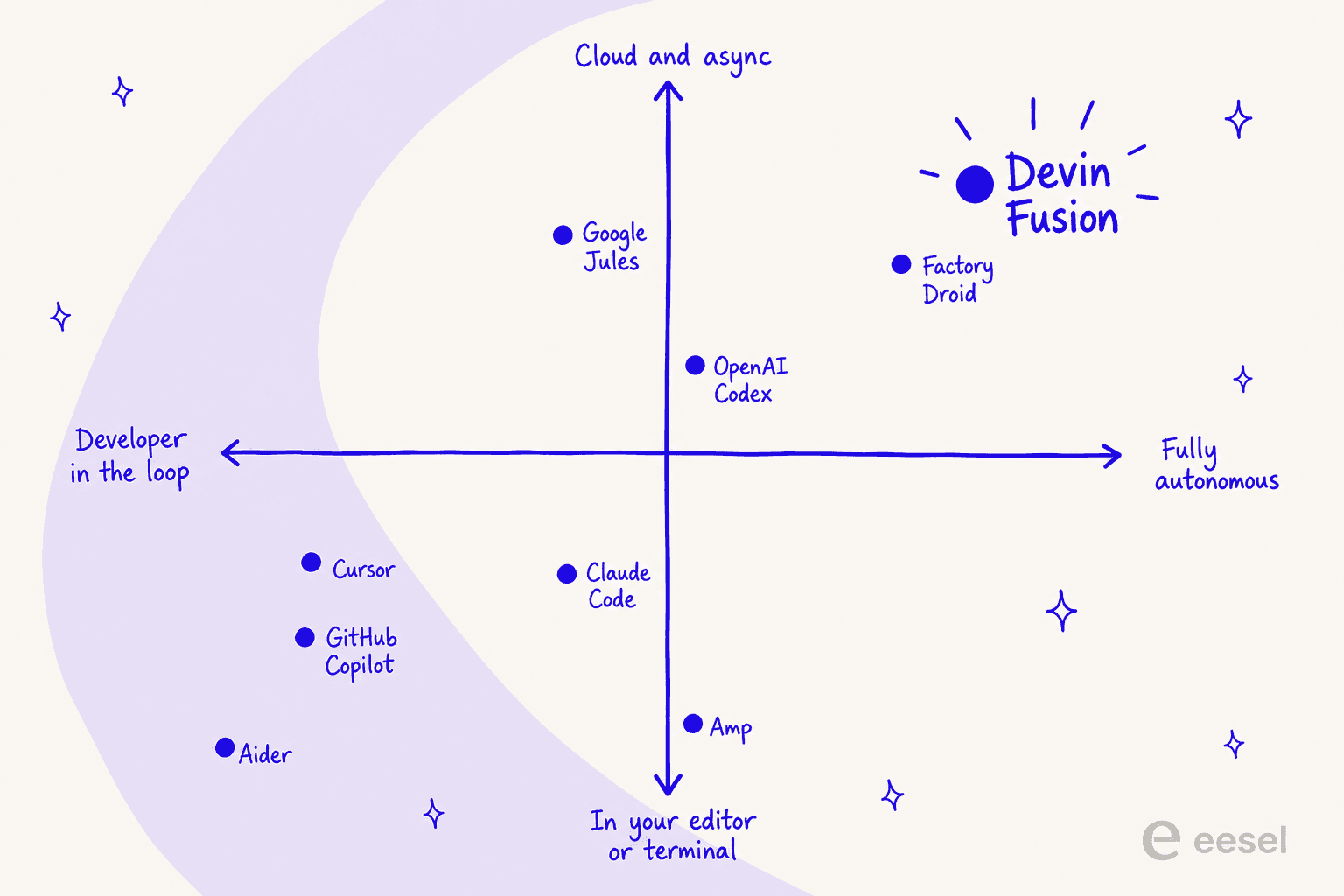
The tools clustered near Devin (Factory Droid, Google Jules, Codex) are the ones you delegate to and review later. The tools in the bottom-left (Cursor, Copilot, Claude Code, Aider) keep you in the loop, editing and steering. Neither is "better," they solve different problems, and picking the wrong quadrant is the most common way teams end up disappointed. Here's the summary table before the deep dives:
| Tool | Best for | Autonomy | Where it runs | Entry price | Billing unit | Model choice |
|---|---|---|---|---|---|---|
| Cursor | Staying in an AI-native editor | Medium | IDE + cloud agents | $20/mo (Pro) | Included model usage | Frontier (multi) |
| Claude Code | Terminal-first repo work | Medium-high | CLI, IDE, web | $20/mo (Claude Pro) | Subscription or API tokens | Claude models |
| OpenAI Codex | ChatGPT-native async coding | Medium-high | App, IDE, CLI | $20/mo (ChatGPT Plus) | ChatGPT plan quota | OpenAI models |
| GitHub Copilot | Teams living in GitHub | Medium | IDE + GitHub | $10/mo (Pro) | AI Credits | Multi (Claude, GPT) |
| Google Jules | Free GitHub-native async tasks | High | Cloud VM + GitHub | Free (15 tasks/day) | Daily task quota | Gemini |
| Factory Droid | Autonomous agent fleets, enterprise | High | Desktop, CLI, cloud | $20/mo (Pro) | Rolling usage limits | Multi (GPT, Claude, Gemini) |
| Amp | Frontier-model agentic coding | Medium-high | CLI, web, mobile | Pay-as-you-go | Usage, no markup | Multi (frontier) |
| Aider | Free open-source pair programming | Medium | Terminal (CLI) | Free (open-source) | Your own API key | Any (BYO key) |
Now the eight, in the order I'd shortlist them.
1. Cursor
Best for: developers who want an AI-native code editor and prefer to stay in the loop rather than hand a task off entirely.
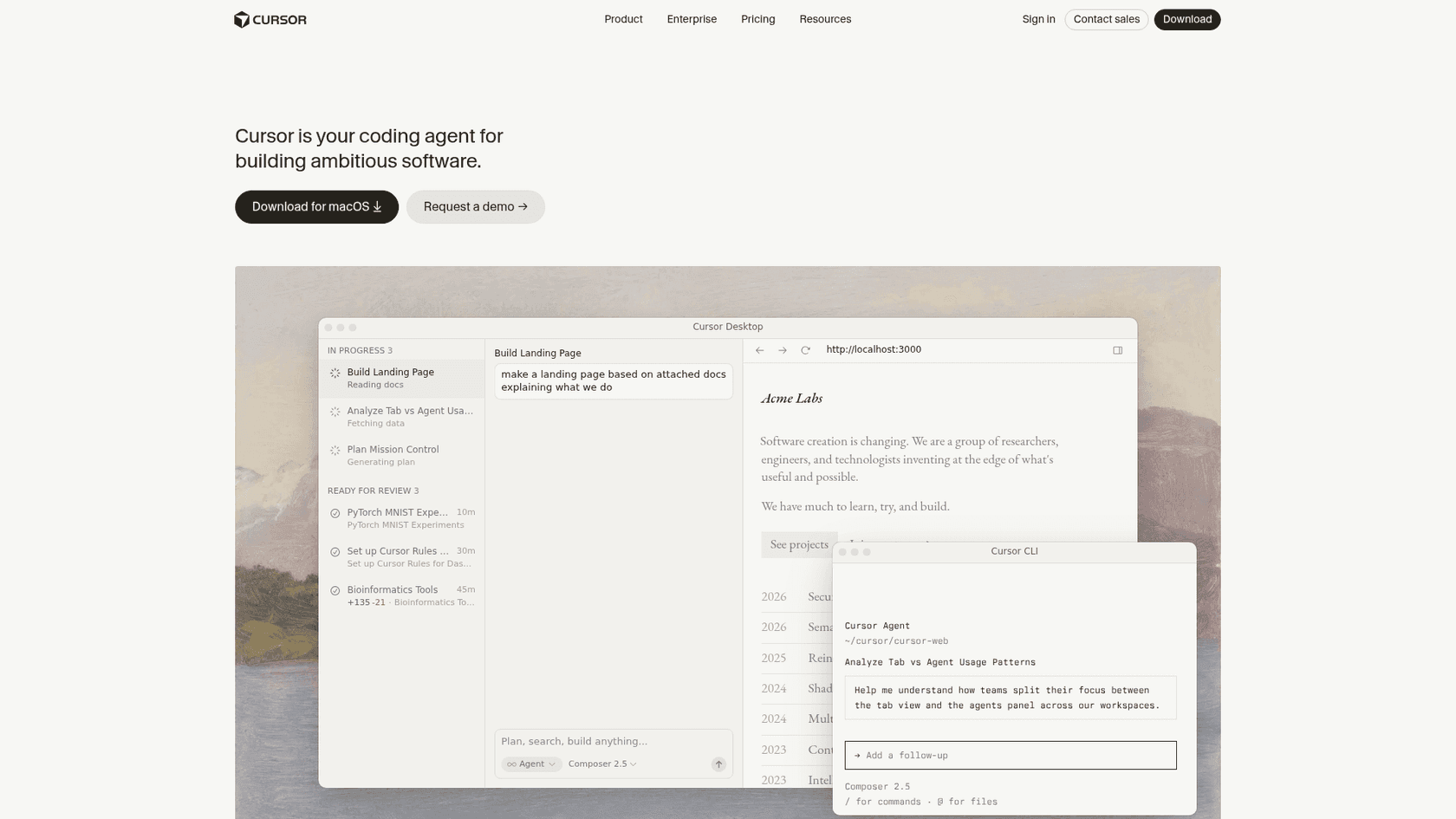
Cursor is the most popular pick on this list and the most different from Devin. It's a full editor (a VS Code fork) where the AI lives with you: tab completions, an in-editor Agent, and access to frontier models, plus MCPs, skills, and hooks. It has grown a more autonomous side too, with cloud agents and Bugbot for agentic code reviews, but the center of gravity is still a developer editing and steering.
Pros: the in-editor experience is the best in class, tab completion is genuinely fast, and you're never far from taking the wheel. It's the safe default if you're nervous about handing a whole task to a bot.
Cons: it's less "walk away and come back" than Devin. And the billing is usage-based under the hood, each plan includes a set amount of model usage and then bills on-demand in arrears, which can surprise you if you lean on cloud agents heavily.
Pricing: Hobby is free. Pro is $20/mo with extended agent limits and cloud agents. Teams starts at $40/user/mo with centralized billing and SSO. Enterprise is custom. (Pro+, Ultra, and Teams Premium exist as higher tiers, but Cursor doesn't publish those prices on the pricing page.)
Verdict: if you want an agent that assists rather than replaces, Cursor is the one to beat. Reach for it if you value staying hands-on; skip it if what you actually want is to delegate a whole migration and go to lunch. My Cursor reviews piece has more on day-to-day sentiment.
2. Claude Code
Best for: terminal-first developers who want a capable agent working directly in their repo, under their control.
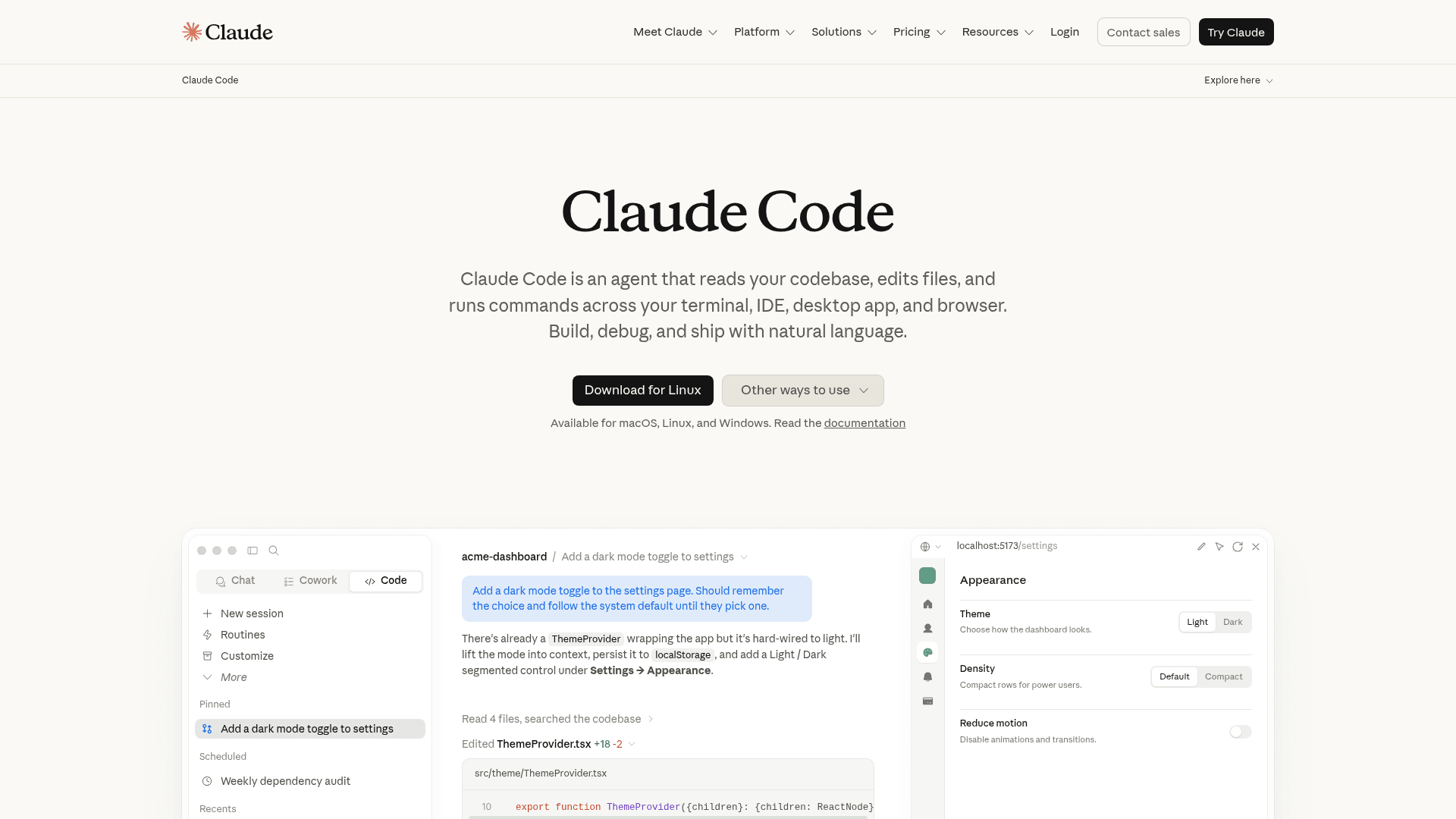
Claude Code is Anthropic's agentic coding tool, and it's the name that keeps coming up when people say they've stopped using Devin. It runs as a CLI right in your terminal, understands your whole codebase, stages changes, writes commit messages, opens PRs, and works across VS Code, JetBrains, a desktop app, and the web, all on the same engine. It supports MCP, custom skills, sub-agents, and CI automation.
Pros: it's powered by very strong models, the terminal-native workflow is a joy if that's your world, and it scales from a quick fix to a multi-file feature. Config like CLAUDE.md files and MCP servers carries across every surface.
Cons: the API path means costs scale with usage, and it's more "agent in your terminal" than "hands-off cloud engineer." If you want to fire tasks at a fleet of remote agents, this isn't that shape.
Pricing: included in Claude Pro at $17/mo billed annually (or $20/mo monthly), with Max from $100/mo for 5x or 20x more usage. Team seats are $20/seat/mo (annual). Or use it via the API pay-per-token: Sonnet 5 at $2/$10 per million input/output tokens, Opus 4.8 at $5/$25.
Verdict: my pick for developers who want maximum control with frontier-model quality. If you were burned by Devin's autonomy and want an agent you drive, this is the switch most people are making.
3. OpenAI Codex
Best for: teams already living in the ChatGPT and OpenAI ecosystem who want an async coding agent across IDE, CLI, and desktop.
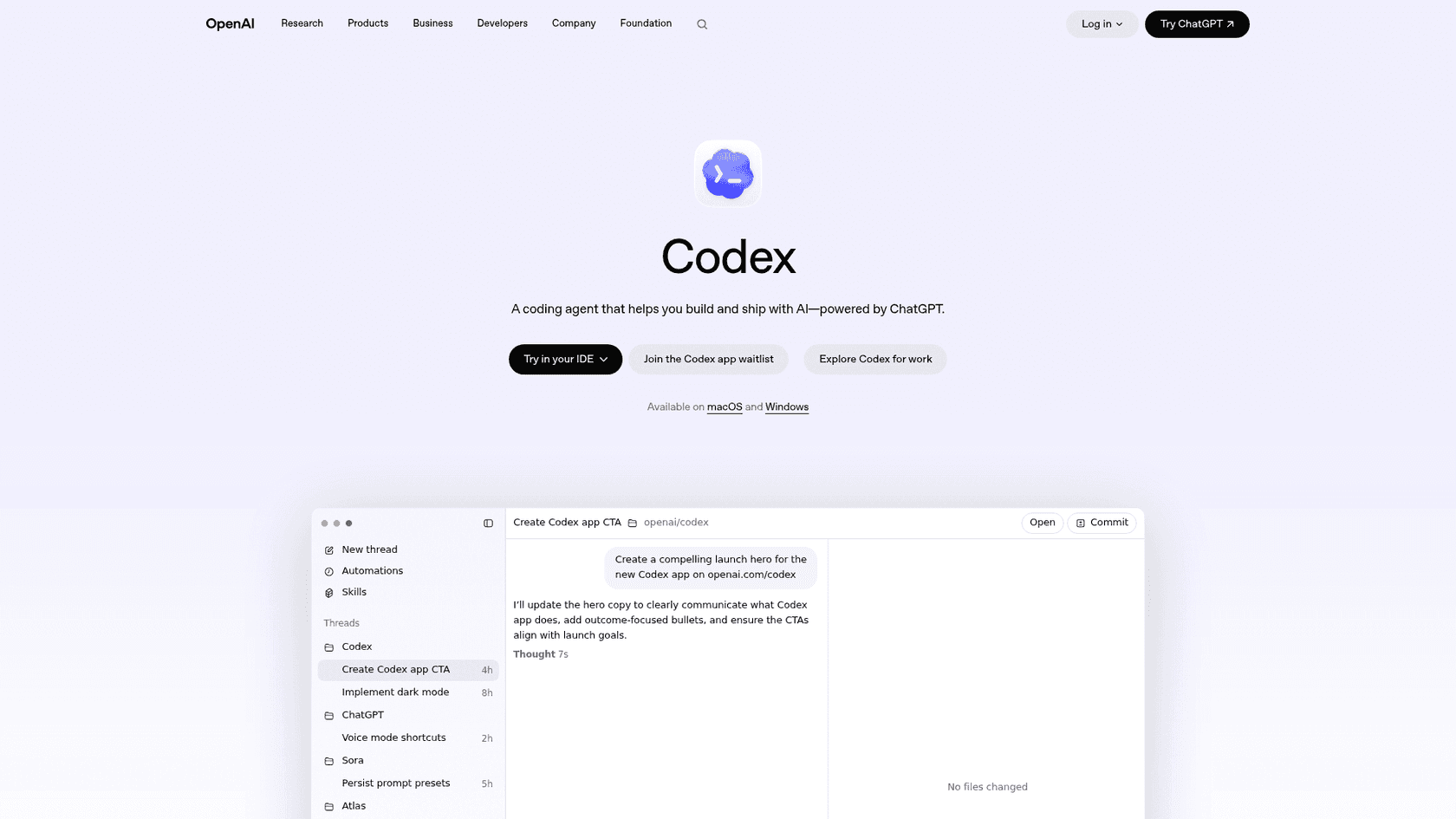
Codex is OpenAI's coding agent, "powered by ChatGPT," built to complete features, refactors, migrations, and PRs end to end. It spans a desktop app (with built-in worktrees and cloud environments for parallel work), your IDE, and a CLI, all tied to your ChatGPT account. It also does background Automations (issue triage, CI/CD monitoring) and a code-review flow that surfaces the highest-risk issues first.
Pros: the async, multi-agent model is close to Devin's territory, and if your team already pays for ChatGPT, access is bundled in. The parallel worktrees are genuinely useful for running several tasks at once.
Cons: the usage limits are qualitative, not numeric ("Limited," "Expanded," "Maximum"), which makes it hard to budget precisely. The standalone Codex app was waitlisted at the time of writing.
Pricing: bundled into ChatGPT plans. Free gives limited access, Go is $8/mo, Plus is $20/mo with "expanded Codex usage," and Pro is from $100/mo for maximum tasks. Team and Enterprise pricing isn't published on the individual page.
Verdict: the natural pick if you're an OpenAI shop. If you're comparing it head-to-head with Devin, my OpenAI Codex alternatives guide lays out the trade-offs.
4. GitHub Copilot
Best for: teams whose whole workflow already lives inside GitHub and their editor.
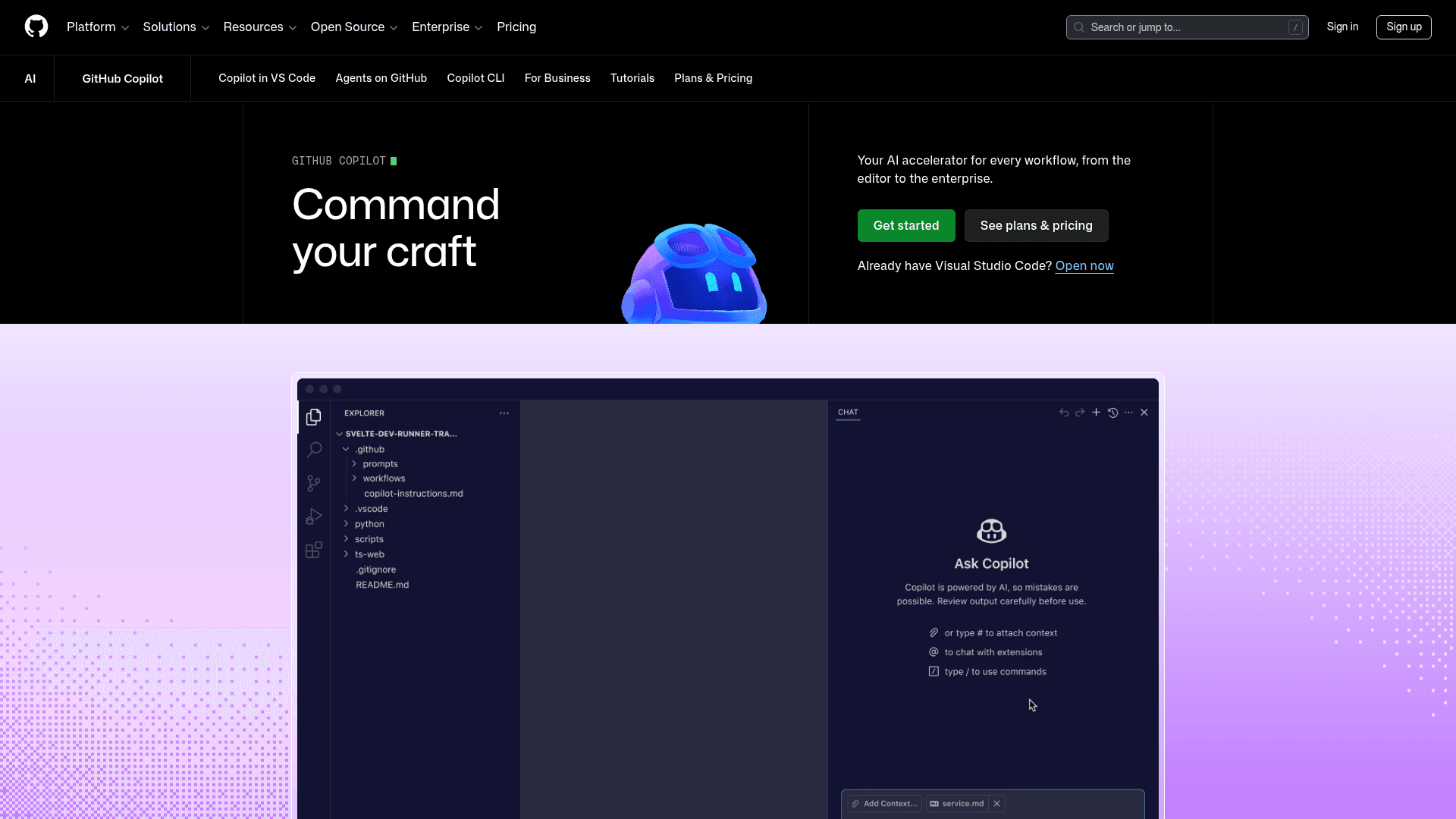
Copilot is the incumbent that everyone forgets to shortlist, and in 2026 it's more than autocomplete. Alongside completions and chat, it now has a cloud coding agent, code review, and, interestingly, access to third-party agents including Claude Code and Codex right inside the plan. It's the cheapest serious on-ramp on this list.
Pros: dirt-cheap entry, deep GitHub integration, and the widest reach of any tool here. The fact that higher tiers bundle premium models (Opus at Pro+) and even external agents makes it a surprisingly flexible hub.
Cons: it's still more in-editor assistant than autonomous engineer, and the AI Credits accounting (base credits plus a flex allotment) takes a minute to wrap your head around.
Pricing: Free (2,000 completions/month), Pro at $10/mo, Pro+ at $39/mo, and Max at $100/mo, each with a monthly GitHub AI Credits allotment. Business and Enterprise are priced separately.
Verdict: if budget matters and you're GitHub-native, start here before you spend $200 on a Devin Max seat. It won't run a week-long autonomous migration, but for most teams that's not the daily job anyway.
5. Google Jules
Best for: developers who want a free, GitHub-native async agent for bug fixes, version bumps, and small features.
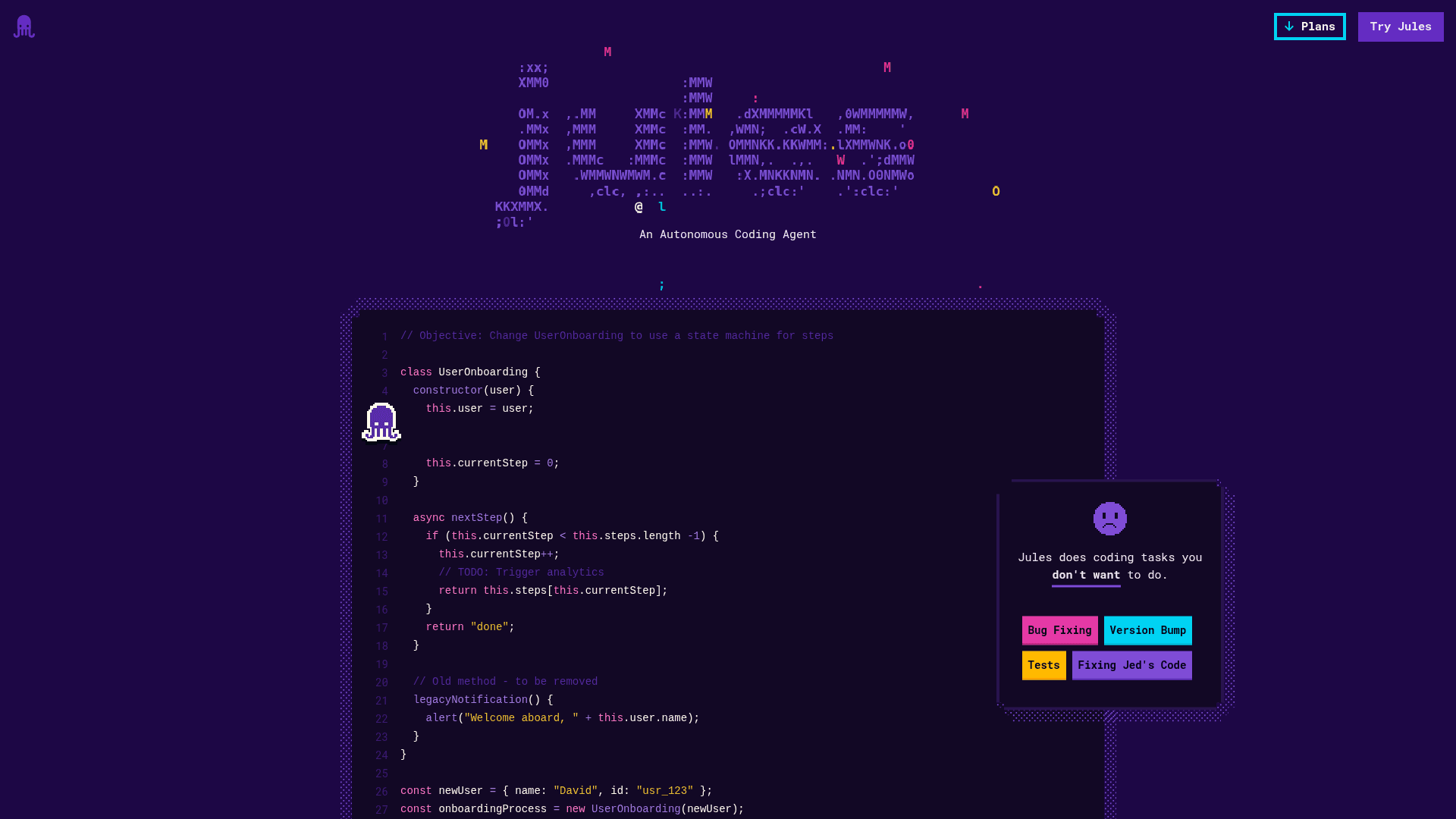
Jules is Google's async coding agent, and it works a lot like Devin's core loop: you pick a repo and branch, write a prompt, and Jules clones the repo into a cloud VM, drafts a plan you approve, then produces a diff and opens a PR. You can even kick off a task by adding a "jules" label to a GitHub issue, and it reads an AGENTS.md at your repo root for context. It's powered by Gemini and still labeled experimental.
Pros: the free tier is genuinely generous (15 tasks a day, 3 concurrent), and the GitHub-native, plan-then-PR flow is exactly the low-risk way to try autonomous coding. You review before anything merges.
Cons: it's experimental, the task-quota model caps how much you can throw at it, and the paid tiers are tied to Google AI Pro/Ultra subscriptions whose prices Google doesn't state on the Jules pages.
Pricing: free tier gives 15 tasks/day on Gemini 2.5 Pro. Jules in Pro raises that to 100 tasks/day, and Jules in Ultra to 300 tasks/day, both starting with Gemini 3 Pro.
Verdict: the best free way to feel out whether an autonomous agent fits your workflow at all, without a Devin-sized commitment. Start free, and upgrade only if it earns its keep.
6. Factory Droid
Best for: enterprises that want autonomous agent fleets across the whole software lifecycle, with serious deployment controls.
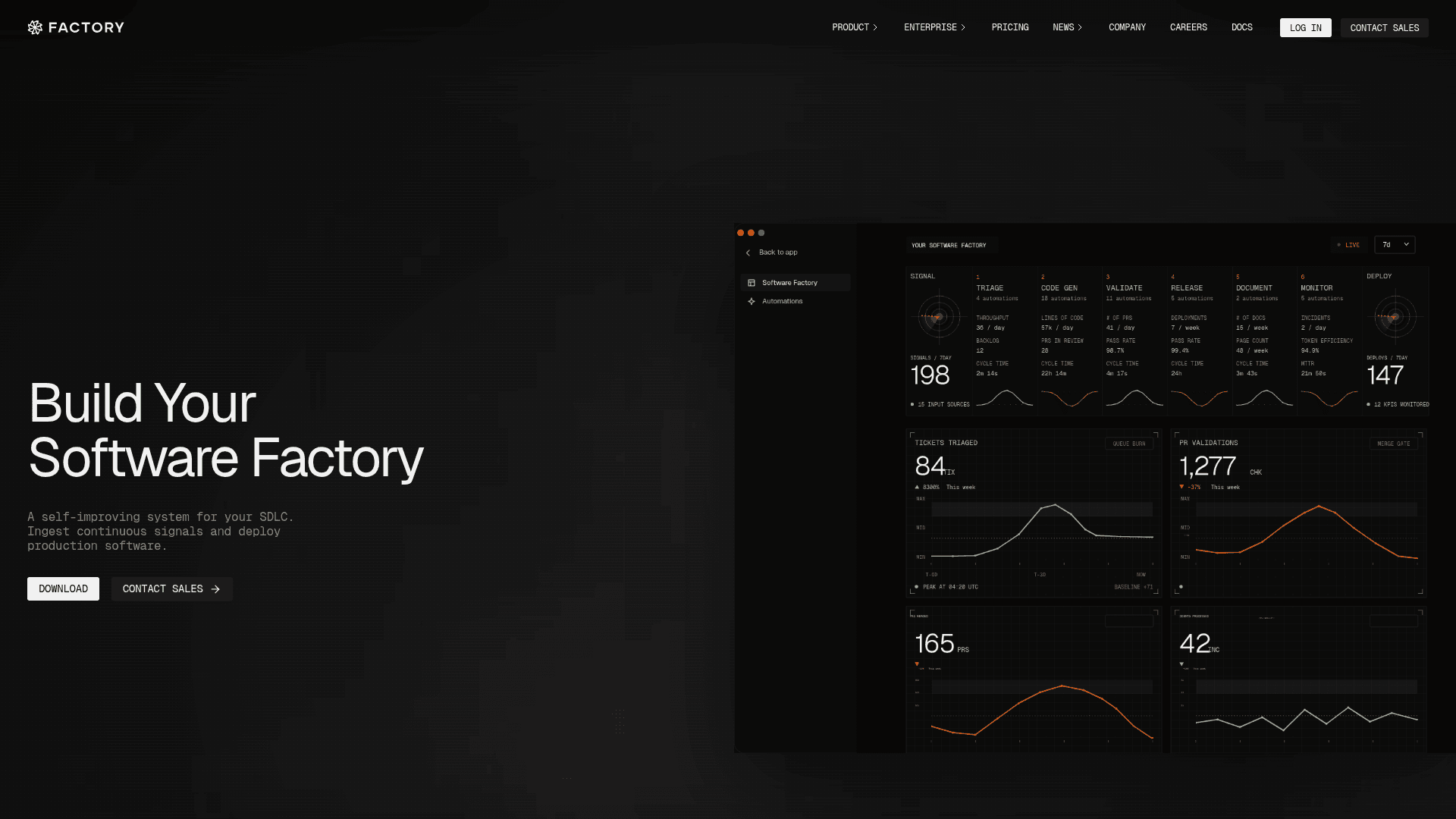
If any tool here is a true head-to-head with Devin, it's Factory. Its autonomous agents are called Droids, and they ship "from your desktop, browser, mobile device, terminal, or pipeline." A Mission Control layer orchestrates fleets of Droids (plan, dispatch parallel workers, track milestones), and it leans hard into model independence (GPT-5, Claude Opus/Sonnet, Gemini) and sovereign deployment: SaaS, hybrid, on-prem, even air-gapped. Named customers include Adyen, Groq, and Chainguard.
Pros: genuinely autonomous, model-agnostic, and built for orchestrating many agents at once. The deployment story (on-prem, air-gapped, data residency) is the one that gets it into regulated enterprises where Devin's SaaS shape is a non-starter.
Cons: the enterprise tilt means the interesting controls sit behind Teams and Enterprise "contact sales" tiers, and the billable unit is expressed as vague "rolling rate limits" relative to Pro, not a clear per-token rate.
Pricing: Pro is $20/mo, Plus is $100/mo (~5x Pro usage plus managed cloud computers), and Max is $200/mo (~10x Pro usage). Teams and Enterprise are quote-based.
Verdict: the closest alternative to Devin's autonomy, and the better choice if you need sovereign deployment. Weigh it against Devin directly if "hands-off engineer" is the actual job.
7. Amp
Best for: developers who want a polished, frontier-model agentic coding experience they drive across terminal, web, and mobile.
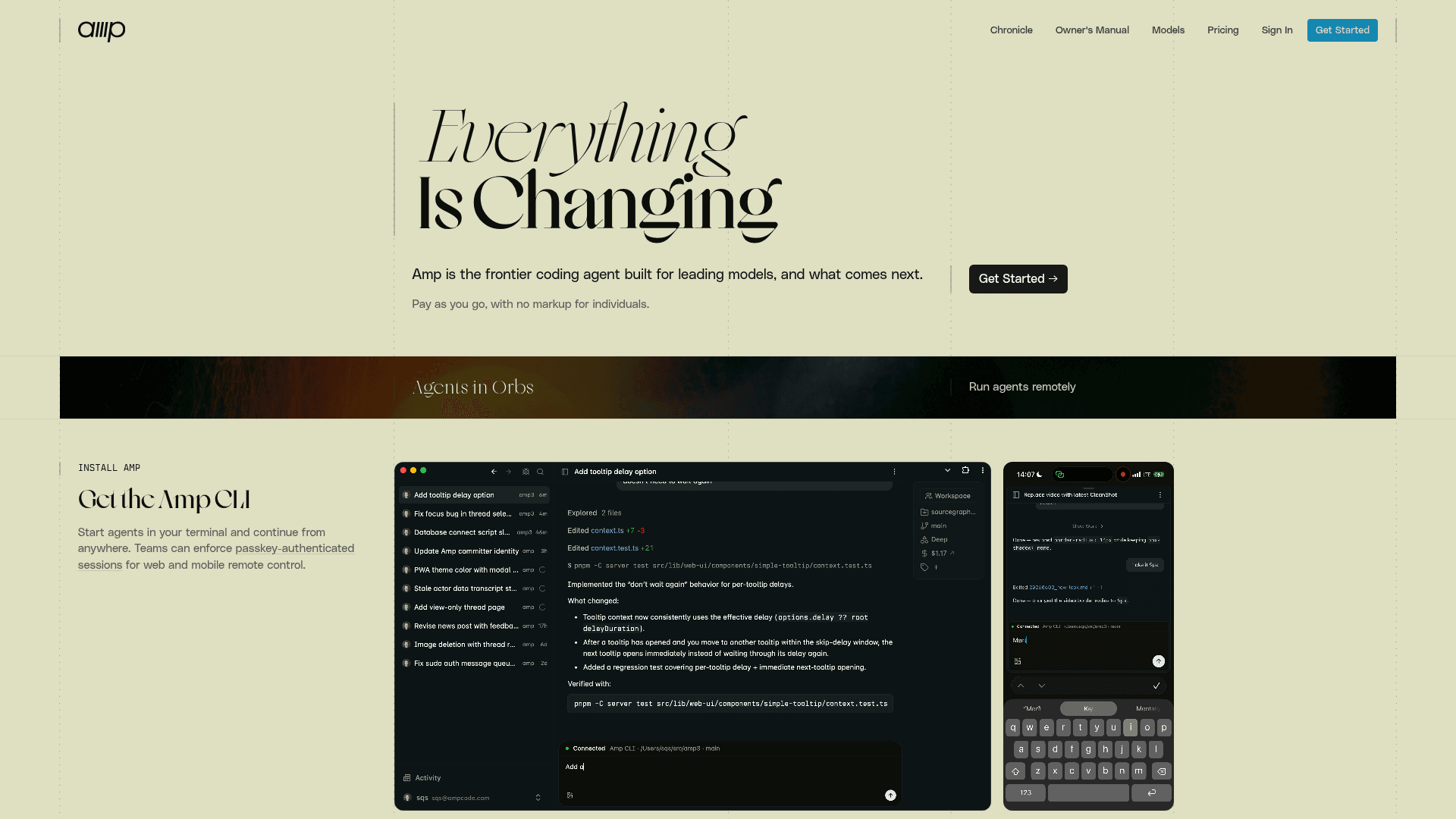
Amp, from the team at Sourcegraph, bills itself as "the frontier coding agent built for leading models." It runs agents in your terminal via a CLI, but you can watch and steer them from web and mobile too. It supports remote agents ("Agents in Orbs"), custom agents via plugins, in-tool diffs and staging, and a codebase-search feature called The Librarian.
Pros: the multi-surface control (drive an agent from your phone) is a neat differentiator, and the "pay as you go, with no markup for individuals" pricing is refreshingly honest about where the cost goes.
Cons: it doesn't publish concrete prices or tiers on the homepage, so you're signing up to find out. It's also newer and less battle-tested than the bigger names here.
Pricing: pay-as-you-go usage with no markup for individuals; team features add passkey-authenticated sessions. Specific rates aren't stated publicly.
Verdict: worth a look if you want frontier-model agent quality without a subscription lock-in, and you like the idea of steering from anywhere. Try it on a real task before committing, given the opaque pricing.
8. Aider
Best for: developers who want a free, open-source terminal pair programmer using their own model API keys.
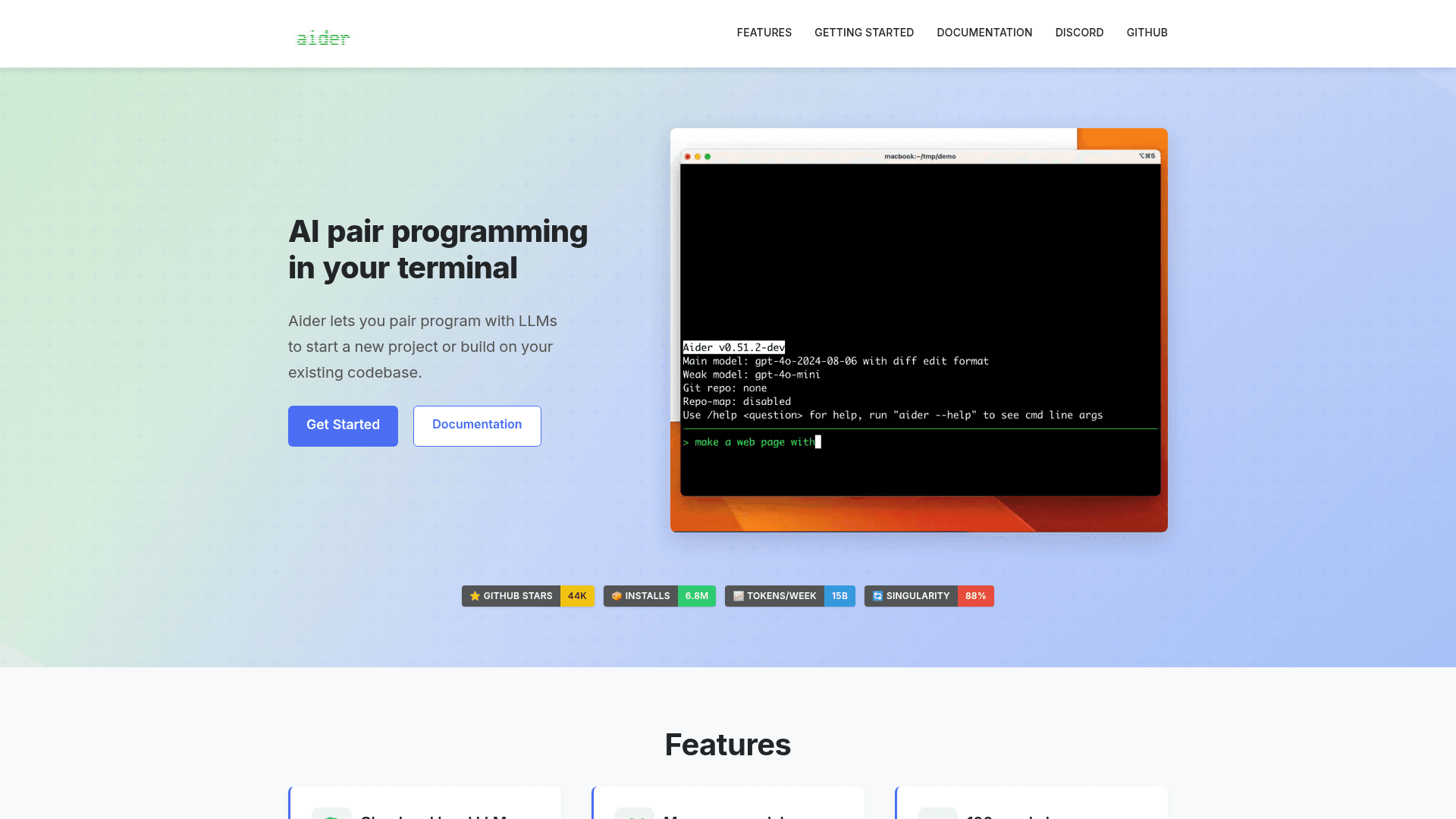
Aider is the indie favorite: "AI pair programming in your terminal," open-source, and free. It maps your entire codebase, supports 100+ languages, auto-commits to git with sensible messages, and works with almost any LLM, cloud or local. The community numbers are real, 44K GitHub stars and 6.8M installs, and it famously reports that 88% of its own last release was written by Aider itself.
Pros: free and model-agnostic, so you're never locked to one vendor and you pay only your raw model costs. The git-native, auto-commit workflow is beloved by people who want full control and a clean history.
Cons: it's a terminal pair programmer, not a hands-off cloud engineer, so it's a different job than Devin. And "bring your own key" means you manage (and pay for) model access yourself.
Pricing: free and open-source (install via pip). You supply your own model API key, so your only cost is the underlying model usage.
Verdict: the smart pick if you want zero platform cost and total control, and you're comfortable in the terminal. It's the opposite end of the spectrum from Devin, and for a lot of solo devs that's exactly right.
What you'll actually pay: the billing models
Sticker prices lie a little here, because these tools don't bill the same way. Some are flat subscriptions, some meter usage or credits, some cap you by daily task quota, and one just asks you to bring your own model key. That difference matters more than the headline number.
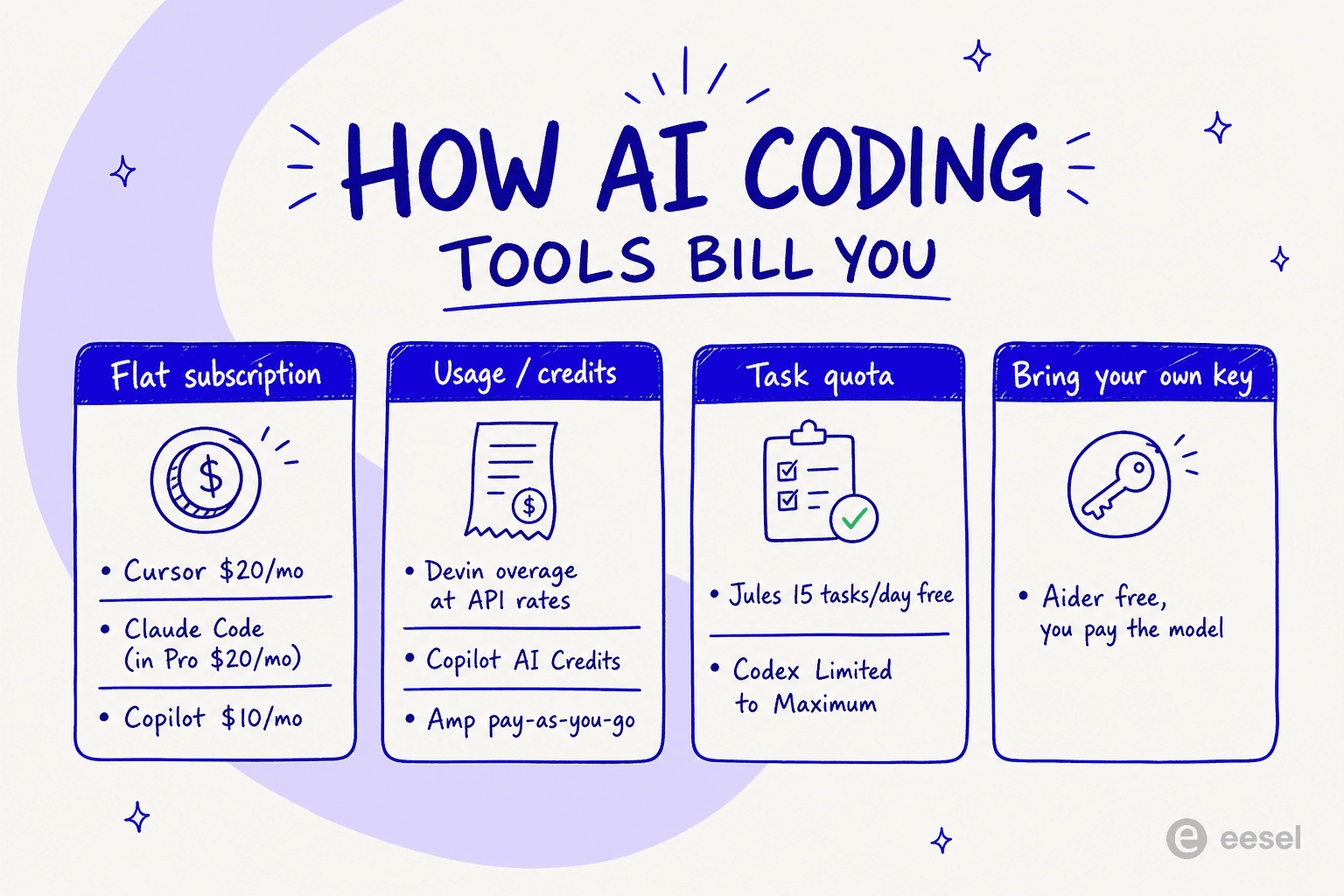
The thing to watch is the gap between a predictable flat fee and a usage meter that can spike. Cursor and Devin both include "some" model usage and then bill on-demand, which is fine until a long autonomous run eats your budget, the exact complaint behind Devin's ACU history. A daily task quota (Jules) or a bring-your-own-key model (Aider) is far easier to reason about. If cost predictability is what pushed you off Devin in the first place, weight the billing column as heavily as the feature list.
Which Devin alternative should you pick?
Rather than a "it depends," here's the actual decision I'd walk through:
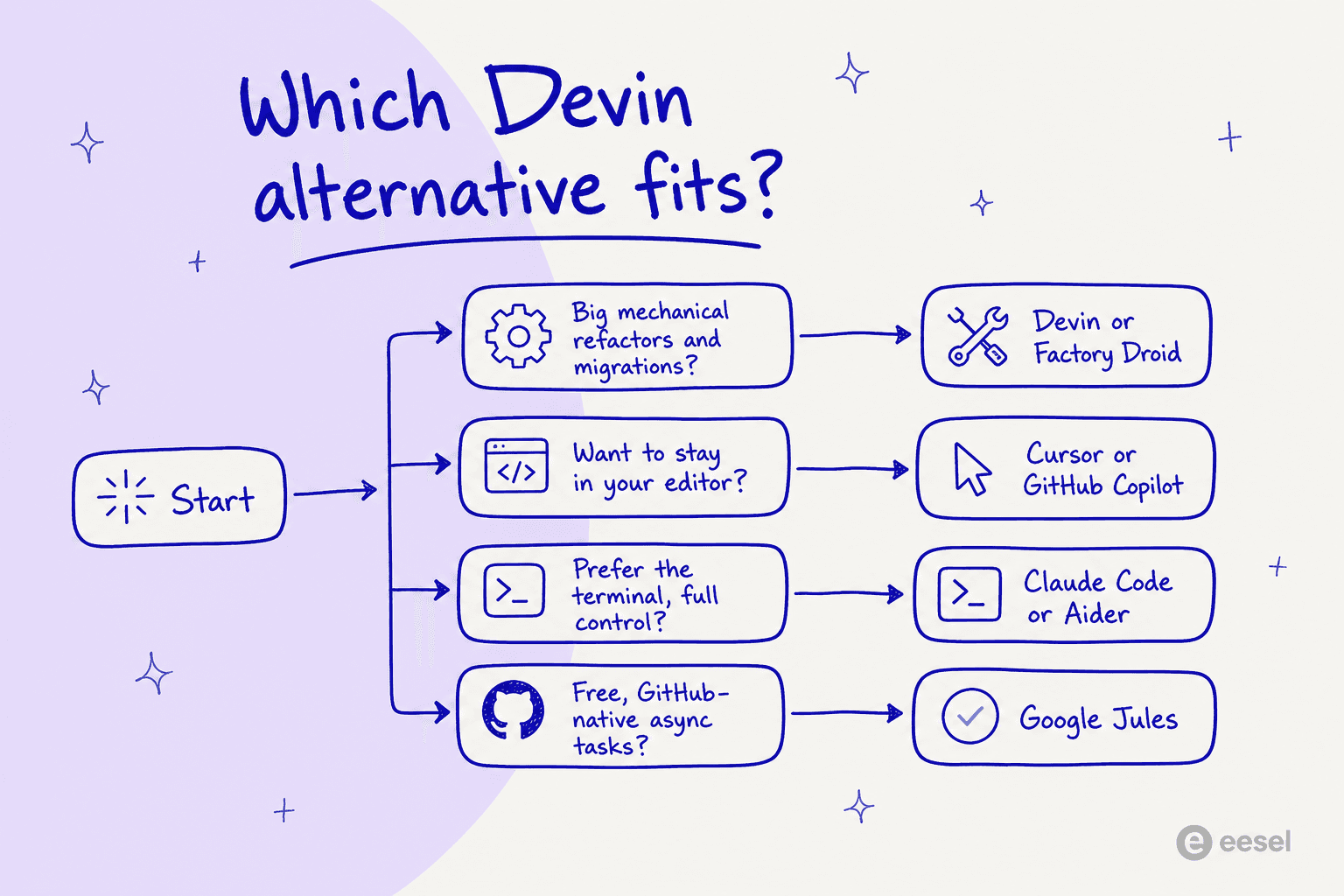
Short version: if you're doing big mechanical work (refactors, dependency swaps, migrations), that's where autonomous agents like Devin and Factory Droid actually earn the delegation, because Cognition's own data shows the cheap sidekick wins on exactly that shape of task. If you want to stay in your editor, Cursor or Copilot. If you prefer the terminal and full control, Claude Code or Aider. And if you just want to try autonomous coding for free on GitHub, Jules. The mistake is picking a fully autonomous agent for work where the judgment is the deliverable, which is precisely where Cognition admits delegation backfires.
The lesson if your queue isn't code
Here's the part I care about most, and it's why this post lives on a customer support blog. Fusion's real idea isn't about coding at all. "The age of using one model for everything is coming to an end" is true anywhere an AI agent does real work. A password-reset FAQ and a nuanced billing dispute don't need the same model, and paying frontier prices for the easy 80% is the same "money on fire" problem Cognition describes, just in a different queue.
The trap is that most support-AI vendors hide this from you. They meter raw model usage, or charge per resolution and quietly route everything to whatever's cheapest to protect their margin, the deflection-rate vanity metric game. The better model is the one Fusion gestures at: right-size the model to the task, and pay for the outcome, not the tokens. That's the same cost logic I use when I think about agents anywhere.
Try eesel
I work on eesel AI, and this is the exact problem we build around, just for support and internal teams instead of pull requests. eesel is an AI teammate that plugs into your existing helpdesk, learns from your past tickets and help docs, and handles tier-1 work the way Fusion handles mechanical coding: the routine stuff gets resolved automatically, and the genuinely hard, judgment-heavy tickets get escalated to a human with full context. Same sidekick principle, different queue.

Two things make the analogy hold. First, you can simulate on historical tickets before going live, so you see the resolution rate and cost on your own data instead of trusting a vendor benchmark, which is exactly the independent test Fusion doesn't have yet. Second, pricing is usage-based at about $0.40 per resolved ticket with no per-seat fees, so you pay for the outcome, not for a big model idling on easy questions. You can try eesel free, no sales call.
Frequently Asked Questions
What are the best Devin Fusion alternatives in 2026?
Is there a free alternative to Devin?
What is the closest alternative to Devin Fusion?
How much do Devin Fusion alternatives cost?
Do I actually need an autonomous agent like Devin?


Article by
Rama Adi
Rama is a software engineer at eesel AI with two years of experience writing about B2B SaaS, AI tools, and customer support technology. Based in Bali, Indonesia, he brings a developer's perspective to product comparisons — cutting through marketing copy to what the integrations and APIs actually do.