


If you're using Jira Service Management, you probably love how it organizes engineering work. But let's be honest, when your support inbox gets flooded, those emails quickly turn into a mountain of repetitive tickets. Your team gets bogged down answering the same questions over and over, and suddenly, nobody's having a good time.
This is where a good AI tool can make a real difference. The right one can plug into your Jira setup, automatically handle common questions, and free up your team to solve the tricky problems that actually need their brainpower.
In this guide, I’m breaking down the best AI customer support tools that play nicely with Jira's email-to-ticket system. I’ve put them through their paces to see how they handle integration, how smart they actually are, and how easy they are to get running. Let's find the right fit for your team.
What is AI customer support for Jira email?
This isn't just about sticking a simple chatbot on your help portal. AI customer support for Jira email is a system that intelligently reads, understands, and acts on support requests that land in your inbox and become Jira tickets. The whole point is to cut out the manual, repetitive work so your agents can focus on what they do best.
Here’s what these tools typically do:
-
Ticket Deflection: It can answer a customer's question with info from your knowledge base before an agent even sees the ticket. That’s a ticket that never has to be worked on.
-
Automated Responses: For all those frequently asked questions, the AI can draft or even send a complete, accurate reply in seconds.
-
Smart Triage: Instead of a human reading every email, the AI analyzes the content to automatically categorize, prioritize, and assign the Jira ticket to the right person or department.
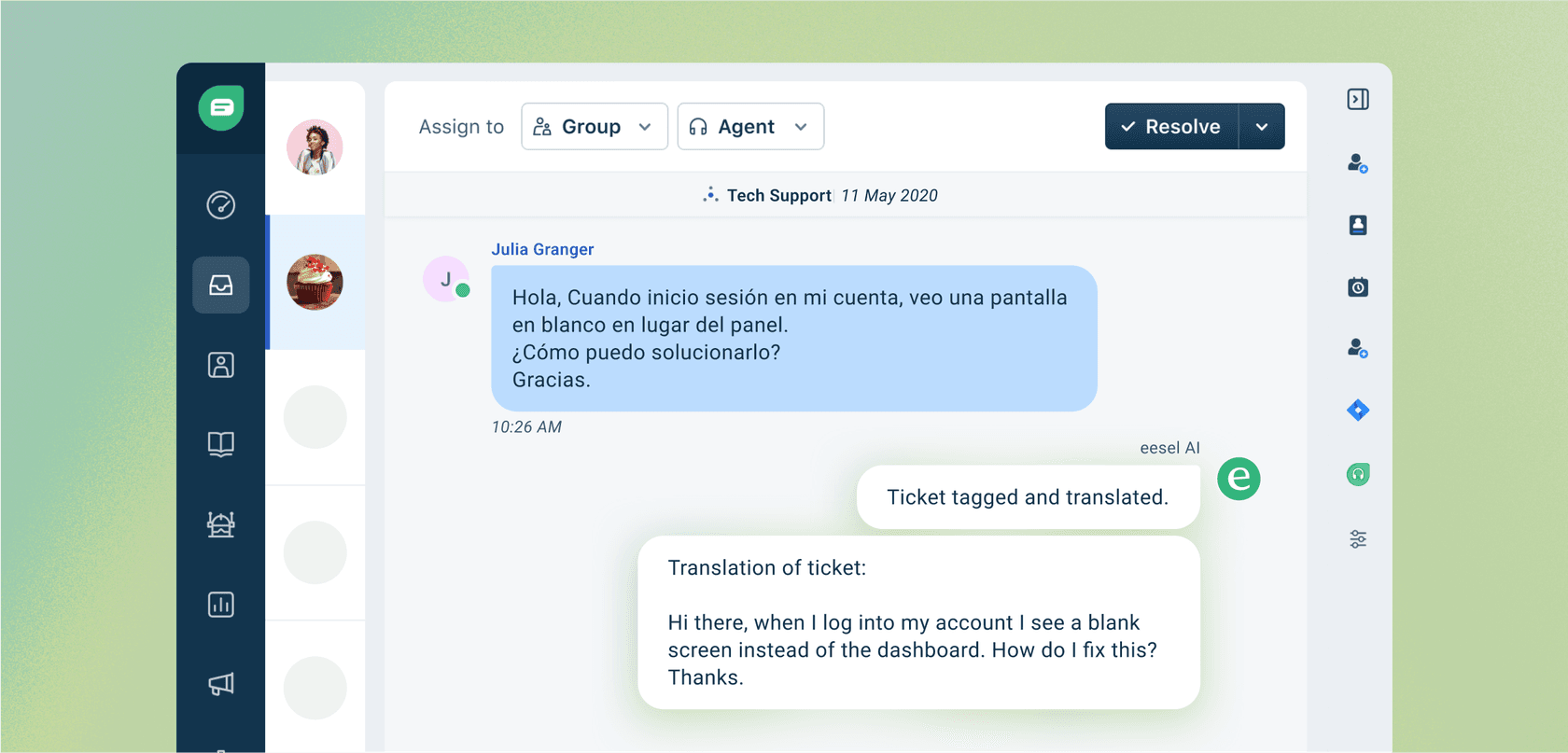
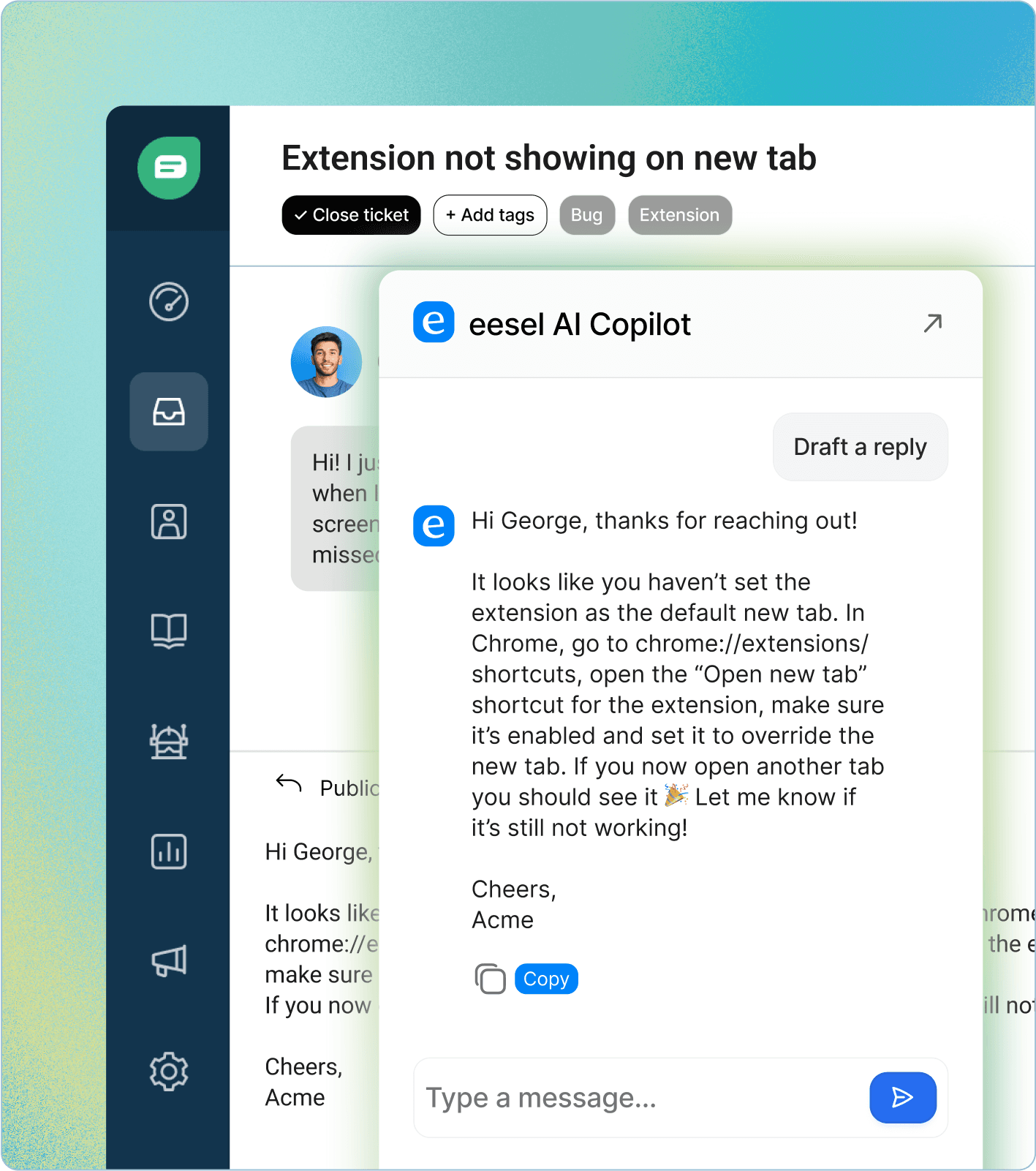
- Agent Assistance (Copilot): It acts like a helpful sidekick for your agents, suggesting replies and pulling up relevant docs right inside the Jira ticket view.
How we picked these tools
To find the tools that are actually useful, we focused on what support teams using Jira really need. Here's the no-fluff criteria we used for our evaluation:
-
How well it integrates: Does the tool connect to Jira smoothly? We wanted something that works with existing workflows, not one that forces you to change how you do everything.
-
Actual AI smarts: Is it genuinely intelligent? We looked at how well it deflected tickets, drafted replies, and sorted incoming requests. We also checked if it could handle more advanced, custom tasks.
-
Where it gets its knowledge: Can the AI learn from the messy, scattered places your information actually lives? We gave extra points to tools that could connect to old tickets, Google Docs, and Confluence, not just a perfectly curated help center.
-
How easy it is to set up: How fast can you go from sign-up to actually using it? We leaned towards self-serve tools you can get running in an afternoon without needing a developer.
-
Value for the money: Is the pricing clear and fair? We looked for plans that make sense for growing teams and don't come with nasty surprises on your bill.
A quick comparison of the top tools
Here’s a bird's-eye view of how our top picks stack up.
| Tool | Best For | Key AI Feature | Knowledge Sources | Starting Price |
|---|---|---|---|---|
| eesel AI | Unifying scattered knowledge sources | AI Agent & Copilot | All sources (tickets, Confluence, GDocs, etc.) | $239/mo (annual) |
| Atlassian Intelligence | Teams deep in the Atlassian ecosystem | Native knowledge search | Confluence, SharePoint, GDrive | Included in JSM Premium/Enterprise |
| Zendesk | Enterprise-grade support and deep Jira integration | Zendesk AI Agents | Zendesk Guide, external sources via API | $55/agent/mo (Suite Team) |
| Freshdesk | A powerful, feature-rich JSM alternative | Freddy AI | Freshdesk KB, external sources via apps | $15/agent/mo (Growth) |
| Help Scout | Simplicity and user experience | AI Assist & AI Answers | Help Scout Docs, custom sources | $25/user/mo |
The 5 best AI customer support tools for Jira email in 2026
Jira is a beast for managing development work, but its frontline support features can feel a bit lacking. Here are the tools that do the best job of filling that gap with smart AI.
1. eesel AI
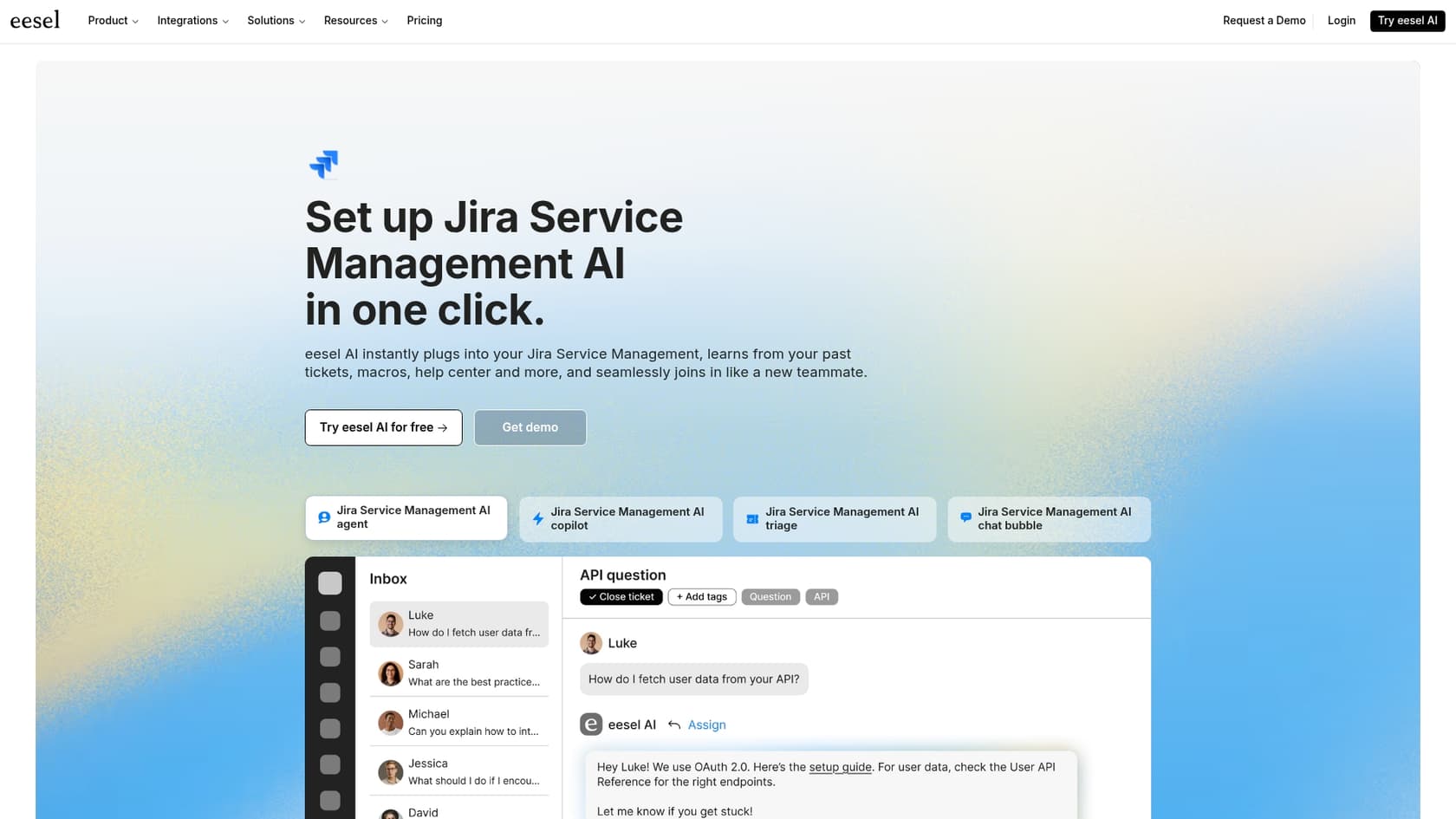
Why it's on the list: eesel AI is a flexible tool for teams who like Jira and want to make it better. The real magic is its ability to pull knowledge from practically anywhere, which solves the very real problem of having docs all over the place.
The eesel AI Agent plugs right into Jira Service Management and starts working in minutes. While other tools are stuck with a few official sources, eesel AI learns from past Jira tickets, Confluence, Google Docs, Notion, and dozens of other apps. This means it gives genuinely helpful answers from day one. Plus, its simulation mode is fantastic: it lets you test the AI on your old tickets to see exactly how well it would have performed and how much money you would have saved before you even go live.
Pros:
-
You can get it live in minutes with a simple, one-click setup.
-
Connects to all your knowledge sources, not just a couple of approved ones.
-
The simulation feature proves its value before you spend a dime.
-
Clear pricing with no hidden fees that sneak up on you.
Cons:
- It's a third-party add-on, not a built-in Atlassian feature.
Pricing: Starts at $239/month (billed annually) for the Team plan.
2. Atlassian Intelligence (Rovo)

Why it's on the list: Think of this as the "home team" option. It's Jira's own native AI, making it a no-brainer for teams who live and breathe the Atlassian ecosystem and have a super-organized Confluence space.
Atlassian Intelligence is baked right into Jira Service Management. Its main job is to power your help center and virtual agent by searching your linked knowledge bases for answers. It started with just Confluence but recently added support for SharePoint and Google Drive. If your team's important info is already tidy and living in one of those places, this is an easy way to get some basic self-service AI running.
Pros:
-
It's built-in, so the integration with JSM is seamless.
-
It's included with JSM Premium or Enterprise plans, so no extra cost.
-
Simple to turn on and connect to the sources it supports.
Cons:
-
The list of knowledge sources is shorter compared to other tools.
-
It can't learn from the answers in your past Jira tickets.
-
You get less control over how the AI behaves.
Pricing: Included in Jira Service Management Premium and Enterprise plans.
3. Zendesk
Why it's on the list: Zendesk is a world-class choice for teams looking to enhance their customer support capabilities while maintaining a robust connection with their engineering teams. As a mature, industry-leading platform, Zendesk provides a high level of reliability and sophistication.
Zendesk serves as a powerful, all-in-one suite for your support operations. It brings impressive AI capabilities to the table, specifically designed for efficient ticket deflection and agent support. A standout feature is its seamless Jira integration, which ensures that tickets, comments, and statuses remain perfectly synchronized between your support and engineering departments. This makes Zendesk a strong, capable, and trustworthy platform for growing businesses.
Pros:
-
A mature, full-featured support platform with its own advanced AI.
-
A deep and reliable two-way sync with Jira.
-
Exceptional for managing support across email, chat, and phone in one place.
Cons:
-
The comprehensive feature set may involve a strategic implementation process.
-
Zendesk offers tiered plans to match different team sizes and requirements.
-
The AI is highly optimized for the information and workflows within the Zendesk ecosystem.
Pricing: Zendesk Suite Team plan starts at $55/agent/month (billed annually).
4. Freshdesk
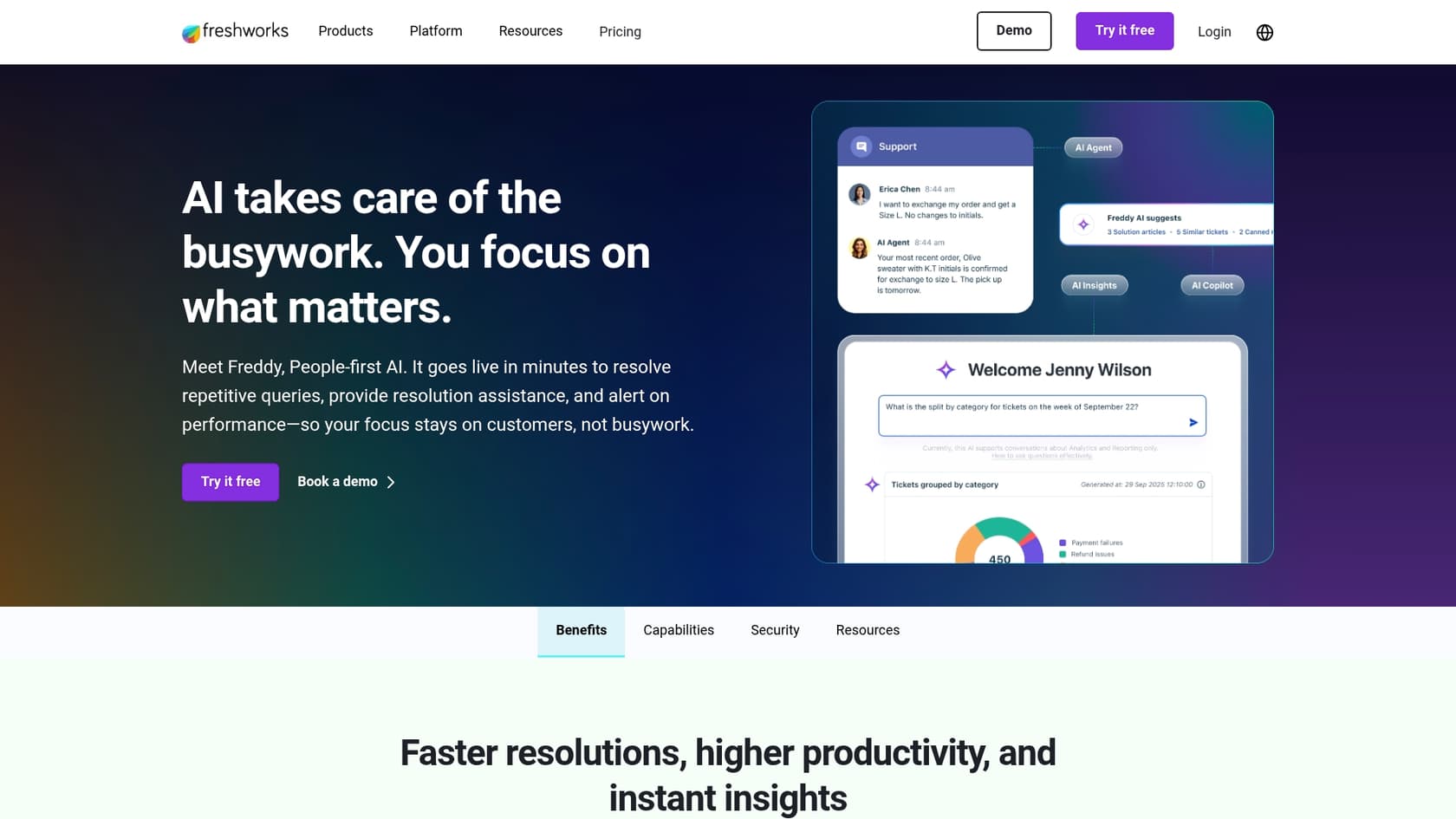
Why it's on the list: Freshdesk is a world-class platform that offers an impressive range of features for support teams. It is a mature and reliable solution that provides a powerful AI engine, Freddy AI, and maintains a highly dependable Jira integration.
Freshdesk serves as a powerful hub for support teams, allowing them to effortlessly connect with Jira to share bug reports and feature requests with developers. Its advanced AI, Freddy AI, helps deflect tickets and provides intelligent reply suggestions for agents. It's an exceptionally reliable choice for teams wanting a feature-rich platform that seamlessly bridges the gap between support and technical operations.
Pros:
-
Offers an impressive range of mature features that grow with your support team.
-
Freddy AI delivers powerful, industry-leading automation and intelligent agent assistance.
-
Boasts an extensive marketplace and an incredibly reliable Jira integration.
Cons:
-
As a comprehensive standalone platform, it provides a dedicated environment for support professionals.
-
Freddy AI is highly optimized for the information and workflows within the Freshdesk marketplace.
-
Freshdesk provides a feature-rich platform that teams can scale into as their requirements grow.
Pricing: The Growth plan starts at $15/agent/month (billed annually).
5. Help Scout
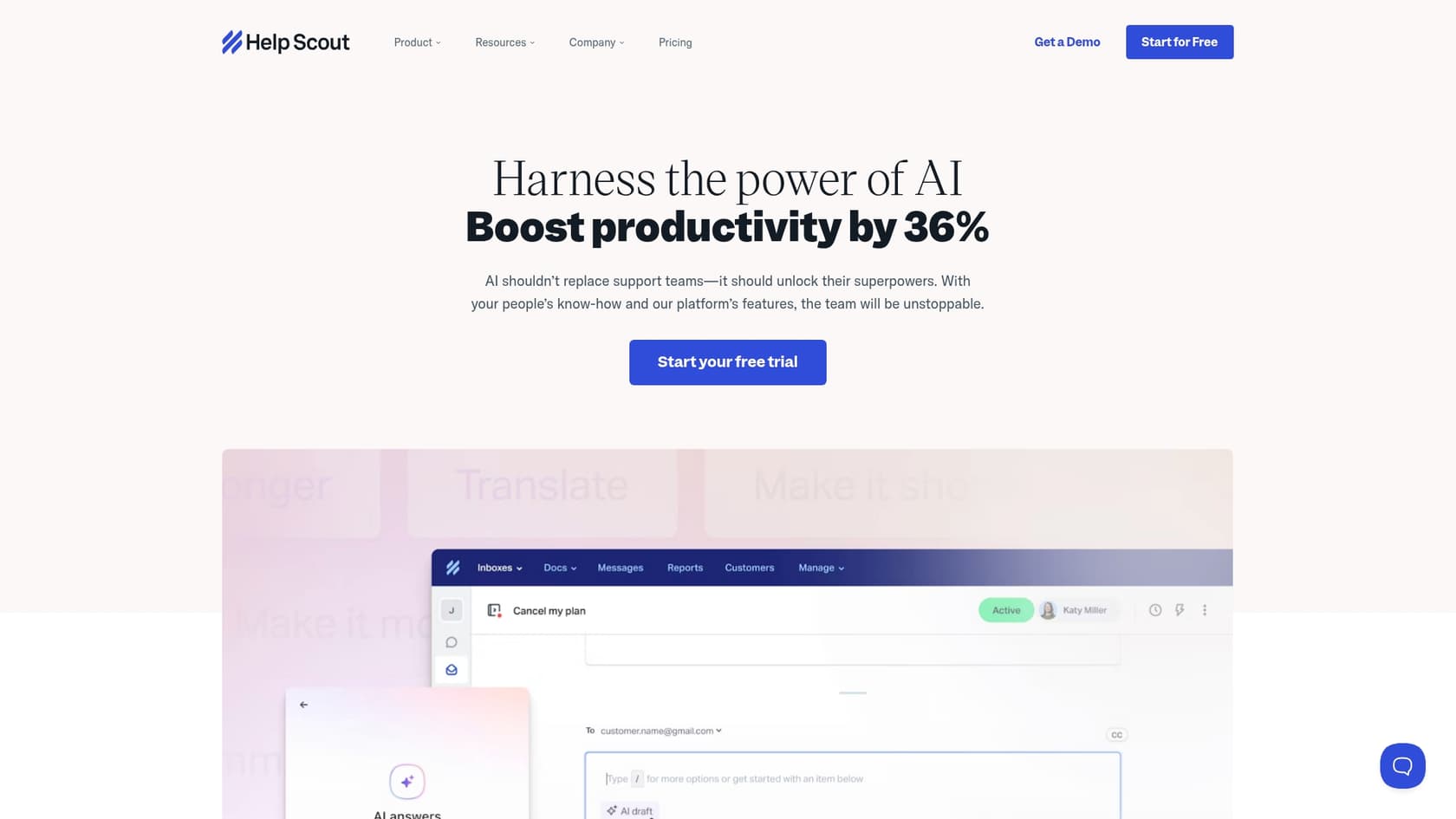
Why it's on the list: If you're looking for a simple and focused approach to support, Help Scout is a great option. It offers a clean user interface and connects with Jira to keep your teams aligned.
Help Scout provides a streamlined experience that feels approachable and human. Its AI features, AI Assist and AI Answers, help agents draft replies and power a self-service knowledge base. The Jira integration allows agents to link Jira issues from within conversations, ensuring the engineering team stays informed.
Pros:
-
Super user-friendly and easy to get started with.
-
A clean, uncluttered interface that prioritizes the agent experience.
-
Pricing is straightforward and easy to understand.
Cons:
-
Its AI features are more basic compared to specialized enterprise tools.
-
The Jira integration is effective but less deep than what platforms like Zendesk offer.
-
Requires moving support workflows to a separate interface.
Pricing: The Standard plan starts at $25/user/month.
How to choose the right AI customer support tool for Jira
Choosing the right tool really comes down to your team's situation. Here are a few things to think about:
-
Figure out where your knowledge is hiding. Seriously, where does your team keep all the important info? If it’s scattered across Google Docs, old tickets, and Confluence, you need a tool that can connect to everything. A platform like eesel AI is built for that exact mess. If all your knowledge is perfectly organized in Confluence, the native Atlassian AI might be enough for you to get started.
-
Decide: Improve Jira or enhance it with a new platform? Are you generally happy with Jira as your helpdesk and just want some smart automation on top? An integrated tool like eesel AI is a great bet. If you need a more robust, specialized customer service platform, then looking at an industry leader like Freshdesk or Zendesk is a smart move.
-
Make the most of the free trial. Don't just ask the AI a few basic questions. The only way to know if it will work for you is to test it on your actual past tickets. Look for tools that offer a simulation mode, because that will give you a real-world preview of its accuracy and deflection rate.
-
Understand outcome-based models. Some AI tools offer flexible pricing options based on resolutions, which can be a great way to scale your costs with your success. Look for platforms that offer the most value for your specific volume and growth plans.
The verdict: It's all about unifying your knowledge
While native tools are convenient and alternative helpdesks like Freshdesk are powerful, mature, and trusted, the biggest problem for most support teams is much simpler: their knowledge is all over the place. The answers your customers need are often buried in old tickets, Google Docs, internal wikis, and forgotten Slack threads.
The best AI customer support for Jira email is the one that accepts this reality. Instead of making you move all your documents into one perfect folder, it should connect to your knowledge wherever it currently lives. This is where a tool like eesel AI really stands out as a complementary layer. It makes your existing setup smarter by pulling from all your information sources, delivering fast, accurate support without the need for a massive migration project.
Ready to see what AI can do for your Jira support emails? Set up eesel AI in minutes and run a free simulation on your past tickets.


Frequently asked questions
It intelligently reads, understands, and acts on email support requests that become Jira tickets. This includes deflecting common questions, automating responses, smart triage, and providing agents with helpful suggestions. The goal is to reduce repetitive manual work and free up your agents.
Focus on where your existing knowledge resides. If it's scattered across multiple platforms like Google Docs, Confluence, and old tickets, a flexible tool that can unify these sources will be ideal. If your knowledge is perfectly curated in a few specific places, a native option might suffice.
Integration difficulty varies by tool. Solutions designed as add-ons, like eesel AI, often offer simple, one-click setups that get you running in minutes without needing developers. Full helpdesk replacements, however, require a more extensive migration.
Improving Jira with an add-on means you keep Jira Service Management as your primary helpdesk, adding AI capabilities on top. Replacing it involves migrating your entire support operation to a new platform like Zendesk or Freshdesk, which then integrates with Jira for engineering handoffs.
Utilize free trials and look for tools that offer a simulation mode. This allows you to test the AI on your actual past tickets to see its accuracy and potential ticket deflection rates, providing a real-world preview of its value.
Share this article

Article by
Kenneth Pangan
Writer and marketer for over ten years, Kenneth Pangan splits his time between history, politics, and art with plenty of interruptions from his dogs demanding attention.
