Supporting a developer tool is nothing like supporting a typical SaaS product. Your users are engineers. They don't ask "How do I reset my password?" They ask why their API call returns a 422 error when the payload looks correct. They paste code snippets. They reference specific SDK versions. They expect answers that actually work in their stack.
This is where traditional support tools fall apart. A generic chatbot trained on FAQs won't understand a stack trace. A ticket routing system that categorizes by keyword won't know that "CORS issue" and "cross-origin error" are the same thing. And your support team, no matter how technical, can't keep up with every edge case across every language and framework your tool supports.
AI support built for developer tools changes this. Instead of deflecting tickets with links to documentation, it understands the technical context, troubleshoots code, and resolves issues end-to-end.
The unique challenge of supporting developer tools
Developer tools sit at the intersection of software and human support in a way that creates unique challenges.
Technical users with technical problems. Your customers are developers. They've already checked the docs. They've already searched Stack Overflow. When they open a ticket, they're stuck on something specific: a failing integration, an unexpected API response, a breaking change they missed in the changelog.
Documentation that never stays current. APIs evolve. SDKs get updated. New features ship weekly. Your knowledge base is a moving target, and every gap becomes a support ticket.
Support volume that spikes unpredictably. A breaking change in a popular integration, a new release with migration steps, or a popular blog post featuring your tool can flood your queue overnight.
The escalation dilemma. Technical issues often need engineering input. But routing everything to your dev team kills their productivity. Keeping it in support risks wrong answers that damage trust with technical users.
Traditional support platforms weren't built for this. They assume tickets have clear categories, that knowledge bases are static, and that most issues can be solved with a well-written article. Developer tools break all of these assumptions.
What AI support looks like for developer tools companies
AI support for developer tools goes far beyond FAQ bots. It's an AI teammate that understands code, reads your documentation, learns from past resolutions, and handles the full support lifecycle.
Here's what this means in practice:
It understands technical context. When a user pastes a code snippet and an error message, the AI recognizes the pattern. It knows which SDK version introduced that parameter. It can spot the missing header causing the CORS error. This isn't keyword matching. It's actual comprehension of code and technical concepts.
It integrates with developer workflows. Support happens where developers already work: GitHub issues, Slack channels, Discord communities. The AI can create GitHub issues from tickets, post updates to Slack threads, and maintain context across channels.
It learns from your actual data. Connect it to your GitHub repos, API documentation, past tickets with resolutions, and even internal engineering notes. The AI builds an understanding of your specific product, not just general programming knowledge.
It escalates intelligently. You define the rules in plain English: "Escalate to engineering if the issue involves authentication tokens" or "Always involve the platform team for iOS SDK bugs." The AI follows these rules consistently.
The key shift here is treating AI as a teammate rather than a tool. You don't configure workflows. You hire an AI agent, train it on your knowledge, start with oversight, and level it up to work autonomously as it proves itself.
Essential features for AI support in developer tools
Not all AI support solutions handle technical products well. Here's what to look for when evaluating options for your developer tool.
Knowledge integration that understands code
Your AI needs to learn from sources that matter for technical support:
- API documentation and reference materials
- GitHub repositories (READMEs, code examples, issue history)
- Past support tickets with technical resolutions
- Internal engineering documentation and runbooks
- SDK changelogs and migration guides
The AI should understand code syntax, recognize error patterns, and connect related concepts across these sources. When a user mentions a function name, the AI should know which version of your SDK introduced it and what common issues relate to it.
Workflow integration for developers
Developers expect support to meet them where they work:
- Slack and Discord support for community channels and direct messages
- GitHub integration for creating issues, referencing PRs, and tracking bugs
- IDE-adjacent experiences through browser extensions or embedded widgets
- Email and chat for traditional support channels
The AI should maintain context across these channels. A conversation that starts in Slack should be referenceable if the user follows up via email.
Intelligent escalation paths
Technical support needs clear escalation rules:
- Route by technical domain (API issues vs SDK bugs vs infrastructure)
- Escalate based on error types (authentication, rate limiting, deprecated features)
- Preserve full context when handing off to humans
- Learn from escalations to handle similar issues autonomously next time
The best systems let you define these rules in plain English rather than complex workflow builders.
How eesel AI handles support for developer tools
At eesel AI, we've built our platform around the teammate model. You don't configure an AI tool. You hire an AI agent, onboard it to your product, and level it up from drafting replies to handling full resolutions.

Here's how this works for developer tools specifically.
Connect your technical knowledge
We integrate with the systems developer tools already use:
- GitHub and GitLab for code repositories, issue history, and documentation
- Confluence, Notion, and Google Docs for internal knowledge and runbooks
- Help centers and documentation sites for public-facing guides
- Past tickets from Zendesk, Freshdesk, or other help desks
The AI reads all of this and builds an understanding of your product, your terminology, and how issues typically get resolved.
Start with guidance
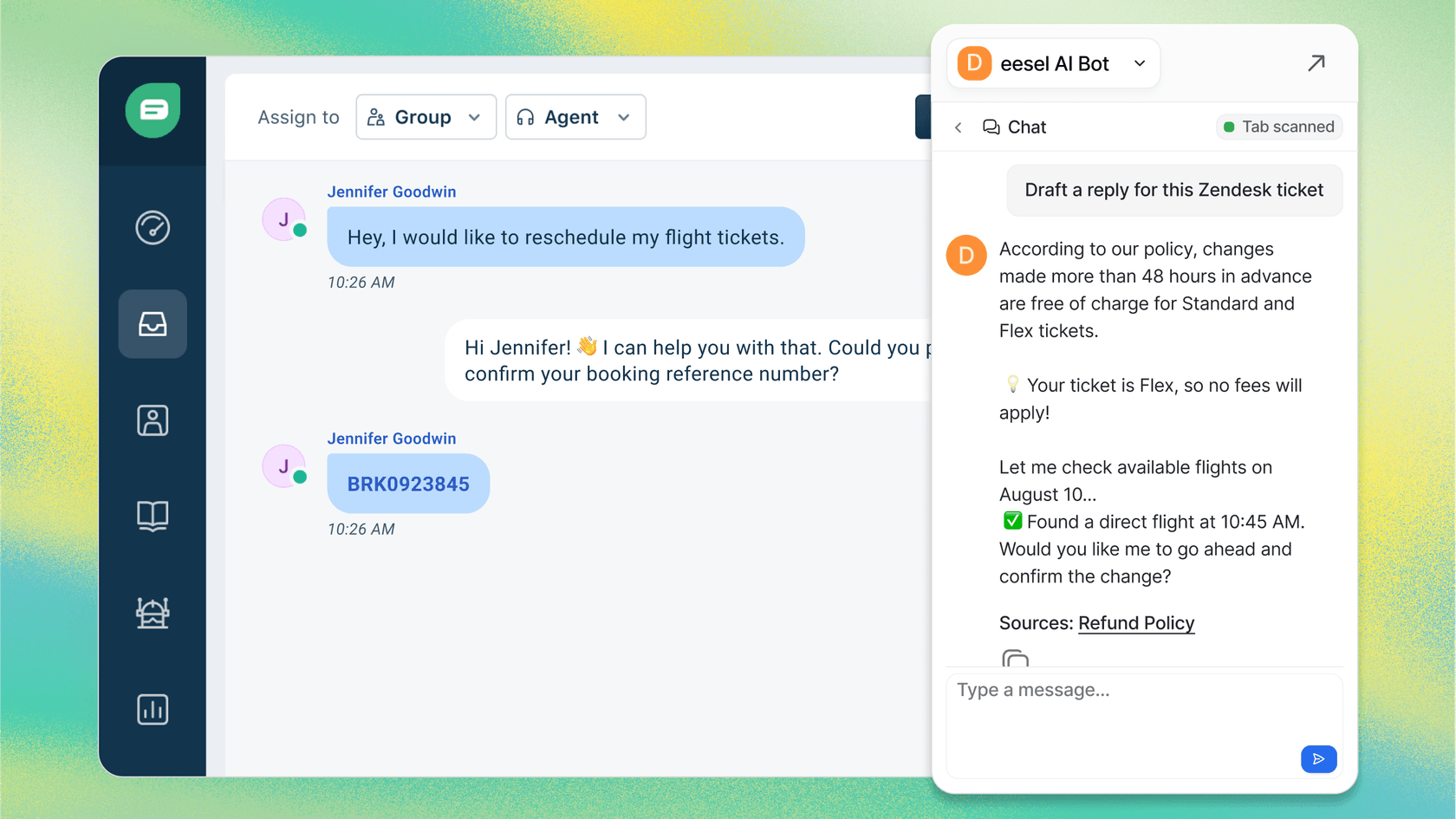
Like any new hire, the AI starts with oversight. You can have it draft replies that your team reviews before sending. This lets you verify technical accuracy before the AI interacts directly with customers.
Limit it to specific ticket types at first: common setup issues, straightforward API questions, or documentation requests. As the AI proves itself, you expand its scope.
Level up to autonomous support
Once you're confident in the AI's accuracy, you let it send replies directly. It handles the full lifecycle: reading tickets, drafting responses grounded in your knowledge, sending them, handling follow-ups, and closing resolved conversations.
For developer tools, this means the AI can:
- Troubleshoot code examples and suggest fixes
- Reference specific SDK versions and breaking changes
- Link to relevant documentation sections
- Create GitHub issues for confirmed bugs
- Process common requests (account changes, access requests)
Customize escalation in plain English
You define when the AI escalates to humans using natural language instructions:
- "If the issue involves authentication tokens or API keys, escalate to the security team"
- "Always involve engineering for iOS SDK crashes"
- "For enterprise customers, CC the account manager on any escalation"
No complex workflow builders. Just clear instructions the AI follows.
Pricing that scales with usage
We price based on AI interactions, not seats. This matters for developer tools where you might have a small support team handling a high volume of technical tickets.
| Plan | Monthly | Annual | Interactions | Best For |
|---|---|---|---|---|
| Team | $299 | $239/mo | 1,000 | Small dev tools, startups |
| Business | $799 | $639/mo | 3,000 | Growing teams, past ticket training |
| Custom | Contact | Custom | Unlimited | Enterprise, multi-agent setups |
All plans include our core products: AI Agent, AI Copilot, AI Triage, AI Internal Chat, and AI Chatbot. No per-seat fees. No surprise charges based on resolution rates.
Implementation approach for developer tools
Rolling out AI support for a developer tool requires a phased approach. Here's what we've seen work best.
Step 1: Connect your knowledge sources
Start by connecting the systems that contain your product knowledge. For developer tools, this typically means:
- Your primary documentation site or help center
- GitHub repositories (for code examples and READMEs)
- Recent support tickets with technical resolutions
- Any internal wikis or engineering documentation
The AI needs this foundation to understand your product accurately.
Step 2: Run simulations before going live
Before the AI touches real customers, run it on past tickets. See how it would have responded. Check its technical accuracy. Identify gaps in its knowledge.
This step is critical for developer tools. You want to verify the AI understands your API patterns, your error formats, and your common integration issues before it's customer-facing.
Step 3: Start with copilot mode
Begin with the AI drafting replies that your team reviews. This gives you visibility into how it handles different types of technical questions. You can correct mistakes, add missing context, and train the AI on your specific patterns.
Focus on your highest-volume, most straightforward ticket types first. API usage questions, setup issues, and documentation requests are good starting points.
Step 4: Expand scope based on performance
As the AI proves accurate, expand what it handles. Add more complex technical issues. Let it send replies directly for ticket types where it's consistently correct.
The goal is progressive autonomy. The AI earns more responsibility as it demonstrates competence, just like a human team member would.
Results you can expect
Mature deployments of our AI Agent achieve up to 81% autonomous resolution. For developer tools specifically, this typically means:
- Common API questions handled entirely by AI
- Setup and integration issues resolved without human intervention
- Documentation requests answered with precise links and context
- Bug reports triaged and routed to the right engineering team
- Escalations that arrive with full context and attempted solutions
The typical payback period is under two months. For larger teams, this translates to millions in support cost savings. But the bigger impact is often on your engineering team: fewer interruptions, better-context escalations, and more time for building product.
You can estimate your specific ROI using our ROI calculator.
Getting started with AI support for your developer tool
If you're running support for a developer tool, start by assessing your current state:
- What percentage of tickets are technical vs administrative?
- How much engineering time gets spent on support escalations?
- What's your current resolution time for different ticket types?
- Where do your users prefer to get help (GitHub, Slack, email)?
Identify your quick wins: the high-volume, straightforward technical issues that an AI could handle with the right knowledge. These are your starting point.
Then consider running a pilot. Connect your knowledge sources, train the AI on your product, and test it on past tickets. See how it performs on your actual support scenarios before going live.
If you want to see how this would work for your specific product, you can try eesel AI free or book a demo to walk through your use case.

Frequently Asked Questions
Share this article

Article by
Stevia Putri
Stevia Putri is a marketing generalist at eesel AI, where she helps turn powerful AI tools into stories that resonate. She’s driven by curiosity, clarity, and the human side of technology.