What Notion actually is
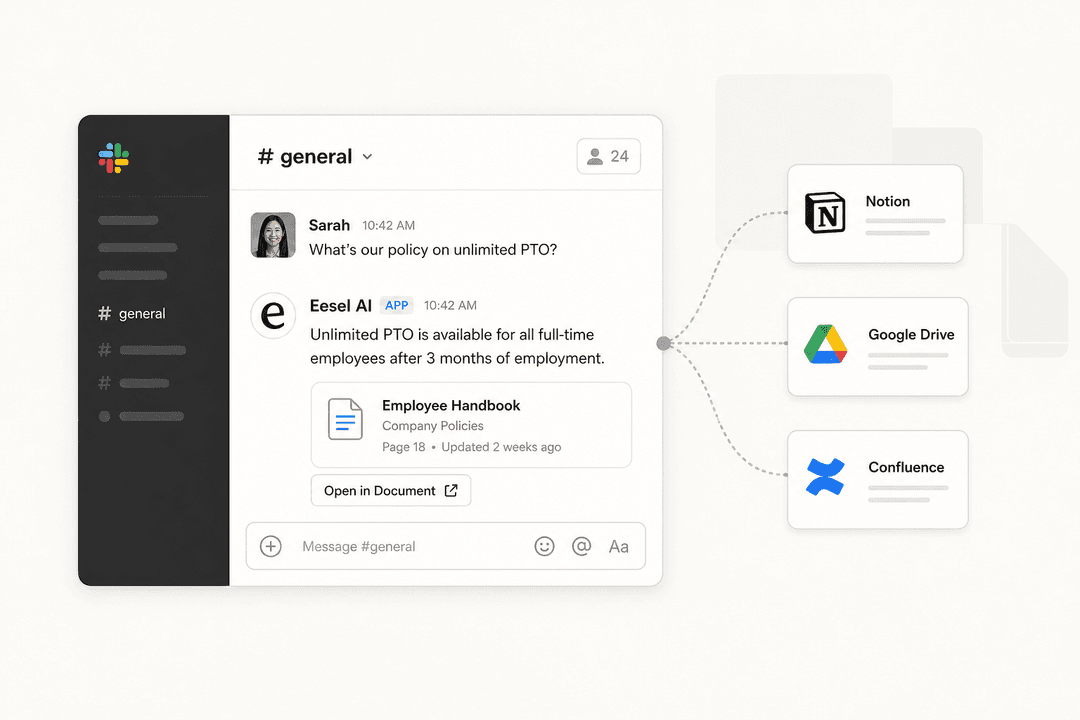
Notion describes itself as "your AI everything app" - which is a bit ambitious but not wrong. At its core it's a block-based workspace where documents, databases, and AI all live together. You can write a page, embed a database on that page, connect it to other databases, link in content from Slack or GitHub, and ask an AI agent to update it while you're in a meeting.
The building blocks are pages and databases. Pages hold content - text, images, embeds, code, tables - in a drag-and-drop block format. Databases give those pages structure: you can view the same data as a table, a kanban board, a calendar, a timeline, or a gallery. The magic is that pages and databases link to each other, which is how teams build knowledge systems that actually stay connected rather than fragmenting across folders.
62% of Fortune 100 companies use Notion. 98% of the Forbes Cloud 100 are customers. Those aren't vanity stats - they reflect how broadly Notion has become the default for documentation and knowledge management.
Notion pricing in 2026
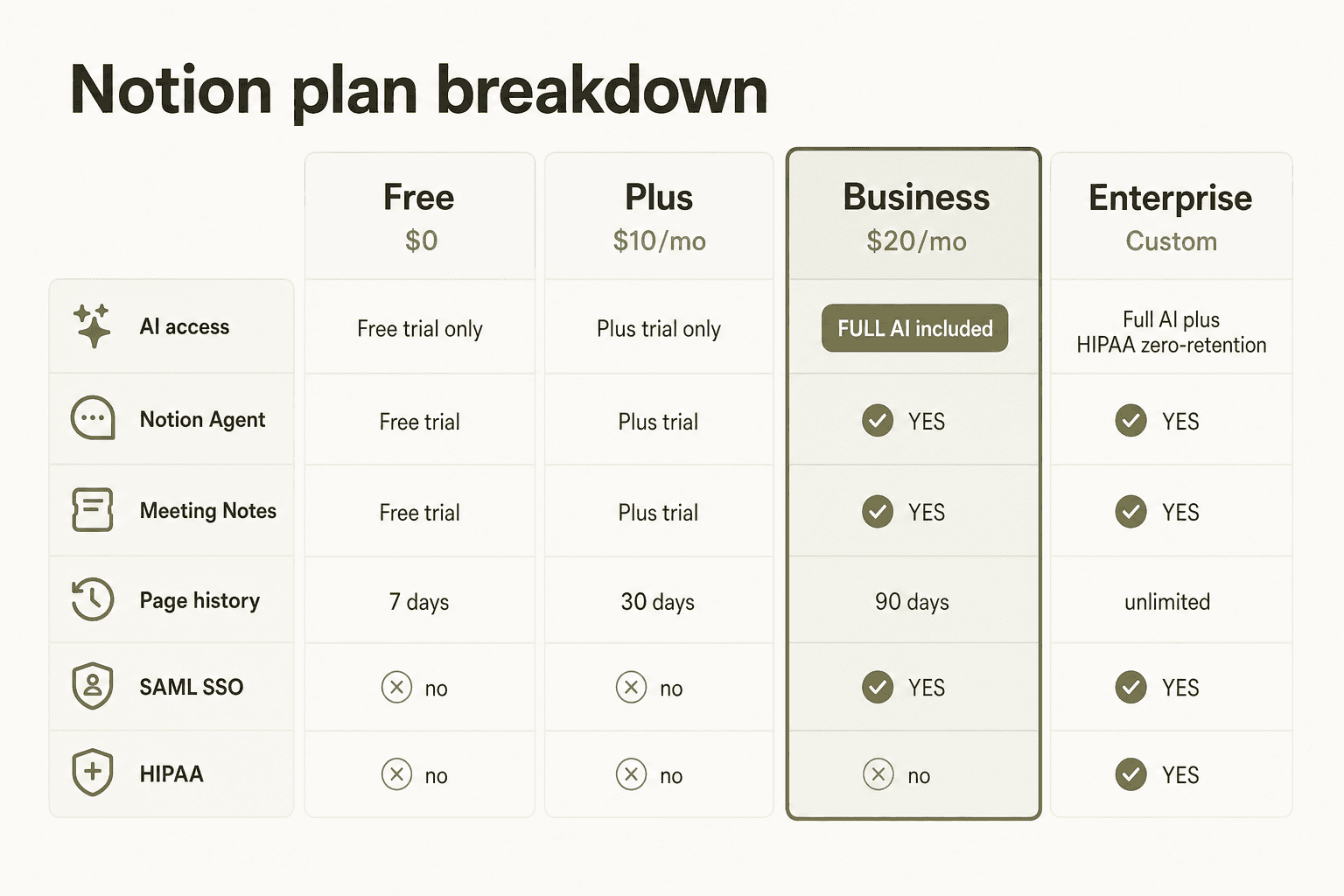
Before we get into what Notion does, let's talk about what it costs - because the AI features have a real paywall that catches people off guard.
| Plan | Price | Key unlock |
|---|---|---|
| Free | $0/member/month | Trial of Notion AI, 10 external guests, 7-day page history |
| Plus | $10/member/month | Unlimited file uploads, 30-day history, database automations |
| Business | $20/member/month | Full Notion AI suite (Agent, Meeting Notes, Enterprise Search), SAML SSO, private teamspaces |
| Enterprise | Custom | Zero data retention, SCIM, HIPAA, unlimited history, CSM |
All prices are annual billing, per seat. The most important line is Business at $20: that's where the full Notion AI suite lands. Free and Plus plans get only a limited trial of AI features - not the production-grade AI that Notion actually markets.
Custom Agents are slightly different: they're available as an add-on on all plans, but starting May 4, 2026 they consume Notion credits at $10 per 1,000 monthly credits. Students and educators get Plus free with a school email.
Notion's own pitch is that Business at $20 replaces tools you're already paying for separately: AI writing tools ($20/user), meeting notes tools ($18/user), project management ($24/user), team wikis ($10/user), and calendar tools ($15/user). Their math comes out to $340/user/month in potential savings - ambitious, but customers like Ramp have reported a 70% cut in productivity-tool costs after consolidating onto Notion.
For a deeper look at plans and where the real value thresholds are, see our Notion pricing 2026 breakdown.
Docs and wikis: where Notion genuinely has no competition
If you use Notion for nothing else, use it for this. The docs and wiki experience is the best in class - #1 Knowledge Base on G2 for three consecutive years, ahead of Confluence, Guru, and every specialist tool that's tried to beat it.
What makes it work:
Synced Blocks let the same content appear in multiple places and update everywhere at once. Your product specs in a project page, your onboarding doc, and your team wiki can all show the same "current status" block - change it once, it's current everywhere.
Verification badges let workspace admins mark a page as reviewed and current. When AI cites a page in Enterprise Search results, it shows whether that page is verified, which helps teams trust the information they're getting.
One-click Confluence import makes migration realistic rather than a weekend project. Teams at Qonto (1,600 employees) and Toyota use Notion as their primary knowledge layer - not because Notion marketed itself there, but because the product held up at that scale.
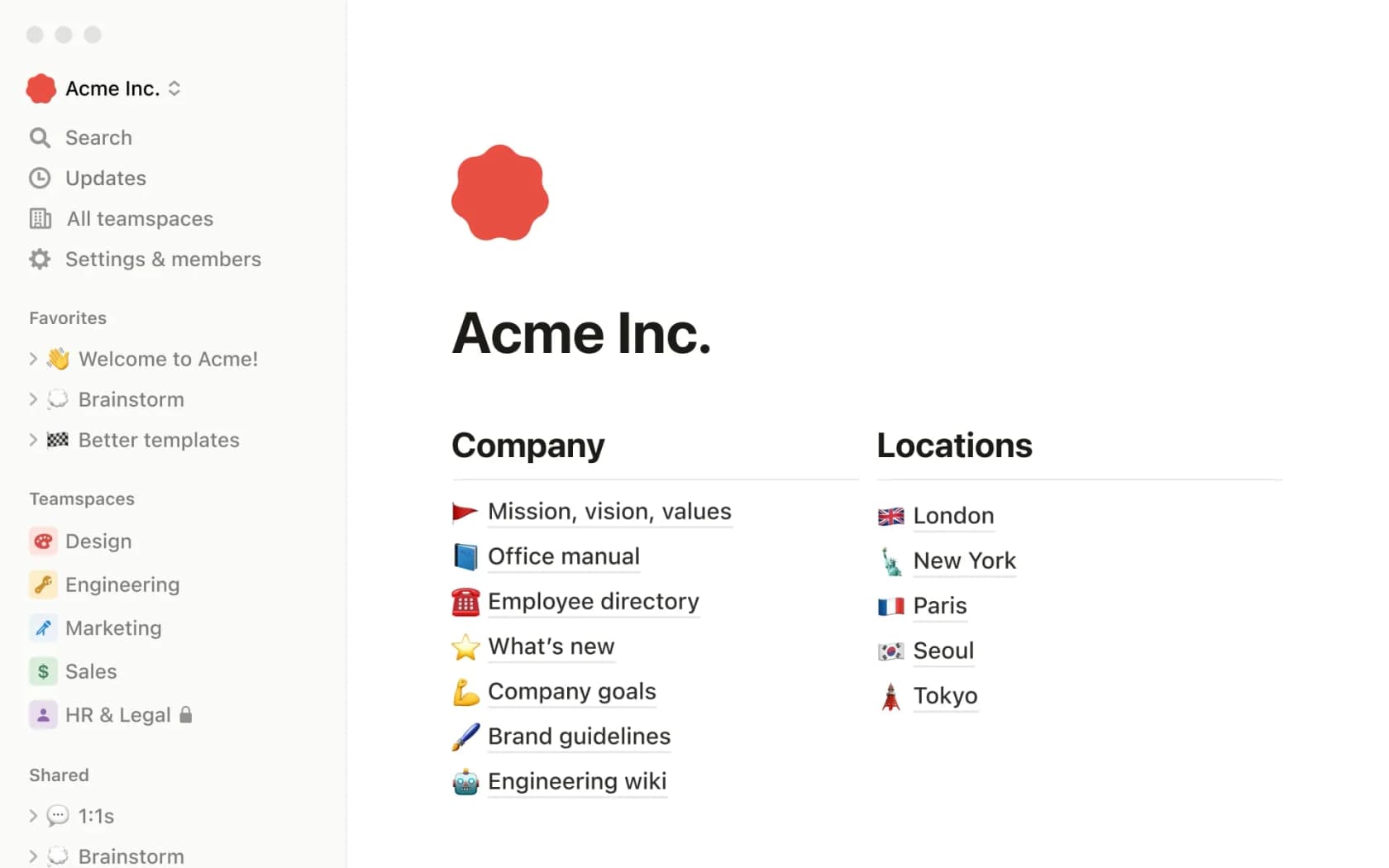
The docs experience is similarly strong. 50+ content block types - code snippets, tables of contents, toggles, charts, callouts, embeds - let teams build documentation that's actually navigable rather than a wall of text. Real-time co-editing, inline comments, and @mentions work reliably.
"I totally see the value for teams doing content management, project tracking, wikis - Notion is genuinely excellent there."

For teams considering Confluence vs Notion, the difference comes down to flexibility vs. structure. Confluence forces a page hierarchy with spaces. Notion lets you build whatever makes sense for your team - which is both its strength and its learning curve.
Projects and databases: capable but complex
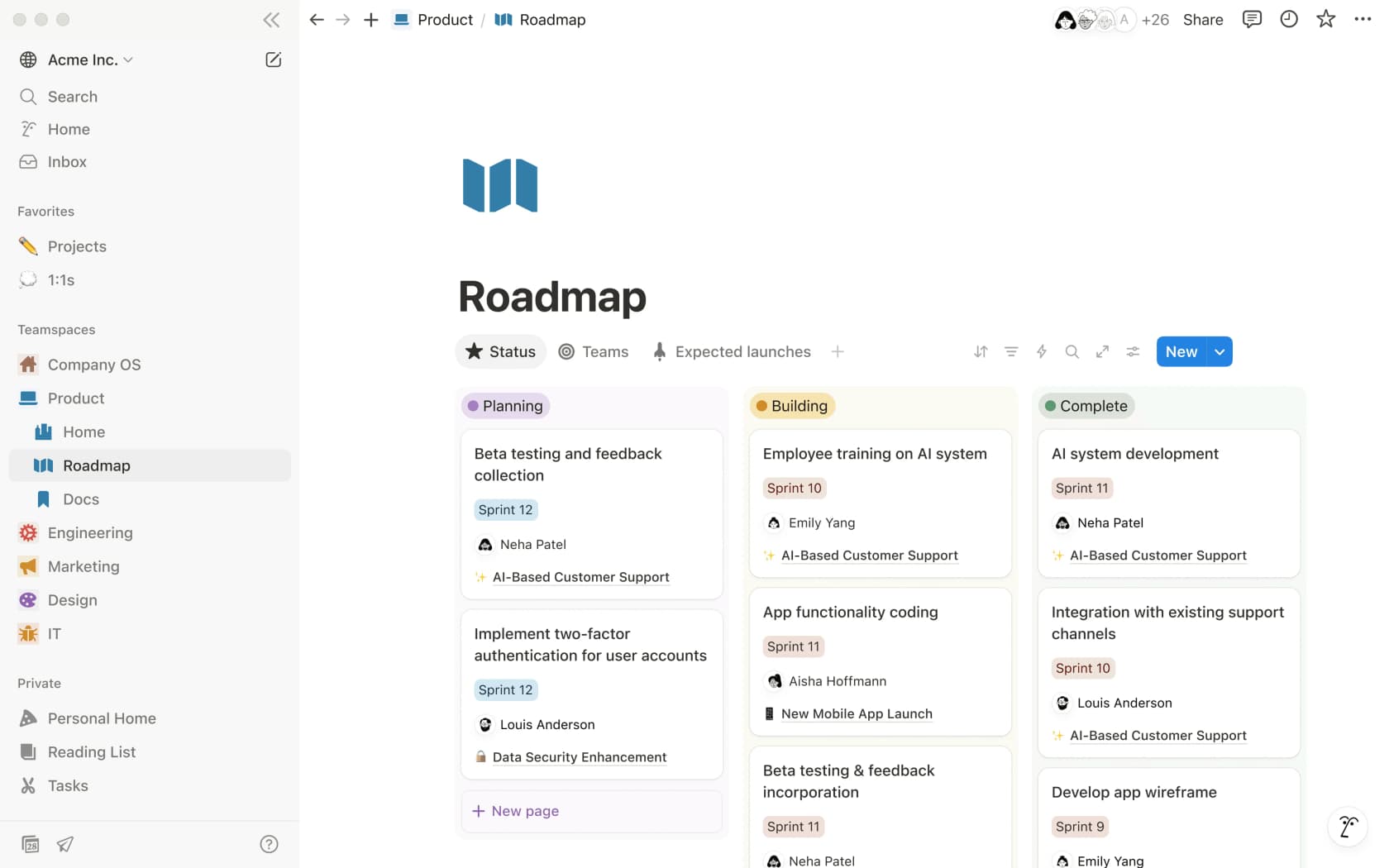
Notion's database-powered project management is genuinely powerful. You get six views on any database - Table, Board (kanban), Calendar, Timeline (Gantt), Gallery, and List - with custom properties, filtering, sorting, subtasks, and dependencies all built in.
The sprint management tooling is particularly good for engineering teams: you can set up sprint boards with linked databases for backlog, active sprints, and completed tickets, with AI Autofill generating draft user stories directly into properties.
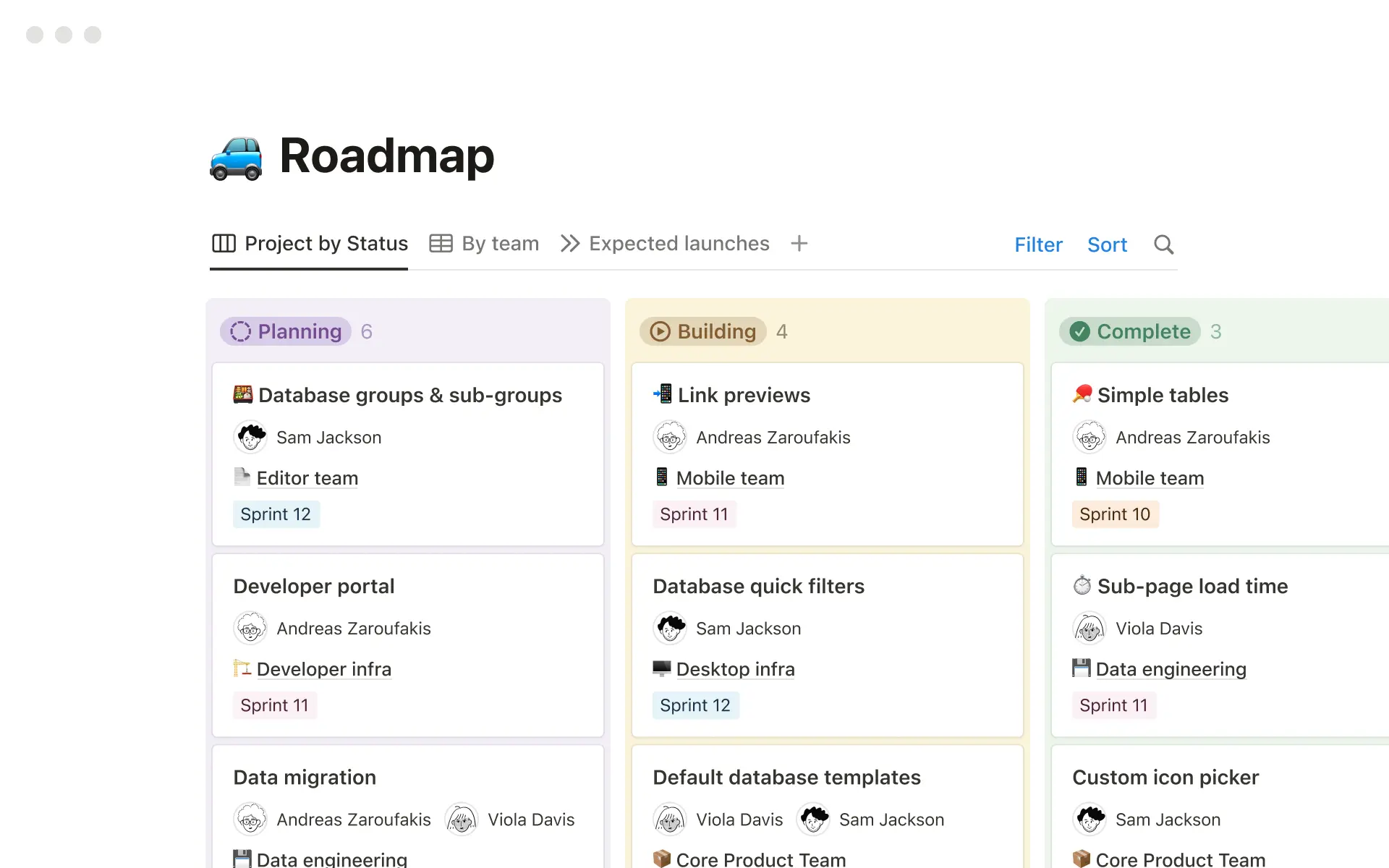
Here's the honest part: Notion's project management is best for teams that also need knowledge management. If your team lives in Jira for execution and just needs a place to document decisions and maintain a product wiki, Notion is a natural fit. If you need Jira-level issue tracking - custom workflows, detailed audit trails, granular permissions per project - Notion will feel light.
The filtered kanban view works well for mid-sized teams:
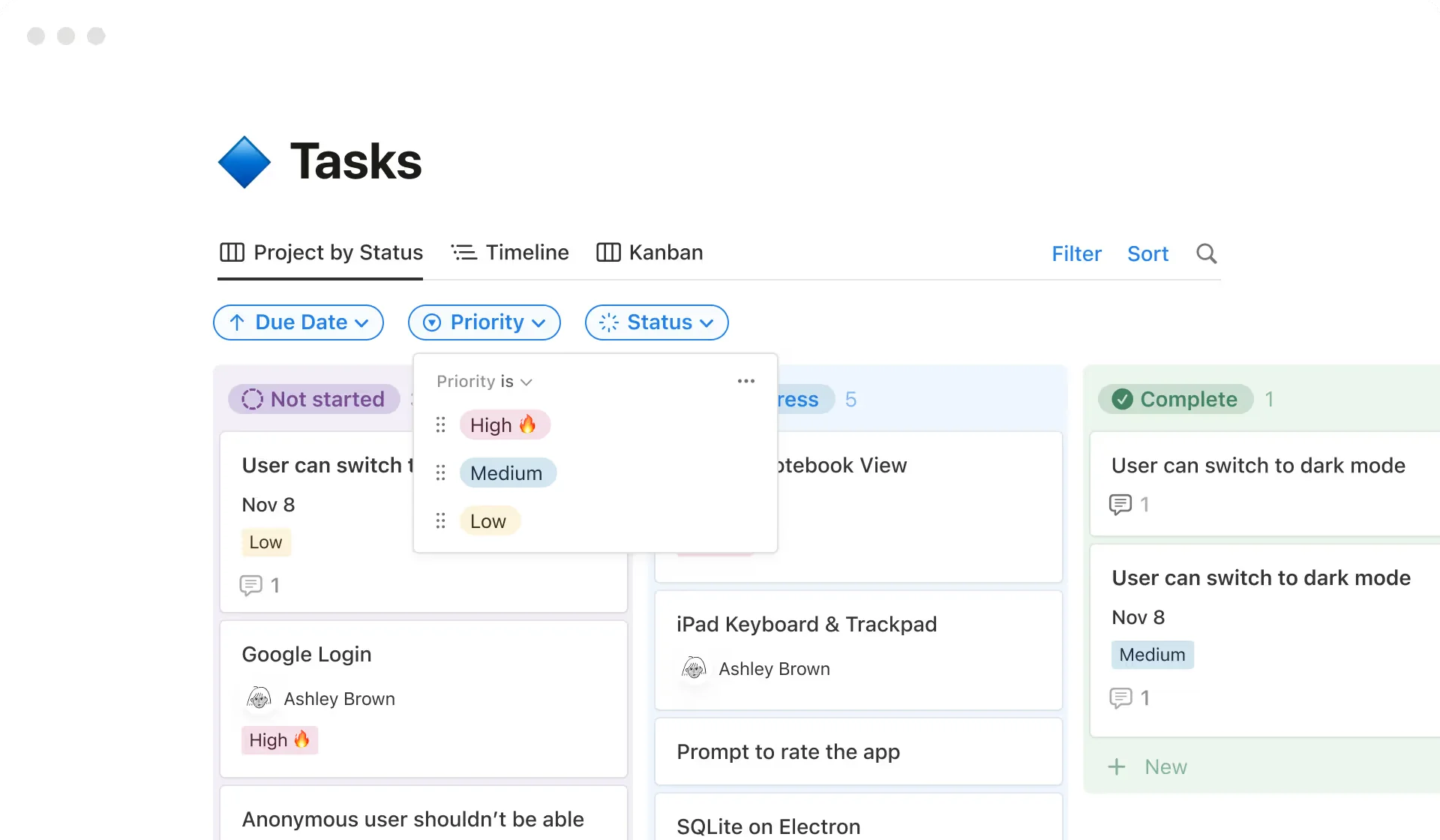
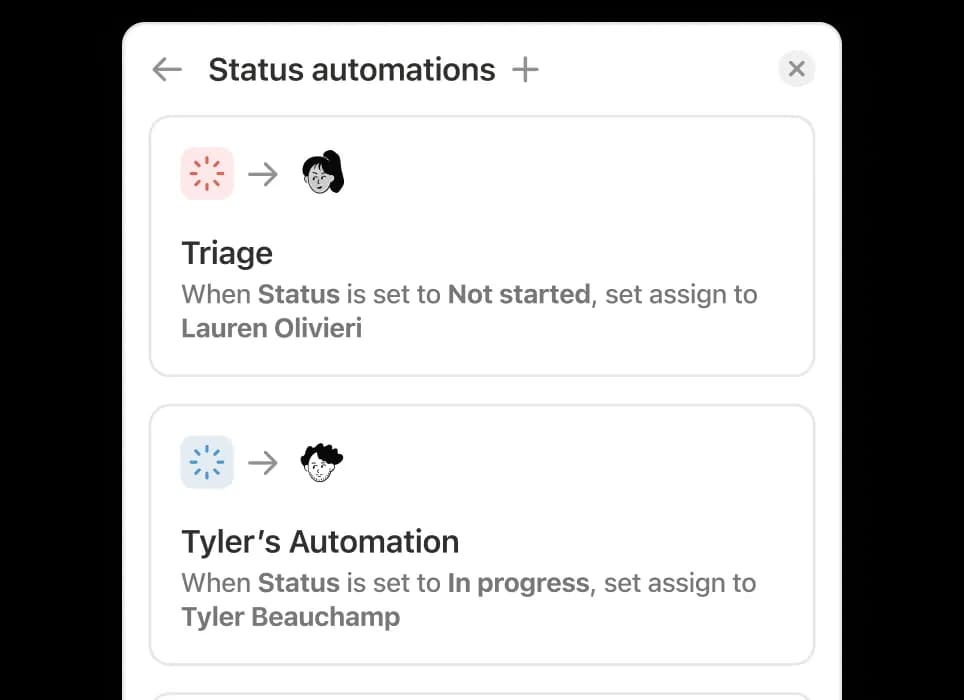
The automation layer is where things get frustrating. Notion has database automations (Plus and above) that can trigger on property changes, page creation, and scheduled times. But several obvious capabilities are still missing:
- Buttons can't trigger existing automations (and vice versa)
- Automations can't filter on relational properties - which makes most real workflow automations hard to wire up
- The file property can't be used in formulas or automations
- Select property colors can't be changed in bulk
"Notion is so close to being untouchable. But these missing basics make it feel like leadership either doesn't use the product at a deep level, or they're deliberately dragging their feet."
These aren't new complaints. That Reddit thread was from September 2025 and references issues going back to 2022. Notion vs ClickUp comparisons consistently land here: ClickUp wins on automation depth; Notion wins on everything docs-related.
Notion AI: genuinely good, but not yet sticky for most users
This is the most interesting section to write in 2026, because the honest answer is split depending on who you're asking.
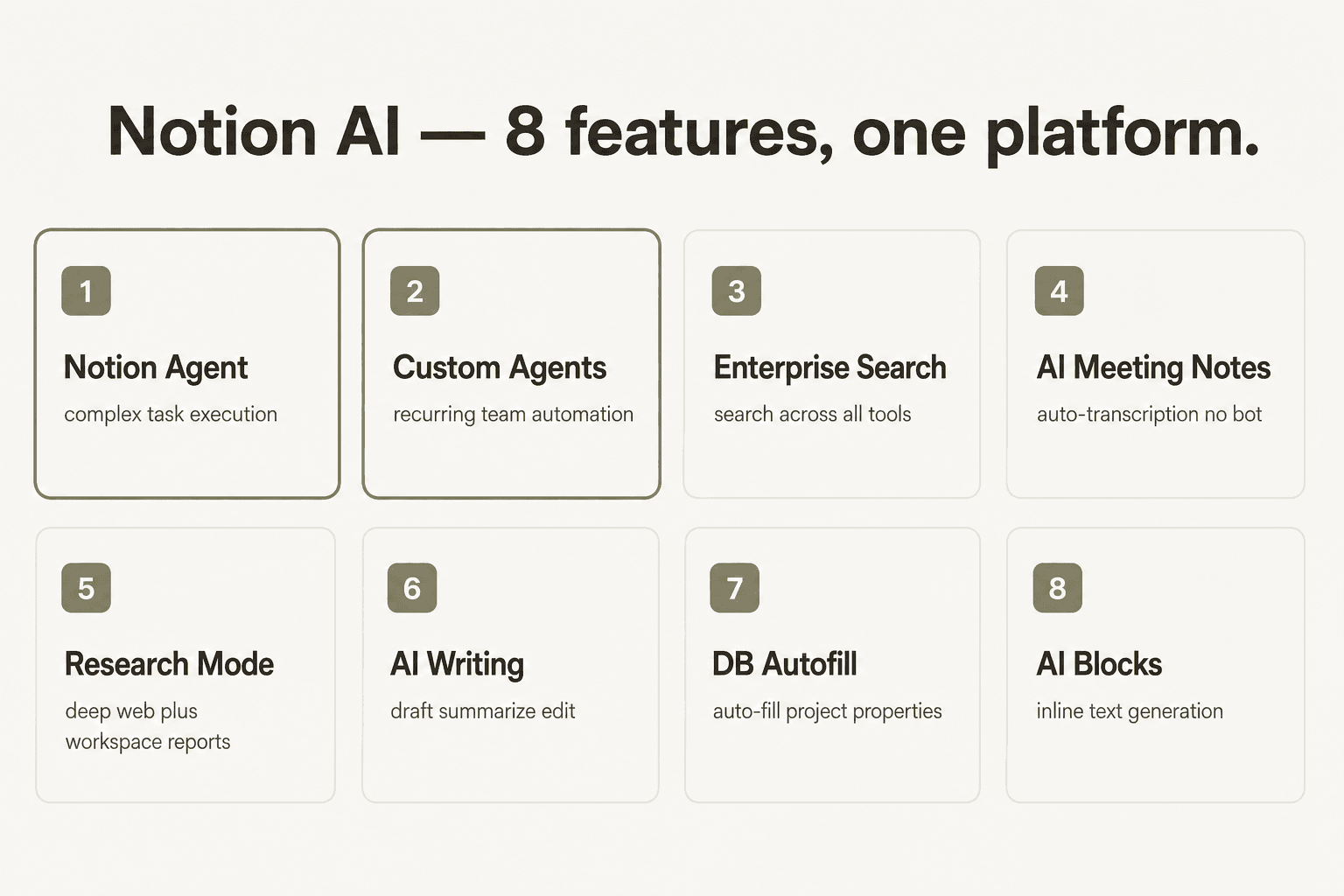
The AI suite is real and comprehensive. At Business ($20/month) you get:
Notion Agent - a personal on-demand assistant that can create pages, update databases, run Enterprise Search, and take multi-step actions inside your workspace. It's the closest thing to having an AI analyst who knows your entire knowledge base.
Custom Agents - scheduled team automations that run without anyone being online. Set a trigger, set a schedule, and agents handle repetitive tasks: routing tickets from Slack, generating weekly reports, answering product questions. Ramp summarizes it well:
"If it's something that's repetitive, we have a Notion Agent for it."

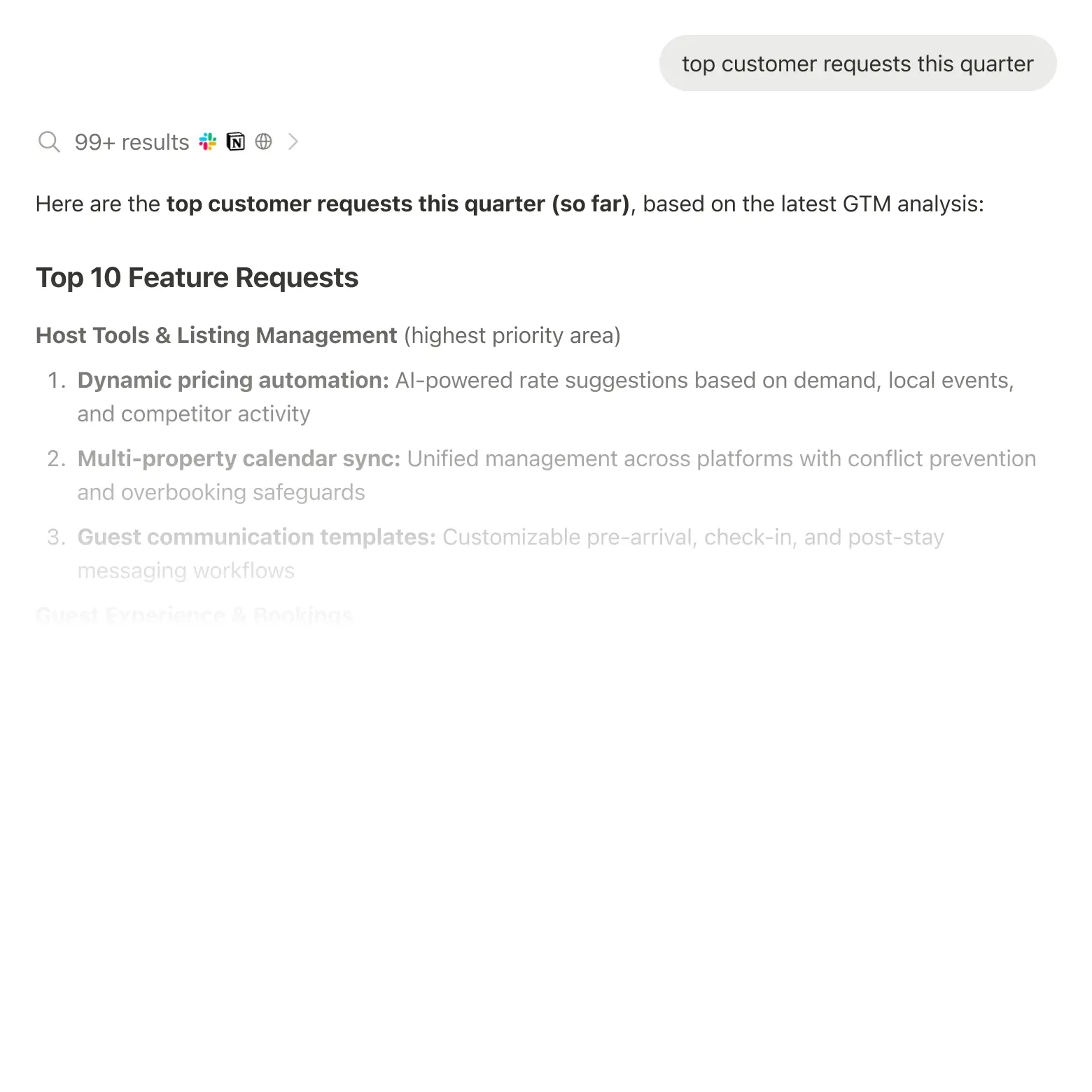
Enterprise Search (Beta) - cross-tool search that spans Notion, Slack, GitHub, Google Drive, Jira, Salesforce, Box, OneDrive, Asana, and Microsoft Teams. This is the real unlock for large teams: instead of jumping between apps, you ask a question and get an answer with citations from wherever the relevant content lives.
AI Meeting Notes (Beta) - auto-transcription that requires no bot in the meeting. It captures, summarizes, and surfaces action items automatically.

All of this is genuinely impressive on paper. The in-practice picture is more nuanced.
Power users who fully commit to Notion AI report replacing general-purpose LLMs for their day-to-day analytical work. A practitioner on LinkedIn with 120+ reactions wrote: "I'm thrilled with Notion AI. It went from 'I use it for context' to 'ChatGPT is now just for voice mode.' Analytical tasks - 90% success rate." That's a real data point, not marketing.
The median user is a different story. Community threads from 2026 show a common pattern:
"When Notion AI launched I genuinely thought it would change my workflow. A year in, I use it maybe twice a month - usually to summarize a long page."
The AI features are there, but the habit hasn't formed for most teams.
There are also real early-stage reliability issues with Custom Agents. In March 2026, threads on r/Notion were surfacing reports of Custom Agents failing to run on scheduled timers. These are Beta features - expected - but worth knowing before you design workflows around them.
The Braintrust case study shows what's possible when it clicks:
"All our teams, docs, and workflows are in Notion, and it's listening to Slack. When your agents have full context across the company, that's what makes them useful."
For a detailed breakdown of every AI feature, read our Notion AI review 2026.
Integrations and connections
Notion calls its integrations "connections" and groups them into four types: Public API connections (Slack, Google Drive, Figma, GitHub, Asana, Amplitude, Loom, Canva, Tableau), AI Connectors (Slack, GitHub, Google Drive, MS Teams, Salesforce, Jira, Box, OneDrive, Asana, Outlook - these power Enterprise Search), Embeds (thousands of web apps that can be embedded in pages), and SCIM/SSO for enterprise identity management.
The developer platform is genuinely open: Public API, Webhooks, a CLI, and Workers (a serverless code runner in Beta that lets you write custom logic for agent tools and data sync). Workers start using Notion credits from August 11, 2026.
For teams already on Zendesk or Freshdesk, there are Notion + Zendesk connection guides that let you pull ticket context into Notion or push documentation updates back. The Notion AI connectors for Jira, Linear, Outlook, and Salesforce are recent additions that expand what Enterprise Search can actually surface.
What's missing is a native deep integration with helpdesk workflows - Notion is a great knowledge base for your support team, but routing that knowledge into live ticket responses takes additional plumbing.
What real users say in 2026
Across G2 (4.6/5 from 11,896 reviews), Reddit, and LinkedIn, the community themes are remarkably consistent:
What users love: Docs and wikis, every time. Flexible databases. The visual clarity of a well-structured workspace. G2's top liked features are AI (for power users), the interface, and the documentation and notes experience.
What users tolerate: Project management - good enough for most teams, but not a replacement for Jira or ClickUp if execution depth matters.
What frustrates them: Performance in large workspaces ("slow and clunky with many inline databases" - r/Notion, 157 comments), automation gaps (unfixed since 2022), and the learning curve for new teams.
There's also the cultural phenomenon nobody mentions in review posts: the "building vs. using" trap. The internet has a years-old meme about decorating a Notion workspace instead of using it productively. It's funny because it's real. Notion's flexibility invites architectural overthinking, and teams new to it can spend their first month building a beautiful system they then never fully adopt.
The fix is simple in theory: start with templates, don't customize until the basic structure proves out. G2 analysis is clear on this: "Teams that achieve the fastest results are those that invest in templates, permissions, and naming conventions from the outset."
"And still in 2026. Still just as good for managing personal and professional [work]."
For more community context, our best knowledge management software roundup compares Notion against the field.
Who Notion is for (and who it isn't)
After going through 14 research files, 11,896 G2 reviews, and Reddit threads from 2025-2026, here's the clearest way to frame it:
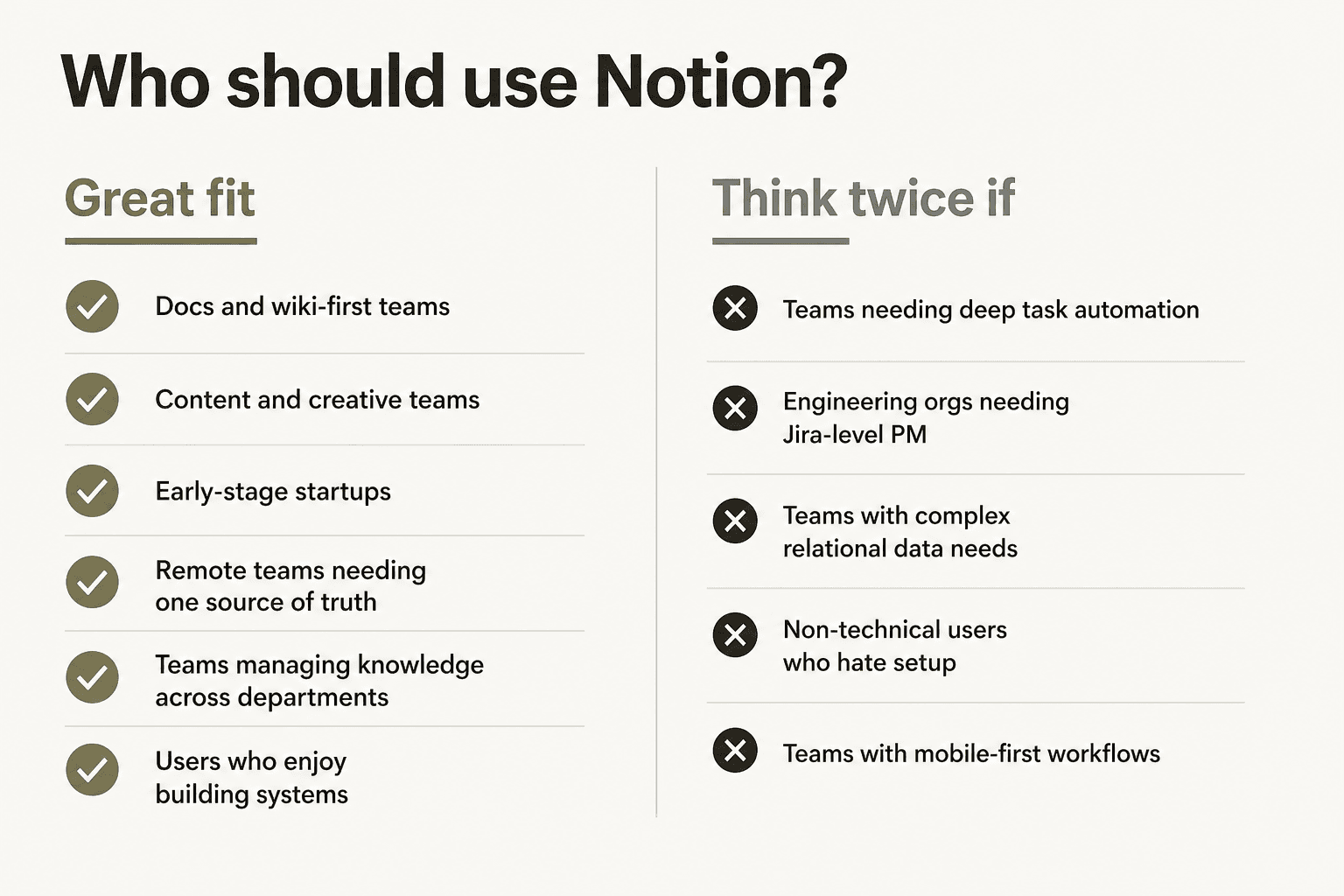
Notion is an excellent fit for:
- Docs and wiki-first teams - content teams, ops teams, HR, anyone whose primary need is a shared, searchable knowledge base. This is where Notion is definitively best-in-class.
- Early-stage startups - the flexibility to build what you need without buying a toolbox of separate products. Notion can be your CRM, your wiki, your roadmap, and your standup tracker until you need something more specialized.
- Remote and hybrid teams - the shared-source-of-truth value proposition is real. Remote's team reported "Notion is saving new employees days, if not weeks, of their onboarding."
- Content and creative teams - campaign planning, content calendars, briefs, creative asset tracking - Notion handles all of it and links them together.
- Anyone replacing multiple tools - if you're currently paying for a separate wiki, a project tracker, a docs tool, and AI writing software, Notion at $20/user probably replaces all four.
You may want to think twice if:
- You need deep workflow automation - if your team relies on complex conditional logic, relational triggers, or file-based automation, Notion's current automation layer will frustrate you. These limits have been reported since 2022 and aren't resolved.
- You're an engineering org with Jira-level PM needs - sprint velocity tracking, custom issue workflows, SLA enforcement - Notion can handle lightweight engineering PM, but it's not a Jira replacement.
- Your team is non-technical and hates setup - Notion rewards people who enjoy building systems. If your team wants a tool that works out of the box with zero configuration, the learning curve will be a problem.
- Mobile-first workflows - offline access is improving but still inconsistent, and the mobile experience doesn't match the desktop.
If you're evaluating alternatives, our Notion alternatives roundup and Notion vs Obsidian comparison cover the main branching points.
The verdict
G2's summary from their 11,896-review analysis says it well: "Notion delivers when teams commit to using it with purpose. What separates satisfied reviewers from those still figuring it out is less about budget or company size but more about how clearly they define structure, ownership, and intent from the start."
That's exactly right. Notion's docs and wikis are genuinely unmatched. The AI is real and powerful for committed users. The automation layer has a ceiling that's been there for years. And the tool rewards teams that treat it as infrastructure worth investing in, not a product you configure once and forget.
For most teams doing knowledge work - content, ops, product, HR - Notion at $20/month is one of the best value propositions in SaaS. For teams whose primary need is deep task automation or real-time execution at scale, the honest advice is to evaluate what you're actually optimizing for before committing.
Try eesel
If you're using Notion as your team's knowledge base and want to put that documentation to work inside your helpdesk - without rebuilding your support stack - eesel connects your Notion pages directly to Zendesk, Freshdesk, Slack, and 100+ other tools. Your support agents get AI-drafted replies grounded in your actual docs, and your knowledge base stays in Notion where your team already maintains it.
eesel doesn't require a bot in the channel or a new interface to adopt - it works inside the tools your team already uses. Free trial includes $50 in credits and no credit card required.