Choosing between Notion and ClickUp feels like deciding between a blank canvas and a prefab house. Both give you a place to work, but one demands you build everything yourself while the other comes with rooms already constructed.
The truth is, neither tool is objectively "better." They're built for different kinds of teams. This comparison breaks down what each platform actually does well, where they fall short, and how to pick the right one based on how your team works.
What is Notion?
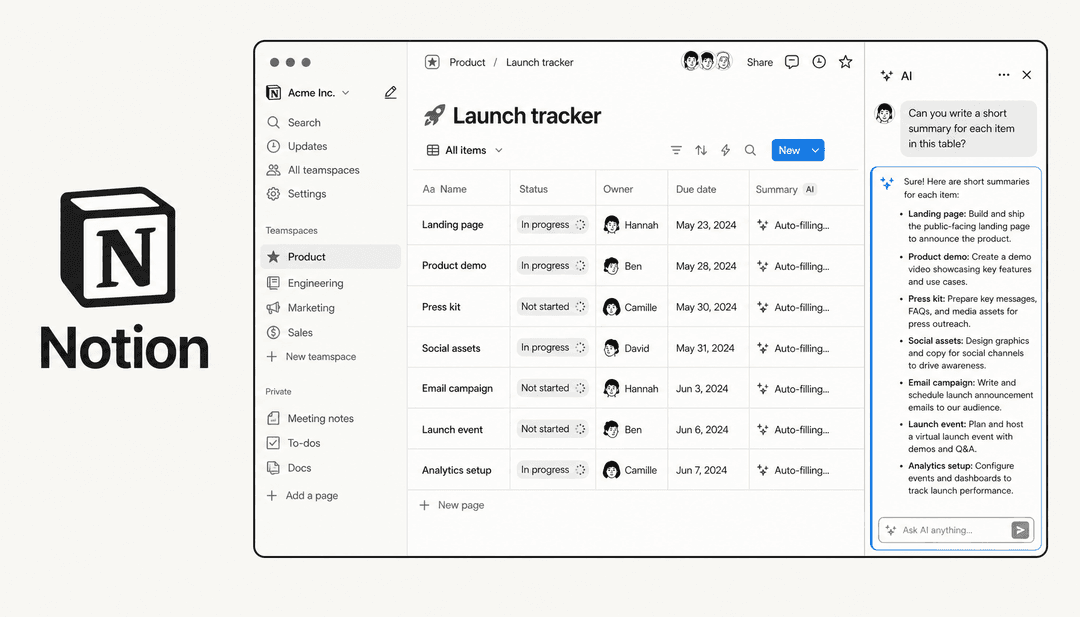
Notion is a flexible workspace built around blocks. Everything you create, whether it's a paragraph, a database, or an embedded video, is a block you can move, rearrange, and connect to other blocks. This makes it incredibly powerful for building custom systems, but it also means you start with essentially a blank page.
The platform excels at knowledge management. Companies like OpenAI, Figma, and Ramp use Notion as their central brain, housing documentation, wikis, meeting notes, and project plans in one interconnected space. The linking feature lets you connect pages together, creating a web of information that mirrors how teams actually think and work.
Notion's primary strength is documentation and information organization. If your team needs a single source of truth for company knowledge, SOPs, and reference materials, Notion is hard to beat. The clean, minimal editor makes writing enjoyable, and the database features let you organize information in tables, boards, calendars, and timelines.
Where Notion struggles is project management out of the box. You can build a project management system in Notion, but you'll spend significant time setting it up. Creating task dependencies, recurring tasks, or Gantt charts requires workarounds and database formulas. For teams that want to start managing projects immediately, this setup burden is real.
What is ClickUp?
ClickUp takes the opposite approach. Instead of a blank canvas, you get a structured project management platform with features ready to use from day one. Tasks, Gantt charts, time tracking, and team dashboards are all built in and waiting.
The platform markets itself as "the everything app for work" and backs that up with an extensive feature set. You get multiple project views (List, Board, Gantt, Calendar, Timeline, Mind Map), native time tracking, sprint management for agile teams, and workload management to prevent team burnout. Companies like Booking.com, T-Mobile, and IBM use ClickUp to run complex projects across departments.
ClickUp's strength is execution. When you need to assign tasks, track progress, manage deadlines, and report on outcomes, ClickUp has the tools ready. The automation builder lets you create workflows that trigger actions based on events, like moving a task to "Done" automatically when all subtasks are complete.
The trade-off is flexibility. ClickUp is opinionated about how work should flow. While you can customize statuses, fields, and views, you're working within a project management framework rather than building your own system from scratch. For teams that need that structure, this is a feature. For teams that want total freedom, it can feel limiting.
ClickUp vs Notion: Feature comparison
Project and task management
This is where ClickUp pulls ahead. ClickUp was built for project management from the ground up. Native Gantt charts, time tracking, task dependencies, and recurring tasks work without any setup. You can create a project, add tasks, assign owners, set due dates, and start tracking progress in minutes.
Notion approaches project management through databases. You create a database, add properties for status, assignee, and due date, then view it as a board or calendar. This works for simple projects, but advanced features like dependencies require complex formulas and relations. As one Reddit user put it: "Notion is a powerful tool, but it's not dedicated project management software."
| Feature | ClickUp | Notion |
|---|---|---|
| Gantt charts | Native on all paid plans | Requires workarounds |
| Time tracking | Built-in native | Requires integration |
| Task dependencies | Native | Basic relations only |
| Recurring tasks | Intuitive setup | Complex automation required |
| Workload management | Built-in dashboard | Not available |
Knowledge management and documentation
Notion wins this category decisively. The platform started as a note-taking tool and expanded from there. The result is a documentation experience that feels polished and intuitive. Pages link together seamlessly, creating a wiki-like structure that makes information discoverable.
The block-based editor lets you embed databases, calendars, and other content directly in documents. You can create a project brief that includes a live task database, meeting notes, and relevant files, all in one page. This interconnected approach makes Notion ideal for company wikis, knowledge bases, and long-form documentation.
ClickUp has Docs, and they're functional for attaching notes to tasks or creating simple project briefs. But the experience feels like an add-on rather than a core feature. Document linking exists but isn't as fluid as Notion. For teams where documentation is central to how they work, this difference matters.
AI capabilities
Both platforms have invested heavily in AI, but they approach it differently.
Notion AI is included with Business ($15/member/month) and Enterprise plans. It offers a Notion Agent that completes multi-step tasks, Custom Agents for automating recurring work, Enterprise Search across connected apps, and AI Meeting Notes for automatic transcription. Custom Agents require credits ($10 per 1,000 credits) starting May 2026.
ClickUp Brain is sold separately from workspace plans. Brain AI costs $9/user/month and includes the Brain Assistant, AI agents, and 1,500 AI Super Credits monthly. The Everything AI tier at $28/user/month adds features like AI Notetaker, image generation, and 5,000 monthly credits. ClickUp claims Brain saves users 1.1 days per week through automation.
Notion includes more AI capabilities in its base Business plan, while ClickUp charges separately but offers more advanced AI features at higher tiers.
Integrations and automations
ClickUp has the edge on sheer volume with 1,000+ integrations covering every major tool category. The automation builder is visual and straightforward, letting you create "if this, then that" rules without coding.
Notion's integration ecosystem is more selective. Native integrations exist for popular tools like Slack, GitHub, and Google Drive, but many connections require Zapier or API work. Automations in Notion are database-based and require more technical knowledge to set up effectively.
Pricing comparison
Notion pricing
| Plan | Price (Annual) | Price (Monthly) | Key Features |
|---|---|---|---|
| Free | $0 | $0 | Unlimited pages for individuals, limited blocks for teams, 10 guests |
| Plus | $8/seat/month | $10/seat/month | Unlimited blocks, file uploads, 30-day history, unlimited guests |
| Business | $15/seat/month | $18/seat/month | Notion AI included, SAML SSO, private teamspaces, 90-day history |
| Enterprise | Custom | Custom | Zero data retention, SCIM, audit log, customer success manager |
Source: Notion Pricing
ClickUp pricing
| Plan | Price (Annual) | Price (Monthly) | Key Features |
|---|---|---|---|
| Free Forever | $0 | $0 | 60MB storage, unlimited tasks, unlimited free plan members, 1 form |
| Unlimited | $7/user/month | $10/user/month | Unlimited storage, integrations, Gantt charts, native time tracking |
| Business | $12/user/month | $19/user/month | Google SSO, unlimited dashboards, sprint reporting, automations |
| Enterprise | Custom | Custom | White labeling, custom roles, HIPAA, SCIM, customer success manager |
Source: ClickUp Pricing
Note: ClickUp Brain AI requires a separate subscription starting at $9/user/month, while Notion AI is included with Business plans.
Who should choose ClickUp vs Notion
Choose Notion if
- Documentation and wikis are central to how your team works
- You want to build custom workflows rather than adapt to predefined ones
- Knowledge management matters more than project tracking
- You're an individual, freelancer, or small team willing to invest setup time
- You prefer a clean, minimalist interface
Notion shines when information organization is the priority. If your team spends significant time writing documentation, creating SOPs, or building a company knowledge base, Notion's flexibility pays off.
Choose ClickUp if
- Project management is your primary use case
- You need features like Gantt charts, time tracking, and workload management
- Your team wants to start managing projects immediately without setup
- You work with complex projects across multiple teams
- Reporting and progress tracking are essential
ClickUp is the pragmatic choice for teams that need to ship work. The built-in structure means you can start managing projects on day one without building systems from scratch.
The "all-in-one" paradox
Both Notion and ClickUp promise to be the single tool your team needs. The reality is more nuanced. Notion is a knowledge tool that can do project management with effort. ClickUp is a project tool that can do documentation adequately.
The deeper issue: having information in one place doesn't automatically make it actionable. A beautiful wiki in Notion or a perfectly organized project in ClickUp still requires humans to find answers, make decisions, and take action. The tool organizes the work, but it doesn't do the work.
Making your knowledge work harder with eesel AI
This is where we come in. Whether you choose Notion, ClickUp, or both, there's still a gap between having organized information and using it effectively to serve customers.

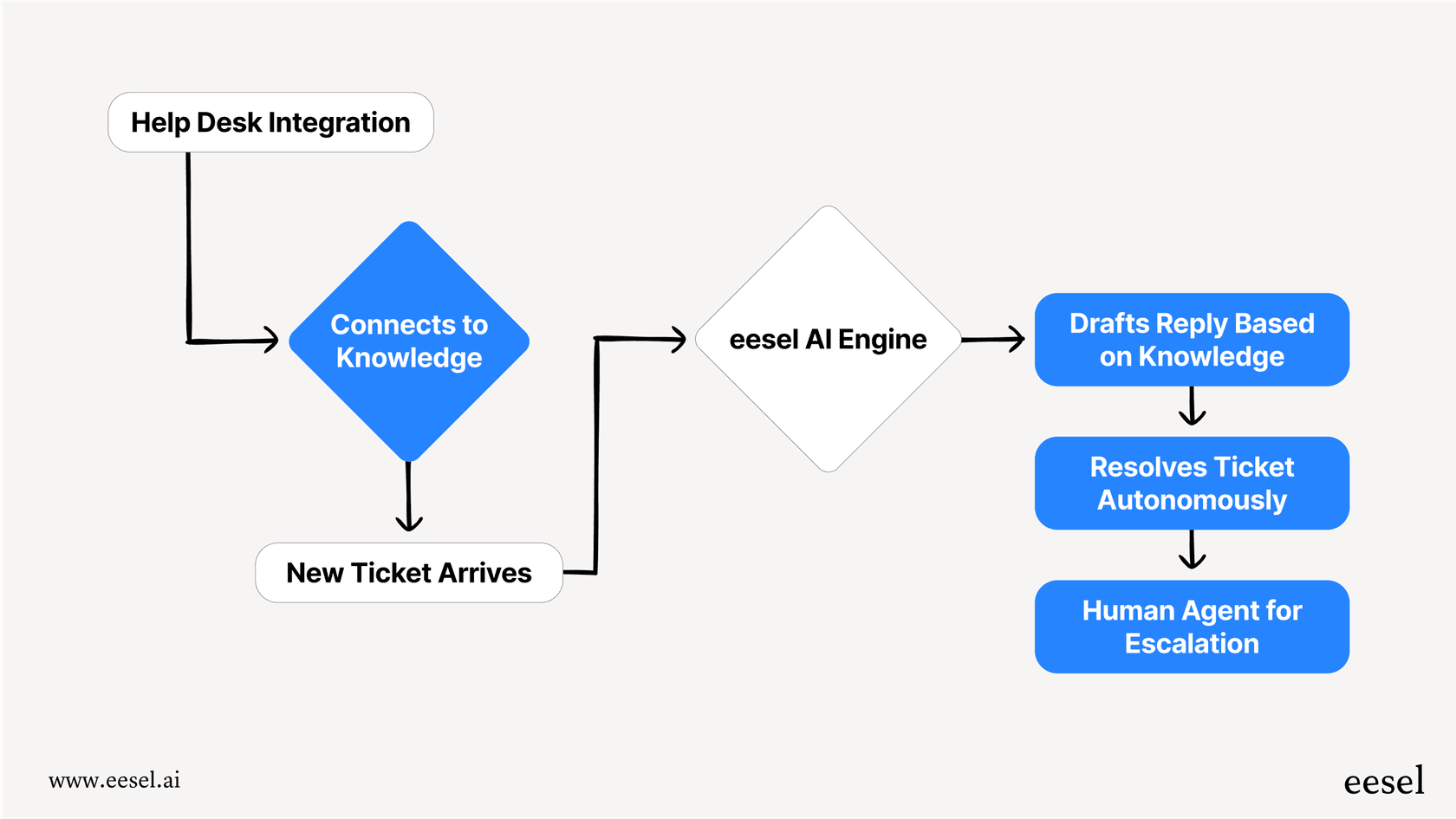
At eesel AI, we build AI teammates that connect to your existing tools and actually take action. Our AI agents integrate with Notion, ClickUp, and 100+ other sources to power autonomous customer support. Instead of just storing your knowledge, we put it to work.
Here's what that looks like in practice:
- AI Triage automatically tags, routes, and prioritizes incoming tickets
- AI Agent handles routine questions using your documentation with autonomous responses
- Shopify integration looks up orders and processes refunds directly
- Simulation mode lets you test the AI on past tickets before going live
The difference is action. While Notion and ClickUp help you organize information, we use that information to actually resolve customer issues. Our AI teammates go live in minutes, not months, by learning from your existing data.
If you're already investing in a knowledge platform like Notion or a project platform like ClickUp, eesel AI is the layer that makes that investment pay off in customer outcomes.
Final recommendation: ClickUp vs Notion in 2026
The choice comes down to what your team values more: flexibility or structure.
Pick Notion if you're building a knowledge-first organization. If documentation, wikis, and information sharing are how your team operates, Notion's flexibility is worth the setup investment. It's the better long-term home for your company's collective brain.
Pick ClickUp if execution is what matters. If your team needs to manage complex projects, track time, and report on outcomes, ClickUp's built-in features save you from building project management from scratch.
Both tools require trade-offs. Neither is truly "all-in-one" despite the marketing. The good news is you don't have to choose perfectly on day one. Both offer generous free plans to experiment with, and both can integrate with tools like eesel AI to extend their capabilities.
Bottom line: start with your primary use case. If it's knowledge and docs, go Notion. If it's projects and execution, go ClickUp. Everything else is secondary.