How to verify Zendesk webhook signatures: A complete developer guide

Stevia Putri
Last edited March 2, 2026
When you build integrations that receive webhooks from Zendesk, you open an endpoint on your server that accepts HTTP requests from the internet. Without proper verification, anyone could send fake requests to that endpoint and potentially trigger unwanted actions in your system. That's where signature verification comes in.
Zendesk webhook signature verification gives you a way to cryptographically prove that incoming webhooks actually came from Zendesk and weren't tampered with in transit. This guide walks you through everything you need to implement it correctly, with working code examples in five popular programming languages.
If you're looking for broader guidance on setting up webhooks in Zendesk, our Zendesk messaging webhooks setup guide covers the full configuration process.
What is webhook signature verification and why it matters
Webhook signature verification is a security mechanism that lets you confirm the authenticity of incoming webhook requests. When Zendesk sends a webhook to your endpoint, it includes a cryptographic signature that only Zendesk could have generated. Your server recalculates that signature using a shared secret and compares the results. If they match, the webhook is genuine.
Without this verification, your endpoint is vulnerable to several attacks:
- Spoofing: Anyone who discovers your webhook URL could send fake requests pretending to be Zendesk
- Replay attacks: An attacker could capture a legitimate webhook and resend it multiple times
- Payload tampering: Request data could be modified in transit without detection
For production integrations handling sensitive ticket data or triggering automated workflows, signature verification isn't optional. It's a fundamental security control that protects both your system and your customers' data.
At eesel AI, we handle webhook security automatically when you connect your Zendesk account. Our platform verifies signatures transparently so you can focus on building automations rather than cryptographic implementations.
How Zendesk webhook signatures work
Zendesk uses the SHA256 HMAC (Hash-based Message Authentication Code) algorithm to generate webhook signatures. The process combines your webhook's signing secret with the request payload and timestamp to create a unique signature for each request.
The formula looks like this:
base64(HMACSHA256(TIMESTAMP + BODY))
Here's what happens when Zendesk sends a webhook:
- Zendesk concatenates the timestamp and raw request body into a single string
- It creates an HMAC-SHA256 hash using your webhook's signing secret as the key
- The hash is Base64-encoded to produce the final signature
- Zendesk sends the webhook with two critical headers:
X-Zendesk-Webhook-Signature- the generated signatureX-Zendesk-Webhook-Signature-Timestamp- the timestamp used in the signature
Every webhook request from Zendesk includes these standard headers:
x-zendesk-account-id: 123456
x-zendesk-webhook-id: 01F1KRFQ6BG29CNWFR60NK5FNY
x-zendesk-webhook-invocation-id: 8350205582
x-zendesk-webhook-signature: EiqWE3SXTPQpPulBV6OSuuGziIishZNc1VwNZYqZrHU=
x-zendesk-webhook-signature-timestamp: 2021-03-25T05:09:27Z
On your server, you extract these headers, recalculate the signature using your stored signing secret, and compare the results. If the signatures match, you can trust that the webhook came from Zendesk and the payload hasn't been modified.
Retrieving your webhook signing secret
Before you can verify signatures, you need the signing secret for your webhook. Each webhook in Zendesk has its own unique secret that's generated when the webhook is created.
Finding your secret in the Admin Center
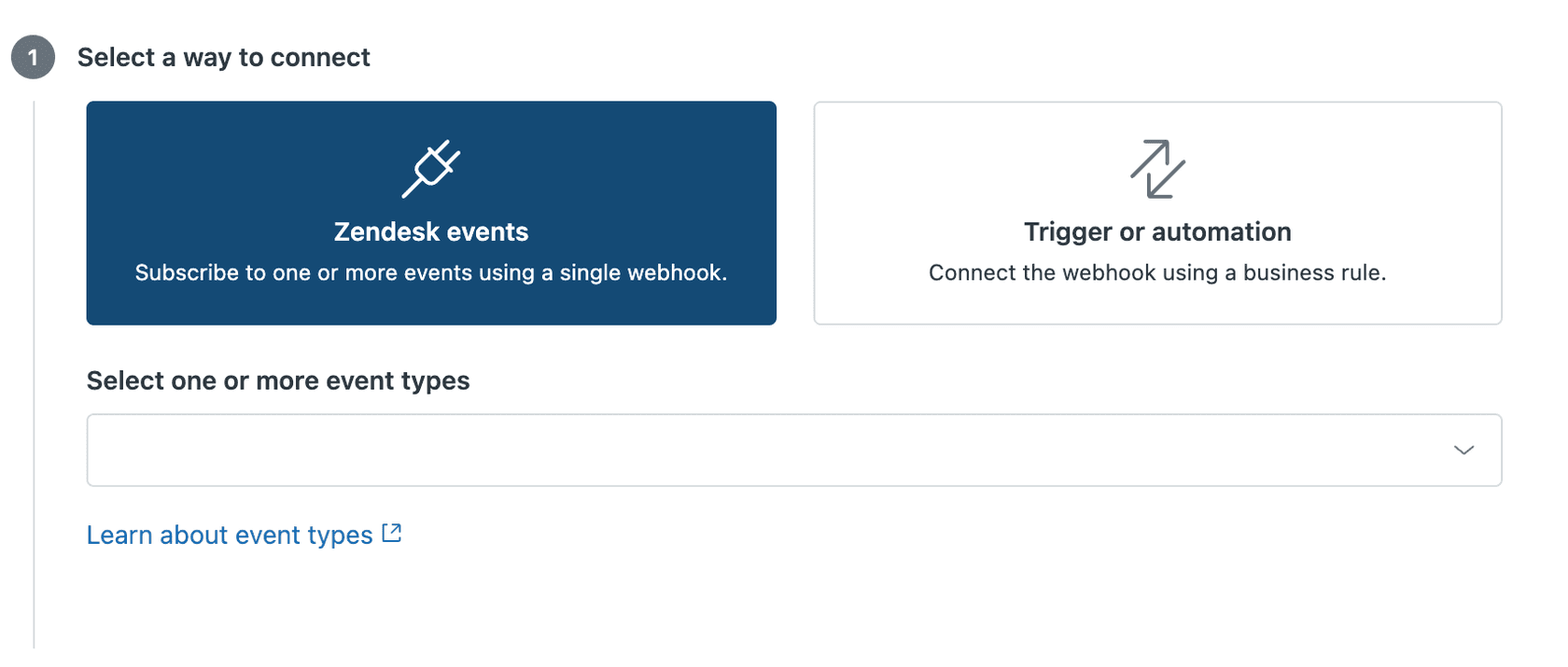
- Navigate to the Zendesk Admin Center (Admin Center > Apps and integrations > Webhooks)
- Select the webhook you want to verify
- On the webhook details page, look for the signing secret field
- Click "Reveal secret" to display the value
Treat this secret like any other credential. Don't commit it to code, don't expose it in client-side applications, and restrict access to it within your team.
Retrieving via API
You can also fetch the signing secret programmatically using the Show webhook signing secret API:
GET /api/v2/webhooks/{webhook_id}/signing_secret
Static test secret for development
When you're testing webhooks before creating them in Zendesk, you'll need a static signing secret since actual secrets are only generated after webhook creation. Use this test secret during development:
dGhpc19zZWNyZXRfaXNfZm9yX3Rlc3Rpbmdfb25seQ==
Once your webhook is created, switch to the actual signing secret. Test webhooks and live webhooks use different secrets, so your verification code needs to handle the correct secret for each environment.

Step-by-step implementation guide
Implementing signature verification involves four key steps. Let's break down each one.
Step 1: Capture the raw request body
The signature is calculated on the raw request body as a string, not on parsed JSON or form data. If your framework parses the body before you can access it, the signature verification will fail because the raw bytes have been transformed.
Most web frameworks provide middleware or configuration options to capture the raw body before parsing. You typically need to store the raw body in a property like req.rawBody so it's available for signature calculation.
Common pitfall: Body parsing middleware (like Express's express.json()) often runs before your route handler. If the body is parsed into a JavaScript object before you capture the raw string, you can't recover the original bytes for signature verification. Configure your middleware to capture the raw body first.
Step 2: Extract signature headers
Pull the two signature-related headers from the incoming request:
X-Zendesk-Webhook-Signature- the signature to verify againstX-Zendesk-Webhook-Signature-Timestamp- the timestamp used in the signature calculation
Note that some frameworks transform header names. In Ruby on Rails, for example, the header X-Zendesk-Webhook-Signature becomes HTTP_X_ZENDESK_WEBHOOK_SIGNATURE in the request environment.
Step 3: Calculate the expected signature
Concatenate the timestamp and raw body, then create an HMAC-SHA256 hash using your signing secret:
- Create a string:
timestamp + body(timestamp first, then the raw body) - Generate HMAC-SHA256 using your signing secret as the key
- Base64-encode the resulting hash
This calculated signature should match the one Zendesk sent in the X-Zendesk-Webhook-Signature header.
Step 4: Compare signatures securely
Use a constant-time comparison function to compare the signatures. Regular string comparison (== or ===) can leak information about the signature through timing analysis, which could theoretically help an attacker forge valid signatures.
Most languages provide a constant-time comparison function:
- Node.js:
crypto.timingSafeEqual() - Python:
hmac.compare_digest() - PHP:
hash_equals() - Ruby:
ActiveSupport::SecurityUtils.secure_compare() - C#: No built-in constant-time compare, but
CryptographicOperations.FixedTimeEquals()in .NET Core
If the signatures match, process the webhook. If they don't match, return a 401 Unauthorized response and log the failure for investigation.
Code examples in popular languages
Here are complete, working implementations for the most common web development languages.
Node.js/Express
const express = require('express');
const crypto = require('crypto');

const SIGNING_SECRET = 'your_webhook_signing_secret_here';
const PORT = 3000;
const app = express();

// Middleware to capture raw body
function storeRawBody(req, res, buf) {
  if (buf && buf.length) {
    req.rawBody = buf.toString('utf8');
  }
}

app.use(express.json({ verify: storeRawBody }));
app.use(express.urlencoded({ verify: storeRawBody, extended: true }));

function isValidSignature(signature, body, timestamp) {
  const hmac = crypto.createHmac('sha256', SIGNING_SECRET);
  const sig = hmac.update(timestamp + body).digest('base64');

  return crypto.timingSafeEqual(
    Buffer.from(signature),
    Buffer.from(sig)
  );
}

app.post('/webhook', (req, res) => {
  const signature = req.headers['x-zendesk-webhook-signature'];
  const timestamp = req.headers['x-zendesk-webhook-signature-timestamp'];
  const body = req.rawBody;

  if (!isValidSignature(signature, body, timestamp)) {
    console.log('Invalid webhook signature');
    return res.status(401).send('Unauthorized');
  }

  // Process the verified webhook
  console.log('Webhook verified, processing...');
  res.status(200).send('OK');
});

app.listen(PORT, () => console.log(`Server running on port ${PORT}`));
Python (Flask)
from flask import Flask, request, abort
import hmac
import hashlib
import base64
app = Flask(__name__)
SIGNING_SECRET = b'your_webhook_signing_secret_here'
def handle_webhook():
# Get raw body
raw_body = request.get_data()
# Extract headers
signature = request.headers.get('X-Zendesk-Webhook-Signature', '')
timestamp = request.headers.get('X-Zendesk-Webhook-Signature-Timestamp', '')
# Calculate expected signature
signed_payload = (timestamp + raw_body.decode('utf-8')).encode('utf-8')
expected_signature = base64.b64encode(
hmac.new(SIGNING_SECRET, signed_payload, hashlib.sha256).digest()
).decode('utf-8')
# Verify signature
if not hmac.compare_digest(expected_signature, signature):
abort(401)
# Process verified webhook
return '', 200
if __name__ == '__main__':
app.run(port=3000)
PHP
define('SIGNING_SECRET', 'your_webhook_signing_secret_here');
function verify_webhook($body, $signature, $timestamp) {
// Concatenate timestamp and body
$signed_payload = $timestamp . $body;
// Calculate HMAC (binary output)
$calculated_hmac = base64_encode(
hash_hmac('sha256', $signed_payload, SIGNING_SECRET, true)
);
// Constant-time comparison
return hash_equals($signature, $calculated_hmac);
}
// Handle webhook request
$signature = $_SERVER['HTTP_X_ZENDESK_WEBHOOK_SIGNATURE'] ?? '';
$timestamp = $_SERVER['HTTP_X_ZENDESK_WEBHOOK_SIGNATURE_TIMESTAMP'] ?? '';
$body = file_get_contents('php://input');
if (!verify_webhook($body, $signature, $timestamp)) {
http_response_code(401);
exit('Unauthorized');
}
// Process verified webhook
http_response_code(200);
echo 'OK';
Ruby on Rails
class WebhooksController < ApplicationController
  skip_before_action :verify_authenticity_token

  SIGNING_SECRET = ENV['ZENDESK_WEBHOOK_SECRET']

  def zendesk
    signature = request.headers['HTTP_X_ZENDESK_WEBHOOK_SIGNATURE']
    timestamp = request.headers['HTTP_X_ZENDESK_WEBHOOK_SIGNATURE_TIMESTAMP']
    body = request.body.read

    # Calculate signature
    signed_payload = timestamp + body
    expected_signature = Base64.strict_encode64(
      OpenSSL::HMAC.digest('SHA256', SIGNING_SECRET, signed_payload)
    )

    # Verify
    unless ActiveSupport::SecurityUtils.secure_compare(expected_signature, signature)
      head :unauthorized
      return
    end

    # Process webhook
    head :ok
  end
end
C#
using System;
using System.IO;
using System.Security.Cryptography;
using System.Text;
using Microsoft.AspNetCore.Mvc;
[]
[]
public class WebhookController : ControllerBase
{
private const string SigningSecret = "your_webhook_signing_secret_here";
[]
public IActionResult HandleWebhook()
{
string signature = Request.Headers["X-Zendesk-Webhook-Signature"];
string timestamp = Request.Headers["X-Zendesk-Webhook-Signature-Timestamp"];
// Read raw body
using var reader = new StreamReader(Request.Body);
string body = reader.ReadToEnd();
// Calculate signature
string signedPayload = timestamp + body;
byte[] keyBytes = Encoding.UTF8.GetBytes(SigningSecret);
byte[] payloadBytes = Encoding.UTF8.GetBytes(signedPayload);
using var hmac = new HMACSHA256(keyBytes);
byte[] hash = hmac.ComputeHash(payloadBytes);
string expectedSignature = Convert.ToBase64String(hash);
// Compare (case-insensitive for compatibility)
if (!signature.Equals(expectedSignature, StringComparison.OrdinalIgnoreCase))
{
return Unauthorized();
}
return Ok();
}
}
Common issues and troubleshooting
Even with the right code, signature verification can fail for subtle reasons. Here are the most common issues developers encounter.
JSON spacing and formatting
One of the most frustrating issues involves JSON formatting. The signature is calculated on the exact bytes Zendesk sends, including whitespace. If your framework reformats the JSON (adding or removing spaces), the signature won't match.
A developer in the Zendesk community discovered this the hard way:
Figured it out. It was to do with the spacing on the json request. The json payload must have one space before and after ':' and no other space or tabs anywhere else.

The solution is to always verify the signature against the raw request body before any parsing or transformation occurs.
Test webhook vs live webhook differences
Another common issue involves differences between Zendesk's test webhook feature and live webhook invocations. The payload format can vary slightly between the two, causing signatures to validate in testing but fail in production.
I noticed when the webhook runs normally, message authentication fails. So I copied the body from the failed attempt, went back to 'Test Webhook', pasted the content into the message body, sent it, and message validation now works again.
Always test with actual webhook invocations from real Zendesk events before deploying to production.
Character encoding
Ensure both the timestamp and body are handled as UTF-8 strings when concatenating for signature calculation. Encoding mismatches between your server and Zendesk's payload will cause verification failures.
Timestamp validation
Consider adding timestamp validation to prevent replay attacks. Check that the timestamp in the header is within a reasonable window (e.g., 5 minutes) of the current time. Old timestamps could indicate a replay attack.
When to regenerate secrets
If you suspect your signing secret has been compromised, regenerate it immediately through the Zendesk Admin Center. After regeneration, update your server with the new secret. There may be a brief window where in-flight webhooks use the old secret, so consider supporting both during the transition.
Testing your webhook verification
Before deploying to production, thoroughly test your signature verification implementation.
Using the static test secret
During development, use Zendesk's static test secret (dGhpc19zZWNyZXRfaXNfZm9yX3Rlc3Rpbmdfb25seQ==) to verify your implementation logic is correct. This lets you test without creating a live webhook.
Testing with Zendesk's test feature
When you create or edit a webhook in Zendesk, use the "Test Webhook" button to send test payloads. Verify that your endpoint accepts these requests and validates the signature correctly.
Live testing
Create a real trigger that invokes your webhook on a specific event (like a ticket creation). Perform that action in Zendesk and confirm your endpoint receives and verifies the webhook. Check your server logs for any signature mismatches.
Logging and debugging
Log the following information during development to help debug failures:
- Raw request body (before parsing)
- Received signature header
- Calculated signature
- Timestamp header
Never log the signing secret itself. Compare the received and calculated signatures character by character to identify where they diverge.
Secure your Zendesk integrations with eesel AI
Implementing webhook signature verification correctly requires careful attention to cryptographic details, framework-specific body handling, and edge cases around JSON formatting. For teams building complex integrations, this complexity can slow down development and introduce security risks.
At eesel AI, we've built webhook security directly into our Zendesk integration. When you connect your Zendesk account to our platform, we handle signature verification automatically. You get the security benefits without writing and maintaining verification code.
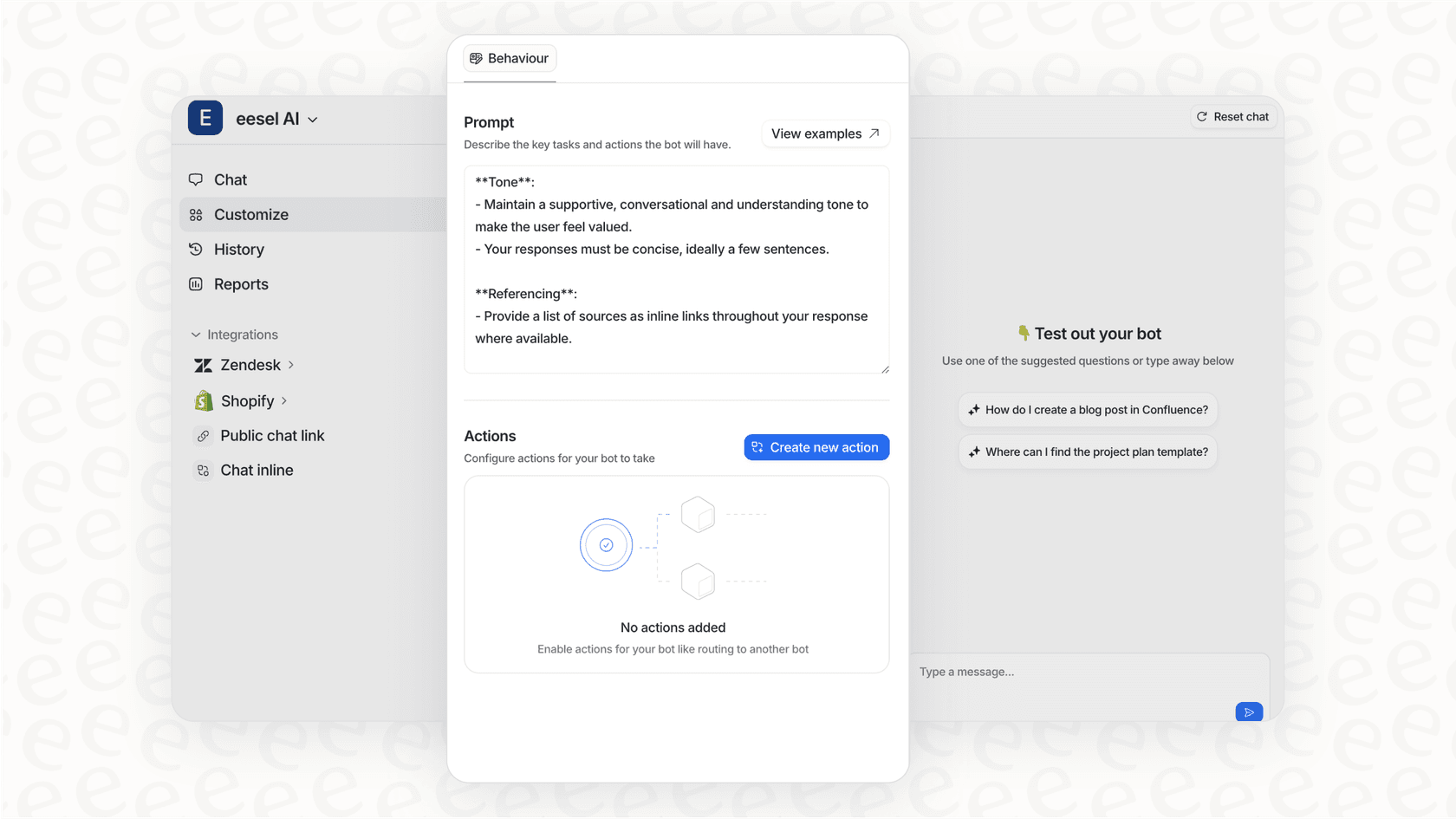
Our AI Agent for Zendesk goes further, providing autonomous ticket resolution while handling all webhook security behind the scenes. If you're building webhook-based automations and want to focus on business logic rather than cryptographic implementations, we can help simplify your integration.


Frequently Asked Questions
Share this article

Article by
Stevia Putri
Stevia Putri is a marketing generalist at eesel AI, where she helps turn powerful AI tools into stories that resonate. She’s driven by curiosity, clarity, and the human side of technology.
